
Thinkific vs LearnWorlds: Which Course Platform is Actually Worth Your Money?

Last updated August 4, 2026
Quick Answer
Thinkific and LearnWorlds split along depth versus simplicity. Thinkific ($54/month, or $40/month billed annually, after its August 2026 price increase) is the faster, cleaner build: bulk uploads, mixed-media lessons, and 0% platform fees on Thinkific Payments. LearnWorlds ($29/month Starter, $99/month Pro Trainer, $299/month Learning Center) goes deeper on interactive video, advanced quiz types, and a native blog, but its entry Starter plan charges a flat $5 per course sale until you upgrade to Pro Trainer. Neither platform offers a free plan; both give a 30-day trial. FreshLearn combines Thinkific's simplicity with LearnWorlds' depth, charges 0% transaction fees on every plan including a genuine free plan, and starts at $35/month on a two-year commitment.
Key Takeaways
- Thinkific has no free plan; it was discontinued in 2024 and replaced by a 30-day trial. Paid plans start at $54/month ($40/month billed annually) after Thinkific's roughly 10% price increase on August 13, 2026.
- LearnWorlds' Starter plan costs $29/month ($24/month billed annually) but charges a flat $5 fee per course sale; that fee disappears entirely on Pro Trainer ($99/month, or $79/month billed annually).
- Neither Thinkific nor LearnWorlds charges a percentage-based transaction fee on their higher tiers: Thinkific is 0% on Thinkific Payments across all plans, and LearnWorlds is 0% from Pro Trainer upward.
- LearnWorlds includes a native blog with SEO tools; Thinkific has no built-in blog and requires a third-party app like DropInBlog.
- Thinkific includes built-in one-click upsells and order bumps; LearnWorlds requires manually built funnels to achieve a similar effect.
- FreshLearn charges 0% transaction fees on every plan, including a genuine free plan, and starts at $35/month on a two-year commitment, undercutting both Thinkific Basic and LearnWorlds Pro Trainer.
Thinkific vs LearnWorlds: The core difference is depth versus simplicity. To put it more clearly:
LearnWorlds focuses on making online learning an interactive experience. It comes with tools such as interactive video features, advanced testing options, and built-in blogging capabilities. This makes it a good fit for businesses or educators seeking to deliver a more engaging learning experience.
On the other hand, Thinkific focuses on making course creation quick and simple. It has a clean course builder, bulk uploading, and easy customization for certificates. It’s great for creators who want to get their courses online without spending weeks figuring out the platform.
In short, LearnWorlds is like a fully loaded classroom with every tool you could ask for. Thinkific is like a well-organized studio that gets you up and running fast.
But what if you are a creator who prefers an interactive course creation with a quick setup, both in one go? Let’s break it down for you.
Thinkific vs LearnWorlds: The 30-Second Verdict
Let’s see how both platforms compare side-by-side.
Note: We’ve added FreshLearn as a new alternative for those who prefer an affordable option with an all-in-one approach. However, the detailed breakdown that follows compares only Thinkific vs LearnWorlds.
Note on this table: Thinkific's pricing reflects its roughly 10% price increase effective August 13, 2026, and the Pricing row no longer claims a free plan, which Thinkific discontinued in 2024. LearnWorlds figures are unchanged and independently reconfirmed. FreshLearn's entry price reflects its current two-year billing rate.
Thinkific vs LearnWorlds: Feature-by-feature breakdown
It’s time to go beyond the elevator pitch and look at Thinkific vs LearnWorlds in depth.
Course creation and student engagement
Creating an engaging learning experience is priority number one. Let’s compare how Thinkific and LearnWorlds handle course building, quizzes, communities, and more.
Course builder and content uploading
Your course builder sets the tone for your whole creation process. The platform you choose should make it a breeze without adding extra clicks. So,
What it’s like on Thinkific
Thinkific’s course builder has a clean, intuitive interface. It lets you upload content directly while creating a lesson. You can even bulk-upload multiple videos or lessons at once.
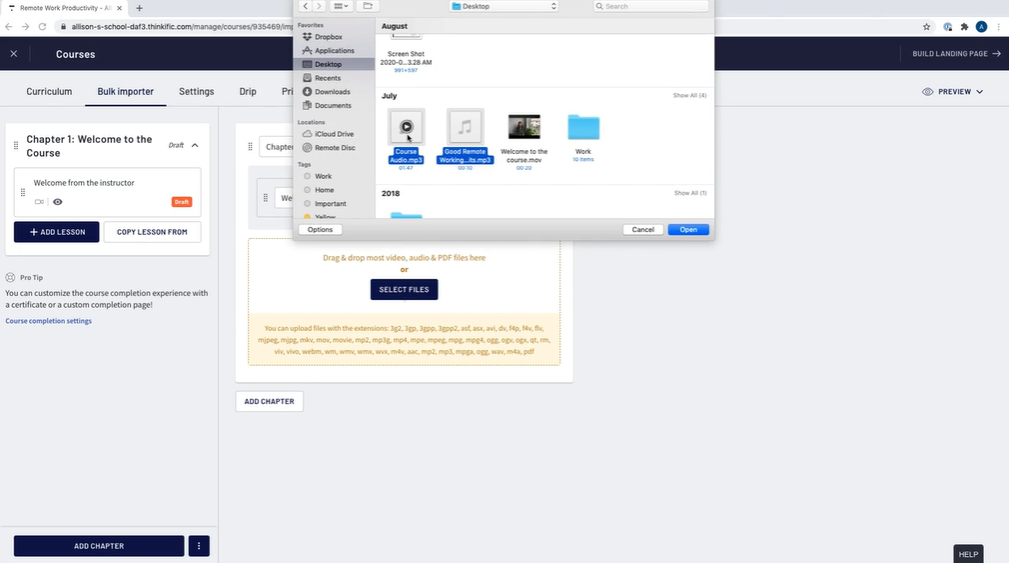
Thinkific will automatically create the lessons for you in one go. It also allows multiple content pieces in one lesson. For example, you could have a video, some text, and a PDF download all in a single lesson unit. Plus, you will have an AI assistant to help you speed up the process.
What it’s like on LearnWorlds
LearnWorlds’ course builder, in contrast, can involve a lot of manual work. For example, when adding a video lesson, you must upload videos to a library first and then insert them into a lesson. There’s no bulk uploader for lessons, so adding 10 videos means 10 manual lesson creations. But you can bulk import files to create a new section within a lesson.
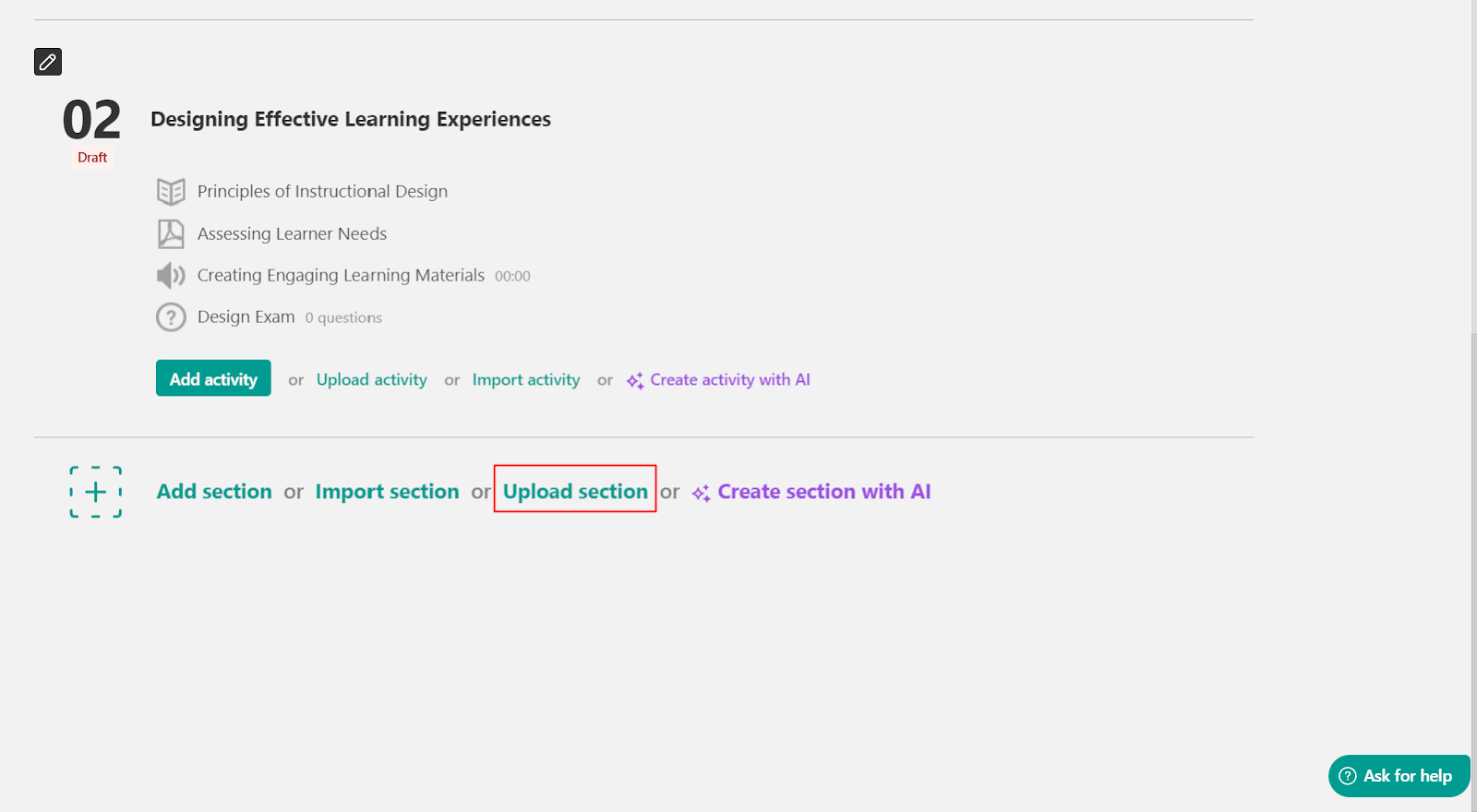
Like Thinkific, you’ll get an AI assistant to build your course.
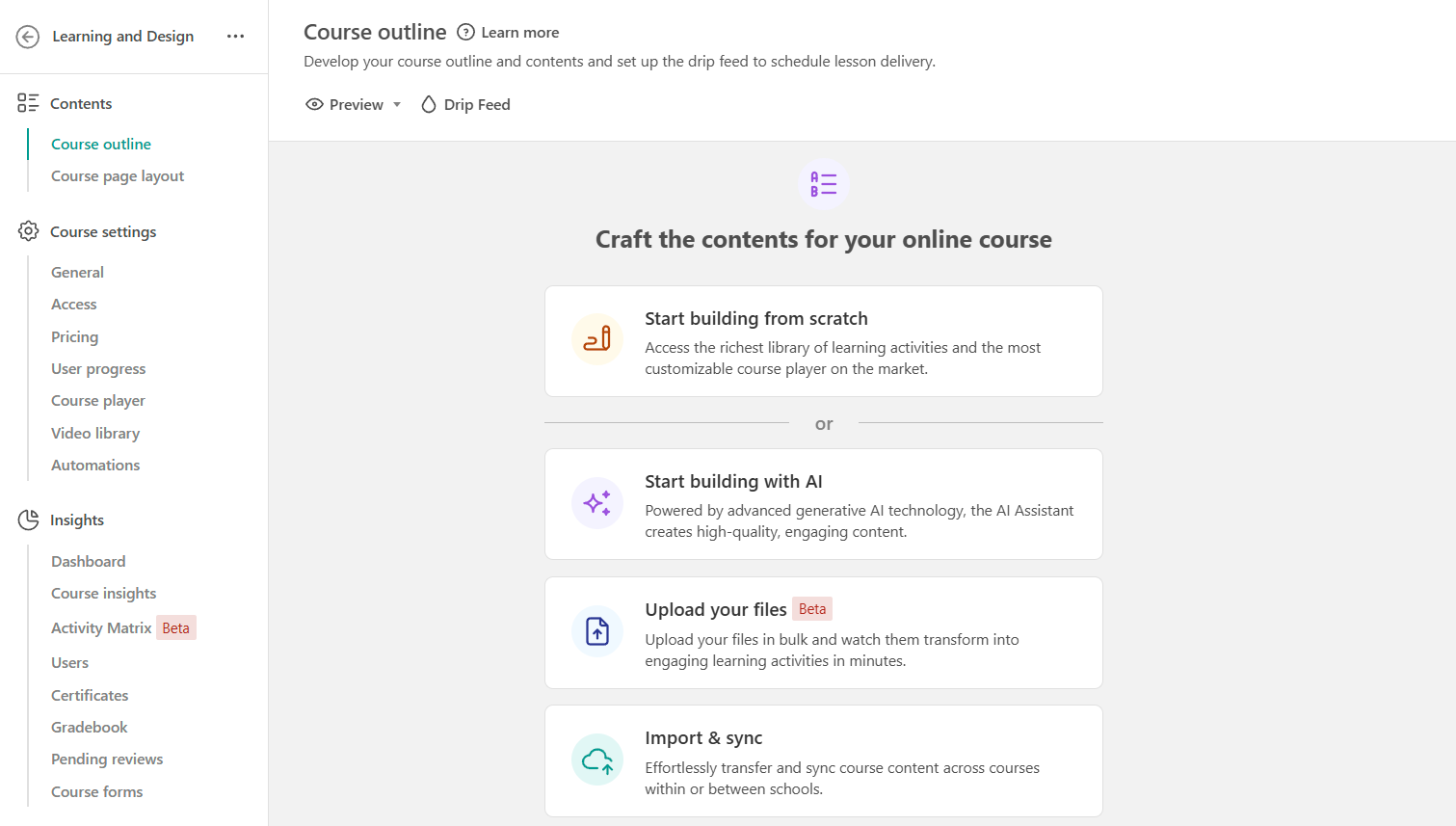
LearnWorlds also restricts one content type per lesson (for example, you can’t easily combine a video and text in the same lesson as you can in Thinkific). The interface, while powerful, is more cluttered, which can be overwhelming when you’re trying to quickly put together your curriculum.
Quizzes, assessments, and certificates
Tests and rewards keep learners engaged. Here’s how Thinkific and LearnWorlds handle quizzes, exams, and those all-important completion certificates.
What it’s like on Thinkific
Thinkific allows you to build quizzes using question banks, random questions, and even bulk-import quiz questions. You can insert images in questions, assign passing grades, and much more.
And, you can create multiple-choice questions quickly using their AI Quiz Generator.
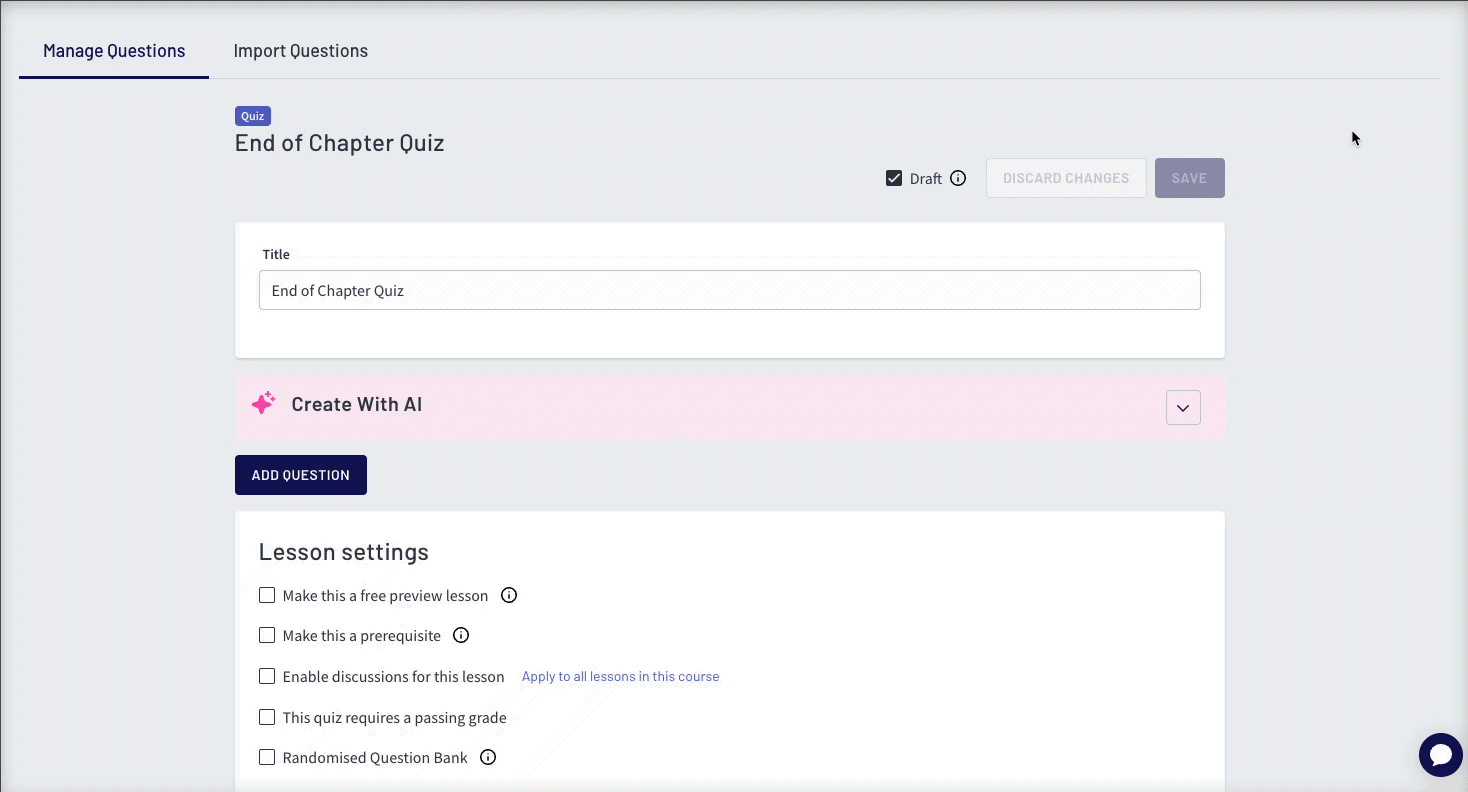
If you need advanced features like proctoring, Thinkific can integrate with Brillium, but you must also have a Brillium subscription.
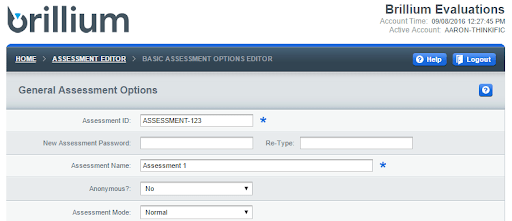
As for assignments, the platform supports file uploads by students that you can later approve or mark.
Educators know that students love incentives. Thinkific knows this, too! And so, it offers a built-in certificate builder with several templates.
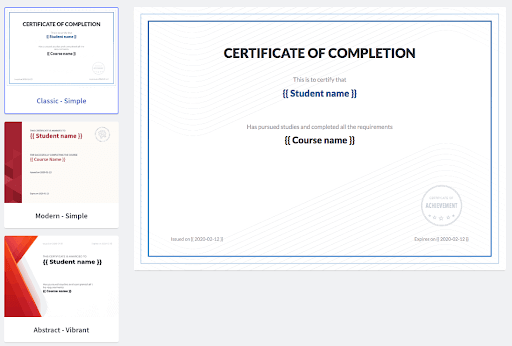
You can customize the design, add your logo, student name, course name, and so on. You can reuse certificate designs across courses.
What it’s like on LearnWorlds: LearnWorlds supports all the above and then some, including advanced question types like matching, sorting, fill-in-the-blank, and timed examinations.
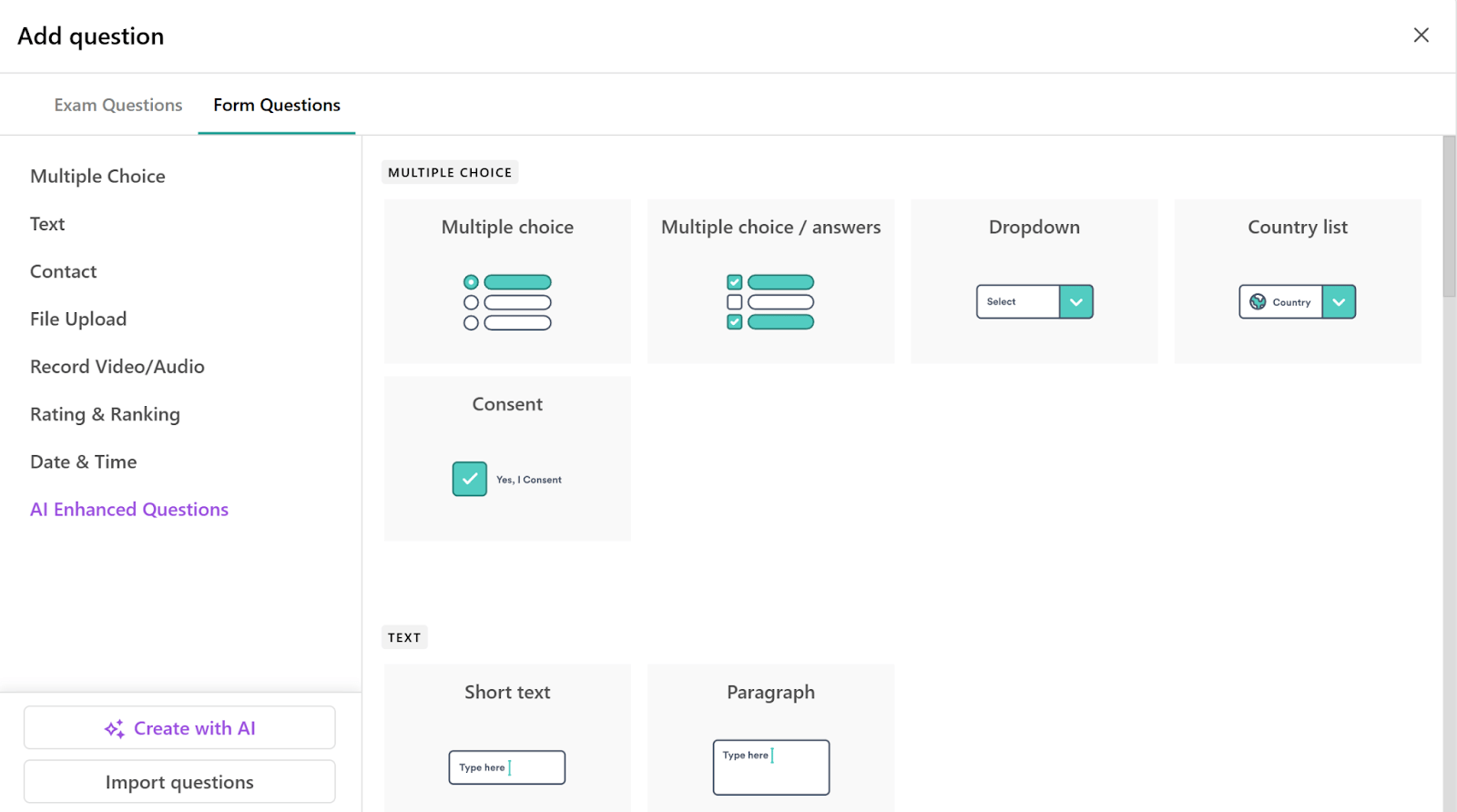
Essentially, LearnWorlds pushes a bit further into the “academic testing” realm, which could be useful if you run a more formal training program.
In terms of certificates, LearnWorlds does provide completion certificates, but customization is limited. There’s basically one default template.
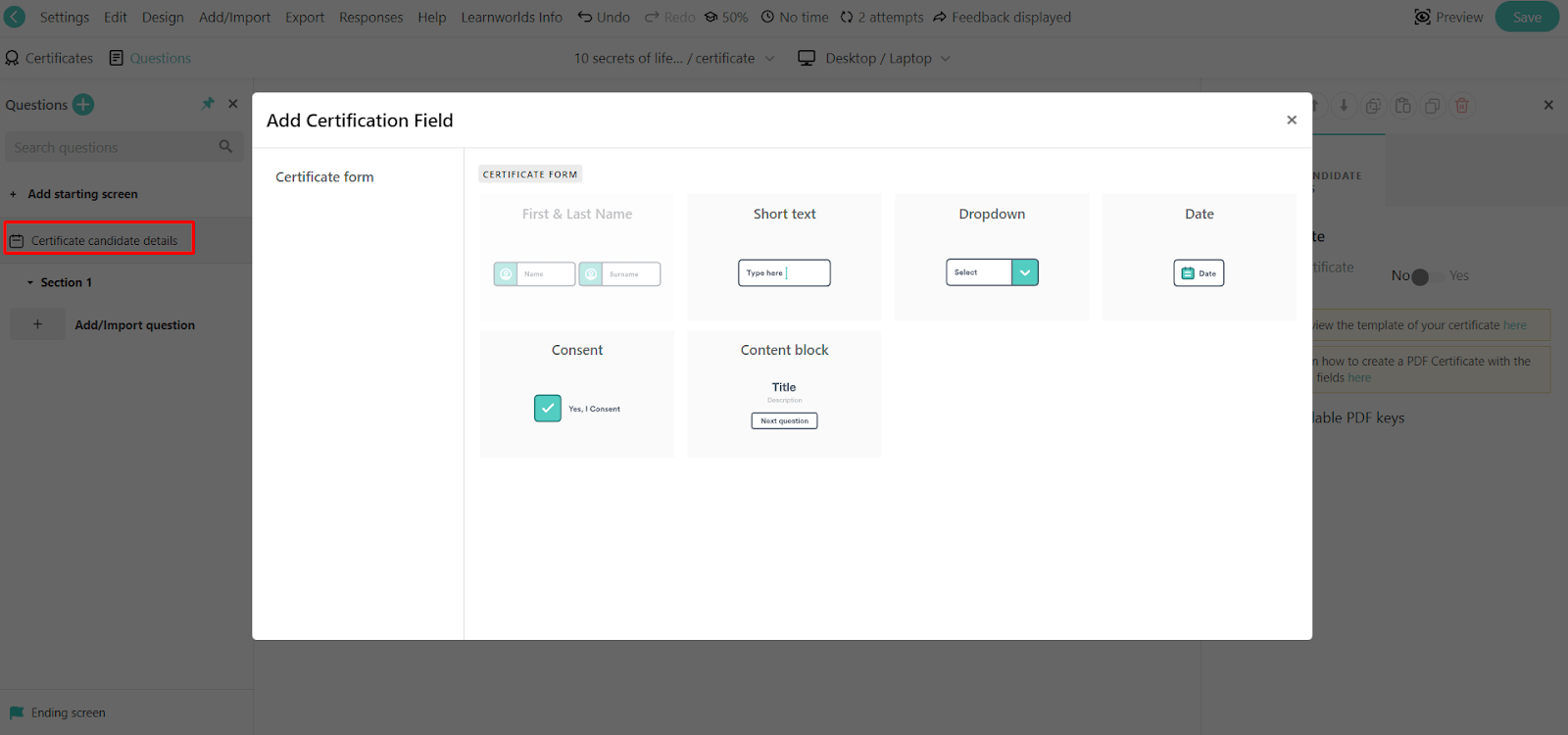
To get a nicely designed certificate, you might have to design a PDF yourself and upload it. Not exactly user-friendly if you want branded, pretty certificates.
Live classes and community
A thriving learning community is the secret weapon. Platforms SHOULD keep students connected and engaged in real-time.
What it’s like on Thinkific
You can set up multiple community groups and even tie community access to specific courses or bundles/memberships (e.g., only students of Course A can access the Course A Community).
You can also host live events in a Thinkific community, which is useful for live Q&As or webinars with your members.
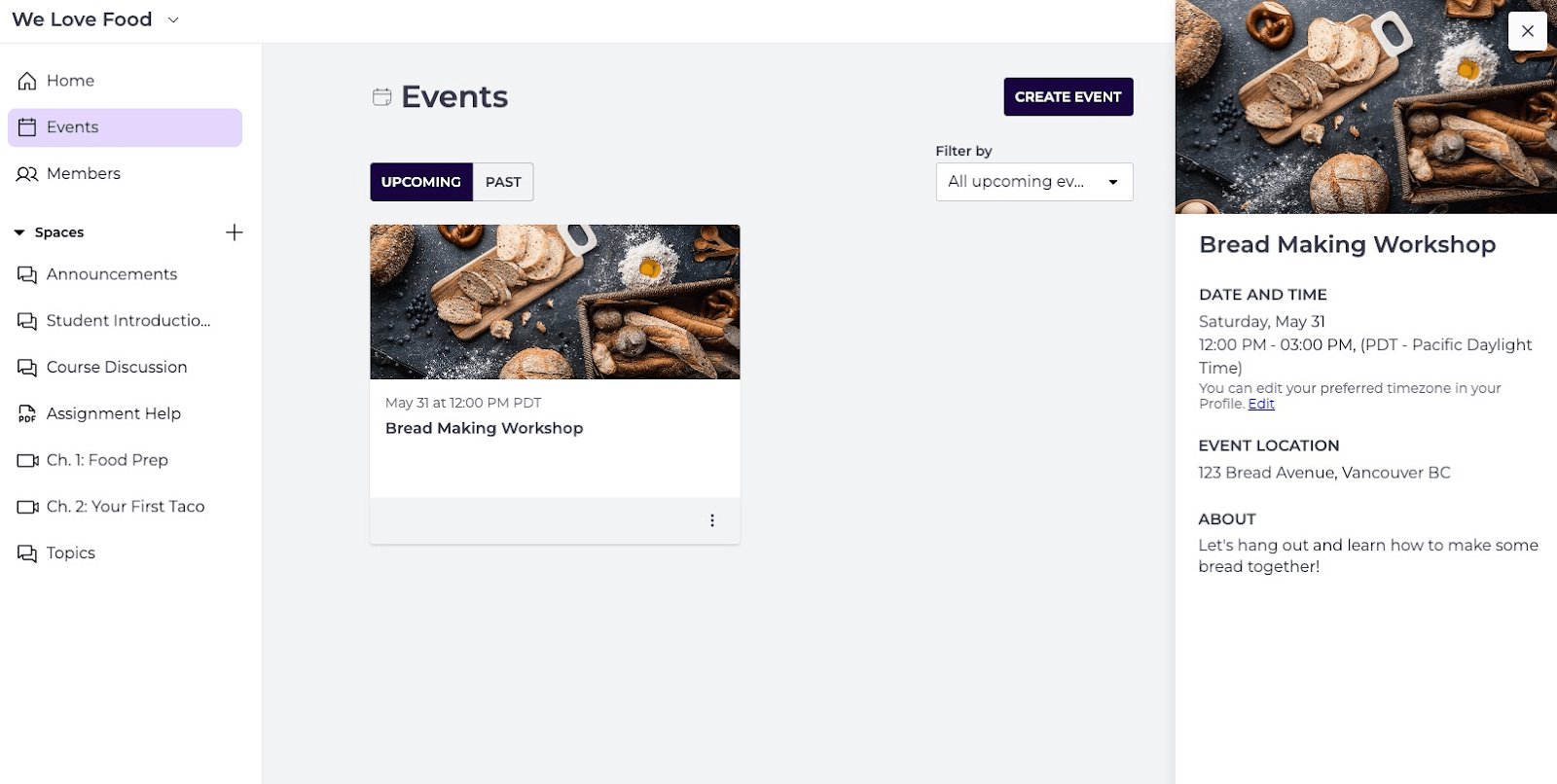
Thinkific offers native Zoom integration for live classes or webinars.
What it’s like on LearnWorlds
LearnWorlds has an interesting approach where it automatically creates a community “space” for each course you launch.
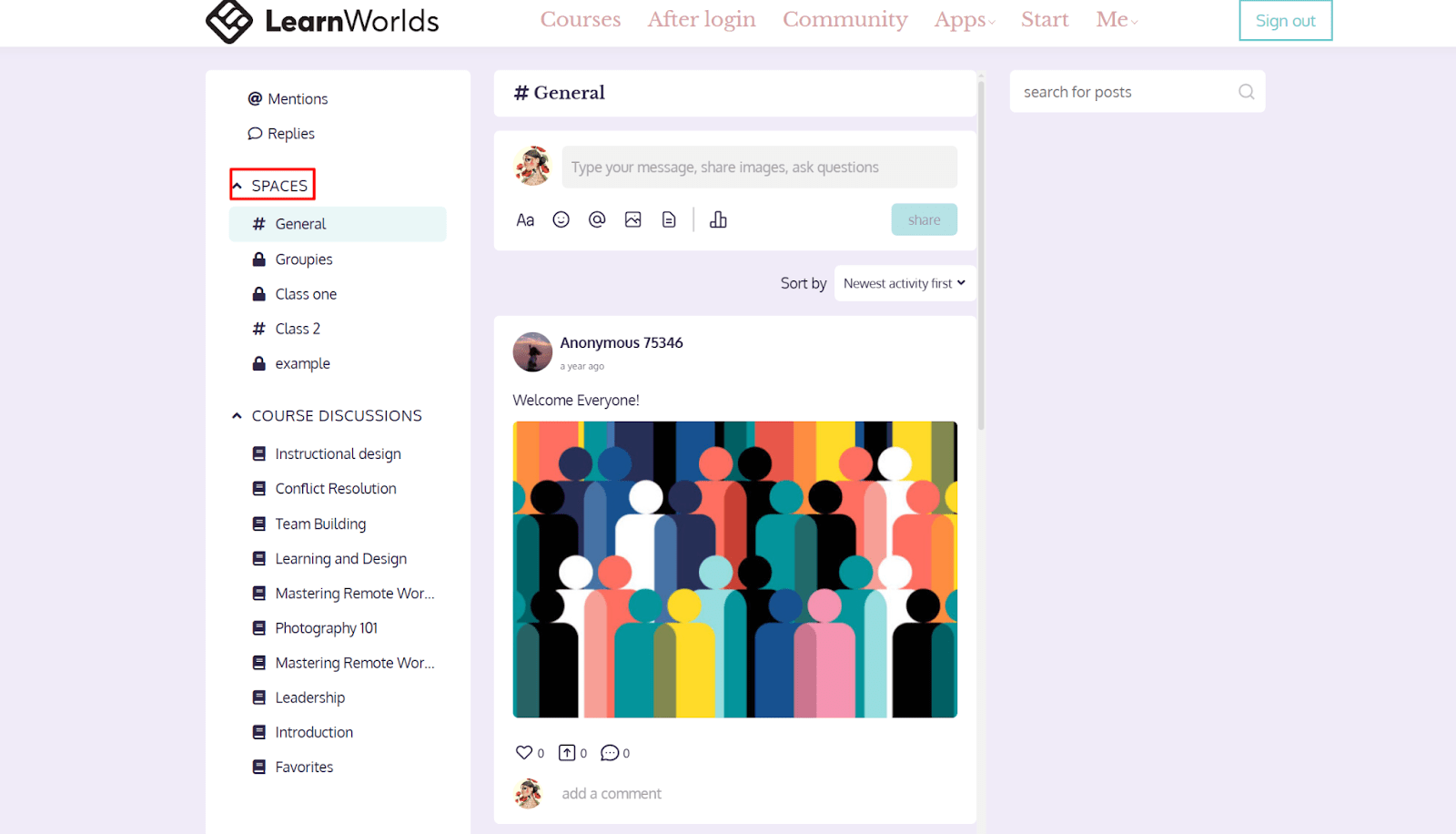
That space is accessible right inside the course player. It supports rich posts with videos and polls, and even allows direct messaging between members (something you don’t get in Thinkific). Most creators really appreciate this feature.
However, LearnWorlds doesn’t let you restrict different communities to different groups. It’s more of a unified hub, aside from those per-course spaces.
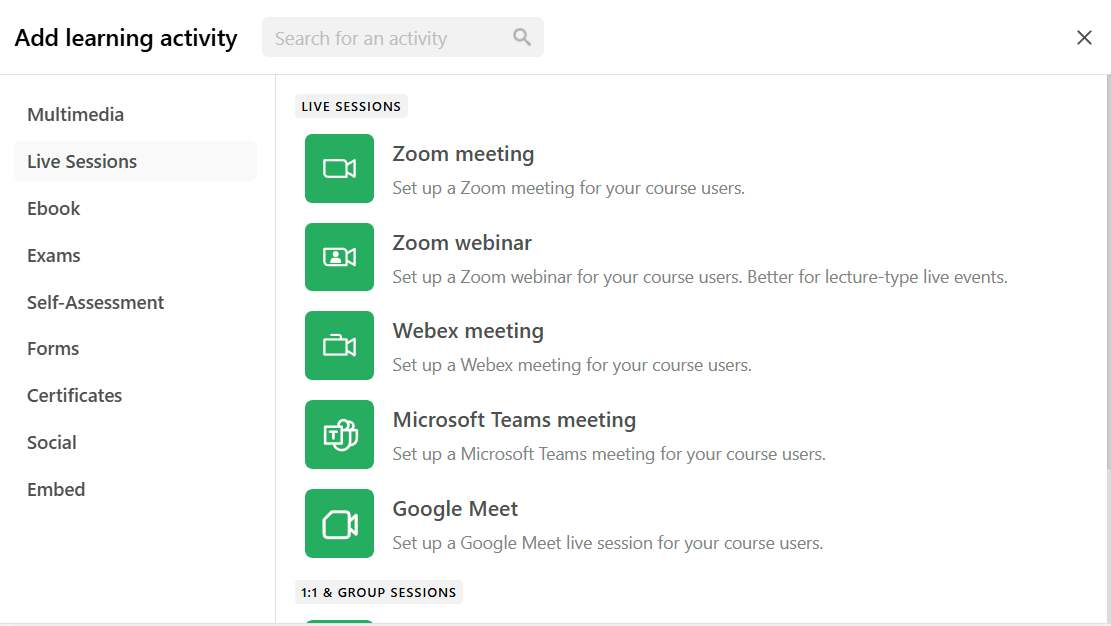
LearnWorlds also offers native Zoom integration for live classes or webinars.
Interactive video and unique learning tools
Videos are the heart of most online courses. Creators must turn them into an active, immersive learning experience.
What it’s like on Thinkific
Your videos on Thinkific are standard play-and-watch, though you can always use external tools to create interactive content and embed it. The videos will have settings like captions, full-screen, and resolution.
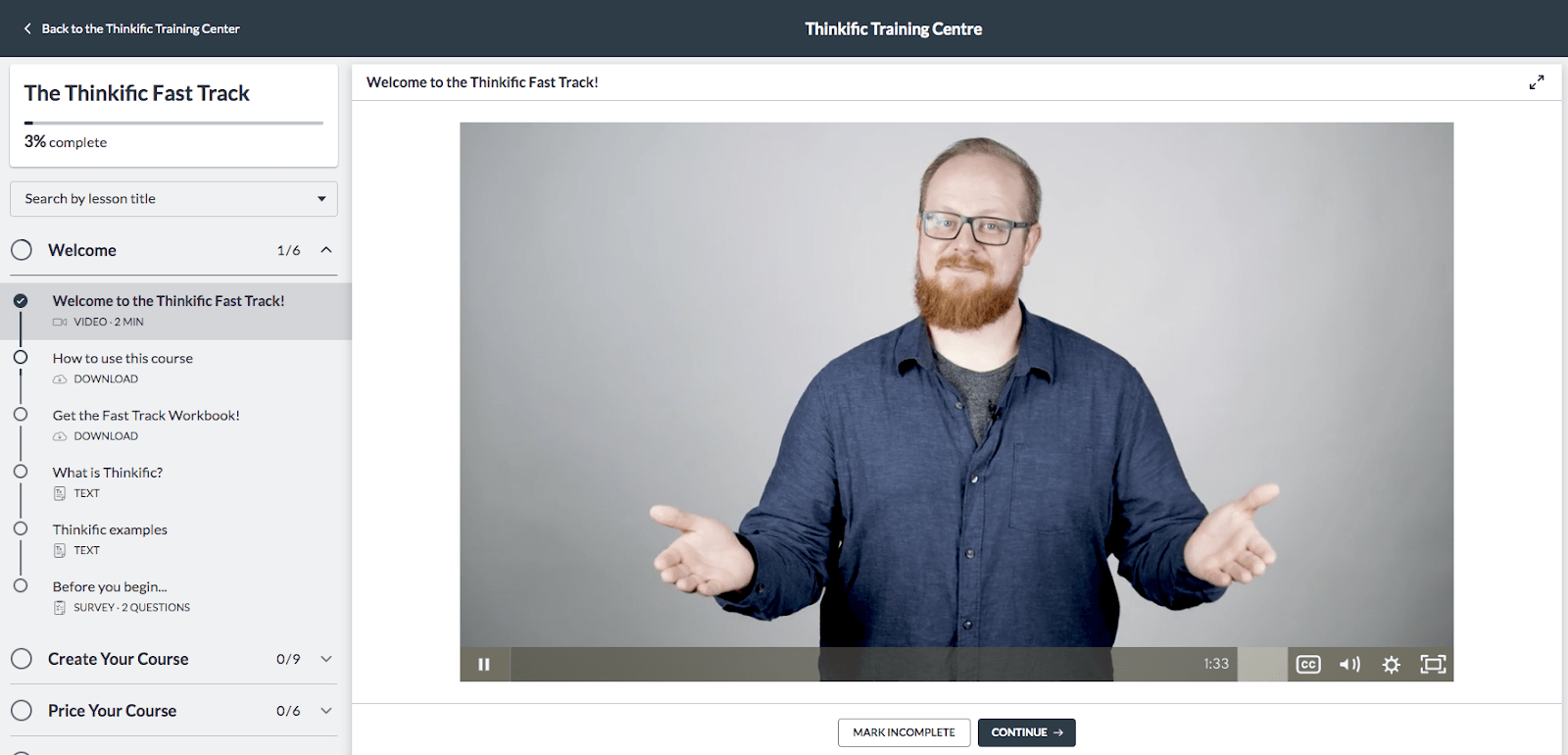
The platform also lets you add video downloading options for your students to watch offline. But that’s it. There’s not much scope for interactivity that you can work with on Thinkific’s videos.
What it’s like on LearnWorlds
LearnWorlds allows you to add interactive elements inside your videos. For example, you can embed questions, clickable buttons, links, or polls on top of a video, turning passive watching into an active experience.
Worth knowing before you budget for this: interactive video sits on LearnWorlds' Learning Center plan ($299/month, or $249/month billed annually), not on the mid-tier Pro Trainer plan.
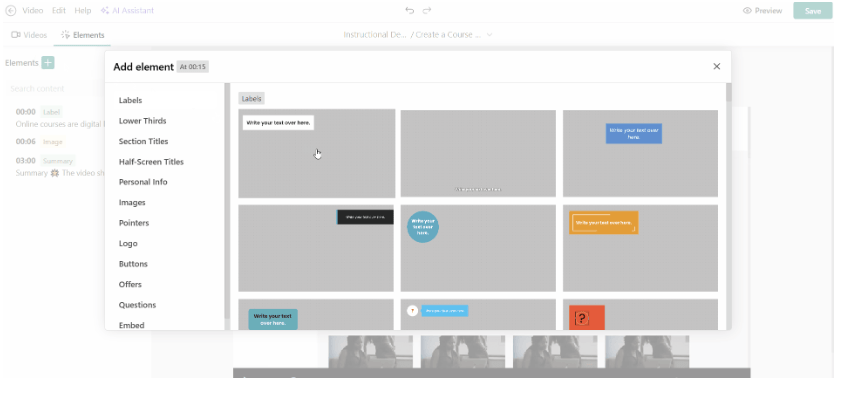
You can even trim videos or add overlays on the fly. LearnWorlds is one of the few platforms that offer this level of video interactivity natively. So if your teaching style leans on video content, this might be a deciding factor.
Winner: Thinkific
If your goal is to get a course built and live without fighting the platform, Thinkific is the easier pick. The interface is clean, you can bulk upload content, and you’re not stuck with one type of media per lesson: you can mix video, text, and downloads in the same spot.
LearnWorlds does have some great extras like advanced quiz types and interactive videos, but for most creators, Thinkific’s simpler, faster workflow will save more time and headaches.
Site and page building capabilities
Your online course platform is also your website, your sales pages, and the face of your brand. Both Thinkific and LearnWorlds allow you to create a full website for your academy, but the flexibility differs.
Website Themes and Customization
Your course site is your brand’s first impression. Let’s see which platform gives you the design freedom or head start you need.
What it’s like on Thinkific
Thinkific currently offers only 3 main, pre-set themes, with 3 or 4 styles each. On the plus side, if you have coding skills or hire a developer, Thinkific lets you access and edit the theme code (HTML/CSS/Liquid) or even upload completely custom themes.
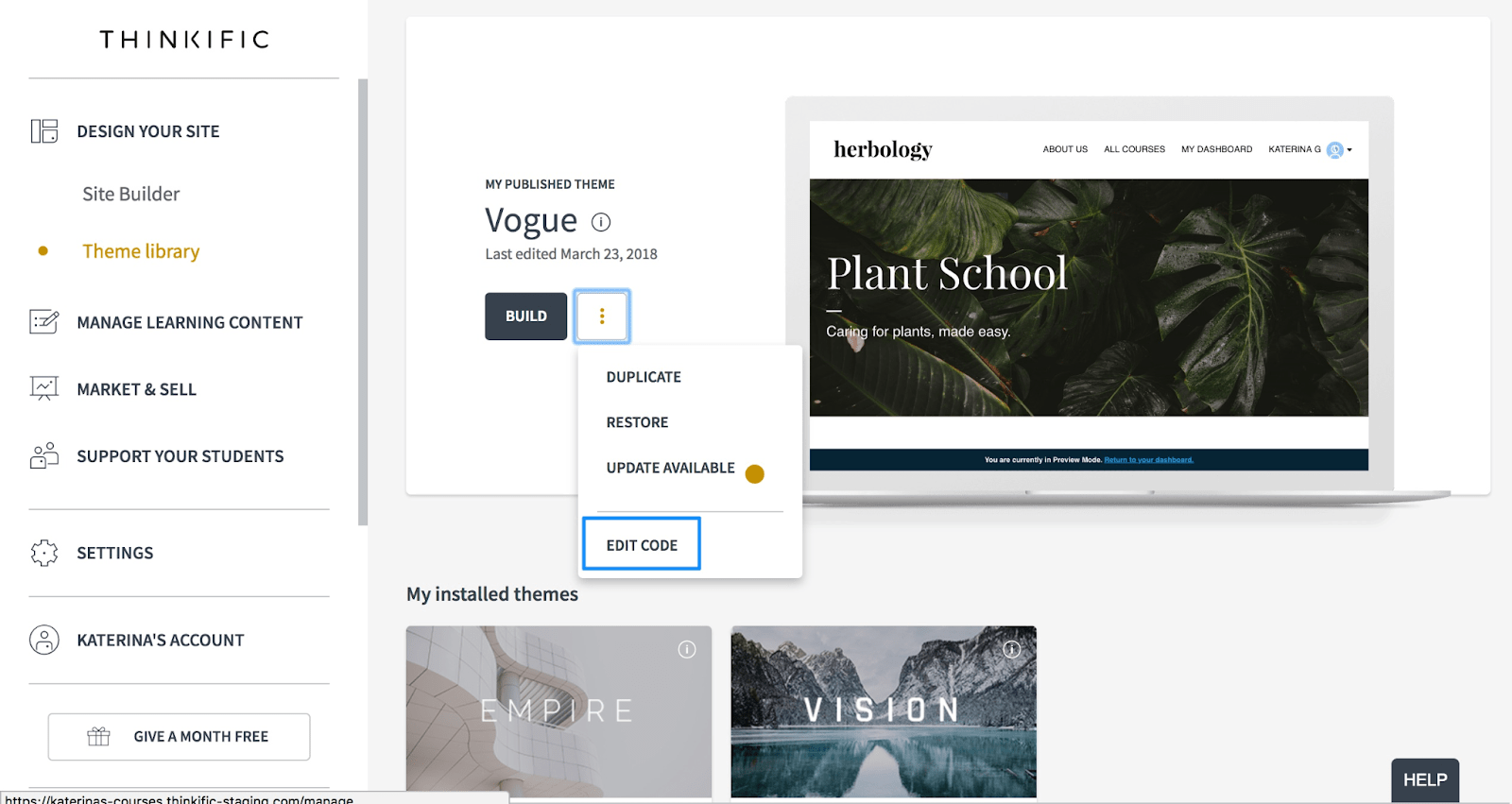
This means unlimited customization potential if you want to tweak the design beyond what the visual editor allows.
What it’s like on LearnWorlds
LearnWorlds provides 50+ “site flavors” (themes) spanning various industries. Once you select your theme, you can customize colors, fonts, and basic layout options
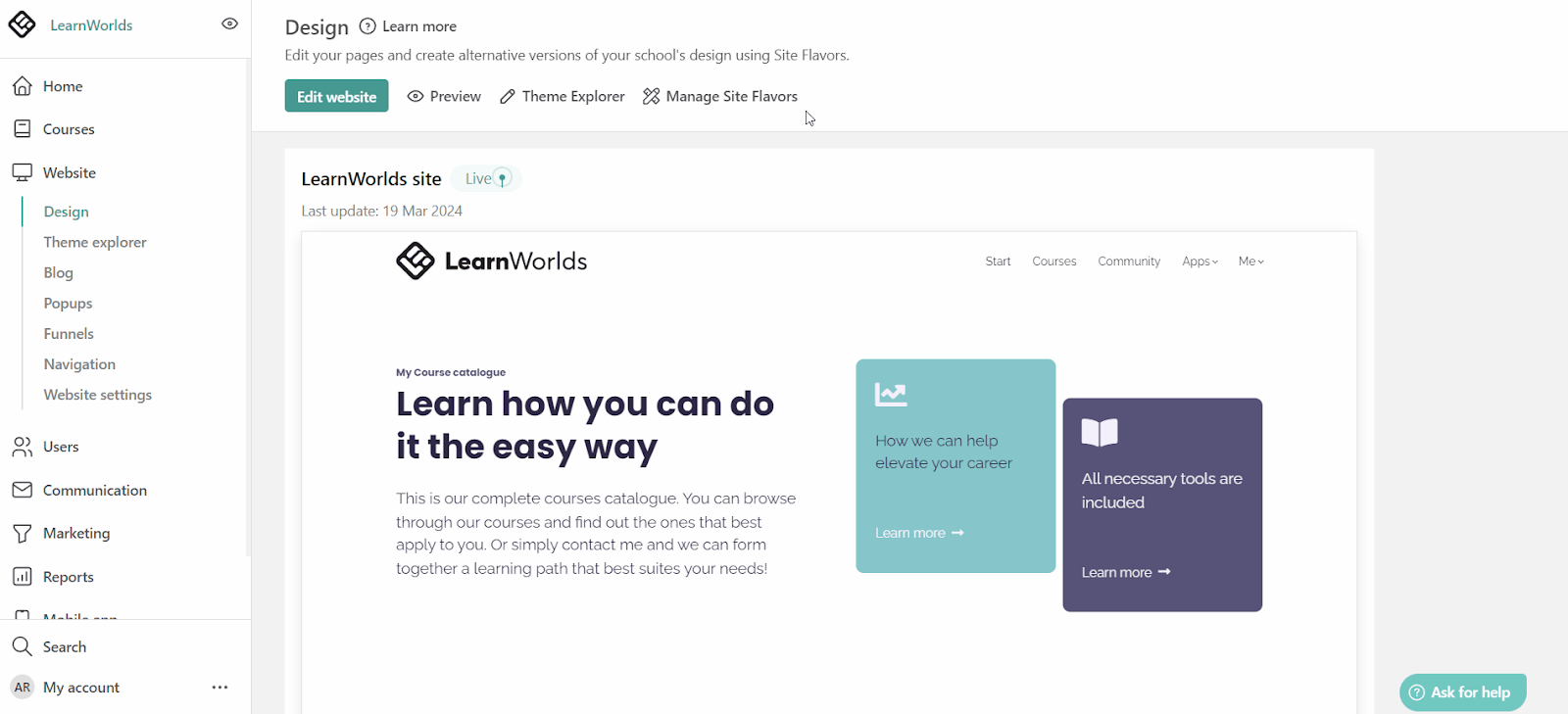
However, unlike Thinkific, LearnWorlds does not allow custom coding or new themes.
Page builder flexibility
Building the perfect sales or landing page matters. Here’s how Thinkific and LearnWorlds stack up on creative control and ease of use.
What it’s like on Thinkific
You choose from pre-built sections (hero banner, text + image, course curriculum list, pricing table, testimonials, etc.) and stack them to make a page. You can reorder sections easily via drag-and-drop. Customization within each section is somewhat limited.
Thinkific’s builder is very easy to use, especially if you’re not design-savvy. The downside is that it might feel a bit rigid if you want a totally unique layout.
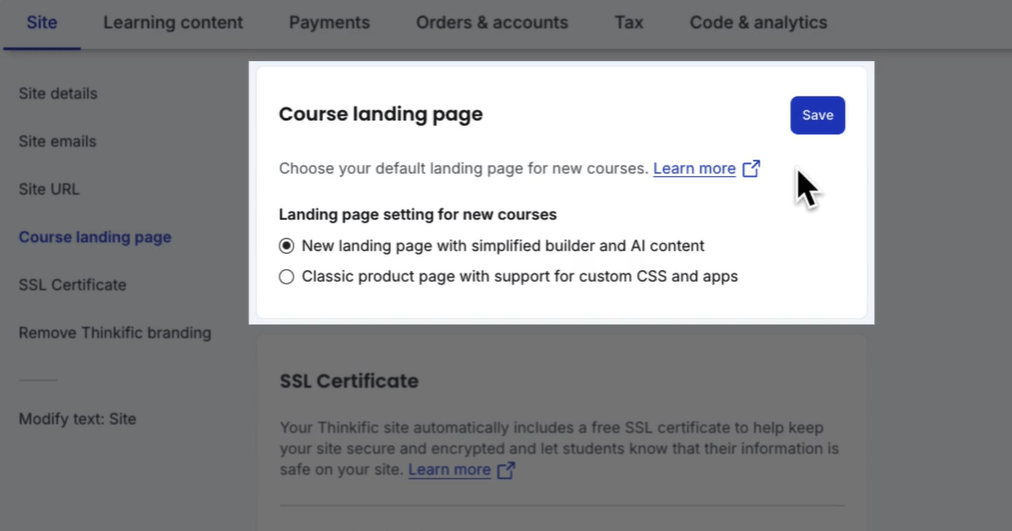
The platform also lets you use its AI-powered landing pages feature, where you can generate pages with prompts and get started quickly.
What it’s like on LearnWorlds
LearnWorlds’ page builder includes dozens of templates for sections and pages. You can adjust margins, padding, fonts, colors, and more to fine-tune your design.
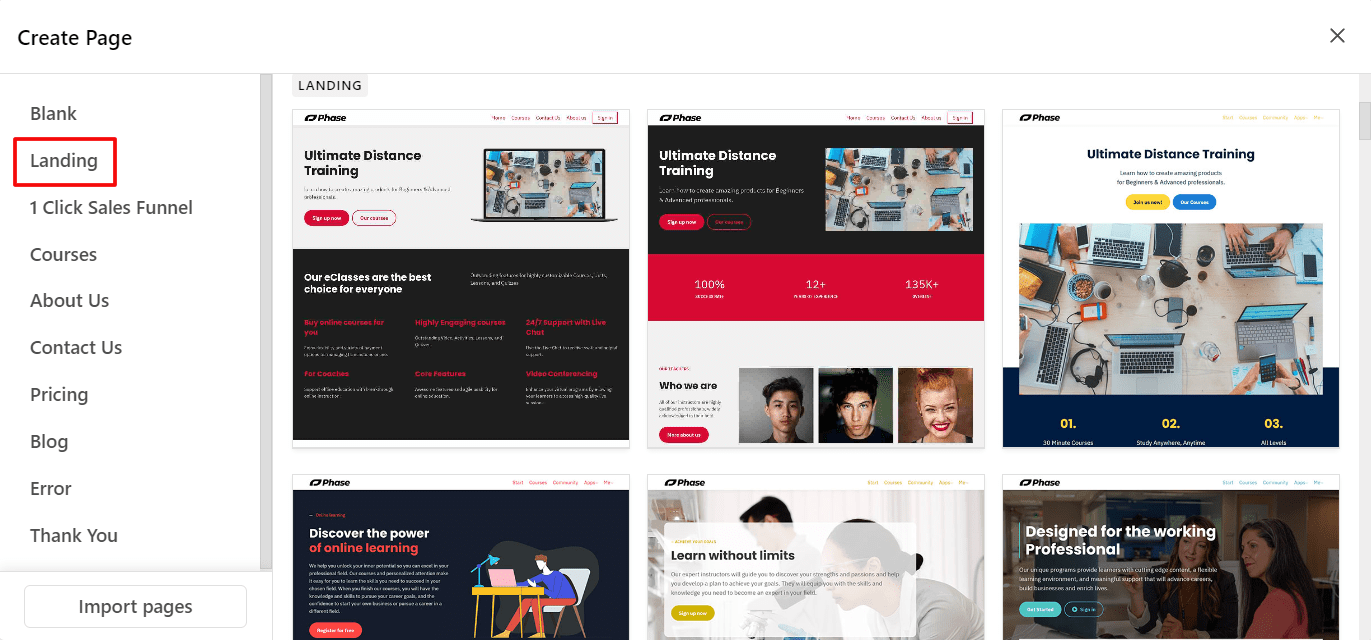
It even supports adding pop-ups and lead capture forms that Thinkific doesn’t have natively.
Sadly, creators have often said that the UI can feel fiddly. Users often report that the LearnWorlds builder interface gets crowded with too many options, and it’s not fully drag-and-drop for moving sections around.
Blogging functionality
Is content marketing part of your growth plan? This one is for you.
What it’s like on Thinkific
Thinkific, unfortunately, has no native blog feature. If you want a blog, you have two options.
- One, to integrate an external blog (like linking a WordPress site to your Thinkific site via a subdomain).
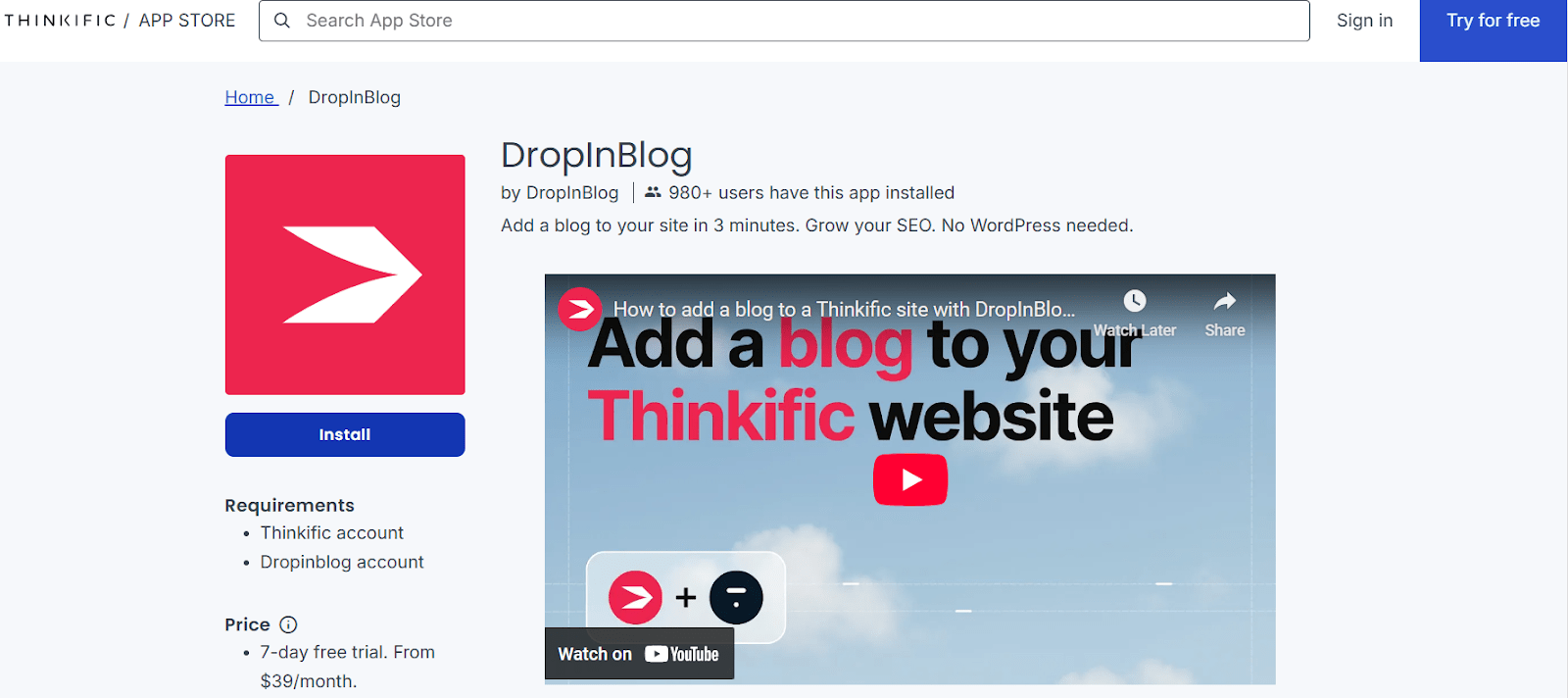
- Two, use a third-party app like DropInBlog from the Thinkific App Store to embed a blog-like section. This is less convenient and could incur extra cost.
What it’s like on LearnWorlds
If content marketing via a blog is part of your strategy (and it’s a great way to attract organic traffic), LearnWorlds lets you create blog posts right on your site. You can design pretty blog posts with images, videos, accordions, and so on. You can categorize posts and optimize for SEO.
It’s a full blog solution, so you don’t need a separate WordPress site for blogging.
Winner: LearnWorlds
For building a great-looking site right out of the box, LearnWorlds takes it. You get over 50 ready-made themes and a built-in blog, so you can launch your site and start publishing content without touching extra tools.
Thinkific lets you dig into the code for custom designs, which is perfect if you have the skills or a developer. But if you just want something polished and ready to go, LearnWorlds makes it a lot easier.
Sales and marketing tools
Having a great course is one thing; selling it is another.
Let’s see how Thinkific vs LearnWorlds compare on the marketing and monetization front: checkout experience, pricing options, promotions, and affiliate programs.
Checkout process and payment gateways
The checkout is where your student becomes a customer – it needs to be smooth. Both Thinkific and LearnWorlds have optimized, conversion-focused checkout pages by default. In fact, they work quite similarly: a student clicks “Buy”, enters their payment info, and only after paying are they prompted to create an account/password. This lowers the friction to purchase (by not asking for account creation upfront).
So, checkout flow quality is a tie.
Now, on payment gateways and transactions.
What it’s like on Thinkific
Thinkific uses its own system called Thinkific Payments, which internally connects to Stripe or PayPal in many countries. In this case, there are no transaction fees apart from standard card processing. But if you use your own Stripe or PayPal instead of Thinkific Payments, Thinkific applies a penalty of 5% on Basic, 2% on Start, and 1% on Grow.
Thinkific supports one-time payments, subscriptions, and payment plans for your courses by default.
Furthermore, Thinkific allows you to offer an order bump (an add-on) on the checkout page, and a one-click upsell on the thank-you page after purchase. This is great for increasing your average order value (for example, after buying your course, the student can add on a coaching session with one click).
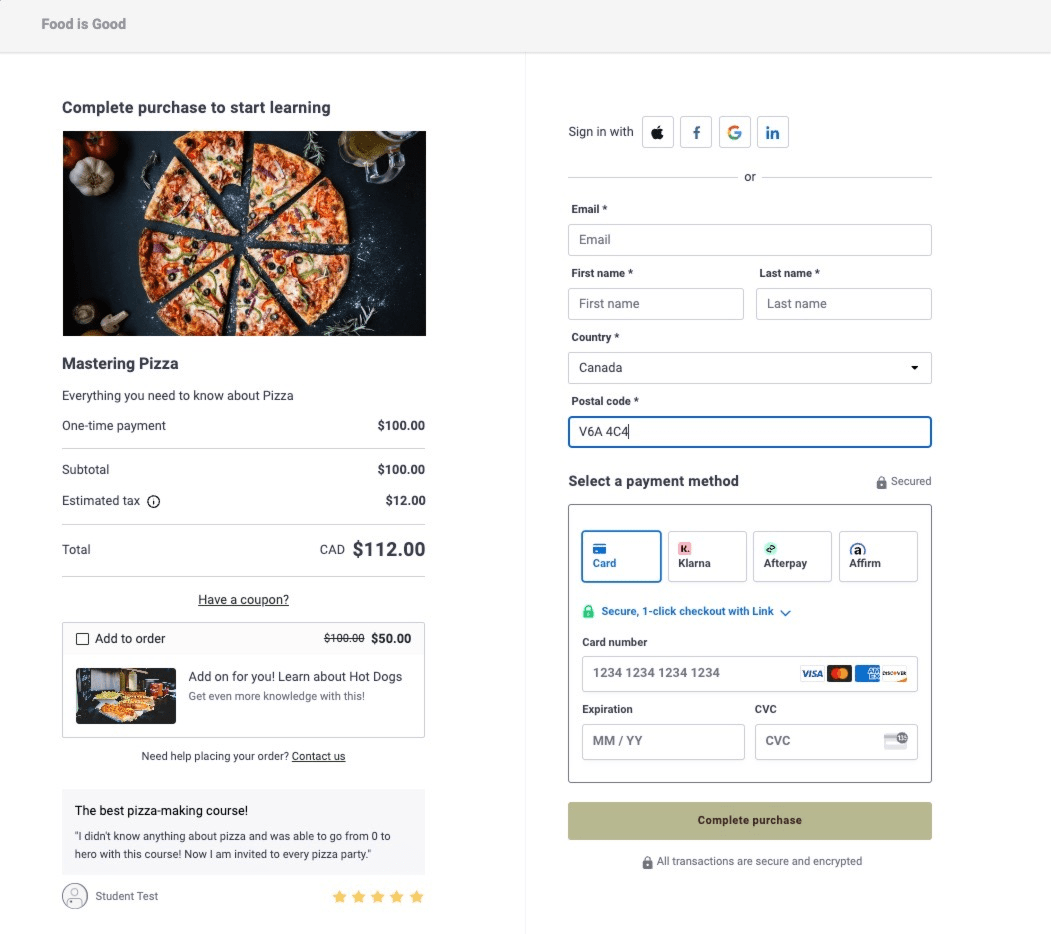
Oh, one more thing: Thinkific Payments simplifies sales tax and VAT handling for creators with US, Canadian, UK, and EU residents. It calculates, collects, and remits US and Canadian sales taxes and UK and EU VAT for your students.
What it’s like on LearnWorlds
LearnWorlds supports Stripe and PayPal as well, plus some additional gateways like Shopify, PagSeguro (for Brazilians), 2Checkout, etc., giving it a broader global payment reach. LearnWorlds does not impose transaction fees on its Pro and above plans, but on the Starter plan, they take a $5 fee per course sale.
In terms of payment models, LearnWorlds also allows one-time sales, subscriptions, memberships, bundles, and payment plans.
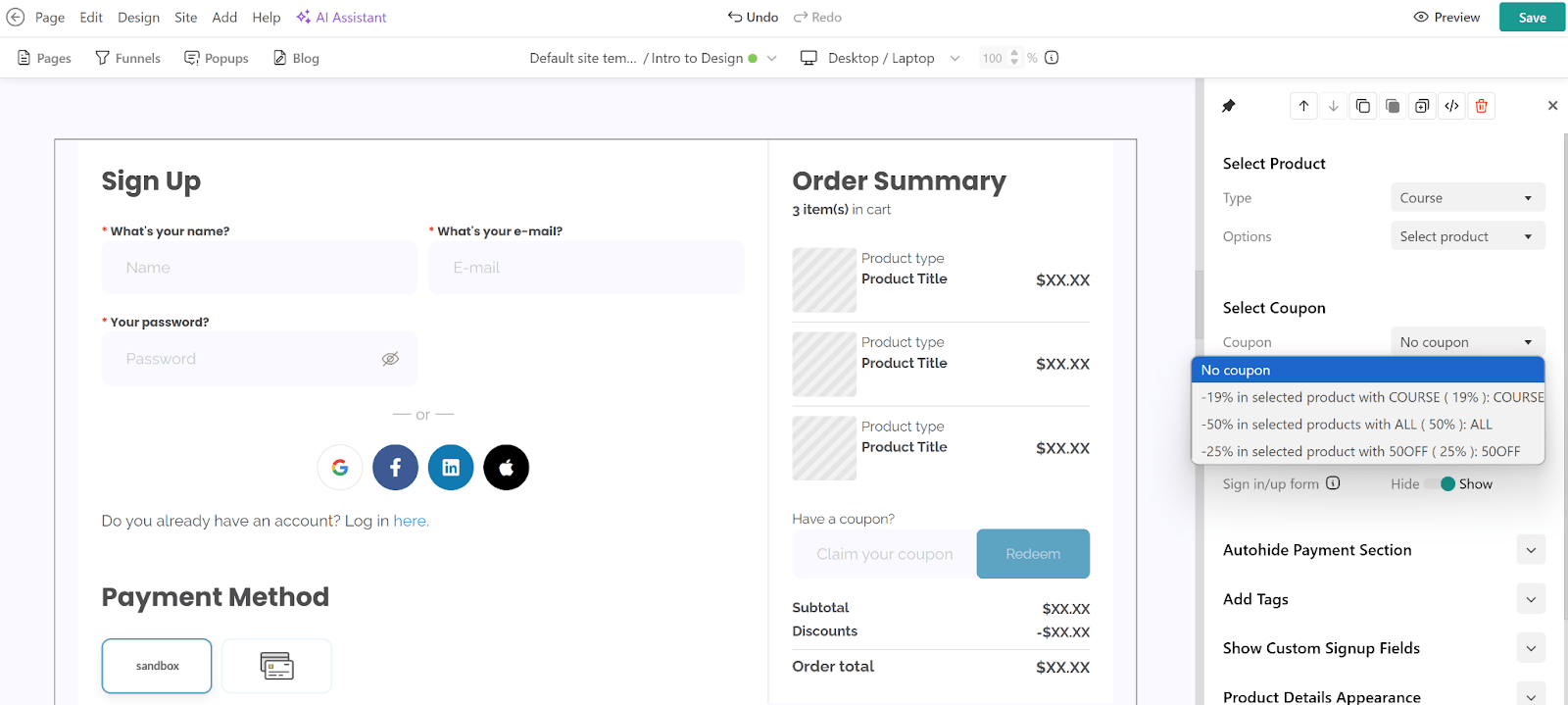
Additionally, LearnWorlds lacks native one-click upsells/order bumps. You can create funnels that lead a user to another offer, but it’s not a true single-click post-purchase upsell.
LearnWorlds doesn’t natively do tax calculations. You’d have to integrate a tool like Quaderno for VAT compliance.
Bundles, upsells, and promotions
For this section, let’s compare Thinkific and LearnWorlds side-by-side, as per the features most creators seek…instead of checking out what each platform does separately.
- Product bundles and multiple pricing: Both Thinkific and LearnWorlds let you bundle courses together or offer multiple pricing options for one course. Thinkific allows creating course bundles as separate products, and LearnWorlds similarly has a bundle/collection feature. So, no big difference here.
- Coupons and discounts: Again, both platforms support coupon codes for your courses. You can run promotions on Thinkific and LearnWorlds easily by generating coupon codes and sharing them with your audience. No major difference; it’s a tie on coupon functionality.
- Upsells and order bumps: As mentioned in the checkout section, Thinkific has a clear advantage with built-in one-click upsells and order bumps. With LearnWorlds, you can create a sales funnel where you manually present an upsell, but it’s not as frictionless as Thinkific’s post-checkout upsell. If maximizing revenue per customer is important, Thinkific gives you more native tools to do so.
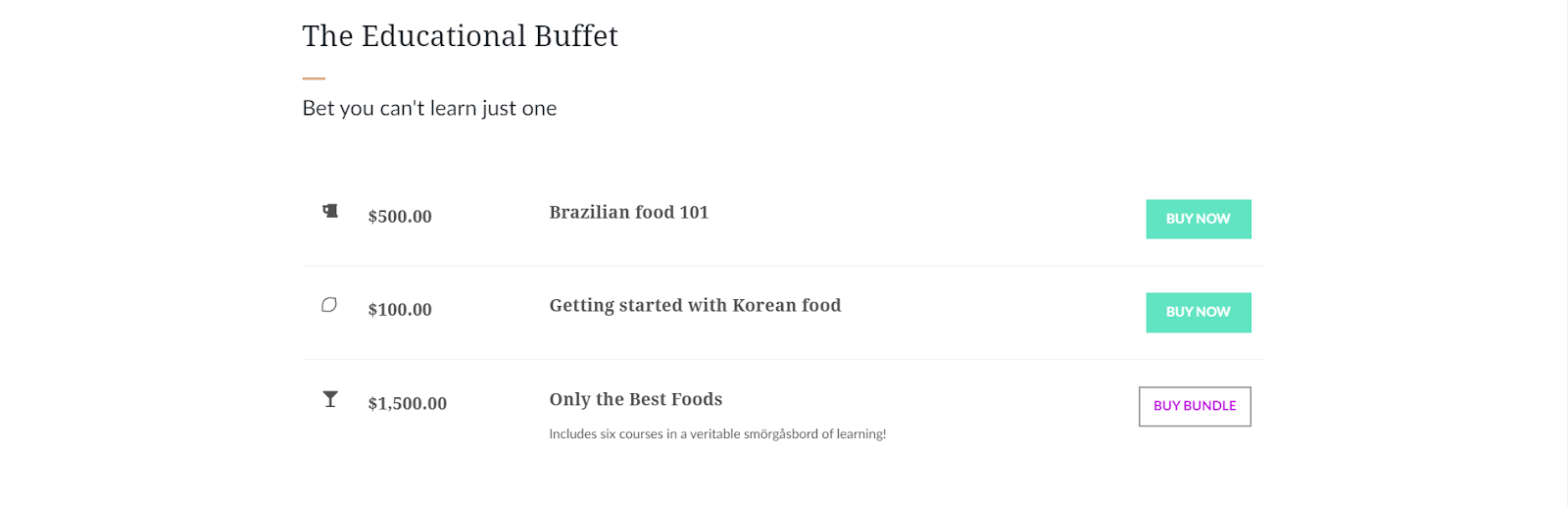
- Sales funnels and landing pages: LearnWorlds includes a Funnels feature, which lets you set up a series of landing pages (like opt-in page → sales page → upsell page, etc.). Thinkific introduced a “Landing Pages” feature and some simple funnel templates, but it’s quite limited. So for pre-sale marketing flows, LearnWorlds provides a bit more structure.
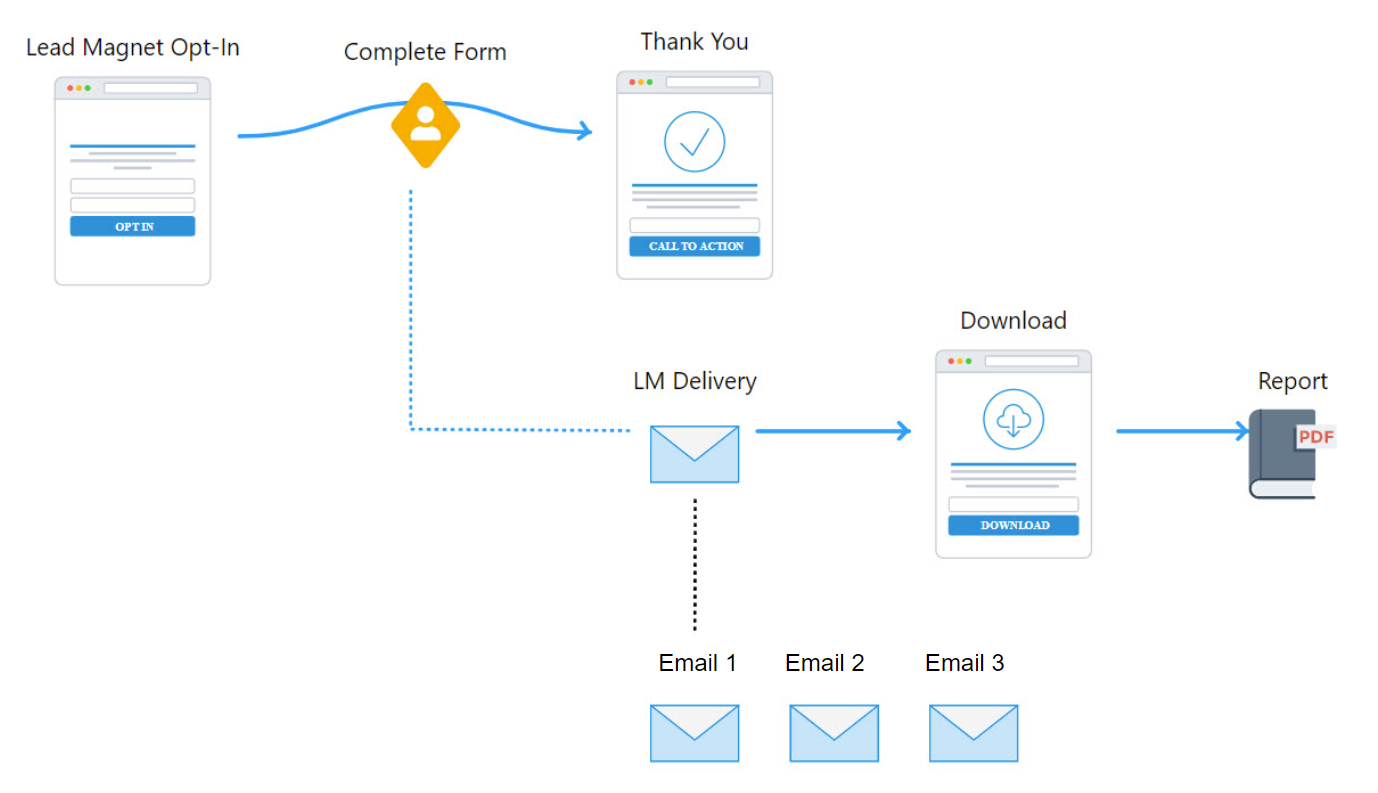
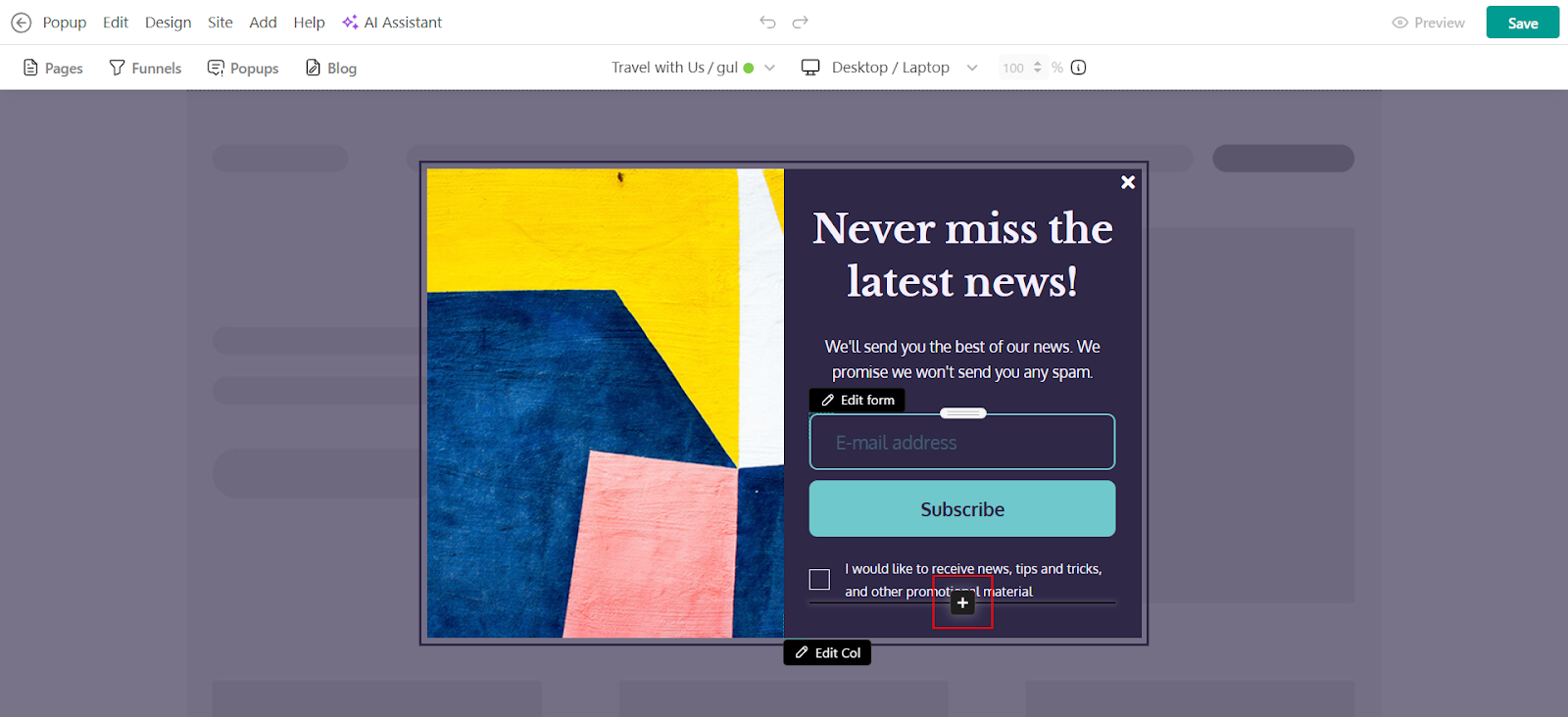
- Lead capture tools: LearnWorlds also has integrated pop-ups and forms you can place on your site for lead capture. In Thinkific, you would typically need to use an external tool or embed a form from your email marketing service. This shows that LearnWorlds leans a bit more into marketing features than Thinkific does.
Affiliate marketing
Word of mouth can benefit your sales. Here’s how Thinkific and LearnWorlds help your affiliates promote your courses.
What it’s like on Thinkific
It has a built-in affiliate system where you can assign affiliates to your courses. You can set up a custom commission percentage for each affiliate. Affiliates get a link to promote, and you can track the sales they refer to.
However, affiliates cannot automatically sign up. You have to invite or approve them manually in Thinkific. Also, Thinkific’s affiliate system is pretty basic: it tracks sales and that’s about it (no advanced tiered commissions or anything fancy).
What it’s like on LearnWorlds
It offers an affiliate program feature with similar capabilities. You set commission rates, and affiliates get referral links. Just like Thinkific, affiliate sign-up is not self-serve; you handle it manually.
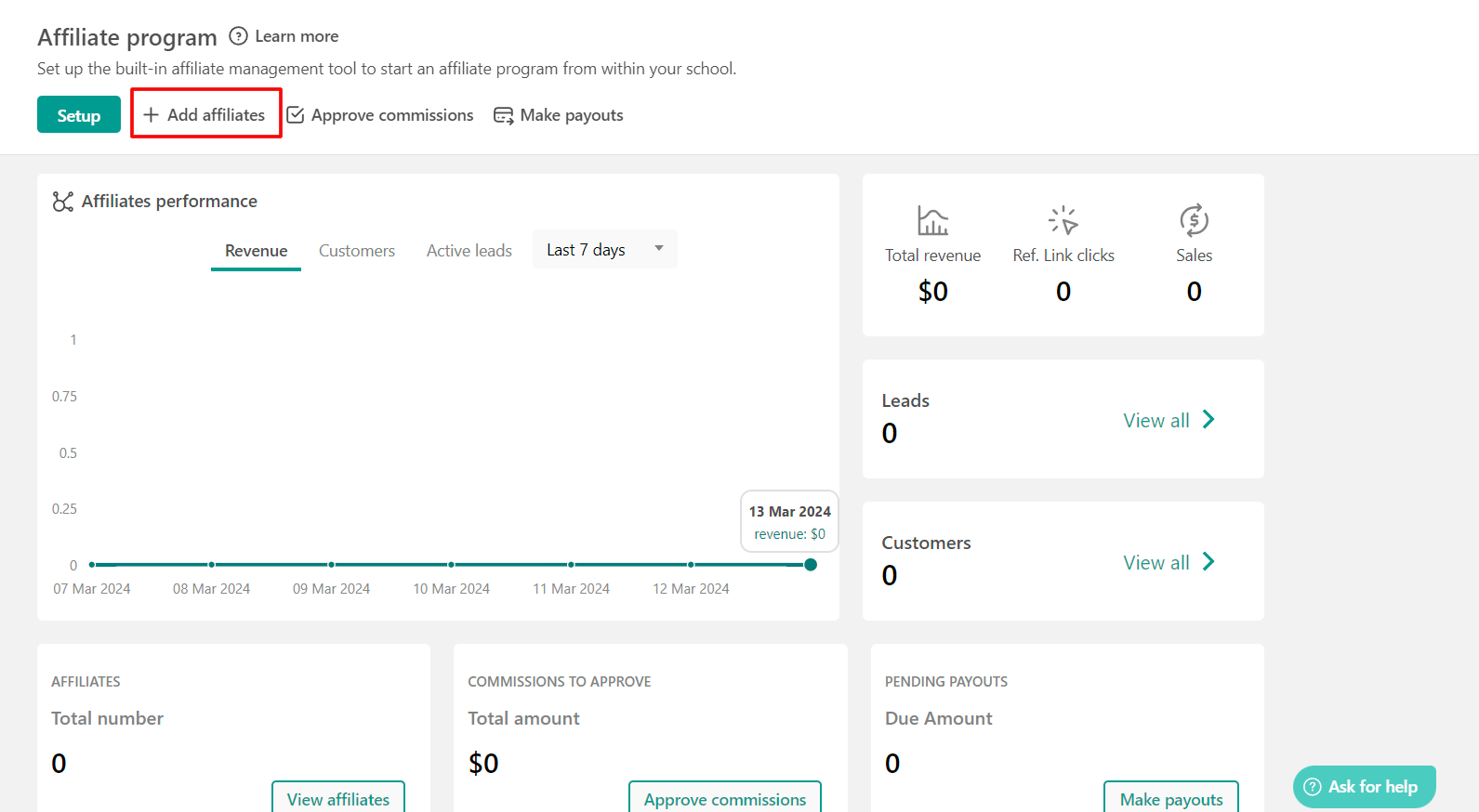
LearnWorlds does not have a referral marketing portal beyond the essentials.
Winner: Thinkific
When it comes to actually making money, Thinkific has the edge. One-click upsells and order bumps are built right in, so you can boost your revenue without extra apps or complex setups. It also handles sales tax and VAT automatically, and you won’t run into platform transaction fees on any plan.
LearnWorlds has more payment gateway options and solid lead capture tools, but without true one-click upsells, it’s missing a simple win for higher sales.
Pricing plans compared: What do you really get?
Both Thinkific and LearnWorlds use a tiered subscription model, but their plans are structured differently. Here’s how they compare in 2026:
Thinkific pricing
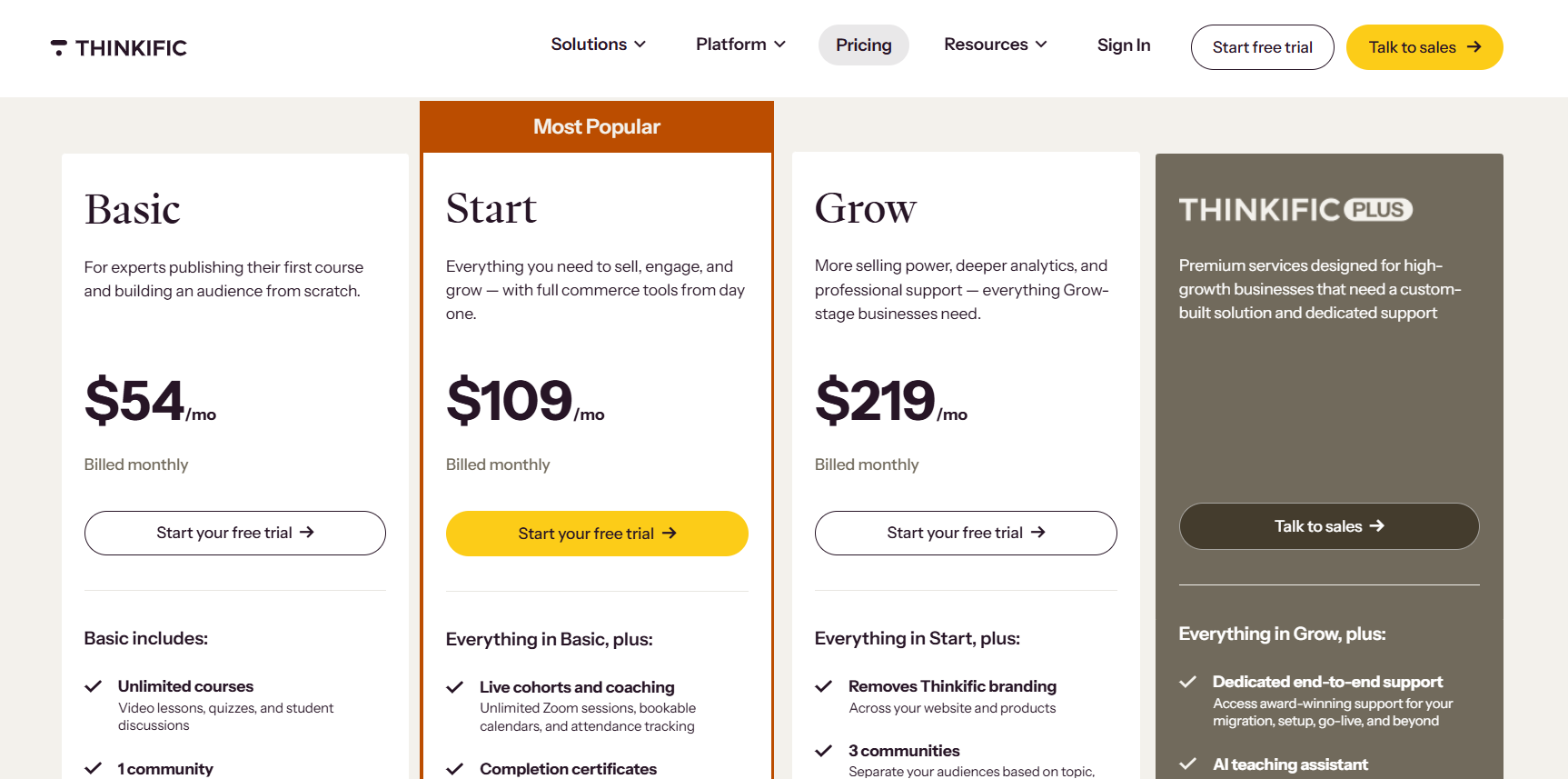
Thinkific's Paid plans include Basic ($54/month, or $40/month billed annually), Start ($109/month, or $82/month billed annually), Grow ($219/month, or $164/month billed annually), and the Plus tier for advanced or corporate needs. Thinkific raised these prices by roughly 10% on August 13, 2026, its first increase since 2022.
When you sign up for any plan, you get access to a 30-day free trial of that plan. So, you can take your time building your business, while also being aware of the platform's potential. Thinkific does not currently offer a free plan; it discontinued its previous free tier in 2024.
Importantly, Thinkific charges no platform commission on any plan when you use Thinkific Payments; using your own Stripe or PayPal instead adds a penalty of 5% on Basic, 2% on Start, and 1% on Grow.
The higher-tier plans mainly unlock more advanced features: for example, Basic gives core features, Start adds communities and assignments, Grow adds priority support and onboarding, and so on.
LearnWorlds pricing
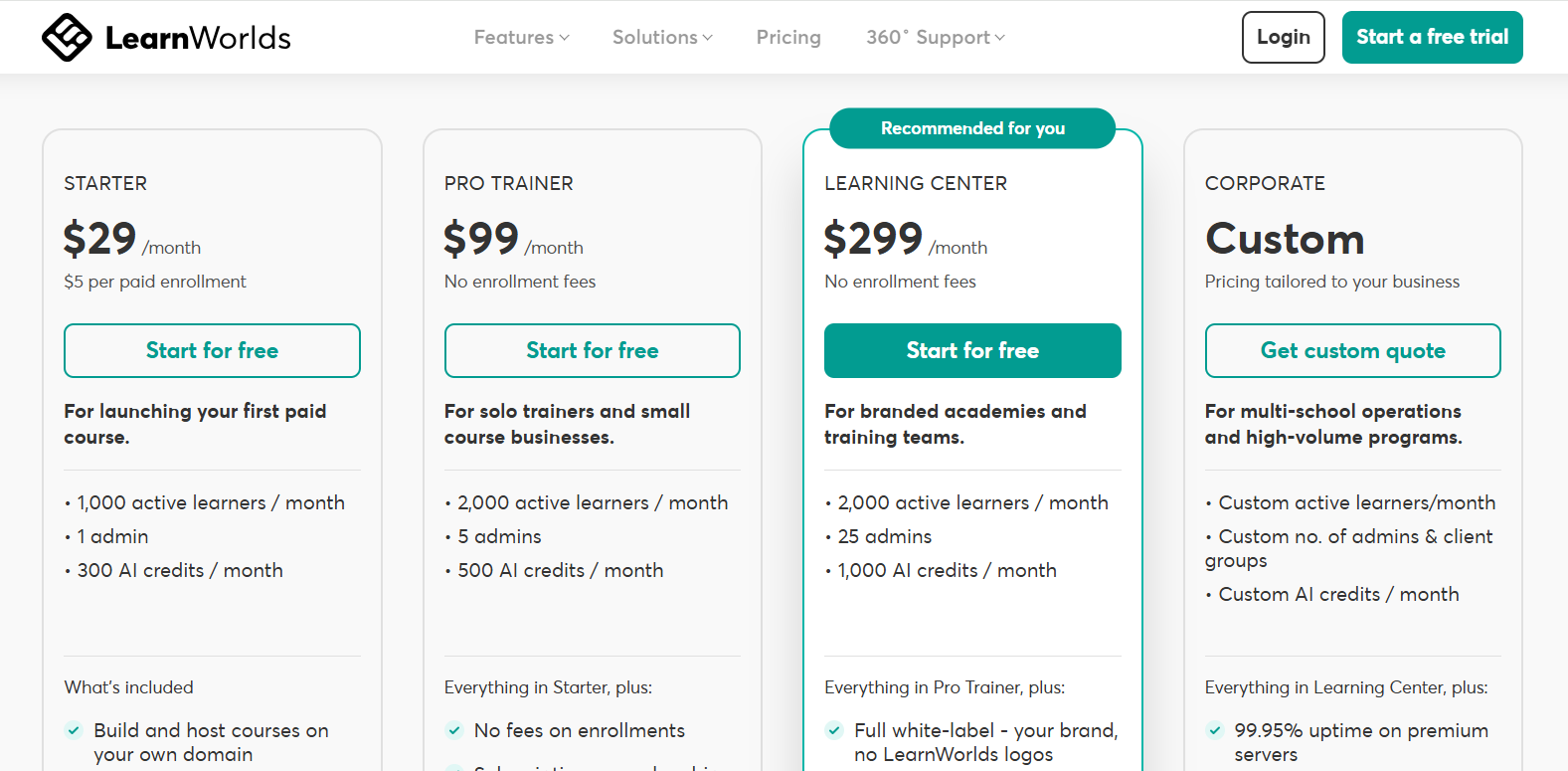
LearnWorlds has no free plan. Only a free trial. Their paid tiers are Starter ($29/month, or $24/month billed annually), Pro Trainer ($99/month, or $79/month billed annually), and Learning Center ($299/month, or $249/month billed annually), with an enterprise "High Volume & Corporate" custom plan above that.
The Starter plan is the most limited: it charges a $5 fee per course sale, does not allow subscriptions or payment plans, and does not include the full site builder or integrations. The Pro Trainer ($99) is their best value with no transaction fees, most features enabled, and up to 2,000 active learners.
The Learning Center ($299) plan unlocks the kitchen sink: interactive video, bulk student enrollments, unlimited SCORM, user automations, and increased limits. A white-label mobile app is a separate add-on even at this tier, starting around $239/month.
In short, LearnWorlds is cheaper than Thinkific at the entry-level price (Starter $29 vs Basic $49), but once you factor in the Starter’s limitations, many will need the $99 Pro plan, which is the same price as Thinkific’s mid-tier.
Pricing overview: Thinkific vs LearnWorlds
Note on this table: Thinkific figures reflect its roughly 10% price increase effective August 13, 2026. The former "Free plan" row has been replaced with a Trial row, since Thinkific does not currently offer a free plan; it was discontinued in 2024. LearnWorlds figures were independently reconfirmed and are unchanged from the previous version of this article. TCO figures use each platform's standard monthly rate times 24 months, not annual-billing discounts.
Verdict: Value for money
Your decision will eventually boil down to value for money. So let's define that.
Neither Thinkific nor LearnWorlds offers a free plan, so newcomers on either platform will need to pay after their 30-day trial ends. Thinkific's advantage is that its Basic plan carries no per-sale fee, so once you're paying, your costs stay predictable regardless of how many courses you sell.
Thinkific Basic ($54) is more expensive upfront than LearnWorlds Starter ($29), but it offers features that LearnWorlds doesn't: full website pages, zero per-sale fees, and support for subscriptions and payment plans that Starter lacks entirely.
Now, before we wrap up with a final verdict on these two, it's time to address the elephant in the room: what if neither Thinkific nor LearnWorlds is actually the best fit for you?
The elephant in the room: The best alternative for most creators
After comparing Thinkific and LearnWorlds, you might be wondering if there’s a way to get the best of both worlds: the ease-of-use of Thinkific and the powerful features of LearnWorlds, without the high costs or limitations.
As someone who works closely with course creators, I must mention the platform I know inside and out: FreshLearn.
Why hundreds of creators choose FreshLearn
When you are building courses, memberships, or digital products, you need tools that help you create, sell, and scale. All without juggling multiple logins or paying a small fortune every month. FreshLearn was built for exactly that.
- Affordable from the start – Thinkific has no free plan, and LearnWorlds' pricing often starts high and climbs fast once you need features Starter doesn't include. FreshLearn keeps things simple: paid plans start at $49/month (or $35/month on a two-year commitment), and the free plan includes a complete course delivery setup.
- A course builder that grows with you – Thinkific offers a clean builder but misses advanced engagement tools unless you upgrade. LearnWorlds has them, but they come with a steep learning curve. FreshLearn gives you both: an easy-to-use builder with built-in quizzes, drip content, gamification, and completion certificates, all ready to go from day one.
- Memberships and communities in one place – Thinkific requires third-party tools for community features. LearnWorlds offers them, but setup can be time-consuming. FreshLearn lets you run memberships, cohorts, and community spaces under one roof, with flexible access rules so you control exactly how people join and participate.
- Sales and marketing without the patchwork – Thinkific’s sales tools are basic, and LearnWorlds can feel like you need a manual to set them up. FreshLearn gives you branded checkouts, upsells, coupon codes, email automation, and affiliate management built right in. You get advanced selling power without duct-taping multiple apps together.
- AI Studio, for creator and learner alike – FreshLearn's AI Studio generates a full course structure, quizzes, captions, and lesson summaries from your own content, and lets your students chat with your course videos, get timestamped answers, search your academy, and rehearse real scenarios with AI Coach. Both Thinkific and LearnWorlds offer AI course-building assistants, but neither gives learners anything comparable.
- Engagement tools that actually keep learners on track – Thinkific has progress tracking, but lacks features like mandatory watch times. LearnWorlds offers deep analytics, but it can be overwhelming to manage. FreshLearn combines progress tracking, assignments, watch-time controls, and milestone reminders in a way that’s simple to set up and effective to use.
- Loved by creators – Many Thinkific users eventually hit limits. Many LearnWorlds users burn time figuring it all out. FreshLearn strikes the balance. Don’t just take my word for it. FreshLearn is rated 4.7 out of 5 based on hundreds of creator reviews. Many of those reviews come from people who have tried platforms like Thinkific, Teachable, Kajabi, LearnWorlds, and others, and found FreshLearn to be more fitting for their needs.
In short, if you’re feeling like Goldilocks in this Thinkific vs LearnWorlds debate (one platform’s too plain, the other too complex!) FreshLearn aims to be “just right.”
The final verdict: Who should use Thinkific vs. LearnWorlds?
The “better” platform truly depends on your specific needs, experience, and budget. To wrap up, here’s a quick recommendation guide:
Choose Thinkific if…
- You’re a beginner or solo edu-preneur who values a gentle learning curve.
- The budget is tight or uncertain.
- You prefer simplicity over ultra-fancy features.
- You appreciate extendability through apps.
Choose LearnWorlds if…
- You’re an experienced creator or an organization that needs advanced learning tools.
- You crave customization in site design and learner experience.
- You have a budget (and don’t mind investing in growth).
- You don’t mind a learning curve.
Choose FreshLearn if…
- You read this comparison and thought, “I want something in between.”
- Affordability and value are top priorities.
- You want top-notch support and a platform that grows with you.
- You have a diverse content strategy.
Remember that for creators on a tight budget, the best strategy is to pair FreshLearn's free plan with a minimalist course production setup to maximize your profit margins from day one, since neither Thinkific nor LearnWorlds currently offers a free tier to fall back on.
Final Thoughts
Choosing an online course platform is a big decision, but it’s not irreversible. Think about where you are now and where you want to be in a year. The beautiful thing is you have options.
Explore FreshLearn's features and start for free today. If you want to migrate to FreshLearn from any other providers, we’re here to help.
Ultimately, the best platform is the one that does wonders for your business goals and that you feel comfortable using every day. I hope this comparison made your decision a lot clearer (and if anything, you learned what features matter most to you).
You’ve got this! Now go monetize that knowledge :)
FAQs
1. Is Thinkific easier to use than LearnWorlds?
Yes, in general, Thinkific is considered easier to use for most people. The interface is clean and everything is organized in a straightforward way, which means a shorter learning curve.
2. Do Thinkific or LearnWorlds have better marketing tools?
Both have solid marketing basics, but they excel in different areas. Thinkific has built-in email broadcast capability, and it shines with conversion tools like one-click upsells and order bumps to increase sales. LearnWorlds, on the other hand, offers more out-of-the-box marketing features like a sales funnel builder and the ability to add pop-up forms for lead capture on your site.
3. What are the transaction fees for Thinkific and LearnWorlds?
Thinkific charges 0% platform commission on any plan when you use Thinkific Payments; bringing your own Stripe or PayPal instead adds a penalty of 5% on Basic, 2% on Start, and 1% on Grow. LearnWorlds charges a flat $5 fee per course sale on its Starter plan; this fee disappears entirely on Pro Trainer ($99/month) and higher plans.
4. Does Thinkific have a free plan?
No. Thinkific discontinued its free plan in 2024 and now offers only a 30-day free trial. LearnWorlds has never offered a free plan either. If a genuinely free tier matters to you, FreshLearn is the only one of the three that currently offers one.
5. Can I migrate from Thinkific to LearnWorlds or vice versa if I change my mind?
Yes, both platforms allow you to export your course content and student data to some extent. Some platforms (including FreshLearn) offer concierge migration services to help if you’re switching over a lot of content.
You might also like
Hosted by
