Best Compliance Training Software for Small and Mid-Sized Businesses (2026)

Quick Answer
FreshLearn is the best compliance training software for most small and mid-sized businesses that train employees on their own policies and procedures, with automatic recertification, enforced video watch time, scheduled overdue reports and per-account pricing with no per-learner fees. EasyLlama is the better choice if you need ready-made, state-specific harassment prevention and safety courses this week, and iSpring LMS suits compliance-heavy teams of 100 or more. The deciding question is whether you need a ready-made course library or a platform for your own compliance content.
Who this guide is for
This guide is for HR, operations, and training leads at companies with 10 to 500 employees who have to prove that required training happened, without a compliance department or a full-time LMS administrator.
Most compliance training software lists mix enterprise suites with small-business tools and rank 15 or 20 products without saying which is which. This one compares seven, and starts with the question that splits them: do you need ready-made courses on topics such as harassment prevention, workplace safety, and HIPAA, or are you training people on your own policies, procedures, and product rules? Library-first tools win the first case. LMS-first tools, where you build or upload your own courses, win the second. Many companies need both.
If you are still deciding which trainings are required for your business, start with our guide to mandatory trainings every organisation must run. For training beyond compliance, such as onboarding and skills, see our comparison of employee training software.
What auditors ask for
Compliance training only counts if you can prove it. When an auditor, regulator, insurer, or a client's security review asks about training, they usually want the same five records:
- Who was assigned which course, and when.
- When each person completed it, with a date and time.
- How they did: quiz score or pass/fail, and the number of attempts.
- Which certificate they hold and when it expires.
- Which version of the course or policy they completed, if it has changed since.
Some rules spell this out. The HIPAA Privacy Rule requires covered entities to train every workforce member on their privacy policies, train new staff within a reasonable time, retrain after a material policy change, document the training, and keep that documentation for six years (45 CFR 164.530).
Compliance training software produces these records automatically. Spreadsheets and email reminders can do it for 15 people; they break down at 50, when the first certificates start expiring at different times.
What we compared
Every tool in this guide includes a course builder, quizzes and certificates. These seven points separate them for a compliance buyer at a small or mid-sized business:
- Audit-ready reports. Completion reports with dates, scores and certificate status that you can export or have sent on a schedule.
- Automatic recertification. When a certificate expires, the employee is re-enrolled without anyone doing it by hand.
- Assignment, deadlines and escalation. Courses assigned by role, department, or location, with due dates, reminders, and overdue reports to managers.
- Proof of engagement. A minimum pass mark, and video that has to be watched rather than skipped.
- Ready-made courses or your own. Whether the tool includes a compliance course library, and whether you can build and update your own policy training.
- Pricing model. Compliance training goes to everyone, including part-time and seasonal staff, so per-user pricing costs more here than for most training.
- Mobile and offline access. For frontline, field, and shift workers who don't sit at a desk.
We also noted policy acknowledgement (e-signatures), course versioning, languages, setup time, and support. The side-by-side summary covers all of them.
The best compliance training software for SMBs
FreshLearn is our product. It is scored on the same criteria as every other tool in this guide, and its limitations are listed.
1. FreshLearn
FreshLearn is an AI-native learning system that small and medium-sized businesses use to train employees, customers, and partners: courses and onboarding paths, assessments and certificates, completion tracking, and AI that lets learners chat with course content, practise through roleplay, and get skill scores. For compliance, it suits a company that trains people on its own policies and procedures and wants the reminders, renewals, and reports to run without manual follow-up.
Compliance strengths:
- Mandatory courses are assigned by department, role or location with due dates and automatic reminders, and a scheduled overdue report goes to managers, so HR stops chasing people one by one.
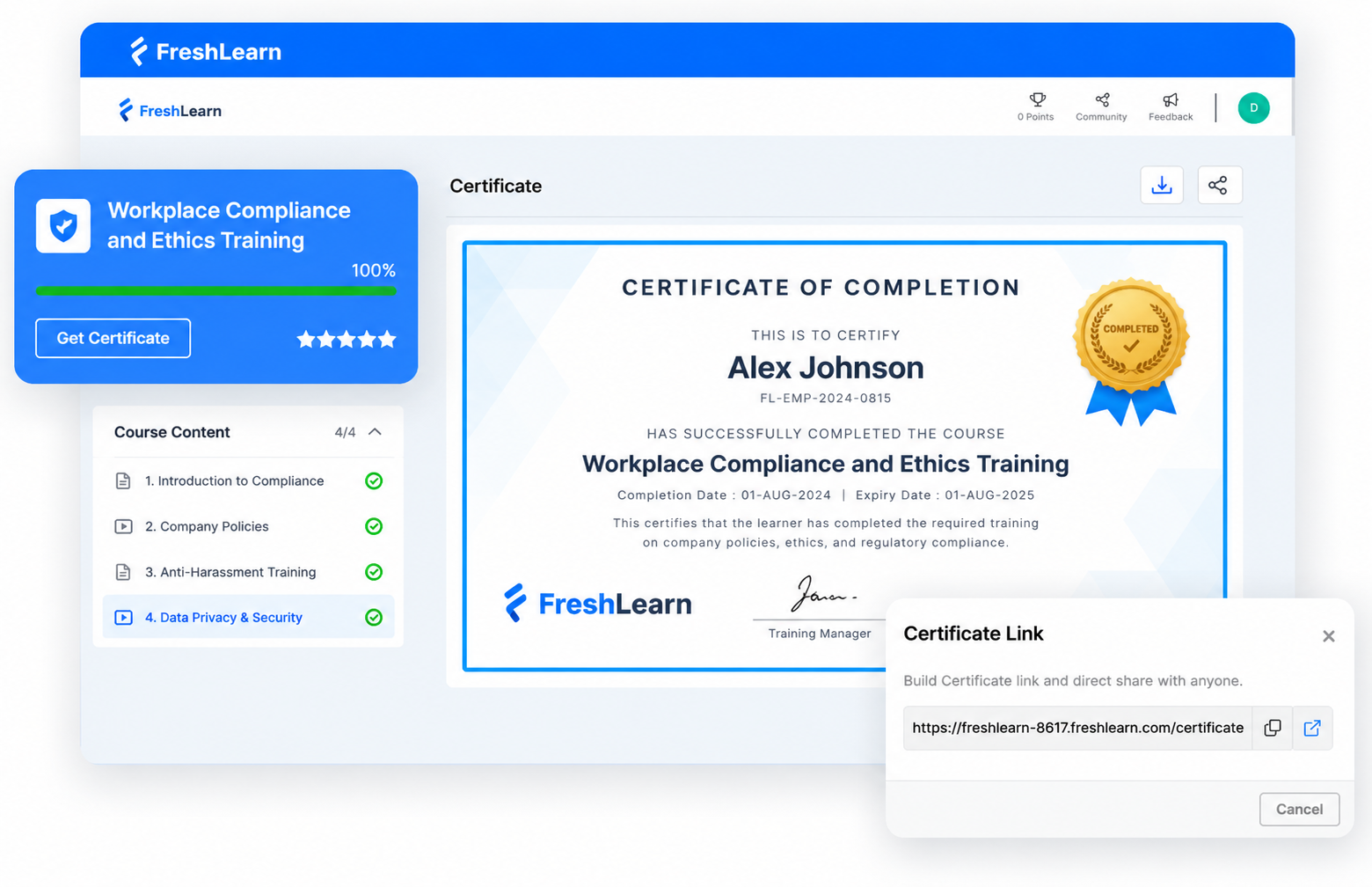
- Certificates expire, and FreshLearn re-enrols the employee automatically when they do.
- Video Compliance enforces minimum viewing on training videos, and modules can unlock in order, so completion means the employee went through the material. Video Compliance is on the Plus and Enterprise plans.
- Completion reports can be exported or scheduled, ready for an audit.
- When a policy changes, you can reassign the updated course to everyone who completed the old version.
- Course AI answers employees' questions from your own training videos and documents, with timestamped references, so "what does our policy say about gifts from clients?" gets an answer from your policy training rather than a guess.
- Pricing is per account with no per-learner fees, so adding seasonal staff, contractors, or a new location to annual compliance training does not change the bill.
- A native Slack app, automations, Zapier, webhooks, and an API connect it to the tools you already use (Plus and Enterprise plans).
Limitations:
- FreshLearn has no library of ready-made compliance courses. State harassment prevention, OSHA, or HIPAA content has to be built or bought; FreshLearn's team offers services to build courses for you.
- The mobile app has no offline mode, which matters for field teams with poor connectivity.
- HR systems connect through the API, webhooks or Zapier; native HR connectors are not available yet.
Pricing: FreshLearn prices per account, with no minimum users and no per-learner fees. Paid plans start at $35 per month, billed every two years, and the Enterprise plan starts at $249 per month. Source: FreshLearn pricing
Bottom line: Best for SMBs running compliance training on their own policies. Choose FreshLearn if you want recertification, overdue escalation, enforced video viewing and audit reports to run on their own, at a price that doesn't rise with headcount. Look elsewhere if you want a ready-made library of state-specific compliance courses, or if field staff need to learn offline.
See how FreshLearn works for companies. Teams of up to 100 people can start a free trial and set up one mandatory course with a renewal date; teams of 100 or more can book a demo.
2. iSpring LMS
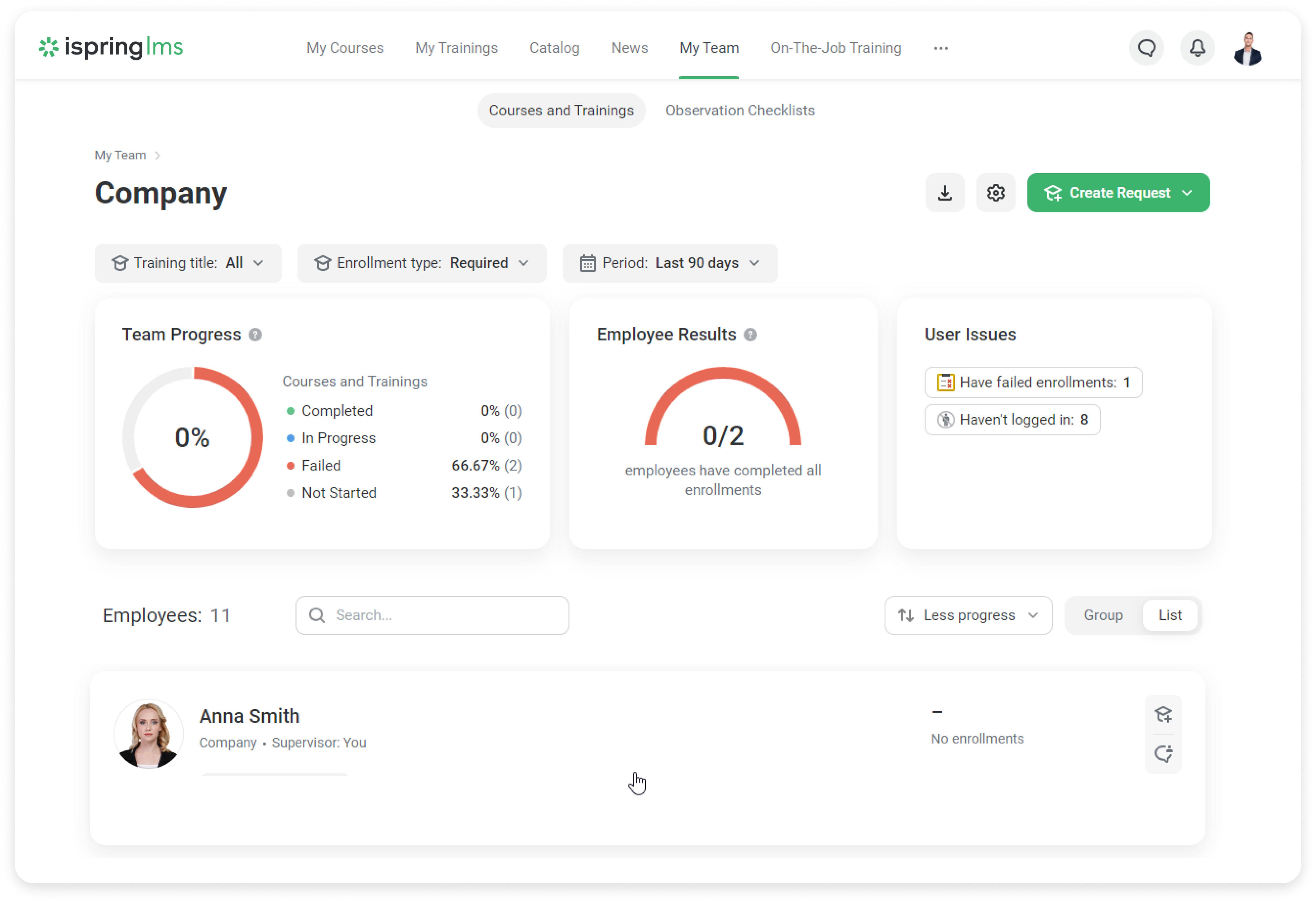
iSpring LMS (renamed from iSpring Learn) comes from the maker of the iSpring Suite authoring tool and positions itself for "SMBs and larger organizations". It has the most complete compliance record-keeping of the LMSs in this guide, for teams of 100 or more.
Compliance strengths:
- Certificates carry valid, expiring, and expired statuses, and iSpring LMS re-enrols employees automatically when a certificate expires.
- Up to three reminders go out before a due date, plus past-due notices, and reports export to CSV or XLSX on a schedule.
- An organisation structure by department or team assigns courses automatically, with supervisor and mentor roles.
- The "Continue" button can stay locked until a learner reaches the passing score.
- The mobile app works offline, and the portal is available in 30 languages.
Limitations:
- Pricing is per active user, starting at a 100-user band; smaller teams request a quote.
- Stopping learners from skipping through videos is set in the separate iSpring Suite authoring tool, not in the LMS.
- Replacing a course keeps existing completions, so to make everyone retake an updated policy, you re-enroll them.
Pricing: iSpring LMS charges per active user, about $6.91 per user per month on the Business plan for 100 users, billed annually. Source: iSpring pricing
Bottom line: Best for compliance-heavy teams of 100 or more. Choose iSpring LMS if you have at least 100 employees, strict tracking needs, and offline or multilingual staff. Look elsewhere if you have fewer than 100 people.
3. TalentLMS
TalentLMS is a general-purpose LMS for "teams of any size", with a free plan for up to five users. For compliance, it covers the essentials and has the strongest offline mobile app among the per-user tools.
Compliance strengths:
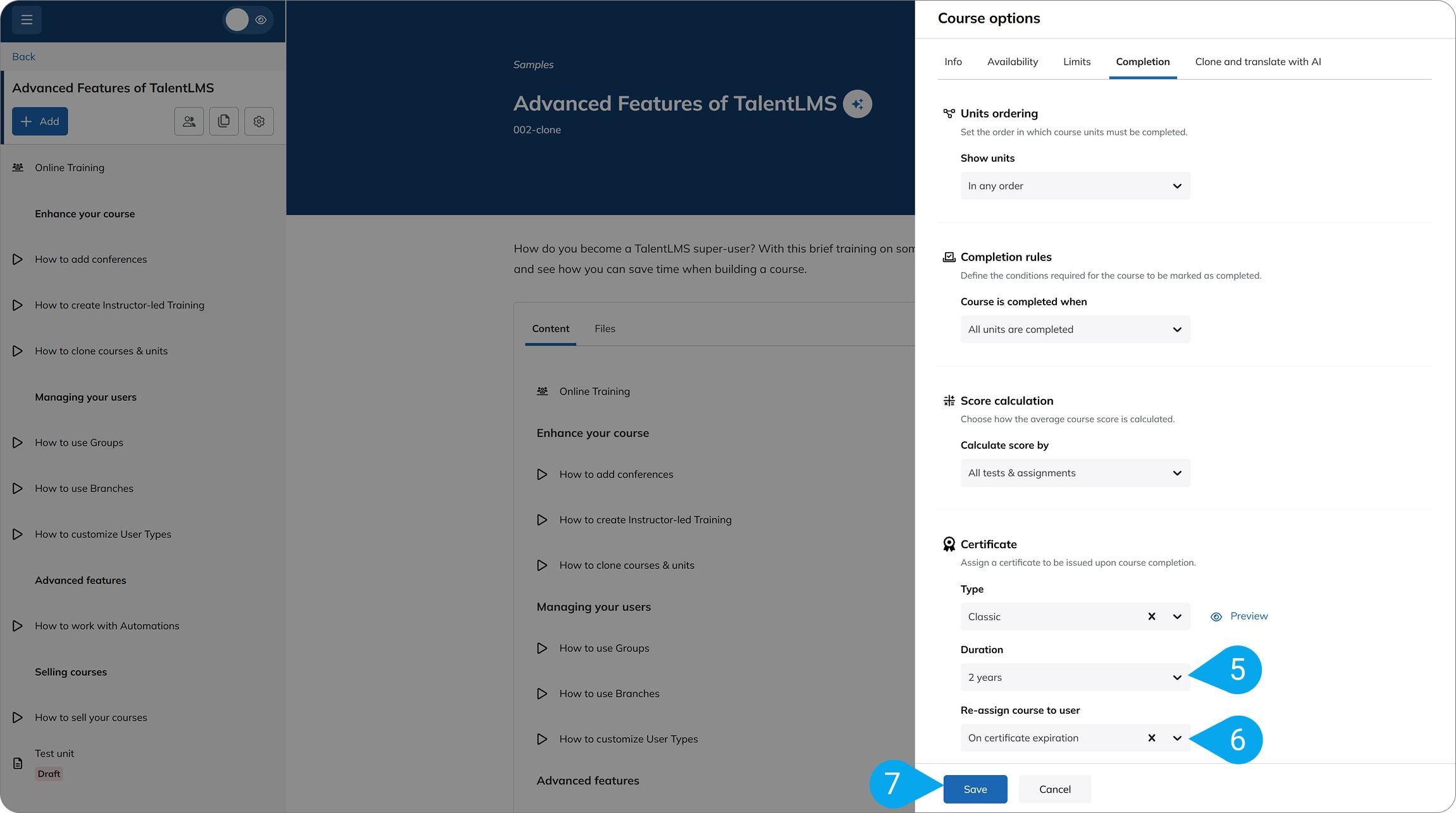
- Certificates expire, and TalentLMS reassigns the course automatically when they do, with reminders before the deadline.
- Branches and groups enrol employees automatically, and user reports export for audits.
- Each test has a pass score, and in sequential courses, a failed test blocks the next unit.
- The iOS and Android apps work offline, and the interface is available in 18 languages, with AI course translation.
Limitations:
- Pricing steps up in bands of active users, so the cost rises as your team does.
- When a course changes, updated units are reset per user by hand; we did not find automatic versioning.
- TalentLMS says customers go live in 1.6 months on average, and live chat and phone support run on weekdays only, 3pm to 11pm UTC, on paid plans.
- The TalentLibrary of ready-made courses is an add-on.
Pricing: TalentLMS starts at $119 per month on its Core plan, priced by bands of active users, with no minimum.
Bottom line: Best for field teams that need offline access. Choose TalentLMS if compliance training has to reach employees on the road. Look elsewhere if you update policies often and want retraining to happen automatically.
4. EasyLlama
EasyLlama is a compliance and security training product built around a library of more than 450 ready-made courses, including harassment prevention versions for individual US states such as California, New York, and Illinois.
Compliance strengths:
- The course library is included in every plan, so a small team can meet common requirements without building anything.
- EasyLlama reassigns courses 30 days before a certification expires and sends reminders from 90 days before to 90 days after a due date.
- Report Builder exports and schedules reports, and automations assign training by department, location, job title, or role.
- Policies can be uploaded with a signature acknowledgement, and learning steps can require a minimum score.
- EasyLlama says most clients launch in under a day.
Limitations:
- Pricing is per user, with a minimum of 10 seats.
- There is no native mobile app; learners use a mobile browser.
- Building and publishing your own courses sits on higher plans, so it is not built for training on your own procedures.
- Courses come in English and Spanish versions; we did not find a broader interface language list.
Pricing: EasyLlama's Core plan costs $59.95 per user per year, with a minimum of 10 seats.
Bottom line: Best for ready-made compliance courses. Choose EasyLlama if you need state-specific harassment prevention and safety courses running this week. Look elsewhere if most of your compliance training is about your own policies and procedures.
5. LearnUpon
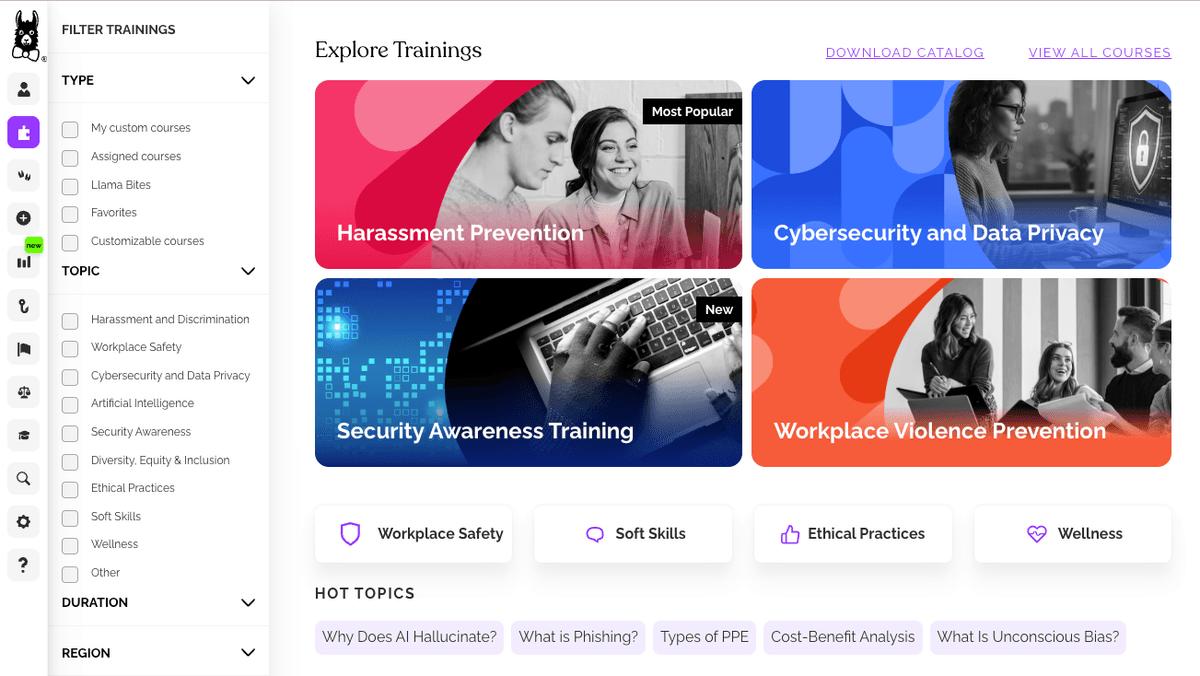
LearnUpon calls itself an "agentic learning platform" and sells an Employees package from 100 users. It has the strictest deadline controls and the most formal e-signature feature in this guide.
Compliance strengths:
- Due dates come in two forms: advisory due dates and hard "valid periods" after which access ends.
- LearnUpon re-enrols learners before their certificate expires, onto the latest version of the course, and sends up to four reminders.
- An eSignature module records a signed acknowledgement tied to the version signed, and exports to CSV.
- Courses can require a pass mark, and dynamic rules assign training automatically.
Limitations:
- The Employees package starts at 100 users, and LearnUpon says it is not a fit for fewer.
- LearnUpon puts implementation at one to two months, and many features depend on the plan.
- Support is through a 24/7 ticket desk; we did not find live chat or phone support on its site.
Pricing: LearnUpon publishes no prices; plans are quoted after a demo.
Bottom line: Best for formal sign-offs at 100+ employees. Choose LearnUpon if you need hard deadlines and signed policy acknowledgements across a larger team. Look elsewhere if you are under 100 people or need to start within weeks.
6. 360Learning
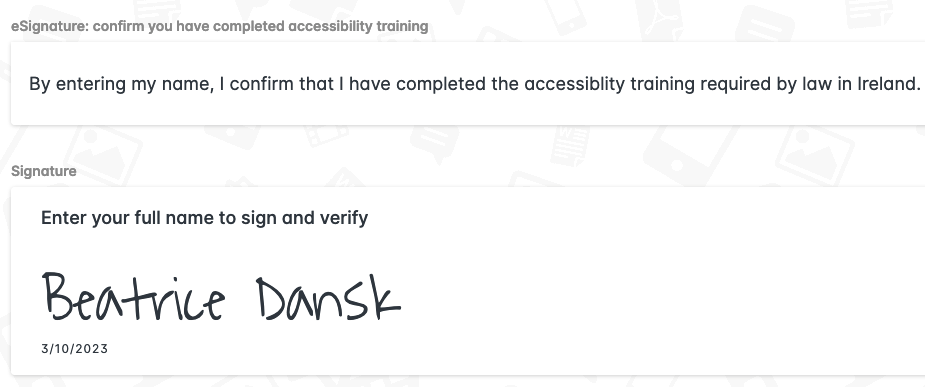
360Learning is an AI-driven LMS built for "collaborative learning", where subject-matter experts across the company write and update courses. That suits compliance topics owned by a specific team, such as data protection written by IT or food safety written by operations.
Compliance strengths:
- Paths can include mandatory steps, and a minimum score can block progress in linear paths.
- Certificates can carry a validity period, and 360Learning can re-enrol learners before a certificate expires.
- Courses can be translated with AI into more than 60 languages, and the mobile app supports offline downloads.
Limitations:
- Pricing is per user, and the Team plan stops at 100 users.
- Due dates are soft deadlines, so learners can still finish after them, and automatic re-enrolment depends on how a path is set up.
- Course versioning is in beta, on request; we did not find a policy acknowledgement feature.
- HR system integrations and the off-the-shelf content library sit on the Enterprise plan or paid add-ons, and support is through a ticket form.
Pricing: 360Learning's Team plan costs $8 per user per month for up to 100 users, with no minimum.
Bottom line: Best when your own experts write the compliance training. Choose 360Learning if compliance topics are owned by different teams who will keep the courses up to date. Look elsewhere if you need hard deadlines.
7. Trainual
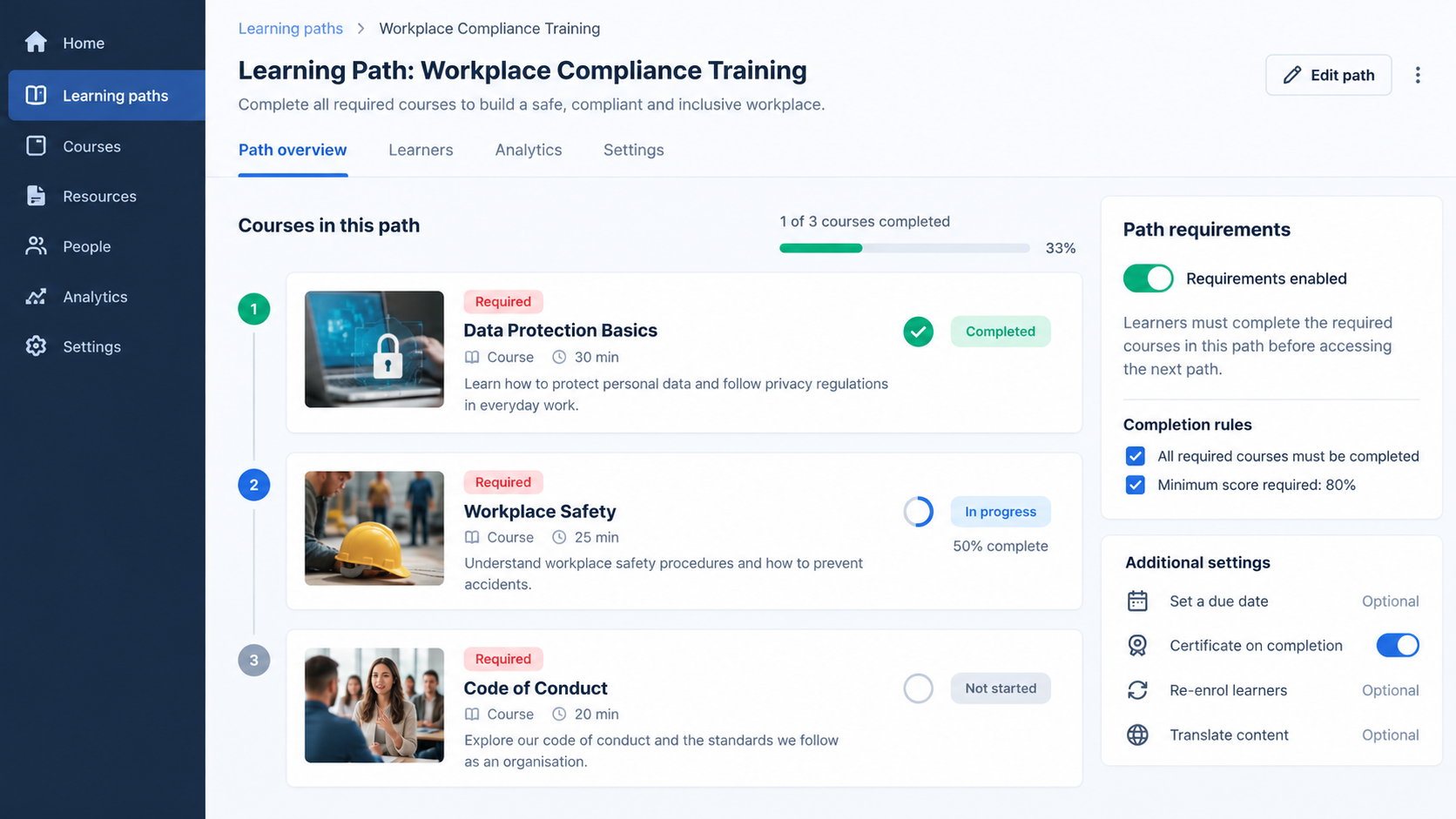
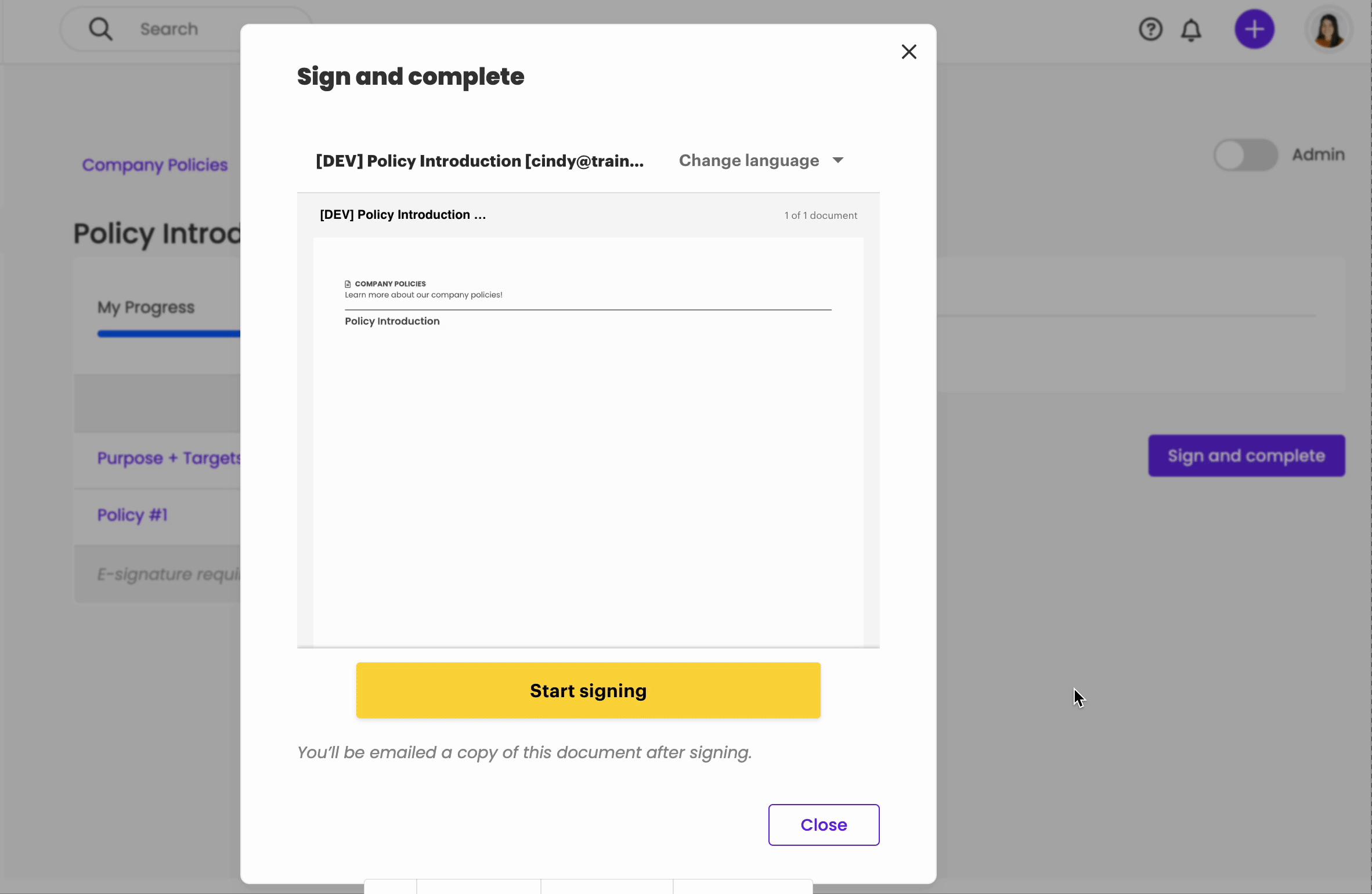
Trainual is a training and operations platform for documenting processes, roles and policies, and says itself that it is "not exactly" an LMS. For compliance, its strength is getting employees to read and sign off on your policies.
Compliance strengths:
- E-signatures record that an employee acknowledged a policy or process.
- "Share Changes" tells assignees when content is updated and can reset their completion so they review it again.
- Tests carry a passing score, and expiring completions reset progress after a set period.
- A library of 400+ compliance courses (harassment, OSHA, HIPAA, cybersecurity) is available as an add-on.
Limitations:
- Billing is per seat, and every profile, including admins, counts as a seat; there is also a one-time $1,000 implementation fee.
- Expiring completions reset progress, but we did not find certificate expiry dates, and we did not find a completion report export.
- Due dates and SCORM import are on higher plans, and the compliance course add-on cannot be edited.
Pricing: Trainual publishes no prices; billing is per seat, and a one-time $1,000 implementation fee applies.
Bottom line: Best for policy sign-off alongside SOPs. Choose Trainual if your main gap is written-down policies that employees must read and acknowledge. Look elsewhere if you need certificate tracking and audit reports.
When a different kind of tool is the better choice
- You are in a heavily regulated industry with a compliance team. Governance, risk and compliance (GRC) vendors such as NAVEX combine training with policy management, hotlines and risk tools. Content specialists such as Skillcast and Vector Solutions sell compliance course libraries with their own LMS, for industries such as financial services, public safety and construction.
- You only need the legal minimum and already use BambooHR. BambooHR's compliance training is powered by EasyLlama, so you may not need a separate tool.
- You have more than 250 learners and complex requirements. Docebo says it is "typically best suited" to organisations training at least 250 learners; Absorb LMS positions itself for mid-market to enterprise organisations, and Cornerstone is enterprise-focused, with SMB packages.
Side-by-side summary
"Not found" means we could not find the feature on the vendor's own website or help centre on October 17, 2026. It does not mean the feature is missing.
Compliance controls
Policy changes, people and languages
Pricing, setup and support
How we evaluated
We scored all seven tools on the same criteria: the seven points in this guide, plus policy acknowledgement, course versioning, languages, setup time and support. Facts about other tools come from each vendor's own website and help centre, checked between October 11 and October 17, 2026; we did not use review-site ratings. Regulatory requirements come from official sources, linked where they appear. FreshLearn is our own product; we scored it on the same criteria and list its limitations. Prices are starting points as published on those dates and change often, so confirm them with each vendor.
To see how these tools work in practice, we tested each platform using a typical workplace compliance training scenario. We looked at how easy it was to assign mandatory courses, set a 30-day deadline, manage certificate validity over 12 months, and track employee completion. We also checked how each platform handled policy acknowledgements, course updates, reminders, and audit reports. This helped us compare not just the features each vendor advertises, but also how useful they are for businesses that need to keep employee training organised and compliance records up to date.
How to choose compliance training software
By the content you need
- Ready-made courses on legal topics (harassment prevention, safety, HIPAA, cybersecurity): EasyLlama or Trainual's add-on library.
- Your own policies, procedures, and product rules: FreshLearn, iSpring LMS, or TalentLMS.
- Both: pair a course library with an LMS that imports SCORM files, or buy a few licensed courses and build the rest. FreshLearn supports SCORM and xAPI on its Enterprise plan; TalentLMS and iSpring LMS support SCORM on paid plans.
By company size
- Under 50 employees: FreshLearn, TalentLMS (free up to five users), 360Learning's Team plan, or EasyLlama if you only need ready-made courses.
- 50 to 100 employees: FreshLearn, TalentLMS, 360Learning, EasyLlama or Trainual. iSpring LMS and LearnUpon start at 100 users.
- 100 to 500 employees: all seven fit. Per-user tools cost more with every hire, while FreshLearn's per-account price stays the same; iSpring LMS and LearnUpon are strongest on formal compliance controls.
By how your people work
- Frontline, field or shift workers: TalentLMS, iSpring LMS or 360Learning if they need offline access; FreshLearn if they have a connection and you want the app under your own brand.
- Multilingual teams: iSpring LMS, TalentLMS, LearnUpon or 360Learning.
- Policies that change often: FreshLearn, LearnUpon or Trainual re-assign updated content to people who completed the old version.
Running compliance training in five steps
- List what is required and how often. Requirements vary by state and industry. California requires employers with five or more employees to give nonsupervisory staff at least one hour and supervisors two hours of sexual harassment prevention training every two years (California Civil Rights Department). New York requires every employer to provide interactive sexual harassment prevention training to every employee annually (New York State minimum standards). OSHA training requirements sit within individual standards; OSHA publication 2254 lists them.
- Build or buy the courses. Use a library for legal topics and build your own for company policies; keep each course short and end it with a quiz.
- Assign by role with due dates. Group employees by role, department or location so new hires get the right courses automatically.
- Automate reminders and renewals. Set certificate expiry to match each rule (one year, two years) and let the software re-enrol people.
- Schedule the audit report. Send a monthly overdue report to managers and keep completion records for as long as your rules require; HIPAA, for example, requires six years.
Key Takeaways
- Compliance training software assigns required training, re-enrols employees when certificates expire, and produces the completion records auditors ask for: who was assigned, when they finished, their score, their certificate and the course version.
- The first choice for a small or mid-sized business is between ready-made compliance courses (EasyLlama includes 450+) and a platform for your own policies (FreshLearn, iSpring LMS, TalentLMS).
- FreshLearn, iSpring LMS, TalentLMS, EasyLlama and LearnUpon all re-enrol employees automatically when a certificate expires; Trainual resets expiring completions instead.
- FreshLearn prices per account with no per-learner fees, while iSpring LMS, 360Learning, EasyLlama and Trainual charge per user or per seat, and iSpring LMS and LearnUpon start at 100 users.
- FreshLearn enforces minimum video viewing on its Plus and Enterprise plans; iSpring LMS sets no-skip video in its separate authoring tool.
- TalentLMS, iSpring LMS and 360Learning work offline on mobile; FreshLearn's app does not, and EasyLlama has no native app.
- California requires harassment prevention training every two years for employers with five or more employees, New York requires it annually for every employer, and HIPAA requires training records to be kept for six years.
FAQ
1. What is compliance training software?
Compliance training software is a platform for assigning legally or contractually required training to employees, tracking completion, renewing certificates when they expire, and producing records for audits. Most compliance training software is a learning management system (LMS) with compliance automation; some products, such as EasyLlama, add a library of ready-made legal courses.
2. What is the difference between compliance training software and a general LMS?
Compliance training software is an LMS with stronger automation for required training: due dates, reminders, overdue escalation, certificate expiry, automatic recertification and audit reports. A general LMS may deliver courses well but leave renewals and records to you. Many LMSs, including FreshLearn, iSpring LMS and TalentLMS, cover both, which is why buyers often search for a "compliance training LMS".
3. What is the best compliance training software for a small business?
FreshLearn is the best fit for most small businesses that train employees on their own policies, with automatic recertification, scheduled overdue reports and per-account pricing. EasyLlama is the best choice for ready-made, state-specific courses, and TalentLMS is a strong option if employees need an offline mobile app.
4. What should an audit-ready compliance training report include?
An audit-ready compliance training report should show each employee's assigned courses, assignment and completion dates, quiz scores or pass/fail results, certificate issue and expiry dates, and the course version completed. It should export to CSV or PDF, and ideally be scheduled so managers see overdue training before an auditor does.
5. How often does compliance training need to be repeated?
Compliance training frequency depends on the rule. California requires sexual harassment prevention training every two years for employers with five or more employees, New York requires it annually for every employer, and HIPAA requires retraining after material policy changes. Many companies also repeat security awareness and code-of-conduct training every year as company policy.
6. Can I use my own policies and courses instead of a ready-made library?
Yes. LMS-first tools such as FreshLearn, iSpring LMS and TalentLMS let you build compliance courses from your own policies, videos and documents, add quizzes, and attach certificates with expiry dates. Ready-made libraries are faster for legal topics such as harassment prevention, but they cannot cover your own procedures.
7. How do I make sure employees actually watch compliance videos?
Employees can be made to watch compliance videos by using a platform that enforces minimum viewing or blocks skipping, combined with a quiz that has a pass mark. FreshLearn's Video Compliance enforces minimum viewing on the Plus and Enterprise plans; iSpring LMS sets no-skip video in its iSpring Suite authoring tool; TalentLMS, 360Learning and EasyLlama can block progress until a learner passes a test.
8. What happens to completion records when a policy changes?
Completion records usually stay attached to the old version of a course when a policy changes, so you need a way to retrain the people who completed it. FreshLearn re-assigns an updated course to everyone who completed the old version, LearnUpon re-enrols learners onto the latest version at recertification, and Trainual's "Share Changes" can reset completion. In iSpring LMS you re-enrol learners to reset an updated course.
9. Do I need SCORM or xAPI for compliance training?
SCORM or xAPI support matters if you buy compliance courses from a third-party provider as course files, or move existing e-learning from another platform. If you build compliance training inside the LMS, you may not need it. FreshLearn supports SCORM and xAPI on its Enterprise plan, and TalentLMS, iSpring LMS and LearnUpon support SCORM and xAPI.
10. How long does it take to set up compliance training software?
Setup time for compliance training software ranges from under a day to two months. EasyLlama says most clients launch in under a day because its courses are ready-made, FreshLearn says SMBs go live within a week, TalentLMS reports 1.6 months on average, and LearnUpon puts implementation at one to two months.
11. Is a compliance training LMS worth it for a team under 50?
A compliance training LMS is usually worth it for a team under 50 once you have more than one recurring requirement, staff in more than one state, or a client or insurer asking for training records. Below that, a spreadsheet can work, but it does not re-enrol anyone or send reminders. For small teams, per-account pricing (FreshLearn) or a free plan (TalentLMS, up to five users) keeps the cost predictable.
Hosted by