
Forms
Forms That Feed
Your Academy
Build a form, share it as a link or embed it on any website. Every submission arrives as a contact in FreshLearn with an automatic thank-you email, and on No Brainer+ it can start an automation. No separate form tool, no Zapier.
Build a Form in Minutes.
Drag fields onto the canvas, arrange them and publish. Waitlists, enquiries, applications, registrations and surveys, all without code.
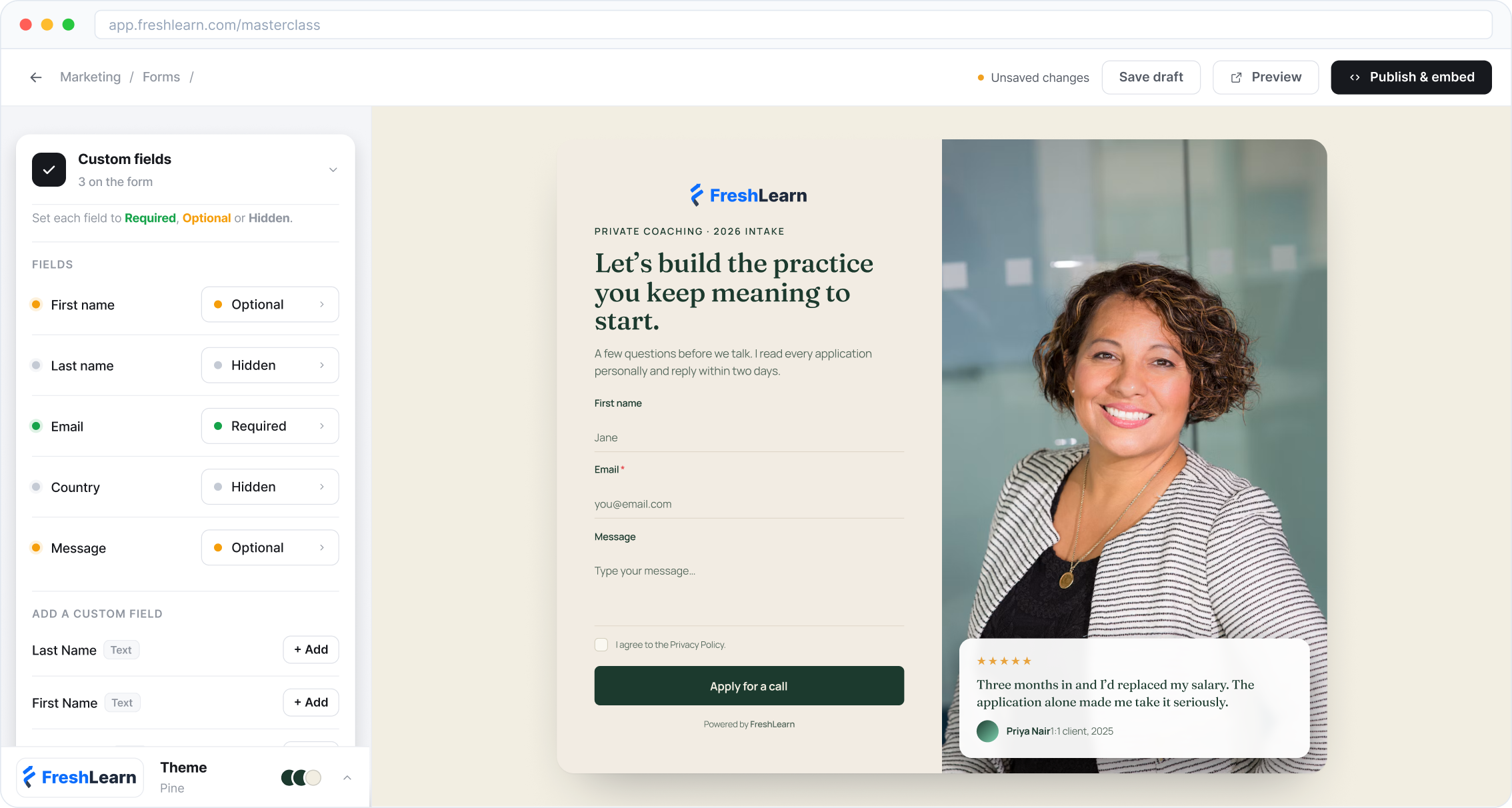
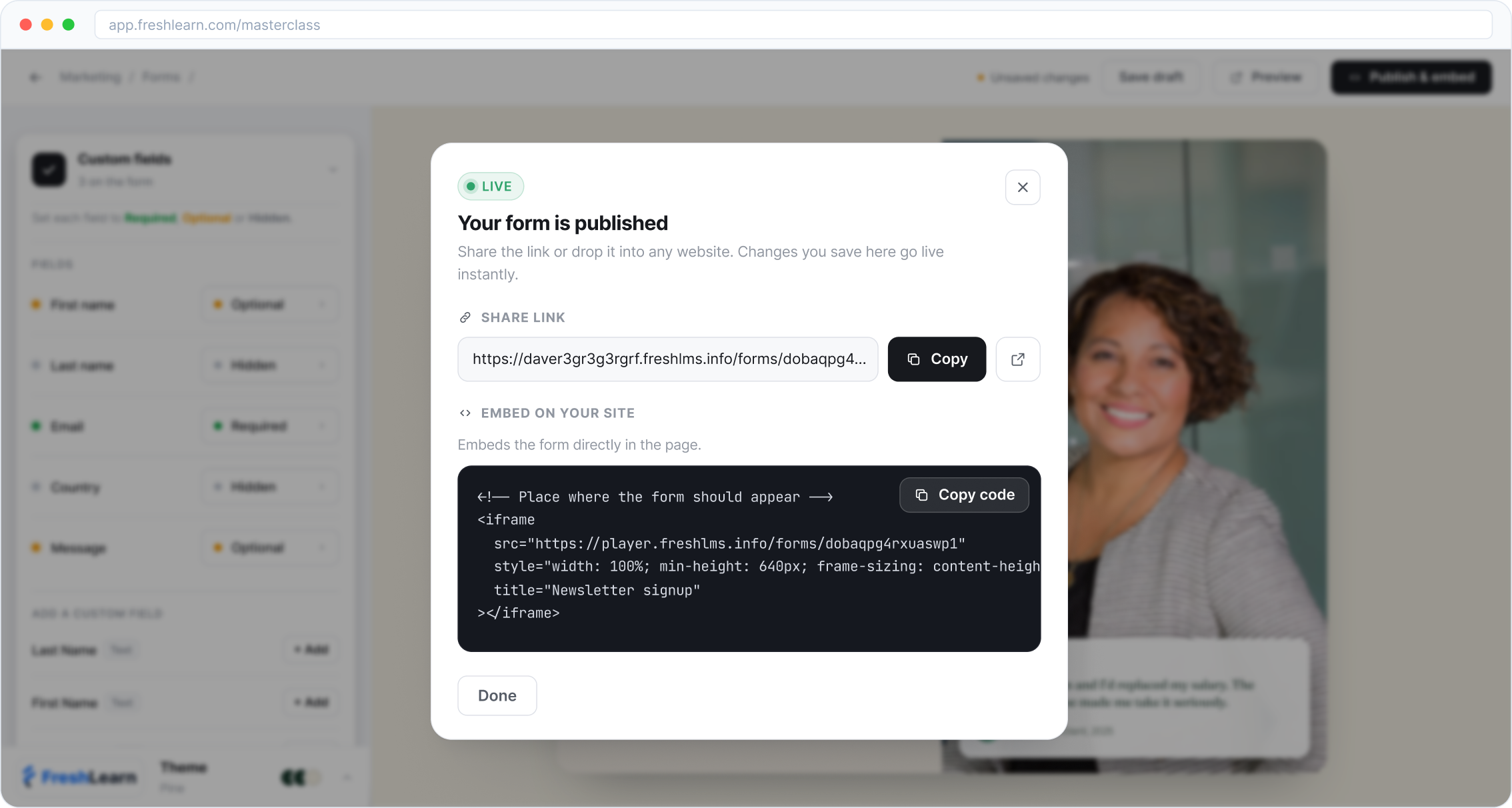
Share a Link or Embed It Anywhere.
Use the form on its own with a shareable link, or paste the embed code into WordPress, Webflow, Wix, Squarespace or your FreshLearn pages.
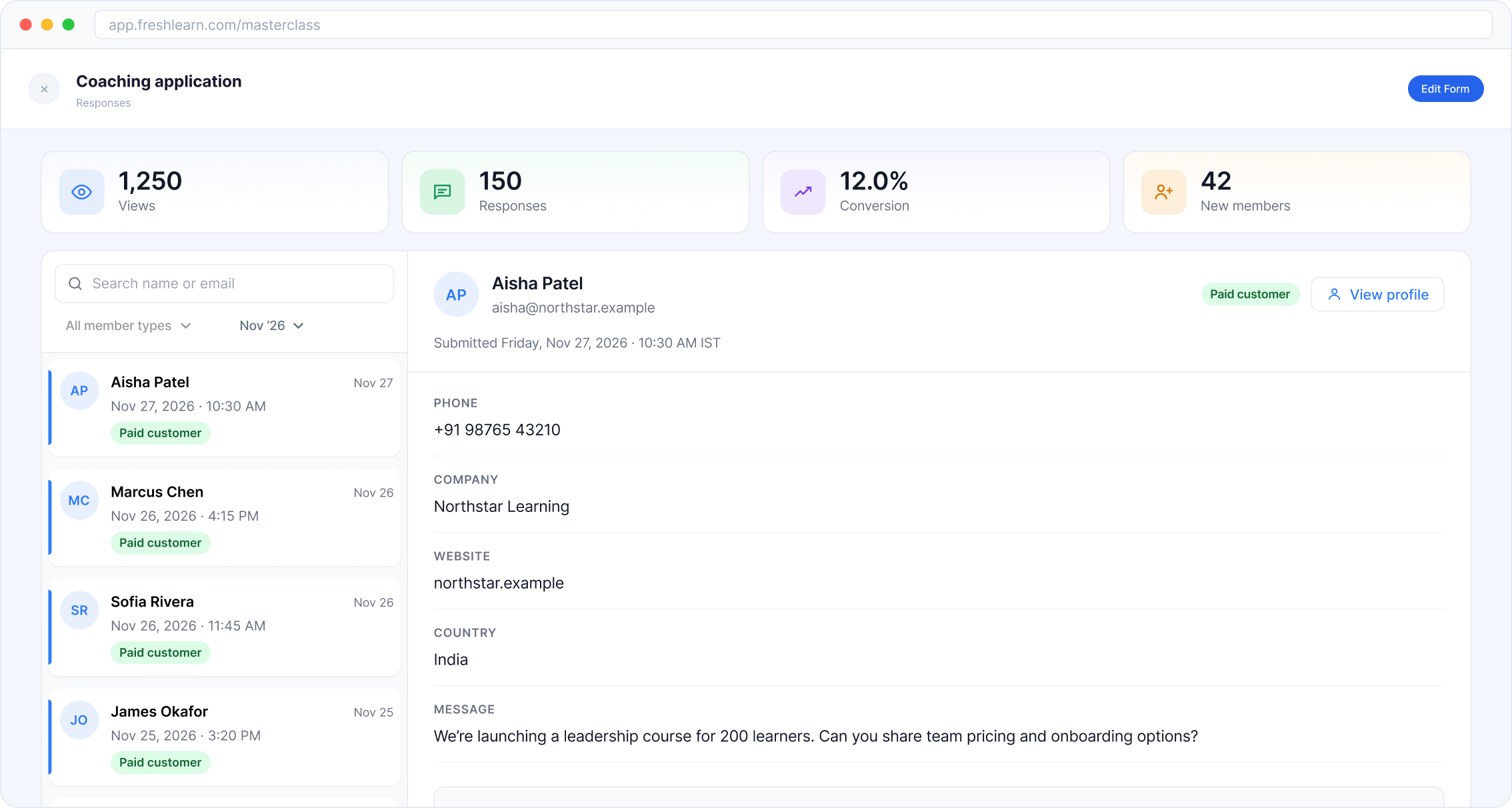
Every Response Lands as a Contact.
Each submission creates or updates a contact in FreshLearn, in the same place as your learners and customers. No limit on submissions.
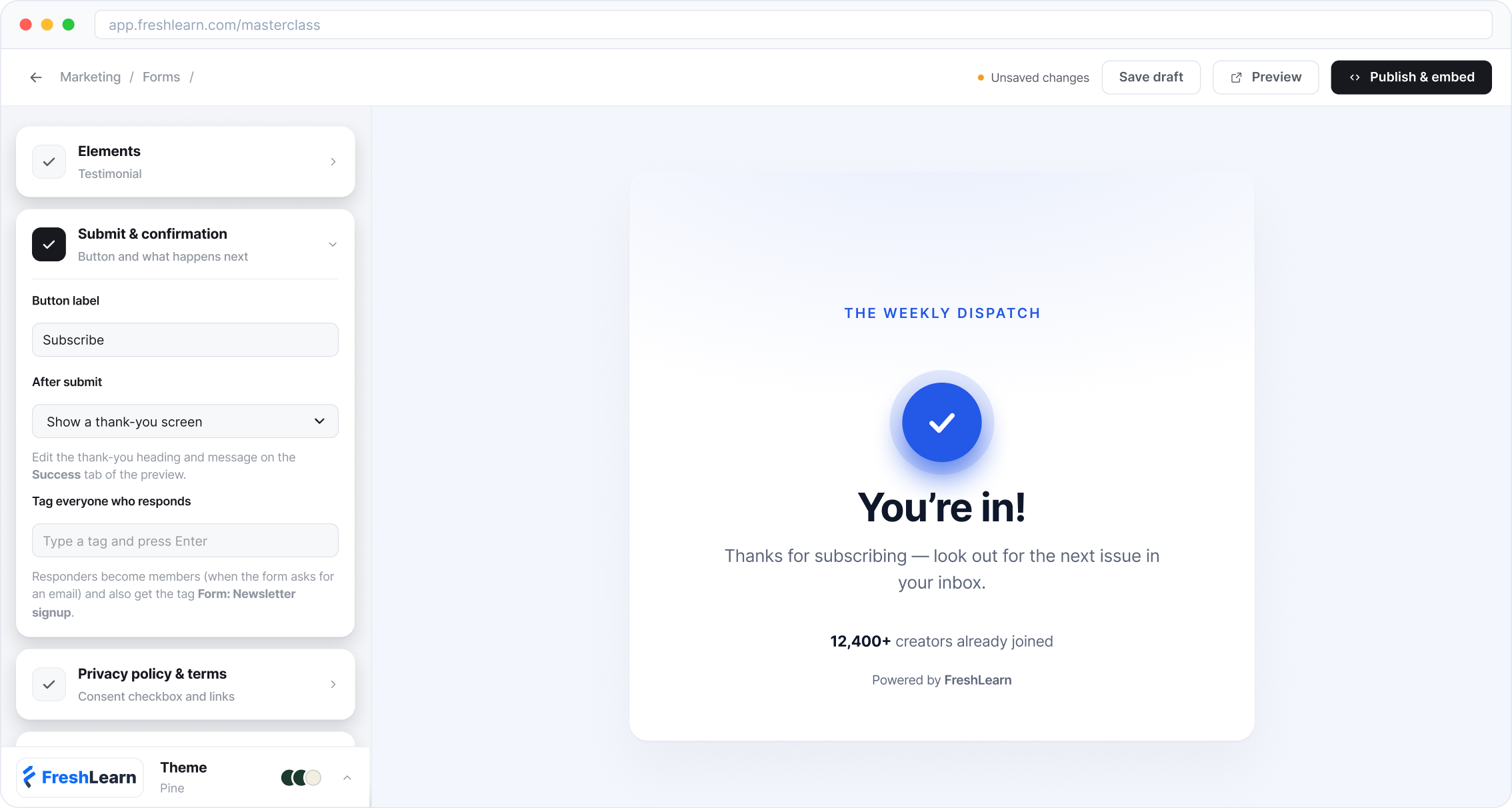
Reply Automatically, Every Time.
Send an automatic thank-you email the moment someone submits, and tag the contact so you know which form they came from.
Start an Automation From a Submission.
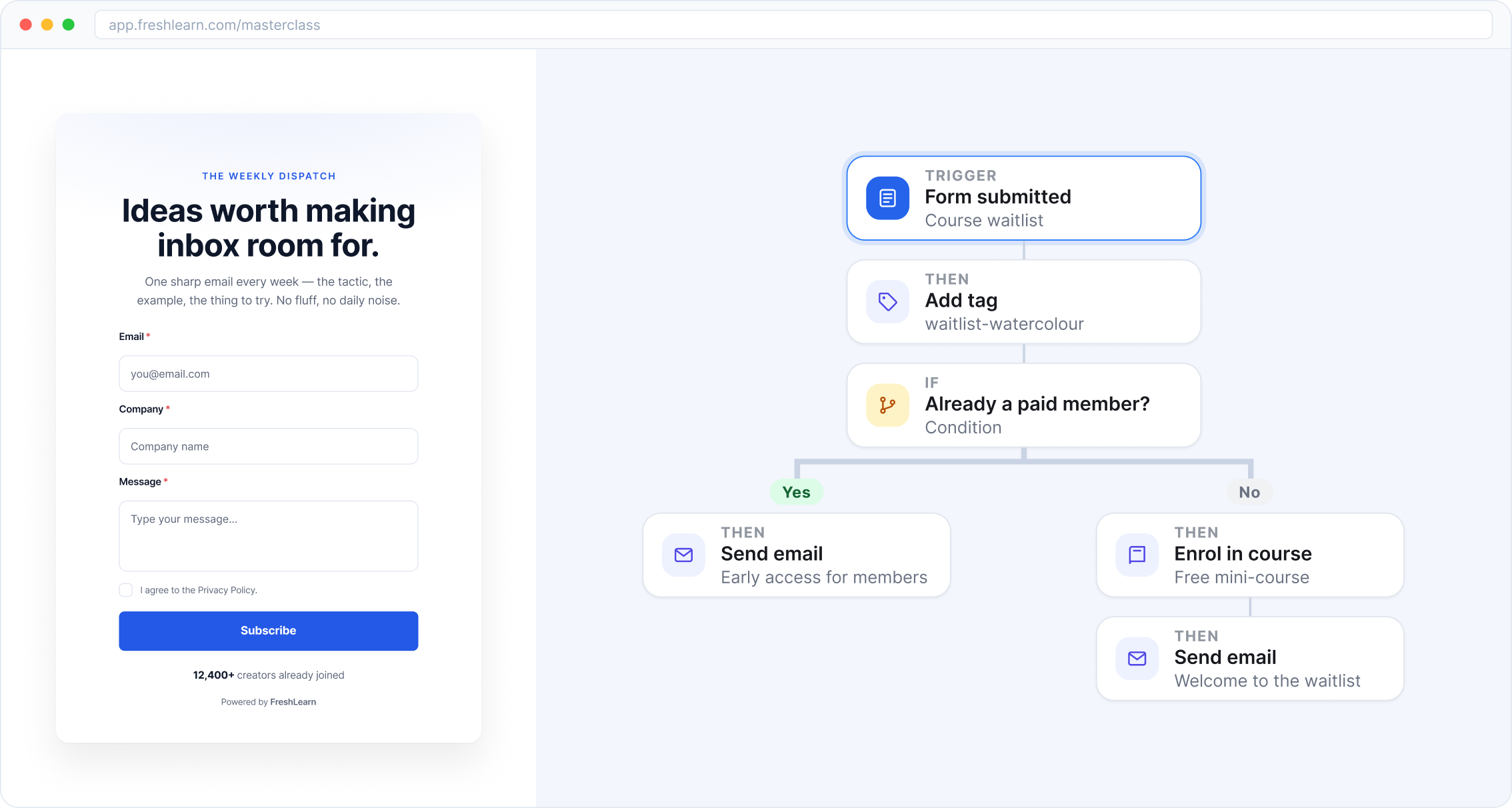
On No Brainer+, “form submission” is an automation trigger: add or remove tags, send an email sequence or enrol the contact in a course.
See it work
What Happens After Someone Submits
Most form tools stop at a thank-you message. In FreshLearn, one submission saves the contact, tags it, sends the email and can start an automation, with no Zapier in between.
In your FreshLearn academy
Press the button to see it run
Saved as a contact
In the same list as your learners and customers.
MMayamaya@example.comLeadTagged
So you always know which form they came from.
waitlistwatercolourForm: Course waitlistThank-you email sent
The moment they press the button.
Brushwork Academy to maya@example.com
You’re on the waitlist, Maya
We’ll email you the moment enrolment opens. Here’s a free lesson to start.
- No Brainer+
Automation started
Follow-up emails, then a free mini-course.
Wait 2 daysSend course previewEnrol in mini-course
Use cases
One Form Builder for Every Sign-Up
Build each form once, share it wherever your audience is, and every response ends up in your academy.
Creators and coaches
Grow a list before launch and fill your programs.
- Course waitlist
- Lead magnet sign-up
- Coaching application
- Cohort registration
CE providers
Register attendees and collect what accreditation asks for.
- Webinar and live-CE registration
- Course evaluation
- Attestation form
- Enquiries from licensing candidates
Companies
Collect training needs from staff, customers and partners.
- Training requests
- New-hire onboarding intake
- Customer-training registration
- Partner applications
Platform
Everything you need —
built in
Run your entire course business: without stitching together multiple tools.
Student Management
Bulk enroll, segment, manage access, send announcements, and export anytime.
Multi-Language
Teach in any language, localized checkout.
Integrations
Zoom, Stripe, Razorpay, Zapier, Webhooks and more: connect what you already use.


SSO & Security
Enterprise-grade security, single sign-on, GDPR compliance.
Stop duct-taping tools together. Run everything on one platform.
Start FreeLoved by Creators
Trusted by Creators Worldwide
Real stories from educators, coaches, and creators building on FreshLearn.
I love this product
“I love this product. So easy to use and has lots of improvements since my first use. Great customer service too. I feel it was designed to be user friendly for non techy online entrepreneurs yet has so many features you'll need to scale your business.”
FreshLearn is a great platform
“FreshLearn is a great platform for launching an online course, easy to setup and integrate with Stripe/Paypal and custom domain. They also don't charge extra transaction fees which is a big reason why I choose them over other options out there.”
What a great experience!
“FreshLearn customer support is the best. They are so helpful, kind and knowledgeable. All my questions were answered and I feel a huge sense of relief knowing I can easily get the answers I need to navigate what could be an intimidating process.”
Highly Recommended!
“An all-in-one, easy-to-use platform for course creators with a special shout-out to their customer support. You can easily schedule a call with an expert who can help you with any questions.”
Great product and support
“I really like using FreshLearn and the effort they put in to get it as I want. Before, I used a way more expensive option, which was actually too much overkill for what I needed. I recommend this to everyone who looks for a great platform at an affordable cost.”
FreshLearn is my favorite platform!
“Anytime I need help, FreshLearn's customer service is great! 100% of the time. I give them 5 stars for customer service, being courteous, reliable, knowledgeable, and helpful. The platform is easy to use & user friendly.”
Platform for Online Courses and Digital Products
“I love how simple it is to set up and launch courses, live workshops, or digital downloads. I can create unlimited courses and products, design custom sales pages, and automate marketing all from one dashboard. The AI tools are a bonus.”
A successful FreshLearn year
“FreshLearn gives us all we need to setup our online courses. We have about 9 online courses live that are working really well. The use of bundles & webinars is a real plus. No limit on storage is also a great benefit.”
AMAZING experience with FreshLearn
“After being so frustrated with trying to setup Kajabi, Teachable's insane pricing and so many other platforms — FreshLearn has been a breath of fresh air. Their UI for the setup is easy and the video tutorials have been a breeze!”
Integrations
Integrate with the tools you love
Connect your favorite payment gateways, marketing tools, communication platforms, and automation workflows: all built in.


FAQ
Common Questions
Everything you need to know about forms on FreshLearn.
Can I embed a FreshLearn form on my own website?
Yes. Copy the embed code and paste it into WordPress, Webflow, Wix, Squarespace or any HTML page, or add it to your FreshLearn pages with the Embed or HTML block. Submissions from every embed arrive in FreshLearn.
Do I need a FreshLearn website to use Forms?
No. Share the form as a standalone link, or embed it on the website you already have. Your FreshLearn academy collects the responses either way.
Where do submissions go?
Each submission creates a new contact in FreshLearn, or updates the existing one if that person is already there. Contacts sit in the same place as your learners and customers, so you can email them, tag them and later enrol them.
Is there a limit on submissions?
No. There's no limit on form submissions on any paid plan.
Can a form send an email or start an automation?
Every form can send an automatic thank-you email and tag the contact. On No Brainer+ and Enterprise, “form submission” is also an automation trigger, so a submission can add or remove tags, start an email sequence or enrol the contact in a course.
Can I take payments with a form?
Payments go through FreshLearn checkout, with Stripe, PayPal or Razorpay. For a paid registration, send people to your checkout page; the money goes straight to your own account.
Which plans include Forms?
Every paid plan: Pro, No Brainer, No Brainer+ and Enterprise. Automations that start from a submission are on No Brainer+ and Enterprise.
Get Started
Turn your expertise into
a learning business.
Create, sell and deliver courses, CE and professional training with FreshLearn.
No credit card required


“This course completely changed how I approach marketing. Worth every penny!”