Thinkific vs Udemy: A Serious Breakdown for Course Creators

I’ve been creating and selling online courses for a while now, and at different stages of my business, I’ve found myself confused between Thinkific and Udemy.
If you're currently in that boat, trying to figure out which platform is the right fit for you, I completely understand the dilemma.
I’ve been in your shoes, asking the very same questions. So, what’s the verdict?
Both platforms are well-known in the online course world, but they serve very different needs and goals for creators.
Thinkific lets you build and market your own branded course website. On the other hand, Udemy is a vast online course marketplace where you list your courses for sale to a pre-existing audience.
In this article, I'll go pretty deep into the differences in their course creation tools, pricing models and fees, marketing capabilities, and overall control you have as a creator.
Spoiler alert: I chose neither Thinkific nor Udemy, and settled on FreshLearn. The ‘why’ will be pretty clear by the end, so grab a cup of coffee and read on…
Why should you trust us?
We're the creators of FreshLearn, the modern platform that thousands of creators rely on to launch and scale their courses. We've gone beyond building a tool and immersed ourselves in the creator journey over the years. So, we know the challenges, frustrations, and scaling needs of creators just like you.
Quick Verdict: Who’s Thinkific and Udemy for?
Introducing Thinkific

Thinkific is one of the most popular online course creation and marketing platforms.
In Thinkific, you don’t list a course in someone else’s catalog. You create a home for your brand and shape the entire learning experience end-to-end.
The platform lets you run a community or membership for ongoing engagement, bundle courses into programs, and run live lessons for a real-time touch. The storefront is yours too: custom domain, on-brand themes, landing pages, and a checkout that works with both Thinkific Payments and Stripe or PayPal.
Thinkific’s USP is precise control over your online business; you set the price, you choose the promos, you own the customer relationship, and your students learn in a space that looks and feels like you. If you want to grow a training business, an academy for your company, or a portfolio of premium courses without marketplace rules in the way, Thinkific is terrific.
Introducing Udemy

Udemy is one of the largest online learning marketplaces in the world with over 250,000 courses, and more than 80 million (!) students.
With Udemy, you create a course, publish it into a catalog that millions of learners browse every month, and let the platform handle all the hosting, streaming, mobile apps, translations, and global reach.
Discovery happens in a few ways on the platform: through search, specific categories, personalized recommendations, and frequent promotions.
Creating a course is also really simple. You can upload videos and organize content into sections. You can also add quizzes, assignments, practice tests, and even coding exercises for technical subjects.
However, in exchange for a wide audience, you give up some control. Your course will be under the Udemy brand, with standard policies and page designs. Pricing is also handled through Udemy's Deals Program, and revenue is split according to a clear revenue-sharing model.
Udemy is a strong choice when your goal is a wider reach, reviews, and steady velocity rather than a fully branded school you manage yourself.
At-a-Glance Comparison: Thinkific vs Udemy
Let’s take a moment to get a high-level overview of both contenders before we dive into the full comparison:
Feature Face-Off: The Detailed Breakdown
Both Thinkific and Udemy are quite different at first glance. Yet they are remarkably similar in the sense that they cater to the same kind of audience.
With that being said, let’s break down both tools.
1. Course creation and customization
Every platform loves to brag about “all-in-one” features, but the real test is whether you can shape lessons without wrangling a dozen clunky menus.
So let’s peek under the hood and let's see which tool lets creativity flow instead of forcing it through a funnel.
Thinkific
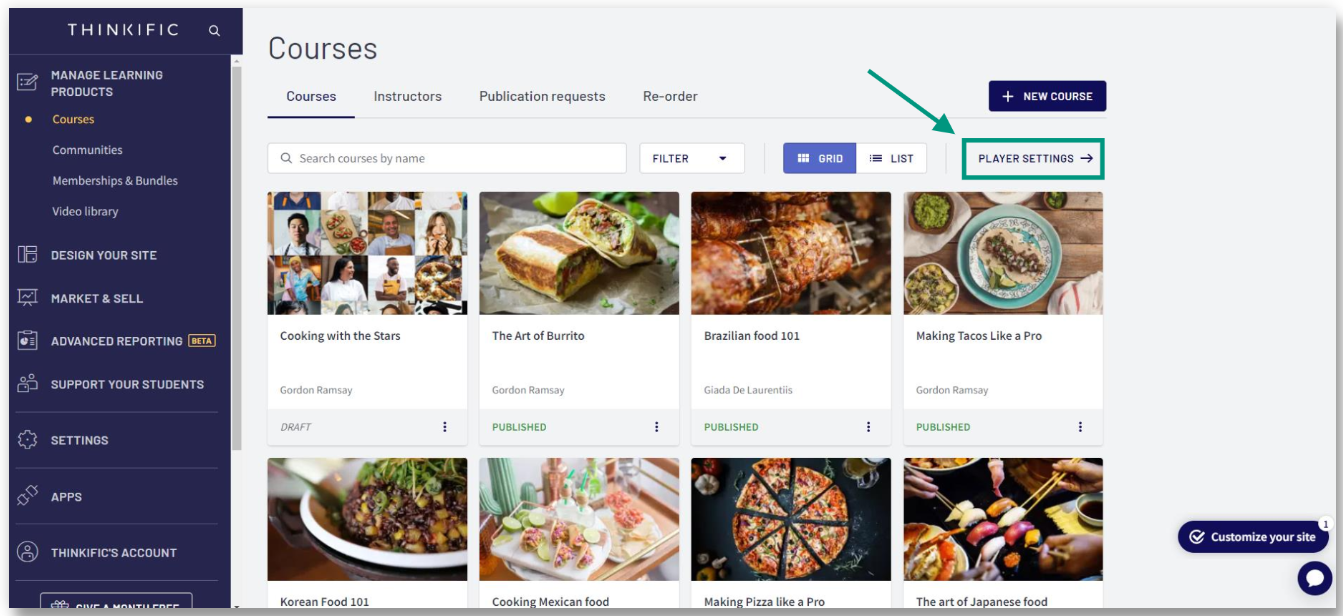
When you open up Thinkific’s course builder, you get a blank canvas that feels a lot like a website creator…because it is one.
You can drop in video, PDFs, audio, or whole presentations, reorder sections with drag-and-drop, and sprinkle quizzes or surveys wherever they make sense. The interface even suggests lesson outlines with its new AI helper. That’s something I loved.
Customization also goes way beyond swapping colors. A built-in theme editor lets you tweak fonts, layouts, and button styles, or dive into the code if you want pixel-perfect control. Need a branded look? Point a custom domain at your Thinkific site and ditch the Thinkific.com address; on the Grow plan, you can remove every last Thinkific logo, so students see only you.
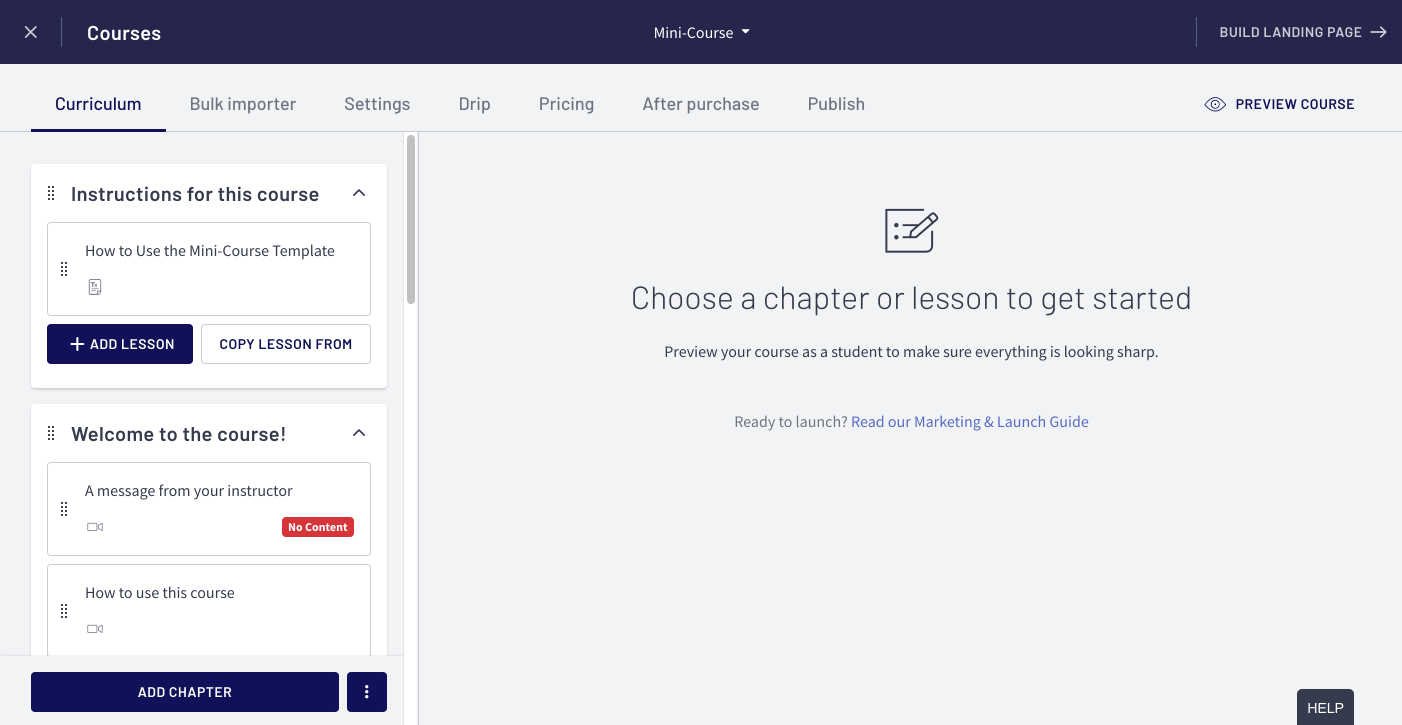
Course structure is equally flexible. You can drip content on a schedule, lock modules behind prerequisites, add completion certificates, and bundle products into memberships or communities.
If I had to sum up Thinkific’s course creation powers, it hands you the keys to an end-to-end learning environment that looks and feels like your own classroom.
Udemy
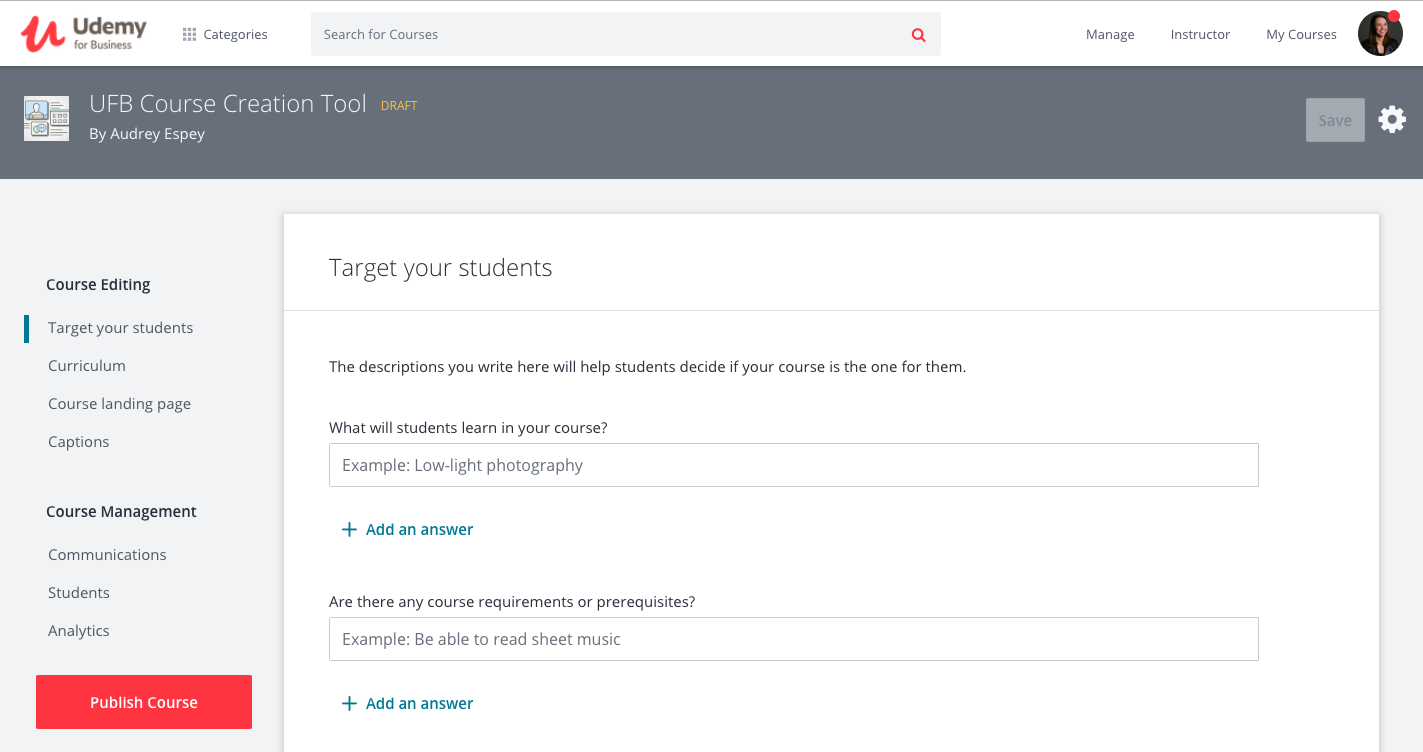
Udemy is a complete 180 from Thinkific’s do-it-yourself structure.
Instead of running a school, you upload your videos into a global marketplace that already attracts over 80 million learners.
The curriculum editor is straightforward: you add sections, drop lectures, upload subtitles, and slot in quizzes, assignments, or practice tests. For technical topics, you can embed auto-graded coding exercises in languages from Python to Java; that’s great for hands-on learning.
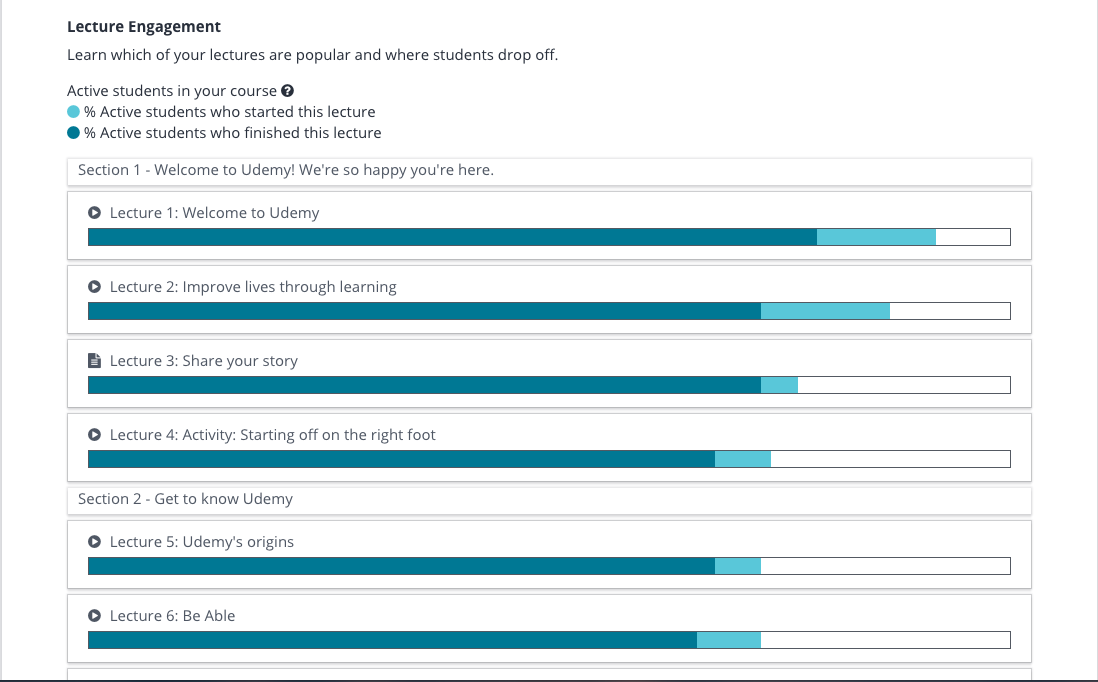
Udemy offers interesting ways to engage with students. Built-in Q&A threads, learner notes, and direct messaging allow for conversations within each lecture.
You also get helpful analytics on your instructor dashboard. These show you quiz scores, how students are doing with coding exercises, and trends in reviews.
Customization, though, is intentionally limited. Your course lives on Udemy’s template; header, sidebar, fonts, and checkout are locked.
You can create a killer promo video and tweak landing-page copy, but you can’t change the color scheme or add custom pages.
Pricing and coupons are also partly under marketplace rules (hello, Deals Program), and every learner sees that familiar Udemy interface, not your brand palette.
In short, Udemy makes creation painless and discovery automatic, but it trades away visual and pricing freedom for that reach.
And the winner is… Thinkific 🎉
If the yardstick is Course Creation and Customization, Thinkific takes the trophy. It lets you sculpt both the learning journey and the storefront, from themes and custom domains to drip schedules and bundled memberships.
Udemy’s builder is smooth, but its locked-down branding and price controls mean your course always looks like, well, Udemy.
2. Marketing and branding control
Even a brilliant course will flop if no one sees it, and a precisely made funnel means nothing if your logo gets swapped for someone else’s.
Here, we look at the levers and dials that get your course out to people.
Thinkific
Thinkific treats marketing like part of the build, not an afterthought add-on.
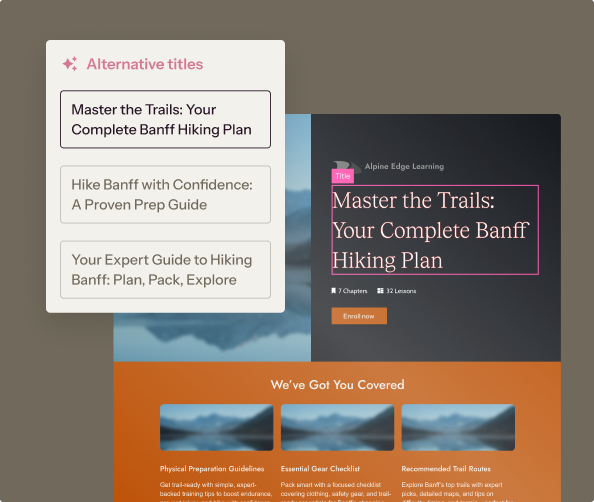
Before we swap opinions, here’s the stuff Thinkific hands you to pull visitors in and increase conversions
- AI-generated landing pages and drag-and-drop Site Builder for slick, on-brand sales pages in minutes
- Coupons, one-click order bumps, failed-payment, and abandoned-cart emails baked right into checkout
- Email Automation for welcome flows, sales drips, and re-engagement nudges
- Affiliate tracking dashboard so partners get unique links and you track commissions (payouts are still up to you)
- Group Orders and B2B seat sales with a Seat Manager dashboard for selling courses to entire teams
- Custom domain & full white-label options once you’re on the Grow plan and up, so every touchpoint screams your brand
- Multiple payment methods plus automatic tax handling for US, Canada, EU, and UK sales
Thinkific’s marketing stack is stashed in the course platform, which means you never have to add half a dozen plugins just to run a launch.
You create an AI-suggested landing page, tweak colors and copy, add a coupon onto your pre-launch list, and you’re collecting payments the same afternoon. Abandoned-cart and failed-payment automations kick in automatically.
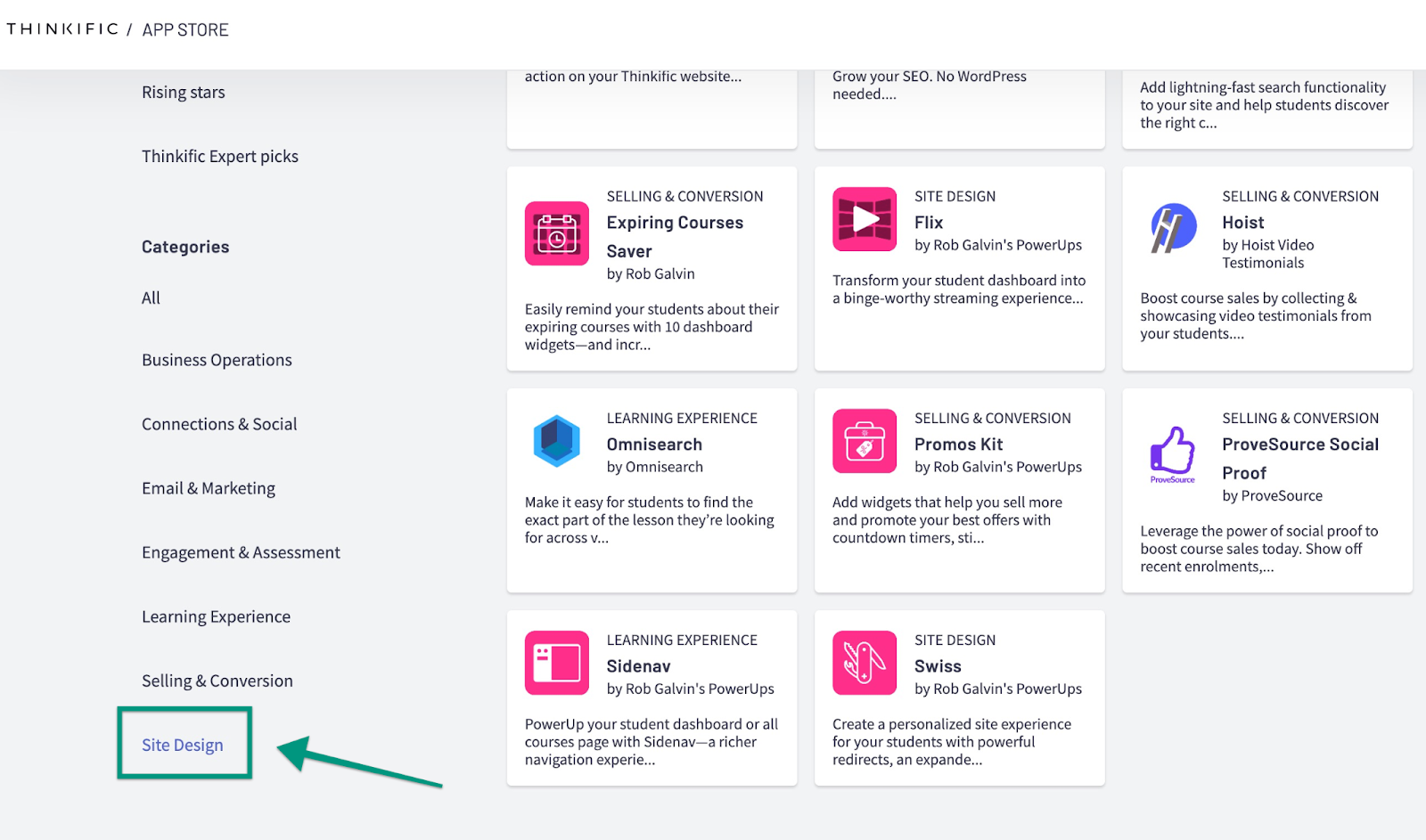
Because everything lives under your custom domain (logo-free if you opt for higher tiers), students never feel like they’re being bounced from app to app. That continuity is critical: it preserves trust, keeps branding tight, and lets you own the customer data.
And with Group Orders, you can sell fifty seats in one transaction and hand enrollment to the client’s own Seat Manager.
In short, Thinkific’s marketing suite is built for creators who see their course as a standalone business.
Udemy
First, here’s what Udemy puts on the table to accelerate sales:
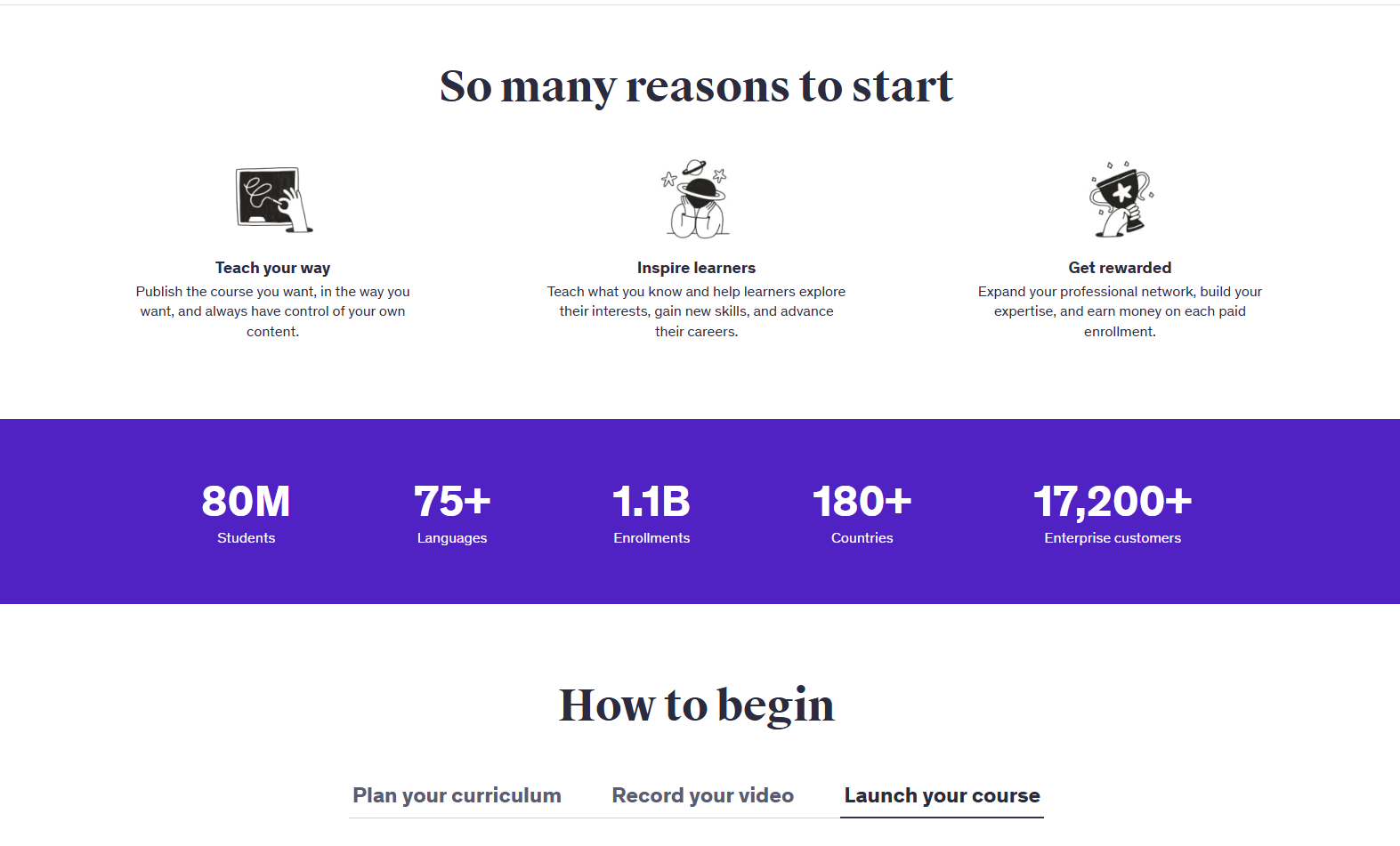
- Global Deals Program that auto-tests prices and runs site-wide flash sales across 180+ countries
- Instructor coupons and referral links (97 % revenue when used) for off-platform promos
- Two promotional emails per course per month, sent directly to your enrolled students
- Marketplace SEO, paid ads, retargeting, and an affiliate network, handled by Udemy when you opt into Deals
- Automatic placement in Udemy Business and Personal Plan subscriptions — 17.5 % of subscriber revenue is shared via a minutes-watched pool
- Tiered pricing matrix if you opt out of Deals, keeping list prices within set bands
Udemy’s marketing power is undeniable: millions of learners come to the marketplace every month, and the platform sends emails, push notifications, paid ads, and timed discounts without you lifting a finger.
If you opt into the Deals Program, Udemy’s pricing algorithm will keep changing numbers to squeeze the most revenue per region.
The dark side is control. Those flash sales that flood your dashboard with enrollments? They can bring a course you list at $129.99 down to $14.99 whenever a global campaign starts.
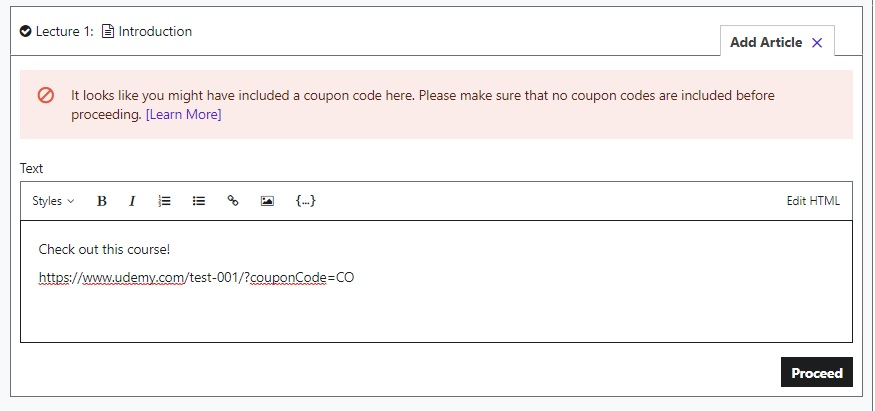
Promotional emails are capped at two per month and must stay inside Udemy’s walled garden; no external links and no list-building. Your landing page looks like every other Udemy page, and the platform holds all student email addresses.
That’s fine if reach is your goal; less great if you dream of brand equity and lifetime community.
Udemy Business adds a second revenue stream, but again, you’re playing by Udemy’s rules. Minutes-watched decides your slice of the 17.5% subscription pool, so your income can change month to month.
If you thrive on marketplace dynamics and don’t mind giving up individual branding, Udemy is the best. But if you want to own the course and the customer, the guardrails will hurt you.
And the winner is… Thinkific (again)
Thinkific lets you build a branded funnel easily and keeps every student touchpoint under your logo.
Udemy’s reach is wider, but it’s also branded Udemy, and the contacts stay on their list, not yours.
3. Student data ownership
Student data is the key to running a successful course business, and losing it can be a disaster.
Here, we'll examine closely who holds the rights to your student list, who has permission to contact them, and why this is so critical.
Thinkific
Thinkific treats learner data like an asset you own. You get the basic stuff like
- Full student list export with names and email addresses to CSV for backup or a quick CRM import,
- Mass or one-to-one email tools right inside the dashboard for launches or nudges.
Thinkific also hands over extras like Custom fields and filters so you can slice the list any way you like before exporting.
If you go to Users, then Export, you can pull down a spreadsheet that lists every enrollee, their email, signup source, and custom fields you’ve added. If you want to greet new sign-ups with a personal video or message, just insert the sheet into your email service and fire away.
Need to hand over weekly progress stats to a company that just bought fifty seats? The Group Analyst dashboard lets you share names, emails, and completion numbers.
And because you control the data, switching ESPs or plugging into a full-blown CRM later is painless; just export and import.
Udemy
Udemy’s stance is the opposite: they steward the audience, and you rent attention. All you get is
- The student list dashboard shows names, enrolment dates, progress, and Q&A activity
- CSV export for that same data (no emails included)
Yes, you see who enrolled, how far they’ve progressed, and whether they asked a question, but you’ll never see an email address unless a student volunteers it in a message.
Your only official broadcast tools are two promotional emails per course per month and internal direct messages.
Both stay inside Udemy’s inbox, so list-building for off-platform launches is out of bounds.
CSV exports help with engagement analysis, yet they omit any contact info that would let you nurture those learners elsewhere. If long-term relationship marketing is central to your business, that wall starts to feel tall.
And Thinkific takes the win
If you want to build an email list, segment learners, or move data into other marketing tools, Thinkific is the clear winner.
Udemy’s privacy-first approach makes sense for a public marketplace, but it also throttles your ability to grow relationships beyond the platform.
4. Native mobile app experience
Your learners are scrolling at the bus stop, on treadmills, and even while half-watching TV.
Here we test which tool keeps study sessions smooth on a mobile screen and which one still demands a laptop
Thinkific
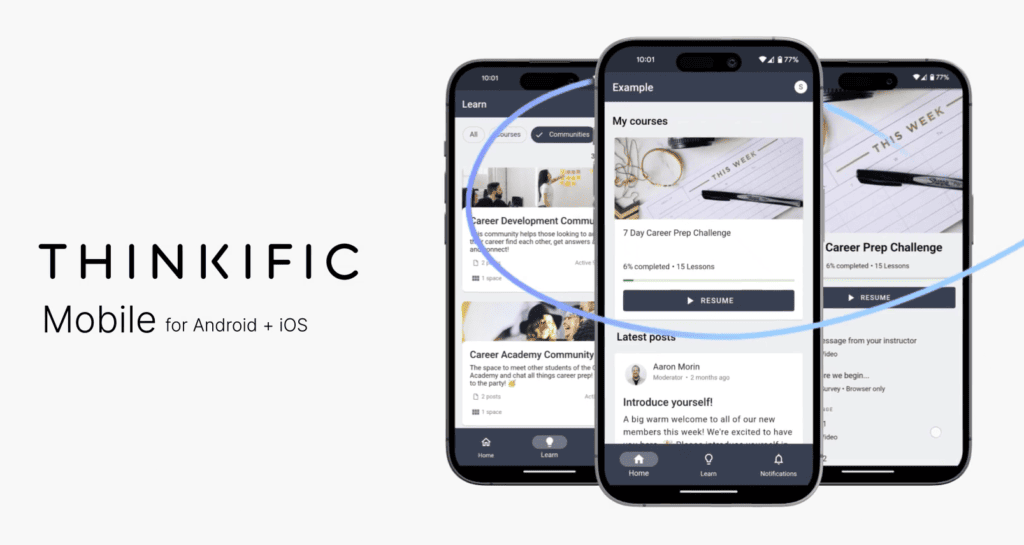
Thinkific finally rolled out a native app for iOS and Android after years of “mobile-friendly” web promises, and it’s a solid first effort. Students can stream or download videos, keep up with community posts, and push through quizzes on the go.
If you opt for the Branded tier (Thinkific Plus or a separate fee), your app icon wears your logo; that’s helpful when you’re pitching enterprise clients who expect white-label polish.
Still, the mobile footprint is learner-only. You can’t edit a lesson, change a price, or shoot out a coupon from your phone. Live-session hosting, advanced reporting, and bulk actions all live on desktop only.
For many of you, that’s fine (creation, I believe, is a laptop job), but it does mean urgent tweaks have to wait until you’re back at a keyboard.
Udemy
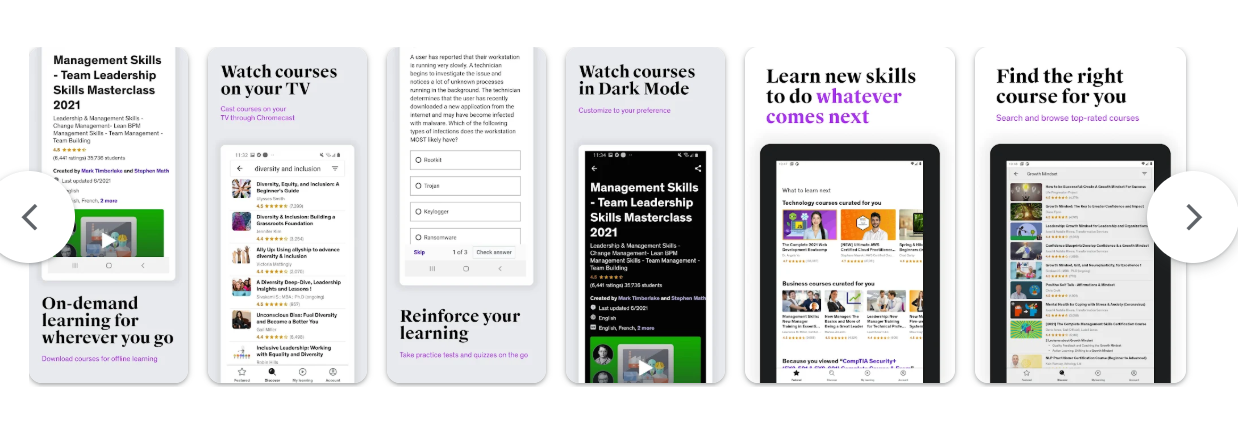
Udemy’s iOS and Android apps feel like products that have been iterating for a decade — because they have.
Learners have many options for watching and listening to courses. They can binge-watch at double speed, switch to audio-only mode for listening on the go, or download lectures to watch later without an internet connection.
A mini-player lets them watch videos in a small window while they browse other resources. Students can also ask questions easily in the Q&A. Push notifications will alert them when an instructor responds or when a new sale is happening.
You get a simplified dashboard, too. You can approve Q&A threads, respond to a review, or check your daily revenue graph right from the phone.
For corporate users, the same app unlocks via Udemy Business SSO, so a workforce can squeeze micro-learning between meetings without IT headaches.
Udemy takes the win
Thinkific’s new app is handy, but Udemy wins on maturity and feature depth. Offline playback, audio mode, instructor tools, and a polished UI make it a smoother experience for both sides of the classroom.
The Third Option: Getting the Best of Both Worlds
You’ve seen the trade-offs: Thinkific gives you the keys to your learning environment, while Udemy provides the traffic but retains the mailing list.
But what if there were a better option? What if there were a tool that had none of these tradeoffs? There actually is. It’s FreshLearn.
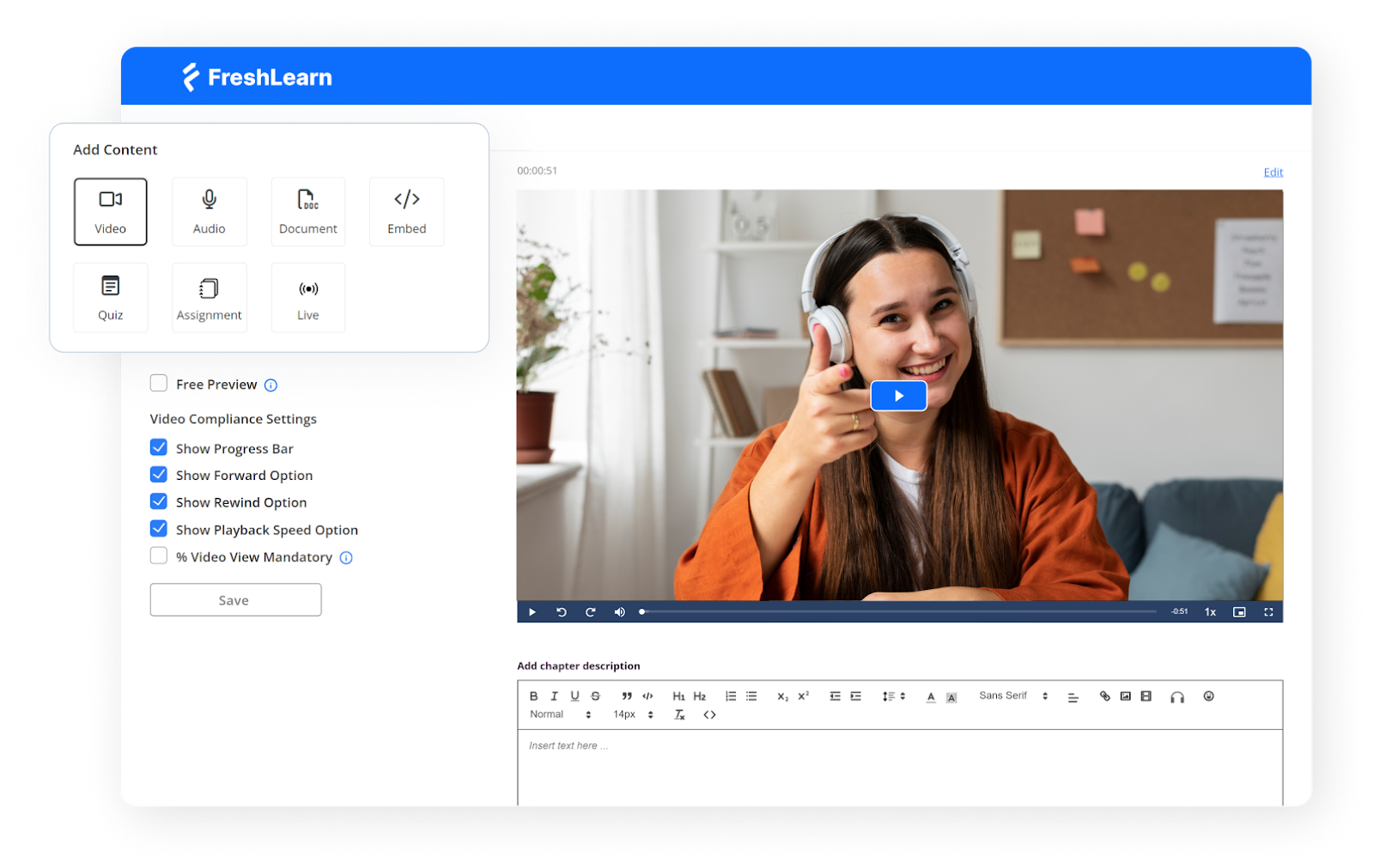
FreshLearn combines granular control with marketplace-level reach, all at a creator-friendly price.
Pricing that doesn’t sting later
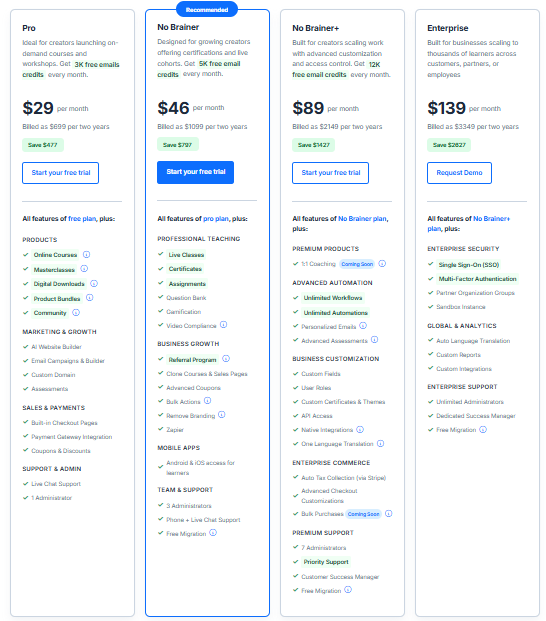
FreshLearn’s paid journey kicks off at $49 per month for the Pro plan, then steps up to $79 for the No Brainer tier; that’s still under Thinkific’s mid-level fee and worlds away from Udemy’s revenue split system.
Transaction fees? Zero.
Even the free plan lets you make up to 25 sales before you decide whether to upgrade, which means you can validate an idea without staring at your bank balance every five minutes. Annual subscribers also unlock concierge-style migration.
Migration without the migraines
Moving platforms usually involves transferring all your stuff, broken links, and a prayer.
FreshLearn treats it like onboarding: when you sign an annual plan, our team ports courses, pages, members, and enrolment data for you. Already 1,000-plus creators have made the leap with this white-glove service.
You keep creating and selling while everything shifts behind the curtain.
User reviews back up the good word
A pretty landing page is nice; a 4.7/5 user reviews score from almost 500 creators is nicer. Praise centres on human support — real people hopping on Zoom, screensharing fixes instead of tossing a link to a knowledge base — and the speed of the platform’s rollouts.
Just a couple of examples:

Via G2

Via G2
Brand identity without the premium tax
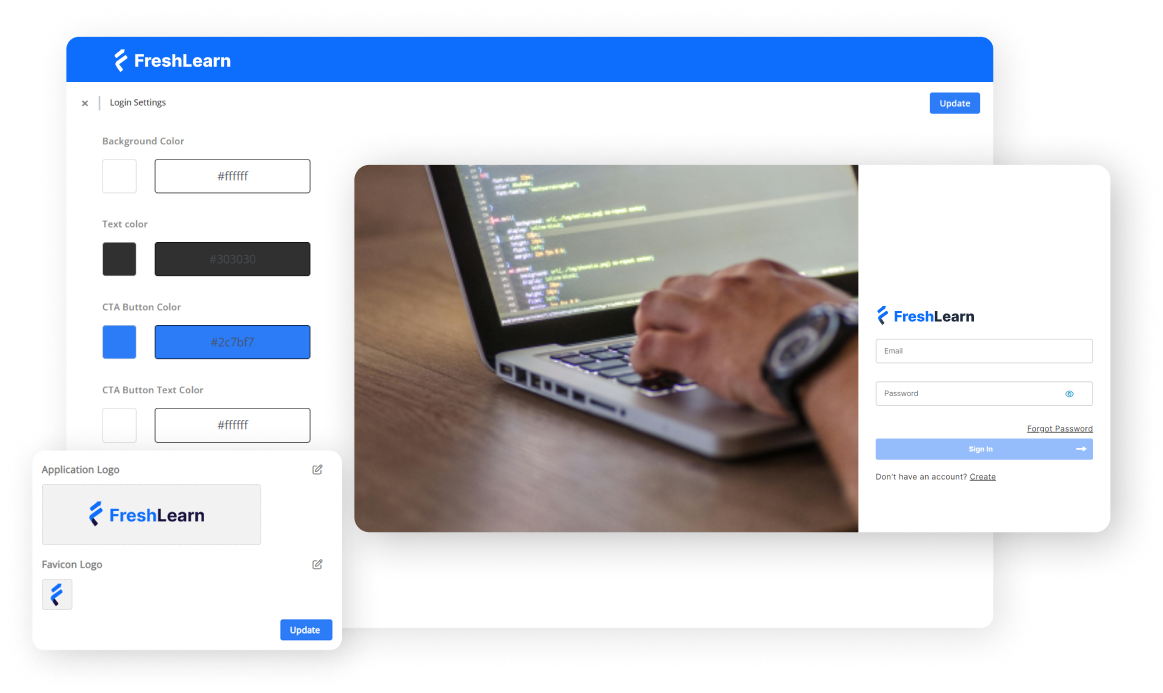
FreshLearn hands over the branding keys on day one. You can create your own domain, dial in colours and fonts, and remove every trace of FreshLearn on the No Brainer plan.
Checkout pages run on Stripe, PayPal, Razorpay, and local gateways, with automated tax collection baked in for the U.S., U.K., EU, and India.
You get the polished storefront Thinkific offers, minus the upgrade-to-upgrade-again ladder.
Built-in marketing you’ll use
All the revenue levers live inside one dashboard:
- AI website and page builder drafts copy and layouts effortlessly, courtesy of FreshLearn’s AI Agents
- Email campaigns, coupons, order bumps, and referral links sit two clicks away
- An affiliate centre lets partners generate links and see their commissions in real time
- Group checkouts handle bulk seat sales for corporate clients, mirroring Thinkific’s B2B strengths
If you’ve spent nights stringing together five tools just to launch, you’ll feel the difference in your stress levels… and profit margins.
Data stays in your hands
Like Thinkific, FreshLearn believes student emails are your equity.
You can export full rosters (names, emails, custom fields) whenever you like; funnel them into your CRM, send personalized upsells, or just keep a safe backup.
Thoughtful and useful mobile apps
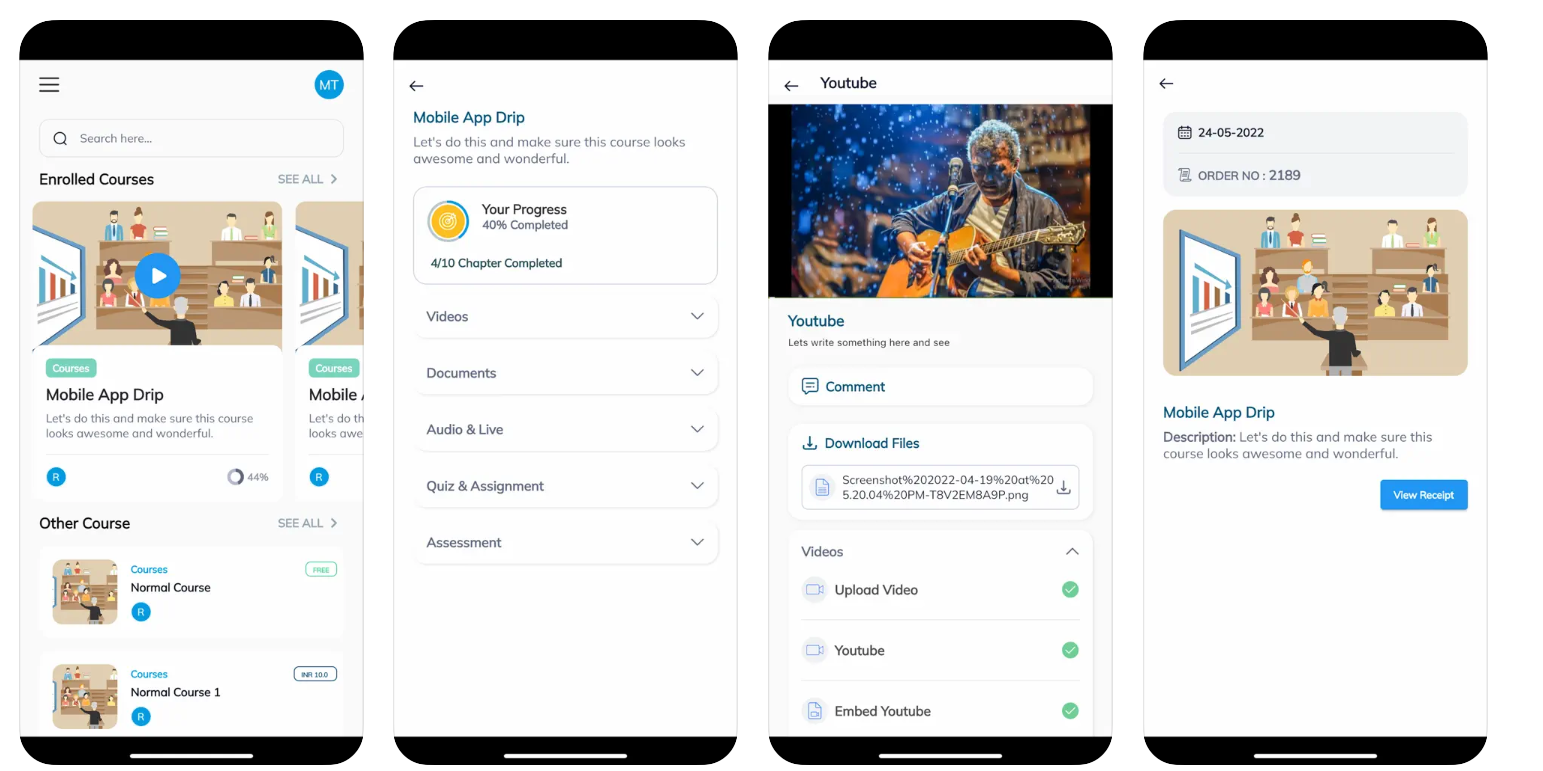
FreshLearn ships iOS and Android apps with offline viewing, background audio, push notifications, and community threads — all standard on paid tiers.
Need an even tighter brand control? A branded mobile app add-on swaps FreshLearn’s icon and splash screen for yours, a perk that usually hides behind four-figure enterprise quotes elsewhere.
AI that cuts production time, not corners

Outlines, section titles, quizzes, and even full sales-page drafts pop out of FreshLearn’s AI Agents in seconds.
You can keep, tweak, or scrap the suggestions. For solo creators handling curriculum work, email copy, and social promos, those saved hours feel like found money.
The takeaway
If you’ve been balancing the freedom of Thinkific against the built-in audience of Udemy, FreshLearn is the yeah, that makes sense " middle lane.
Thinkific vs. Udemy: Pricing and Earning Potential
Money talks, and platforms structure that conversation very differently.
Money is where these platforms are the most different.
Thinkific uses a straight subscription with 0% platform fees; your only variable cost on sales is payment processing. Udemy is the opposite: no subscription, but revenue share on every sale or subscription minute.
FreshLearn sits in the middle with low, flat plans (including higher tiers) and 0% transaction fees, so your margin looks like an owned store, not a marketplace.
All current plans (monthly vs. annual)
To keep the comparisons honest, let’s model web sales before tax using a common card fee of 2.9% + $0.30 per transaction for “owned checkout” (Thinkific or FreshLearn).
That yields $96.80 take-home per $100 sale and $19.12 per $20 sale. Udemy coupon and referral sales use the platform’s 97% share of the net price, and organic marketplace sales use 37%.
Mobile app store fees reduce the net amount further.
Scenario A: 100 sales at $100 this month (web, pre-tax)
If you push every Udemy sale yourself via coupon or referral on web, per-unit take-home slightly edges “owned checkout” at $100.
As soon as a chunk of your Udemy volume is organic, the average collapses to $37 per sale before taxes or app-store fees.
Scenario B : 100 sales at a discounted $20 price (typical marketplace promo)
Udemy’s Deals Program and global price tiers mean students frequently buy at promotional prices; your percentage stays the same, but the price they pay varies by market and campaign.
That’s great for volume but also rough on unit economics if most sales are organic.
Annual spend, side-by-side
You may also prefer annual billing to lower effective monthly costs. Here’s the straightforward subscription math (no sales yet):
Note: Pricing plans change all the time. Please verify with official pricing pages for the full breakdown and inclusions.
Things to keep in mind before making the move
Branding removal
Thinkific unlocks “Remove Thinkific branding” on Grow ($199/mo). FreshLearn unlocks Remove Branding on No Brainer ($79/mo).
If white-label matters for sales decks or enterprise buyers, that gate is a material cost difference.
Payment processing
Thinkific Payments quotes pricing “in line with Stripe and PayPal” (that’s around 2.9% + $0.30).
FreshLearn connects to Stripe, PayPal and Razorpay and shows 0% platform fee; standard gateway fees still apply.
The tables above model 2.9% + $0.30 for owned checkout to keep comparisons apples-to-apples.
Mobile and enterprise
Branded mobile apps and enterprise capabilities (SSO, sandbox, custom reports) exist on Thinkific Plus and FreshLearn Enterprise. Pricing is either custom (Thinkific Plus) or listed (FreshLearn Enterprise).
Migration
FreshLearn includes free migration on eligible yearly plans (No Brainer and Plus, and Enterprise), which can replace the one-time service cost many creators otherwise pay
Udemy fine print
Udemy calculates shares on the Net Amount; mobile purchases can incur app-store fees before the split.
Subscription payouts are from a fixed-percentage pool (17.5% in 2025) divided by minutes consumed, so earnings vary with engagement and catalog size.
Where FreshLearn ends up on pure cost
- If your Udemy traffic is mostly organic or frequently discounted, FreshLearn’s flat fee and 0% platform cut yields far higher average revenue per sale.
If you can reliably push nearly all Udemy sales with your own coupon on the web, Udemy can match or beat per-unit margins, but maintaining that split at scale is tough.
- Feature parity for common “extras” arrives sooner.
Removing platform branding and unlocking advanced selling features lands at $79 on FreshLearn ($59 on annual) versus $199 ($149 annual) on Thinkific.
Over a year, that’s $699 vs. $1,788 for comparable white-label polish. That’s money you can redeploy into ads, production, or contractor hours.
Verdict
Thinkific is predictable and fair if you want a classic “own your school” setup.
Udemy is frictionless if you value distribution over control and can consistently drive coupon sales.
FreshLearn covers the full plan ladder, so your earnings scale with your audience rather than a revenue-share contract. If you plan to market directly, FreshLearn is the most cost-effective path to keep more per sale while staying flexible on features and growth.
Final Verdict: Which Platform Should You Choose?
If you’re picking a home for your courses, start with the outcome you want instead of the feature list.
Udemy is the fastest on-ramp: publish, tap into a huge audience, and see if your idea has legs without spinning up a website or learning a funnel builder. The trade-off is obvious — high commissions on organic sales and limited control over pricing, branding, and student emails.
Thinkific sits at the other end of the spectrum. It feels like running your own academy: custom domain, white-label polish, flexible packaging, and the freedom to price however you want. That power comes with a higher monthly bill, and you’ll still be responsible for driving your own traffic.
FreshLearn threads the middle, on purpose. It gives you Thinkific-level brand control and direct ownership of your customer list, while staying friendlier on price and packing in the modern touches that actually move revenue.
- Choose Udemy if you want to test an idea with essentially zero marketing effort and you’re okay trading margin for distribution (especially when sales are organic).
- Choose Thinkific if you’re intent on a premium, fully branded school and have the budget to match.
- Choose FreshLearn if you want a modern, all-in-one toolkit that helps you ship faster and earn more from each sale.
If that sounds like your path, get started with a FreshLearn demo today.
People Also Ask
1. Can you move a course from Udemy to Thinkific?
Yes. You own your content on Udemy (it’s a non-exclusive license), so you can republish the same videos/material on Thinkific. You can’t export student emails from Udemy, and off-platform marketing is restricted to specific tools.
2. Is Thinkific or Udemy better for beginners?
If you want the fastest way to test an idea with built-in traffic, start on Udemy. If you want your own branded site, pricing control, and long-term customer ownership, start on Thinkific (you’ll bring your own audience).
3. What percentage does Udemy take?
For one-off sales: 97% of the net amount with your coupon/referral; 37% on organic marketplace sales. For subscriptions, instructors share a pool equal to 17.5% of monthly subscription revenue in 2025, allocated by minutes watched.
4. Does Thinkific have a built-in audience?
No. Thinkific is a self-hosted platform; that’s actually great for brand control, but you’re responsible for driving traffic and sales (it’s not a marketplace).
You might also like
Hosted by