

The Video Library with Tabs module is a powerful and elegant solution for showcasing video content on your website. Built with a Netflix-inspired design, this module combines intuitive navigation with flexible display options, making it perfect for course libraries, tutorial collections, product demos, and any video-heavy content.
With its tabbed filtering system, users can easily browse videos by category, while the seamless toggle between carousel and grid views provides an optimal viewing experience on any device. The module supports both direct video URLs and custom embed codes, giving you complete flexibility in how you deliver your video content.
Whether you're building an online learning platform, a product showcase, or a media library, this module delivers a professional, user-friendly experience that keeps visitors engaged with your content.
Features
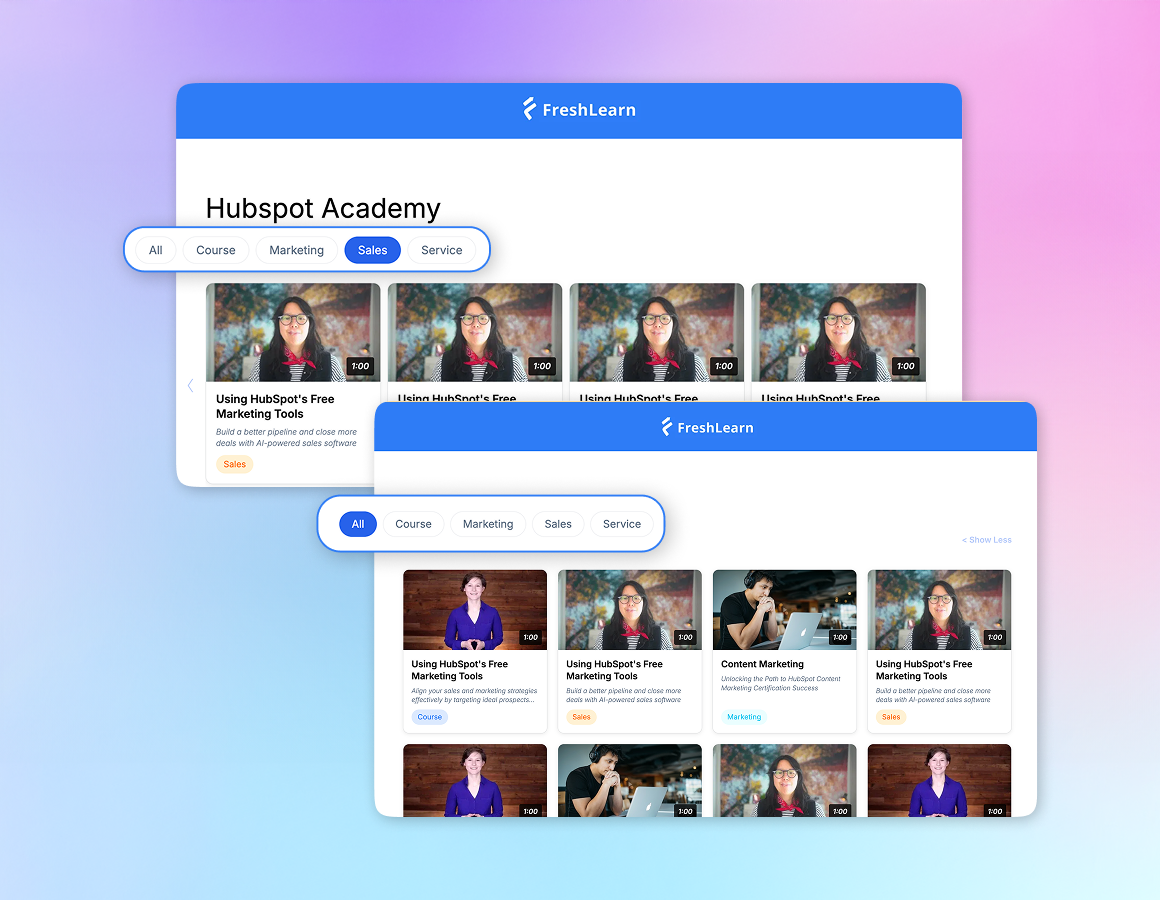
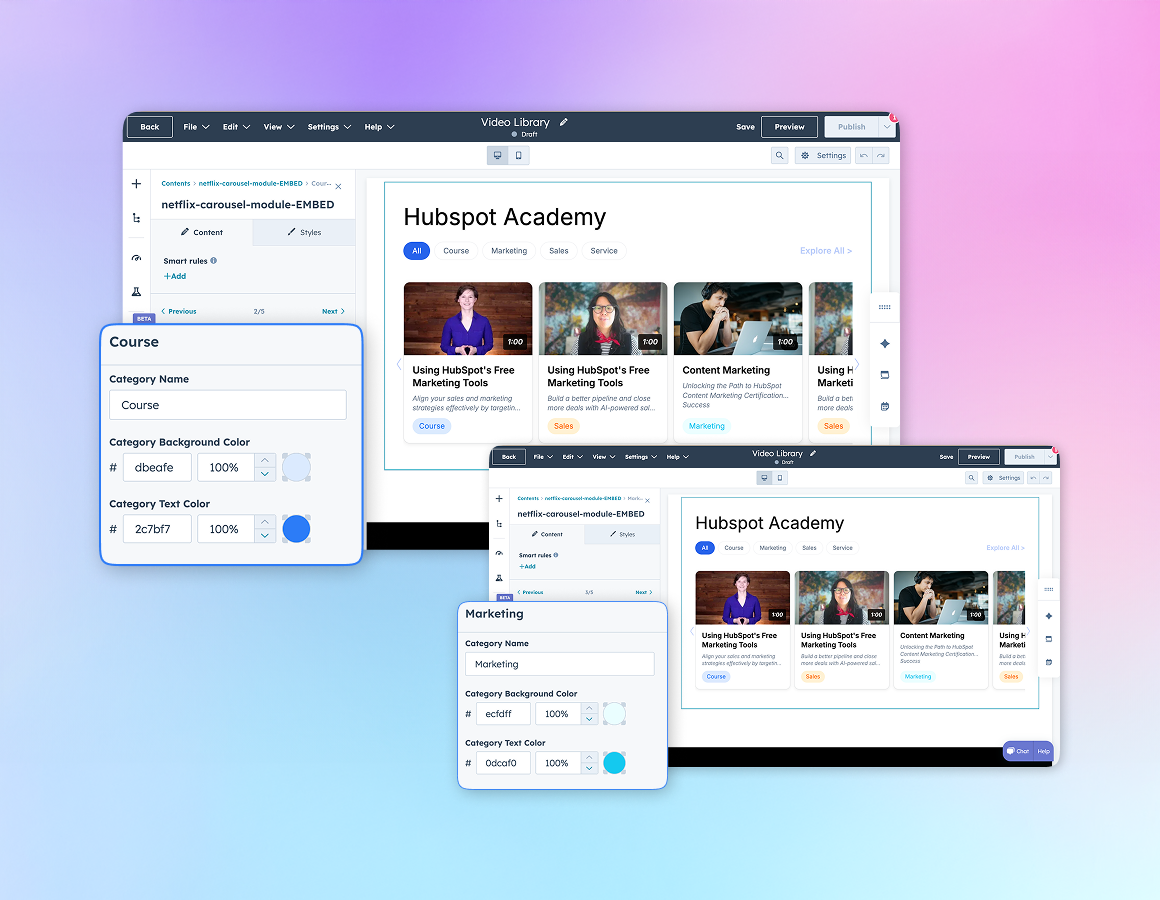
- Tab-Based Category Filtering: Organize videos into custom categories with an intuitive tab navigation system. Each tab can have its own custom badge color, making it easy for users to identify different content types at a glance.
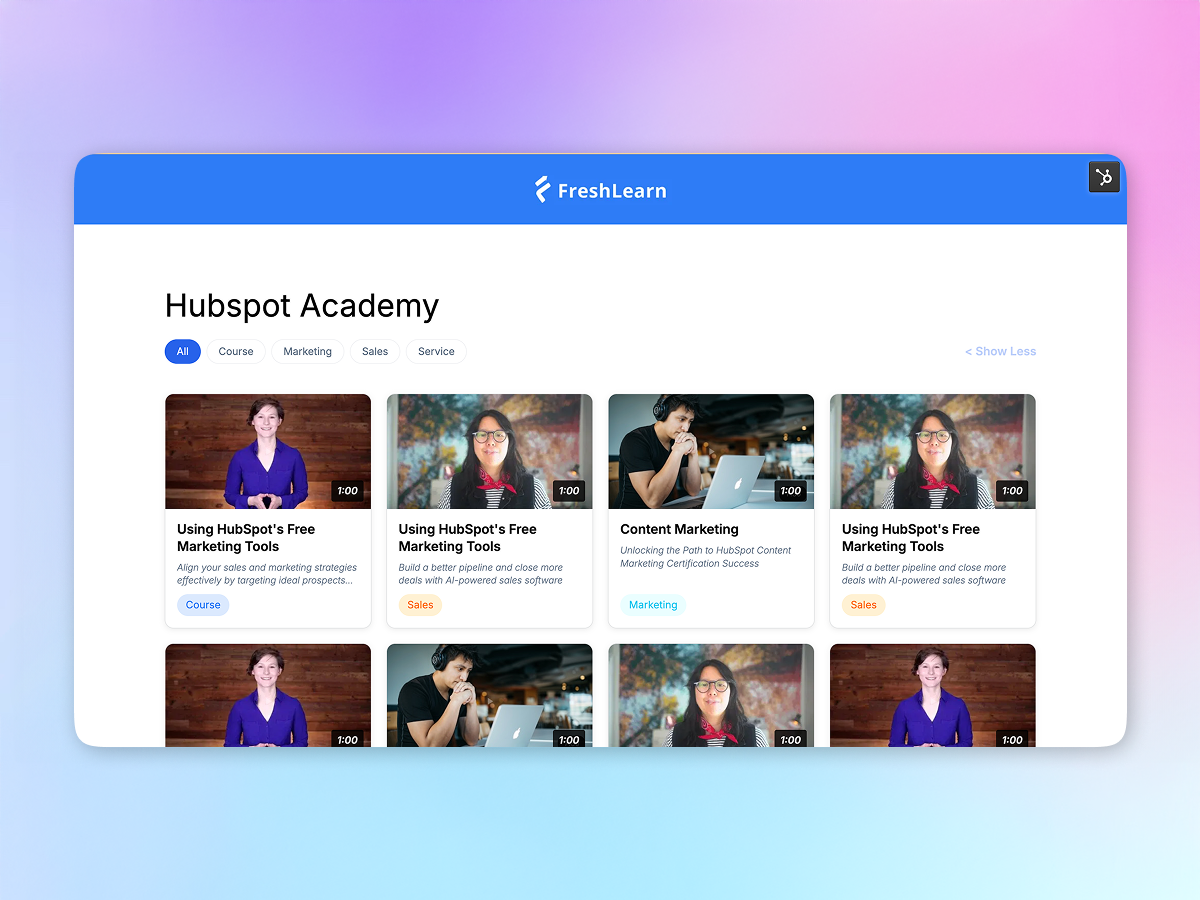
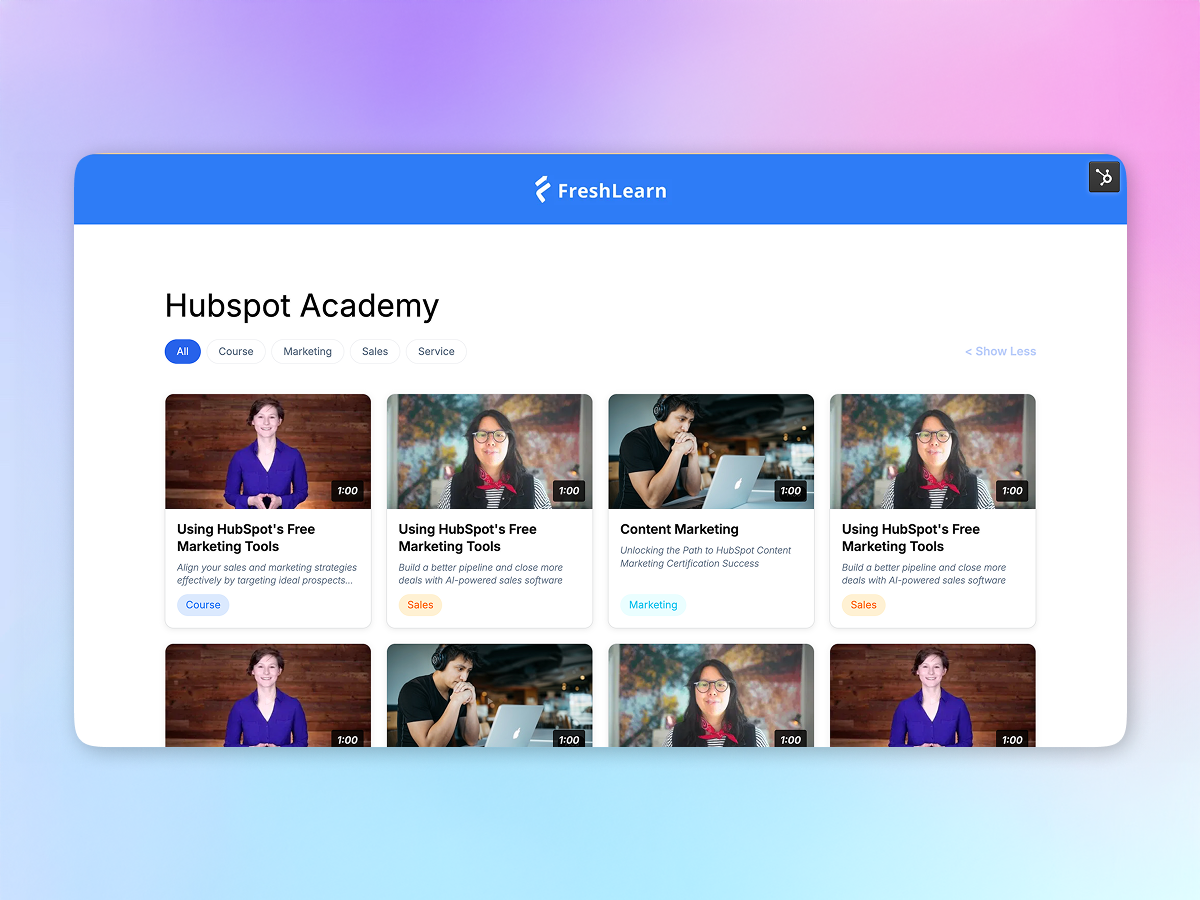
- Dual View Modes: Switch seamlessly between carousel and grid layouts with the "Explore All" toggle. The carousel mode is perfect for browsing, while grid mode displays all videos for quick access.
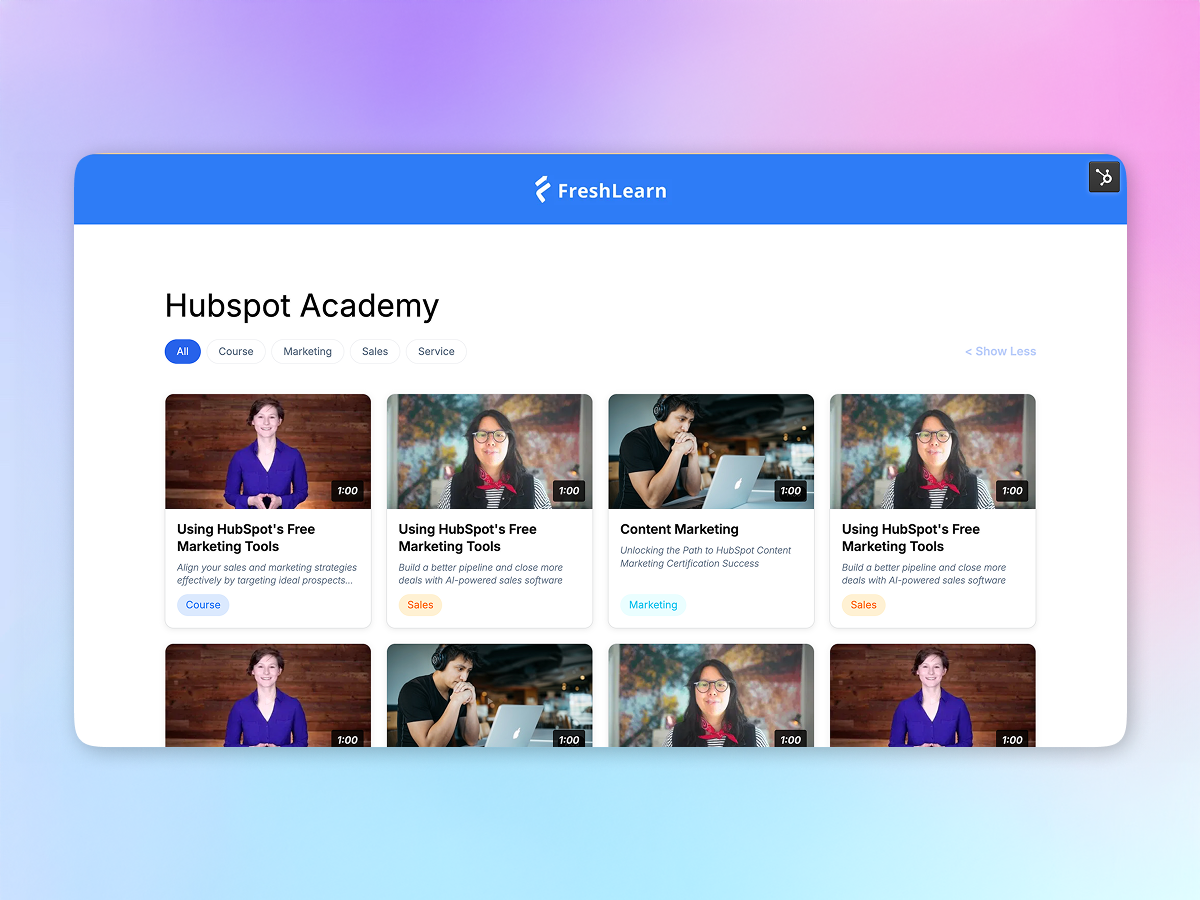
- Per-Tab State Memory: The module remembers whether each category is in carousel or grid mode, so users' preferences are maintained as they switch between tabs.
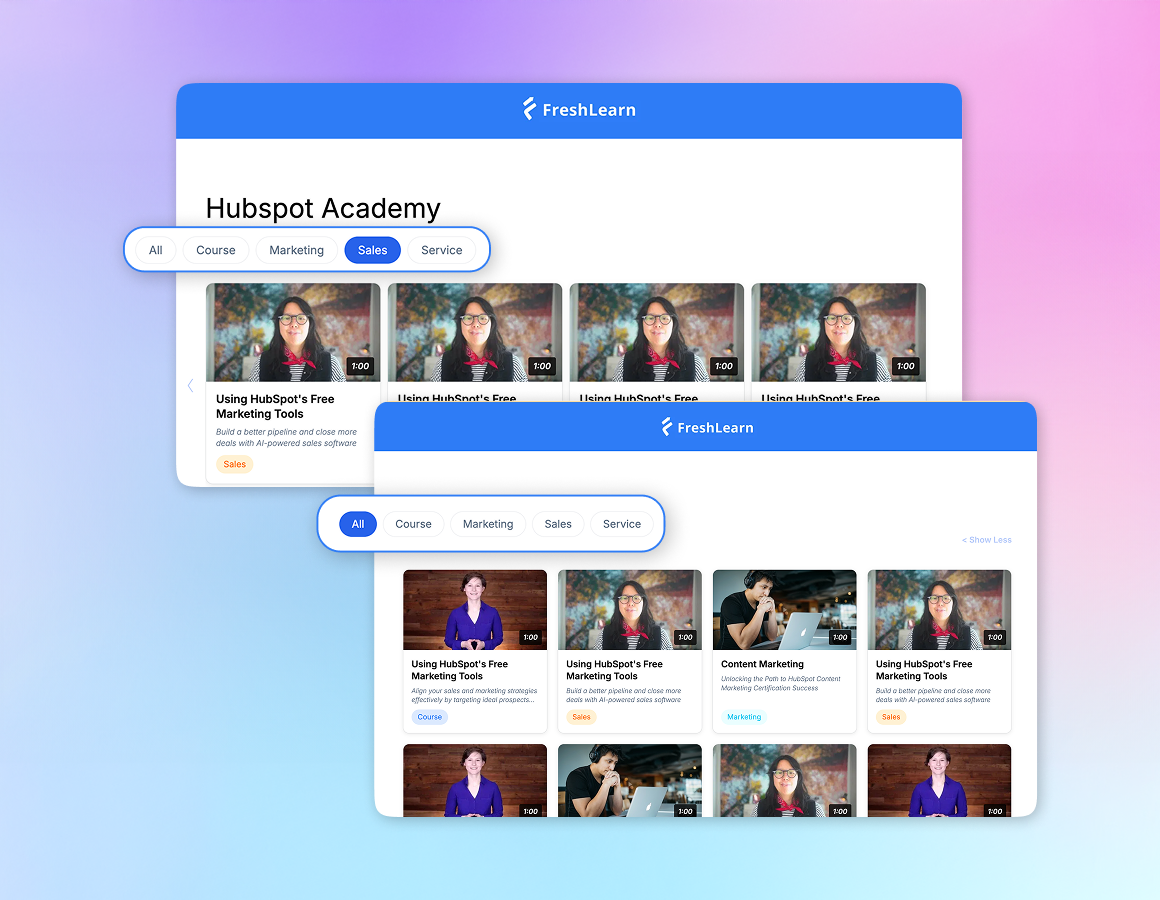
- Smart "Explore All" Button: The "Explore All" button automatically appears only when a category has more than 4 videos, keeping the interface clean and relevant.
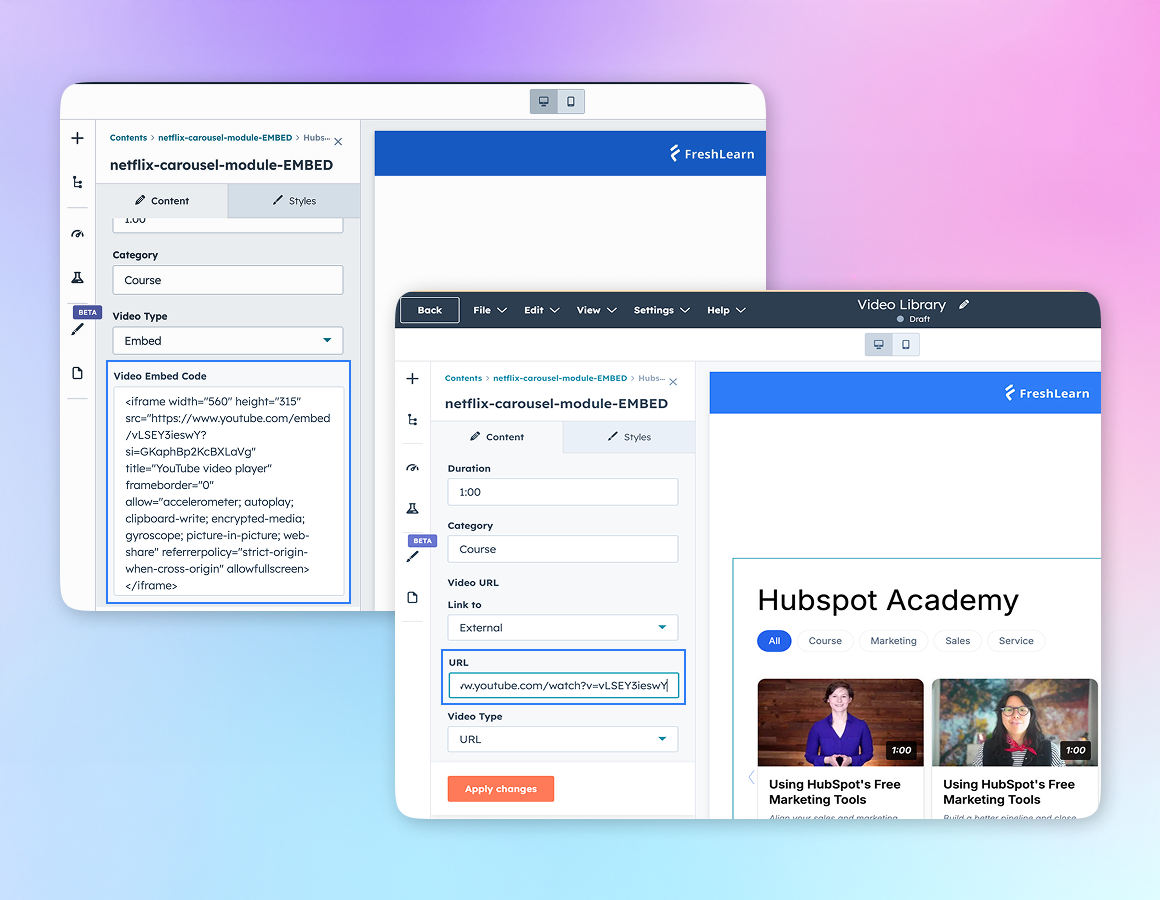
- Flexible Video Sources: Support for both video URLs and custom embed codes means you can integrate content from YouTube, Vimeo, custom players, or any video platform.
- Custom Badge Colors: Define unique background and text colors for each category's badge, creating a visually organized and branded experience.
- Video Modal Player: Videos open in a elegant, full-screen modal with smooth transitions. The modal closes via the close button, ESC key, or by clicking outside.
- Arrow Navigation: Intuitive left/right arrow controls appear on hover in carousel mode, making it easy to browse through video collections.
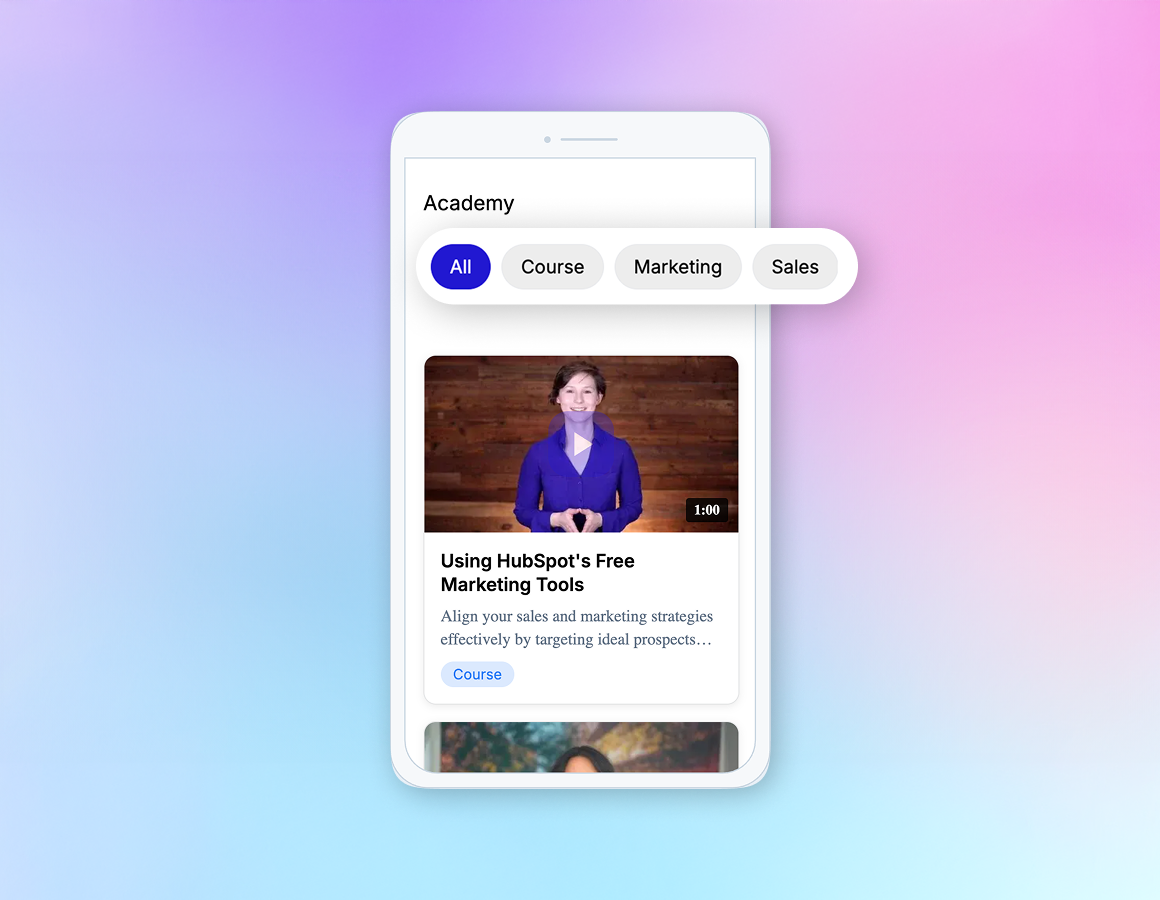
- Fully Responsive Design: The module adapts beautifully to all screen sizes, from desktop to mobile, with touch-optimized scrolling and appropriately sized cards.
- Visual Feedback: Play icons and navigation elements use subtle opacity effects to indicate interactivity, appearing lighter by default and full color on hover.
- Accessibility Features: Includes proper ARIA labels for screen readers, keyboard navigation support (ESC to close modal), and semantic HTML structure.
- No Scrollbar Clutter: Scrollbars are hidden while maintaining full scrolling functionality, keeping the interface clean and distraction-free.
Use Cases
- Online Learning Platforms: Perfect for organizing course videos, tutorials, and educational content by subject, level, or topic.
- Product Showcases: Display product demos, how-to videos, and customer testimonials organized by product line or category.
- Media Libraries: Create professional video galleries for news content, interviews, webinars, or company announcements.
- Documentation Centers: Organize video tutorials, training materials, and help content for easy customer self-service.
- Portfolio Websites: Showcase creative work, case studies, or project videos with elegant category-based organization.
Technical Specifications
- Compatibility: HubSpot CMS Hub
- Browser Support: Chrome, Firefox, Safari, Edge (latest versions)
- Mobile Support: Fully responsive with touch gestures
- Framework: Vanilla JavaScript (no dependencies)
- Video Support: YouTube, Vimeo, custom players, direct URLs, embed codes
What's Included
- Complete HubL template
- Responsive CSS with mobile optimization
- Vanilla JavaScript (no external dependencies)
- Comprehensive field documentation
- Example configurations
- Implementation guide
- Customization instructions
Setup Requirements
Required Fields:
- Section title
- Tab definitions (name, badge colors)
- Video cards (thumbnail, title, description, category, video source)
Optional Styling Fields:
- Title font and color
- Tab button styling
- Active tab colors
- Card title and description styling
- Card spacing controls
- Background color
Customization Options
Easy to Customize:
- Adjust card sizes and spacing
- Modify color schemes
- Change grid columns
- Update carousel scroll amount
- Customize badge styles
- Modify hover effects
- Adjust responsive breakpoints
Brand Integration: All colors and fonts can be customized through HubSpot's style fields, ensuring the module matches your brand perfectly.
Performance Features
- Lazy loading images
- Efficient DOM manipulation
- Smooth CSS transitions
- Optimized for fast page loads
- No external library dependencies
- Clean, semantic HTML
- Minimal JavaScript footprint
Support & Documentation
Comprehensive documentation included covering:
- Field setup and configuration
- Styling customization
- Troubleshooting common issues
- Best practices for video organization
- Responsive behavior guidelines
- Accessibility considerations
Why Choose This Module?
✅ Professional Design - Netflix-inspired interface that users love
✅ Flexible Content - Works with any video platform
✅ User-Friendly - Intuitive navigation and smart features
✅ Fully Responsive - Perfect on all devices
✅ No Dependencies - Fast and lightweight
✅ Easy to Use - Clear field structure and documentation
✅ Customizable - Adapt to your brand and needs
✅ Maintained - Regular updates and improvements
Getting Started
- Install the module in your HubSpot account
- Add it to any page or template
- Configure your video categories in the tabs section
- Add video cards with thumbnails and video sources
- Customize colors and styling to match your brand
- Publish and enjoy your professional video library!
Version
1.0.0
Last Updated
November 2024
Developer
FreshLearn
License
Standard HubSpot Module License
Tags
video, carousel, gallery, tabs, filtering, responsive, Netflix-style, video library, media library, course videos, tutorials, grid view, video player, modal, category filtering
Related Articles: