

Course Card module in FreshLearn is designed to enhance the way you present your offerings. With sleek, customizable cards that highlight vital course details, you can make your course catalog more engaging, accessible, and visually aligned with your brand. This feature empowers creators and marketing teams to promote courses effectively, without the need for coding or design expertise.
Key Features of the Course Card Module
Intuitive Course Card Builder
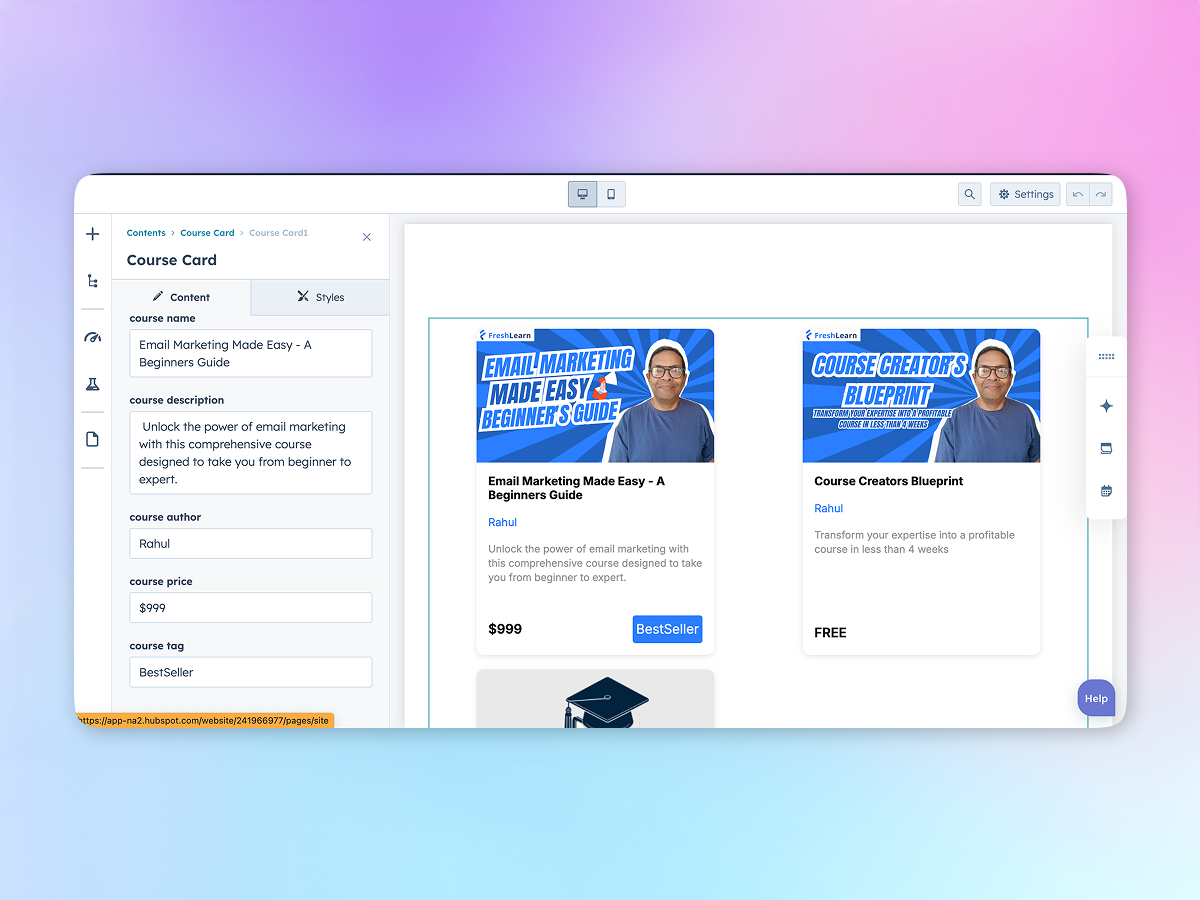
Quickly build course cards using a drag-and-drop interface. Add key elements like course titles, descriptions, instructor names, thumbnails, duration, pricing, and CTAs—all in minutes.
Branding & Design Flexibility
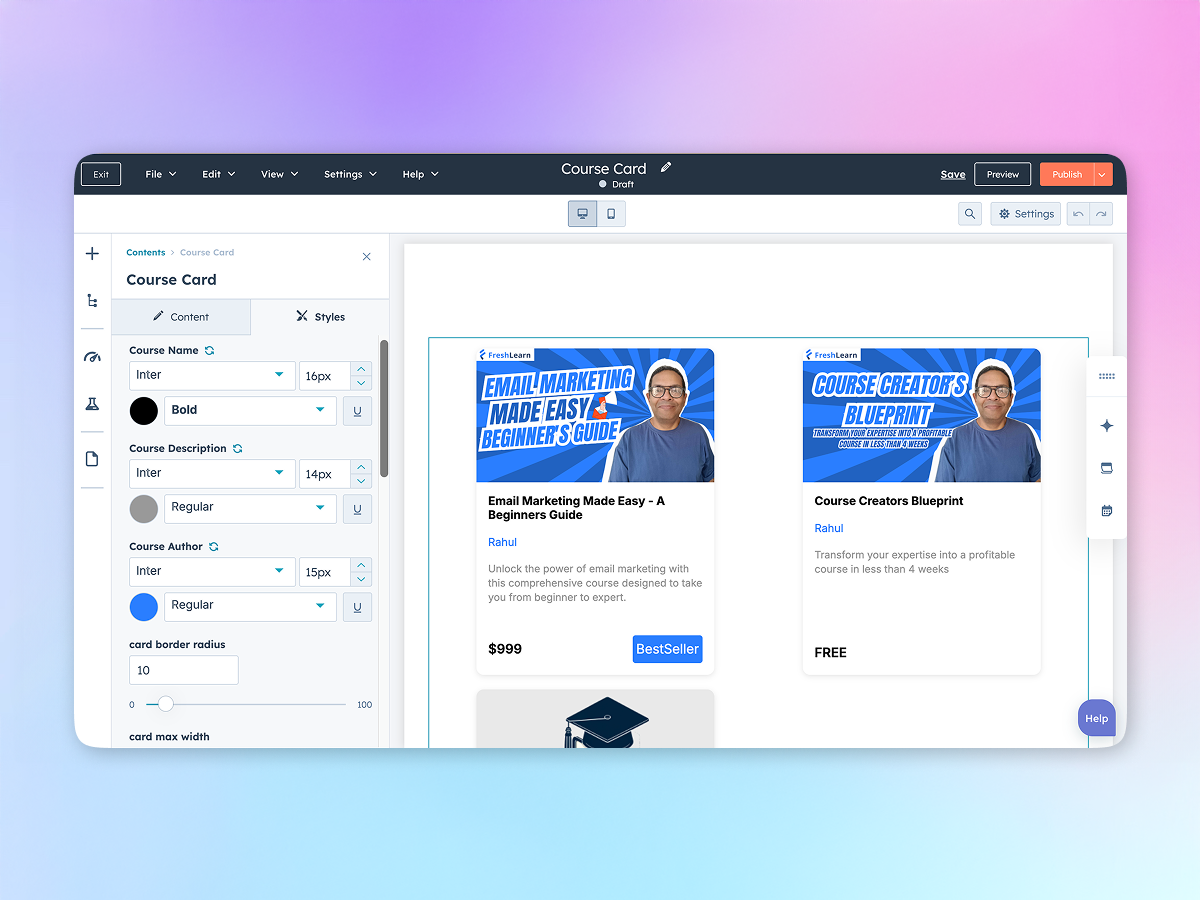
Maintain brand consistency with customizable fonts, colors, spacing, borders, buttons, and hover effects. Every card reflects your visual identity seamlessly.
Course Card Ordering
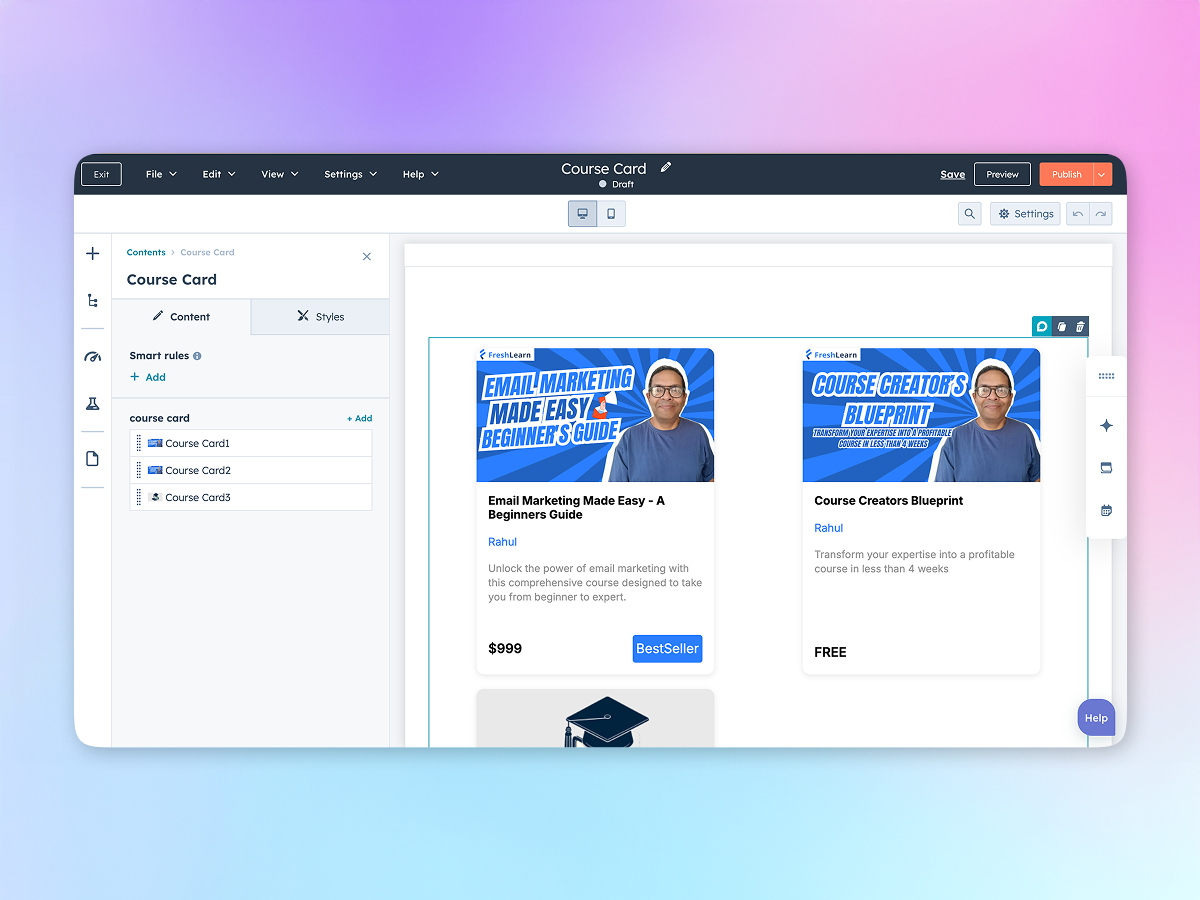
Move course cards up or down to reorder them as per your preference, making it easier to organize courses by relevance, popularity, or date.
Responsive & Adaptive Layout
No matter the screen size—desktop, tablet, or mobile—your course cards remain clear, professional, and easy to navigate.

Conclusion
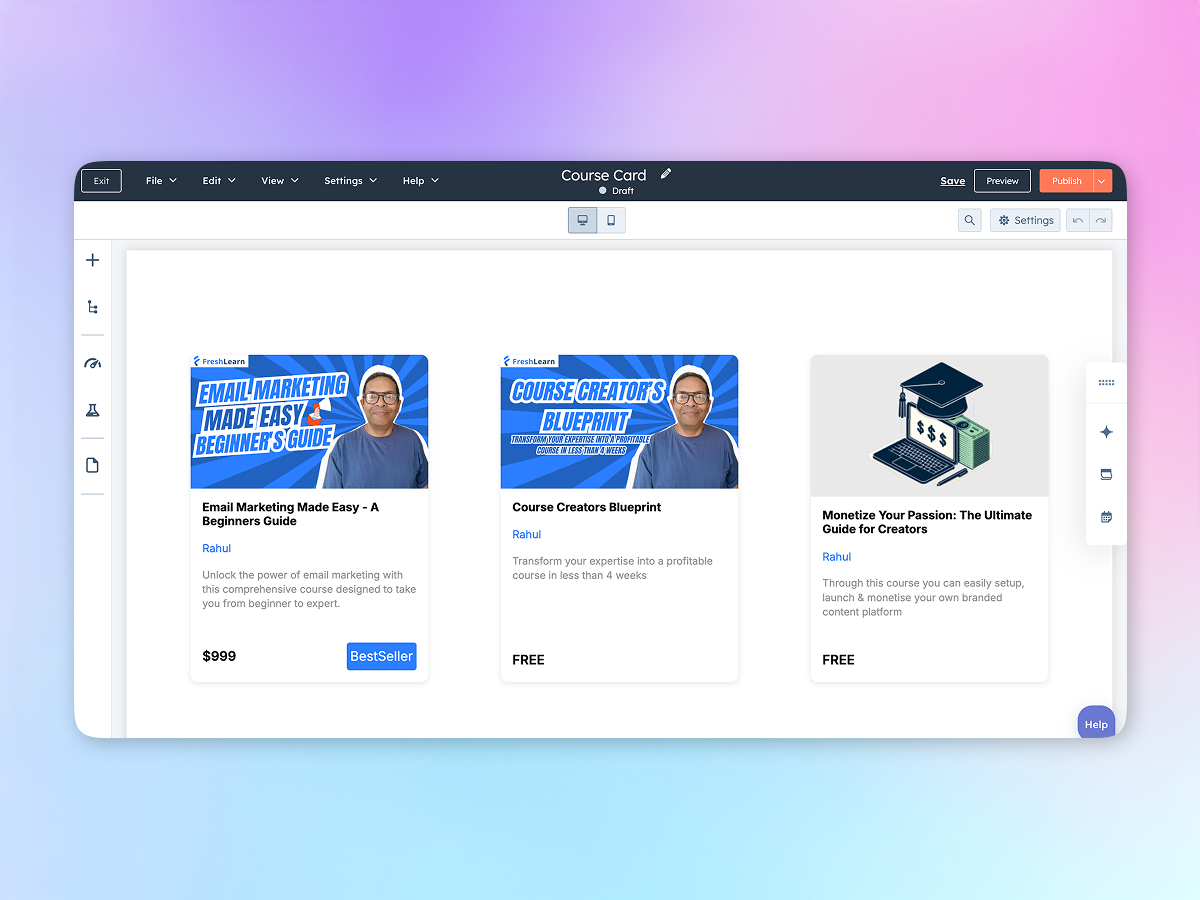
With the Course Card module, you can showcase your course offerings in a polished, professional format that attracts and converts learners. It’s the ideal tool to simplify promotion, streamline navigation, and scale your course presence online.
If you have any questions, feel free to reach out to our support team at support@freshlearn.com.