
The Best Online Course Platforms to Create and Sell Your Courses

Last updated: September 08, 2026
The best online course platform depends on which category fits your goal: all-in-one platforms (FreshLearn, Thinkific, Kajabi, Uscreen, Mighty Networks, Teachable) work best for coaches and small businesses who want built-in hosting and marketing; marketplaces (Udemy, Skillshare, LinkedIn Learning) work best for instructors who want an existing audience over control; and WordPress LMS plugins (LearnDash, LifterLMS) work best for creators who want full ownership and are comfortable managing their own site. Pricing among the all-in-one platforms ranges from $41/month (FreshLearn, billed annually) to $499/month (Uscreen App Essentials, plus per-subscriber fees). FreshLearn charges 0% transaction fees on every plan, including free, which is the clearest differentiator among the all-in-one options.
Key Takeaways
- FreshLearn's Pro plan costs $49/month, $41/month billed annually, or $35/month billed every two years, with 0% transaction fees on every plan, including free.
- Thinkific raised prices roughly 10% effective August 13, 2026: Basic is now $54/month ($40/month billed annually), Start is $109/month ($82/month billed annually), and Grow is $219/month ($164/month billed annually).
- Kajabi restructured its pricing in January 2026: its previously advertised $89/month Kickstarter plan is no longer on the public pricing page; the current entry point is Basic at $179/month ($143/month billed annually).
- Mighty Networks rebranded to three tiers: Launch ($95/month or $79/month annual, 2% transaction fee), Scale ($215/month or $179/month annual, 1% fee), and Mighty Pro (custom pricing, 0.5% fee), replacing its previous four-tier Course/Business/Growth/Pro structure.
- Uscreen added a new $49/month Starter tier (capped at 100 subscribers, no per-subscriber fee, 10% one-time sale fee), a genuinely low-cost entry point that didn't previously exist alongside its Growth and App Essentials plans.
- LifterLMS's advertised bundle prices ($149.50/$249.50/$749.50 per year) are introductory first-year rates; renewal pricing is roughly double (approximately $299/$499/$1,499/year) according to multiple independent sources.
- Udemy pays instructors 37% of an organic marketplace sale or 97% of a sale made through their own referral link or coupon, a wide enough gap that it's often the single biggest lever an instructor has over their own earnings on the platform.
For an expert like you, creating a course is often a piece of cake.
But choosing the right platform to sell it? That’s where the sugar rush crashes ^^
Every platform claims to be “the one,” and with the e-learning industry booming, the choices just keep multiplying.
Great for the market, not so great when you’re the one trying to decide.
So, I just pulled this guide together. In this breakdown of the best online course platforms, I’ll slice through the hype and highlight what each platform actually brings to the table — the good, the not-so-good, and the “depends on what you need.”
By the end, you’ll know which one deserves a spot. All pricing here is verified as of September 2026.
Types of online course platforms
Course platforms don’t all work the same way. Before we see the detailed reviews, it helps to understand the main categories they fall into. Each type has its strengths, trade-offs, and ideal audience. Here’s a breakdown:
11 best online course platforms (At a glance)
When I picked the best online course platforms to create and sell your courses, I looked at the factors that actually matter when you’re building and growing an online teaching business:
- What do real instructors say about using the platform?
- Can you go beyond just videos, like adding quizzes, assignments, or community spaces?
- How easy is it to promote your courses with built-in tools like email, funnels, or affiliates?
- Will the platform grow with you, or will you quickly hit frustrating limits?
With these criteria in mind, I narrowed it down to 11 platforms worth your attention. And before we jump into the granular details, let’s zoom out and see the big picture.
The best online course platforms (all-in-one)
Let’s take things step by step and look at the platforms in more detail.
1. FreshLearn
Best for: Creators who want a beginner-friendly, AI-supported platform with 0% transaction fees and strong tools to launch both courses and online academies without getting tangled in tech.
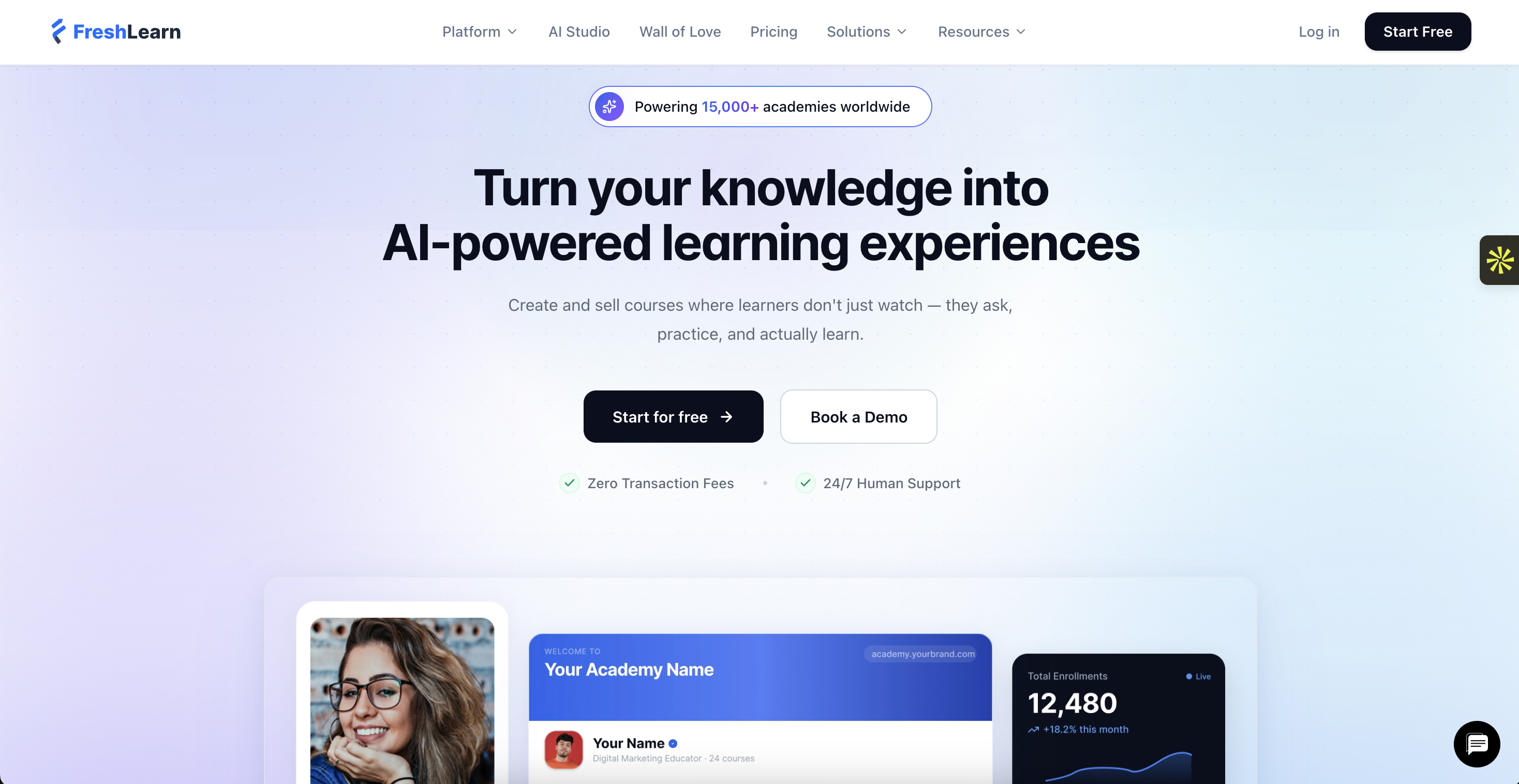
FreshLearn is for creators who want a simple yet comprehensive way to share and monetize their expertise. Instead of juggling multiple tools, you can run everything from one dashboard, whether it’s:
- Courses
- Cohorts
- Workshops
- Memberships, or
- Digital downloads
Everything is white-labeled, so learners interact with your brand alone.
The platform also puts AI to work for you. From validating your course idea to creating a course outline, it speeds up setup without cutting corners. You can add quizzes, diverse content types, and certificates to make lessons more interactive, allowing students to access content anytime on a desktop or through a mobile-friendly app.
On the business side, FreshLearn includes built-in marketing tools, sales pages, email campaigns, and automation features, so you don’t need to stitch together extra apps just to grow and engage your audience.
What users think
The experts at emailvendorselection reviewed FreshLearn with an excellent 84/100 score and were impressed on many fronts, like all-in-one functionality, ease of use, and affordability.
FreshLearn has a 4.7/5 rating from about 500 user reviews, with most creators calling it a 5/5 for its seamless migration and responsive support.
FreshLearn pricing
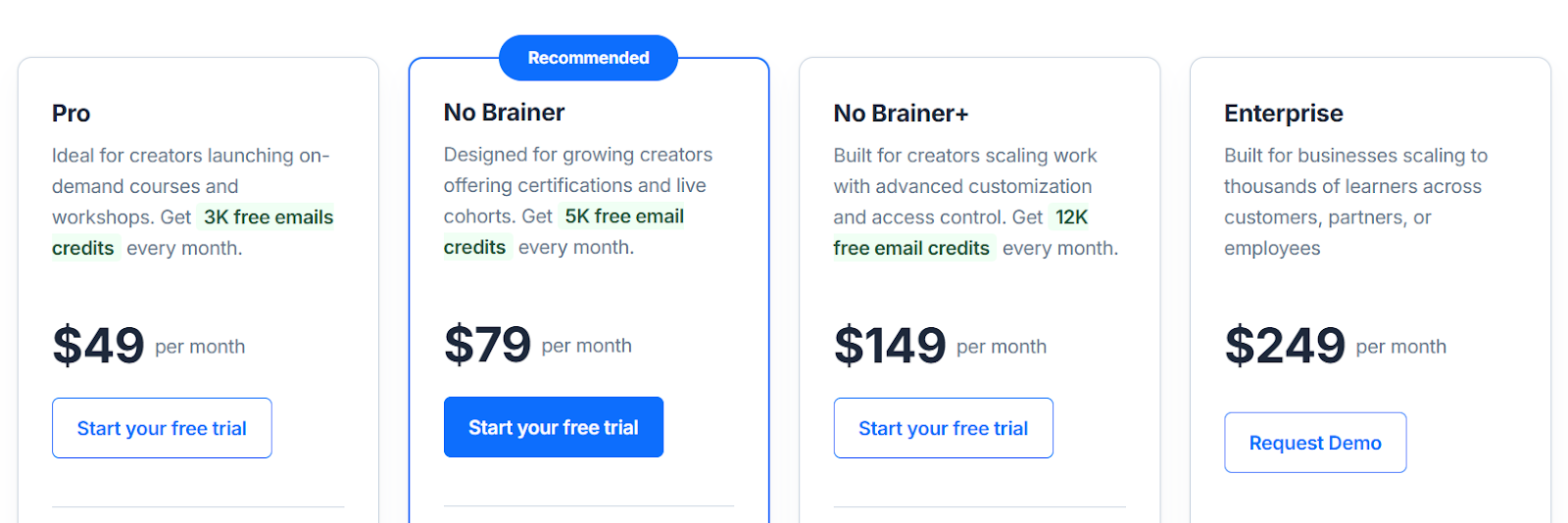
FreshLearn gives you a 14-day trial on all its paid plans (except Enterprise) and has the following pricing plans:
- Free plan: Start for $0 and explore the platform's core features without any commitment.
- Pro plan: Costs $49 per month, $41 per month if billed annually, and $35 per month when billed biennially.
- No Brainer plan: Priced at $79 per month, $59 per month if billed annually, and $49 per month when billed biennially.
- No Brainer+ plan: Available for $149 per month, $119 per month if billed annually, and $99 per month when billed biennially.
- Enterprise plan: Starts at $249 per month + 50¢ per registered learner.
2. Thinkific
Best for: Educators and creators who want strong tools to build courses and deliver a clean student experience.
Thinkific serves creators who want to build and deliver courses without relying on multiple tools. The platform supports online courses, memberships, communities, and digital downloads from one dashboard. You can structure lessons with video, audio, PDFs, quizzes, and assignments, and schedule content with drip releases.
It provides a drag-and-drop course builder for organizing modules and a certificate option for course completion. In terms of customization, Thinkific allows branded sites with themes, custom domains, and basic design edits, though users note that advanced visual control has some limits.
On the business side, Thinkific includes sales pages, coupons, payment plans, and basic email integrations, while analytic tools track student progress and revenue. For larger teams, Thinkific Plus adds features such as unlimited courses, priority support, and enterprise-level tools.
For a complete breakdown of what Thinkific offers, check out our Thinkific review.
What users think
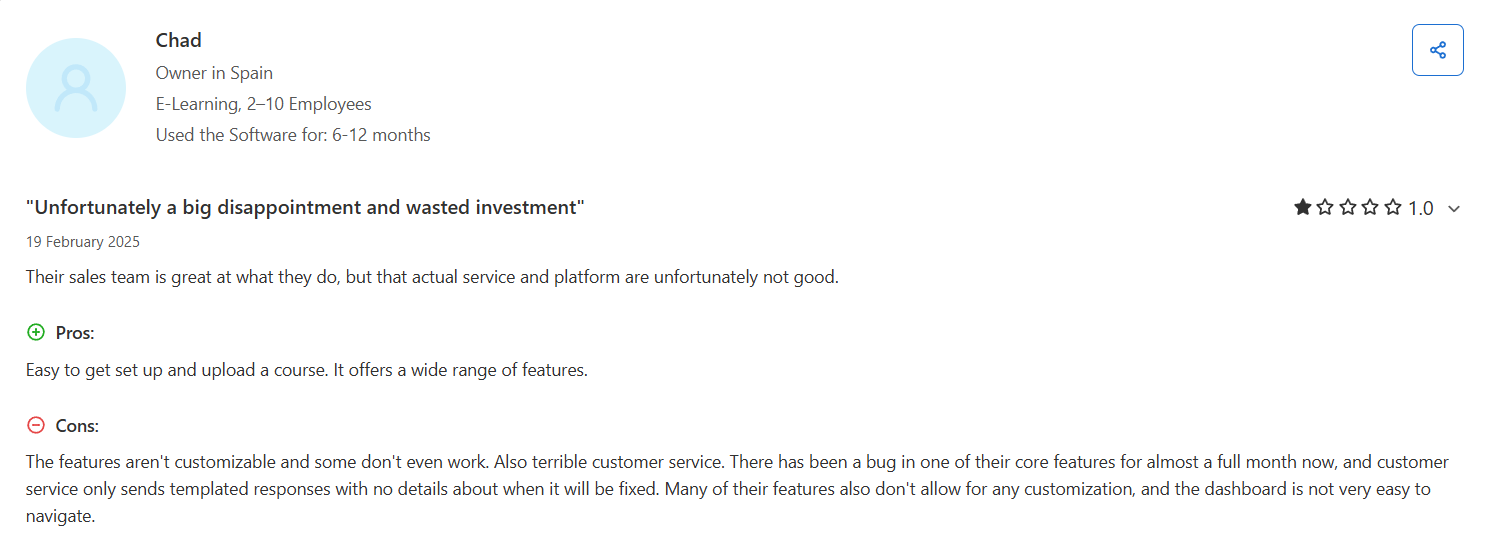
Thinkific makes it easy for instructors to set up courses and memberships, but some users point out restrictions in how pricing works. In particular, while the platform advertises free course options, instructors say they don’t have full control over how “free” works.
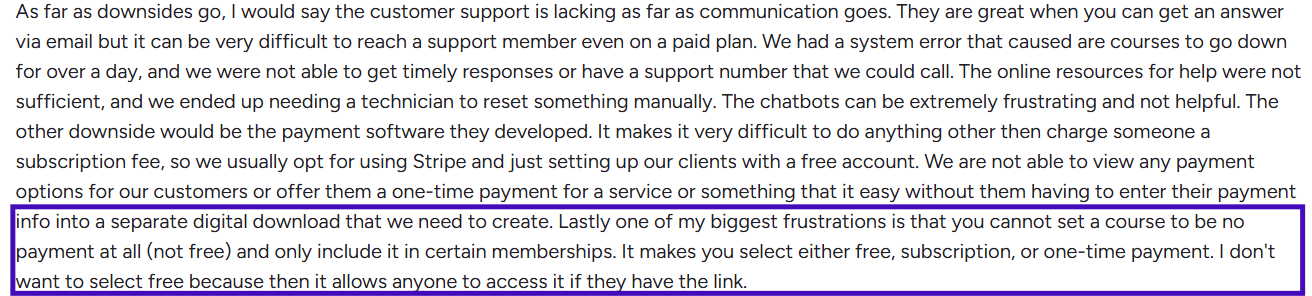
Also, though Thinkific offers a wide range of features, some users find its customization options limited.
Thinkific pricing
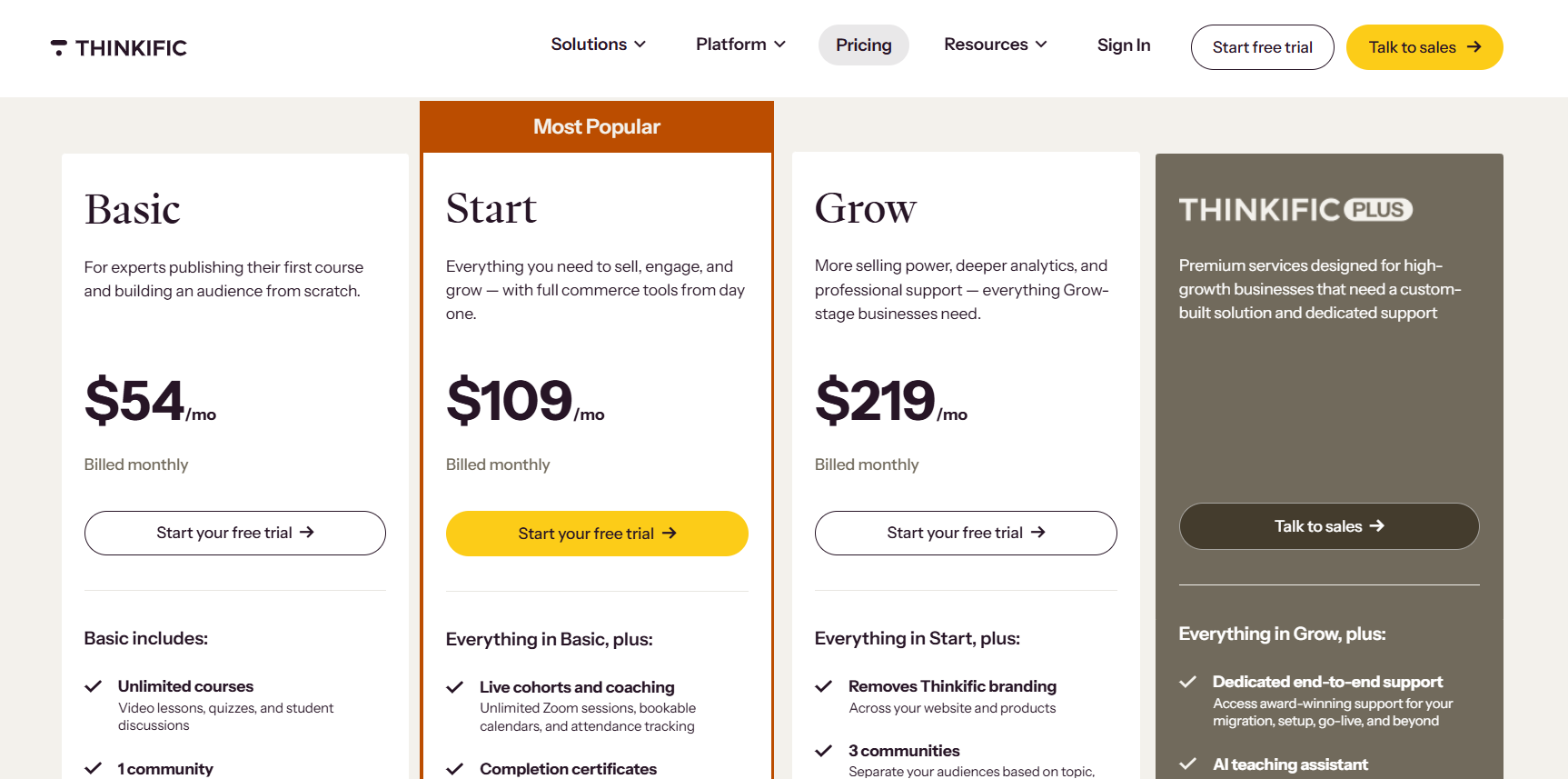
Thinkific raised prices roughly 10% effective August 13, 2026. Thinkific provides a 30-day free trial and has the following current pricing plans:
- Basic: $54 per month, or $40 per month if billed annually (increased from $49/$36).
- Start: $109 per month, or $82 per month if billed annually (increased from $99/$74).
- Grow: $219 per month, or $164 per month if billed annually (increased from $199/$149).
- Thinkific Plus: Custom pricing.
For a closer look at Thinkific’s plans and the hidden fees you should know about, check out our article on Thinkific pricing.
3. Kajabi
Best for: Creators and businesses that want an all-in-one setup for courses, websites, and marketing, though its higher price makes it less suited for hobbyists.
Kajabi focuses on combining course creation with built-in marketing and automation. It allows instructors to design courses, memberships, communities, and coaching programs, while its pipeline builder connects email campaigns, landing pages, and payment gateways into automated sales funnels. Lessons can include video, audio, text, and assessments, with drip scheduling to release content over time.
The platform provides a website builder with pre-built templates. You can customize pages, including your landing page, blogs, and about page, through this builder. However, reviewers note limits in design flexibility in low-tier plans.
For businesses, the platform lets you set up one-time payments, subscriptions, and bundled offers that package multiple products together. Kajabi also provides analytics for course engagement, revenue, and campaign performance. Its higher-tier plans add advanced automation, integrations, and priority support.
What users think
When I looked at what Kajabi’s users say, many of them mention that customer support can be slow, with some users waiting days without getting a clear solution.
Kajabi pricing
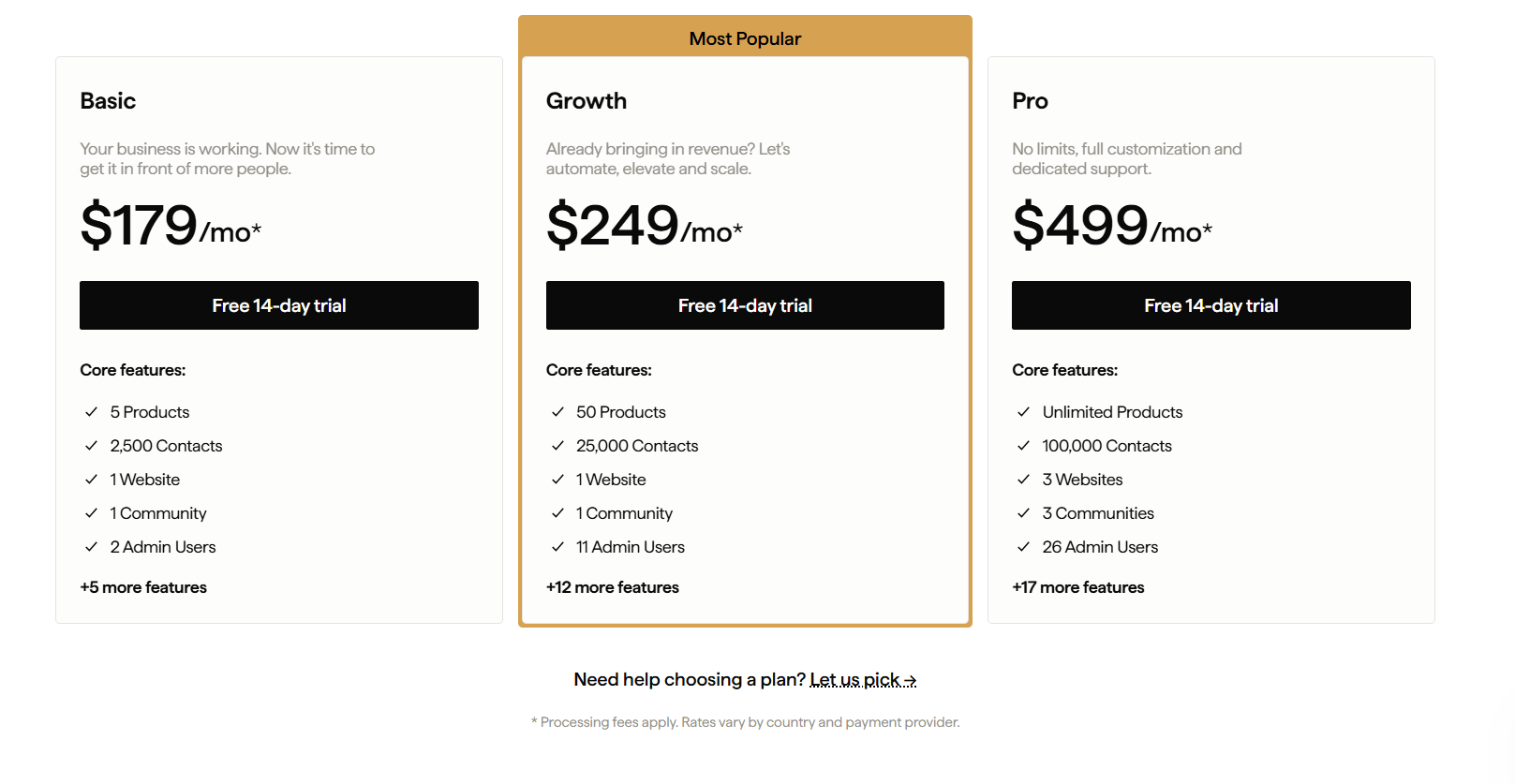
Kajabi restructured its pricing in January 2026. The Kickstarter plan is no longer on the public pricing page. It was previously listed at $89/month or $71/month billed annually. Its current pricing plans are:
- Basic: $179 per month, or $143 per month if billed annually (increased from $149/$119).
- Growth: $249 per month, or $199 per month if billed annually (increased from $199/$159).
- Pro: $499 per month, or $399 per month if billed annually (increased from $399/$319).
Kajabi is expensive, no doubt. But how expensive is it? Take a look at our article on Kajabi pricing to learn more.
4. Uscreen
Best for: Creators who want to monetize video content through subscriptions, pay-per-view, or rentals while maintaining a branded experience.
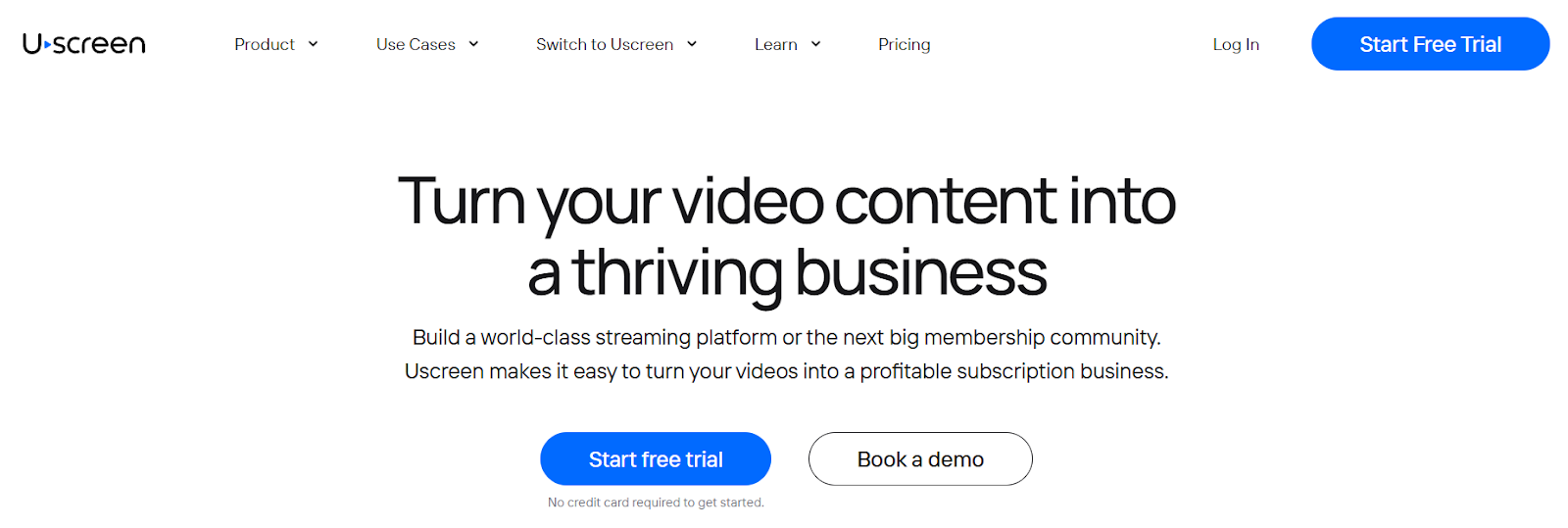
Uscreen is a white-labeled membership platform designed for creators aiming to monetize video content. It offers tools for building branded mobile and TV apps, facilitating live streaming, and managing video-on-demand (VOD) services.
The platform supports various monetization models, including subscription-based and pay-per-view options. Creators can also leverage built-in community features and marketing tools to engage their audience and drive growth. Uscreen also lets users organize content into playlists, set availability schedules, and utilize deep search functionalities.
What users think
Uscreen is mainly for video monetization. However, users feel that the platform should enable other content types, such as text and multimedia.
Uscreen charges a per-subscriber fee, which could increase the course creator’s overall budget. Some users flag this as a bottleneck to growing their business.
Uscreen pricing
Uscreen added a new entry-level tier that wasn't previously part of its lineup. Uscreen has a 14-day trial period. The following are its current pricing plans:
- Starter (new): $49/month, billed monthly only. Capped at 100 subscribers, 20 hours of video storage, no per-subscriber fee, but a 10% fee on one-time sales.
- Growth plan: $199 per month, or $149 per month if billed annually, + $1.99 per subscriber, + a 5% fee on one-time sales.
- App Essentials plan: $499 per month, or $449 per month if billed annually, + $0.99 per subscriber, + a 5% fee on one-time sales. This is the cheapest tier that includes branded iOS and Android apps.
- Custom-made plan: Tailored pricing + $0.99 per subscriber.
Worth budgeting for carefully: Uscreen's per-subscriber fee scales with your audience regardless of your revenue, so a Growth plan creator with 200 subscribers pays roughly $149 + $398 (200 × $1.99) = $547/month, well above the $149 sticker price. This cost structure is worth modeling out before committing, especially at higher subscriber counts.
With so many platforms offering different pricing options, it’s important to understand how to set your prices in a way that ensures you make a profit. Read our article on ‘How to price your online courses’ to learn more.
5. Mighty Networks
Best for: Creators and organizations aiming to develop communities and memberships, with courses and events available as additional offerings.
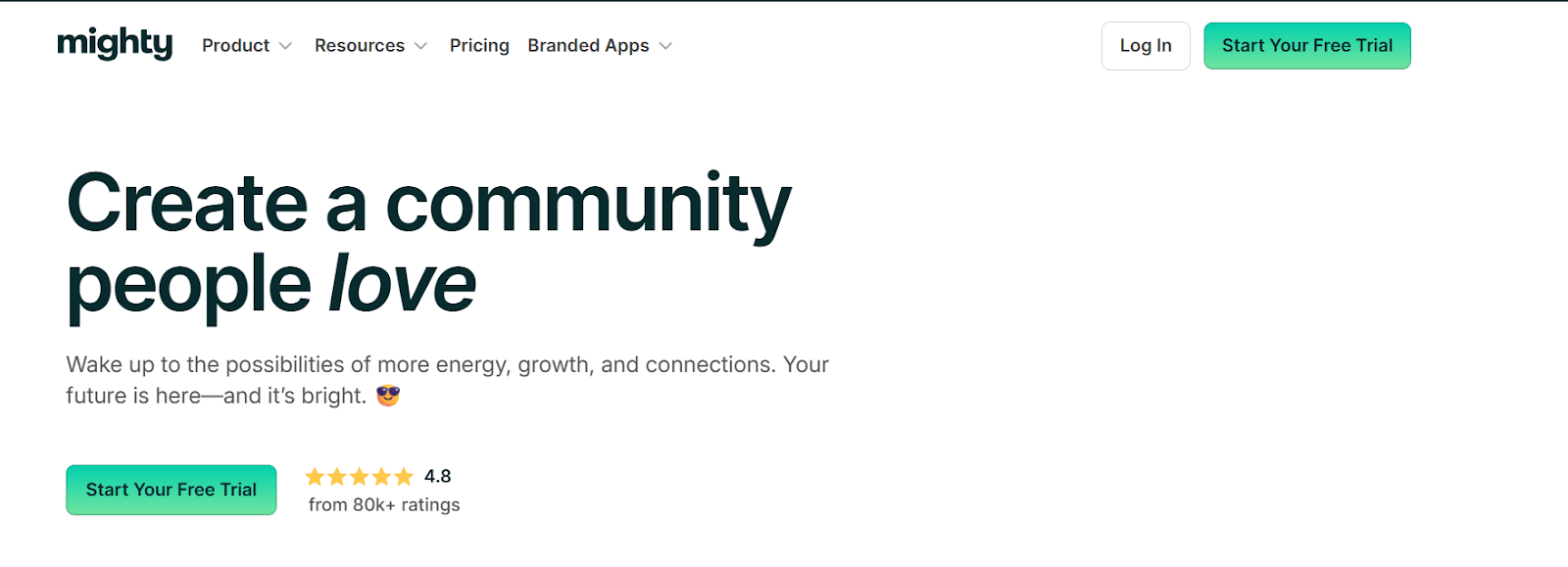
Mighty Networks helps creators and organizations build and manage communities and memberships, with courses as spaces within the community. The platform organizes interactions through posts, polls, and discussions, and supports member connections via groups and chat.
Users can adjust branding elements, such as logos and colors, but cannot customize fonts. The platform also includes tools for subscription management, payment processing, and tracking member activity, though users have noted that advanced analytics and integrations are available only in high-tier plans.
It also offers options for hosting live streams, events, and workshops, while access controls allow organizers to invite or limit content/membership based on roles.
Want to know other Mighty Networks alternatives to help you make an informed decision? Have a look at our article on 7 Mighty Networks alternatives.
What users think
One of the major issues I found with the platform’s users is that they miss human interaction. Almost everything is bot and email, making the process less accurate and delayed.
Mighty Networks pricing
Mighty Networks rebranded and restructured its pricing; the confirmed current lineup has three tiers, not four:
- Launch: $95/month, or $79/month billed annually (2 months free). Run courses and events in your own community. 2% transaction fee.
- Scale: $215/month, or $179/month billed annually (2 months free). Adds more integrations and automations. 1% transaction fee.
- Mighty Pro: Custom pricing. Adds branded apps, strategy services, and an exclusive data set. 0.5% transaction fee.
6. Teachable
Best for: creators who want to build and sell online courses with easy-to-use tools for course creation, community, and payment processing.
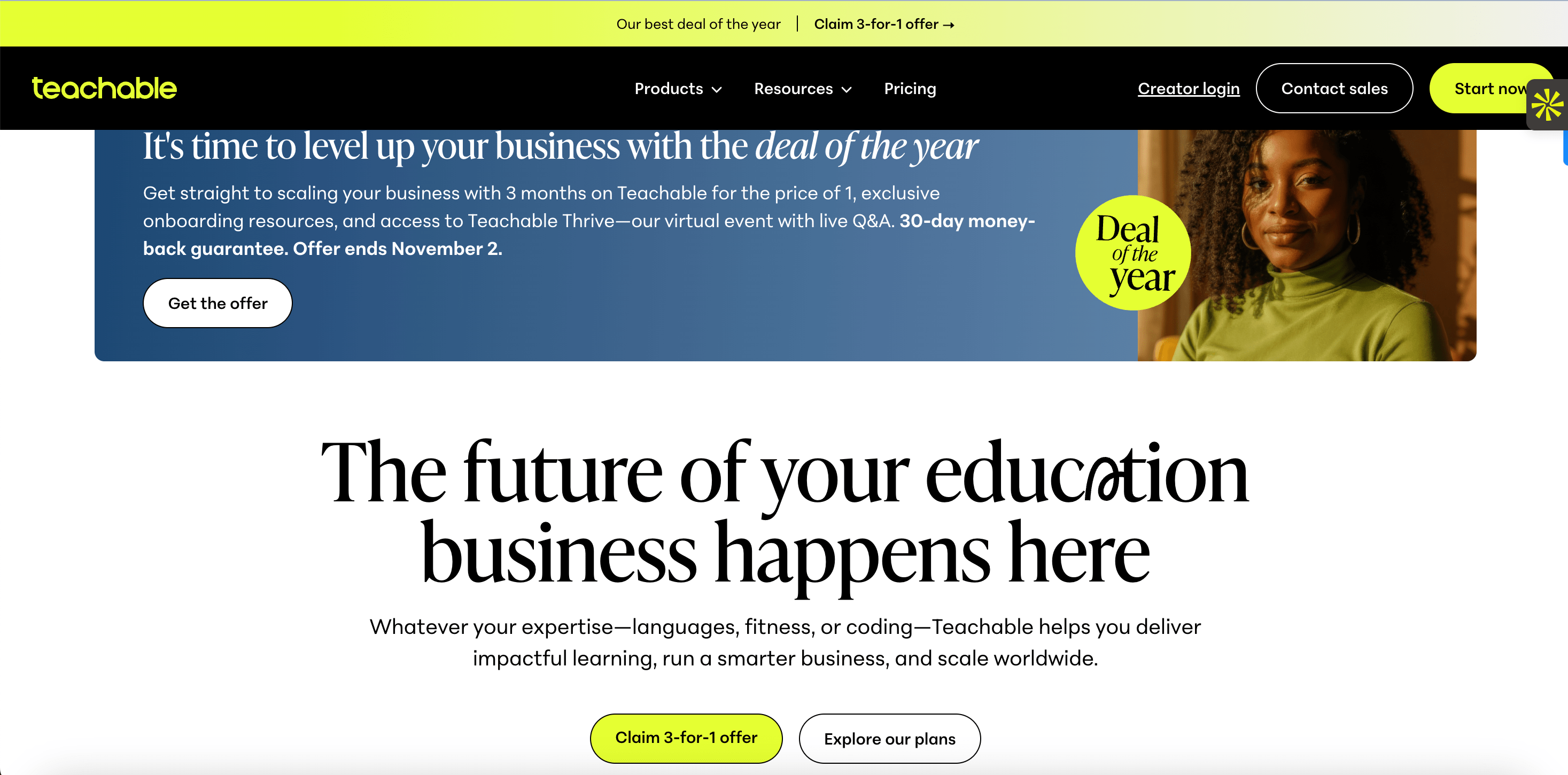
Teachable is a cloud-based LMS platform that helps creators and educators build and sell online courses, digital products, and coaching programs. It offers a drag-and-drop course builder where users can organize lessons with videos, quizzes, PDFs, and assignments, and set up content schedules.
The platform allows basic customization, such as adding logos and adjusting colors. Beyond that, you cannot do any advanced customization like adjusting button placements and inserting custom upsell offers during checkout. To support student engagement, it includes features like course completion certificates and a commenting system (within your course).
For sales and marketing, users can create discount coupons, affiliate programs, and sales pages, while tracking performance through built-in analytics. It also offers a mobile app for learning on the go.
What users think
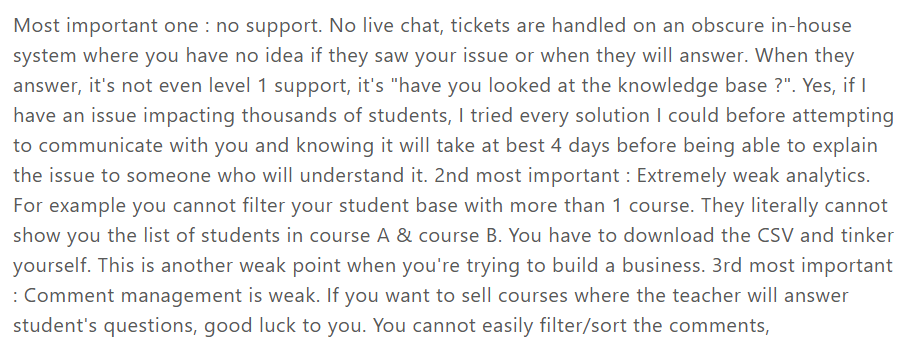
Teachable says it has live chat support available on all its plans (except the starter). But one of its users says it otherwise.
Teachable recently revised its pricing plans, and users are not so happy about it. To know more about how it impacts creators, read our article on ‘Teachable pricing’.
Teachable pricing
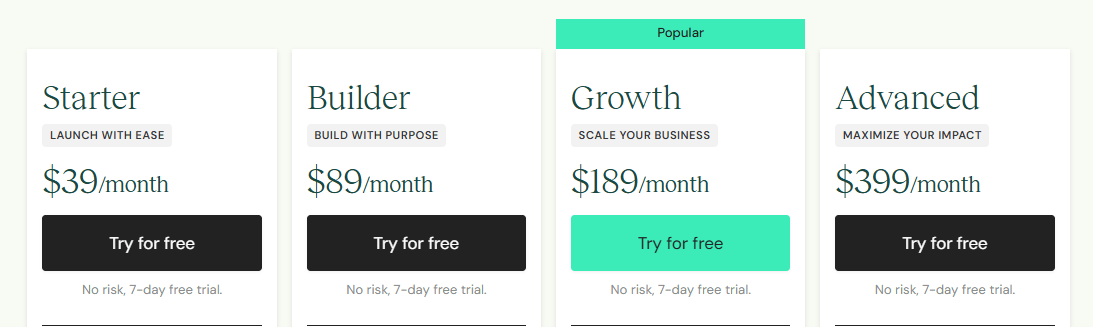
Teachable gives you a 7-day free trial. The platform’s pricing plans are:
- Starter: $39 per month (or $29 per month if billed annually) + 7.5% transaction fee
- Builder: $89 per month (or $69 per month if billed annually)
- Growth: $189 per month (or $139 per month if billed annually)
- Advanced: $399 per month (or $309 per month if billed annually)
The Best Marketplace Platforms for Course Creators
1. Udemy
Best for: Creators who want to reach a large, global audience without managing their own website or marketing tools.
Udemy is an online learning platform where creators can publish and sell courses to a wide audience. It provides tools for uploading course materials such as videos, quizzes, and assignments, and for organizing content into structured sections.
The platform manages payments, course hosting, and student enrollment, which allows instructors to focus on content creation. Creators can set pricing and use discounts or coupons to invite learners, though the revenue share varies depending on how students access the course.
Worth knowing before you commit: as of May 2026, Udemy is no longer an independent, publicly traded company. It completed an all-stock merger with Coursera; existing instructor agreements and payout structures remained unchanged at closing, but it's relevant context for anyone weighing Udemy as a long-term home for their courses.
Udemy also includes analytics to track student engagement and course progress, helping instructors refine their offerings over time.
What users think
Udemy has a marketplace that lets students easily find you. But users are not satisfied with the revenue cut the platform takes (67%) when someone joins your course without a coupon.

Udemy pricing
Udemy is free to join, deliver courses, and you can set your course’s pricing. But the revenue you get depends on the mode your students join:
- Instructor promotion (97% share): If you promote your course using your own coupon or referral link, Udemy gives you 97% of the revenue after transaction fees.
- Organic sale (37% share): If a student purchases the course directly through Udemy’s marketplace without a coupon or referral, Udemy keeps the majority, and the instructor gets 37% of the revenue after transaction fees.
2. Skillshare
Best for: Instructors in creative fields like design, photography, and writing, who want to reach learners through a subscription-based platform.
Skillshare is an online learning platform that focuses on creative subjects like design, photography, writing, and illustration. It allows instructors to create classes and encourages students to learn through projects and peer feedback. Students can apply what they learn by completing assignments and sharing them within the community.
Instructors earn money based on how much premium members watch their content, which ties earnings to student engagement. The platform offers tools that help teachers track student activity and receive feedback.
What users think
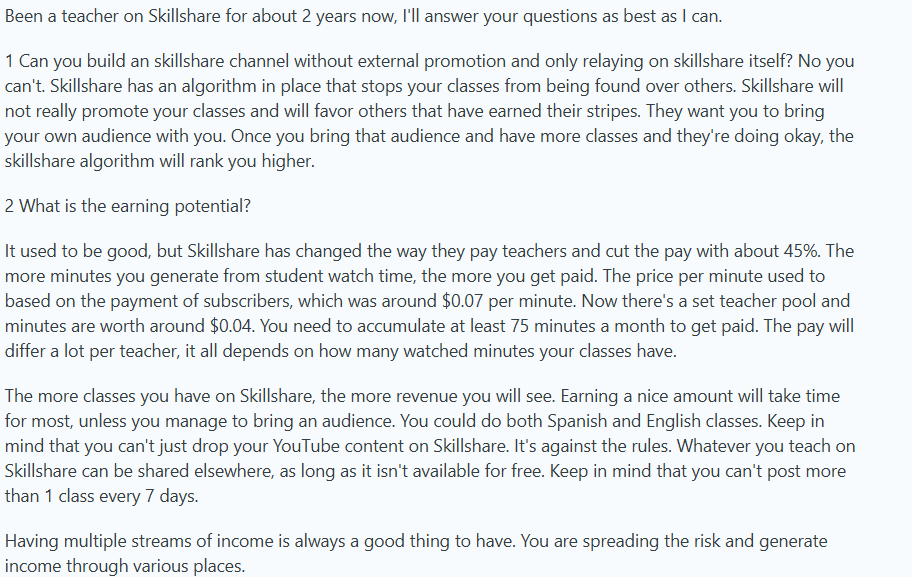
Based on the recent review from one of the Skillshare instructors, it's clear that they are not happy with the platform’s revenue cut. Also, you should have multiple offerings to earn more.
Skillshare pricing
Skillshare is free for instructors to register and deliver courses. However, their revenue-sharing model is tricky. Let’s see that in detail:
Skillshare uses a subscription model. Students pay monthly or annually for unlimited access to all classes. Each month, Skillshare allocates about 20% of subscription revenue to a Teacher Fund.
How instructors earn:
- Minutes watched: Skillshare pays instructors based on their share of total minutes watched across the platform. It only counts minutes from paying members, not free trials, trailers, or free access links. Location and subscription type of the viewer also affect payout.
- Engagement rewards: Instructors in the Top Teacher and Rising Teacher programs earn bonuses if they receive positive reviews during the month ($250 and $100, respectively).
- Referrals: Instructors also earn when they bring in new paying members.
Payments:
- Instructors must reach 75 minutes watched across their classes in a given month to qualify for payout.
- The Trust & Safety team may adjust watch minutes if they detect fraudulent activity.
3. LinkedIn Learning
Best for: Instructors who want to teach professionally focused skills within a structured system. It suits those who prefer creating content under editorial guidance with access to a built-in professional audience.
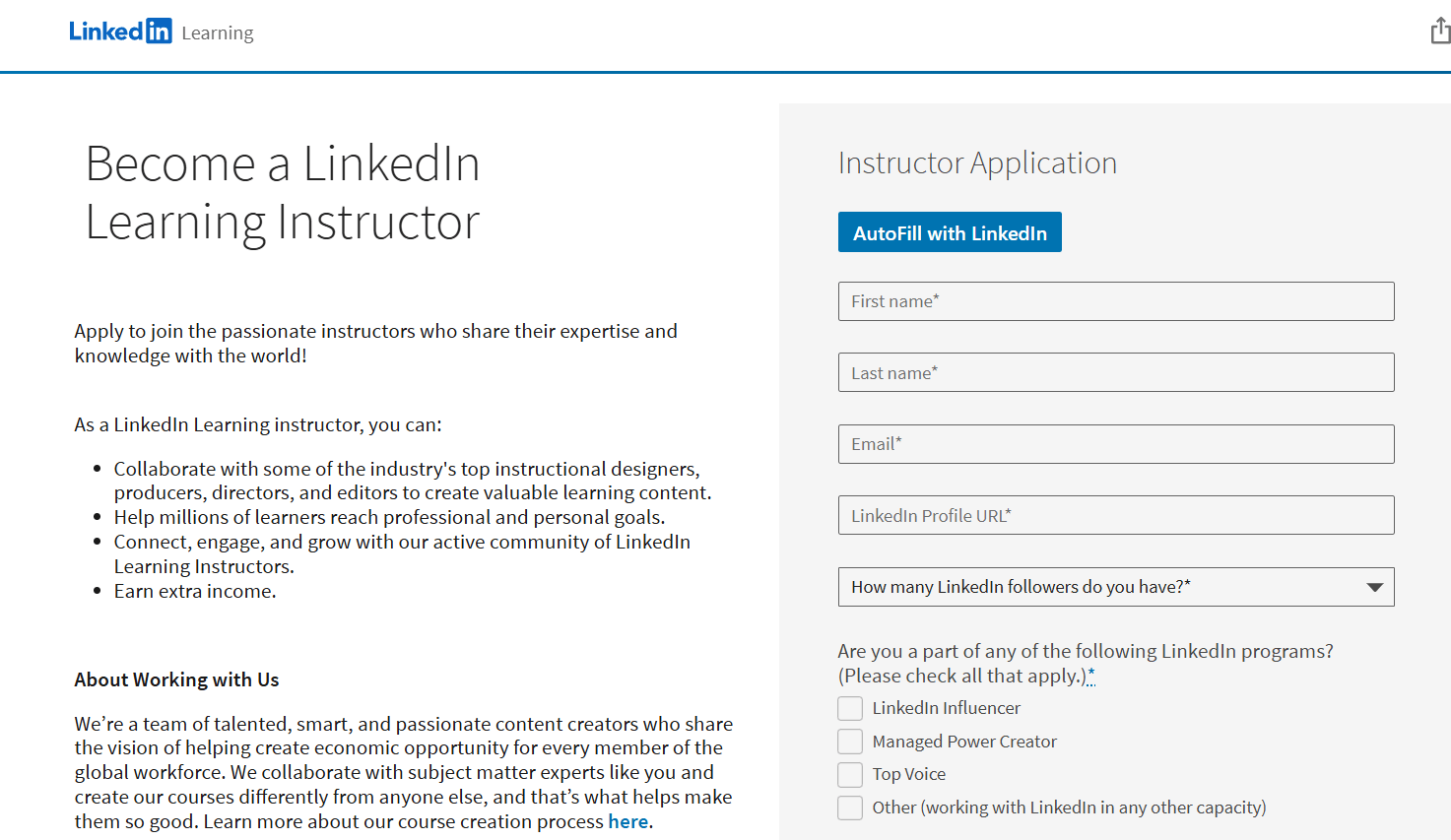
LinkedIn Learning is an online education platform that offers courses across business, technology, and creative fields. It integrates with LinkedIn profiles, allowing completed courses and certifications to appear on a learner’s profile.
The platform organizes content into learning paths, provides assessments and quizzes, and tracks progress. Users can view their course and video progress in the “My Learning” dashboard under “In Progress,” and track completions.
It also uses data from LinkedIn to recommend courses based on career interests and industry trends. Instructors create content in collaboration with LinkedIn’s editorial team, ensuring consistency in format and production quality.
LinkedIn Learning pricing
You can become a LinkedIn Learning instructor for free. You have to apply on the platform, and after approval, the next steps will follow.
However, there are several approaches LinkedIn Learning follows to pay you:
LinkedIn usually pays instructors a one-time fee of about $1,000 to $5,000 per course, depending on topic, length, and production needs. After publishing, instructors also earn royalties, typically 10-15% of the course revenue, based on the number of subscribers who watch their content.
Earnings depend on four main factors:
- Topic demand: Courses in trending skills like AI, data science, and leadership attract more learners.
- Course depth and quality: Well-produced, engaging courses with clear takeaways perform better.
- Learner engagement: Higher watch time and interaction increase payouts.
- Instructor reputation: Established experts or those with strong followings draw more learners and revenue.
The Best WordPress LMS Plugins for Course Creators
1. LearnDash
Best for: Creators who want to build and manage courses on a WordPress site. It works for those needing flexible course structures, detailed assessments, and control over enrollment and access.
LearnDash is a Learning Management System (LMS) plugin designed for WordPress, enabling users to create and manage online courses. It offers a drag-and-drop course builder that allows for the creation of multimedia-rich courses without the need for coding. Courses can be structured with lessons, topics, and quizzes, and can be organized into sections to improve navigation.
The platform supports various assessment tools, including quizzes with multiple question types, timed assessments, and grading systems. Instructors can drip-feed course content, releasing material to learners over time, and it also provides gamification elements such as badges and certificates to motivate learners.
The platform also features a customizable front-end dashboard for instructors, offering an overview of courses, quizzes, and assignments. Additionally, LearnDash has introduced AI-powered tools, such as the Course outline builder and quiz creator, to assist in course creation.
What users think
Since the platform heavily relies on plugins, users feel that every new update to the plugin is changing the CSS structure, eventually impacting their offerings. (Source)
LearnDash pricing
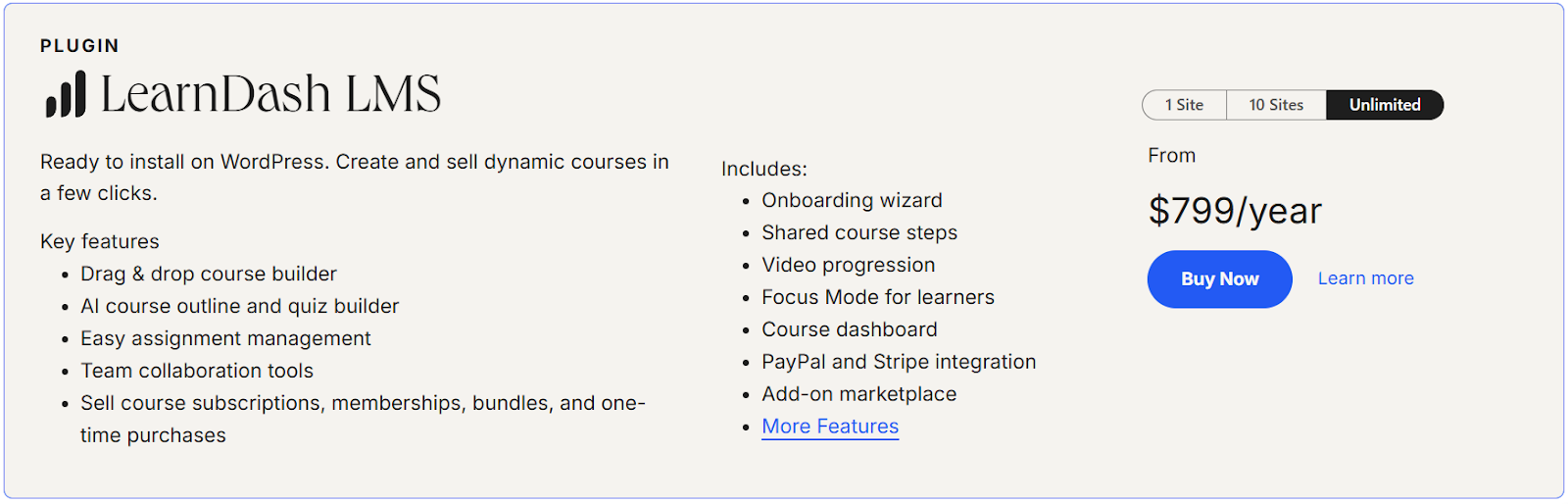
LearnDash does not provide a free trial or a free plan. It has two pricing plans for the plugin version and for the hosted platform.
LearnDash LMS:
- 1 site: $199 per year
- 10 sites: $399 per year
- Unlimited: $799 per year.
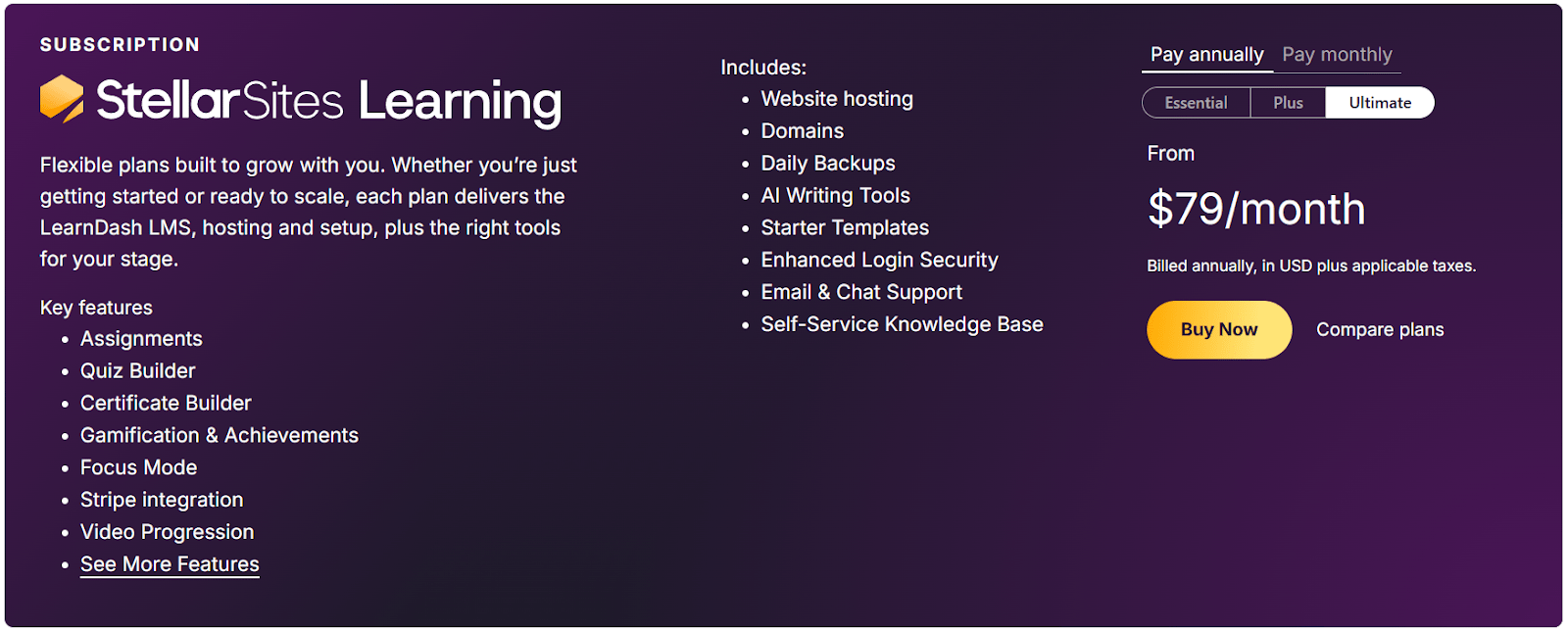
StellarSites Learning:
- Essential: $39 per month (or $29 per month if billed annually)
- Plus: $69 per month (or $55 per month if billed annually)
- Ultimate: $99 per month (or $79 per month if billed annually).
2. LifterLMS
Best for: course creators who prefer building and managing courses directly on their WordPress site. It works well for those needing customizable course structures, membership options, and integration with existing themes or page builders.
LifterLMS is a WordPress plugin that enables users to create and manage online courses. It offers a drag-and-drop course builder, allowing instructors to structure lessons, quizzes, and assignments without coding. Users can implement membership options, set pricing models, and integrate with payment gateways like PayPal, Authorize.net, Stripe, and WooCommerce.
The platform supports content protection features, including course access restrictions and membership management. LifterLMS provides tools for student engagement, such as badges, certificates, and email notifications.
It also includes reporting features to track learner progress and performance. The plugin integrates with various third-party applications through APIs and services like Zapier.
What users think
LifterLMS reviews are usually good, with a 4.5/5 rating from 50 reviews on TrustPilot. Some users complain of bugs and poor customer support. (Source)
LifterLMS pricing
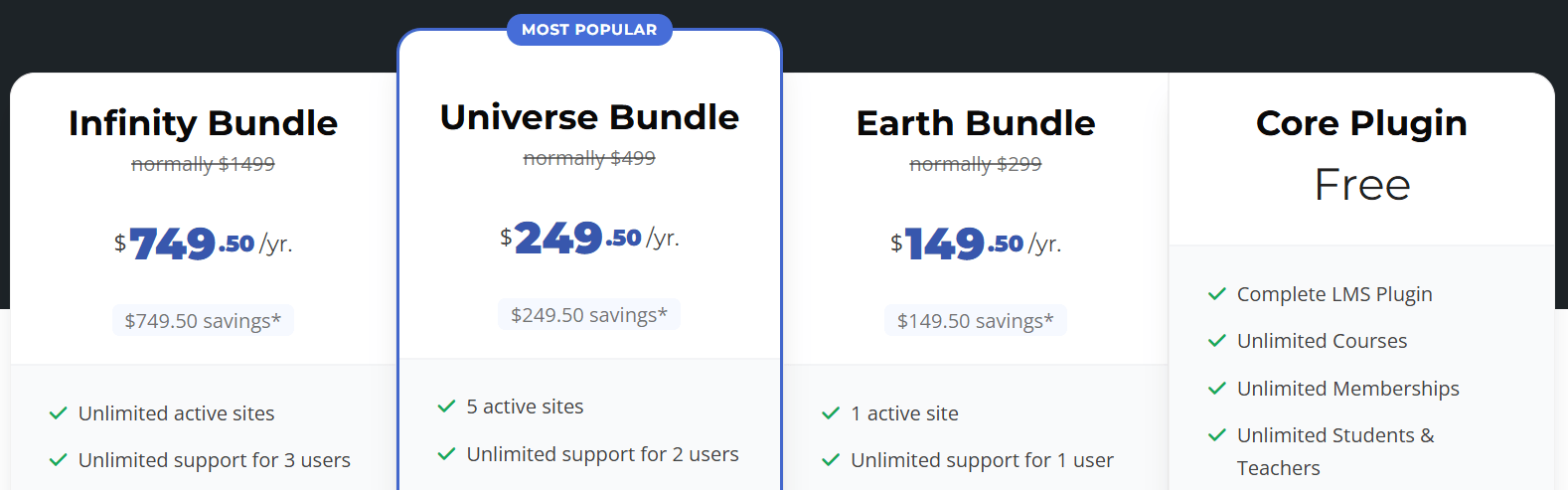
LifterLMS gives a free plan (Core plugin) which gives certain features, including unlimited courses, memberships, and students and teachers. Apart from this, its pricing plans are:
- Earth bundle: $149.50 per year
- Universe bundle: $249.50 per year
- Infinity bundle: $749.50 per year
Worth knowing before you commit: these are introductory first-year rates. Multiple independent sources report renewal pricing at roughly double the introductory rate: approximately $299/year (Earth), $499/year (Universe), and $1,499/year (Infinity). This wasn't disclosed in the original version of this section; budget for the renewal rate rather than the first-year price when comparing total cost against other platforms.
How to choose the best online course platform?
Depending on your goals, whether it’s creating your first course, building a community, or selling at scale, different platforms make different things easier. This table breaks down the best options, allowing you to quickly see which one fits your needs.
How do you price your online course?
Pricing an online course involves aligning your pricing model with your audience, content, and business objectives. The right strategy can maximize both revenue and learner satisfaction. Here are some approaches to try out:
Common pricing models
- One-time purchase: Learners pay once for lifetime access. Works well for self-paced learning with a clear, finite scope. Example: Platforms like FreshLearn make it easy to set a fixed course price.
- Subscription model: Customers pay monthly or annually to access your entire library. Ideal if you keep adding fresh content. Example: FreshLearn and Kajabi support recurring subscriptions with built-in billing tools.
- Payment plans: Break a high-ticket course into smaller monthly payments, reducing the barrier to entry while maintaining overall revenue. Many LMS platforms allow flexible installment options.
- Bundles: Group related courses together at a discounted price. This works especially well if you want to increase average order value. For example, FreshLearn lets you package products into bundles and sell them as memberships.
- Tiered pricing: Offer different levels of access (basic, pro, premium). Each tier unlocks more content or features like live sessions, certificates, or coaching.
Pricing strategies
- Value-based pricing: Focus on what your course helps learners achieve (e.g., landing a job, mastering a skill). If the outcome is significant, you can price higher.
- Cost-plus pricing: Add up your costs: content creation, platform fees, and marketing, and set a price that ensures a healthy margin. This is a conservative approach, but it keeps your business sustainable.
- Competitive pricing: Research what similar courses in your niche charge. You don’t always need to undercut competitors; sometimes, positioning yourself slightly higher signals more value.
Tips for choosing the right model
- Align your model with how learners prefer to consume content (one-time deep dive vs. ongoing learning).
- Experiment. Many creators test multiple models before landing on the one that drives the most conversions.
- Revisit your pricing over time; as your content library or reputation grows, your course can justify a higher price point.
What is the best website for creating an online course?
Choosing the right platform ultimately comes down to what matters most for your course and audience. Based on our comparative analysis, FreshLearn stands out for creators who value simplicity and scalability.
For those just starting out, FreshLearn’s intuitive interface and drag-and-drop course builder make getting started effortless, while built-in interactive features, like quizzes, assessments, and video support, help you engage learners effectively.
Unlike some platforms that focus solely on content delivery or marketplaces, FreshLearn combines community-building tools, AI-powered automation, and CRM integrations, making it easier to manage and scale your training programs.
Additionally, FreshLearn supports budget-conscious creators by offering transparent pricing with no transaction fees, while still covering features that other platforms might restrict behind higher-tier plans.
For educators or businesses aiming for employee or customer training software, its reporting, compliance tracking, and integration systems ensure that scaling your courses is straightforward and organized.
In short, if your goal is a versatile, all-in-one platform that balances ease of use with professional-grade features, FreshLearn is a top contender among the options we reviewed, catering to beginners, marketers, community builders, and enterprise users alike.
Wrapping up
At the end of the day, choose an online course platform, considering your goals, technical comfort, and the level of control you want.
- All-in-one platforms like FreshLearn, Thinkific, Kajabi, Uscreen, Mighty Networks, and Teachable work best if you want a ready-made solution with built-in hosting, marketing tools, and minimal technical setup.
- Marketplaces such as Udemy, Skillshare, and LinkedIn Learning are ideal if you want to reach a large, existing audience quickly, though you have less control over pricing, branding, and student data.
- WordPress LMS plugins like LearnDash and LifterLMS suit creators who want full control over their site, course structure, and customization, but are comfortable handling hosting, integrations, and technical management.
To help you scale your business without breaking the bank, we have curated a list of Black Friday SaaS deals to lock in the lowest annual rates. Check it out.
If all-in-one platforms are your pick, FreshLearn makes things easy. You get AI-powered agents to help with course creation, a free plan to kick things off, and 0% transaction fees so you keep more of what you earn. We also provide 24/7 support, ensuring assistance whenever you need it.
FreshLearn is a solid choice if you want something simple, flexible, and comprehensive without overcomplicating your workflow.
Want to see how we help you take your courses to the next level? Register with us today.
FAQs
1. What’s the difference between an online course platform and a course marketplace?
An online course platform (like FreshLearn) gives you full control over your content, branding, pricing, and student data. A course marketplace (like Udemy, Skillshare, or LinkedIn Learning) lets you reach a large existing audience but limits your control over pricing, branding, and course management.
2. How important is SCORM compliance?
SCORM compliance is important if you plan to track learner progress across different LMSs, integrate with enterprise systems, or use interactive e-learning content. Many learning platforms support SCORM files, making them suitable for more advanced or corporate learning environments.
3. Can I migrate to a different platform later if I outgrow my current one?
Yes, migrating is possible, but how easy it is depends on the platform. For example, FreshLearn has a dedicated migration team that usually helps you export all your content. Several other platforms also support migration, but you might have to do it manually, which can be time-consuming.
4. Which platforms actually charge 0% transaction fees, with no conditions attached?
FreshLearn charges 0% on every plan, including free, with no condition attached beyond standard Stripe or PayPal processing. Kajabi, LearnDash, and Teachable's Builder plan and above also charge 0%. Thinkific's 0% claim only applies when using Thinkific Payments specifically; a penalty fee applies otherwise. Mighty Networks and Uscreen both charge a transaction fee on every tier, scaling down (but never reaching zero) as you move up plans.
5. What changed with Kajabi and Mighty Networks' pricing recently?
Both platforms restructured their pricing in the past year. Kajabi raised prices across its Basic, Growth, and Pro tiers in January 2026 and pulled its cheapest Kickstarter plan from public self-serve signup. Mighty Networks rebranded from a four-tier Course/Business/Growth/Pro structure to a simpler three-tier Launch/Scale/Mighty Pro structure, at different prices than before. Guides that still cite the old figures for either platform are out of date.
6. Is there a cheap way to get a branded mobile app for my course business?
Not especially. Among the platforms covered here, a genuinely branded app requires a higher-tier plan on every option that offers one: Uscreen's App Essentials plan ($499/month), Kajabi's paid tiers, or Mighty Networks' Mighty Pro (custom pricing). FreshLearn is the exception, including a white-labeled branded app on its No Brainer plan and above at a considerably lower price point than the alternatives.
7. What's the real cost difference between Udemy's two payout rates?
Substantial. Udemy pays 37% of an organic marketplace sale versus 97% of a sale made through the instructor's own referral link or coupon, meaning a $100 course nets roughly $37 through Udemy's own traffic versus $97 through the instructor's own marketing. This is the single biggest lever an instructor has over their Udemy earnings, and it rewards active promotion far more than relying on marketplace discovery alone.
You might also like
Hosted by
