
10 Best Online Coaching Platforms in 2026

Spending more time running the business than actually coaching, that’s the trap most coaches fall into.
Here are our top ten online coaching platforms to address this issue. No more duct-taping five different apps together. No more wasted hours on repetitive tasks.
It brings scheduling, payments, content delivery, and client communication into one place.
The guide will help you cut the chaos, save money, and put your energy back where it belongs — coaching.
What is an online coaching platform (And why you need one)
At its core, an online coaching platform is software that pulls together everything you need to run your coaching business. It basically becomes your home base for coaching.
Instead of bouncing between tools: Google Calendar for scheduling, PayPal for payments, email for client updates, and Google Drive for content, you get one system that handles it all.
An all-in-one online coaching platform usually includes:
- Scheduling: Clients can book and reschedule sessions without the need for endless back-and-forth.
- Client management (CRM): Keep track of client details, progress, and communication in one view.
- Payments: Securely invoice and collect payments without chasing clients.
- Content hosting: Share worksheets, recordings, or entire programs directly through the platform.
- Communication: Send messages, check in, or conduct on-demand courses, all within the same tool.
Many coaches use newsletter platforms like Substack to share weekly tips, but some alternatives provide better automation for booking sessions.
How to choose the right online coaching platform
Each platform targets a specific type of coach. The best way to avoid shiny-tool overload is to match the online coaching platform’s features with how you actually run your business.
Here’s a simple checklist to guide your decision:
- 1-on-1 vs. group coaching: Do you work exclusively with private clients, or do you also lead group programs? Some platforms (like Paperbell and CoachAccountable) are perfect for 1-on-1. Others (like Mighty Networks or Kajabi) handle group coaching and communities better. Make sure the platform supports the format you use most.
- Course creation and delivery: If you plan to sell courses alongside coaching, check whether the platform has LMS features, such as drip content, quizzes, or bundled programs. FreshLearn, Teachable, and Podia shine here.
- Client Management (CRM): Do you need to track notes, goals, or progress over time? CoachAccountable and Delenta give you strong CRM-style tools. If all you want is a booking calendar, lighter platforms like Paperbell may be enough.
- Automation: Look for platforms that handle routine tasks for you, such as onboarding emails, payment reminders, or session notifications. Automation saves you from repetitive admin. FreshLearn and CoachAccountable both offer solid automation workflows.
- Scalability and pricing: Check how pricing changes as you grow. Does the platform charge per client, per program, or a flat monthly fee? Are there hidden transaction fees? For example, FreshLearn keeps pricing predictable, while others may take a cut of each sale.
- Integrations: You’ll probably still use tools like Zoom or Google Calendar. Make sure the platform plays well with what you already use. Some platforms have native integrations, while others integrate with Zapier.
The 10 best all-in-one online coaching platforms in 2026
These 10 platforms stand out, whether that means managing your clients, delivering programs, or scaling into courses and communities.
1. Paperbell
Best for: Coaches who want a clean, simple way to sell coaching packages (both 1-on-1 and small group), manage clients without juggling many tools, and keep onboarding, payment, and contracts in one platform.
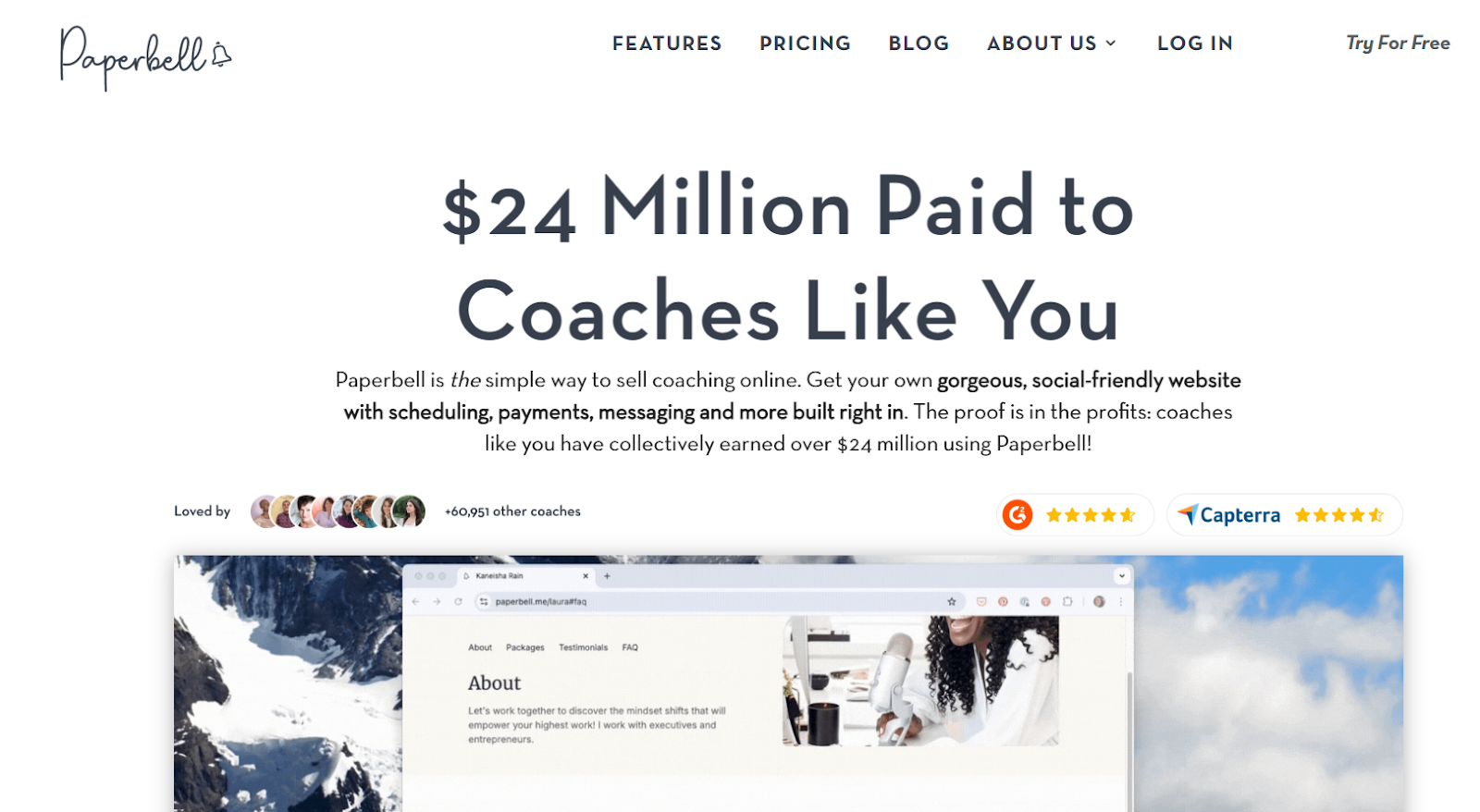
Paperbell combines the essentials: booking, payments, contracts, client profiles, and package management, so you don’t end up using different tools just to run your coaching business.
It provides a coach-focused platform where your clients can purchase packages, self-schedule sessions, sign contracts (via Dropbox), and access their required resources through a personalized portal.
It’s especially beneficial if you want to reduce administrative tasks, avoid technical complexity, and present a professional appearance to clients.
Key features
- Link from Socials: Paperbell allows you to link your Paperbell page to Instagram, Facebook, or TikTok, enabling clients to book sessions or purchase packages directly from your social profiles.
- Payment options: Manage client payments with flexibility by accepting full payments, installments, deposits, or pay-as-you-go plans, utilizing coupon codes, and processing transactions via Stripe or PayPal.
- Digital content & extras: Share downloads or bonus materials with clients, run surveys or intake forms, offer free discovery sessions, and provide cohort-based learning, live sessions, 1-on-1 and group coaching within the same platform.
- Content delivery: Paperbell lets you share files like PDFs, videos, or worksheets with clients. You can deliver content to all clients in a single package or to individual clients, and drip content so it releases to clients over time.
Pricing
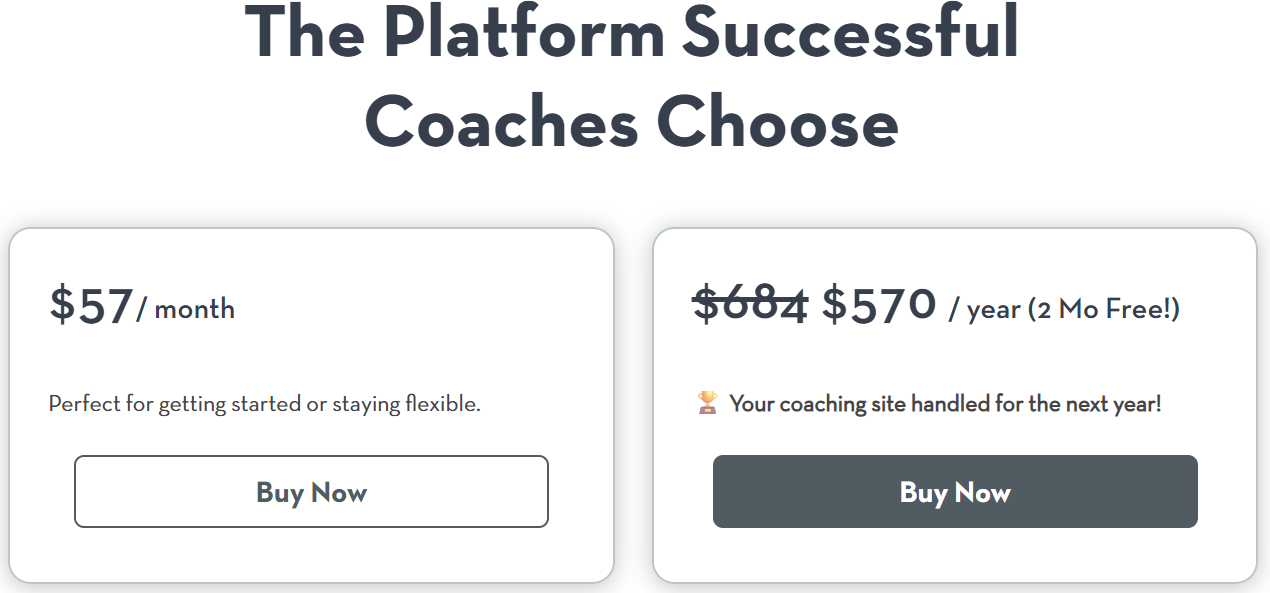
Paperbell has a free plan, and its paid plan costs $57/month or $570/year.
Pros
- It’s an all-in-one platform for a coaching business, addressing the issue of automating all the repetitive tasks related to coaching.
- You can create various coaching packages with free options, multiple pricing tiers, and the ability to pay in full with a discount.
- The platform helps in creating a coaching website to showcase your services, accept bookings, and manage client access.
Cons
- Paperbell mainly focuses on coaching content delivery and does not include a native community feature for users or clients.
- Requires integration with tools like Calendly to manage advanced scheduling.
- Limited customization. Though you can create your own website, it results in a "Paperbell feel" that may not align with your unique brand identity.
2. FreshLearn
Best for: Coaches, creators, and educators who want to launch courses, cohorts, or workshops without juggling multiple tools. It also fits people starting out and who need an affordable plan.
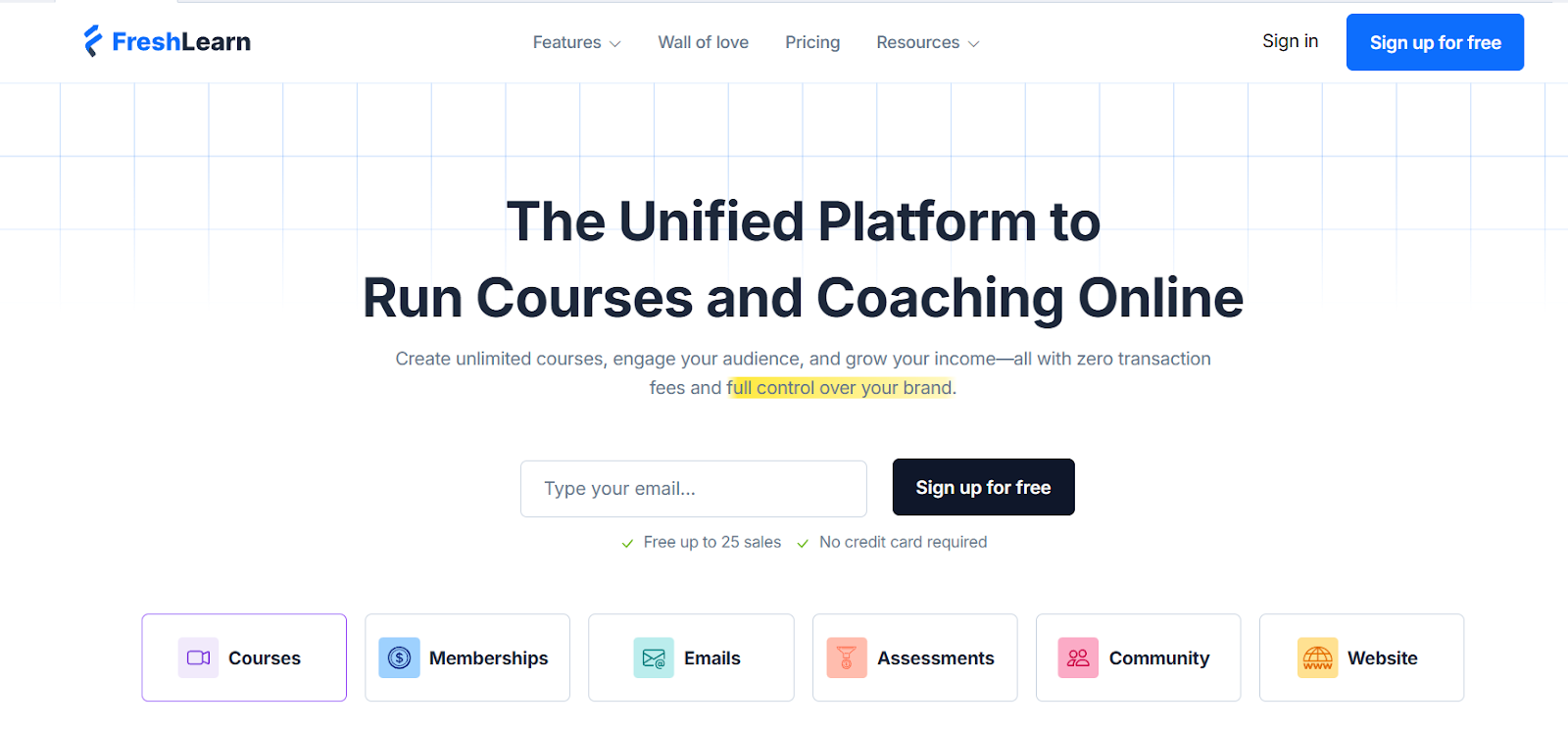
FreshLearn is more than a simple course builder. It offers one central place to run the entire knowledge business without relying on a patchwork of different tools.
You can create and sell digital products like courses, memberships, workshops, and downloads, but what makes it stand out is how these pieces connect — website building, payments, community, and email marketing all sit in the same platform, with SCORM support.
For new coaches, this means you don’t have to start with ten different apps just to look professional. For experienced educators, it offers room to grow, with features like drip content, certificates, gamification, and an automation tool available on higher tiers.
Key features
- Free plan: FreshLearn lets you test the waters with no upfront investment. It includes core features such as sales pages, email support, a blogging CMS, and allows for 25 enrollments.
- White-label mobile apps: FreshLearn lets you launch mobile apps (iOS & Android) under your own brand, complete with your logo, colors, and imagery, all customized so learners see your branding.
- Email campaigns & automation: You can build and send automated emails using templates, a drag-and-drop editor, set up email flows (nurturing leads, follow-ups), and see analytics like opens, clicks, and bounces.
- Testimonials collection & display: You can collect testimonials via branded review links and then publish them easily on your site.
Pricing
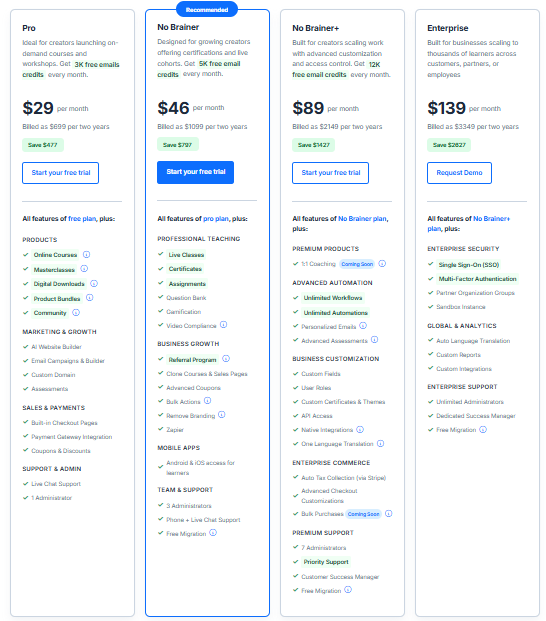
In addition to the free plan, FreshLearn gives you the following pricing tiers:
For individual course creators
- Pro: $49/month, or $37/year, or pay $29/month when billed over 2 years
- No Brainer: $79/month, or $59/year, or pay $46/month when billed over 2 years
- No Brainer+: $149/month, or $119/year, or pay $89/month when billed over 2 years
For businesses
- Enterprise: $249/month + 50¢ per registered learner.
Pros
- The pricing delivers strong value, especially compared to competitors, and offers a good set of features even on lower plans.
- The platform is easy to use. Drag-and-drop builders, templates, and workflows help creators launch quickly.
- FreshLearn provides integrated community features that let you host discussions, form groups, and moderate interactions, helping learners connect without needing a separate platform.
- FreshLearn provides AI-supported assistants (AI Agents) that help automate several content delivery features like quiz generation, course outline creation, and course idea validation.
Cons
- Provides limited automation and funnels compared to competitors like Kajabi.
- Zapier integrations are available only from the high-tier plans.
3. CoachAccountable
Best for: Solo coaches or small coaching teams looking for a platform to manage client interactions, track progress, and simplify administrative tasks.
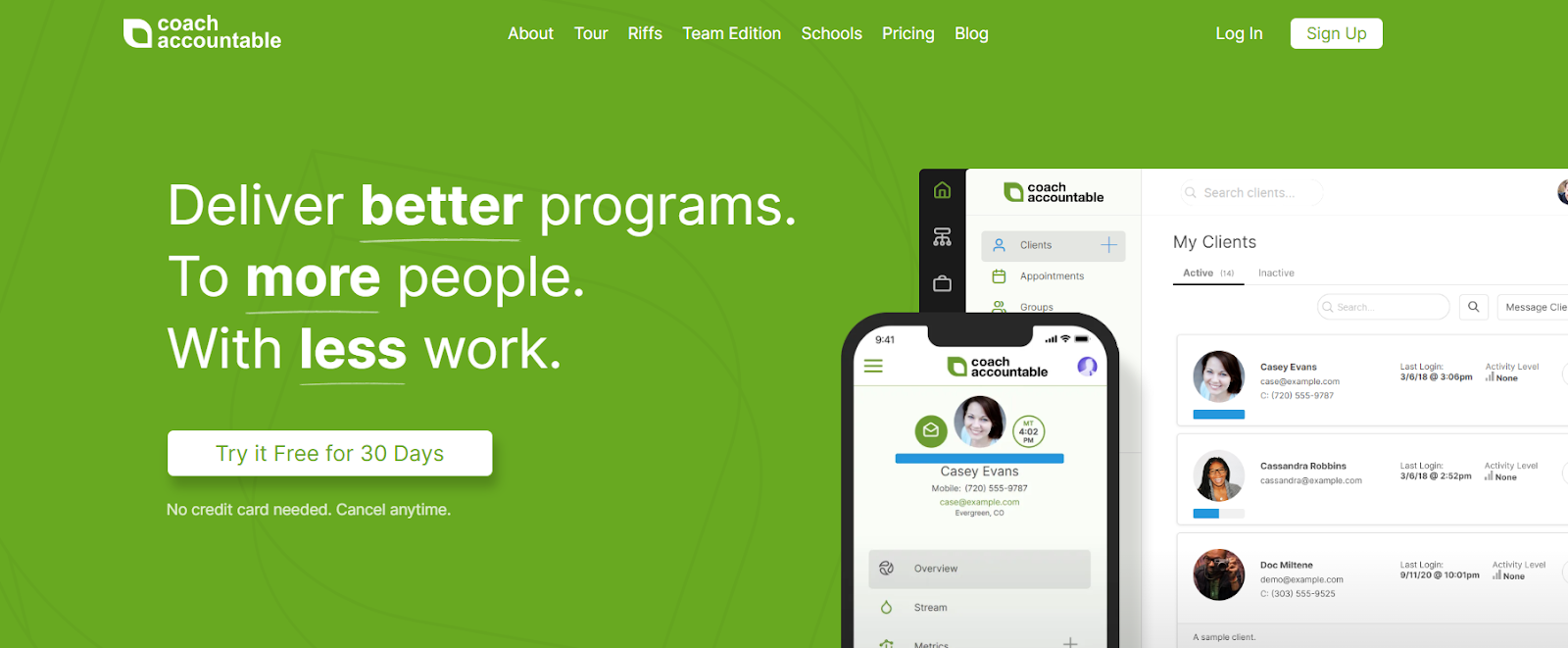
CoachAccountable helps coaches reduce time spent on routine tasks, track client progress, and organize structured coaching programs. It provides tools for scheduling, invoicing, habit tracking, and client engagement.
The platform serves as a central place for managing client interactions, allowing coaches to monitor progress, set goals, and maintain organized records. This setup can help maintain accountability and consistent engagement with clients.
Its features support different coaching styles, from one-on-one sessions to group programs, while providing customizable tools for day-to-day operations.
Key features
- Form-based worksheets: Create worksheets with structured fields, such as checkboxes, dropdowns, or text boxes. Clients can only fill out the fields you provide, making them useful for surveys, intake forms, or standardized assignments.
- Client dashboards: Each client has a personalized dashboard to track their goals, progress, and upcoming tasks, providing a clear overview of their coaching journey.
- Integration: CoachAccountable offers several integration capabilities, including Zoom, Apple iCal, Zapier, Square, and more.
- Key insights: Record and highlight key takeaways from coaching sessions. Organize them for easy review, star the most important points, and let clients revisit them to reinforce learning.
- Reflections: CoachAccountable lets you automatically insert your clients' previous responses into new worksheets, notes, or whiteboards. This feature helps them reflect on their progress and maintain continuity.
Pricing
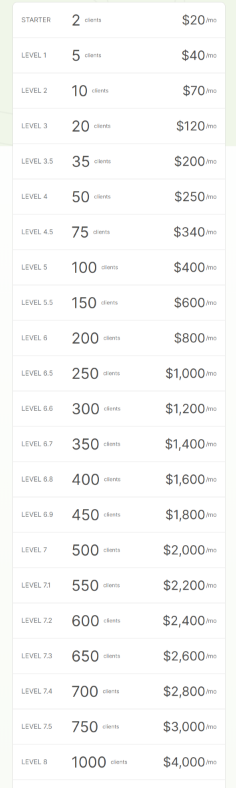
CoachAccountable gives you a 30-day free trial. It also has 22 pricing plans (No, it's not a typo) based on the number of clients you have. The pricing starts at $20/month for 2 clients and goes up to $ 4,000/month for 1,000 clients.
Pros
- The platform makes it easy to see which clients are completing tasks or interacting with materials, helping coaches identify clients who are disengaged.
- You get all your coaching essentials, including automated scheduling, a course builder, and invoicing, in a single platform.
- Coaches can design tailored action plans with specific goals and tasks to personalize their coaching programs.
Cons
- The tiered pricing can become expensive (and confusing) as the number of clients increases, potentially limiting affordability for coaches with large client bases.
- CoachAccountable does not have a dedicated mobile app, which means users must access it through a mobile browser, impacting convenience.
- Involves a steep learning curve to understand all the platform's nuanced features.
4. Delenta
Best for: Solo coaches, small teams, and consultants who want to manage clients, scheduling, and payments in one platform. It also supports group or multi-coach setups.
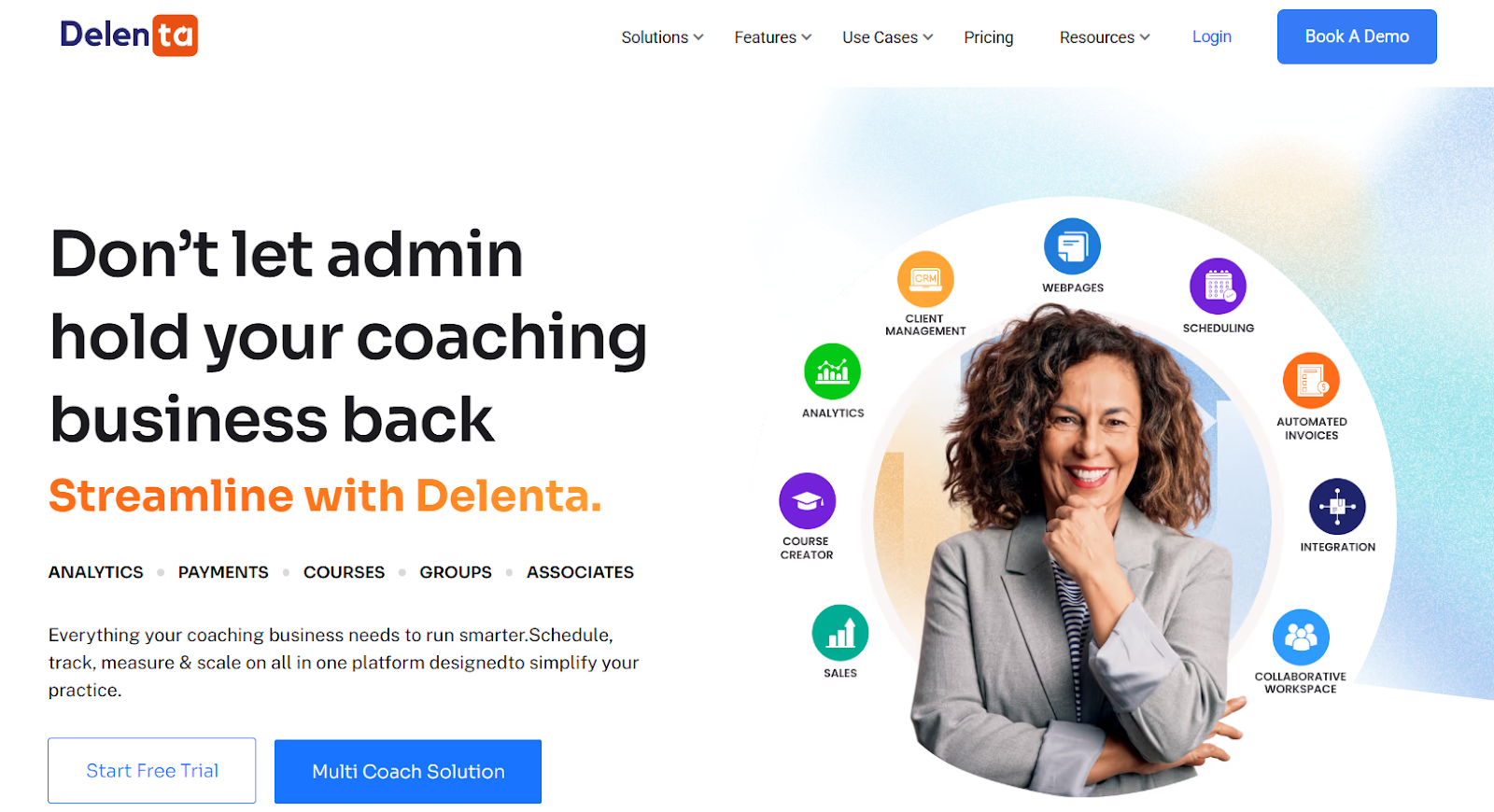
Delenta helps coaches, consultants, and solo practitioners organize and run their coaching business efficiently. It provides tools for client management, scheduling, billing, and communication, reducing the time spent on administrative tasks and keeping client interactions organized.
The platform supports different coaching models, including one-on-one, group, and multi-coach setups, making it adaptable for various needs. Delenta also integrates with popular applications, including Zoom, Stripe, PayPal, and Mailchimp, to support everyday workflows.
Key features
- Group coaching: Delenta helps you manage group coaching programs by creating tasks, assigning them to members, tracking progress, and sharing resources within the group.
- Landing page: Coaches can customize their landing page by adding logos, colors, graphics, and videos, allowing potential clients to book sessions and learn more about the coach's services.
- AI note taker: Delenta's AI-supported note taker offers video recordings, speech-to-text transcripts, automated session summaries, and action items following coaching.
- Billing & payments: Supports various billing models, including prepaid packages and subscriptions, with integration to payment gateways.
Pricing
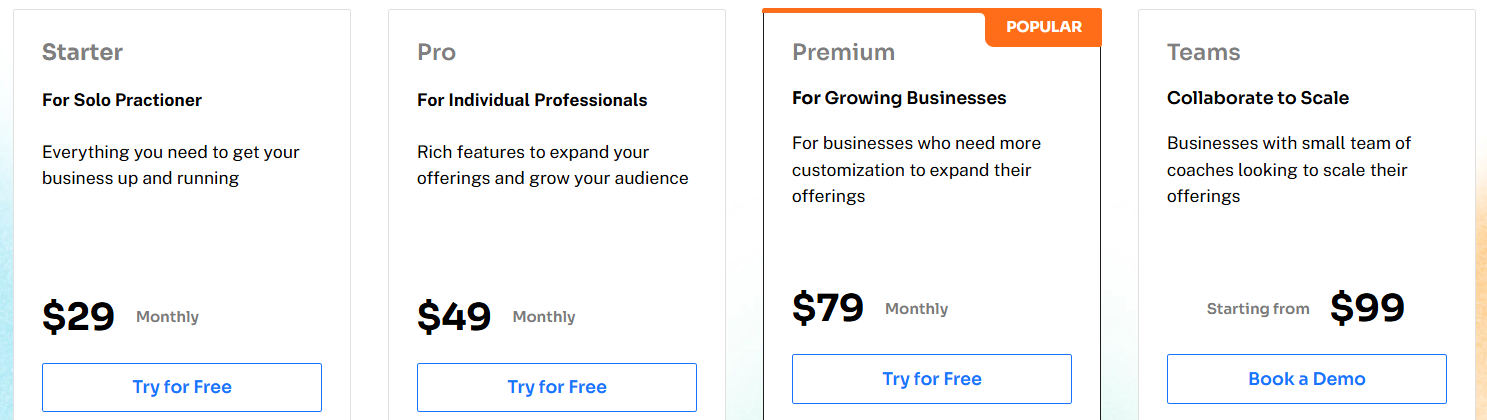
Delenta offers a 14-day free trial. It also has 4 pricing models.
- Starter: $29/month or $229/year
- Pro: $49/month or $469/year
- Premium: $79/month or $699/year
- Teams: $99/month or $990/year
Pros
- Delenta provides a single dashboard for managing client profiles, sessions, payments, and communications.
- Coaches can create personalized portals for clients, allowing them to access resources, track progress, and engage with the coaching process.
- Coaches can let clients book one-on-one or group sessions, manage availability, and receive automatic reminders.
Cons
- Provides limited customization options for the landing page, which may affect personalized branding and marketing efforts.
- Delenta’s calendar could offer more flexibility, such as adding buffers between sessions.
5. Coach Catalyst
Best for: Fitness, nutrition, and wellness coaches (solo or in small teams) who want an integrated platform to deliver coaching programs, track progress, and engage clients.
Coach Catalyst focuses mainly on fitness and wellness coaches. It centralizes program creation, habit tracking, client messaging, and progress monitoring, allowing coaches to manage their client base from a single dashboard.
Coaches can build structured lesson modules, deliver workouts, send reminders, and run group challenges, all while clients engage via mobile or web apps. The platform emphasizes accountability and client interaction, allowing coaches to automate check-ins, gather feedback, and respond with voice or video messages.
As coaches scale, features like community groups, brand customization, and reporting and analytics support engagement and business growth.
Key features
- Program/lesson builder: You can create programs combining lessons (text, images, and attachments), workouts, habit tasks, and scheduled messages. The builder supports drag-and-drop order and customizable templates.
- Exercise & media library: Coach Catalyst offers an extensive database of exercises (animated videos) and allows coaches to upload their own videos.
- Integrations & data sync: The platform supports integrations with nutrition, health, or fitness apps (e.g, Apple Health, Google Fit, Cronometer, FatSecret) to sync metrics.
- Scheduled & bulk messaging: Coaches can send messages via text, audio notes, video, GIFs, or attachments. You can schedule messages in advance or send bulk messages to clients.
Pricing
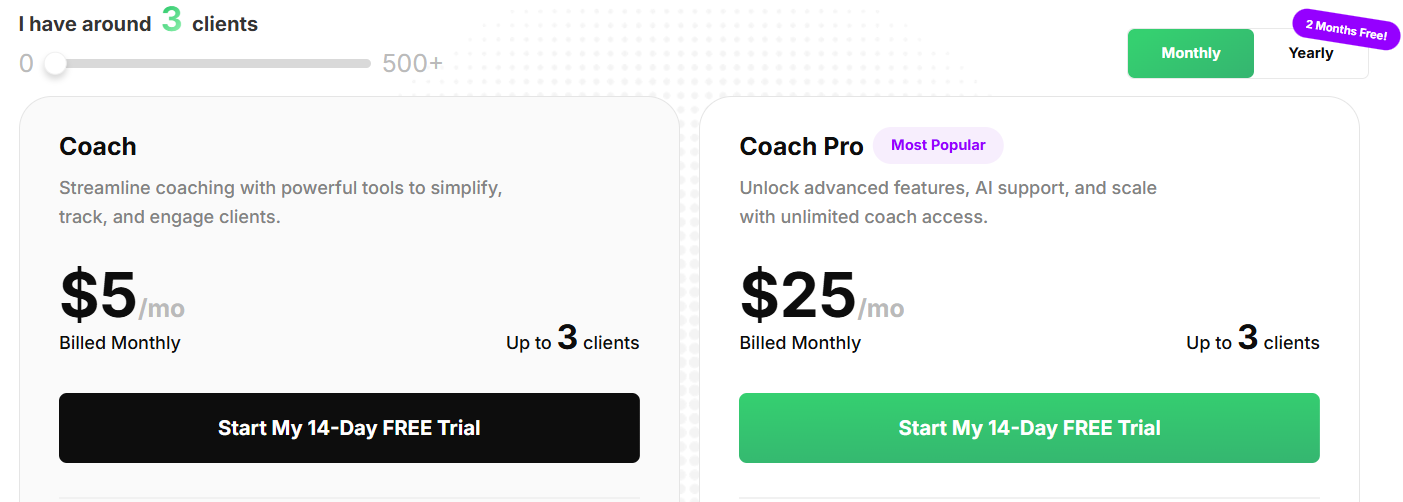
Coach Catalyst gives you a 14-day free trial. Its pricing plan works based on the number of clients you have. It has 2 pricing tiers:
Coach:
- Minimum: $5/month up to 3 clients or $4/month when billed annually.
- Maximum: $299/month up to 450 clients or $249/month when billed annually
- The platform offers custom pricing if you have 500+ clients.
Coach Pro:
- Minimum: $25/month up to 3 clients or $21/month when billed annually.
- Maximum: $319/month up to 450 clients or $266/month when billed annually
- The platform offers custom pricing if you have 500+ clients.
Pros
- Combines program delivery, messaging, habit coaching, and tracking in one platform, reducing tool fragmentation.
- The branding and white-label options help you maintain brand identity.
- Coach Catalyst offers a community/group feature that helps you create client interaction and peer support.
Cons
- Mobile navigation or feature parity (between mobile app and desktop) occasionally lags behind desktop capabilities.
- Community or group features are relatively new and may not yet match the capabilities of dedicated community platforms.
6. Satori
Best for: Solo coaches, wellness professionals, or small coaching practices seeking a simple client-facing and admin platform that combines booking, billing, and program delivery.
Satori is a coaching operations platform built to reduce the friction in managing clients, scheduling, payments, and content delivery. Coaches use it to onboard new clients via intake forms, present proposals and agreements, automate billing (subscriptions, packages), and let clients self-book sessions based on the coach’s availability.
It also provides reminders, client check-ins, and basic reporting, allowing coaches to monitor engagement and identify follow-up needs. The approach emphasizes minimizing tool-switching: your booking, invoicing, client portal, and coaching workflow live under one roof.
Key features
- Proposal & agreement generation: The platform allows coaches to create proposals or packaged offers, send agreements for signature (often integrated into the workflow), and enroll clients.
- Client intake & onboarding: You can build intake questionnaires or forms to gather client background, goals, and expectations.
- Package/subscription/recurring billing: Coaches can set up recurring plans, subscriptions, or fixed packages. It also supports automatic billing and payment reminders.
- Integrations: The platform supports integrations with calendars (Google, Outlook), payment gateways (Stripe, PayPal), email tools, and Zoom.
Pricing
Satori gives a 15-day free trial period. Its pricing plans are:
- Essentials: $39/month or $33/month (when you bill annually).
- Pro: $59/month or $49/month (when you bill annually).
- Leader: $149/month or $124/month (when you bill annually).

Pros
- The user interface is intuitive and client-friendly, making onboarding easier.
- The all-inclusive model helps coaches reduce subscriptions for multiple tools (payment tools, scheduling, and CRM).
- Flexible client self-booking and automation of reminders reduce administrative burden.
Cons
- Limited depth in reporting or analytics compared to other competitors.
- Lack of a dedicated mobile app. Satori is mobile-responsive but doesn’t always have full native apps.
- If you have highly niche workflows, you might find some rigidity in configuring client funnels or advanced automation.
7. Mighty Networks
Best for: Coaches, creators, or small education brands who prioritize building a strong community first, then layering in courses, membership access, events, or group coaching within that community context.
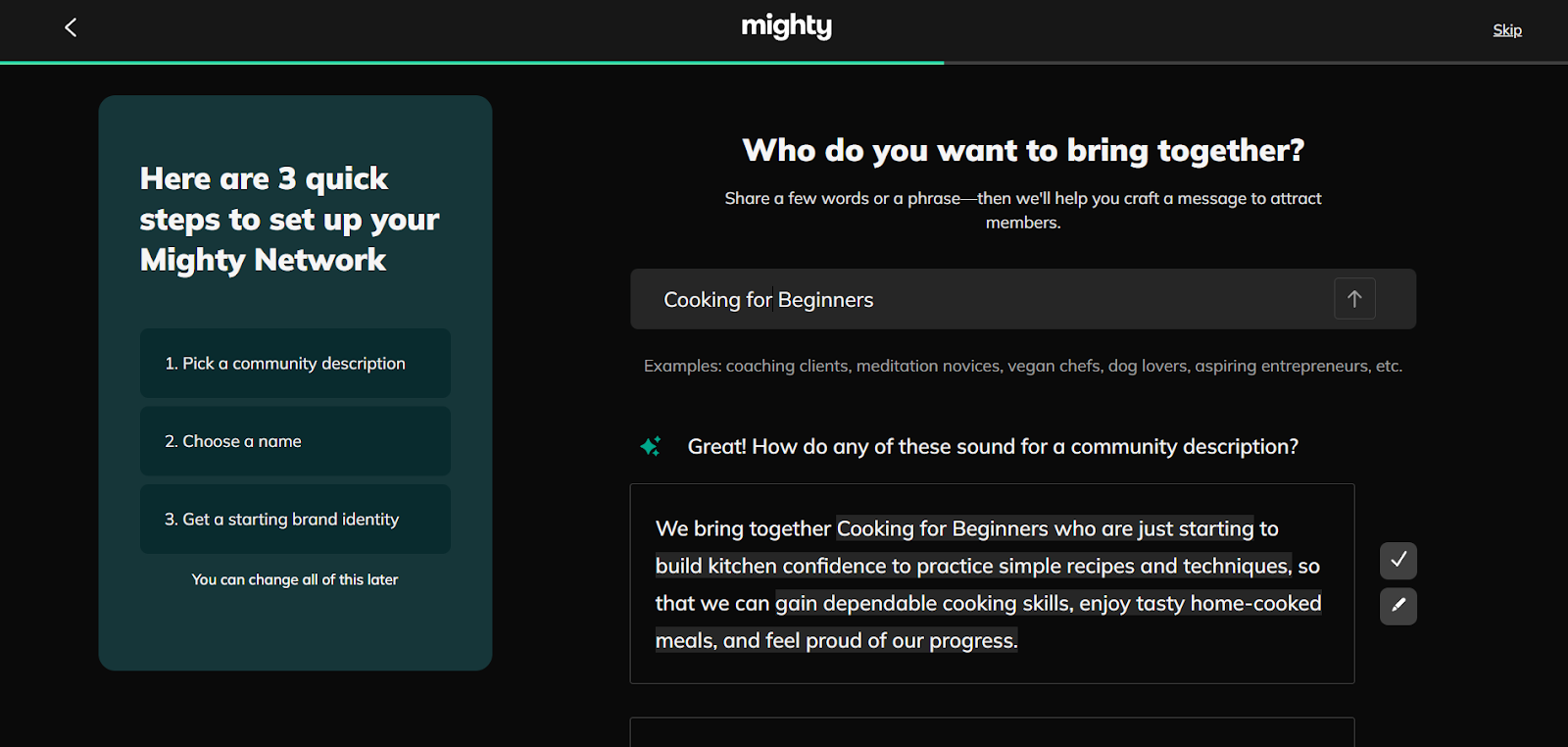
Mighty Networks combines community, membership, and course features into a unified platform. It provides creators with “spaces” where members can interact through posts, chats, events, and content modules. You can gate membership tiers, host online courses, and run live events all under this platform.
Mighty Networks focuses on community-building tools, including badges, polls, icebreakers, and member onboarding, to help create interaction. It supports native video uploads, resource libraries, and automations for member flows. Mighty also supports integrated billing, multiple currencies, and variable subscription models to monetize membership or coaching content access.
Key features
- Automations & triggers: You can automate member onboarding, send welcome sequences or drip content, and respond to behavior-based triggers.
- Membership & access tiers: Support for free, paid, trial, subscription, and one-time payments. You can gate which spaces or content are accessible to different tiers.
- Custom branding & white-label mobile app: On advanced plans, you can publish your own branded mobile app and control visual identity (logo, colors, domains).
- Analytics & insights (Mighty Insights™): The platform provides dashboards for member engagement, content performance, and revenue metrics.
Pricing
Mighty Networks gives you a 14-day free trial. The platform also has the following pricing plans:
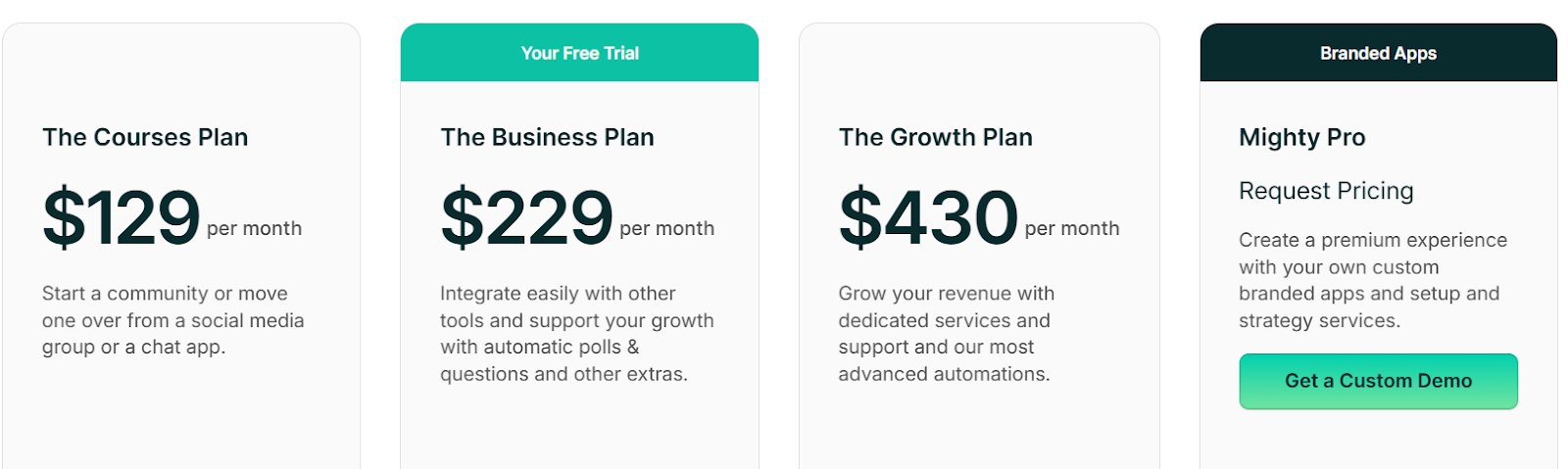
- The course plan: $129/month or $109/month (when you bill annually).
- The business plan: $229/month or $189/month (when you bill annually).
- The growth plan: $430/month or $360/month (when you bill annually).
- Mighty pro: Custom pricing.
Mighty Networks also incurs a transaction fee depending on your pricing plan.
Pros
- It supports multiple monetization models (membership, courses, and events) within a single system, reducing the need for scattered solutions.
- Rich content features (media, spaces, automations) help coaches structure both community and learning.
- Offers an easy setup process with pre-populated sections that guide new creators. It also lets you personalize features such as private communities, media-rich activity feeds, member profiles, and dedicated group spaces.
Cons
- Focuses primarily on community building and prioritizes exclusive course creation and delivery.
- Transaction fees add overhead to monetization, cutting into revenue.
- For highly active or fast-growing communities, moderation tools or content structure may struggle to scale.
8. Kajabi
Best for: Coaches, creators, small-to-medium businesses who want one platform to build and deliver courses, memberships, marketing funnels, and websites, without juggling many separate tools.
Kajabi helps users create, market, sell, and deliver digital products like online courses, memberships, coaching programs, and communities. It provides tools for building websites and landing pages, setting up sales funnels (called “pipelines”), running email campaigns and automations, and hosting content (video, quizzes, etc.).
The platform supports community features and member dashboards to engage your clients, plus analytics to track sales, progress, and marketing performance. You also get templates, pre-built themes, and drag-and-drop builders to launch without heavy coding.
Key features
- Sales funnels/pipelines: Kajabi provides tools to build automated pipelines for leads to conversion, upsells, special offers, and more.
- Payment/monetization methods: Supports one-time payments, subscriptions, offers, and checkout pages, all integrated; no transaction fees (apart from payment processor fees) on its paid plans.
- Email marketing & automation: Send email broadcasts, segment contacts, and set up automated follow-ups or drip sequences to nurture leads and clients.
- Analytics & reporting: Monitor course completion, sales, affiliate performance, and marketing campaign performance through dashboards.
Pricing
Kajabi offers a 30-day free trial. Its pricing plans are:
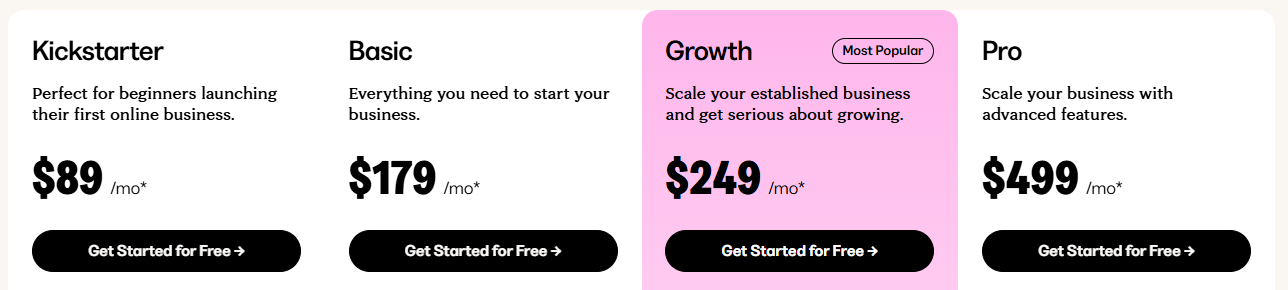
- Kickstarter: $89/month or $71/month (when you bill annually).
- Basic: $179/month or $143/month (when you bill annually).
- Growth: $249/month or $199/month (when you bill annually).
- Pro: $499/month or $399/month (when you bill annually).
Pros
- Kajabi consolidates website, course creation, marketing, and monetization tools in one platform, reducing the need for multiple subscriptions.
- Offers strong automation and sales funnel features, helping with lead generation, customer journeys, and upsells.
- Provides professional-looking templates and a user interface that helps non-technical users build high-quality content and websites.
Cons
- It costs more than many simpler platforms; higher-tier features come at a premium, but do not justify the ROI.
- Kajabi can be challenging to integrate with other apps, and setting up workflows may require time and tutorials to avoid rebuilding processes.
9. Karta
Best for: Coaches, course creators, and digital marketers looking for an all-in-one platform to manage and scale their online businesses.
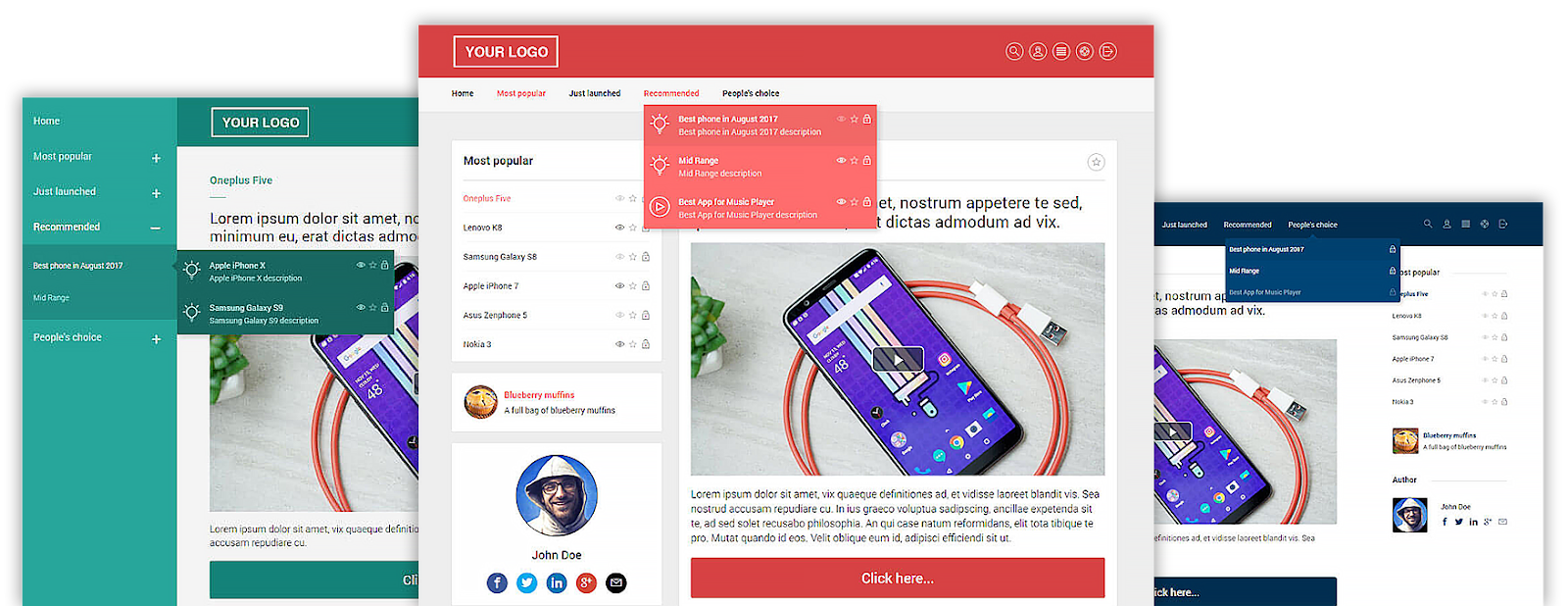
Kartra is a business platform that allows users to create, market, sell, and deliver digital products such as online courses, memberships, and coaching programs. It combines marketing automation, website and landing page building, sales funnels, and email marketing in a single interface, reducing the need for multiple third-party tools. Users can design courses with videos, quizzes, and drip content, while also managing memberships and communities with controlled access.
The platform includes built-in analytics to monitor user engagement, sales performance, and marketing campaign effectiveness. Kartra also offers affiliate management to help coaches and creators scale their reach.
Key features
- Sales funnels & automation: Build automated sales funnels with drag-and-drop tools, integrating opt-in forms, checkout pages, and email sequences.
- Email marketing & CRM: Segment your audience and send targeted email campaigns using Kartra's built-in email marketing tools.
- A/B testing capabilities: Kartra provides tools for conducting A/B tests on various elements, including pages, emails, and campaigns.
- AI-Powered behavioral targeting: Kartra utilizes AI to analyze customer behavior, enabling the creation of personalized marketing campaigns that adapt based on user interactions.
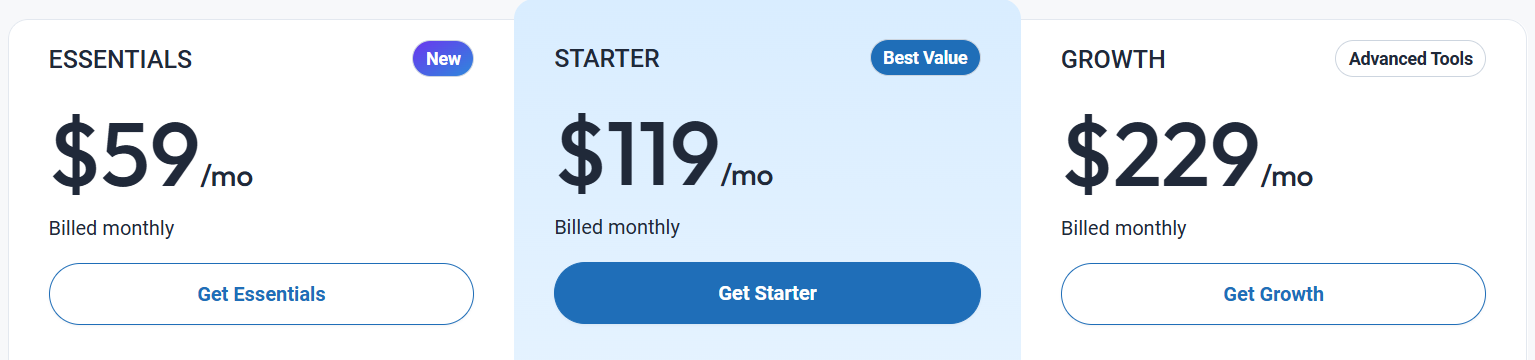
Pricing
Kartra provides a 30-day free trial. Its pricing plans are:
- Essentials: $59/month or $52/month (when you bill annually)
- Starter: $119/month or $99/month (when you bill annually)
- Growth: $229/month or $189/month (when you bill annually)
Pros
- Offers an intuitive drag-and-drop builder for creating pages and funnels.
- The platform offers a range of pre-designed, high-converting campaign templates, enabling users to launch marketing campaigns quickly.
- Kartra includes a built-in calendar and appointment scheduling system, allowing coaches to manage client bookings directly within the platform.
Cons
- New users may find the platform's extensive features overwhelming initially.
- While the drag-and-drop builder is user-friendly, it may have limitations for advanced customizations.
10. Teachable
Best for: Educators, coaches, and solo creators who need a platform focused on course delivery and student management. It suits users who prioritize simplicity and quick setup over advanced marketing automation.
Teachable supports creators, coaches, and businesses in building and selling online courses, coaching programs, and digital products. It offers a no-code drag-and-drop builder, enabling users to create and deliver content, including videos, quizzes, and downloadable files.
Teachable offers various monetization options and provides tools for enhancing student engagement, including quizzes, certificates, and course compliance features. It's best suited for creators seeking a straightforward solution that doesn't require extensive technical setup.
Key features
- Buy Now, Pay Later (BNPL) Integration: Teachable offers a BNPL option at checkout, allowing your clients to pay for courses in installments through services like Affirm, Afterpay, or Klarna.
- One-click translations: To support global audiences, Teachable offers one-click translations of course content into multiple languages, including Spanish, French, and Portuguese.
- Community features: Teachable enables creators to build spaces where students can interact and engage with their courses.
- Memberships: Creators can offer subscription-based access to multiple products, including free trials and bundled content, while controlling who has access to which resources.
Pricing
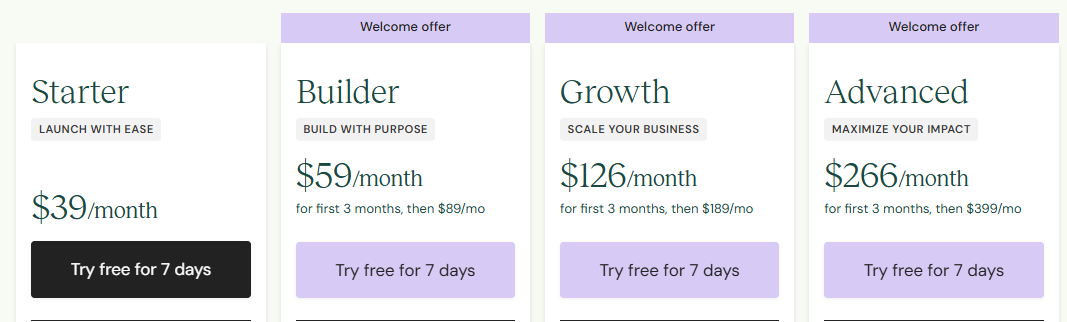
Teachable provides a 7-day free trial. Its pricing plans are:
- Starter: $39/month or $29/month (when you bill annually) +7.5% transaction fee.
- Builder: $89/month or $69/month (when you bill annually)
- Growth: $189/month or $139/month (when you bill annually)
- Advanced: $399/month or $309/month (when you bill annually).
Pros
- Teachable manages tax calculations and compliance for creators, including VAT and sales tax, simplifying financial operations for coaches.
- Teachable provides automatic subtitle generation for video content, improving accessibility and engagement for a diverse student base.
- The platform features include coaching tools, such as intake forms and session scheduling, to facilitate personalized learning experiences.
Cons
- Teachable offers its mobile app only for iOS users and does not have an Android app.
- While Teachable is simple and easy to use, it has limitations in advanced customization and marketing automation compared to some competitors.
5 essential tools to complement your online coaching platform
While an all-in-one platform can serve as the core of your coaching business, specialized single-purpose tools can enhance specific workflows and improve client experience.
These tools address areas where even comprehensive platforms may have limitations, allowing coaches to optimize scheduling, payments, marketing, and content creation.
- Calendly: A dedicated scheduling tool that helps coaches manage appointments efficiently. It’s beneficial if your platform lacks advanced calendar or booking features, providing automated reminders and time-zone adjustments.
- PayPal / Stripe: Reliable payment gateways commonly integrated with coaching platforms. They facilitate one-time or recurring payments, subscriptions, and international transactions with minimal setup.
- Mailchimp / Kit: Advanced email marketing solutions suitable for coaches with large email lists. They support automation, segmentation, and analytics, enabling personalized communication with clients.
- Canva: A graphic design tool for creating professional-looking worksheets, social media graphics, and presentation slides. Coaches can quickly produce branded content to share with clients.
- vcita: A client management and engagement tool that combines scheduling, invoicing, and CRM features. It helps you manage client interactions more efficiently when your core platform doesn’t fully cover these functions.
How FreshLearn backs up your coaching journey
FreshLearn provides a comprehensive solution for coaches looking to streamline their operations, create engaging content, and enhance client engagement; all within a single platform.
Key ways FreshLearn supports your coaching journey:
- Simplifies your operations: FreshLearn consolidates various tools into one platform, eliminating the need for multiple subscriptions. It integrates essential functions such as scheduling, payments, and client management, allowing coaches to focus more on their clients and less on administrative tasks.
- Helps create on-demand courses: The platform provides strong course creation tools, including AI-powered course idea validation and quiz generation. Coaches can design interactive and personalized learning experiences without requiring technical expertise.
- Engages your clients: FreshLearn supports community building through integrated forums, enabling coaches to create a sense of community among clients. This feature optimizes client retention and satisfaction.
- Scales your business: With options such as automated email campaigns, membership management, and performance analytics, FreshLearn equips coaches with the tools they need to grow their business efficiently. The platform's scalability ensures it can grow in tandem with your coaching practice.
Wrapping up
Choosing the right online coaching platform lays the base for your business’s growth. Use this guide’s “how to choose” section as a practical checklist to evaluate features, pricing, and flexibility that match your goals.
As the online coaching industry continues to grow, opportunities expand for coaches who stay organized, engage effectively with clients, and deliver high-quality content. FreshLearn lets you do all of that in one place, making it easy to create courses, digital products, and communities on a single, flexible platform.
Sign up for free to see FreshLearn in action.
FAQ
1. How is an online coaching platform different from a traditional LMS?
An online coaching platform helps you run your coaching business by combining course delivery with tools for scheduling, payments, client management, and community building. A traditional Learning Management System (LMS) focuses on delivering and managing courses and also provides tools for tracking learner progress and organizing educational content.
2. Do I need a license or registration to run an online coaching business?
Yes, it’s essential to check your local regulations if you’re charging clients, as licensing and taxes can vary significantly. Some types of coaching may also require professional credentials. Doing this research upfront can save you challenges later.
Common coaching certifications include:
- International Coach Federation (ICF): Associate, Professional, and Master Certified Coach
- Life/personal coaching: Certified Professional Coach (iPEC), Certified Life Coach (Life Coach Training Institute)
- Executive/business coaching: Board Certified Coach (BCC), Certified Executive Coach, Certified Business Coach (Worldwide Association of Business Coaches)
3. Is it possible to run live coaching sessions and also offer pre-recorded courses?
Yes! Most online coaching platforms let you combine live sessions with pre-recorded courses. This approach gives clients flexibility — your clients can attend live sessions for interaction and watch recorded content at their own pace.
4. How can I decide the right price for my online coaching program?
Consider your target audience, the results you promise, and the effort required to deliver your program. Start with a price that feels fair for both you and your clients, and adjust as you gather feedback and see demand grow.
5. What’s the best way to attract coaching clients online?
The approach that works best depends on you and your niche, but several strategies tend to be effective:
- Build a community or membership: Start with a core group of ideal clients and let your audience grow organically over time.
- Raise your online profile: Utilize social media, YouTube, podcasts, or articles to connect with potential clients and showcase your expertise.
- Join an online coaching marketplace: Platforms that connect coaches with clients can help you gain visibility and find new opportunities.
You might also like
- The ultimate guide to creating and launching a masterclass online
- 30+ Digital Products Ideas to make money in 2026
- How to create a successful membership website
- How to create a cohort-based course in 2026
- Group coaching program 101: How to start
- 12 (Free+Paid) Online Course Platforms For 2026
- How much does a life coach make?
- Best Course Creators Tools
Hosted by
