Customer Training LMS: Complete Guide to Churn Reduction

Folks in sales will agree on this: closing (a deal) is only the beginning. The actual story starts later. When the customer is staring at their screen, tries to use the product, and has to make sense of it in their own workflow. A startling 85% of customers report a drop in satisfaction during the onboarding process!
This is a deal killer, which shows up as churn, underlying low adoption, delayed onboarding, repeated support tickets, disengaged users, and stalled renewals. The solution is training customers in a way that matches how they actually work. And learning management systems, or LMS, are an effective method.
But the purpose goes beyond uploading tons of “how-to” videos or articles onto the portal. It’s about building learning experiences that reduce confusion, speed up time-to-value, and help customers become genuinely capable, not dependent.
This article explains the basics:
- What is LMS for Customer Training, the types, and the benefits
- Key features of an LMS
- Steps to launch your customer education academy
- Top LMS platforms for customer training
What is a Customer Training LMS? (And How It Differs from Employee Training)
The term “LMS” is often used as a catch-all, but a Customer LMS and an Employee LMS are fundamentally different platforms. Both tend to separate audiences and offer distinct learning outcomes.
Starting with the basics, an LMS or learning management system is a platform or software application used by organisations to create, manage, deliver, and track educational courses, training programs, or learning and development initiatives. It uses AI and other smart technologies to assess individual and organisational training requirements, create personalised learning modules, and track both learning and compliance training.
Now, a customer training LMS is designed specifically to deliver structured onboarding, product education, certification, and skills enablement to external users, including customers, implementation teams, channel partners, and reseller networks. It focuses on user experience, product adoption, certification programs, and brand customisation through white-labeling.
Employee LMS or internal LMS, on the other hand, focuses on compliance training, HR requirements, and mandatory courses for your workforce.
Why Invest in Customer Education + Benefits of an LMS
Customers typically do not use a tool incorrectly intentionally; usually, what happens is that customers do not use the tool to its full capability. Therefore, it is not the customer's responsibility to identify the gap in the product that they are using. This is your job.
In an economy with an ever-decreasing amount of attention on products, combined with the rise in trust being so very important, it is very important to take the time at these teaching opportunities with customers.
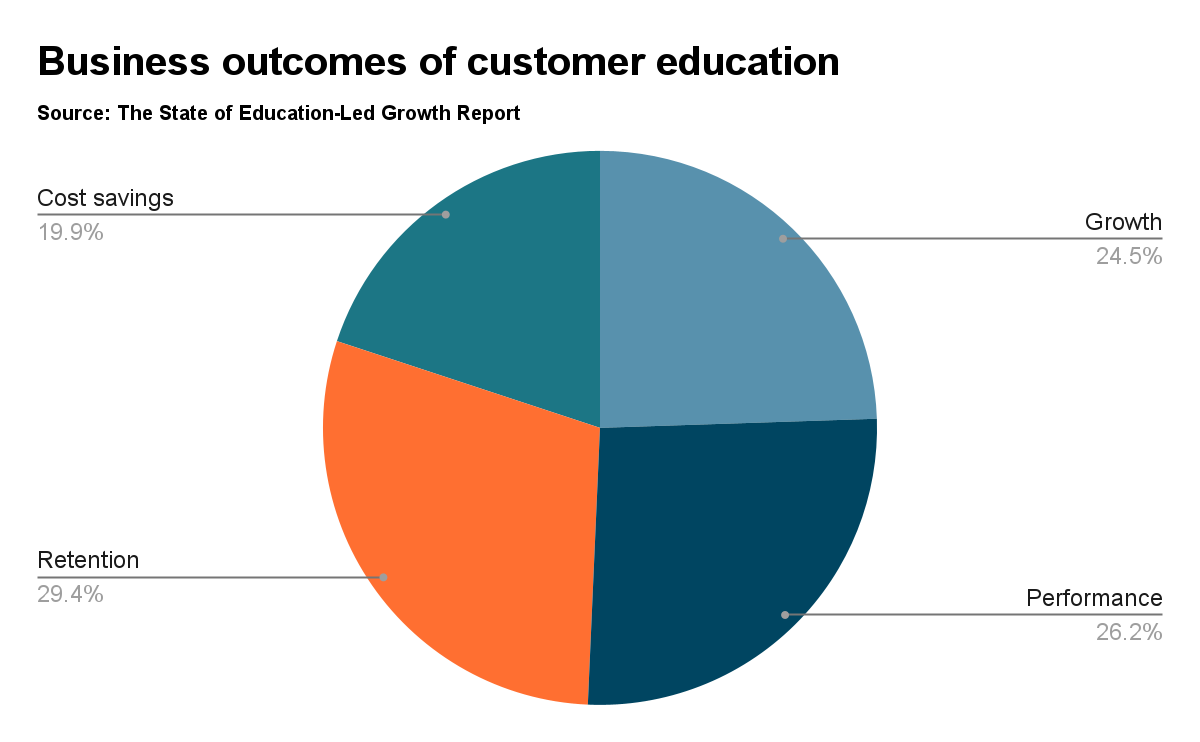
Furthermore, with all of the increasing security risks and customers feeling all alone (i.e., no one is really there for the customer), providing some type of education allows for confusion to be replaced by a sense of clarity, resulting in measurable business outcomes.
Benefits of LMS
A 2024 study established that the companies with formalised customer education programs improve top-line revenue by an average of 7.6%.
Organisations that invest in educating customers, partners, and vendors gain clear competitive advantages—benefiting both customers and businesses alike.
For customers
- Faster time to value: Customers reach their first success milestone quickly with structured onboarding paths instead of trial-and-error exploration.
- Increased confidence: Clear guidance reduces uncertainty and helps customers feel competent using your product from day one.
- Self-service empowerment: Access to on-demand learning means customers can solve problems independently without waiting for support.
- Continuous skill development: As your product evolves, customers stay current with new features and best practices through ongoing training.
For businesses
- Reduced support costs: Educated customers submit fewer tickets and resolve more issues on their own, freeing your team to focus on complex problems.
- Increased retention (churn reduction): Customers who understand the product use it better and stay longer. Confusion drives cancellations; competence drives loyalty.
- Revenue expansion: Trained customers adopt advanced features faster and are easier to upsell. They see value in additional capabilities because they understand the foundation.
- Scalable onboarding: Automated learning paths eliminate repetitive manual training sessions, allowing you to onboard more customers without expanding headcount.
- Stronger partnerships: Prioritising customer education signals accountability and commitment by building trust, loyalty, and deeper product adoption across your user base.
LMS vs CMS: How They Differ and Where to Invest
Many organisations face this choice: stick with a Content Management System (CMS) or invest in a dedicated Learning Management System (LMS).
A CMS helps you publish and organize educational content, such as help centers, documentation portals, and knowledge bases, where users search for answers on their own.
An LMS, on the other hand, delivers structured learning experiences with guided paths, progress tracking, and completion metrics.
Both serve customer education, but they approach it from different angles. A CMS is about content availability. An LMS is about learning outcomes. Below are the key differences:
The question isn't whether you need customer education tools. It's which one fits your current stage and goals.
Now, a CMS works well when training is flexible, exploratory, and still evolving:
- You're an early-stage company/brand/business with a limited user base
- Onboarding conversations double as feedback loops
- Training is high-touch and relationship-led
- Workflows change frequently across customers or markets
- You don't need formal assessments or certification records
On the contrary, an LMS is essential when training must be structured, repeatable, and measurable:
- Manual onboarding no longer scales
- Training must be consistent across customers, regions, or partners
- Your product is complex and requires guided learning paths
- You need completion tracking, analytics, or compliance records
- Training quality varies across teams or delivery formats
- You want to reduce onboarding time, support dependency, and churn
The shift from CMS to LMS typically happens when education moves from being a nice-to-have resource library to a strategic driver of adoption and retention.
5 Popular Types of LMS for Customer Training
There are four types of LMS systems: installed (on-premise), web-based (SaaS), open-source, and mobile-first systems.
- Installed (on-premise) LMS systems are hosted and maintained by an organisation on its own hardware infrastructure. This type of LMS is ideal for organisations in regulated industries (e.g., finance, health care), government entities (e.g., U.S. Federal Agencies), and high-security environments (e.g., military) that require sensitive data to remain within a secure network.
- Web-based (SaaS) LMS systems are hosted in a cloud-based environment and provided as a service. In this LMS model, the vendor manages the infrastructure, uptime, and software updates while the client focuses on developing their training programmes.
- Open-source LMS platforms provide users with full source code access, enabling users with technical skills to customize the product. Open-source LMS provides organizations with the flexibility to develop their own user interface (UI) designs and create branded learning experiences.
- Mobile-first LMS systems are designed primarily to deliver training via mobile devices, specifically through mobile apps and micro-lessons. This LMS type is typically used to train frontline workers, field-based workers, and logistics personnel.
- Course-creating (LCMS-Oriented) LMS is useful for content-heavy certification programs and organizations with frequent product updates or large product portfolios requiring multi-language documentation.
6 Must-Have Features in an LMS for Customer Training
Most LMS feature lists are written with internal employee training in mind. But customer education is different. Your users are external, voluntary learners—not staff—which means the platform must prioritise experience, accessibility, and scale over admin workflows.
The features below are the ones that truly matter for B2B customer, partner, and reseller training.
White-labeling and brand-controlled environments
When it comes to training customers or partners, white labelling is much more than just the look. White labelling establishes the feeling of ownership, the trust in and control over the learning environment. The learning platform should be treated as an element of your product ecosystem and governed by you rather than constrained by the vendor’s system.
A white-label Customer LMS typically enables:
- your domain and environment (for example, training.yourcompany.com)
- organisation-controlled permissions and access policies
- separate customer, partner, and distributor portals
- branded certificates, journeys, and certification records
- clear data ownership and export control
Platforms like iSpring and Docebo offer granular group and permission controls, enabling separate internal, external, and customer-branded portals. Instructors only see and manage courses within their assigned branches, making it easier to segment learners, content, and training environments.
Full data ownership and export control
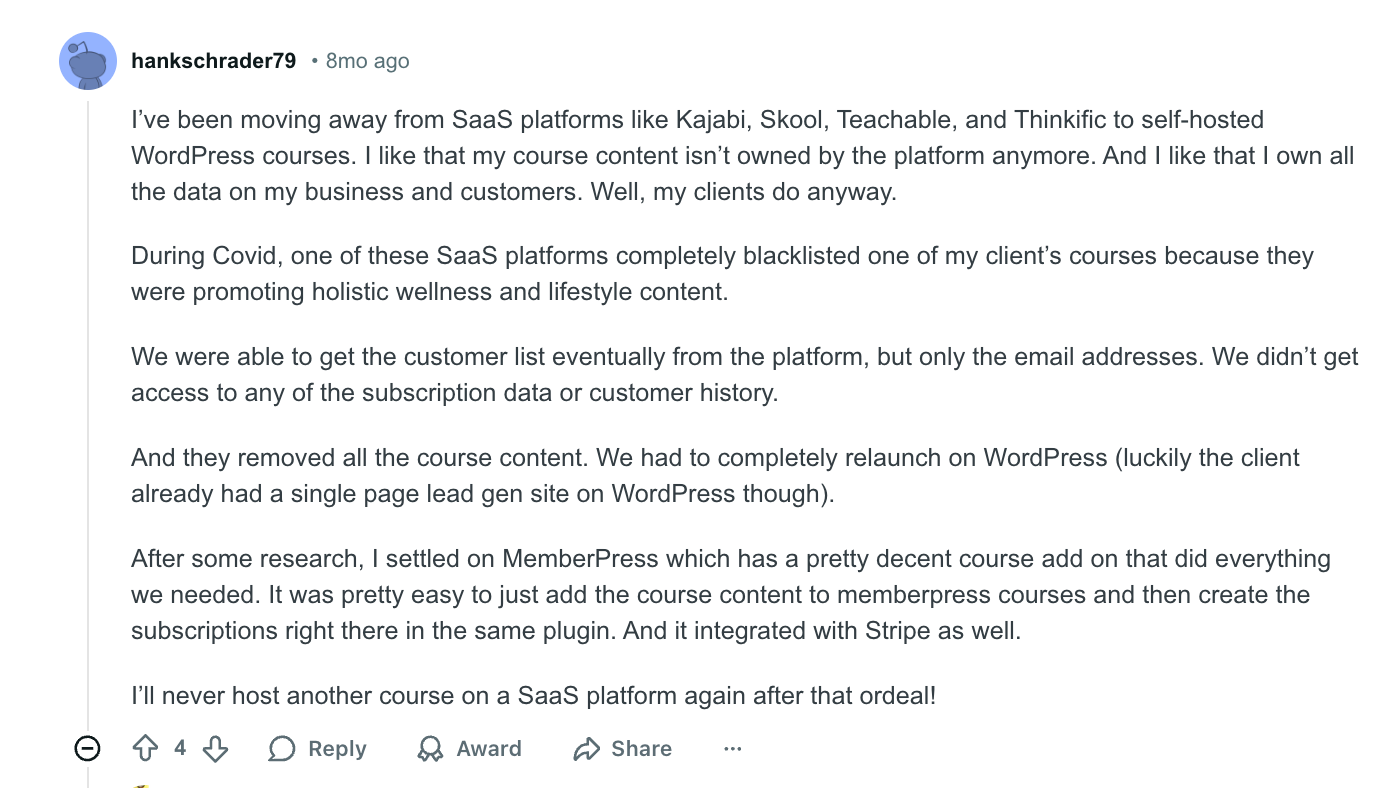
In customer and partner training, the LMS should not control your learner data. You should. Limited access to records, such as only receiving email lists without subscription, progress, or certification history, creates operational and compliance risk, especially when training influences onboarding, support, and renewal outcomes.
The consequence?
A Customer LMS should give your organisation complete ownership of:
- learner and account-level records
- course progress and completion data
- certification history and validity periods
- historical engagement and access logs
The means of obtaining export data should not only be through API or scheduled/automated exports, but also through secure data warehouses/BI integration. Without access to certain data, an institution loses the metric of measuring the actual results of customer education and thus the institutional memory of that data.
Ease of use for frictionless onboarding and access
Employees may tolerate clunky learning tools. Customers won't. If login is complicated, sign-up takes time, or accounts must be manually provisioned, users simply won't complete training.
Access should be instant and intuitive. Look for platforms that remove barriers at every step:
- Single Sign-On (SSO) and magic-link access: Customers shouldn't need to remember another password. Let them authenticate through their existing accounts or click a link to enter directly.
- Role-based access without manual setup: The platform should automatically assign learning paths based on user role, account type, or product tier. Manual provisioning doesn't scale.
- Quick enrollment for partners and external teams: Partner onboarding should be just as smooth. Bulk invites, pre-configured access rules, and branded portals make external training feel professional, not administrative.
- Intuitive UI across all touchpoints: Your customers shouldn't need a tutorial to use your training platform. Navigation should be clear, content easy to find, and progress visible at a glance.
- Multi-device access: Training must work seamlessly on desktop, tablet, and mobile. Your customers aren't always at their desks; your LMS shouldn't assume they are.
If your platform requires tickets to IT for every new user or forces customers through multi-step registration processes, expect low completion rates. Friction kills adoption. Simplicity drives it.
Certifications and gamification for motivation and engagement
It is mandatory for internal employees to take training. But, for customers, it is optional. So, to keep your external users engaged, the LMS must support the following:
- Product certification programs
- Skill-based learning paths
- Badges, levels, and achievement milestones
- Shareable certificates for LinkedIn & partner records
These incentives (as depicted in the image below) encourage customers to complete onboarding, and also help partners prove their capability to clients.
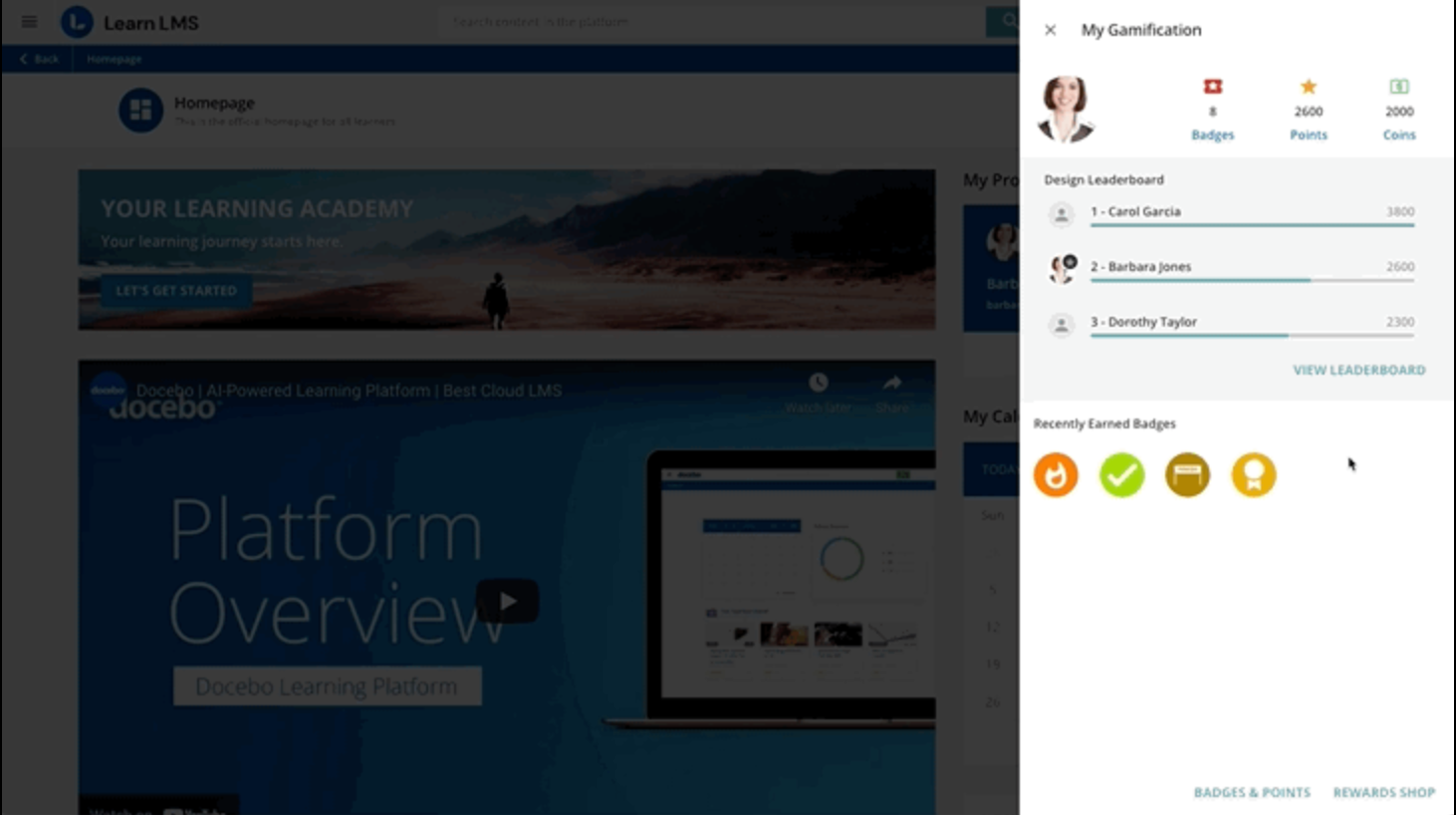
It also increases confidence and correct usage, allowing customers to use your product/services to their fullest potential.
Robust analytics focused on adoption, not just completion
What separates a customer education platform from a basic training tool is its ability to connect learning behaviour to business outcomes.
Track these metrics:
- Time-to-complete onboarding milestones (not only how long it takes to complete a course)
- Engagement depth (scroll depth, video watch time, quiz attempts; not just page views)
- Frequency of retraining on complex features (indicative of a real-life application)
- Correlation between training completion rate and intensity of usage of the product
- Volume of support tickets submitted before and after implementing training initiatives
If the only metric your LMS provides is "92% completion rate," you are essentially flying blind. The metric of completion is not a value added. The metrics of adoption, activation, and retention are the metrics that provide the value of your investment in customer education.
Scalable pricing models to avoid per-user pricing traps
Enterprise eLearning platforms generally charge either by the number of active users or by the number of seats occupied by learners. These models suit employee training programs, but could become quite expensive and restrictive if used to train customers or partners.
When pricing per user, it is discouraged to roll out large-scale training programs across all customer organisations or enable multiple partners to engage with your products or services. Additionally, partner onboarding and reseller/distributor training programs, as well as voluntary training, could also create friction due to costs if prices increase as the customer base grows faster than budget approvals.
Therefore, three options to consider for pricing structures are: usage-based/portal-based, pricing based on active cohorts, or group licensing models for partners/customers.
Integration capabilities
Integrating your LMS with other technology you already use will help you maximise the value of your LMS investment. A strong integration will give you access to an increased amount of insight into the customer (via training data), providing you with actionable results.
Look for:
- CRM integration, like Salesforce or HubSpot
- Product and analytics platforms (Segment, Mixpanel, Amplitude)
- Communication tools (Slack, Microsoft Teams, email marketing platforms)
- API access for custom workflows
Strong integrations create a connected ecosystem where training data flows naturally into your existing operations. This connectivity enables smarter decisions and more personalised customer experiences.
Top 5 LMS Platforms for Customer Training (2026)
Instead of reviewing these platforms as general e-learning tools, this comparison looks at how they perform in real customer training scenarios such as onboarding, product adoption, partner enablement, and certification programs.
1. FreshLearn
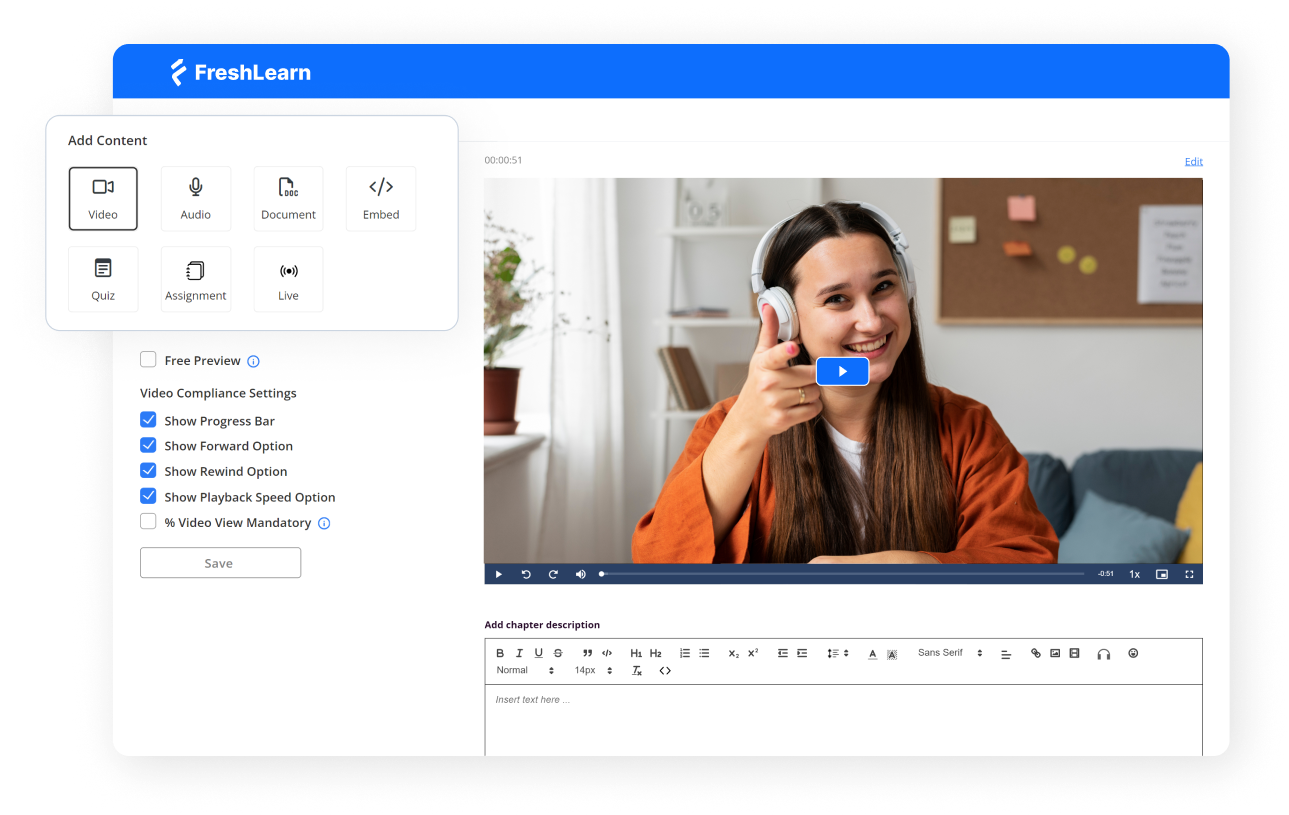
Best for: Organizations that have 50-500 users that need training for their employees, partners, or customers.
FreshLearn is a modern, AI-powered LMS for SMBs and growth-stage companies that need to launch structured customer training quickly, without enterprise complexity or enterprise pricing.
With over 53,000 products created, 1.55 million enrollments processed, and a track record of helping creators earn $695 million collectively, the platform has proven its scalability. What sets it apart for customer training specifically is its 30-day academy launch timeline. Any organisation can start from zero to a fully branded, automated customer education portal in under a month.
The platform combines AI-powered course creation tools with the structured learning features typically reserved for enterprise systems, like SSO, SCORM support, multi-factor authentication, and partner organisation groups. FreshLearn offers a fundamentally different approach for customer success teams tired of the "6-month implementation" timeline that enterprise LMS vendors quote.
Common use cases
- Customer onboarding academies with automated completion tracking
- Partner and reseller certification programs
- Product training with video compliance controls
- Self-paced learning libraries with community forums
- Implementation team enablement across global partners
Pros and Cons
2. TalentLMS
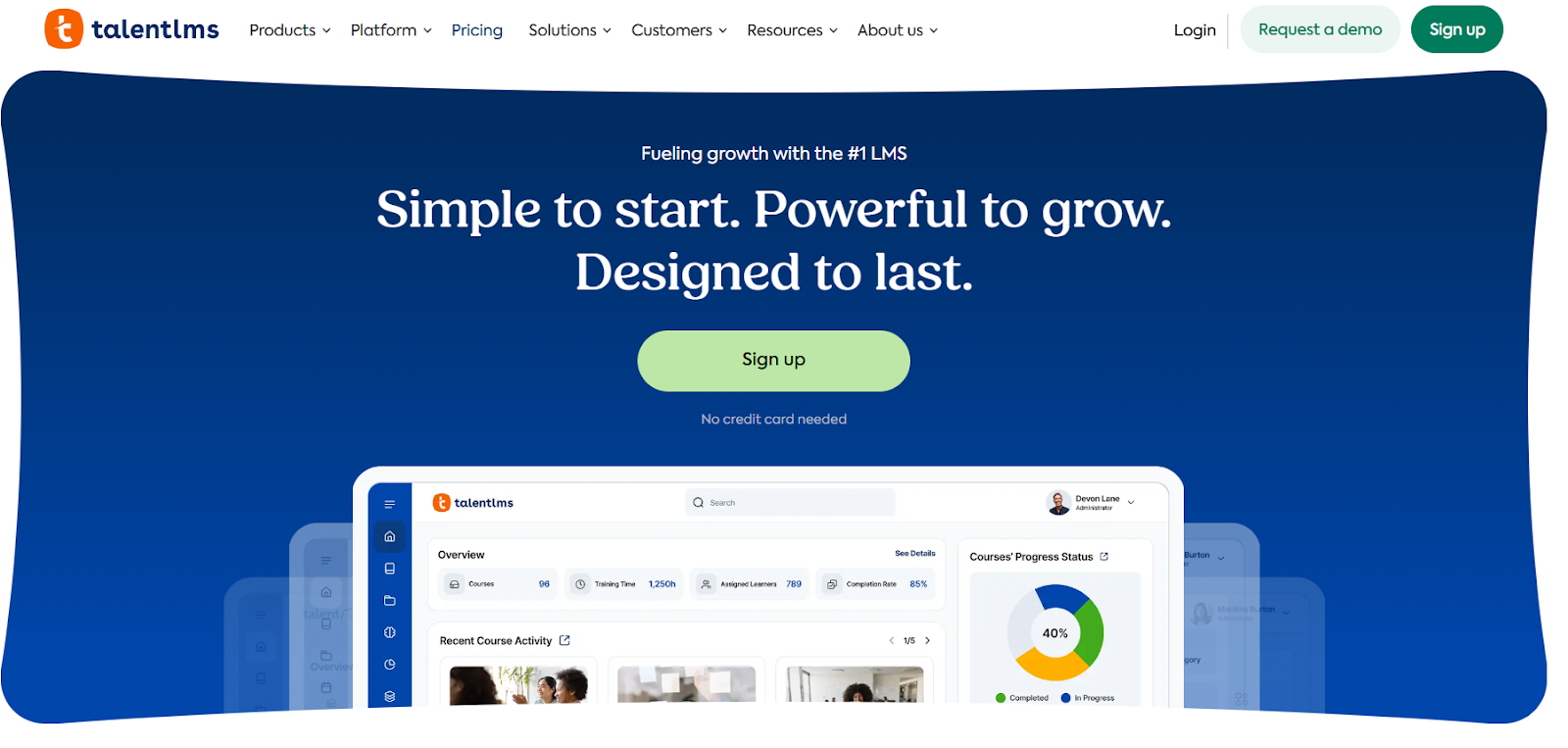
Best for: Teams that want one platform for both employee learning and light customer training.
TalentLMS is predictable, easy to maintain, and suitable for teams moving from scattered PDFs, Loom videos, and ad-hoc onboarding toward a structured learning library. It works well when training needs are simple, repeatable, and delivered to moderate-sized customer groups.
Common use cases
- customer onboarding modules
- product walkthroughs and help tutorials
- lightweight distributor or partner training
- small external learning libraries
Pros and Cons
3. Docebo
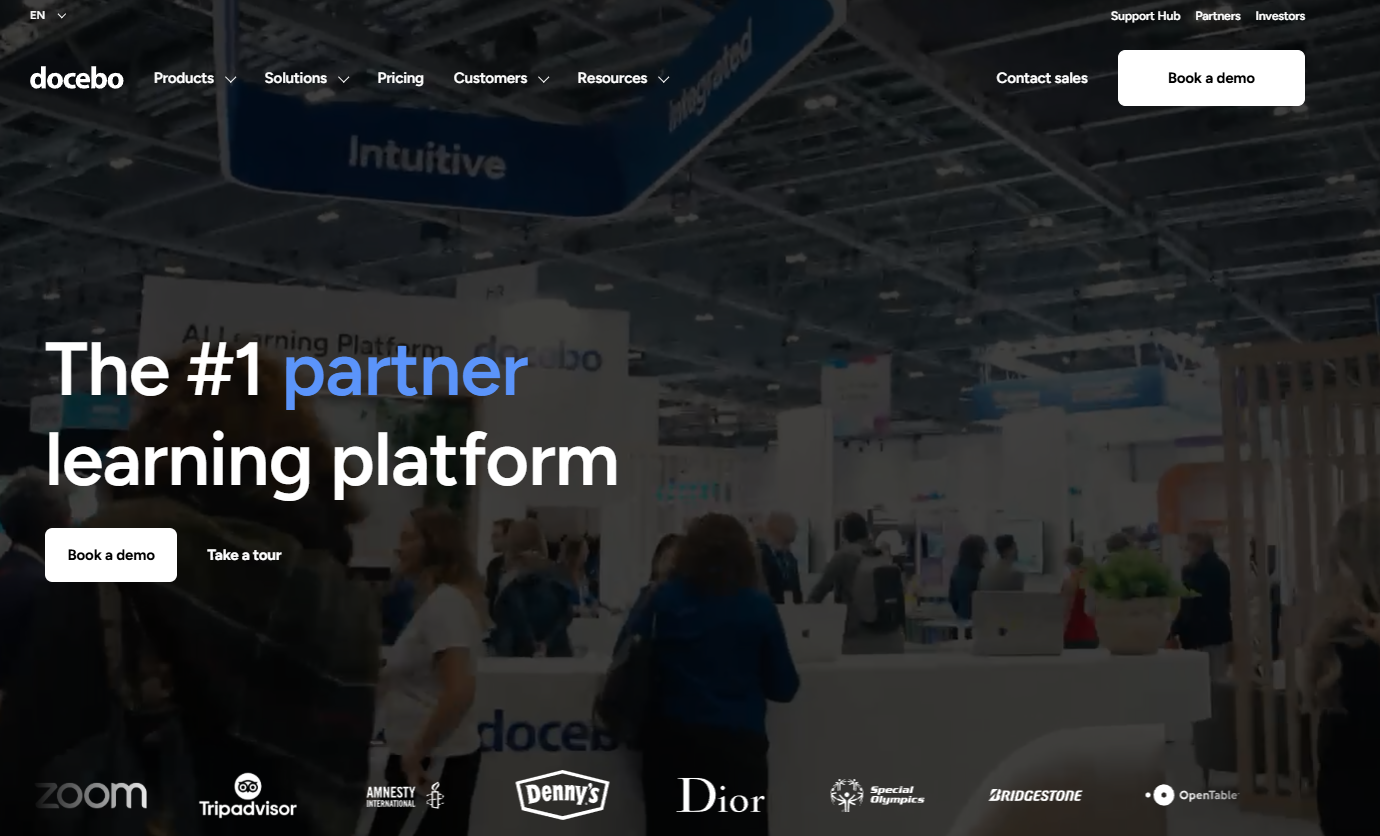
Best for: Organisations running a formal customer or partner academy at scale.
Docebo is suited to environments where training requires governance, multi-region delivery, and measurable performance outcomes. Teams typically adopt it when customer education evolves from support enablement into a formal enterprise capability.
Common use cases
- multi-portal customer academies
- partner and reseller certification programs
- localised onboarding across regions
- complex role-based learning structures
Pros and Cons
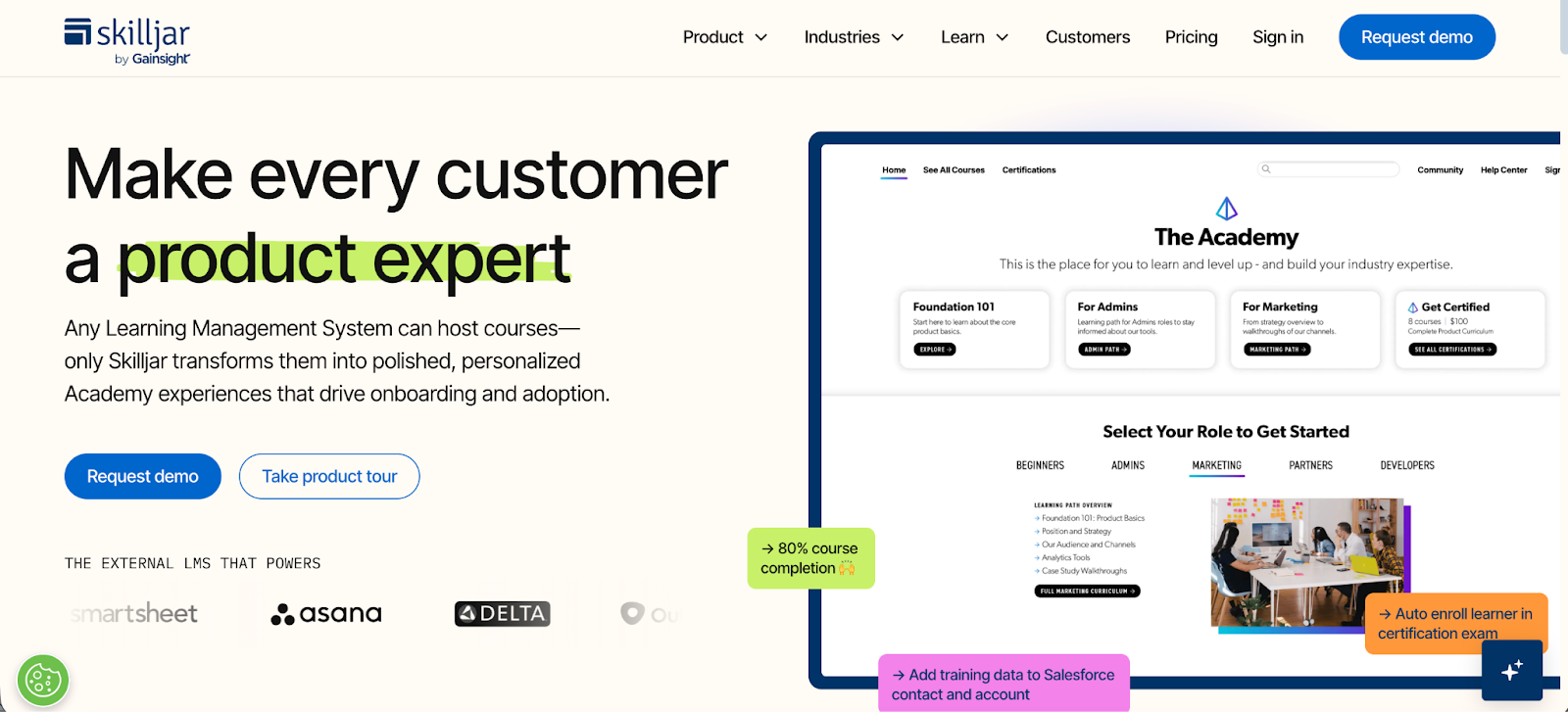
4. Skilljar
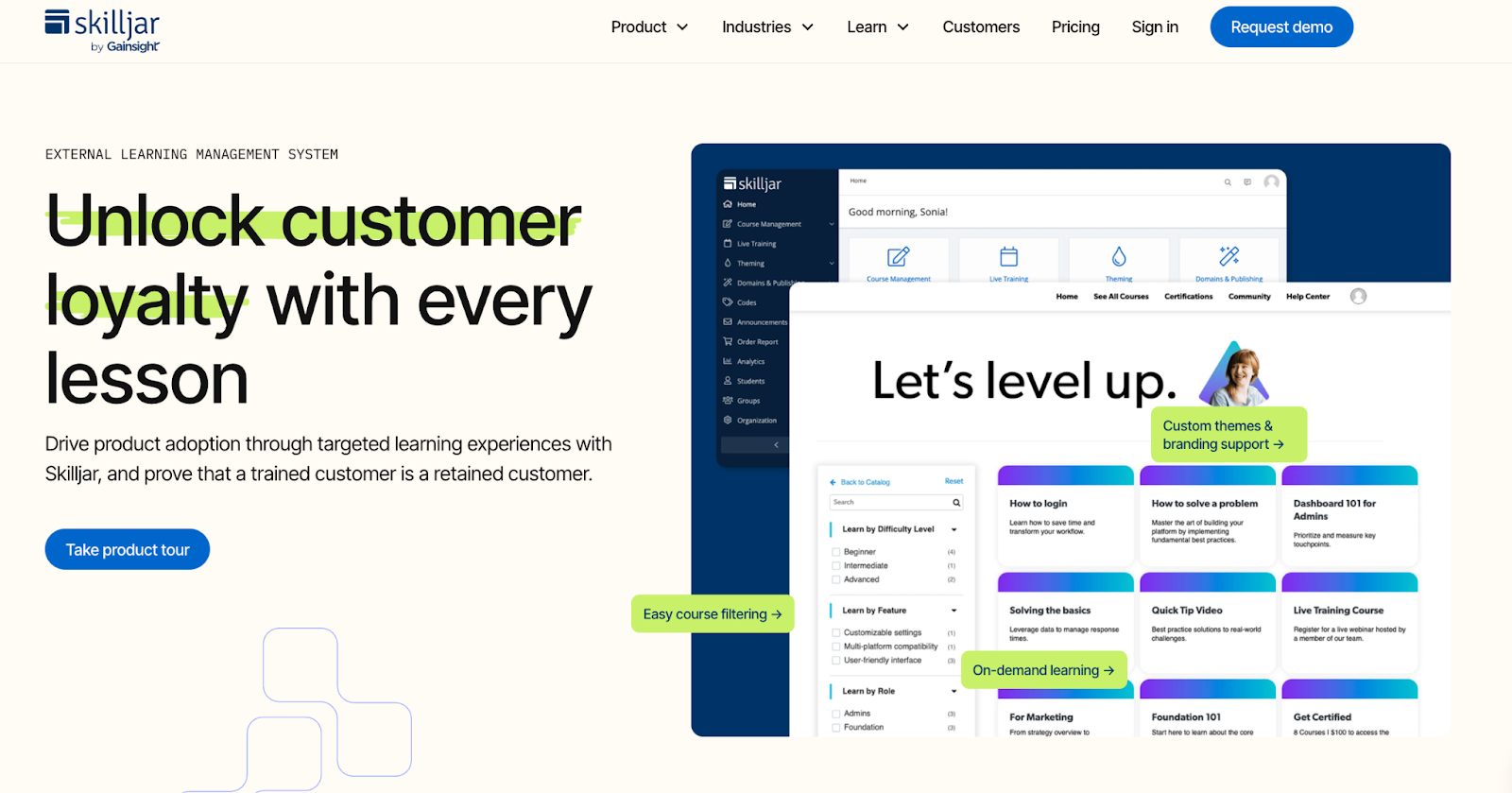
Best for: Organisations where customer training is embedded directly into onboarding, renewals, and account health.
Skilljar is closely aligned with Customer Success workflows. Teams adopt it when they want training engagement to influence metrics such as onboarding progress, renewal readiness, expansion signals, and health scores.
Common use cases
- SaaS onboarding academies
- admin and technical enablement
- implementation partner training
- certification tied to feature access or permissions
Pros and Cons
5. Thinkific Plus
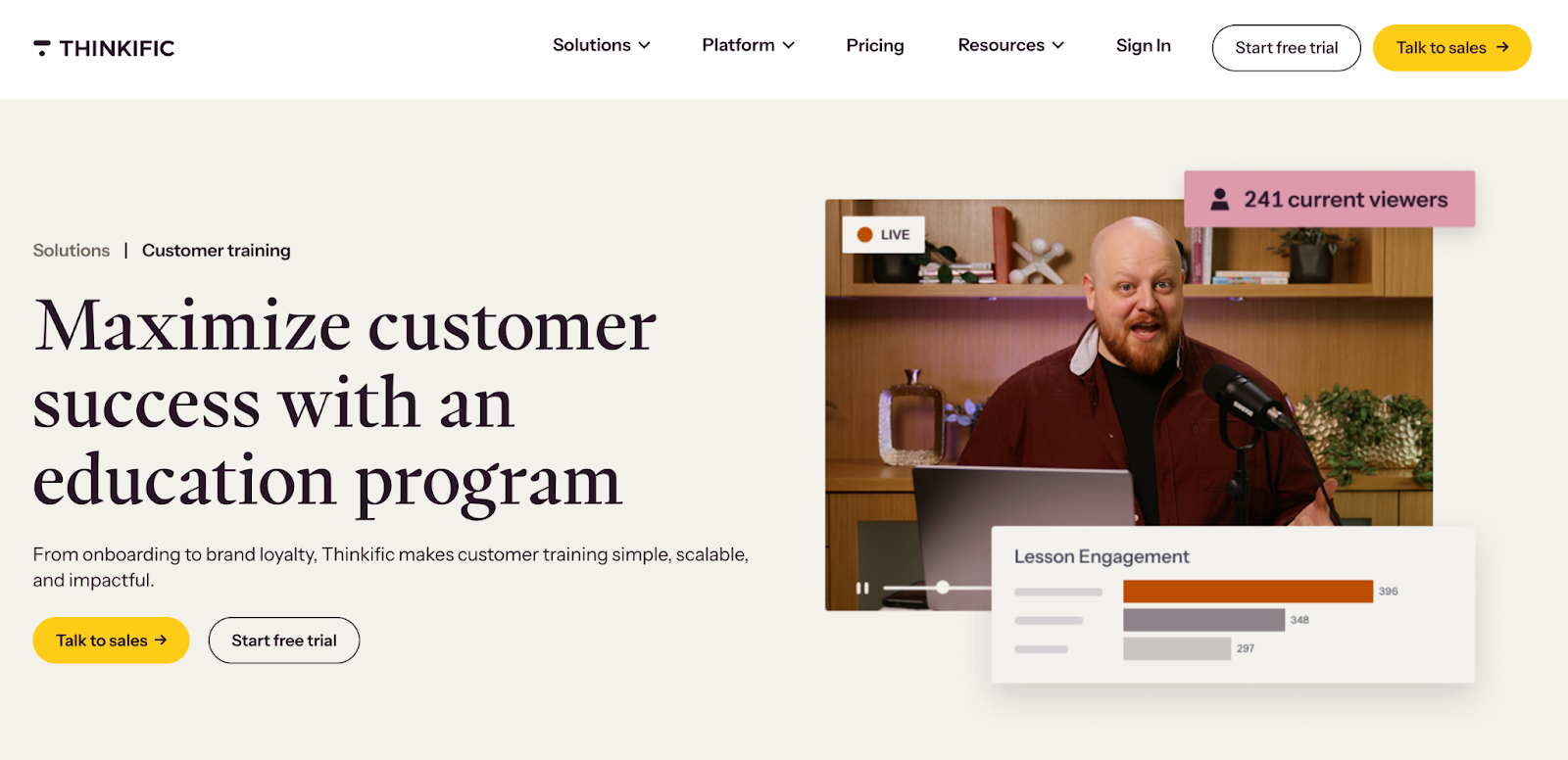
Best for: Teams growing from content-driven education into structured customer training.
Thinkific Plus is commonly adopted by teams that began with workshops, tutorials, or education-led growth, and now want to formalise their academy without jumping straight into a heavy enterprise LMS.
Common use cases
- customer onboarding academies
- product knowledge hubs
- value-add certifications
- monetised training and hybrid learning programs
Pros and Cons
Corporate LMS vs Creator Platforms: How Do They Differ
Course creator platforms (like Kajabi or Thinkific) work best when training is content-led and lightweight. They are easy to launch and manage, making them ideal for early-stage programs where you’re sharing tutorials, onboarding videos, or small learning modules with smaller customer groups or communities.
Corporate LMS platforms (like Docebo or LearnUpon) are built for scale and structure. They support role-based learning paths, certifications, governance controls, multi-tenant portals, and integrations—making them suitable when training must work across customers, partners, and regional teams.
Here’s a simple side-by-side distinction:
In practice, many organisations start with a course creator platform to validate demand and reduce repetitive onboarding calls. This works well until customers begin asking for structured learning by role, reporting, and certification, at which point a corporate LMS becomes the better fit.
How to Launch Your Customer Academy (in Just 4 Steps)
With FreshLearn, you can launch your customer academy in the following four focused steps, going from concept to live training portal in under a week.
Step 1: Run a content and workflow audit
Before building courses, identify where customers actually struggle in real-world usage. This means analyzing behaviour, not assumptions.
Look for signals across:
- Recurring support tickets
- Onboarding calls and implementation notes
- CSM conversations
- Integration failures or misconfigurations
- Repeated troubleshooting patterns
- Adoption gaps in product analytics
Next, group these into training problem clusters, such as setup mistakes during initial onboarding, incorrect workflow steps by role, advanced features discovered too late, etc.
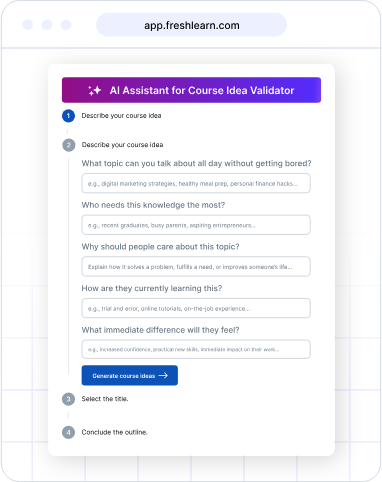
Once you've identified your pain points, FreshLearn's AI Course Idea Validator helps you test whether your proposed training topics have genuine market demand before you invest time creating content.
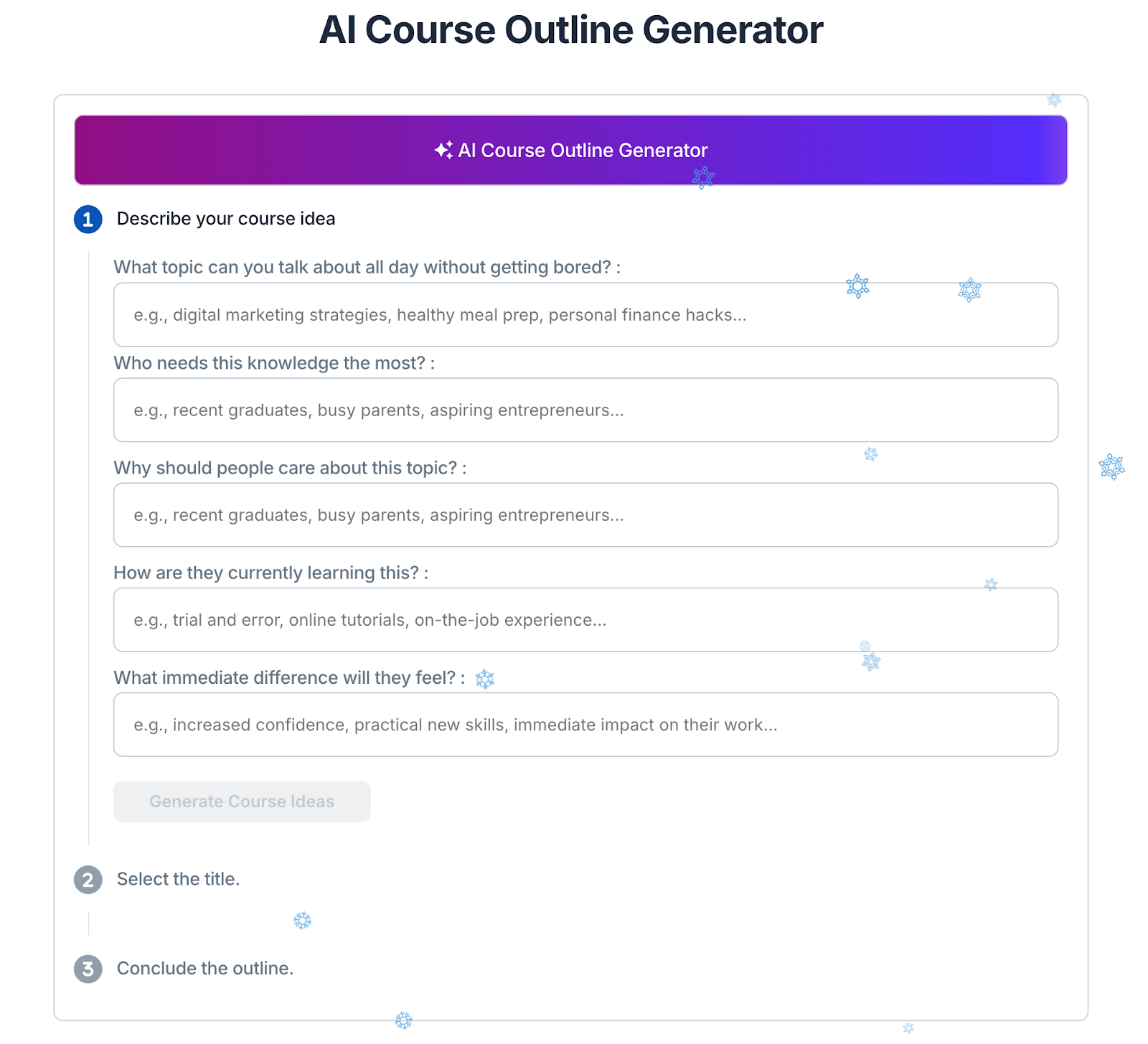
Even better, use FreshLearn's AI Course Outline Generator to rapidly structure your training. Answer five strategic questions about your course goals, and the AI creates a complete, well-organized curriculum outline in minutes.
Step 2: Build your academy fast with the right platform
Once your training strategy is in place, the platform you choose determines how quickly you can launch and how much ongoing maintenance you'll require.
Traditional enterprise LMS platforms take 3-6 months to implement and require extensive IT involvement. Creator platforms are faster but lack the professional features needed for customer training.
Step 3: Run a structured soft launch
A customer academy should not launch to everyone on day one. Early rollout works best when tested with a small, informed, and motivated user set.
A soft launch helps you validate whether training supports how people actually use the product or solution instead of how it appears on a feature map. It also creates early advocates who become internal champions when the academy rolls out more broadly.
Invite your top 10-20 power users, implementation champions, partner account leads, or long-term customers who understand real workflows for a review. Ask them to complete learning paths, attempt real tasks alongside modules, and flag confusing areas or missing context.
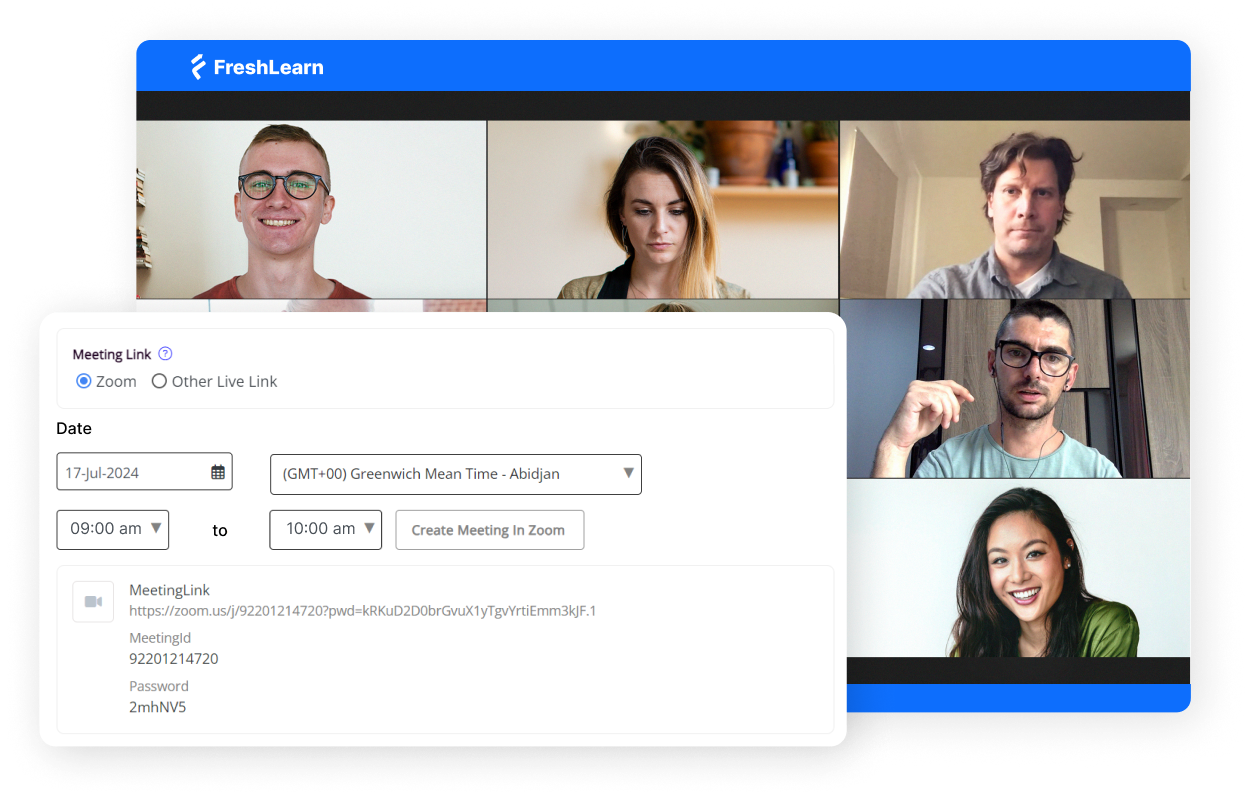
Use FreshLearn's cohort feature to create separate groups for your soft launch participants. Each cohort gets:
- Defined start/end dates
- Isolated environment for testing
- Separate analytics to track this specific group's performance
- Ability to iterate without affecting future learner groups
Step 4: Integrate your academy into your operating stack
Lastly, a customer academy creates the most value when you connect it to the systems that track customer health, lifecycle, and engagement. This transforms your LMS from a standalone learning portal into a continuous enablement system that drives measurable business outcomes.
FreshLearn makes integration simple with native integrations. You get native integrations for
- HubSpot: Sync learner data directly to your HubSpot contacts
- Google Analytics: Track training site behaviour alongside your main product analytics
- Stripe/PayPal/Razorpay: Payment data flows automatically to your accounting systems
- Zoom/Google Meet: Live session links integrate seamlessly into the course curriculum
FreshLearn also connects with 5,000+ apps through Zapier to enable complex workflows.
Wrapping Up
The best way to get started with an LMS for training your customers is not to treat it as a content project. Educate your customers, help them unlock the greater potential of your product or service, and earn their continued loyalty.
A well-designed learning experience is like hitting two targets with one arrow: improved customer satisfaction as well as business growth.
FreshLearn delivers enterprise-grade customer training (with SCORM support). It packs AI-powered course creation, automated completion workflows, certifications, and white-labeled academies, at 98% less cost and 20x faster deployment than traditional enterprise LMS platforms.
If you need a customer academy operational in 30 days instead of 6 months, FreshLearn is the clear choice.
Frequently Asked Questions (FAQ)
1. What is the difference between Customer Training LMS vs CMS?
An LMS gives you structured online learning opportunities and certifications, as well as the analytics needed to evaluate how well users are doing with their training. Whereas a CMS is used for creating, managing, and publishing general digital content with less focus on learning metrics.
2. How much does a customer training LMS cost?
LMS pricing is based on the business model of the provider you select. Most SaaS LMS providers charge per user, per month, or per training portal.
As you increase the number of active users with your LMS and the usage and scale required for your organisation, you usually will have higher costs associated with delivering training through an LMS (especially if you include analytics and certifications for training).
3. Can I use my internal LMS for customer training purposes?
Yes, it is technically possible to use an internal LMS for training customers. However, using an internal LMS is not generally considered to be ideal. LMS platforms are built for administering employee training programs.
Because of this, there are often restrictions in place regarding licensing, security controls, and user management that make providing external training (to customers) through your internal LMS a more expensive and complicated process.
You might also like
- What is the customer service training
- 10 Best LMS for Customer Training In 2026
- Customer Training Software: The Key to 100% Product Adoption
- The Future of Learning Management Systems for SMBs
- Sales Training 101- How To Train Your Sales Team?
- Why sales training should be online
- Mandatory training for every organization
- Why online training is good for employees
- Why Employee Training Must Happen Online?
Hosted by