
5 Top Customer Training Software Platforms for 2026

Last updated: September 18, 2026
Quick Answer
Customer training software is a learning platform built to onboard and educate the people who buy your product, rather than your employees, with on-demand courses, completion certificates, progress analytics, and branded portals. The five platforms compared here are split by company size and budget: FreshLearn (4.5/5 on G2) is the most accessible for small and mid-sized teams, Docebo (4.3/5) and Litmos (4.3/5) target enterprises with quote-based pricing, Thinkific Plus (4.5/5) is a custom-priced enterprise tier estimated from around $26,000/year, and Paradiso (4.1/5) offers multi-tenant portals for agencies and multi-brand businesses. Docebo, Litmos, Thinkific Plus, and Paradiso all require a sales conversation to get a price; FreshLearn is the only one of the five with publicly listed self-serve pricing.
Key Takeaways
- FreshLearn holds 4.5/5 on G2 and is the only platform in this comparison with publicly listed self-serve pricing, including a free plan.
- Docebo holds 4.3/5 on G2 and now offers two tiers, Elevate and Enterprise, after retiring its lower-cost "Engage" entry tier for new customers in mid-2025.
- Thinkific Plus holds an aggregate 4.5/5 across G2 and Capterra (552 reviews), with custom enterprise pricing independently estimated to start around $26,000/year.
- Litmos holds 4.3/5 on G2 across roughly 700 reviews, with reviewers consistently flagging reporting flexibility as its weakest area.
- Paradiso holds 4.1/5 on G2, but across only 13 reviews, a sample far too small to compare directly against platforms rated on hundreds of reviews.
- FreshLearn's honest limitation: it does not match Docebo's or Litmos's depth of enterprise automation, multi-region governance, or advanced BI reporting, and it is built for small to mid-sized training operations rather than multi-thousand-seat global deployments.
If only there were an easier way to teach your customers ... Oh wait, there is.
Customer training software makes it simple and sleek.
From on-demand courses to video compliance settings, drip functionality, and course completion certificates, customer training software keeps your customers and your product in sync.
Self-paced learning is a genuine driver of customer confidence, which is why on-demand delivery sits at the centre of every platform below.
But how do you know which software will actually get the job done? Pick the tool with the right features; I repeat the right feature.
Let's compare five solid options for you to check out. All G2 ratings and pricing details below are verified as of September 2026.
Why Customer Training Software Matters?
Customer support has come a long way, but it’s no longer enough to fix problems when they arise. Here are the reasons why you should capitalize on customer training software:
- Training isn’t a luxury anymore: In a space full of options, B2B and B2C SaaS customers expect more than just a product; they want to know exactly how to use it. Customer training software ensures they get up to speed fast, so they’re not left in the shuffle.
- Happy customers = business growth: If customers don’t understand how to get the most out of your product, they’ll churn. Training software bridges that gap, making sure your users are engaged, confident, and loyal.
- Train once, benefit forever: One great training program can reduce support tickets, improve adoption rates, and help customers solve problems faster. Instead of answering the same questions over and over, give your customers the resources they need to thrive on their own.
What should you look for in your customer training software?
- 🎯Customization & branding: Make the LMS yours. Design, personalize, and integrate everything you already have.
- 🎯 Analytics & reporting: Track user progress and tweak your content based on real feedback.
- 🎯 Mobile compatibility: With most web traffic coming from mobile, ensure your LMS is always on the go with your customers.
- 🎯 Gamification: Make learning more fun with leaderboards, points, and interactive challenges.
- 🎯 Certification & compliance: Automate certificates, track progress, and show those achievements.
- 🎯 Automated alerts: Keep learners engaged with personalized reminders and progress updates.
Also, modern platforms must support diverse needs, ranging from software onboarding to patient education examples like interactive symptom management guides and digital pamphlets.
For agencies specifically, this customization goes further: FreshLearn lets you deploy white-label training portals for B2B clients under each client's own brand and domain — turning customer training into a billable, recurring agency service.
5 Best Customer Training Platforms
We’ve put together the 5 best customer training software to scale your customer education process:
1. FreshLearn
G2 rating: ⭐⭐⭐⭐⭐ (4.5/5)
FreshLearn supports every stage of your customer training journey, from onboarding to product adoption. We support tailored training and provide engagement tools and monetization options while delivering measurable ROI.
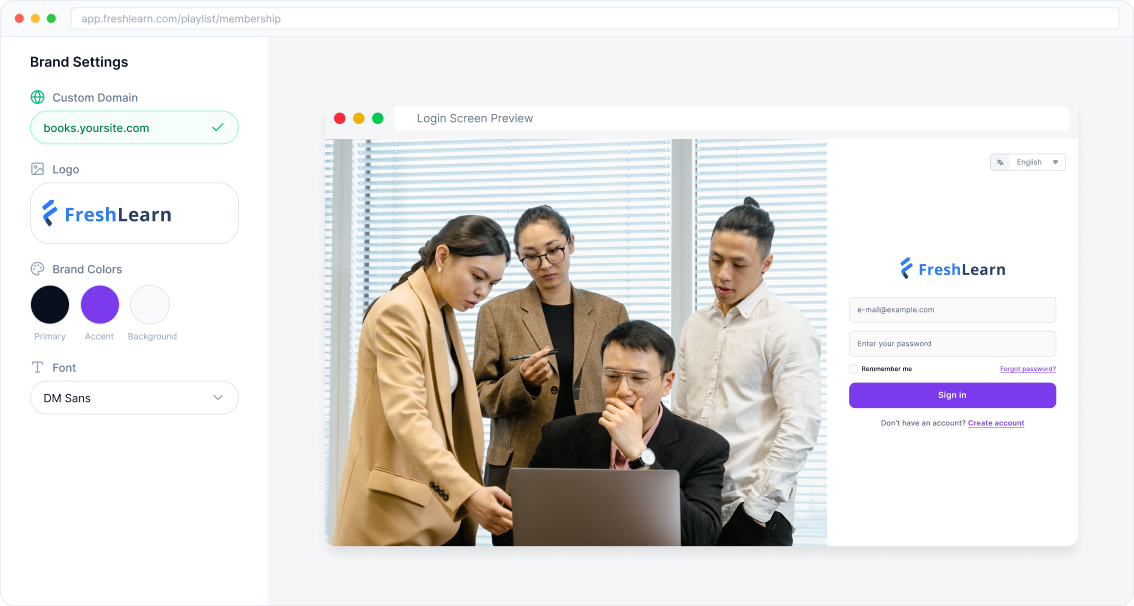
More than a customer training LMS, FreshLearn is an all-in-one platform that meets all your training needs. From customer education to success training, it enhances learning experiences and helps turn customers into brand advocates.
Top Features
FreshLearn reduces churn rates and increases customer satisfaction by offering various features for businesses. With FreshLearn:
i. Launch on-demand courses: We support the creation of full-length courses, mini-courses, workshops, live cohorts, playlists, e-books, and more to reduce friction in the product onboarding process and build your brand’s authority.
ii. Leverage advanced analytics: FreshLearn’s detailed analytics allow you to track the impact of your B2B and/or B2C training program on retention, customer loyalty, and revenue. Analytics also helps understand the course’s progress, where the customer needs help, and the overall course completion rate for continuous improvement.
iii. Build communities: Create communities with customers to improve learner engagement, solve problems together, and collaborate more effectively. Having a strong peer connection also helps create brand loyalty and drive better customer retention rates.
iv. Offer professional certifications: To recognize customer achievements, provide customized course completion certificates. These shareable certificates build customer confidence and enhance your brand’s credibility.
v. Personalized branding: For every customer training course you offer, upload your brand logo and favicon once and see it show up everywhere. Tailor everything from communities to certificates to reflect your unique brand identity.
Other notable features
i. AI course creator: Describe your customer training idea (Target audience, need for the course, existing learning availability, etc.), choose the title, and conclude the outline. FreshLearn comes up with the course structure, including the curriculum and modules. This feature helps to automate the course creation without the requirement for prior coding knowledge, making it especially useful for creators exploring coding side hustles and other digital learning opportunities.
Ai Course Creator
ii. ☑️Drip: Schedule your training content with FreshLearn’s drip feature, releasing lessons at the right time to keep learners engaged and on track to retain customers and drive their success. Personalize the drip release content based on customer needs and course structure, whether by specific days, dates, or after completing a chapter.
iii. ☑️Integration: FreshLearn’s HubSpot integration connects your training programs with customer data for a consistent view and smarter personalization. Sync learning insights, automate workflows, and deliver targeted training based on customer interactions.
iv. ☑️Advanced video compliance: With FreshLearn, enable advanced video player settings and compliance, including the progress bar, logo, forward, rewind, and color scheme. This feature helps in having a controlled and branded learning experience and ensures learners complete the required content before moving forward.
Where FreshLearn isn't the right fit
Being straight about this matters in a comparison where we're one of the options: FreshLearn does not match Docebo's or Litmos's depth of enterprise automation, multi-region governance, or advanced BI-grade reporting. If you need AI-driven content recommendations across tens of thousands of learners, complex multi-entity administration, or the ability to pipe learning data into an external BI stack for custom modelling, the enterprise platforms below are built for that, and FreshLearn is not a like-for-like substitute. FreshLearn is built for small and mid-sized training operations that want to launch fast without a five-figure commitment or a dedicated learning-ops specialist.
Pricing
FreshLearn’s free plan offers all basic course creation and marketing features, from custom branding to payment integration. There's Pro, No Brainer, and No Brainer+ for course creators.
FreshLearn offers custom pricing based on the requirements of enterprises as they scale their customer, partner, sales, or employee training. The Enterprise plan covers all the features of the No Brainer+ plan and adds more.
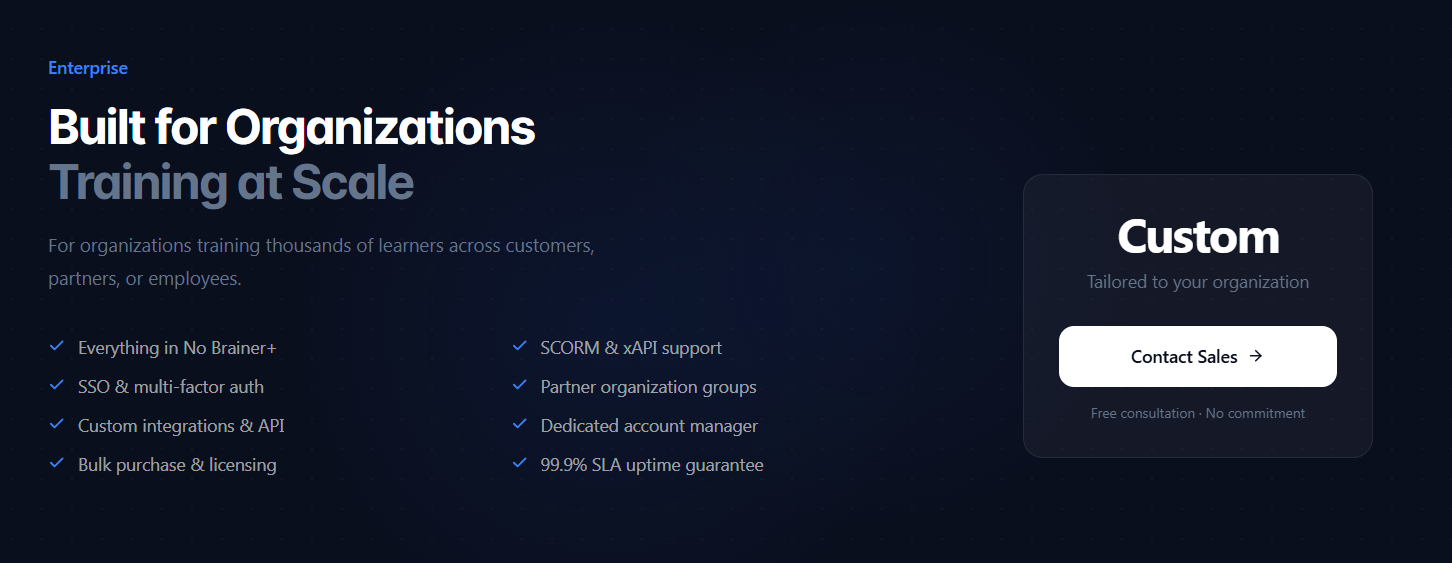
FreshLearn goes beyond customer training software: for SaaS companies specifically, it provides the full infrastructure to launch a branded product academy that reduces churn and turns new users into certified product champions.
2. Docebo
G2 rating: ⭐⭐⭐⭐ (4.3/5)
Docebo is a cloud/SaaS platform for creating content and authoring customer training and education courses. This customer training software offers customized training materials, how-to videos, and learning pills, which are bite-sized learning snippets.

Docebo supports gamification features through badges, leaderboards, and interactive elements like quizzes and assessments.
Top Features
I. Automated course creation: Docebo offers AI course authoring, which lets enterprises create customer training using drag-and-drop capabilities. This feature allows users to develop and customize courses without coding or designing.
ii. AI-driven content suggestions: Docebo uses AI to recommend personalized content, enhancing each user's learning experience and offering more tailored learning journeys.
iii. Branding and white labeling: Through white labeling and branding, companies can personalize several features, including banner dashboards, logos, and brand colors, to have a complete learner-centric experience.
iv. Survey tools: With Docebo, create surveys within your customer training courses to collect valuable feedback for continuous improvement. The software lets you include choice-based questions, rating scales, and inline choice questions in your course surveys to measure learner satisfaction.
Pricing
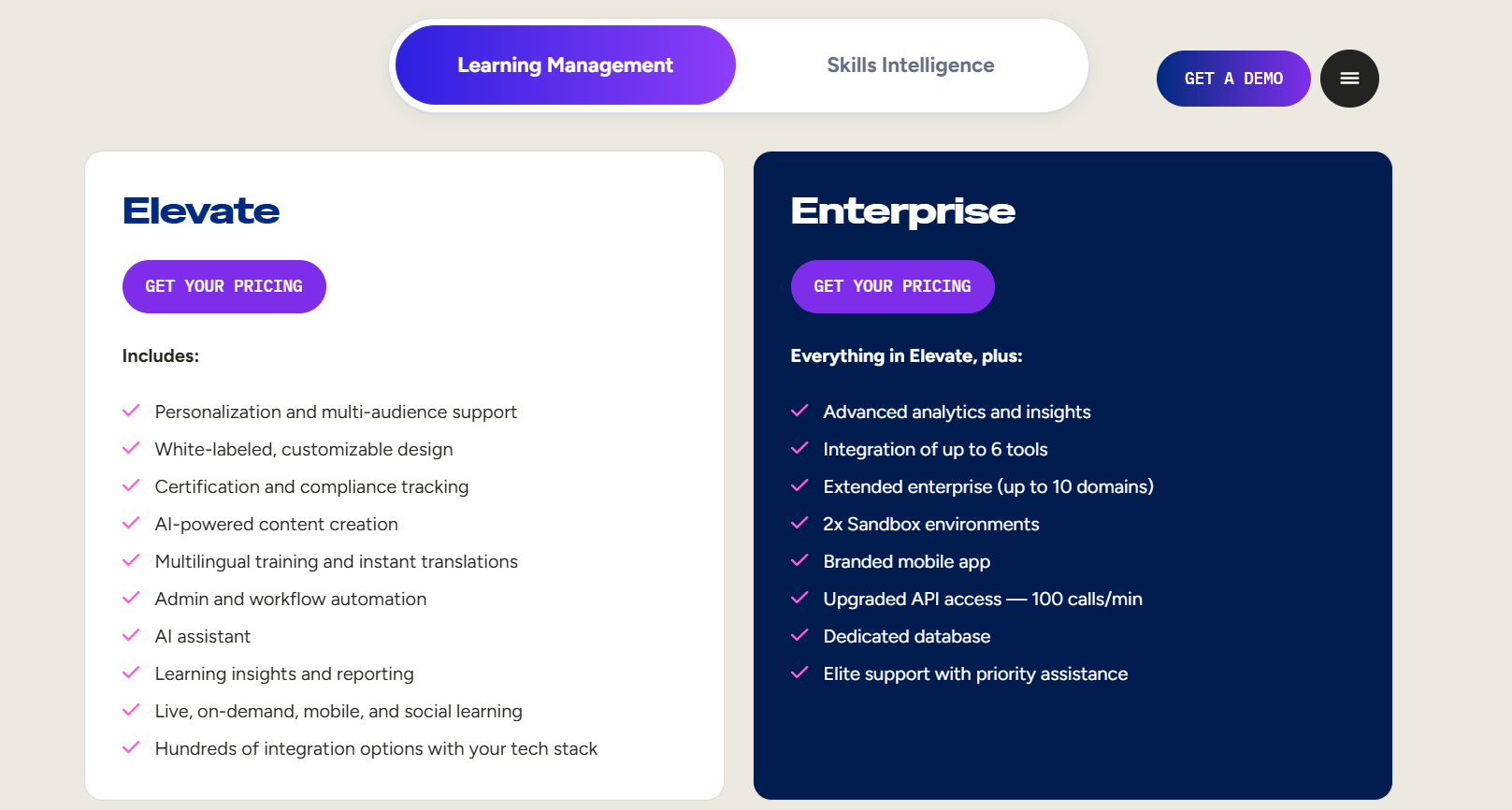
Docebo offers two pricing tiers for new customers, both quote-based: Elevate and Enterprise. Enterprises choose between them based on their training scale, company size, and feature requirements.
Worth knowing before you budget: Docebo previously offered a lower-cost entry tier called "Engage," which was retired for new customers in mid-2025. Elevate is now the entry point, which raised Docebo's practical starting cost. A second gating detail: advanced analytics and the branded mobile app are exclusive to the Enterprise tier and cannot be purchased as add-ons to Elevate, so needing either means a full tier upgrade rather than an incremental fee.
3. Thinkific Plus
G2 rating: ⭐⭐⭐⭐⭐ (4.5/5)
Thinkific Plus is the enterprise-level version of Thinkific, designed for larger businesses, organizations, and institutions that need advanced features and scalability for online course creation. It provides a more robust and customizable learning platform compared to Thinkific’s standard plans.

Thinkific Plus offers tools to create, deliver, and manage customer education programs. It showcases Thinkific's top-tier features, with more tools and features than those found in self-serve plans.
Top Features
i. AI in course creation: Thinkific Plus uses AI in the course creation process. With AI-powered tools, enterprises can generate course names, develop course outlines, and create quizzes for their customer training program.
ii. Integrations: Thinkific Plus has built-in integrations, including Mailchimp, Salesforce, and HubSpot, to integrate customer data and track marketing funnels from beginning to end.
iii. Customer support: Thinkific Plus offers personalized, priority customer support tailored to your business's needs. With access to dedicated experts, you can get quick, specialized help with everything from troubleshooting to strategic advice.
Pricing
Thinkific Plus offers customized pricing plans tailored to your business requirements. Independent estimates place Thinkific Plus starting around $26,000/year, scaling with student capacity, support tier, and add-ons. Additional features, such as additional sites and white-label branded apps, are charged extra. Lower-tier plans have limitations, including fewer student seats, reduced community access, and no personalized one-on-one customer support.
Also worth knowing: Thinkific raised prices roughly 10% across its self-serve plans effective August 13, 2026 (Basic $54/month, Start $109/month, Grow $219/month, or $40, $82, and $164 respectively on annual billing). Thinkific Plus was not affected by that increase, since it is custom-quoted.
Thinkific Plus offers customized pricing plans tailored to your business requirements, ranging from $27,000 to $56,000 annually. Additional features, such as additional sites and white-label branded apps, are charged extra. Lower-tier plans have limitations, including fewer student seats, reduced community access, and no personalized one-on-one customer support.

4. Litmos
G2 rating: ⭐⭐⭐⭐(4.3/5)
Litmos is a training LMS software designed for effective customer, employee, and partner education programs.
It supports SCORM-compliant course creation and management, allowing users to upload content in various formats, including videos, audio files, quizzes, PowerPoint presentations, and more.

Litmos also offers customization options for learning paths, mobile-friendly access, progress tracking, and reporting. Additionally, it includes self-registration features, making it easier for learners to navigate and engage with training materials.
Top Features
i. Gamification: Litmos’s built-in gamification features, including leaderboards, badges, points, interactive hotspots, and social sharing, can help enterprises improve customer engagement. The Litmos AI assistant and discussion forums also help learners dive deeper into learning.
ii. Built-in content authoring: With Litmos, you can create engaging SCORM content directly within the LMS without prior experience. The built-in authoring tool simplifies course creation, eliminating the need for external software or additional subscriptions.
iii. Integration: Litmos lets you integrate customer training programs with existing systems, including Digital Experience Cloud, with simple connectors and minimal IT support.
Pricing
Litmos offers 3 pricing plans with different features and capabilities for small, medium, and large enterprises. It also offers value add-ons, including packaged content collections, additional tenants, a Salesforce connector, and more. Litmos does not publish list pricing; all plans are quote-based.

5. Paradiso
G2 rating: ⭐⭐⭐⭐(4.1/5)
A note on that rating: Paradiso's 4.1/5 is based on only 13 G2 reviews, compared with hundreds for the other platforms here. It is a directionally useful signal, but not a like-for-like comparison against Litmos (roughly 700 reviews) or Docebo (roughly 750), and a handful of additional reviews could move it substantially.
Paradiso is a comprehensive learning experience platform (LXP) for customer education. It helps businesses streamline L&D programs, saving both time and costs. Users can track key metrics like attainments and course completions with detailed reports and visual analytics.

The platform also allows for customized learning paths, ensuring a tailored experience for different learners. Training is accessible across mobile and desktop devices, providing flexibility for users on the go.
Top Features
i. Blended learning: Paradiso’s blended learning feature combines online courses, live virtual sessions, and in-person workshops. It offers flexible learning paths and integrates instructor-led training (ILT), webinars, and discussion forums.
ii. Multi-lingual LMS: Paradiso’s multilingual LMS enables organizations to deliver courses in multiple languages, offering a tailored learning experience for global audiences supporting more than 120 languages. Language switching, localized content, and culturally relevant resources ensure better long-term engagement and comprehension.
iii. Multi-tenancy: Paradiso’s multi-tenancy feature allows you to create separate, branded portals for different clients, departments, or divisions. Each tenant has its branding, learning plans, administrative roles, and workflows while hosted on a single LMS platform.
Pricing
Paradiso customer training software has 2 pricing plans.
- Professional plan (for small and medium-sized organizations.
- Enterprise plan (for medium and large-sized markets)

The Final Verdict
When it comes to a customer education platform, the right pick depends on your size and budget. Here's how the five stack up across the criteria that matter most.
NOTE: This table combines verified G2 ratings and recurring themes from public G2 and Capterra reviews with our own editorial assessment. The feature judgments are our reading of that evidence, not direct quotations from G2.
FAQs
1. What is a customer training program?
Customer training gives customers the skills and know-how to get the most out of your product or service. It's all about providing courses, support, and resources that make learning easy. From understanding key features to solving common issues, the goal is to help customers confidently use your product and get the best possible results.
2. What is customer service software?
Customer service software includes the tools and platforms businesses use to enhance the customer experience. These solutions help manage support requests by tracking, analyzing, resolving, and reporting on customer inquiries, making interactions smoother and more efficient.
3. What is CRM in training?
Customer Relationship Management (CRM) is a strategy businesses use to build and maintain strong relationships with customers, clients, partners, and prospects. It involves various practices and tools to streamline interactions, improve engagement, and drive long-term success.
4. How is customer training software different from an employee LMS?
The core technology overlaps heavily, but the audience and requirements differ. Customer training software prioritizes branded external-facing portals, self-registration, e-commerce for paid courses, and multi-tenancy so different clients or segments see their own environment. An employee LMS prioritizes compliance tracking, HRIS integration, mandatory assignment rules, and manager reporting. Several platforms here, including Docebo and Litmos, serve both, but the setup differs meaningfully.
5. Which of these platforms publish their pricing?
Only FreshLearn. Docebo, Thinkific Plus, Litmos, and Paradiso are all quote-based and require a sales conversation before you see a number. FreshLearn publishes self-serve plan pricing including a free plan, with custom pricing available for enterprise-scale deployments.
6. How much should I budget for enterprise customer training software?
For the quote-based enterprise platforms here, expect five figures annually. Independent estimates place Thinkific Plus starting around $26,000/year and Docebo around $25,000/year as a floor, with real costs commonly running higher once user volumes and add-ons are counted. Litmos and Paradiso do not publish enough public data to estimate reliably. If your training operation is smaller, a platform with published pricing will usually cost considerably less and take far less time to procure.
7. What should I check before committing to a quote-based platform?
Three things that commonly surprise buyers: which features are gated to the top tier and cannot be added on (Docebo's advanced analytics and branded mobile app are Enterprise-only, for example), whether course content is included or must be licensed separately, and how much internal admin time the platform needs to run. The subscription fee is often the smaller part of the real cost.
You might also like
Hosted by
