Ruzuku vs Thinkific: Which Platform is Better for Creators?

I’ve built and sold courses on both Thinkific and Ruzuku at different points, so if you’re comparing them, you’re in good hands.
Both are proven, widely used platforms. The difference shows up in the day-to-day: how much control you have over design and structure, how many extra tools you’ll need for marketing and analytics, and how smoothly you can grow from a pilot cohort to a full catalog.
And over the past couple of years, I’ve seen creators care a lot more about three things:
- real ownership over the learning experience,
- feIr moving parts in the stack, and
- painless scaling when enrollments spike.
That’s the lens I’ll use here.
In this Ruzuku vs Thinkific guide, you’ll get a clear, side-by-side look at how the platforms compare on course building, site and branding options, pricing, and much more.
By the end, you’ll know which platform fits your goals today and won’t box you in tomorrow.
Introducing Thinkific

Thinkific is a creator-grade learning platform for building and selling courses, communities, memberships, and other digital products all under your brand.
It handles selling with Thinkific Payments, and TCommerce features like performance checkout, payment plans, order bumps, and even group orders for B2B deals.
Community tools let you run discussions, workshops, Q&As, and announcements, with moderation and mobile support to keep engagement steady.
And when you need more, the Thinkific App Store opens up integrations for email, finance, and operations, so you can extend the stack without rebuilding your site.
Introducing Ruzuku
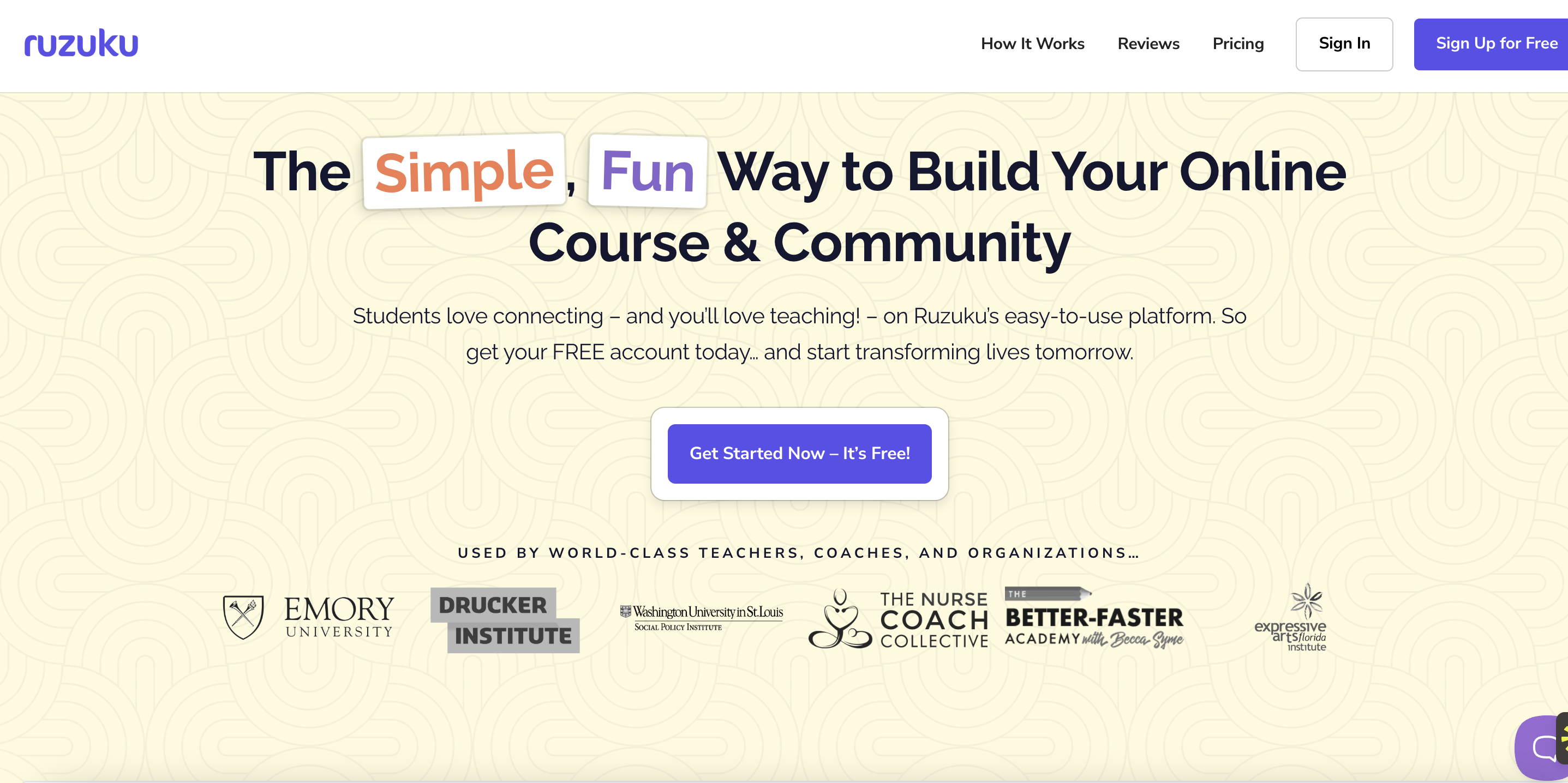
Ruzuku is a straightforward platform for creators and coaches who want to launch courses quickly without being tied to a dozen tools.
It brings course hosting, memberships, live sessions, discussions, and payments into one place so you can focus on teaching.
You get live meetings and webinars, lesson-level discussions, sales pages with coupons, and built-in checkout via Stripe or PayPal. These are useful for cohorts, workshops, and guided programs.
If you’re after a clean, low-friction way to run interactive courses and small communities, Ruzuku is an excellent option. For heavier marketing automation or advanced analytics, you’ll likely plug in outside tools.
Quick verdict: Who’s Thinkific and Ruzuku for?
At-a-glance comparison: Thinkific vs Ruzuku
Before I go into the nitty-gritties of the comparison, let’s take a bird's-eye view of both competitors.
Feature Face-Off: The Detailed Breakdown
Now, I am going to take an up-close look at both platforms.
Let’s get to the bottom of how these seemingly similar platforms actually differentiate themselves from each other.
Course creation and student experience

Aprons on! Let’s cook up some courses with Thinkific and Ruzuku. After all, that’s the main reason why you would pick either of these tools.
Thinkific for creators
If I had to draw a comparison, Thinkific feels like a modern studio that you can grow into.
You map sections and lessons with a clean, drag-and-drop workflow, then you add on what you need, like videos, text, downloads, quizzes, surveys, assignments, and even pro-level exams via Brillium.
There’s an AI outline generation that helps you turn a rough idea into a structured syllabus, so you never have to stare at a blank page.
Moreover, you can teach live with Zoom integrations. You can also build communities right alongside your courses if you want to encourage ongoing discussion.
Certificates are native in Thinkific, but you also get options to extend customizability via integrations.
If mobile access matters to you, the branded app keeps courses and communities in one place. The theme here is that everything works together, and you don’t have to rebuild as your course matures.
Thinkific for learners
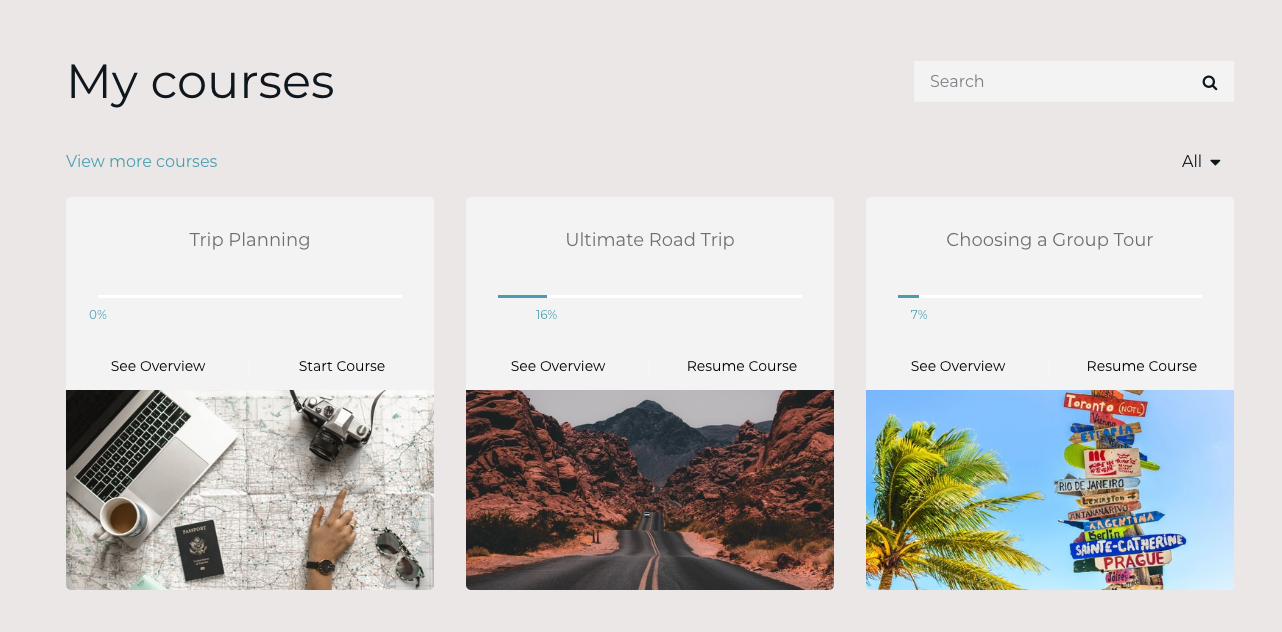
For learners, arguably the most important factor is how easy, intuitive, and engaging the process of learning through videos or other content is. Here, Thinkific’s player does a good job.
It’s polished and predictable. Lessons open easily, assessments sit where they should, and live sessions show up as part of the course flow when you use the Zoom integration.
And with the community and mobile app, students can easily choose between discussion, events, and lessons without friction.
Ruzuku for creators
If I had to put it in one sentence, I’d say that Ruzuku is built for momentum. It’s pretty straightforward to set up modules and lessons, add video, text, and files, and even drip content when it suits the cohort.
I like that discussions are integrated right at the lesson level, which means that reflection on the content sits right next to the content, and not in a separate tool.
You’d appreciate live sessions as I'll; Ruzuku’s live capabilities are even better than Thinkific’s. You can host meetings or webinars, plug in Zoom, and pull recordings right back into the course so nobody falls behind.

Progress is visible with simple “mark complete” actions, and the Course Health view makes it easy to spot where learners face friction. Certificates on the Pro plan keep completions on brand, and course-wide announcements plus engagement emails nudge learners between sessions.
The focus is on clarity and guidance rather than heavy testing or intricate layout work, which suits workshops and guided programs.
Ruzuku for learners

Ruzuku is as simple for learners as it is for creators. Learners see what to do, mark it complete, attend live sessions, and receive recaps and reminders in their inbox.
And since comment threads are integrated at the lesson level, productive and informative discussion on the lessons sits next to the work instead of being scattered across tools. The Course Health readout helps you spot (and fix) any lesson that causes drop-off.
Winner: Tie
For this round, both Thinkific and Ruzuku take the win.
Thinkific’s drag-and-drop builder, assessment depth, certificates, Zoom, and community alignment, and upgrade path (including mobile) make a safe long-term choice for most course designs.
Ruzuku is excellent for cohorts and live teaching, and is the better platform if you just want to start teaching and getting your lessons live without a lot of fiddling.
Marketing and Sales Tools
Time to talk about money and momentum. This is where tiny checkout tasks and smart follow-ups add up.
I’ll look at what each platform gives you out of the box, and what needs an integration or workaround.
Thinkific
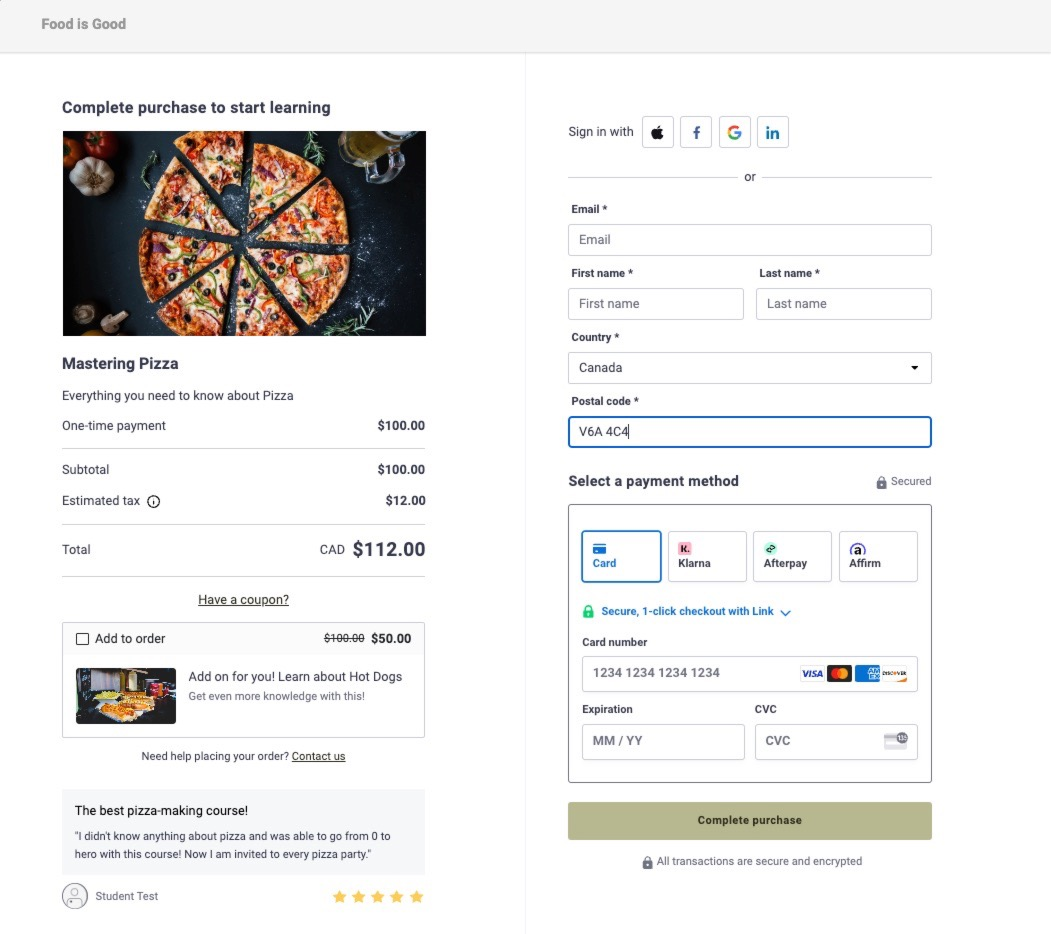
Before opinions, here’s what the platform offers to attract buyers, lift conversion, and keep revenue steady.
- TCommerce checkout: Order bumps at checkout, gifting, Buy Now Pay Later, digital wallets, and bank redirects. These are native, not patched on
- Recovery automations: Abandoned-cart and incomplete-purchase reminder emails that re-engage visitors without extra tooling
- B2B selling tools: Group Orders with a Seat Manager so one buyer can purchase multiple seats and assign them to teammates
- Affiliate tracking and reporting: Built-in affiliate links and commission tracking (payouts handled externally)
- Email and CRM integrations that trigger on events: Official apps for ActiveCampaign, ConvertKit, and Mailchimp with action-based tagging and automation
First, I need to talk about TCommerce.
TCommerce squeezes more value out of every visit. At checkout, you can add order bumps to upsell a related product in one click; Thinkific reports creators who use them see about a 20% larger average transaction size.
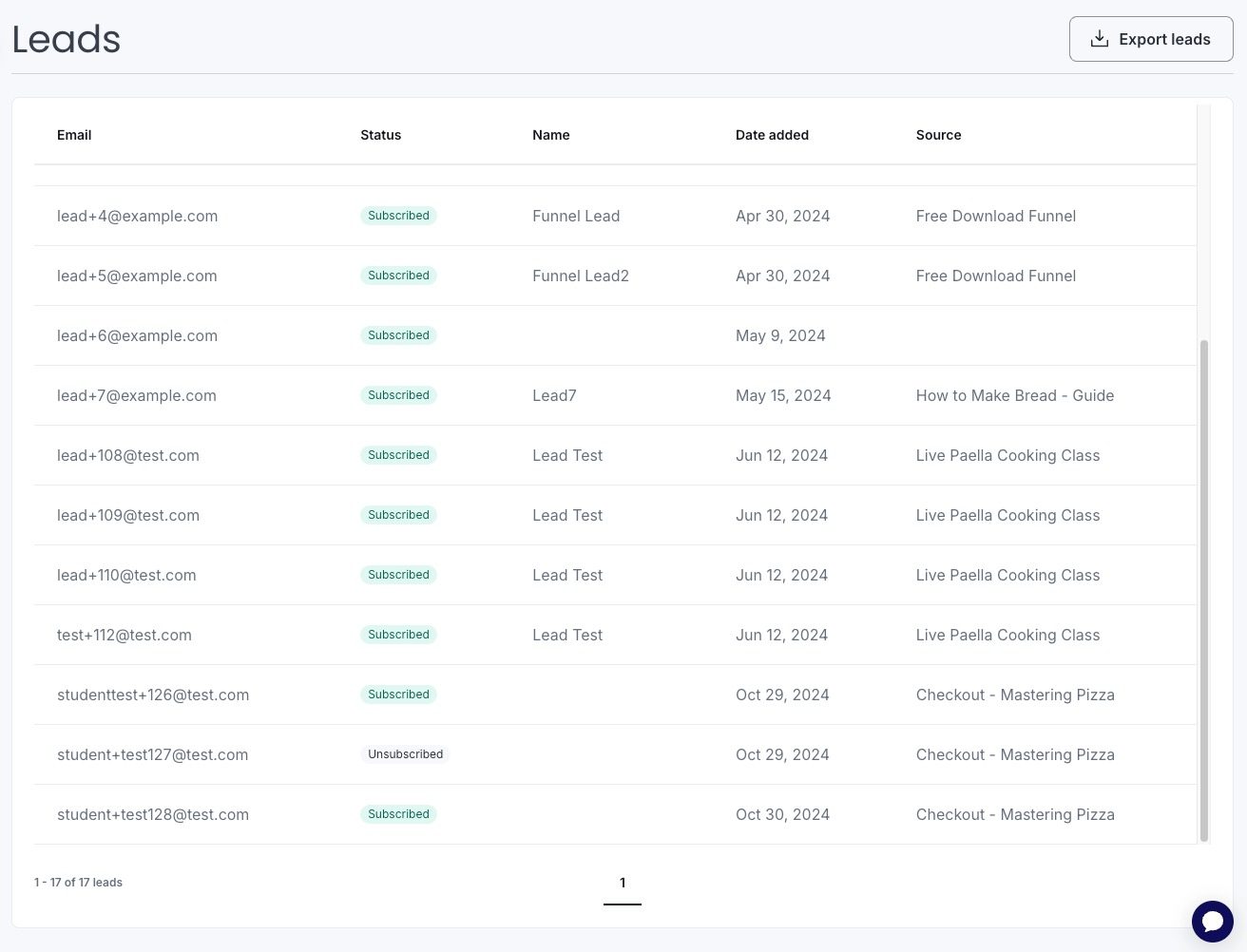
You can also turn on Buy Now, Pay Later and digital wallets; evidently, BNPL transactions have three times higher AOV than card payments, which can lift conversions for bigger-ticket offers.
Recovery and retention tools live inside TCommerce, so you’re not wiring together half a dozen services. Abandoned cart and incomplete purchase emails re-engage would-be buyers, and upcoming payment reminders help reduce churn on annual subscriptions.
Post-purchase, you can route buyers to a custom thank-you page and upsell again without duct tape. It’s all native, which keeps your data and reporting tidy.
If you sell to teams, the B2B story is also strong. Group orders let one buyer purchase multiple seats and assign them through a dedicated Seat Manager dashboard; invoicing is built in, too. Paired with automated tax handling for the US, CA, UK, and EU, it’s a credible route to corporate sales without a separate commerce stack.
On the marketing side, the App Store connects natively to email and CRM tools like ConvertKit, Mailchimp, and ActiveCampaign, with event-based tagging so you can trigger campaigns when someone signs up, completes a lesson, or buys a product.
There’s also built-in affiliate tracking (you run payouts externally) — partners can promote your offers, and you can see who drove what. The result: a clear path from audience to checkout with few moving parts.
Ruzuku
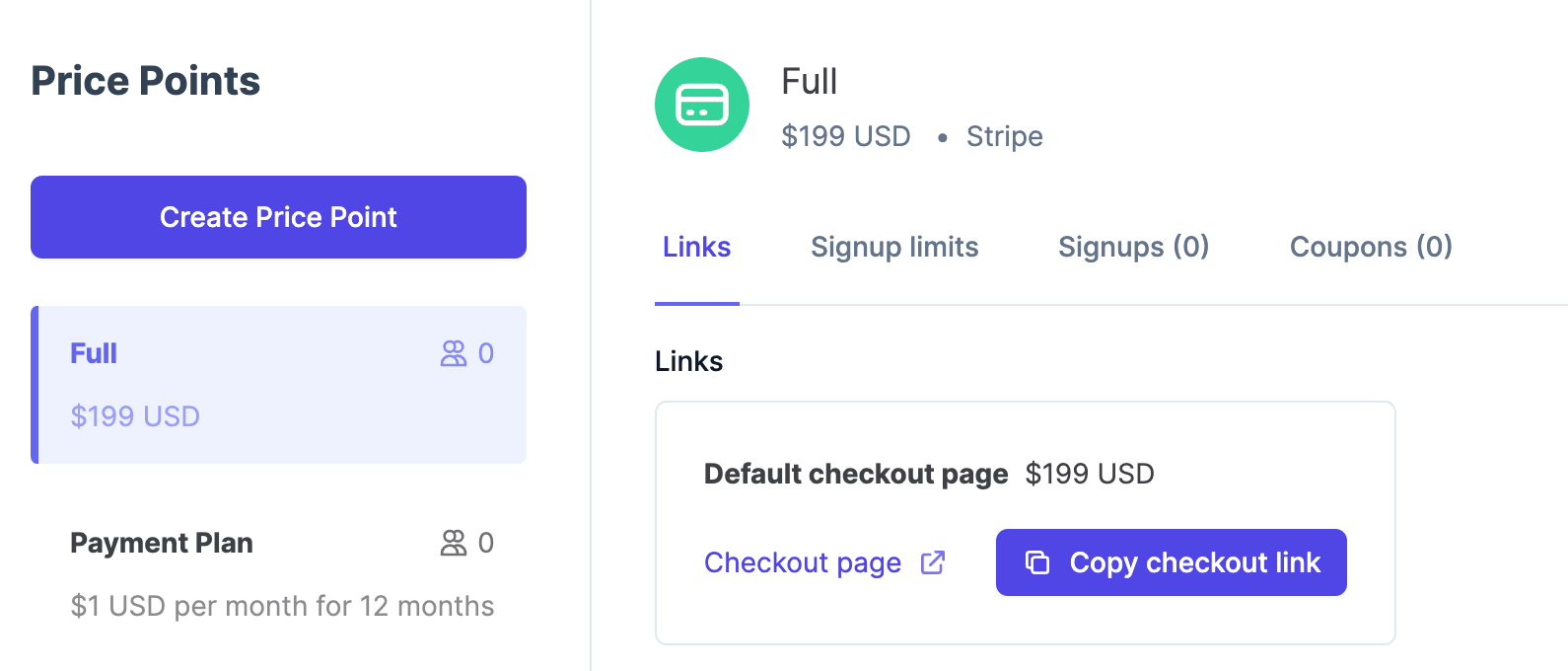
Again, let’s just list all the important marketing tools on offer before I take a closer look:
- Clean selling stack: Stripe and PayPal checkout, sales pages, coupons, and the ability to run free trials via coupons; support for subscriptions and payment plans
- Course-wide announcements and scheduled messages: Email everyone in a course and queue messages from your course calendar
- Engagement digests: Daily and weekly recap emails that pull participants back into discussions and lessons
- Live sessions that sell the experience: Native Zoom integration with automatic cloud-recording back into the course
- Integrations via Zapier: Connect Mailchimp, ActiveCampaign, and thousands of tools for sequences, tagging, and CRM handoffs
- Pro storefront and custom domain: a branded landing hub for your offers on your own URL
Ruzuku takes a keep-it-simple approach that works well for cohorts, workshops, and straightforward digital products. You can accept payments via Stripe or PayPal, and if you prefer something else, Ruzuku supports linking to your shopping cart for checkout — handy if you already run sales through a third-party cart.
Coupons are flexible (percent or fixed), support free trials, and can apply to the first payment, a set number of payments, or all payments for plans and subscriptions.
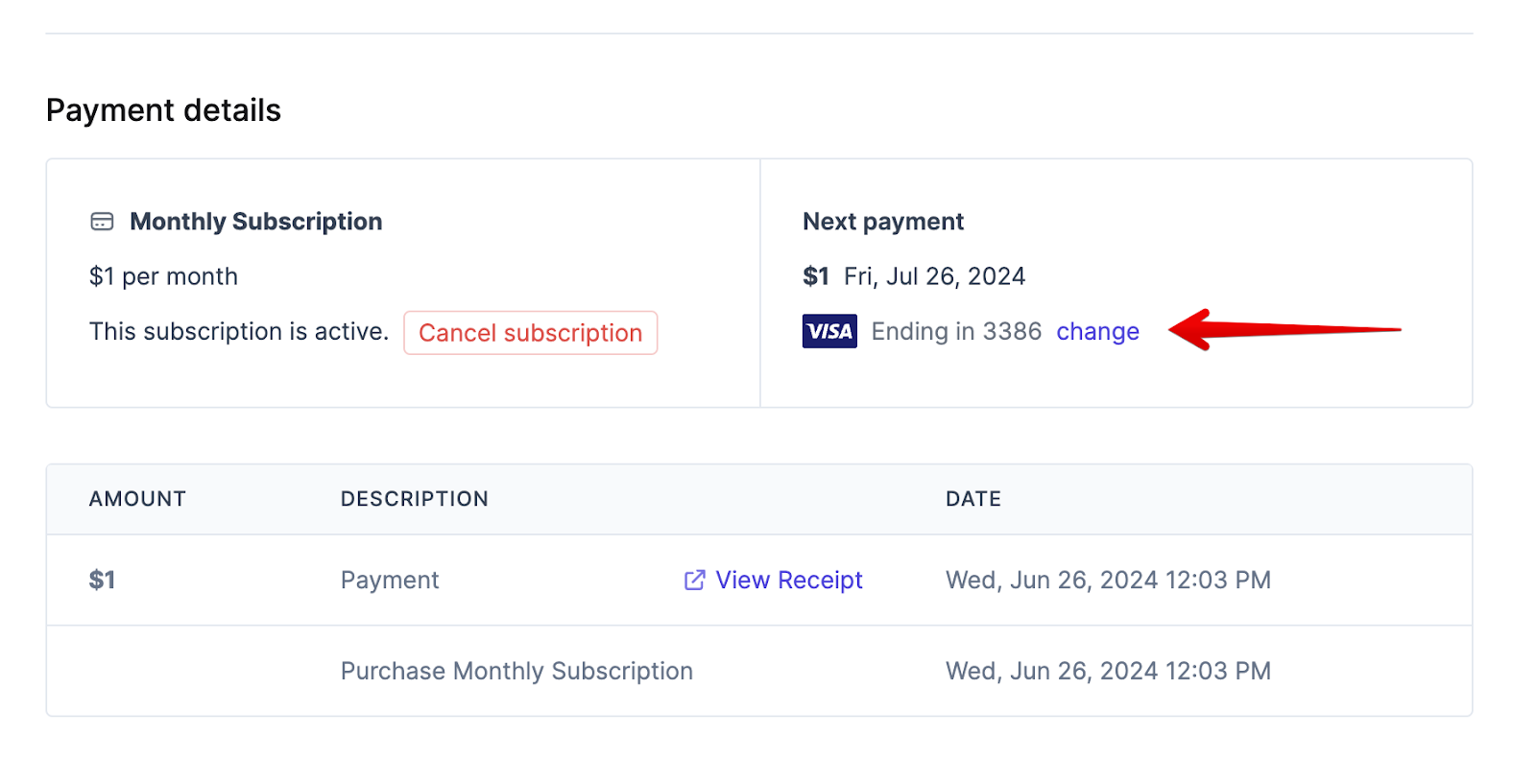
Recurring revenue is also supported: students can enroll in subscriptions or payment plans, and you can manage cancellations and refunds from the admin. The Students' view also surfaces payment records alongside progress, which keeps operations simple for small teams.
For marketing, Ruzuku leans on light, built-in communication and integrations. You can send announcements to the whole course and rely on daily or weekly engagement digests that summarize new posts — those nudges are valuable in live programs and can drive repeat visits without a formal email sequence.
When you do want sequences, Zapier hooks into tools like Mailchimp and ActiveCampaign so you can segment and automate off-platform events. On the Pro plan, you also get a public storefront and custom domain, which helps with trust and brand consistency.
What you won’t find natively are the revenue-optimization features Thinkific bakes into TCommerce; things like order bumps at checkout, abandoned-cart automation, BNPL and wallet options, and B2B seat management.
You can approximate some of this by pointing checkout to an external cart and wiring automation through your ESP, but it takes more setup, and the reporting ends up split across tools.
Winner: Thinkific
For marketing and revenue, Thinkific wins on breadth and depth.
The TCommerce feature set gives you more ways to raise AOV, recover sales, and sell B2B without extra systems.
Ruzuku works well for live, guided offerings, but scaling revenue means adding external carts and email automation.
There’s still a lot to unpack. Go get another cup of coffee before I continue!
Customization and integrations
Alright, let’s talk control.
How much can you shape the look, and how easily can you plug in the rest of your stack? This is where the two platforms start to feel different in your hands.
Thinkific

Thinkific gives you two layers of site control.
- On the surface, the Site Builder lets you pick from modern themes and tweak sections, layouts, and styles without code. It’s quick to get on-brand and keep pages consistent.
- If you want to go deeper, there’s a full theme code editor. You can jump into the HTML, CSS, or Liquid files, add custom CSS, and shape templates at a granular level.
The developer docs even walked me through theme anatomy and best practices for editing and updating safely. This is rare in the creator LMS world, and it means you’re not boxed in when you need a truly custom touch.
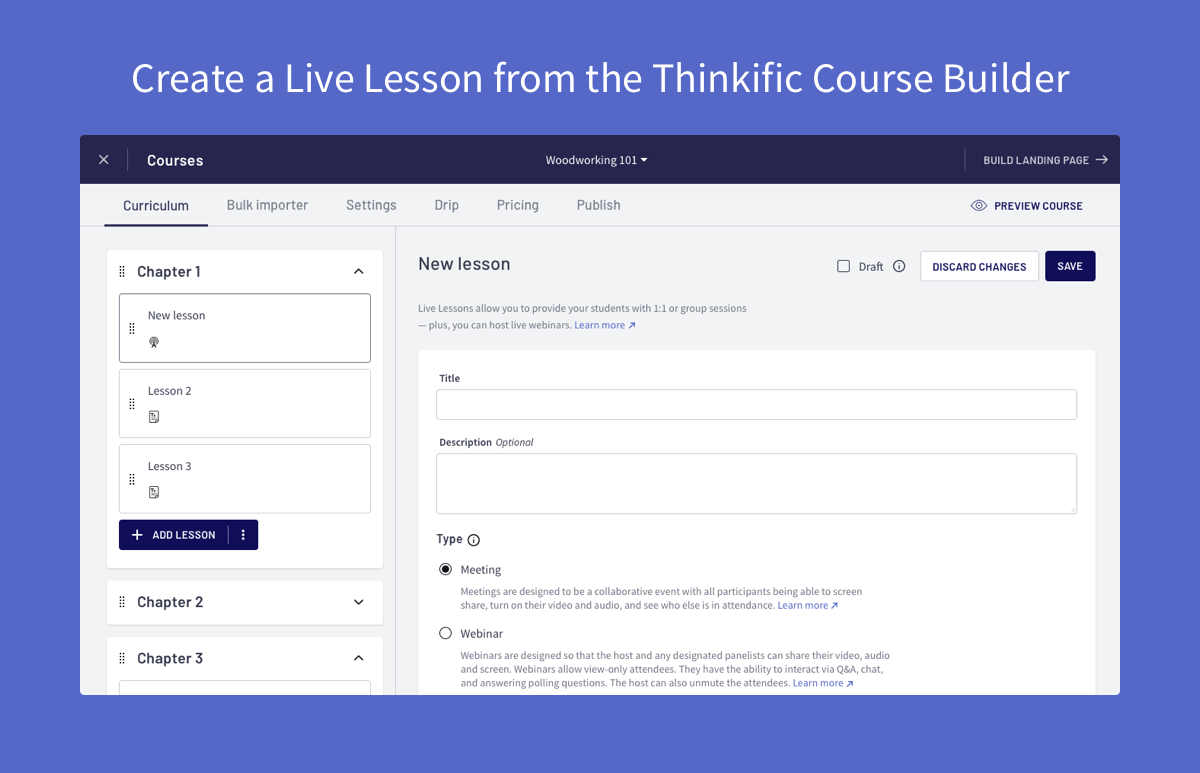
Now, on integrations, Thinkific behaves like a platform-plus-ecosystem. Some examples include:
- live sessions via the official Zoom app,
- finance ops with Xero and QuickBooks sync for TCommerce,
- credentials via Accredible,
And dozens of sales, analytics, and UX add-ons.
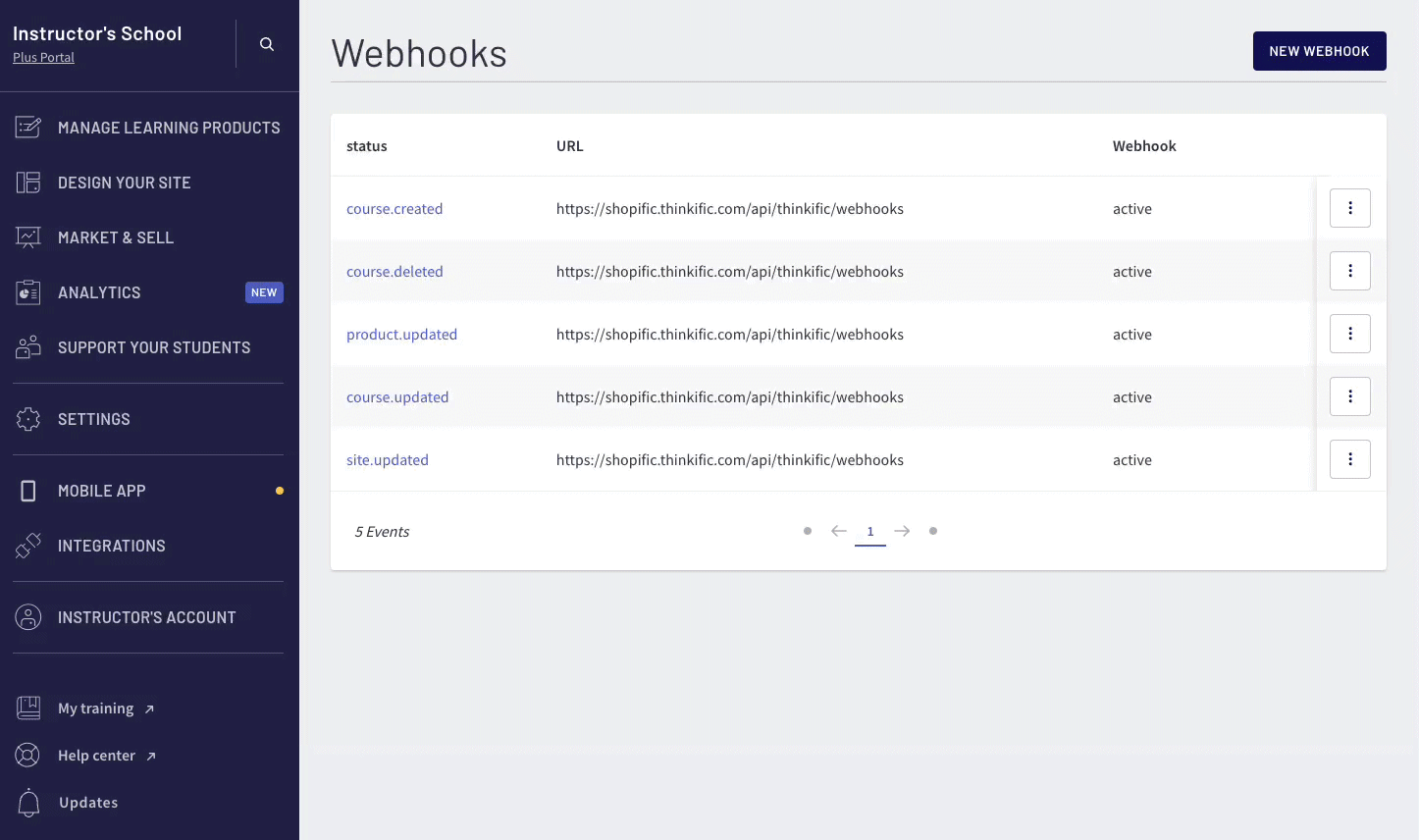
If you have engineering support, you’re in for a treat. You get to choose from Admin API, Ibhooks, OAuth, and SSO. This combo allows you to join Thinkific to a larger product or B2B training ecosystem without much hassle.
The summary is that you can start simple and then move on to custom code, APIs, and enterprise-grade identity when your school grows up.
Ruzuku
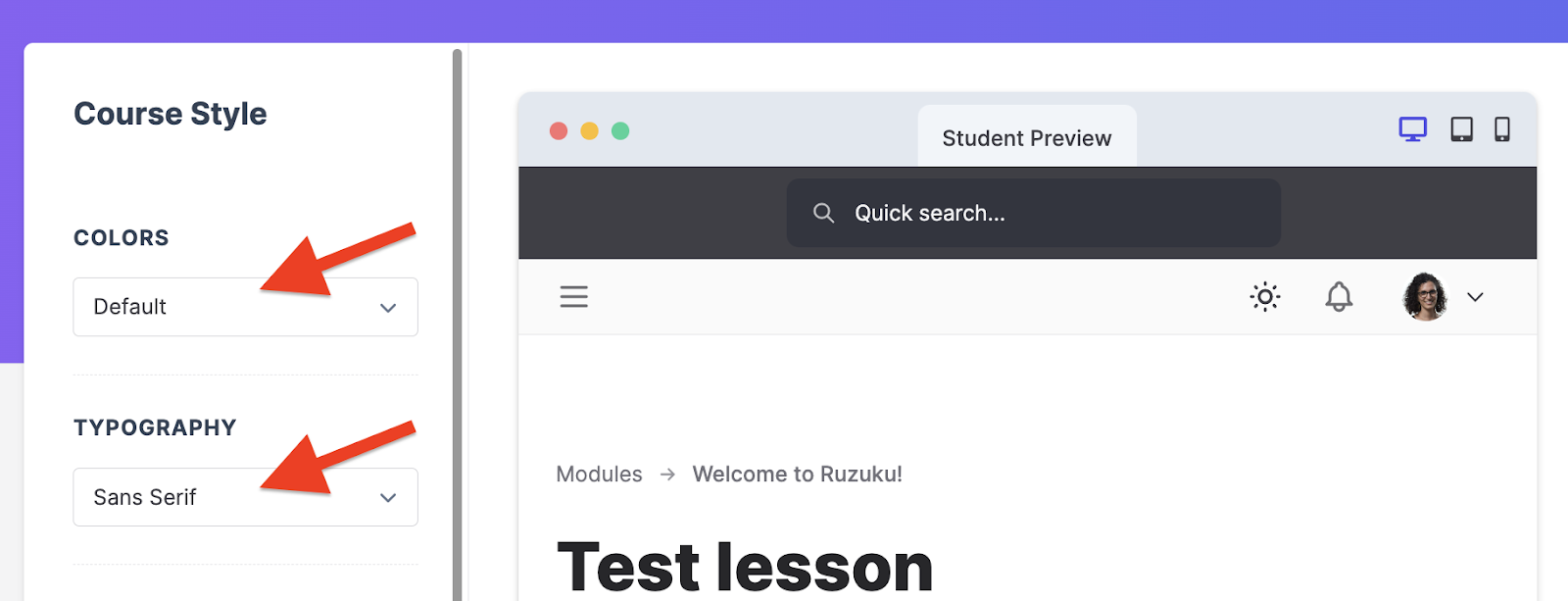
Continuing the overall theme, Ruzuku takes a calmer approach. There are fewer knobs to fiddle with, which usually means faster decisions.
First, let’s talk about branding. You can set course-level styles — colors, typography, logo — so lessons and pages feel consistent and on brand without touching code. For teams on Ruzuku Pro, site-wide branding kicks in, which includes branded login and Welcome screens that keep your name front and center.
Pro also unlocks a clean custom domain (typically a subdomain like courses.yourbrand.com), configured with a simple CNAME to point traffic to your school.
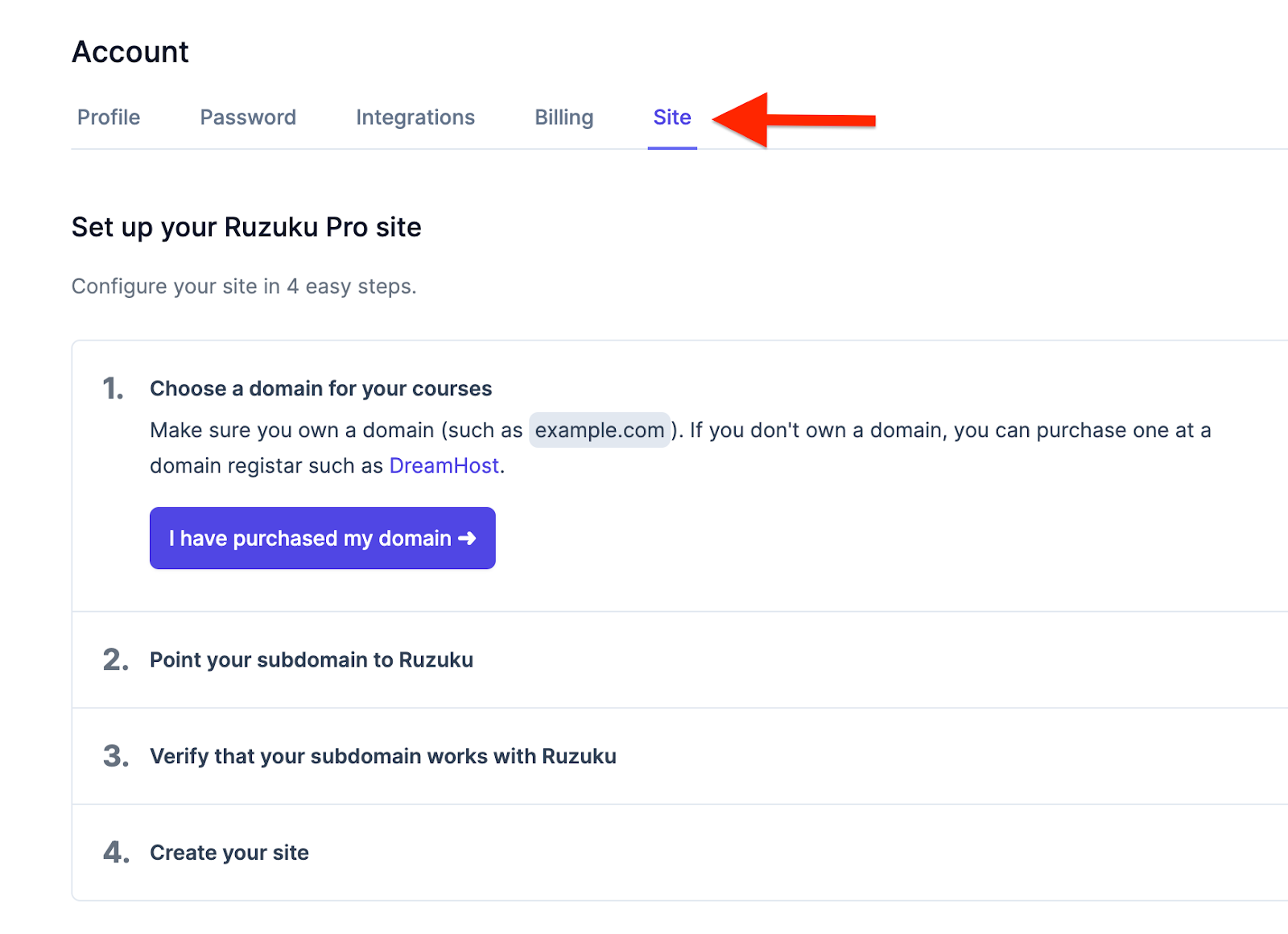
There’s a built-in Storefront page that matches your brand, so you can showcase offers without building a separate site. It’s practical, predictable, and takes minutes, not days.
Customization is not just visual. The Pro tier lets you add custom profile fields during enrollment and even adjust site terminology to match your voice. These small touches make the experience feel authored, not generic.
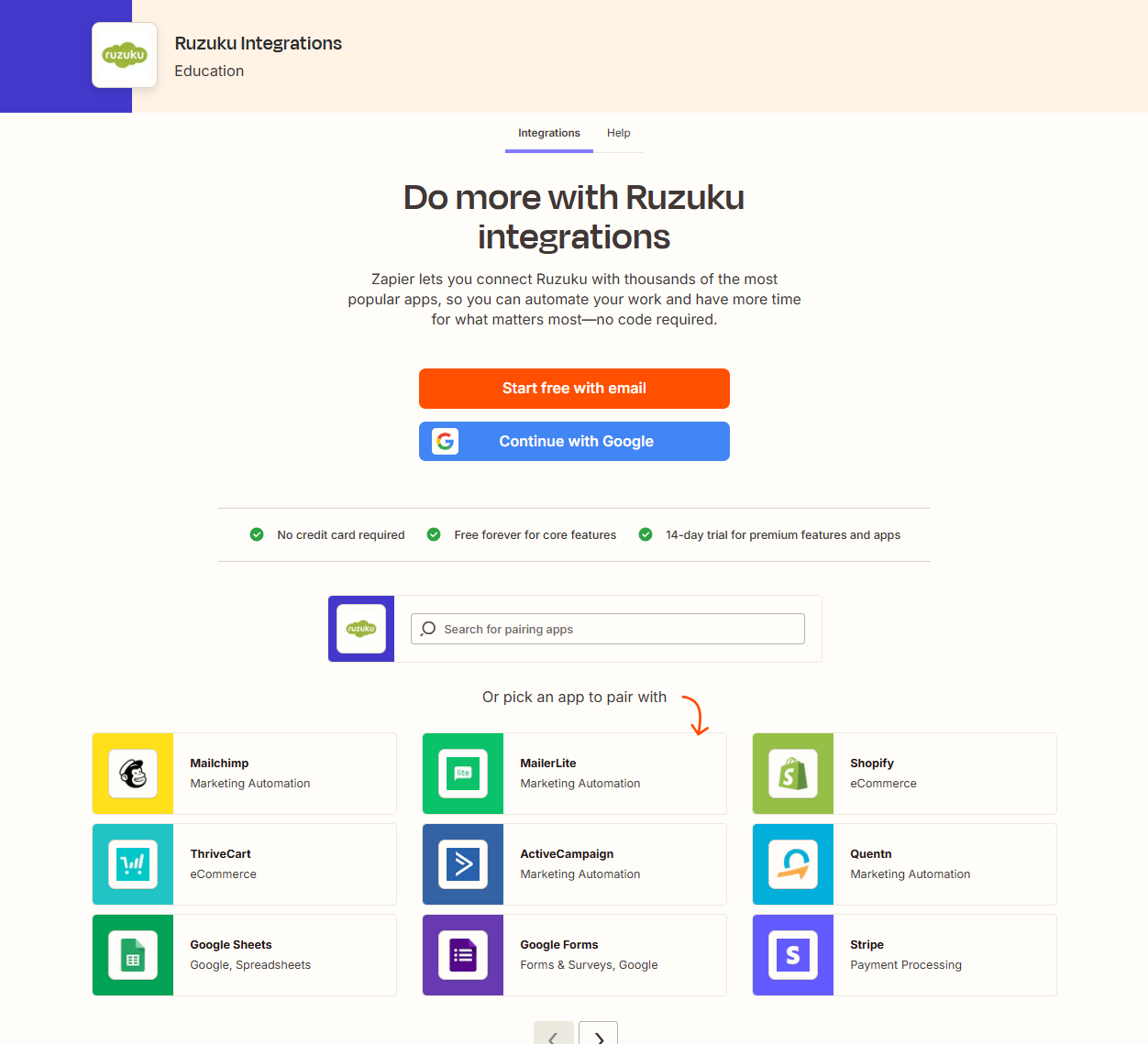
As for integrations, Ruzuku’s philosophy is slim-core, wide-reach. Payments run through Stripe or PayPal out of the box, and live teaching connects natively to Zoom. A
Anything beyond that flows through Zapier, which exposes Ruzuku events to thousands of apps for email, CRM, and ops. If you already live in Mailchimp or ActiveCampaign, you’ll be able to push enrollment and activity without custom code.
What you won’t find is a big marketplace or a deep theme code layer; Ruzuku is deliberate about keeping setup simple. For many coaches and facilitators, that’s a feature: fewer choices, fewer ways to break the site.
If you need fully custom layouts or a tight, bidirectional data sync into internal systems, you’ll likely lean on Zapier more heavily or look to a platform with a richer dev surface.
Winner: Ruzuku
Even though Thinkific is technically the better one in this category, Ruzuku takes the win because Ruzuku’s Zapier-focused workflow is simpler without really compromising on functionality.
Credit where due, Thinkific’s ecosystem and extensibility offer a longer runway.
A Smarter Alternative: Why FreshLearn Outshines Both
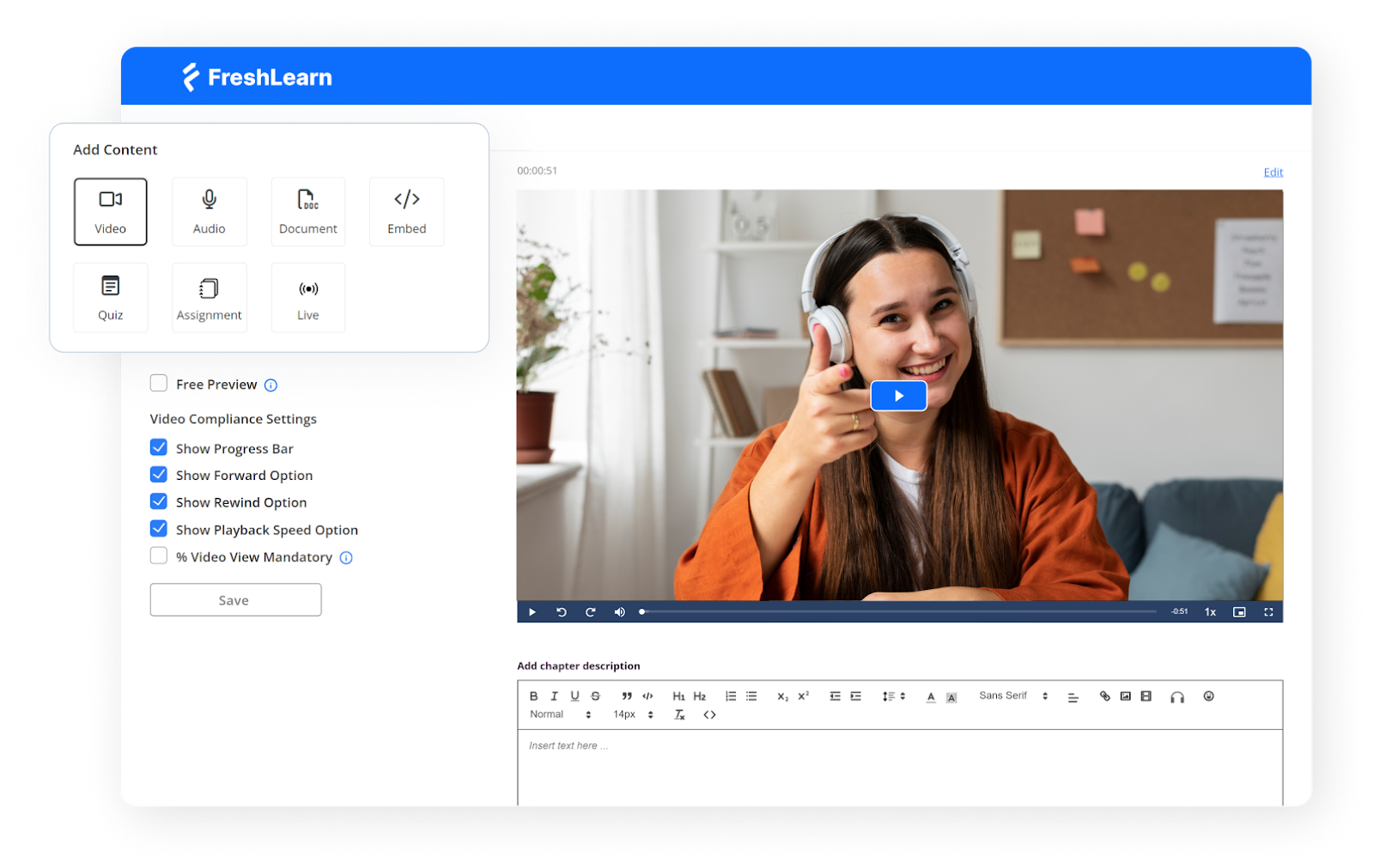
If Thinkific gives you poIr and Ruzuku gives you ease, FreshLearn combines the two into something refreshingly practical. You get a creator-friendly setup, live teaching and cohorts when you need them, and serious selling tools that don’t force you into a tool maze.
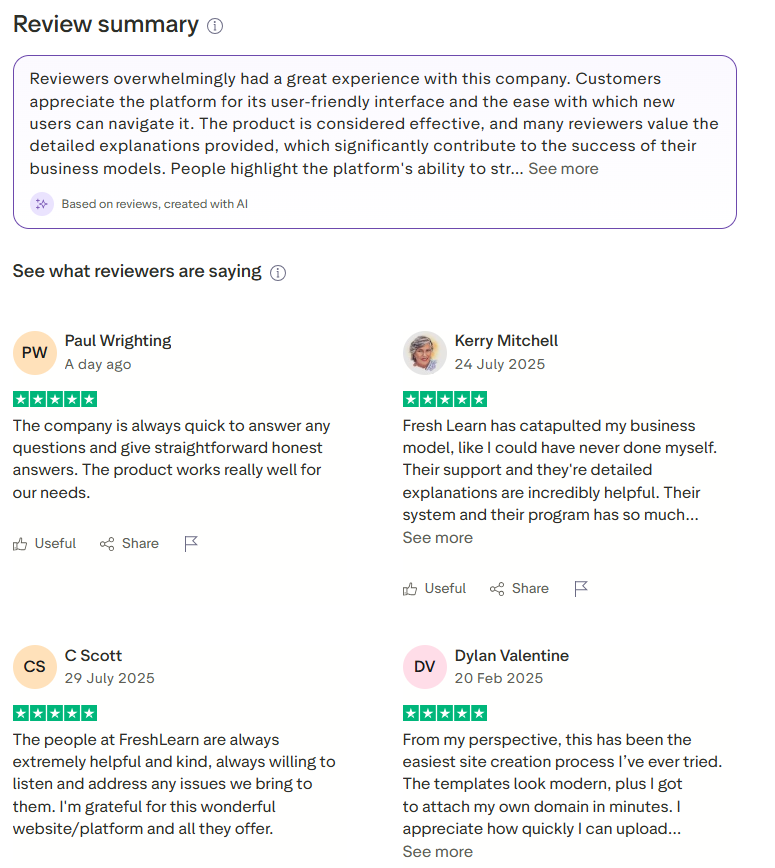
The reviews back it up: FreshLearn holds a nice 4.5/5 rating on G2 and 4.7/5 on another reviews site from hundreds of reviews: steady proof that creators find it usable, capable, and well-supported.
Freshlearn is built to cover the full journey: build your product, market it, collect payments, and keep learners engaged. It includes email campaigns, automations, a website and page builder, referrals, assessments, certificates, and 0% platform fees on paid tiers.
If you’re moving from another platform, the team even offers free migration on annual plans, which removes a major switching headache.
And yes, the free plan is not just for show. You can get started at $0 with one product, manual enrollments, and basic pages — enough to validate an offer, pre-sell a workshop, or run a pilot without upfront software costs.
The FreshLearn Advantage
- Authoring that moves with you:
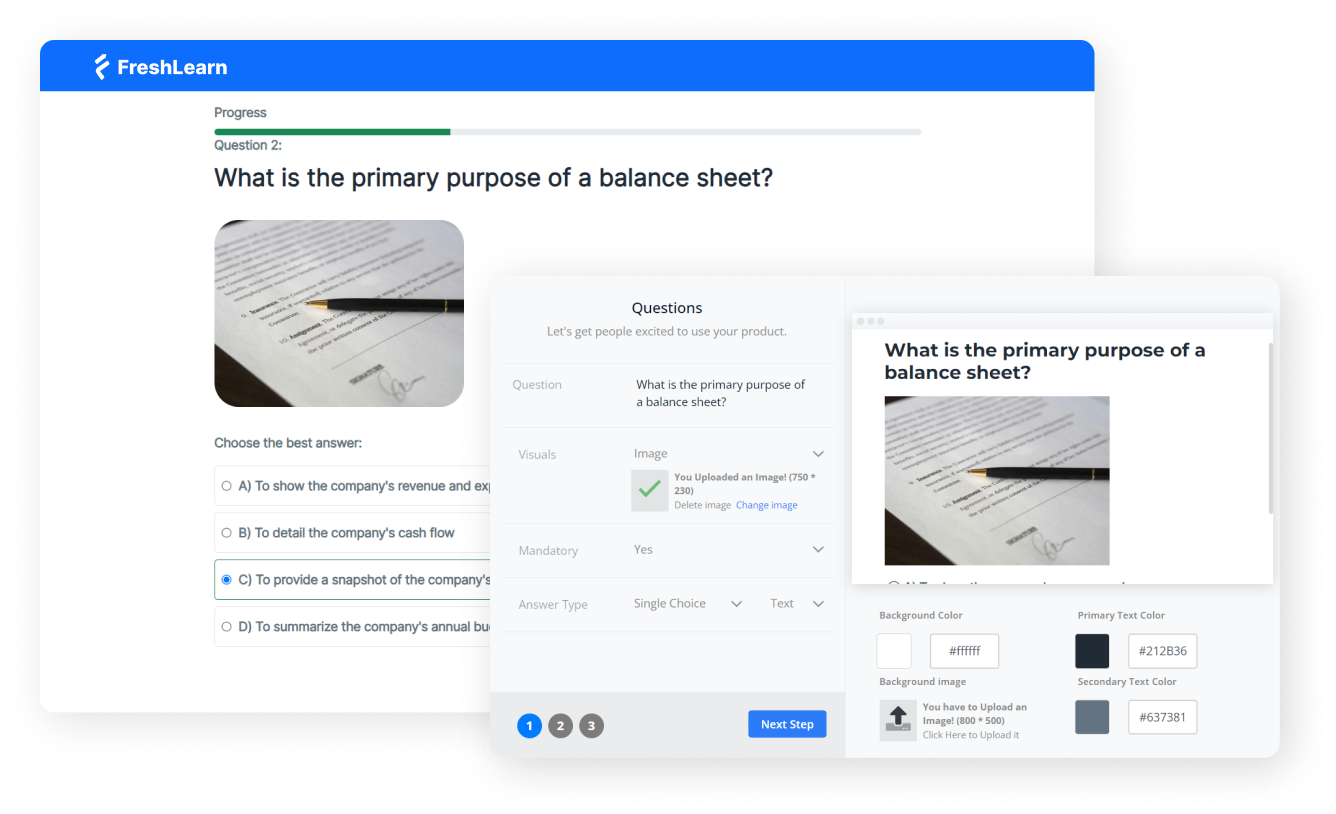
FreshLearn’s course builder is flexible and fast.
Create courses, live cohorts, workshops, or digital downloads; add in assignments, question banks, drip, certificates, and gamification; and use the AI outline and quiz generators to get from idea to draft. It’s the kind of flow that helps you ship consistently, then refine.
- Sales that feel modern out of the box:
The checkout is clean, branded, and wired for growth. There are coupons, bundles, memberships, custom domains, and built-in pages, so you aren’t making a funnel just to take payment. With 0% platform fees on paid plans, your margins stay intact as you scale.
- Marketing that doesn’t require a second app drawer:
Instead of needing an ESP on day one, you can run email broadcasts and automated sequences inside FreshLearn, then scale up to Zapier and external tools when you truly need them.
For many creators, those native campaigns and automations make all the difference.
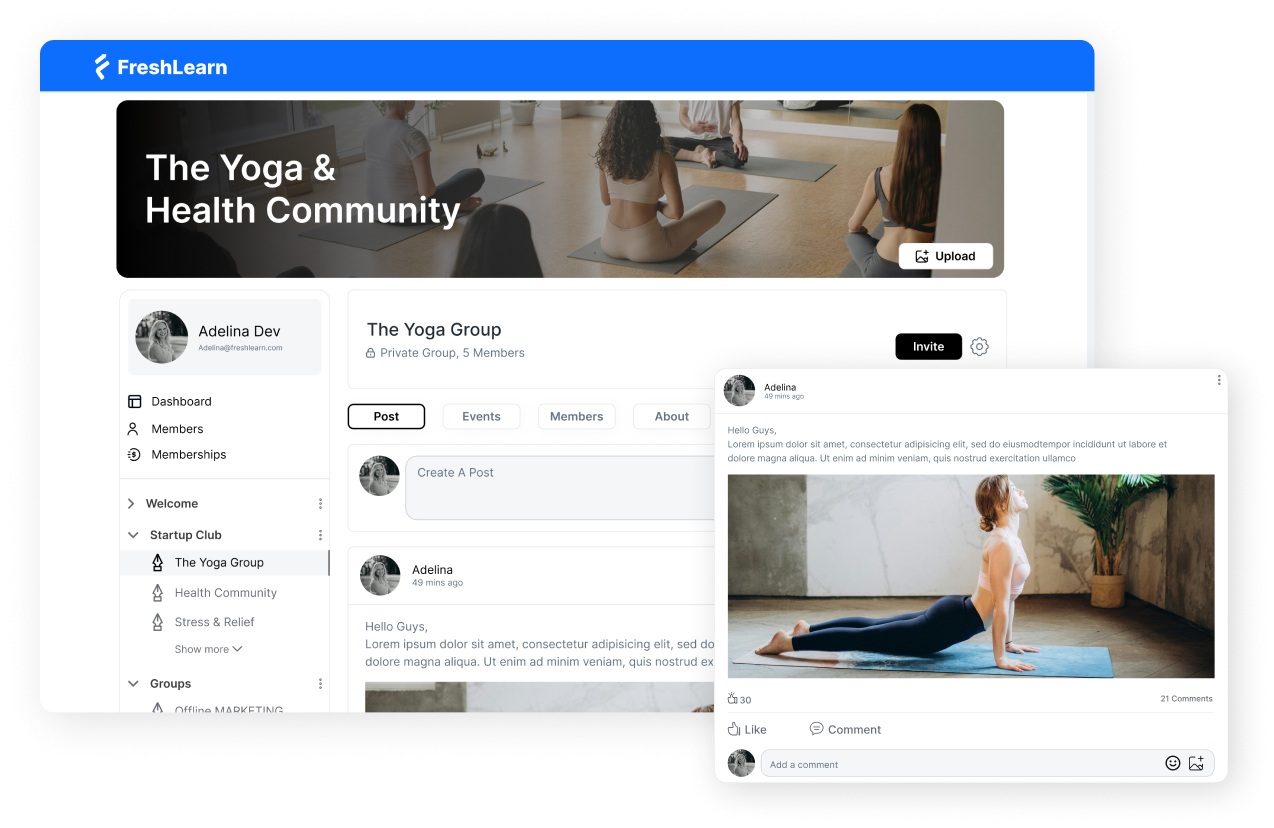
- Support that actually shows up: Beyond chat and email, you can hop on a quick call, get migration help, and talk to someone who knows the product and your use case.
The tone across public reviews is consistent: responsive, human, and willing to go the extra mile when you’re in the middle of a launch and can’t afford delays.
G2 reviewers rate the quality of support highly, and other reviews are full of grateful, specific stories.
Why FreshLearn outshines Thinkific and Ruzuku for many teams?
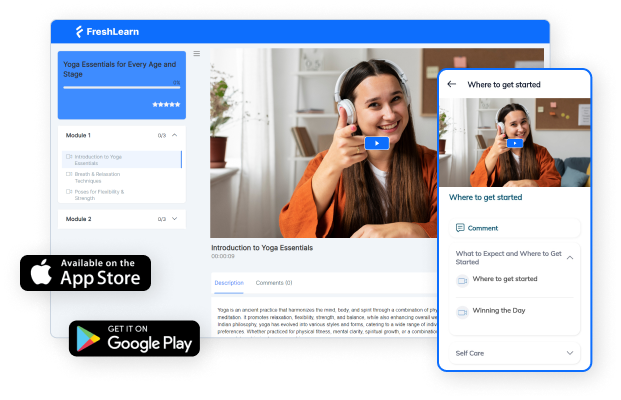
If you loved Ruzuku’s clarity but hit the ceiling on marketing and revenue levers, FreshLearn gives you native email, automations, referrals, and richer assessments without losing the “let’s ship fast” feeling.
If you admired Thinkific’s selling poIrs but found the ecosystem heavy for your stage, FreshLearn delivers modern checkout, zero platform fees, and generous plan inclusions at a friendlier price point, while still leaving the door open for integrations when you want them.
If you’re choosing with tomorrow in mind, FreshLearn makes a strong case: credible ratings on G2 and other sites like it, a free plan that lets you validate quickly, AI-assisted authoring to reduce setup time, and support that behaves like a partner.
That mix is rare, and it’s why many creators pick FreshLearn as the point where simplicity and scale finally
Pricing and True Cost: What Will You Actually Pay?
Pricing looks simple on the surface, until you factor in processing fees, must-have features that sit behind higher tiers, and the extra tools you’ll bolt on.
What I need is a precise, apples-to-apples breakdown and a few realistic scenarios.

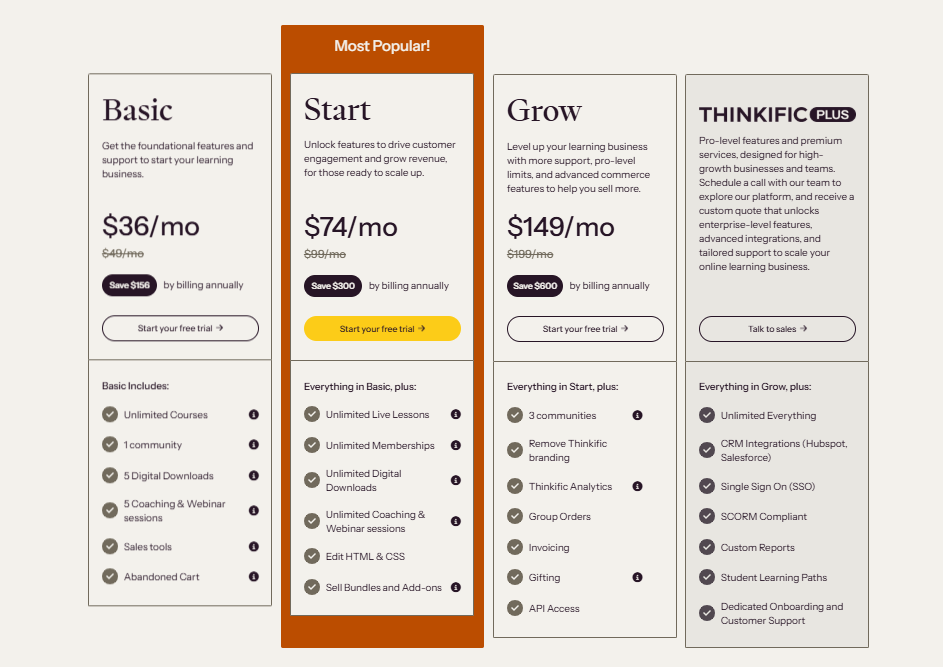
But pricing runs much deeper than what you think you pay up front. As a creator, you’d likely need three things beyond course publishing:
- Lifecycle email,
- Promotions and upsells,
- Admin and reporting for sales
Here’s how our two competitors handle that by default.
1. Thinkific
Even on Basic, you get Email Automation and Landing Pages, plus TCommerce sales features.
As you move up, Group Orders and Invoicing unlock for B2B deals, and Thinkific Analytics deepens on Grow. In other words, your “core stack” can stay mostly native.
1. Ruzuku
The platform leans into simple selling and engagement. You have announcements, engagement digests, coupons, and clean Stripe and PayPal checkouts.
For sequences and CRM-style automation, most creators connect an ESP via Zapier (Mailchimp, ActiveCampaign, etc.).
For instance, Mailchimp’s Free tier covers 500 contacts and 1,000 sends; paid plans start around $13 to $20/month, depending on essentials vs. standard automation and scale from there.
There’s some fine print that affects the total cost
Thinkific states standard processing (around 2.9% when using Thinkific Payments) and notes additional gateway fees only if you use third-party processors in certain countries; TCommerce also enables Apple and Google Pay and BNPL with their own fee schedules.
Ruzuku charges no platform transaction fee; you still pay Stripe and PayPal’s standard rates.
The takeaway: neither platform clips a platform percentage, but the path you choose (native vs third-party gateway; BNPL vs cards) slightly shifts your effective take-home.
Now, let’s take a look at plan-level pricing:
It’s also important to know what you end up paying once you factor in the costs of integrations and third-party services.
Thinkific’s lower tiers bundle more of the revenue stack, so your out-the-door monthly price stays close to the sticker price.
Ruzuku keeps pricing straightforward, but the bill climbs once you add an ESP for automation and step up to Pro for certificates or a domain.
Where FreshLearn lands on price (and why it often wins)
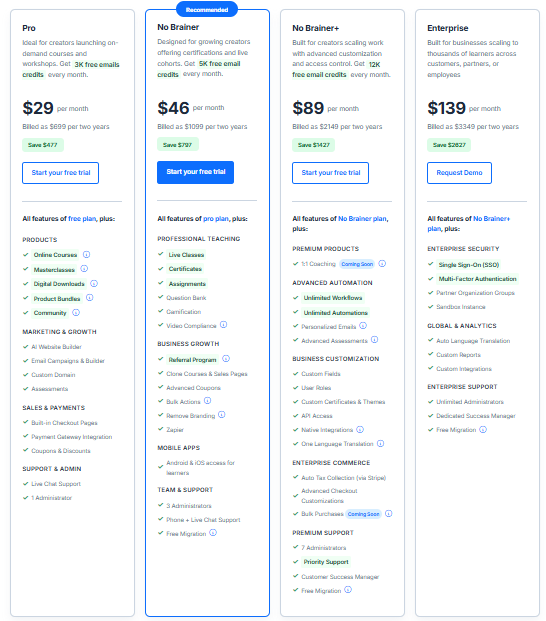
FreshLearn keeps pricing simple and bundles the things most creators bolt on elsewhere
- Pro: $49/month
Courses, workshops, downloads, email campaigns, site and blog, custom domain, 0% platform fees, 3,000 email credits every month
- No Brainer: $79/mo
Adds live classes, certificates, assignments, question bank, Zapier, branding removal, 5,000 email credits/month, and free migration on annual plans.
- No Brainer+: $149/month
Advanced automations, API and native integrations, custom fields and themes, 12,000 email credits/month, auto-tax via Stripe, and more.
Two things make that pricing hit above its weight
- Email is included
If you’d otherwise tack on Mailchimp for sequences (common on Ruzuku), those credits erase a separate ESP bill at smaller list sizes.
On Thinkific, you’re fine to begin without an ESP thanks to Email Automation, but many teams still add one later for advanced journeys; FreshLearn postpones that expense while keeping campaigns in-house.
- Zero platform fees with a modern checkout
Like Ruzuku, FreshLearn doesn’t skim a platform percentage; like Thinkific, it ships a clean sales flow and promos out of the box.
For a solo creator, that means Pro at $49/month covers what a Ruzuku Core + Mailchimp stack would do for roughly twice the monthly spend in the early stage.
For cohort programs, No Brainer at $79/month lines up against Ruzuku Pro and Thinkific Start and still includes native email credits and certificates.
So, what’s the bottom line?
- If you want the lowest effective entry with built-in automation, Thinkific Basic ($49) is hard to beat inside its ecosystem, especially when B2B isn’t in play yet.
- If you’re live-teaching and need certificates and branding, Ruzuku Pro ($199) gets you there, but expect an ESP bill for sequences.
- If you want the combination of native email + certificates + live + 0% platform fees at a lower monthly fee, FreshLearn Pro and No Brainer ($49 – $79) keep the math on your side, often by a wide margin in the early and mid stages.
Ruzuku vs. Thinkific vs. FreshLearn: A Final Tally
Here is the side-by-side comparison that will make your choice easier. This is what you’ll actually live with once you start building, selling, and growing.
The Final Verdict: Which Platform Should You Choose?
If you are an absolute beginner and want a calm, guided flow with live sessions and lesson-level conversation, Ruzuku is a solid start. If you are growing a catalog, care about conversion mechanics, and expect team or enterprise deals, Thinkific is the safer long-term base.
But if you want an easier on-ramp and the revenue features you will wish you had later, FreshLearn is the sweet spot.
You get native email and automations, a clean checkout, live classes, certificates on higher tiers, and pricing that stays kind as you scale.
Build a free course on FreshLearn now.
Questions Frequently Asked
What is the main difference between Ruzuku and Thinkific?
Thinkific leans into advanced selling and scaling up for business-oriented users. Ruzuku prioritizes simplicity and live teaching with built-in meetings, discussions, and straightforward checkout.
Is Ruzuku good for beginners?
Yes. Ruzuku markets speed and ease, and independent reviews regularly call it intuitive for first-time creators who want a clean, guided setup. If you value momentum over knobs and levers, it fits well.
Does Thinkific have a free plan?
No. Thinkific confirms there is no free plan today, though there is a free trial to test the platform before picking a paid tier.
Which is cheaper, Ruzuku or Thinkific?
At entry, Thinkific Basic is $49 per month on a monthly subscription. Ruzuku Core is $997 per year, roughly $83 per month if you average it.
Ruzuku does offer a limited free plan for five students, but most serious use cases start on Core or Pro, which are pricier month to month.
What are the best alternatives to Thinkific and Ruzuku?
FreshLearn is the obvious contender because it combines ease with built-in email and modern checkout at friendly pricing. Other common options include LearnWorlds, Skool, Teachable, Podia, and LearnDash.

You might also like
Hosted by