
The 7 Best LearnUpon Alternatives and Competitors: 2026 Review

LearnUpon is a popular LMS, and for good reason. It’s powerful and packed with enterprise-level features.
But when you dig in, setting it up takes time, some features feel unnecessary for your team, and the price… well, LearnUpon hides it behind custom quotes, making it hard to know what you’re really signing up for.
If that sounds familiar, I’ve rounded up the top 7 LearnUpon Alternatives covering their features, pricing, and potential limitations — so you know which one could actually work for your team.
Top LearnUpon alternatives (Quick comparison)
Before we go to the detailed section, here’s a table to help you quickly compare the top LearnUpon alternatives.
Why L&D professionals look for LearnUpon Alternatives
LearnUpon works well for many organizations, but some L&D teams run into challenges that make them consider other options, including:
- Pricing structure and lack of transparency: LearnUpon does not publicly disclose its pricing, requiring potential customers to request a demo for a quote. This can lead to unpredictable costs, especially for growing organizations with fluctuating user numbers.
Based on competitor analysis, LearnUpon typically charges between $6 and $9 per user per month, with a median contract value of $28,369.
Since this is only an estimated range, the lack of transparent pricing can make budgeting and financial planning challenging for L&D teams.
- Limited content creation tools: LearnUpon has limited native course authoring capabilities. Although the platform supports SCORM and multimedia uploads, it doesn’t offer more features for interactive learning, gamified lessons, or simulations. Many teams end up using third-party tools such as Articulate or Captivate to build content.
- Limited content creation and management tools: LearnUpon’s users report that creating and managing content can be cumbersome, with some noting that building modules requires more clicks than expected. Additionally, the platform's content organization and versioning can be clunky, making it challenging to maintain and update training materials efficiently.
- Integration challenges: Users have experienced integration issues with LearnUpon, particularly regarding file uploads and system connectivity. These challenges can affect efficiency and complicate the learning experience for both administrators and learners.
The 7 best LearnUpon alternatives for mid-sized and large businesses
I’ve compared the most talked-about platforms in detail. Here’s my take on the top 7 LearnUpon Alternatives and what makes each one different.
1. FreshLearn: Best for customer training and selling courses
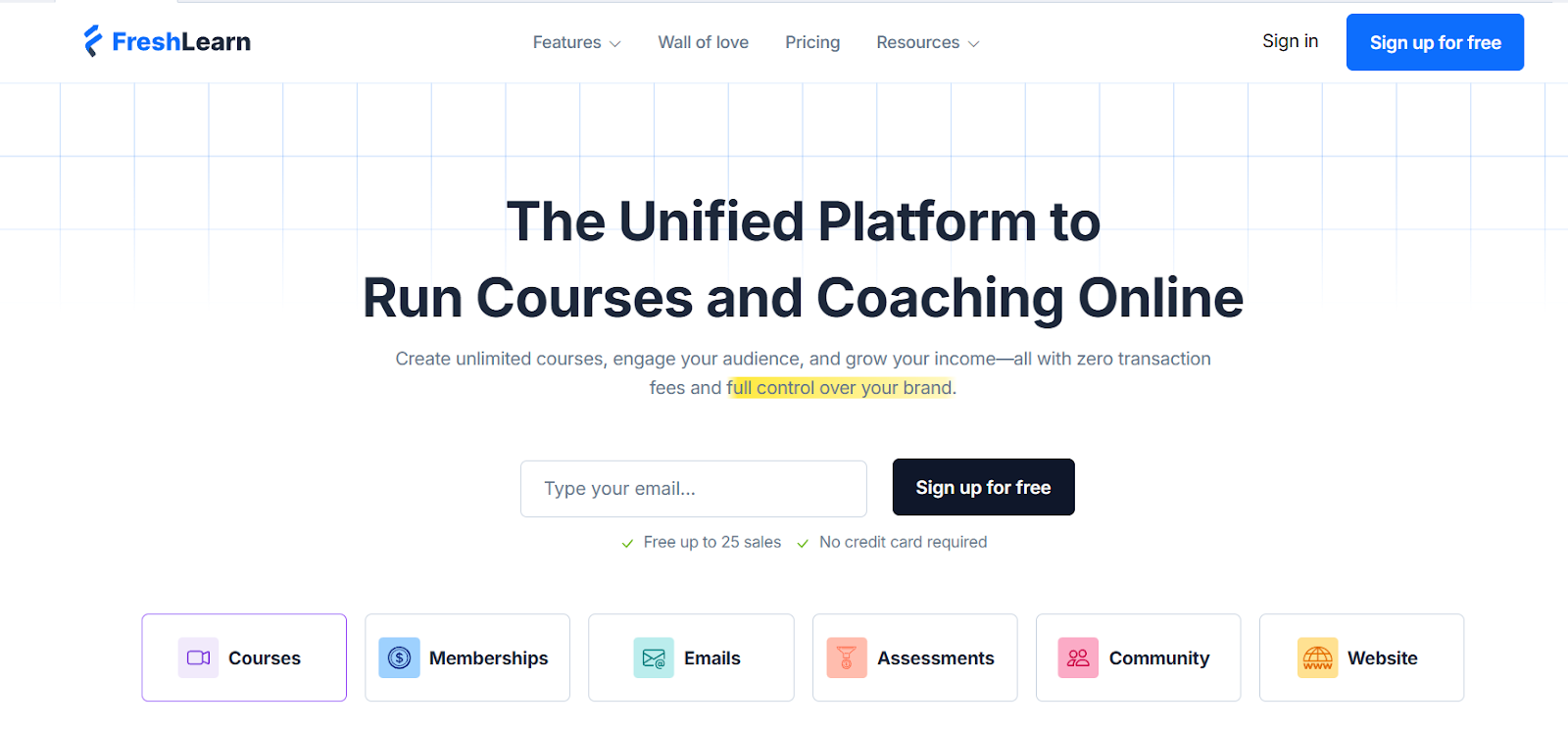
FreshLearn is ideal as an all-in-one platform built for creators and businesses that want to educate customers or monetize knowledge, not just train internal teams. While LearnUpon and tools like TalentLMS focus on employee learning and compliance, FreshLearn takes a different approach.
You get the freedom to build courses from scratch, using videos, documents, or any existing content, with built-in tools for assessments, communities, and monetization.
What’s our unique advantage?
While LearnUpon does offer e-commerce features for selling courses, it mainly works as a structured LMS for employee and customer training. FreshLearn, in contrast, is built with creators and businesses in mind, focusing on ease of course creation, engagement, and direct monetization.
It brings everything together in one intuitive platform, from designing courses to delivering them and collecting payments, making it especially suited for businesses that want to turn learning into a smooth revenue-generating experience.
Want to have a full picture of the top customer training platforms in 2026? Read our article on ‘10 Best LMS for Customer Training.’
Key features
- AI-supported course creation: FreshLearn uses AI to help you build training programs from the ground up. It can organize your curriculum, write lesson content, create quizzes, and even draft video scripts, allowing L&D teams to roll out new courses in just a few hours.
- Automated video enhancement: With FreshLearn’s Zenious AI, you can upload any screen recording or demo, and it automatically turns it into a polished, branded video. It fine-tunes visuals, adds captions, and ensures the tone and style match your brand, so you don’t need a video editor or production team.
- Collaborative learning communities: Improve group-based learning using discussion forums, Q&A threads, and user-driven feedback. Also, include gamification through badges and leaderboards to keep your learners engaged. Organizations using FreshLearn’s community features have seen up to a 40% drop in support tickets.
- Custom-branded learning portals: Create and publish a fully branded learning hub for employees, customers, or partners. Customize the design, apply brand elements, and scale your academy effortlessly as your training needs grow.
- Smart engagement automation: FreshLearn automates learner engagement at every stage. It detects inactivity, sends personalized nudges, and connects learners with mentors or provides access to additional content, driving up to 3x higher course completion while reducing manual follow-up time.
- Easy instructor-led training: Run live, instructor-led sessions with built-in integrations for Zoom, Google Meet, and Microsoft Teams. Automate scheduling, reminders, and attendance tracking, and instantly archive session recordings for on-demand access.
- Enterprise-grade certification Management: Issue branded certificates and LinkedIn-ready badges automatically. Manage multi-tier certification programs with renewal reminders and maintain a public directory of certified users.
Pros and Cons
Features that stand out:
- Extremely affordable, ideal for scaling customer, partner, or employee training programs
- Built-in monetization options for selling courses, memberships, and digital downloads
- Free migration support by a dedicated migration team to help move your existing content and users onto FreshLearn
- Excellent customer support and fast onboarding experience
- Fully customizable branding for a well-integrated, professional learning hub
- Reliable performance with minimal technical overhead.
Limitations to consider:
- Fewer direct integrations with enterprise systems (HRIS, CRM, SSO) compared to other LMS platforms
- Reporting and compliance tracking are still maturing for complex enterprise needs
- Smaller ecosystem of third-party apps and extensions than legacy platforms.
Pricing
FreshLearn provides a free plan with all the essential features, including:
- 25 product enrollments
- 3 sales pages
- Email support
- Product creation and
- Blogging CMS.
For businesses, FreshLearn has the enterprise plan:
- Monthly subscription: $249 per month
- Per learner fee: $0.50 per registered learner.

FreshLearn’s enterprise plan supports organizations scaling to thousands of learners and offers features such as Single Sign-On (SSO), sandbox instance, custom reporting, and dedicated enterprise support.
Compared to LearnUpon, which typically charges $6–$9 per user per month (as per competitor analysis), FreshLearn keeps costs more predictable and more affordable for large-scale deployments. Its pricing structure helps organizations manage budgets efficiently while scaling employee, partner, or customer training programs.
2. TalentLMS: Best all-in-one LMS for growing teams
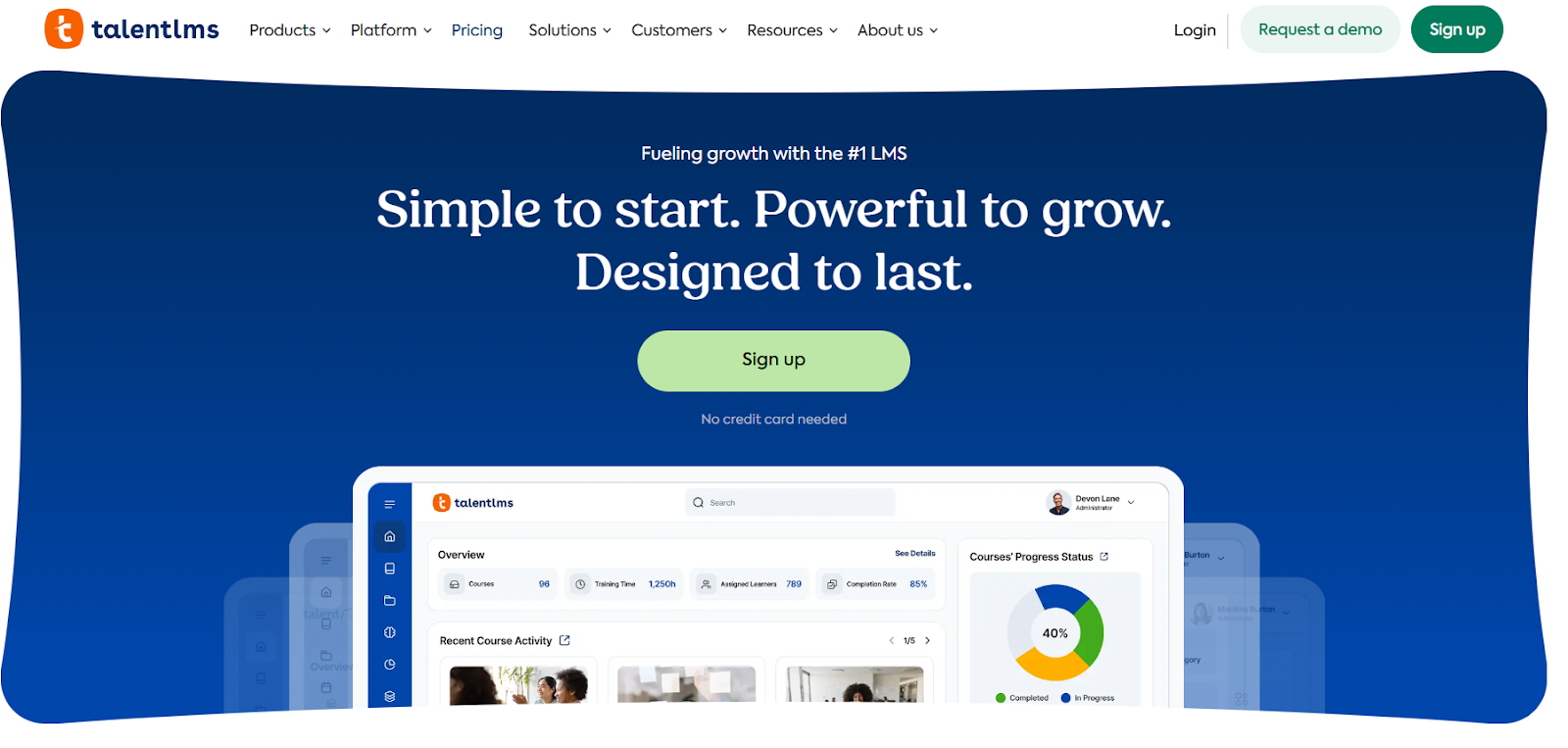
If you’re looking for a learning management system that’s simple to use but still powerful, TalentLMS is a good choice. Its intuitive interface and straightforward setup make it easy for organizations to create, manage, and deliver training to employees, partners, or customers without a steep learning curve.
TalentLMS helps businesses streamline learning programs, keeping learners engaged while reducing administrative overhead. Its flexibility makes it suitable for teams of all sizes, and many organizations recognize how quickly they can get training up and running.
Whether you’re rolling out employee onboarding, partner enablement, or customer education, TalentLMS offers a user-friendly solution that balances functionality with ease of use.
To know more about the platforms that suit corporate training programs, check out our article on ‘13 Best LMS for Corporate Training’.
Key features
- Blended learning support: TalentLMS helps organizations to combine instructor-led training with self-paced modules, accommodating diverse learning preferences.
- Extensive integrations: TalentLMS integrates with multiple third-party applications, including CRM and HRIS systems, simplifying your administrative tasks and improving data synchronization.
- Mobile accessibility: Native mobile applications for Android and iOS allow learners to access training materials anytime, even when offline.
- AI-powered tools: TalentLMS offers AI-driven features, including an AI Coach for real-time learner support, an AI assessment for instant question generation, and an AI Translator for content localization.
- Flexible course delivery: TalentLMS supports various content formats, including SCORM, xAPI, and cmi5, facilitating multiple learning experiences.
- User management: The system supports you in defining specific user roles and restrictions, which in turn lets you assign each individual the correct level of access and control over the training material.
Pros and cons
Features that stand out:
- Users find TalentLMS intuitive and easy to navigate, optimizing the learning experience effortlessly.
- TalentLMS offers pricing tiers to accommodate organizations of all sizes, from small teams to large enterprises.
- Provides reporting tools that let administrators track learner progress, generate custom reports, and gain real-time insights for informed decision-making.
- The platform easily links with third-party tools like Salesforce and Zapier, helping you automate everyday workflows.
- TalentLMS saves you administrative time and expense by automating course assignments and notifications, and learner follow-up.
Limitations to consider:
- TalentLMS limits course design, customization, and mobile app features, restricting flexibility for organizations that need highly tailored learning experiences.
- Gamification features are basic, offering fewer options to improve learner engagement compared to other LMS platforms.
- Though the platform supports analytics and reporting, users feel that the data export capabilities lack full customization, which can make advanced analytics and the use of external data more challenging.
- Image handling during course duplication can be inconsistent, with links occasionally breaking and requiring manual re-upload, adding extra administrative effort.
Pricing
TalentLMS offers a free plan with email support, adding up to 5 users, 10 courses, and testing generative AI. The platform does not offer a free trial but does provide a demo upon request to test the features before investing.
Its pricing details are:
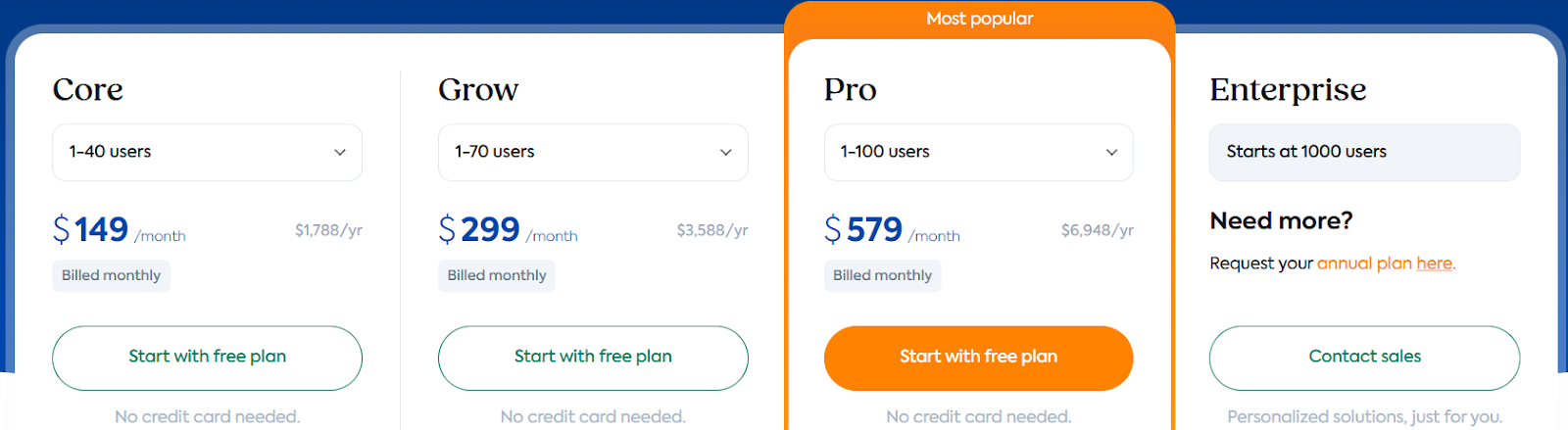
- Pricing starts at $149/month or $119/month (when billed annually).
- For organizations having more than 1000 users, TalentLMS offers the enterprise plan with custom pricing.
- If you choose ‘flexible user limit’, the pricing is $779/month or $599/month (when billed annually) + $6 per additional user.
- Including TalentLibrary will further increase your billing.
3. Docebo: Best for enterprise-level AI-powered learning
Docebo is an LMS for enterprises with complex training needs. It offers a wide range of features for employee training, customer education, and compliance programs, making it a more advanced alternative to simpler LMS platforms.
One of its main strengths is the use of AI to streamline administrative tasks, personalize learning paths, and suggest relevant content to learners. Docebo uses a headless learning approach, helping companies embed training directly into their existing workflows and software via webhooks, APIs, and workflow automation, while maintaining full control over content delivery.
Key features
- AI-powered skill tagging: Docebo's AI automatically tags content with relevant skills from your Skill Catalog, simplifying content categorization and improving searchability.
- AI virtual coaching: The platform uses generative AI within the Creator AI tool to guide learners through realistic, role-based practice exercises, helping them build essential skills with personalized feedback directly during their learning journey.
- Multilingual support: Docebo supports over 50 languages, enabling organizations to deliver training content to a global workforce.
- E-commerce capabilities: The LMS has built-in e-commerce features for businesses to sell courses and manage payment and transaction issues.
- Advanced reporting and analytics: Docebo offers strong reporting tools, including Power BI integration, to provide real-time insights into learner performance and training effectiveness.
- Third-party integrations: Docebo connects with a variety of business and learning tools, including Salesforce, Microsoft SharePoint, Shopify, Slack, and Google Sheets, helping organizations manage training and workflows across multiple platforms.
Pros and cons
Features that stand out:
- Offers a centralized platform for managing various training materials and formats, reducing the need to switch between different tools.
- Facilitates the creation of diverse training content, including documents, e-books, webinars, and quizzes, meeting different learning styles.
- Provides a user-friendly online learning platform that allows employees to access training materials anytime, anywhere, accommodating various schedules.
- Docebo offers multiple support channels, including an online community, Docebo University, direct support, and a customer success manager, providing several ways to get guidance.
- Docebo supports interface and workflow customization, with automation and API features that help reduce administrative work.
Limitations to consider:
- The platform's interface may feel unintuitive to new users, requiring a learning curve to navigate effectively.
- Certain features, like advanced analytics and e-commerce capabilities, are available only as paid add-ons, potentially increasing overall costs.
- Users feel that they need deeper customization options for layout and branding.
Pricing
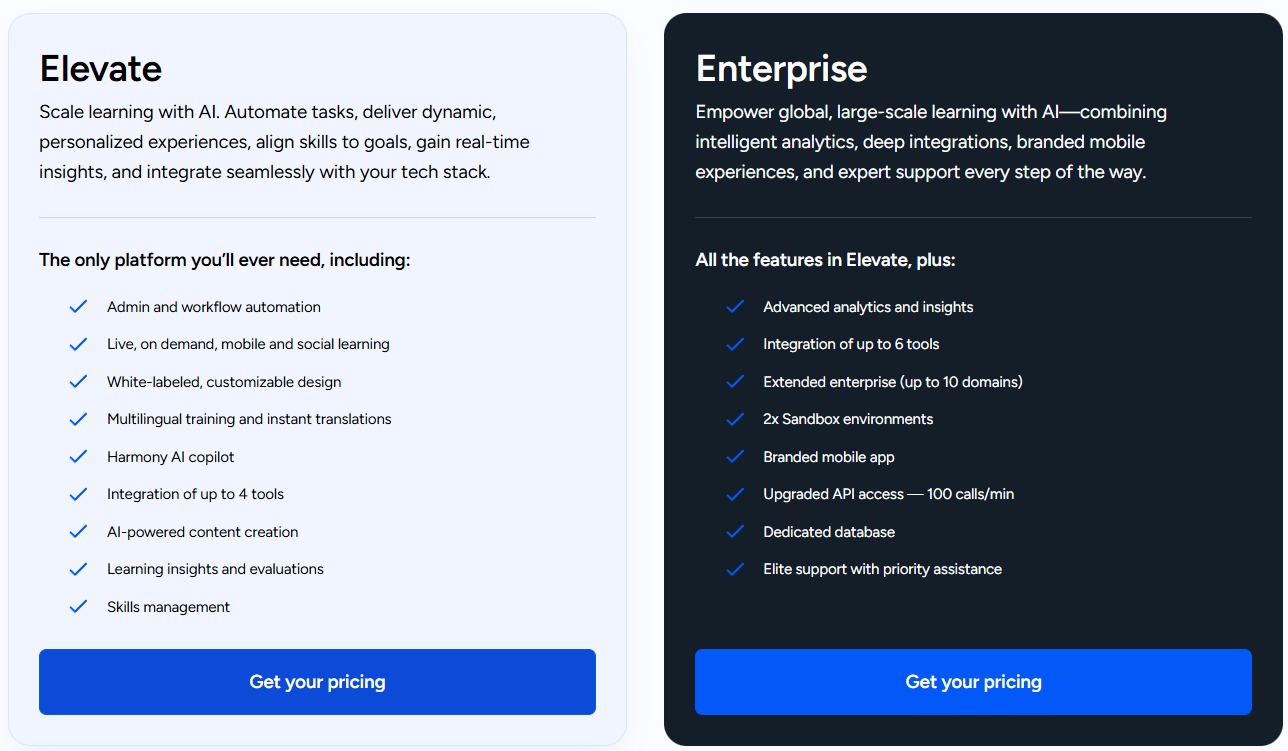
Docebo does not offer a free plan; it provides a demo upon request. Its pricing plans are Elevate and Enterprise, both with a custom pricing model.
4. 360Learning: Best for collaborative and peer-to-peer training
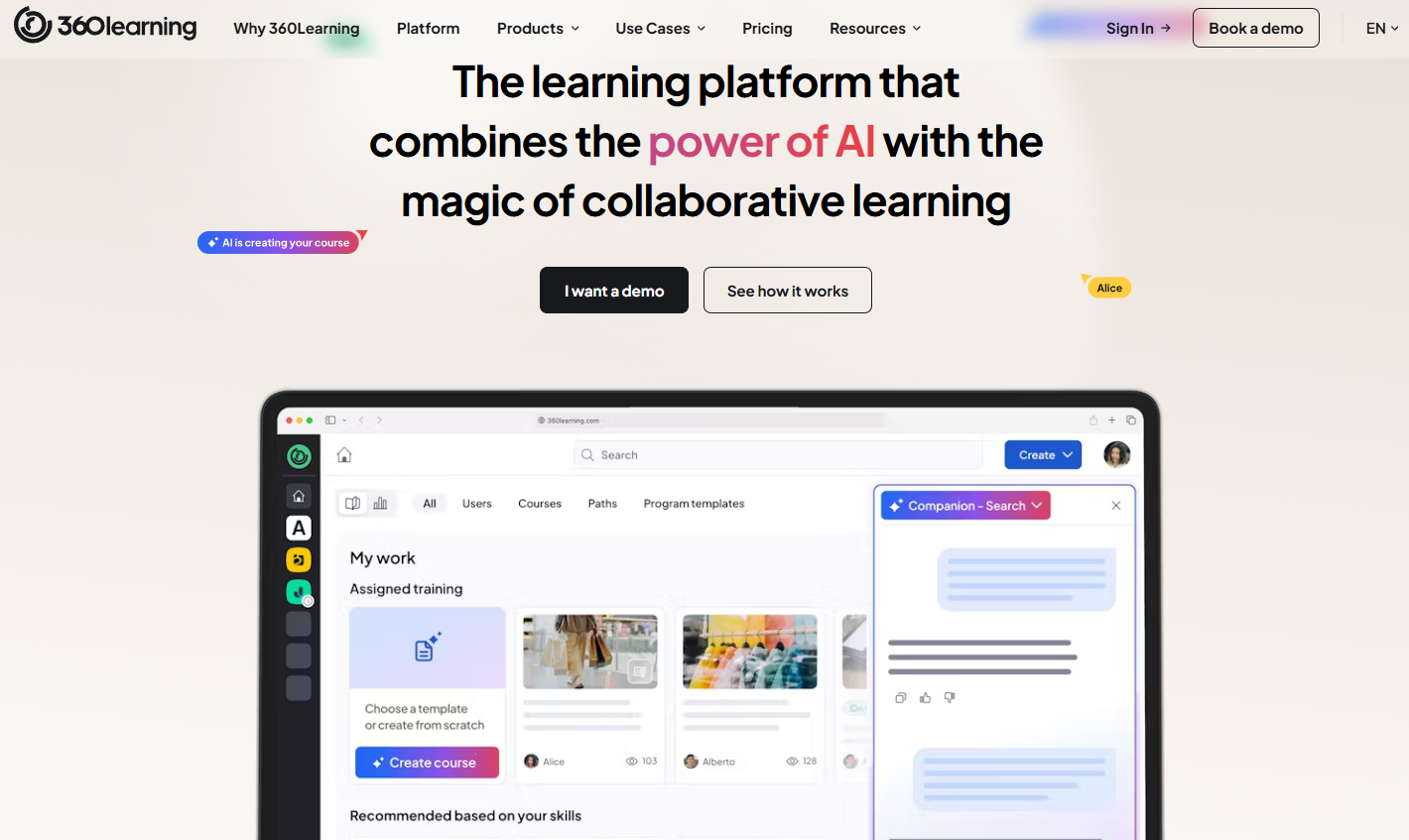
Another LearnUpon alternative worth considering is 360Learning, which focuses on collaborative, peer-driven learning. It helps employees to create, share, and update courses while encouraging knowledge sharing across teams.
The platform’s interface is intuitive, making it easy to build actionable learning content and track learner progress. On-demand training helps reduce reliance on traditional classroom sessions, saving time and coordination.
Unlike standard LMS platforms, 360Learning emphasizes team-based learning, making it a strong choice for organizations that value teamwork and community-driven knowledge growth.
Key features
- Collaborative authoring tools: 360Learning supports subject matter experts and L&D teams in co-creating courses through a shared workspace (Authored and co-authored training), facilitating real-time collaboration and content refinement.
- Discussion forums: Integrated discussion forums allow learners to engage in conversations, ask questions, and provide feedback, turning learning into an interactive exchange.
- Peer feedback mechanisms: Learners can offer and receive feedback on courses, promoting continuous improvement and creating a culture of constructive critique. A centralized feedback inbox is also available, consolidating all course-related feedback.
- AI-powered course creation: The platform's AI tools help generate quizzes and assessments, streamlining content creation and enhancing learning experiences.
- Project management tools: Integrated tools help manage training projects, from task assignments and reminder notifications to deadline tracking, ensuring efficient course delivery.
Pros and cons
Features that stand out:
- 360Learning's collaborative learning model motivates employees to create and share training content, creating a practice of knowledge sharing and continuous learning.
- 360Learning provides detailed insights into learner progress and engagement, helping organizations assess training effectiveness and identify areas for improvement.
- The platform integrates with various enterprise systems, simplifying workflows and optimizing the overall learning experience.
- The platform supports organizations to deliver training in multiple languages, accommodating diverse workforces and enhancing global accessibility.
- 360Learning allows organizations to manage all training content in one place, covering both soft and hard skills, while providing reliable reporting to support data-driven decisions.
- 360Learning releases updates in stages and provides documentation and support, helping businesses implement changes without major disruptions.
Limitations to consider:
- Smaller teams may find pricing less suitable for their budgets.
- Users spend time learning the platform’s more complex capabilities.
- The platform focuses on internal training rather than selling courses externally by individual course creators or teams.
- Many features are only available in higher-tier plans, which can limit functionality for organizations using the basic version.
- Organizations with employees in multiple groups, departments, or locations may find it difficult to assign courses accurately, often requiring manual adjustments or broad enrollments, which can be inefficient.
Pricing
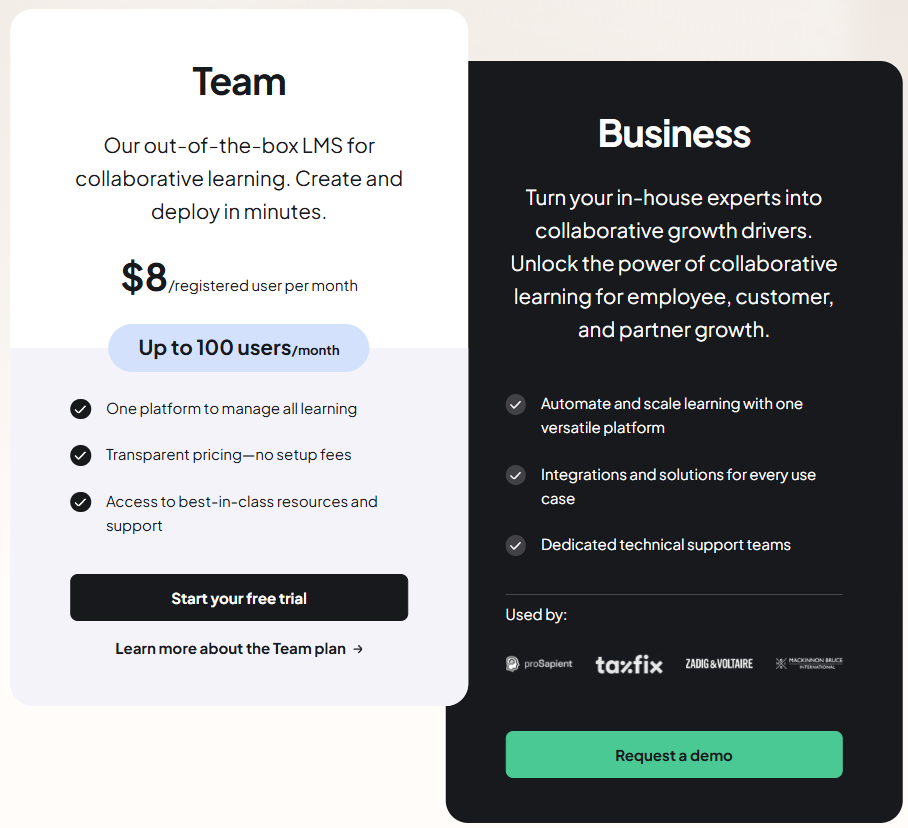
360Learning does not offer a plan; instead, it provides a 30-day free trial. Its pricing starts at $8 per registered user/month (up to 100 users/month in the team plan), and
The business plan has custom pricing.
Though the $8 per-user/month rate may seem affordable at first, costs rise quickly as the organization grows.
For example, a company running multiple training programs for 200 employees would spend $1,600 per month, and doubling the workforce to 400 employees would double the monthly expense to $3,200, which can strain training budgets.
5. Absorb LMS: Best for compliance and legal verification

Absorb LMS is a reliable learning management system designed to deliver effective and engaging training programs across industries. One feature that sets it apart, particularly for compliance-heavy sectors, is its E-Signature functionality.
According to reviews, this feature helps organizations verify learner completion and maintain legally recognized documentation, streamlining compliance efforts and reducing potential legal risks.
The platform also offers a comprehensive set of tools for course delivery, reporting, and learner management, along with options for customizing content and branding.
For organizations looking to implement thorough, compliant, and impactful training programs, Absorb LMS is a strong contender.
Key features
- Advanced reporting: Absorb LMS provides reporting and analytics dashboards that convert data into actionable insights. Administrators can track learner progress in real time, measure course completion and effectiveness, identify trends or areas for improvement, and act on the data directly from the reports.
- Mobile accessibility: Absorb LMS provides a mobile app that lets learners access courses and training materials on the go, improving flexibility and engagement.
- Automated notifications: The platform sends automatic emails and system notifications, called ‘Messages’, in response to specific actions. For instance, enrolling in a course triggers an enrollment message to the learner. Administrators can customize message templates, including text, images, and linked assets.
- Integration capabilities: The platform connects with HCM systems, CRM platforms, analytics tools, content libraries, and other third-party learning applications to streamline workflows.
- Social learning: AbsorbLMS provides interactive dashboards, discussion forums, peer collaborations, and MS Teams integration. Learners can engage in informal learning, participate in polls, access news articles, and interact with social media tiles.
Pros and cons
Features that stand out:
- Absorb LMS offers comprehensive reporting tools that allow administrators to track learner progress, course completions, and other key metrics, facilitating data-driven decision-making.
- The platform is suitable for organizations of all sizes, from small businesses to large enterprises, due to its scalable architecture.
- The platform allows organizations to create personalized learning paths for employees based on their roles, skills, or career development goals.
- Absorb LMS offers a clean and easy-to-navigate interface, allowing learners and administrators to access courses and resources without confusion.
Limitations to consider:
- Certain users stated that Absorb LMS has a comprehensive feature set, but the more advanced customizations may require additional purchases or integrations to access detailed course reports via the API.
- Users without “Create Licenses” may struggle to review content via SSO, requiring separate logins and complicating access.
- The platform’s updates can appear irregular and uncoordinated, which may create confusion and give the impression that improvements are not systematically planned or communicated.
- Absorb LMS lacks strong competitive and personalized learning features, such as leaderboards and content suggestions, which could better motivate and engage users.
Pricing
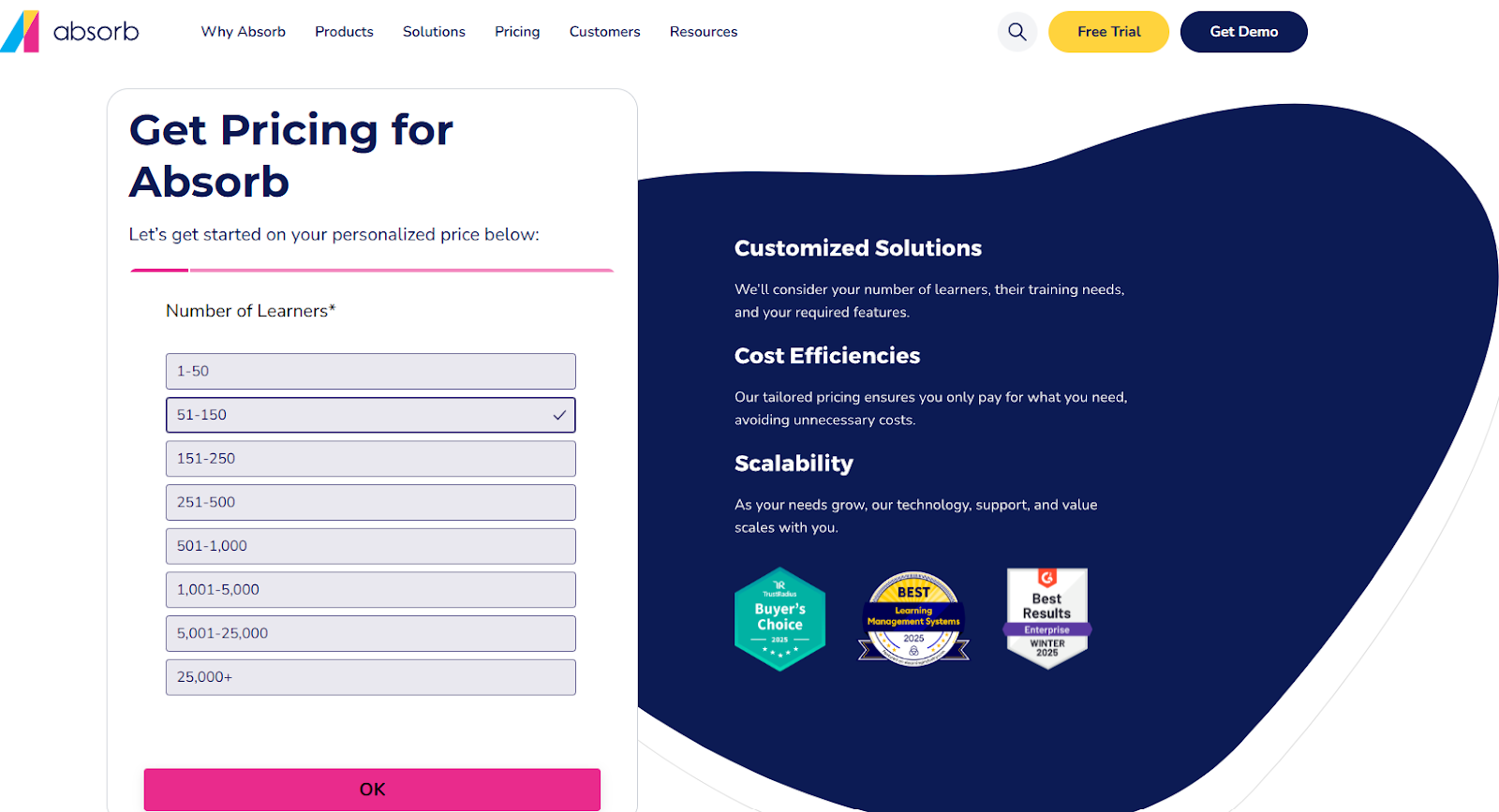
Absorb LMS provides a 14-day free trial. It does not offer public pricing. The administrators should provide information about their user base to get a custom pricing quote.
6. Litmos: Best for mobile-first and external training
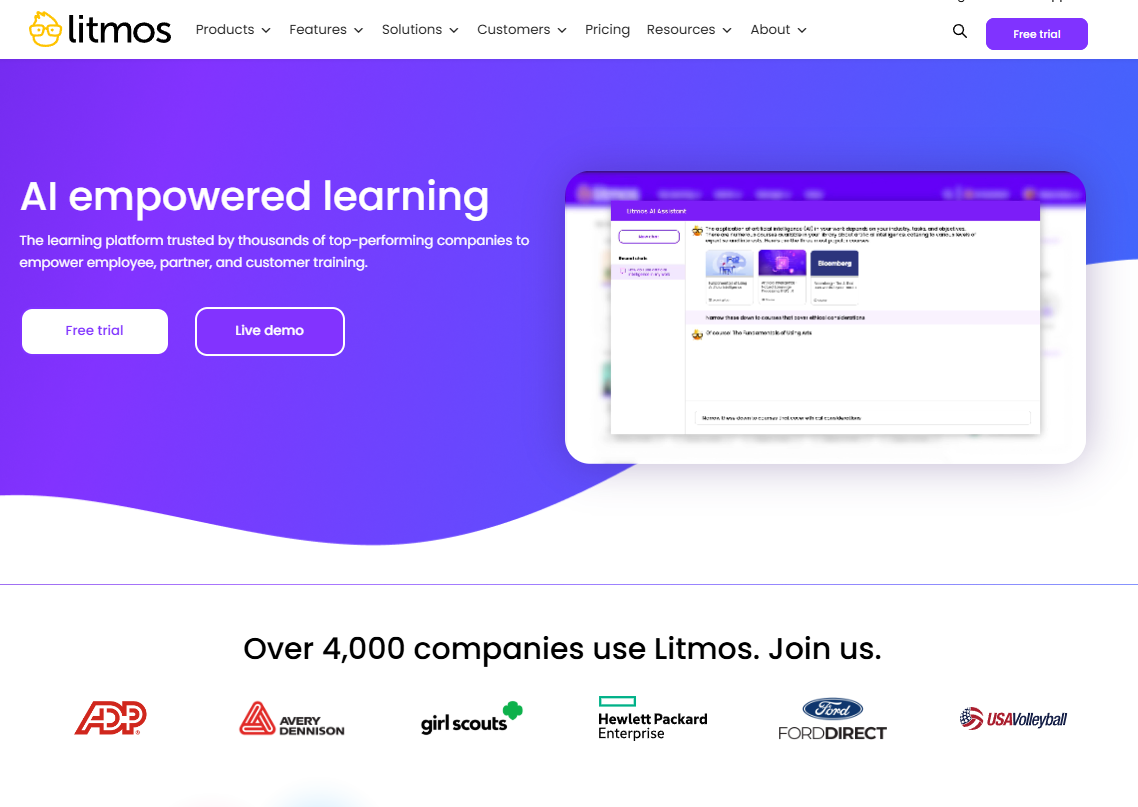
If you want a versatile LMS to streamline training and learning management, Litmos is a good option. It is a cloud-based platform designed to support employee, partner, and customer training with an intuitive interface and fast deployment.
Litmos helps organizations create and deliver engaging learning experiences through AI-assisted content creation, a wide content library, and mobile-accessible courses.
Its reporting and analytics tools help track learner progress and course effectiveness, while integrations with other systems enable workflow automation.
Key features
- Mobile-first design: Litmos provides in-house mobile apps for iOS and Android, enabling learners to access training materials on their mobile devices at any time, even without an Internet connection.
- Salesforce integration: The platform integrates with Salesforce, allowing organizations to link their LMS with existing CRM tools. This integration streamlines the process and improves an organization's performance for both sales and customer training.
- Content library: The platform offers access to an extensive library of pre-built video-based courses covering a wide range of topics, ensuring relevant, up-to-date training materials.
- AI/ML assessments: Litmos utilizes artificial intelligence to score video-based answers, ensuring consistent and fair evaluation of learners. AI analyzes the key themes and response speed to give evaluations.
- AI-powered content authoring: Litmos provides AI-assisted tools for creating engaging, mobile-responsive courses directly within the LMS, optimizing the content creation process.
- Instructor-Led Training (ILT) support: Litmos supports ILT, allowing enterprises to schedule and track live training sessions and enhance the learning experience.
Pros and cons
Features that stand out:
- Suitable for compliance and recurring training. It supports automated reminders and renewals, which reduce administrative overhead.
- Quick to deploy and relatively intuitive for administrators and learners to pick up.
- Strong integration capabilities with other systems and tools, allowing organizations to fit it into existing workflows.
- Supports flexible customization of dashboards and homepages to align with business-brand standards and organizational structure.
- Gives centralized content management and accessibility features, which support learners and administrators to find, assign, and monitor courses within teams or across a large organization.
Limitations to consider:
- While the platform offers comprehensive features, it offers limited options for customizing or personalizing dashboards to meet specific organizational needs.
- Users experience glitches when using advanced functionalities such as drip-feed content and complex branching, which can disrupt course delivery.
- Litmos struggles to support advanced learning requirements like intricate branching, detailed gamification, and other dynamic learning designs.
- The pricing process lacks transparency, and some users report difficulty getting clear, upfront cost details.
Pricing
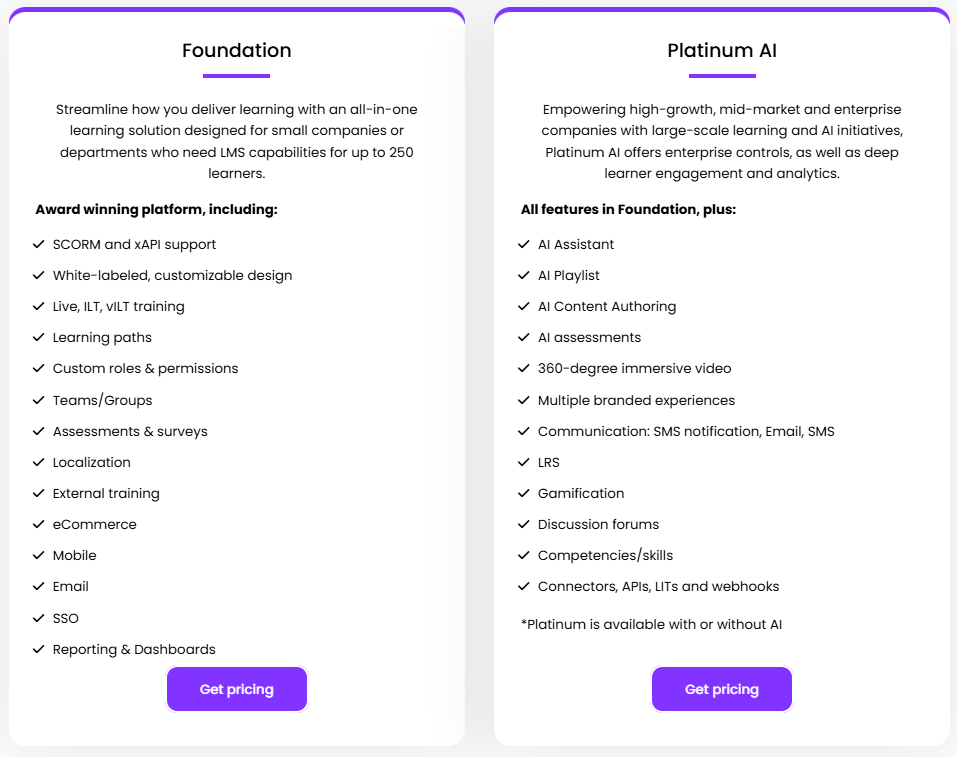
Litmos offers a free trial. It has 2 pricing plans: Foundation and Platinum AI, both with custom pricing upon request.
It also offers value-add-ons, including a Salesforce connector, a Data subscription, and content collections, which can potentially increase the overall pricing.
7. Trainual: Best for documenting SOPs and onboarding
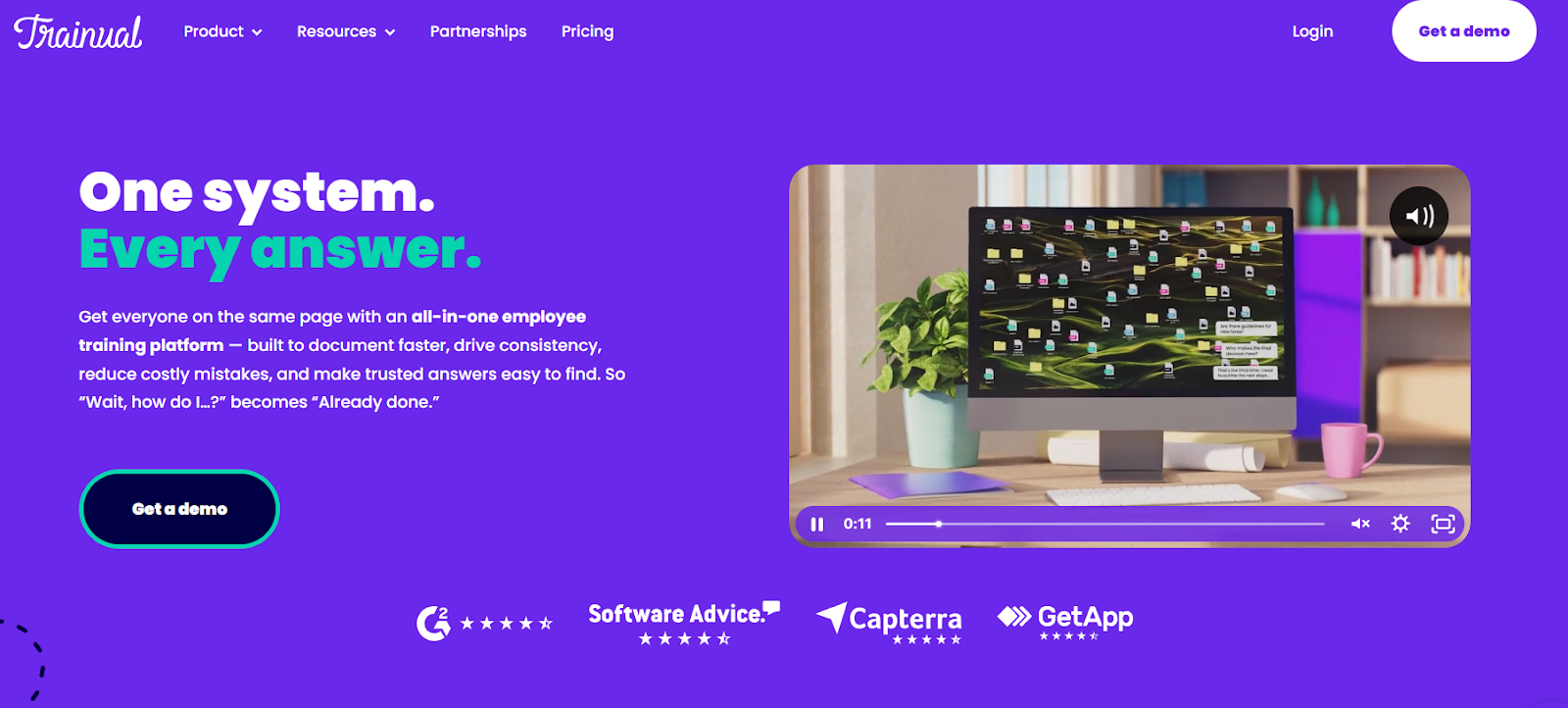
Trainual simplifies onboarding, training, and process documentation for growing teams, making it a strong alternative to LearnUpon. It is a cloud-based platform designed especially for businesses that want more than just a file repository and less than a full-scale enterprise LMS.
Trainual allows teams to build standard operating procedures, policies, and role-based training. It supports content creation, progress tracking, and tests, and integrates with tools already in use.
By centralizing knowledge and training in one accessible hub, with mobile and browser access, Trainual helps businesses standardize how work gets done, reduce onboarding time, and ensure consistency across roles and locations.
Key features
- Role-based assignments & learning paths: Assign training and documentation automatically based on job role, department, or location to ensure relevance and consistency.
- SOP templates and process documentation: Use pre-built templates for standard operating procedures, policies, and workflows, and customize them to match your organisation’s style.
- Integration with business tools: Connect with popular platforms such as Slack, Zapier, HR/Payroll systems, and more to utilize training in your existing workflows.
- Progress tracking and analytics: Monitor completion rates and learner engagement through dashboards and reports.
- E-Signature and compliance support: Incorporate legally-binding e-signatures, version control, and audit trails to support regulated workflows.
- Automated reminders and notifications: Trainual allows administrators to set recurring reminders for content owners to review and verify the accuracy of training materials at specified intervals (e.g., annually). These reminders help ensure that training content remains up to date and follows the organizational standards.
Pros and cons
Features that stand out:
- Users recognize the platform's capacity in optimizing the company's onboarding, making new employees' training and consistency across teams easier.
- The platform offers a single point of reference for company policies, procedures, and training materials, reducing confusion and enhancing accountability.
- Trainual's intuitive design simplifies content creation and navigation, making it accessible for both administrators and learners.
- Trainual simplifies company workflows, document management, and onboarding for new hires, everything in one place, making operations more efficient.
- Features like charts and process breakdowns help accommodate different learning preferences, improving accessibility and engagement.
Limitations to consider:
- Some users feel that the platform does not offer advanced customization features, especially in adapting the interface to specific branding needs.
- The reporting functionality is basic, with users noting the absence of advanced analytics and customization features.
- Managing and organizing content can be challenging, especially as the volume of materials grows.
- A few users report that the platform is complex to use, requiring significant time investment and support to effectively utilize the platform.
- The mobile application lacks certain features available in the desktop version, hindering accessibility for users on the go.
Pricing
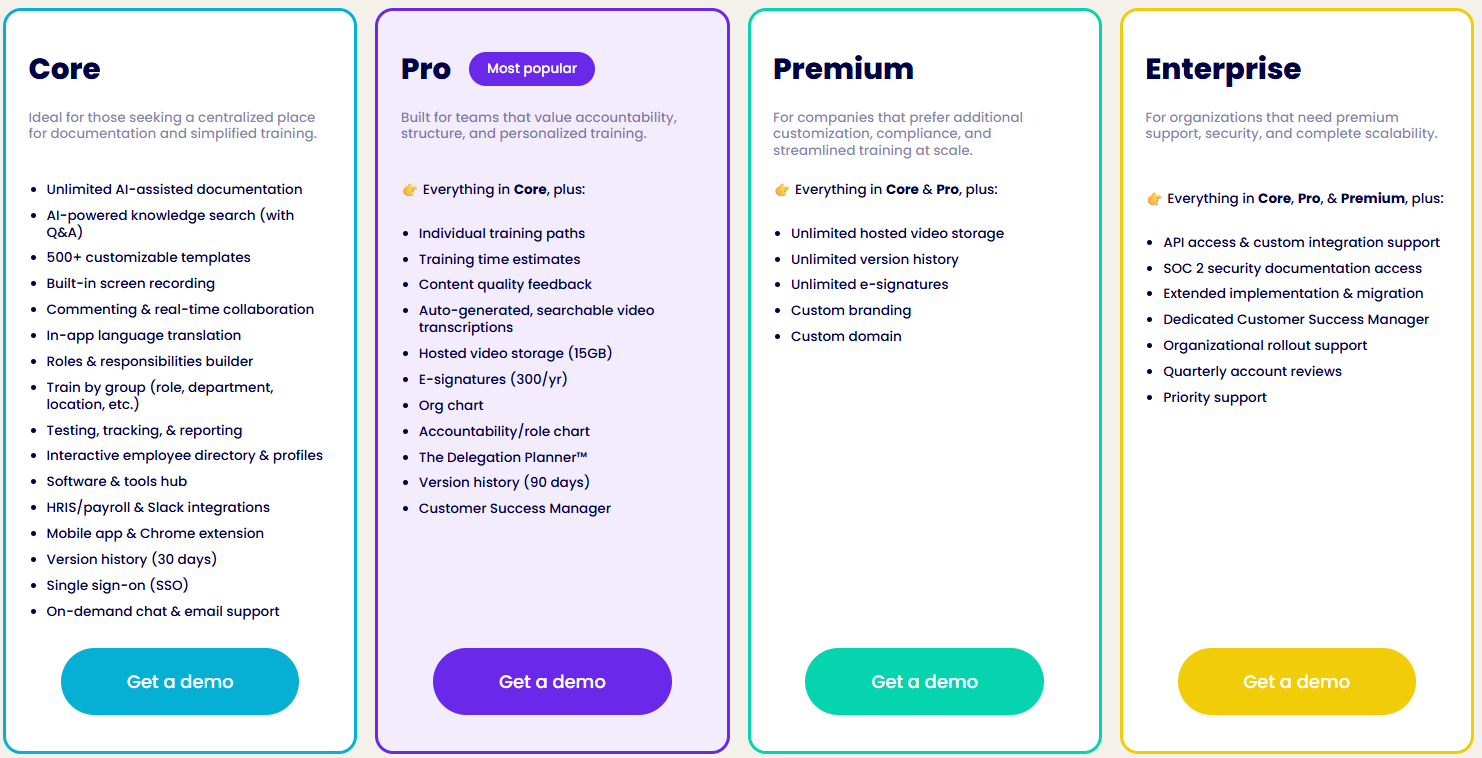
Trainual does not offer a free plan and only gives a demo on request. It has 4 pricing plans (Core, Pro, Premium, and Enterprise), all of which require custom pricing.
How to choose the right LearnUpon alternative for your business
When selecting a LearnUpon alternative, it helps to match your priorities with the platform that best supports them. Here’s a simple approach to guide your decision:
If your priority is internal employee training
Focus on platforms that are good at onboarding, compliance, and skill development within your organization.
- FreshLearn, TalentLMS, and 360Learning are strong options, offering structured learning paths, reporting tools, and collaborative features for employees.
If your priority is documenting processes
For teams looking to centralize standard operating procedures, workflows, and role-based training…
- Trainual provides a straightforward, easy-to-use hub for capturing and sharing company knowledge.
If your priority is customer education or selling courses
Organizations aiming to educate customers or monetize training content will benefit from platforms like…
- FreshLearn offers comprehensive, scalable, and cost-effective solutions for external learners.
If you have a massive budget for enterprise features
For organizations that require advanced reporting, AI-powered tools, extensive integrations, and enterprise-level support, consider…
- Docebo or Absorb LMS, which provide advanced features for large-scale operations.
Wrapping up
Choosing the “best” LMS is more than picking the most popular platform; it’s about finding the solution that fits your specific needs. Whether your focus is internal employee training, process documentation, or delivering external courses, the right LMS will align with your goals and workflows.
If your priority is supporting customers and generating revenue through training, FreshLearn offers an all-inclusive, affordable, and scalable solution.
Start your free trial today and see why hundreds of businesses rely on FreshLearn to educate, engage, and grow their audience.
FAQs
1. What companies use LearnUpon?
Several organizations worldwide use LearnUpon across various industries and company sizes. Notable companies include Robinhood Markets Inc., Brivo Systems LLC, and GTreasury. These organizations leverage LearnUpon for employee onboarding, compliance training, and customer education.
2. What is the best free LMS platform?
FreshLearn offers a strong free plan suitable for small businesses and individual educators. The free tier includes features like product creation, a blogging CMS, enrollments, and email support, making it ideal for those starting out or with a limited budget.
3. Which platform is best for learning?
The following are the popular platforms for learning:
- Udemy: Works for learners looking for a course marketplace across multiple topics. It provides flexibility, helping users to learn at their own pace.
- Coursera: Best suited for individuals aiming for structured learning with courses from accredited institutions. It provides opportunities to earn certifications and degrees.
- Skillshare: Good for learning creative skills through hands-on projects in areas like design, photography, and writing. It also creates a strong sense of community, where learners can share ideas, collaborate, and get feedback from others.
4. What is LearnUpon used for?
LearnUpon is a Learning Management System designed to manage, deliver, and track training programs. Organizations utilize it for employee onboarding, compliance training, customer education, and partner training. The platform offers features like multi-portal architecture, SCORM/xAPI support, and AI-powered learning.
5. How much does LearnUpon cost?
The platform does not publicly provide its pricing. Organizations should contact LearnUpon directly for a customized quote. However, a few external analyses say that the prices range from $6 to $9 per user/month, based on the plan and features selected.
6. What is the best LMS for selling courses online?
FreshLearn stands out as an excellent platform for selling courses online. It offers a user-friendly interface, customizable branding, and integrated payment gateways. The platform supports various content types, including videos, quizzes, and assignments, making it suitable for course creators looking to monetize their content.
You might also like
Hosted by
