Best eLearning Platforms: Kajabi, Teachable, and More (2026)

I've spent a lot of time testing every major eLearning platform I could get my hands on. And I get why so many creators feel stuck.
There are over 50 platforms out there, and at a glance, they all kinda look the same.
"Easy course builder." "All-in-one solution." "Start for free."
But those shiny landing pages won’t tell you that some of these platforms take up to 10% of every sale you make. Others lock your content behind walls that make migrating feel impossible.
I learned this the hard way after losing hundreds in hidden fees on my first course launch.
So I built this guide to save you from making the same mistakes. I'm ranking them by the important stuff. That’s costs, ease of use, and whether they'll grow with you or hold you back.
Let's begin.
TL;DR
- Most course creators ignore the total cost of ownership. A platform with a low monthly fee might end up being super expensive once transaction fees are added.
- Kajabi is feature-packed but expensive; Teachable is good for beginners, but taxes your growth, and Udemy brings traffic but snatches most of your profits.
- FreshLearn ranks #1 for profitability by offering 0% transaction fees on paid plans, meaning you keep every dollar you earn.
The Criteria for Choosing an eLearning Platform
Before I walk you through each platform, I want to share the framework I use to evaluate them.
Most comparison articles just list features. But features don't pay your bills. These three criteria do.
Total cost of ownership
You see a fixed dollar figure a month and think that's your cost. It's not.
Many platforms charge transaction fees on top of your subscription, anywhere from 5% to 10% per sale. If you launch a course and make $10,000, a 5% fee means you're handing over $500. That's more than your annual subscription on some plans.
But it doesn't stop there. You also need to factor in the following.
- Payment processing fees. Stripe and PayPal typically take around 2.9% + $0.30 per transaction. That's unavoidable on most platforms.
- Add-on costs. Some platforms charge extra for features like certificates, advanced analytics, or removing their branding from your course pages (white-label).
- Email marketing tools. If the platform doesn't include built-in email, you're paying for a separate tool like ConvertKit or Mailchimp.
I always calculate the monthly fee plus projected transaction fees plus any add-ons I'll actually need.
Migration and lock-In
Some platforms make exporting your content a chore. I've talked to creators who stayed on platforms they hated simply because switching felt impossible.
Here's what to look for:
- Student data export. Can you download a CSV of your students' emails and purchase history? If not, you're in trouble.
- Content portability. Most platforms won't let you bulk-download your uploaded videos. You'll need to keep your original files backed up safely.
- Payment continuity. If you have students on subscription plans, can you transfer those recurring payments to a new platform?
Look for platforms that let you export your data easily, or better yet, ones that offer migration support.
Time-to-value (AI tools)
Does the platform just host your course, or does it help you build it?
The best platforms now offer AI tools that generate course outlines, write quiz questions, and even draft sales pages. That's hours of work saved before you record a single video.
An AI-generated outline gives you a starting structure in minutes instead of days of brainstorming. AI quiz generators help you add interactive elements without spending hours writing questions yourself. The list goes on.
If you're starting from scratch, a platform with smart AI features can cut your launch timeline in half. If you're already established, these tools help you create new courses faster without burning out.
Bonus: Support and community
I didn't include this in my core three, but it's worth mentioning.
Some platforms offer 24/7 live chat. Others give you a help centre. A few have active creator communities where you can get advice from people who've solved the same problems.
Don't underestimate this.
Keep these three criteria in mind as we go through each platform. I'll call out exactly where they shine, and where they fall short.
Quick Comparison: Top 5 eLearning Platforms at a Glance
Here's a side-by-side look at how the top platforms stack up. I've focused on the factors that impact your bottom line.
- Thinkific charges 0% if you use their Thinkific Payments processor. If you use Stripe or PayPal, they add 5% on Basic, 2% on Start, and 1% on Grow plans.
- Kajabi charges 0% with Kajabi Payments. Using Stripe on their new 2025 plans incurs an additional 2–5% fee depending on your tier.
- Udemy keeps 63% of revenue from organic marketplace sales. You only get 97% if you drive the traffic yourself through your own promotional links.
The Best eLearning Platforms of 2026: Deep Dive
FreshLearn (Best for creators who want value for money)
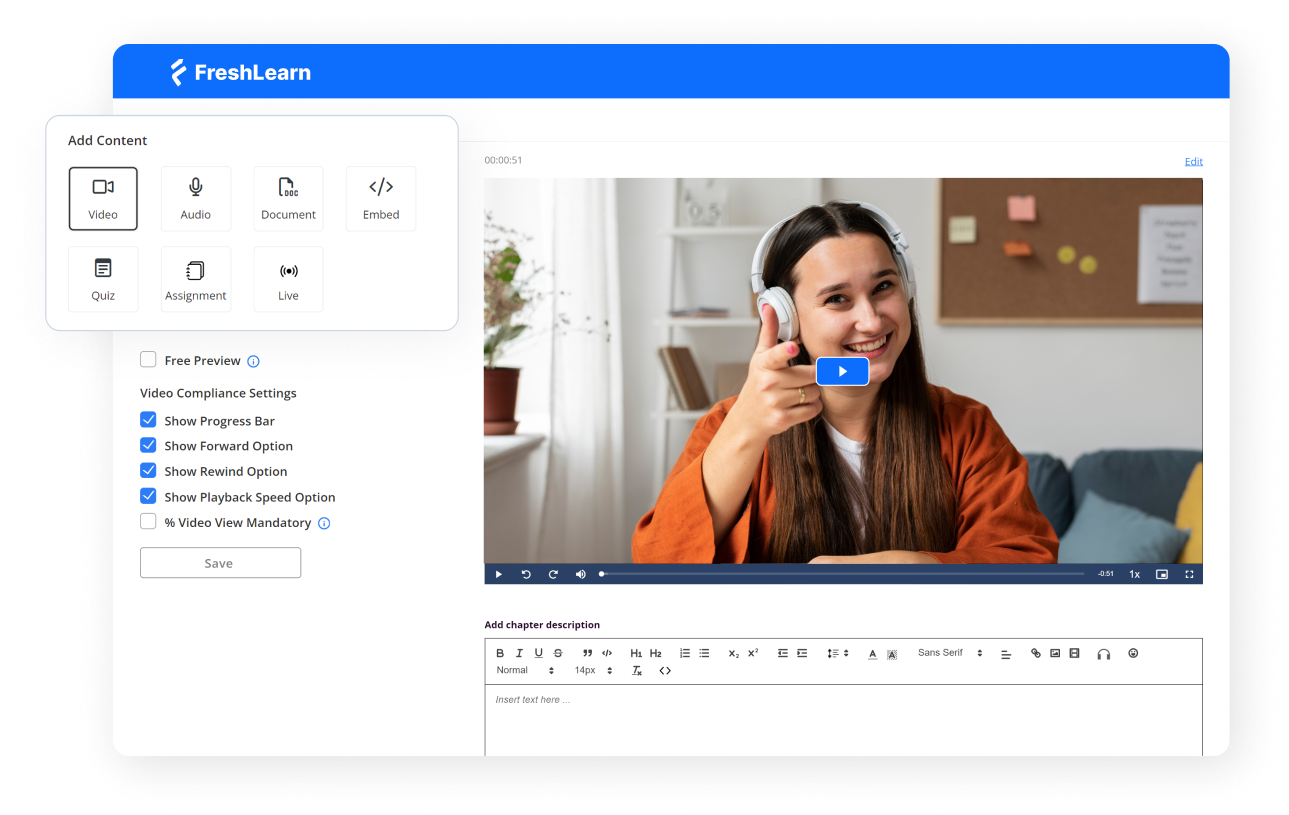
Via FreshLearn
Most other platforms seemed affordable until you started selling. That's when the transaction fees kicked in. FreshLearn solves that problem outright.
On FreshLearn’s paid plans, you keep 100% of your course revenue. The platform takes nothing. Compare that to Teachable's 7.5% fee on their Starter plan or Thinkific's 5% charge when using Stripe instead of their in-house processor.
FreshLearn helps you before you even launch. The AI Course Idea Validator checks market demand before you build a course. The AI Course Outline Generator generates a structured curriculum for your topic in minutes. And the AI Sales Page Builder drafts landing page copy that you can tweak and publish the same day.
If you're stuck on another platform and dreading the switch, FreshLearn's migration team will move your courses, student data, and enrollment records for free on yearly plans.
The platform also includes built-in email marketing with free monthly credits; you don’t need to pay for a separate tool like ConvertKit or Mailchimp.
Key features
- 0% transaction fees on all paid plans (you only pay standard Stripe or PayPal processing
- AI Course Idea Validator to test market demand before you build
- AI Course Outline Generator that creates structured curricula in minutes
- AI Sales Page Builder for high-converting landing pages without copywriting skills
- Free done-for-you migration on yearly plans (handles courses, members, payments)
- Built-in email marketing with free monthly credits included
- 24x7 live human support
Who's it for?
FreshLearn is best for course creators, coaches, and digital entrepreneurs who want to maximise profits without multiple tools. It's especially valuable if you're migrating from a platform with high fees (like Teachable or Kajabi) or if you're launching your first course and want AI to speed up the process.
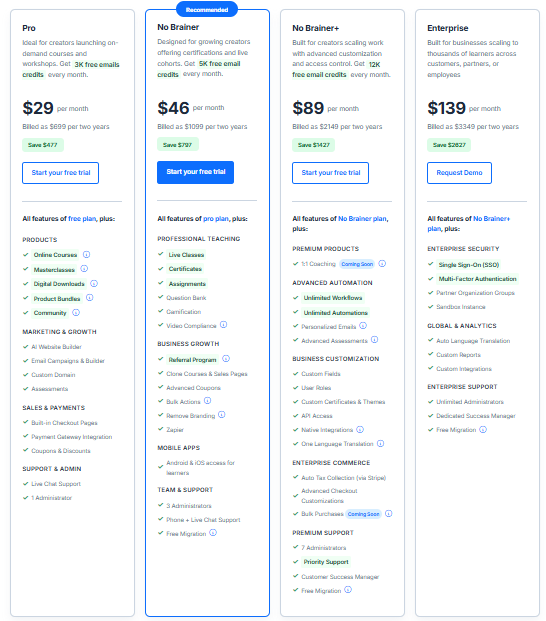
Pricing
- Free Plan: $0/month (limited to 25 enrollments, 10% transaction fee)
- Pro Plan: $49/month (0% transaction fees, unlimited courses, email marketing)
- No Brainer Plan: $79/month (adds white-labeling, priority support, communities)
- No Brainer+ Plan: $149/month (advanced automations, API access, 3 admin seats)
User ratings
- G2: 4.5/5 stars (100+ reviews)
- Capterra: 4.3/5 stars (35 reviews)
Thinkific (Best for course design customisation)
Via Thinkific
Thinkific has built a reputation as a course-first platform, and it shows. If your priority is creating a polished, highly customizable learning experience, Thinkific shines.
The course builder offers granular control over how content is structured and delivered. You can set prerequisites, drip content on a schedule, add quizzes and assignments, and customise the student experience down to the smallest detail.
The platform also has a rich app store with integrations for tools like Zapier, Mailchimp, and various CRM systems. This flexibility is awesome, but many features that competitors include natively require third-party tools here. Email marketing, for example, was only recently added and remains fairly basic.
Thinkific advertises 0% transaction fees, but that's only true if you use their in-house payment processor, Thinkific Payments. If you prefer Stripe or PayPal, you'll pay an additional fee. It is 5% on the Basic plan, 2% on Start, and 1% on Grow. For creators outside the countries where Thinkific Payments is available, this is an unavoidable extra cost.
Thinkific provides documentation and CSV templates to help you move student data, but there's no hands-on migration support included.
Key features
- Deep course customisation with prerequisites, drip scheduling, and flexible lesson structures
- 0% transaction fees when using Thinkific Payments
- Extensive app store with integrations for CRMs, email tools, and automation platforms
- Communities feature for building discussion spaces alongside your courses
- Certificates and completion tracking to enhance the student experience
- Multi-language support for reaching international audiences
- TCommerce sells tools, including order bumps, upsells, and abandoned cart recovery
Who's it for?
Thinkific is a good fit for course creators who prioritise instructional design and want maximum control over the learning experience. It works well for educators, corporate trainers, and subject-matter experts who don't mind using third-party tools for marketing and are comfortable with a DIY approach to platform setup and migration.
Pricing
- Free Trial: 14 days (no permanent free plan)
- Basic Plan: $49/month ($36/month billed annually)
- Start Plan: $99/month ($74/month billed annually)
- Grow Plan: $199/month ($149/month billed annually)
- Thinkific Plus: Custom pricing for enterprise
User ratings
- G2: 4.5/5 stars (387+ reviews)
- Capterra: 4.4/5 stars (180+ reviews)
Teachable (Best for complete beginners)
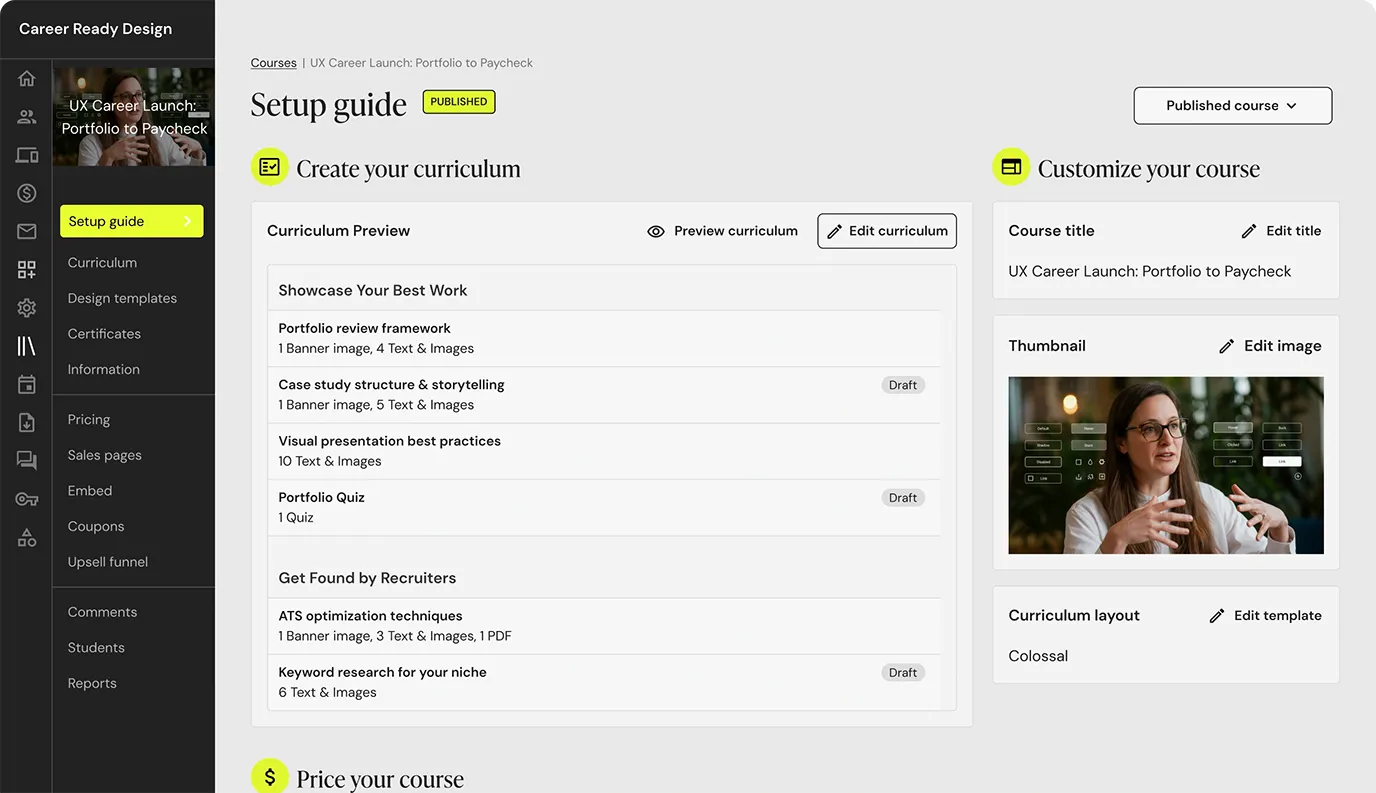
Via Teachable
Teachable has long been one of the most popular names in the course creation space, and for good reason; it's really easy to use.
If you've never built an online course before, Teachable's interface removes most of the friction. You can upload videos, organise lessons, and publish a professional-looking course without touching any code. The onboarding process walks you through each step, and the learning curve is minimal compared to more feature-heavy platforms.
The entry-level Starter plan charges a 7.5% fee on every sale, which can add up quickly if your course gains traction. To eliminate transaction fees, you'll need to move to the Builder plan at $89/month. That is a significant jump for someone just testing the waters.
On the positive side, Teachable includes built-in email marketing, a mobile app for students, and solid sales tools like coupons, order bumps, and abandoned cart recovery (on higher plans). The platform also handles U.S. sales tax, global VAT, and GST, which is a time-saver for creators selling internationally.
Key features
- Beginner-friendly interface with drag-and-drop course builder and step-by-step onboarding
- Built-in payment processing through Teachable: pay with direct bank payouts
- A student mobile app so learners can access courses on the go
- Email marketing tools are included for student communication and campaigns
- Sales tax and VAT handling for U.S., EU, and international transactions
- Drip content scheduling to release lessons over time
- Abandoned cart emails and order bumps to increase conversions
Who's it for?
Teachable works well for first-time course creators who want a straightforward platform without a steep learning curve. It's also for solo creators launching their first course who don't mind paying transaction fees initially.
Pricing
- Free Plan: $0/month (limited features)
- Starter Plan: $39/month ($29/month billed annually, 7.5% transaction fee, 1 product)
- Builder Plan: $89/month ($69/month billed annually, 0% transaction fee, 5 products)
- Growth Plan: $189/month ($139/month billed annually, 0% transaction fee, 25 products)
- Advanced Plan: $399/month ($309/month billed annually, 0% transaction fee, 100 products)
User ratings
- G2: 3.9/5 stars (40+ reviews)
- Capterra: 4.3/5 stars (180+ reviews)
Kajabi (Best for high-budget all-in-one needs)
Via Kajabi
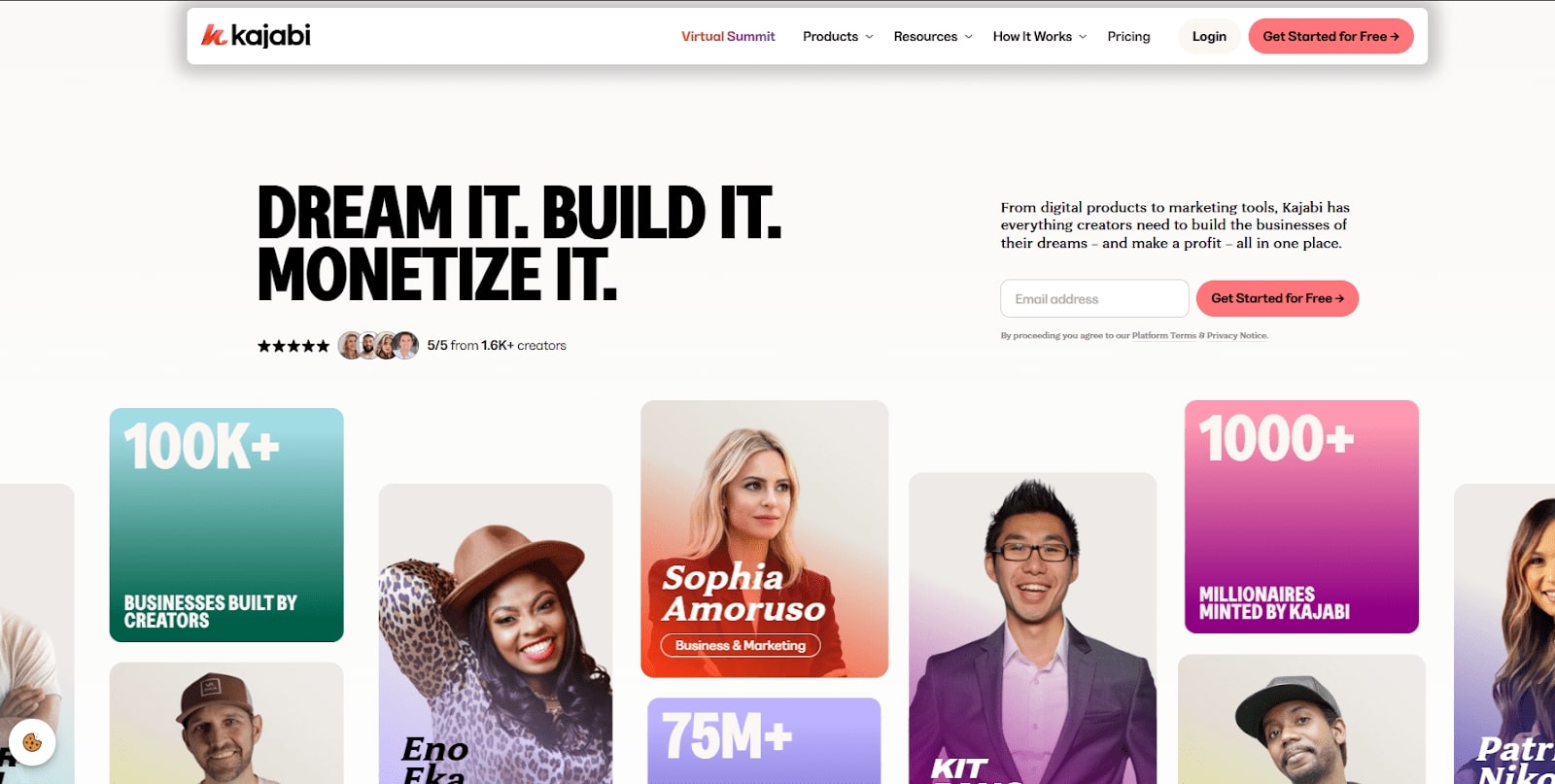
Kajabi is one of the most expensive options in this space. But what you get in return is a comprehensive all-in-one platform.
Kajabi’s integrated approach has a lot of appeal if you don’t want to use multiple platforms or pay separate subscriptions for each. Website builder, email marketing, sales funnels, payment processing, community features, podcasting tools, and course hosting are all included under one roof.
Kajabi excels in marketing. The pre-built sales funnels (called Pipelines) come with proven templates and pre-written copy. This makes it faster to launch campaigns without starting from scratch. The email marketing suite is good enough that most creators won't need an external tool. Automations allow you to trigger actions based on purchases, course completions, or email engagement. These features typically ask for higher-tier plans on competing platforms.
That said, Kajabi isn't for everyone. The entry-level plans come with strict limits on products, contacts, and funnels. And while the templates look professional, advanced users often find the design flexibility limiting.
Key features
- True all-in-one platform with website, courses, email, funnels, communities, and payments integrated
- 0% transaction fees when using Kajabi Payments
- Pre-built sales funnels (Pipelines) with templates and pre-written copy to speed up launches
- Advanced email marketing with broadcasts, sequences, automations, and analytics
- Kajabi AI for generating course outlines, content, and marketing copy
- Community and coaching features for memberships and group programs
- Podcasting tools built directly into the platform
Who's it for?
Kajabi is best for established creators, coaches, and businesses who are already generating revenue and want to consolidate their tech stack into a single platform. It's great if you're selling high-ticket courses or coaching programs where the higher monthly cost is offset by the revenue.
Pricing
- Kickstarter Plan: $89/month ($71/month billed annually)
- Basic Plan: $179/month ($143/month billed annually)
- Growth Plan: $249/month ($199/month billed annually)
- Pro Plan: $499/month ($399/month billed annually)
User ratings
- G2: 4.2/5 stars (80+ reviews)
- Capterra: 4.4/5 stars (190+ reviews)
Udemy (Best for exposure)
Via Udemy
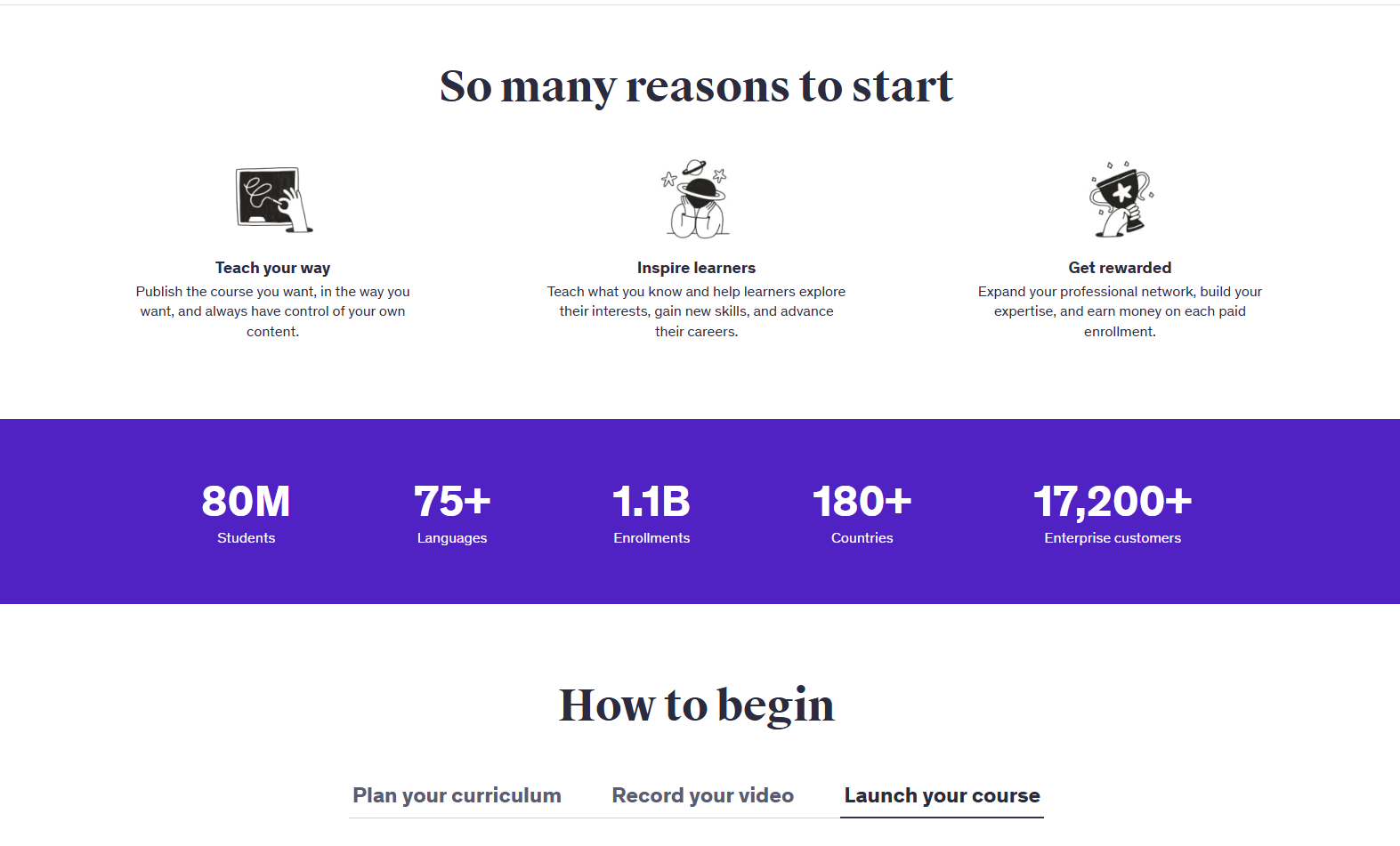
Udemy is different from every other platform on this list. It's not a tool for building your own course business. It is a marketplace where you upload courses, and Udemy handles hosting, payment processing, marketing, and student acquisition.
With 67+ million learners and 210,000+ courses, it's the largest online learning marketplace in the world. That reach is both its greatest strength and, for many instructors, its biggest limitation.
For someone testing the waters of online teaching or looking to supplement income from an existing audience, Udemy removes nearly all barriers to entry. You upload your course, Udemy reviews it for quality standards, and once approved, it goes live to their global audience.
But things get complicated in the revenue share. When a student finds your course through Udemy's marketplace, you keep only 37% of the sale. On a $50 course, that's $18.50. If the sale comes through your own promotional link or coupon, you keep 97%, but then you're doing the marketing yourself, which defeats much of the platform's value proposition.
Udemy runs aggressive site-wide sales where courses routinely sell for $9.99 to $14.99, regardless of the price you set. While you can opt out of the Deals Program, doing so reduces your visibility in the marketplace. Even comprehensive, high-quality courses sell for the price of a coffee. If you spent months creating content, this might feel like a devaluation of your work.
Key features
- Massive built-in audience of 67+ million learners across 196 countries
- Zero upfront cost to create and publish courses
- Marketplace Insights tool for researching topic demand, competition, and revenue potential before creating courses
- Udemy Business program for enterprise exposure (courses selected for corporate learning libraries)
- Connect 1:1 for live coaching sessions
- Mobile app for learners with offline viewing
Who's it for?
Udemy works best for instructors who want exposure without building their own audience, are testing course ideas before committing to a full platform, or want to use it as a lead generation tool to funnel students to their own website. It's also reasonable for hobbyist instructors who aren't dependent on course income.
Pricing
- Free to join and publish
- Revenue share (Marketplace sales): 37% to the instructor, 63% to Udemy
- Revenue share (Instructor promotions): 97% to the instructor, 3% to Udemy
User ratings
- G2: N/A
- Capterra: 4.5/5 stars (150+ reviews)
How to Move Your Academy to a Better Platform
If you're stuck on a platform taking 5-10% of every sale, knowing how to switch matters just as much as knowing where to switch.
Step 1: Audit your assets
Before moving anything, inventory what you have.
Find all video files, PDFs, downloadable resources, course structures, quizzes, student email lists, enrollment records, and any sales pages hosted on your current platform.
Open a spreadsheet and document everything.
Step 2: Export all the data
Most platforms don’t have a clear option to export your data.
Student data exports well. Teachable, Thinkific, and Kajabi all let you download student lists as CSV files with names, emails and enrollments. This part is easy.
Course content is another story. You'll need to manually download each video, PDF, and resource file individually, then re-upload them to your new platform and rebuild your course structure from scratch.
Or Step 3: Take the shortcut with FreshLearn
FreshLearn offers a dedicated migration team that handles the entire process.

It is fully free on yearly plans. The team will transfer your courses, members, enrollments, payment history, sales pages, and even websites (up to 10-12 pages). Over 1,000 creators have used this service to switch from Teachable, Thinkific, Kajabi, and others.
Launch and Grow Your Online Course with FreshLearn
After testing dozens of platforms and talking to creators at every stage, I have learned that the best platform depends entirely on what you're optimizing for.
For most independent creators, coaches, and educators building a sustainable business, the math points toward platforms that combine low total cost, modern AI tools, and genuine support.
That's why FreshLearn keeps appearing at the top of these comparisons.
It is not perfect for everyone, but it's optimised for creators who want to maximise revenue without fighting their platform.
The switching cost is manageable. The cost of staying on a platform that takes 10% of every sale compounds forever. Start free with FreshLearn today.
FAQs
1. What's the real cost difference between these platforms?
A $39/month platform charging 7.5% transaction fees costs you $789 in fees alone on a $10,000 launch, plus the subscription. A $49/month platform with 0% fees costs $588 total for the same revenue. Over a year of consistent sales, transaction fees can easily exceed your subscription cost.
2. Can I switch platforms without losing my students?
Yes. Your student email list and enrollment data can be exported as CSV files from most platforms. The challenge is the course content, as videos and files need to be downloaded individually and re-uploaded. Some platforms, like FreshLearn, offer migration services that handle this for you.
3. Which platform is best for beginners?
For first-time creators, it depends on your priority. If you want a built-in audience and zero upfront costs, Udemy gets you started immediately. If you want to build your own brand from day one, FreshLearn's free plan includes AI course creation tools and 0% transaction fees on paid plans. It is accessible without the marketplace trade-offs.
4. Do I really need AI course creation tools?
You don't need them, but they noticeably reduce time-to-launch. Generating a course outline, quiz questions, or sales page copy manually can take days. AI tools compress this to minutes.
5. Can I use my own domain name?
Yes, on all platforms reviewed here (except Udemy, where courses live on udemy.com). Custom domains are standard on paid plans and help establish your brand. Most platforms also offer SSL certificates included with hosting.
6. What happens to my content if a platform shuts down?
This is why you should always maintain local backups of your original video files and resources. Platforms store your content in proprietary formats. If they shut down or you get locked out, recovering course content is difficult or impossible. Keep master copies of everything on your own hard drive or cloud storage.
You might also like
- Online Course Creation Platforms
- 15 best online coaching platforms for 2026
- Online Learning Strategies
- 10 Best Online Learning Platforms
- Online Teaching Platforms
- Online Coaching Platforms
Hosted by