Compare LearnUpon: Which LMS Is Right for Your Business in 2026?

Choosing an LMS is difficult. After all, you’re deciding how you'll deliver knowledge, engage learners, and grow your business.
But the LMS market is a maze of confusing pricing, feature overload, and platforms that either oversimplify or overcomplicate everything.
That's why this comparison takes a different approach: we're looking at two platforms from completely different categories.
LearnUpon represents the enterprise LMS world: built for large organizations with complex training needs, dedicated L&D teams, and substantial budgets. FreshLearn comes from the creator economy: designed for educators, coaches, and businesses who want professional capabilities without enterprise complexity or cost.
Why compare them? Many course creators and small businesses assume they need an enterprise-grade platform to look professional or scale effectively. Meanwhile, enterprises sometimes overlook creator-focused platforms that could save them significant money while delivering better engagement features.
The truth is, the right choice depends entirely on your specific needs, audience size, budget, and growth plans, not just which category a platform falls into.
We'll examine course creation, engagement, pricing, setup, and support to help you make a confident, informed decision based on what actually matters for your situation.
Let's dive in.
Compare LearnUpon and FreshLearn: A New Approach To Learning Management
LearnUpon
Via LearnUpon
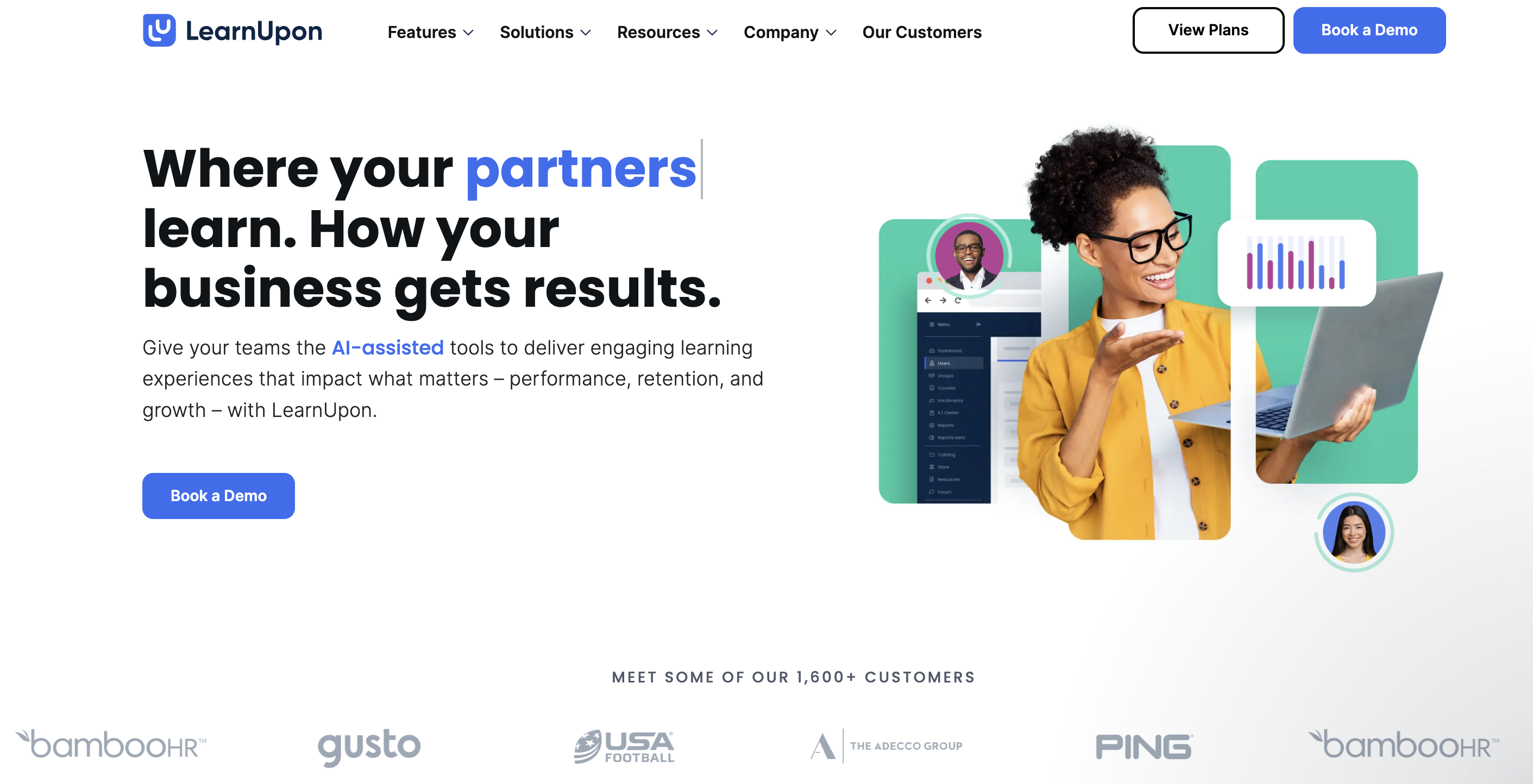
LearnUpon is an LMS platform that lets businesses easily create and manage learning programs for every audience, be it employees, customers, partners, and members, within a centralized hub.
The platform's core philosophy centers on extended enterprise training: the ability to deliver personalized learning experiences to multiple audiences simultaneously. LearnUpon is a multi-tenant solution that lets you easily create customized learning environments for multiple, separate audiences, with each audience having its own subportal that is conveniently managed from a top portal.
This approach makes it powerful for organizations that need to train multiple audiences with different branding, content, and user experiences while keeping content organized and simplifying administration.
LearnUpon features
- Multi-portal architecture: Create separate, secure portals for different audiences (employees, partners, customers, members) in seconds, with each portal featuring unique branding, content, and access controls. (Source)
- SCORM and xAPI Support: Bulk upload up to 100 SCORM or Tin Can (xAPI) files simultaneously (up to 2.5 GB combined) with validation during upload to identify and correct errors.
- Live learning functionality: Create session series that break down learning into sequences, fostering group participation and collaboration, with native Zoom and Microsoft Teams integration.
- Enterprise integrations: HRIS integrations with UKG Pro, ADP Workforce Now, SAP SuccessFactors, Deel, Dayforce, Gusto, Paycor, Paylocity, Workday, HiBob, Personio, and BambooHR to automate user creation and data syncing. (Source)
- AI-powered features: A suite of AI-assisted features deeply integrated into LearnUpon's core to enable smarter, scalable, automated learning. (Source)
FreshLearn

via FreshLearn
FreshLearn, also an LMS, helps brands build and organize eLearning experiences, with the only platform you need to create, market, and sell online courses and coaching.
Unlike LearnUpon’s enterprise focus, FreshLearn adopts a creator-centric design philosophy. FreshLearn is an all-in-one platform for creators where you can create and deliver online courses, cohort-based courses, hold webinars, and organize workshops.
The platform offers flexibility to cater to various audiences with features like courses, cohorts, live workshops, and digital downloads, with creators keeping 100% of their earnings with 0% commission on sales.
The platform prioritizes speed and simplicity without sacrificing capability. The platform's intuitive design and ease of use make it accessible even to those with no prior experience in course creation, along with affordable pricing and comprehensive features, including course creation tools, drip content scheduling, gamification elements, live classes, assessments, and community-building tools.
FreshLearn features
- AI-powered course creation: AI Agents that quickly create course outlines and generate sales landing pages for courses, with AI Course Creator providing course title suggestions and outlines from just a course idea. (Source)
- Multiple learning formats: Create one-day or multiple-day live sessions with specific timing, dates, and timezone specifications, alongside on-demand courses, masterclasses, and digital downloads. (Learn more)
- Community features: Revamped community feature that lets you build communities effortlessly, create Facebook-like groups, and enable members to connect, engage, and learn from one another in a dynamic and collaborative space.
- Gamification system: Points, badges, and rewards for interactions and achievements, with quizzes and challenges where learners can test their knowledge and earn rewards.
- White-label branding: Remove FreshLearn branding and customize the platform to match your own brand identity, with learners accessing courses on mobile apps for both iOS and Android.
Now that we have met both contenders, let’s proceed with the comparison.
LearnUpon vs FreshLearn: Quick Comparison Table
LearnUpon vs FreshLearn: Feature-by-Feature Comparison
Now, let’s see how these platforms compare in the most important aspects of an LMS.
1. Course Creation and authoring
Both platforms provide capable course creation tools, but they take very different approaches to meet the needs of their target audiences.
LearnUpon
LearnUpon offers a built-in course builder that supports SCORM 1.2 and 2004, as well as xAPI (Tin Can) standards for easy integration with external authoring tools. The platform features a user-friendly drag-and-drop interface that allows rapid creation of organized learning modules without requiring technical expertise.
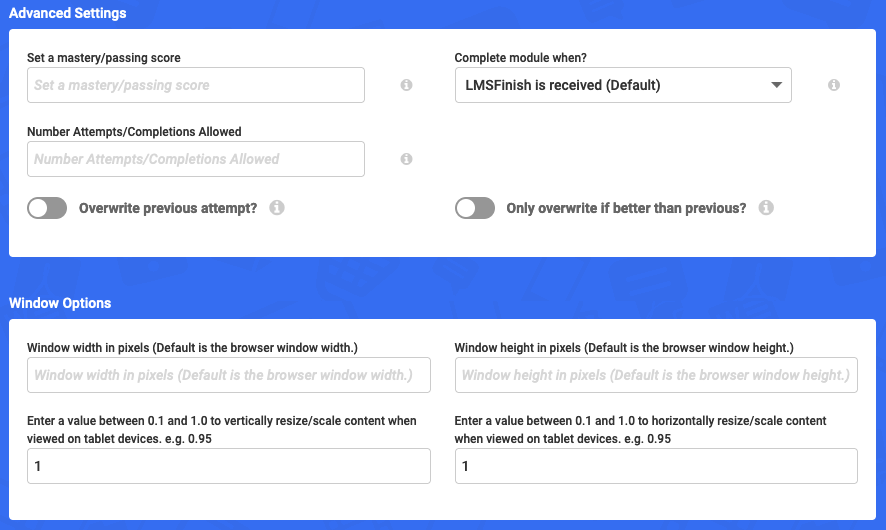
You can upload documents, presentations, videos, and audio files, embed content from platforms like YouTube and Vimeo, and manage instructor-led training sessions directly from the platform. The system also validates SCORM content during upload to help identify and correct errors.
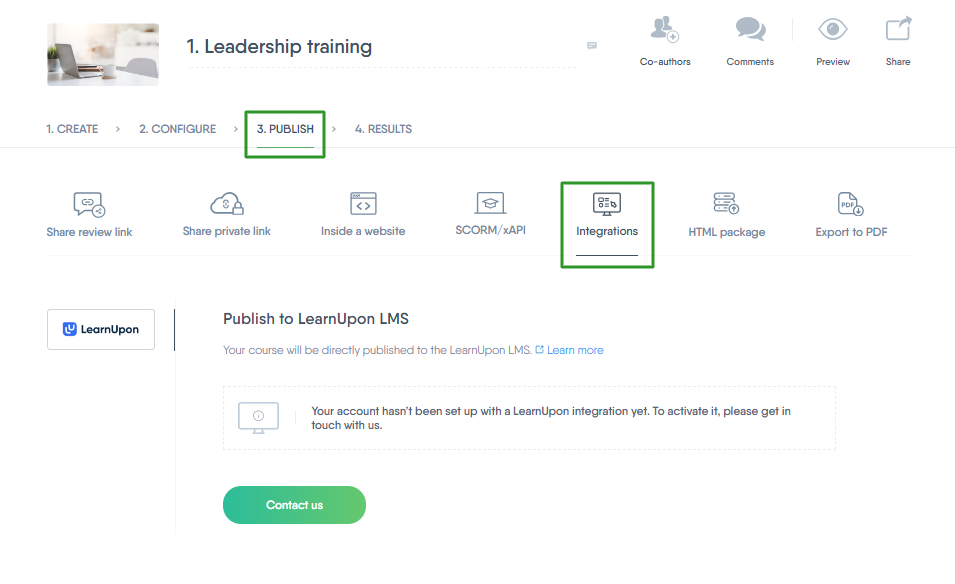
However, LearnUpon's content creation tool operates through a separate platform called Easygenerator, which means you have to be away from the internal LMS. This adds an extra step to the workflow for creators who want more advanced authoring capabilities beyond the basic builder.
FreshLearn
FreshLearn takes a more integrated approach with a simple yet powerful drag-and-drop AI course creator that allows you to design courses with various content types in just a few hours, with zero coding knowledge required.
The platform also offers AI Agents that can effortlessly create courses, generate quizzes, and build sales pages, to reduce the time from concept to launch.
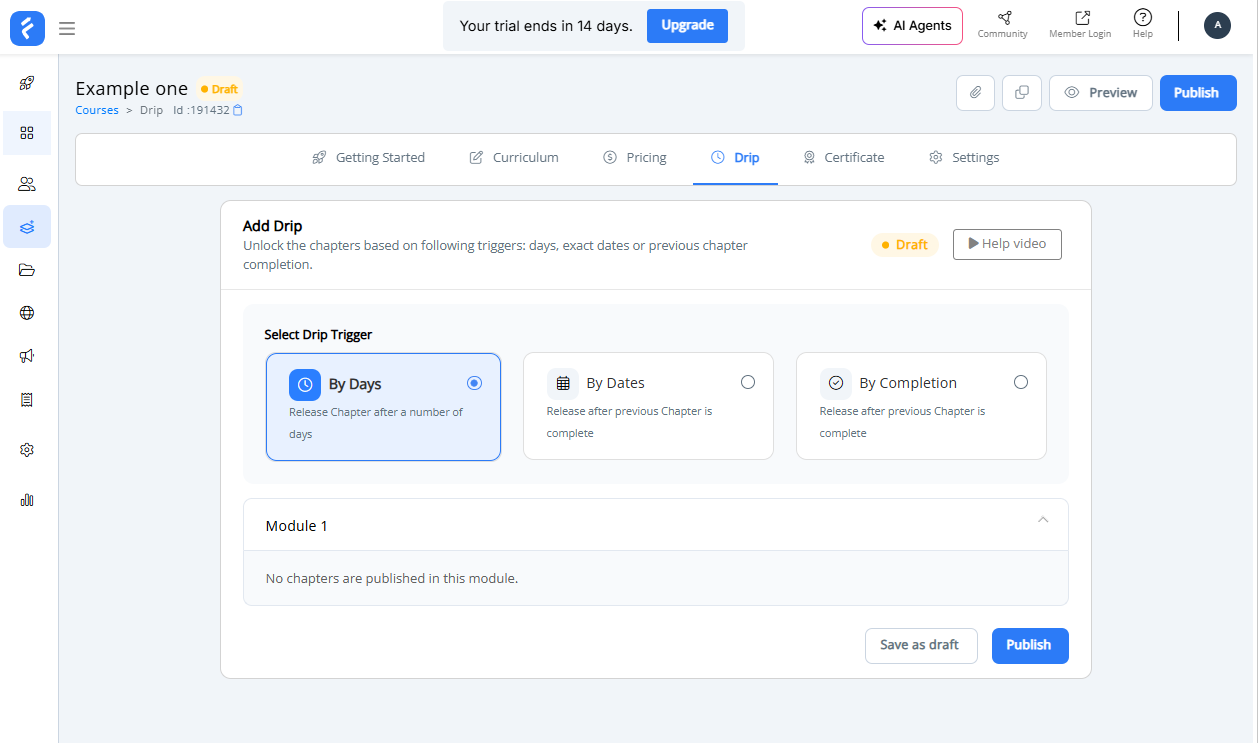
FreshLearn's drag-and-drop course builder supports video, audio, documents, assignments, and assessments, and the platform includes free and secure video hosting with anti-piracy protection, mandatory video watch time enforcement, and reliable transcoding for multiscreen delivery.
The course builder also supports content dripping based on different conditions, automated certificate delivery upon course completion, and personalized email automation at the course level.
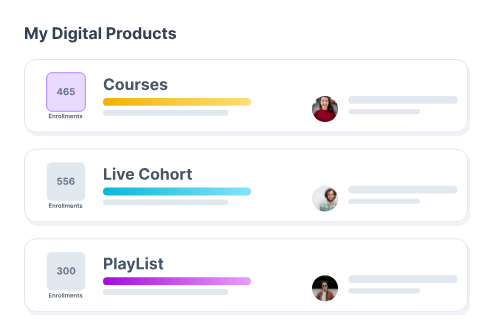
A significant advantage for FreshLearn is its support for multiple course formats. Beyond standard on-demand courses, you can create live cohort courses by setting up one-day or multiple-day sessions with specific dates, times, and time zones.
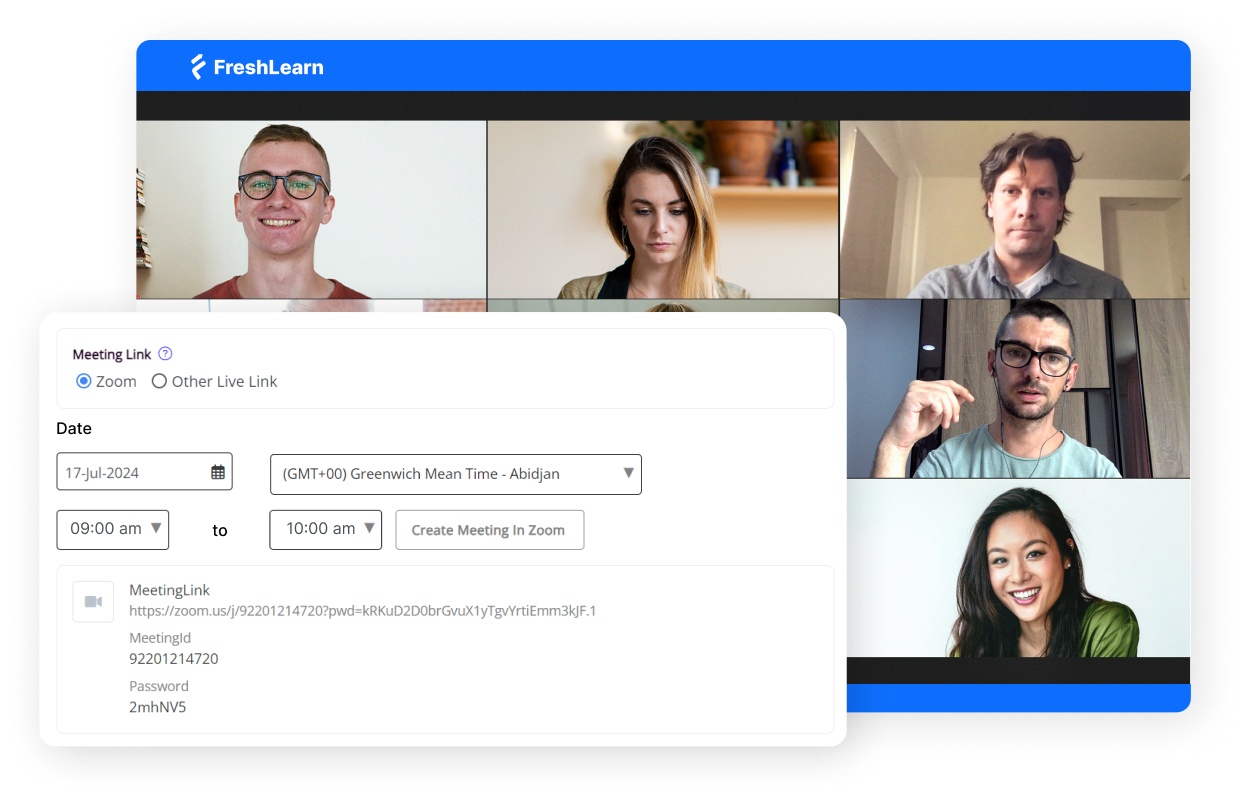
This flexibility makes FreshLearn great for creators who offer diverse learning experiences, starting from self-paced courses to interactive workshops and live training sessions.
The FreshLearn advantage
If you prioritize speed, ease of use, and flexibility, FreshLearn's AI-powered tools and integrated approach will give you a more streamlined experience.
The ability to generate course outlines, quizzes, and landing pages with AI assistance, with native support for live sessions and cohort-based learning, makes course creation faster and more versatile.
2. Delivery and engagement
This is where the platforms show their most distinct differences. It's not surprising, given the fact that they target different kinds of audiences.
LearnUpon
LearnUpon is architected specifically for extended enterprise training. Its best feature is the multi-portal functionality that enables organizations to create separate, secure portals for different audiences, for employees, partners, customers, and members, all managed from one solution.
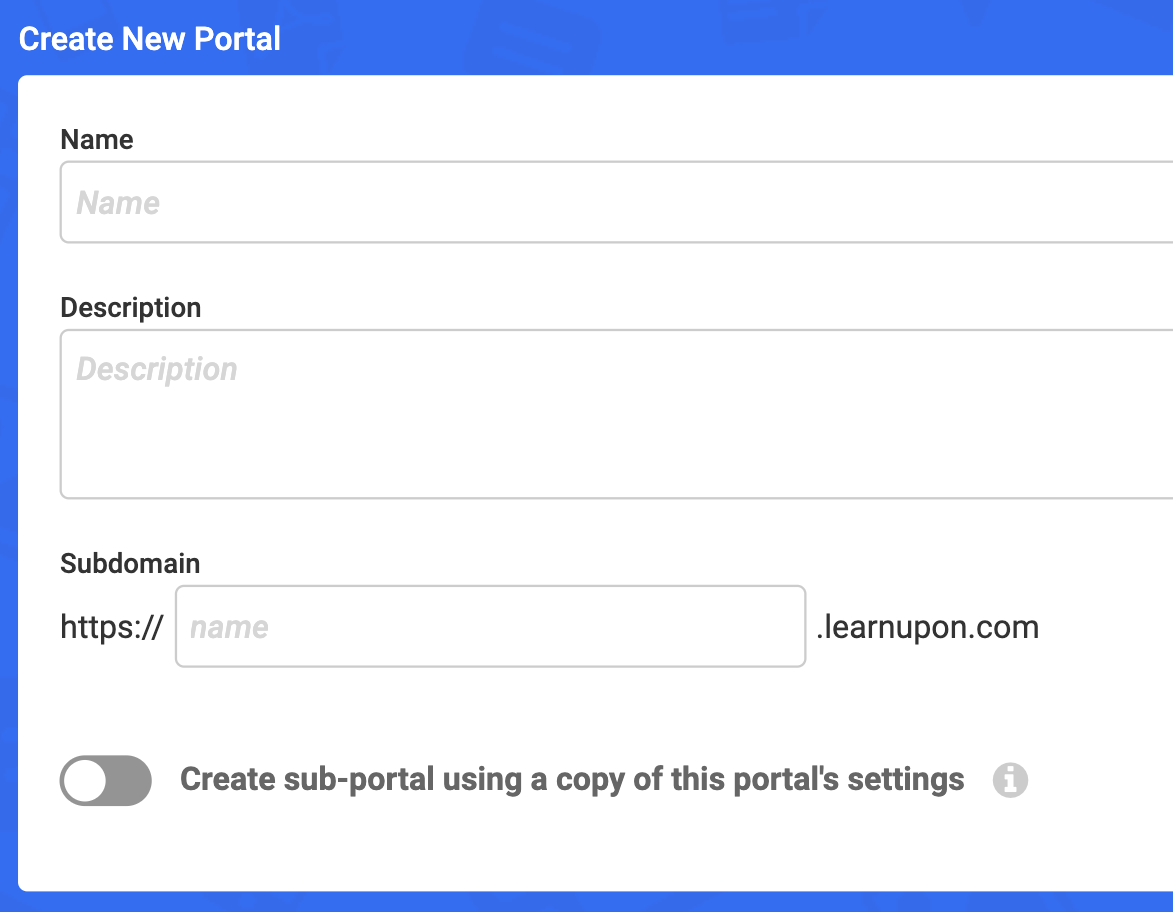
Each portal can be customized with unique branding, content, and access controls, ensuring data isolation and privacy for each tenant.
LearnUpon is really powerful for companies that need to train multiple audiences with different branding, content, and user experiences while keeping content organized and simplifying administration. For example, organizations can train installers in one portal while maintaining separate portals tailored to employee and customer training needs.
FreshLearn
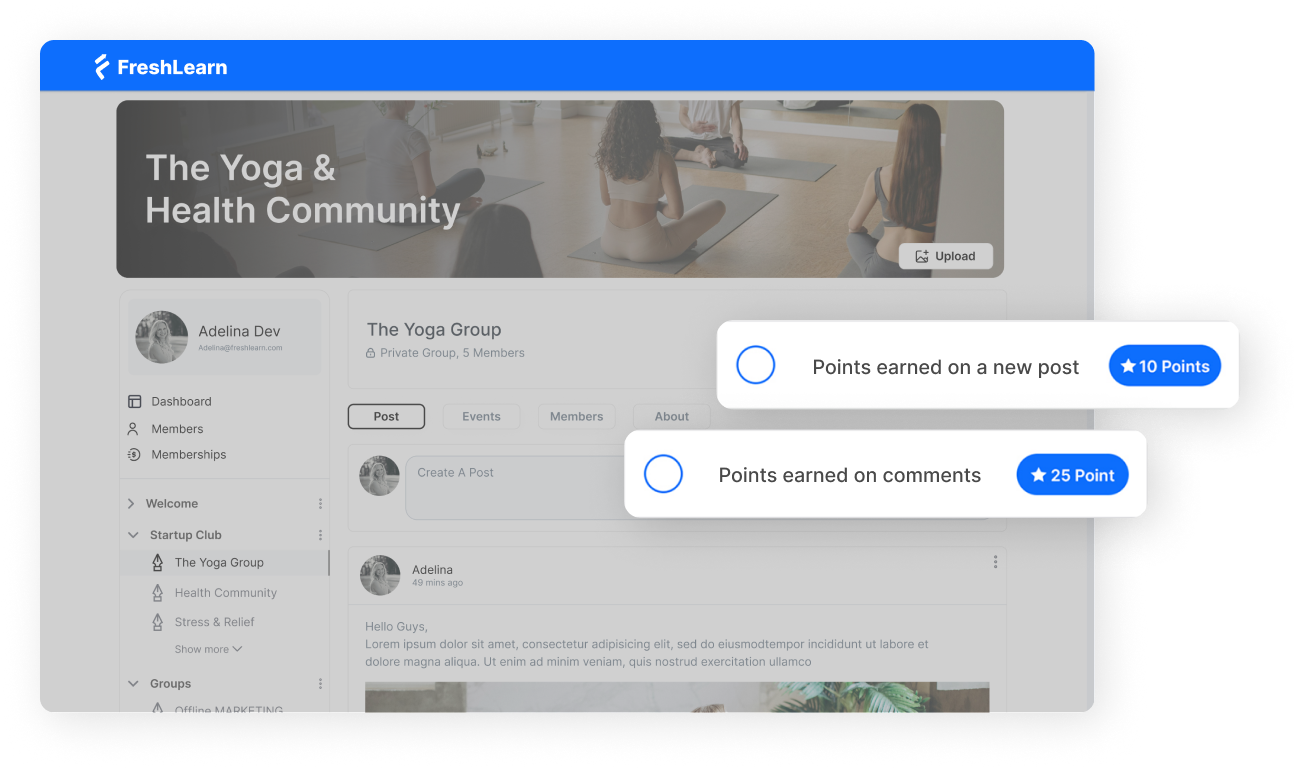
FreshLearn, on the other hand, takes a creator-first approach to delivery and engagement. You get tools that help individual educators and smaller organizations build communities and drive learner participation. The platform provides community spaces where learners can interact, ask questions, and share ideas, with gamification elements like points and badges for being active and helpful to each other.
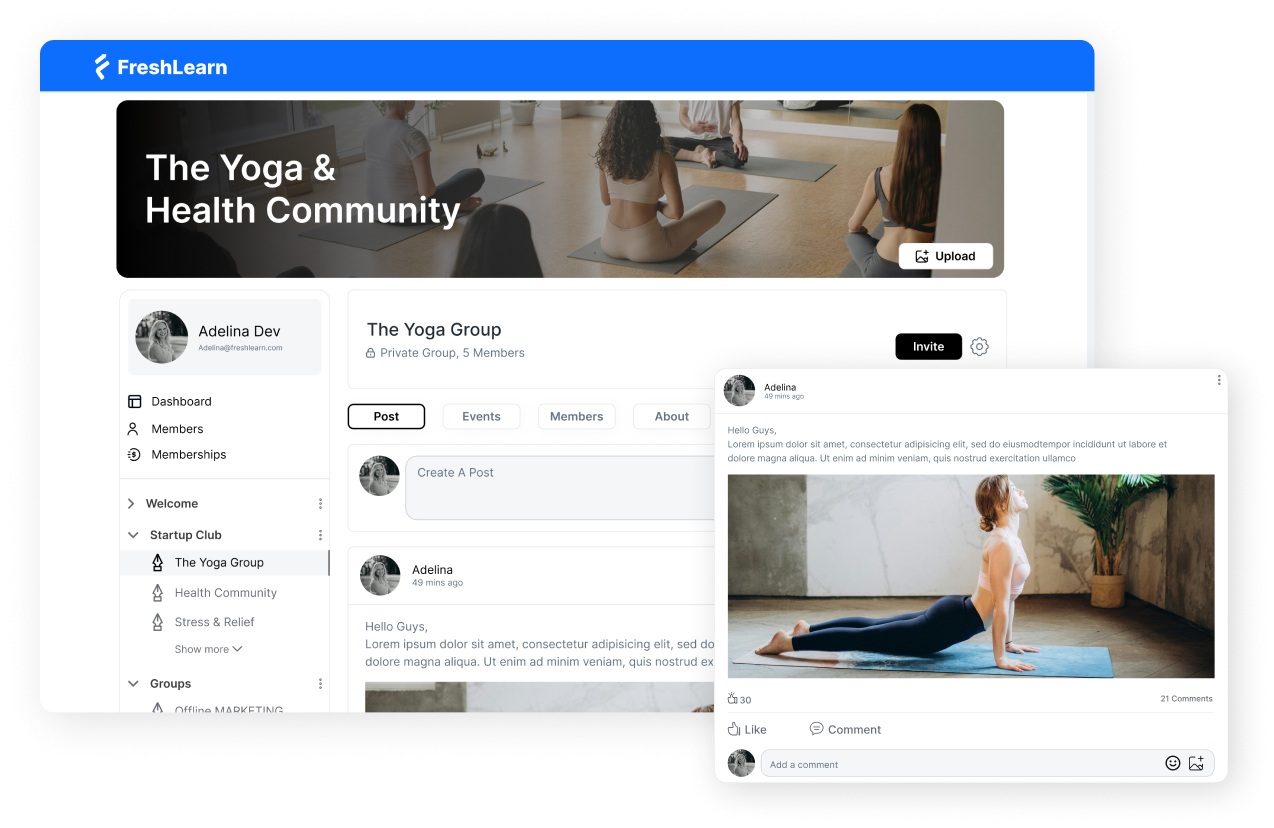
FreshLearn's gamification features allow learners to earn reward points for completing courses and achieving milestones, with various assessment types including single choice, multiple choice, and short answers.
You can choose from various certificate templates or upload your own design to create beautiful certificates with your branding, automatically sending them to members upon achieving milestones.
The community features go beyond basic forums. FreshLearn includes a community space where learners can interact; that’s something most course platforms charge extra for. This creates opportunities for peer learning and collaboration, where students can interact, share insights, and support each other.
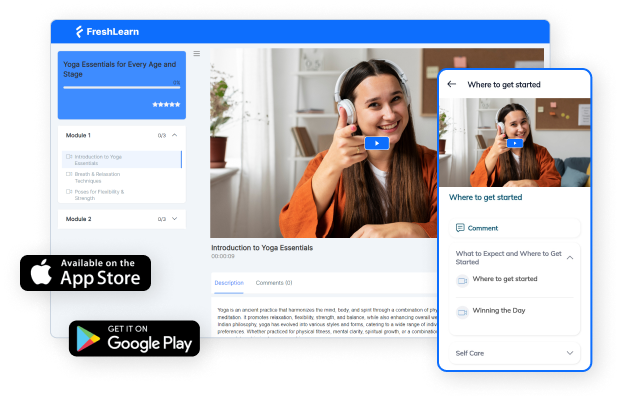
FreshLearn also offers mobile apps for both Android and iOS, auto language translation, personalized learning paths, progress tracking, interactive assessments, and advanced engagement tools. This means that learners can access content wherever and however they prefer.
The FreshLearn advantage
If your goal is to create a branded learning academy that feels like a community rather than just a training portal, FreshLearn delivers superior engagement tools at a fraction of the cost. The community features, learning spaces, gamification, and white-label mobile apps create an ecosystem where learners can connect, collaborate, and stay engaged long-term.
3. Reporting and analytics
The approaches to reporting and analytics are again very different on both platforms: LearnUpon emphasizes compliance and audit trails, while FreshLearn focuses on engagement optimization and actionable insights for course creators.
LearnUpon
LearnUpon delivers out-of-the-box reports to track user progression, exam results, survey responses, training histories, and much more, with filtering, automation, dashboards, and integrations all working together.
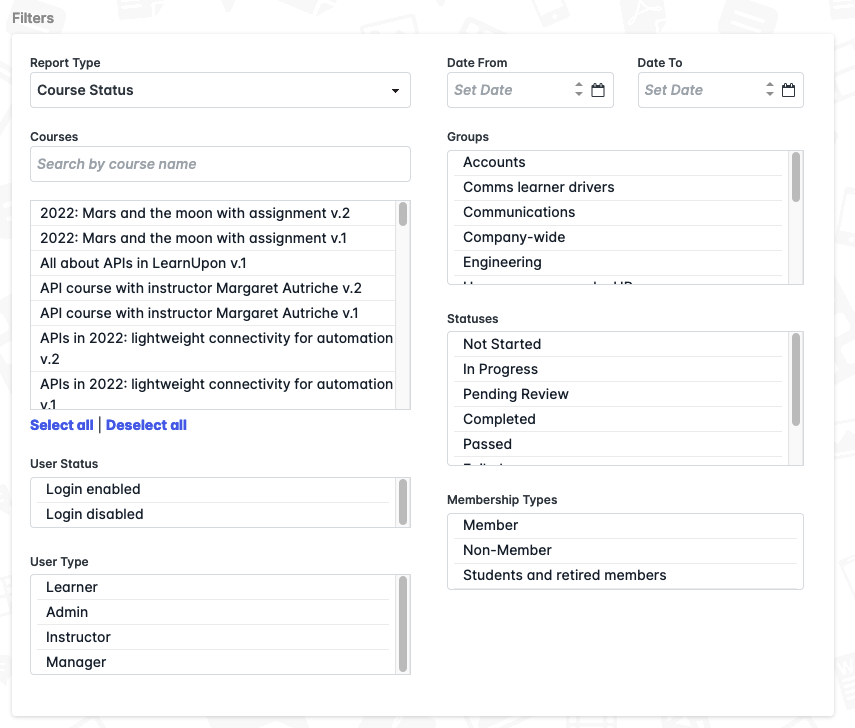
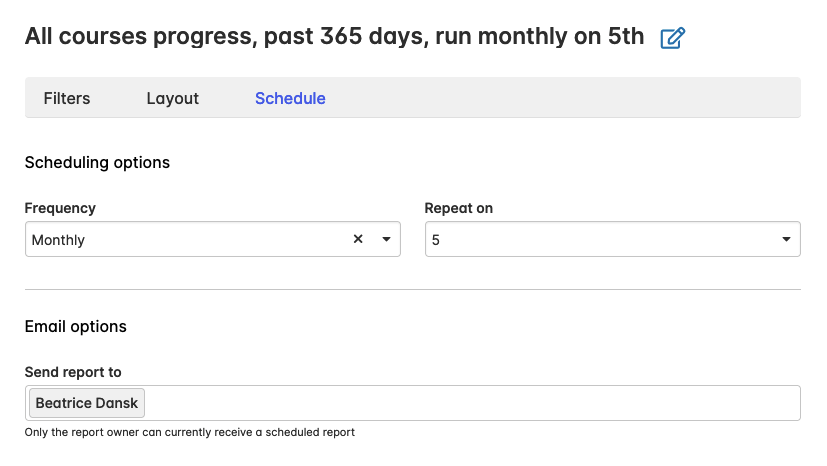
LearnUpon also supports automated reporting at regular set intervals to identify any issues in the process early on and mitigate risk, with scheduled reports to key stakeholders and systems that automate the reporting process. You can run Course Status Reports to see learner profile information, start dates, completion status, pass/fail results, and scores, with data filtered to exact user segments.
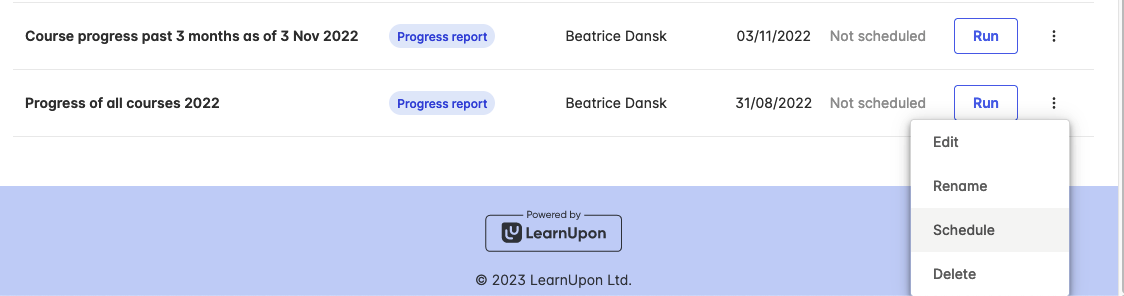
You can filter reports by date ranges before export, and there are also scheduled reports you can send via Excel or PDF directly to team inboxes. This is handy for industries with strict regulatory requirements where detailed audit trails and certification tracking are essential.
However, while LearnUpon's current reporting features provide ample access to data, most reports require additional manipulation outside the system to be useful and informative, with restrictive filter arrays.
FreshLearn
FreshLearn, too, provides powerful analytics features that help you track learner progress and identify areas of improvement, with insights into various learner activities and content consumption, such as which chapter they are on and their comments.
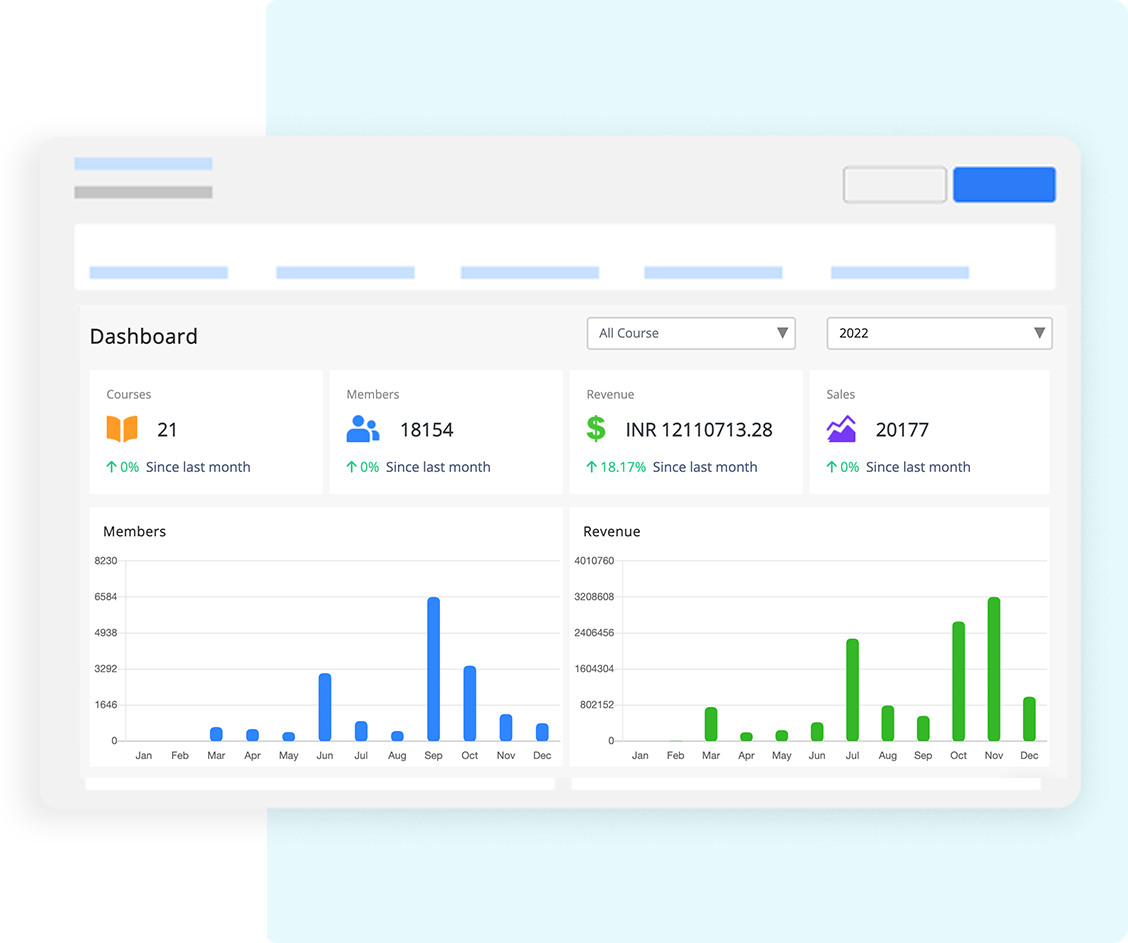
It identifies login activity tracking with automation triggers and video engagement analytics, showing watch time and drop-off points to help you spot drop-offs before they happen and see exactly where people lose interest. With this data, you can understand engagement patterns and make necessary changes to improve learner interaction.
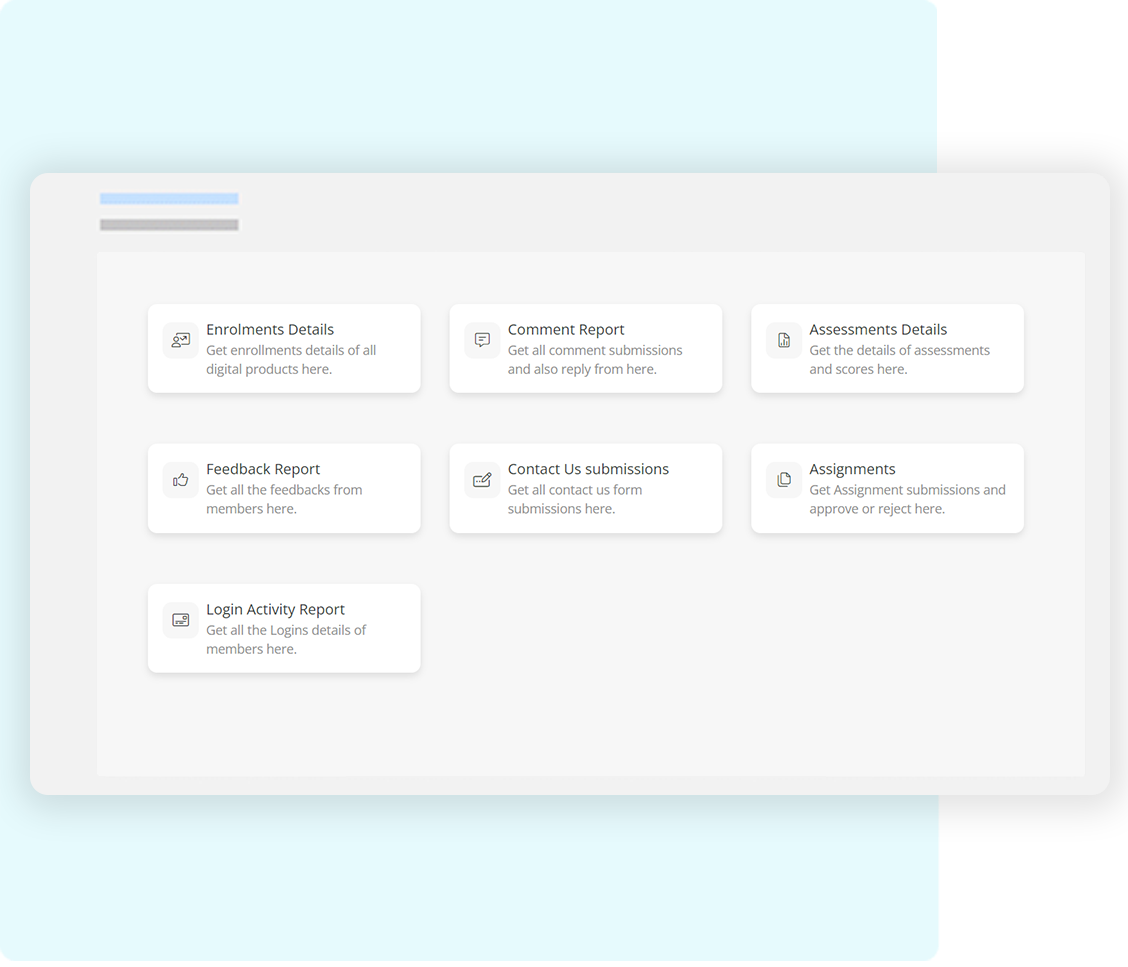
The reporting suite also includes comprehensive enrollment overviews from product level down to individual learners, assessment results summaries with detailed per-student breakdowns, and a one-click assignment tracking, approval, and rejection system.
The FreshLearn advantage
For course creators and educators who need to optimize learner engagement and maximize completion rates, FreshLearn's analytics provide actionable insights at every step of the learning journey. Rather than just tracking what happened, FreshLearn shows you why it happened and gives you the tools to fix issues before learners disengage.
4. Integrations
An LMS doesn't exist in isolation. Keep in mind that integration strategies reflect different target markets and use cases. So, just a smaller number of integrations doesn’t mean the platform is lacking, if it already does everything without integrations.
With that said, let’s see what these two bring to the table.
LearnUpon
LearnUpon offers integrations designed for enterprise needs, including connections with leading HRIS solutions like Workday, ADP, Deel, HiBob, Dayforce, SAP SuccessFactors, BambooHR, and Personio.
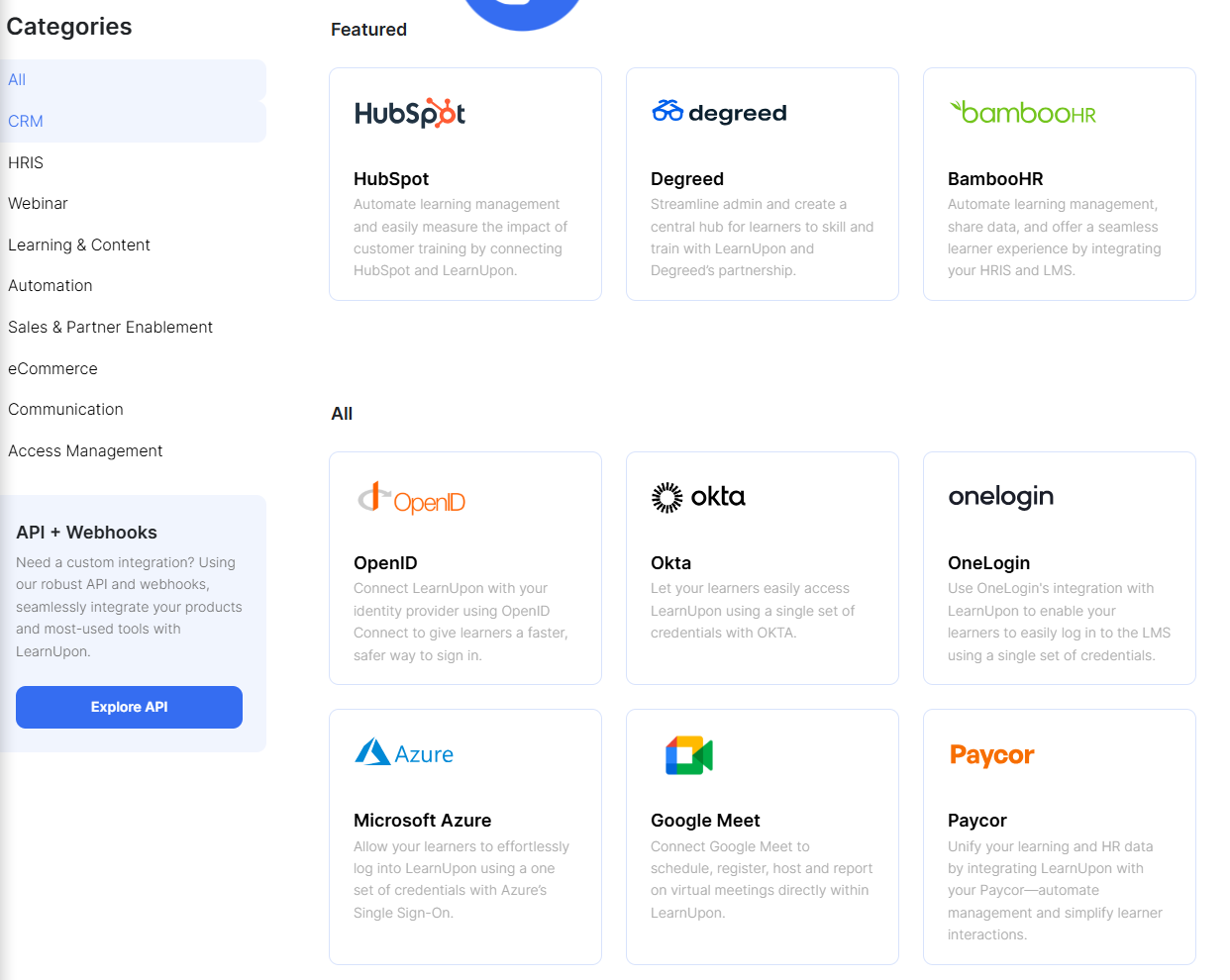
These integrations cut down on manual data entry and create a unified system that delivers enhanced efficiency and deeper insights, with user data syncing from HRIS to LMS either on hire date or when added to the HRIS (Source).
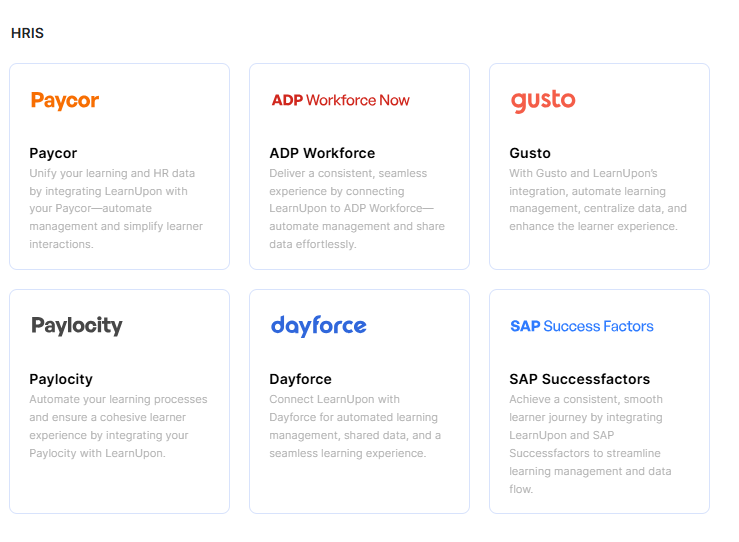
The Salesforce integration is worth talking about because it delivers easy learning experiences and automates learning management, as well as HubSpot, to automate learning management and easily measure the impact of customer training.
For virtual training, LearnUpon connects with Zoom for creating meetings and webinars, Microsoft Teams for scheduling and reporting on live meetings, and content providers like LinkedIn Learning, Go1, and OpenSesame.
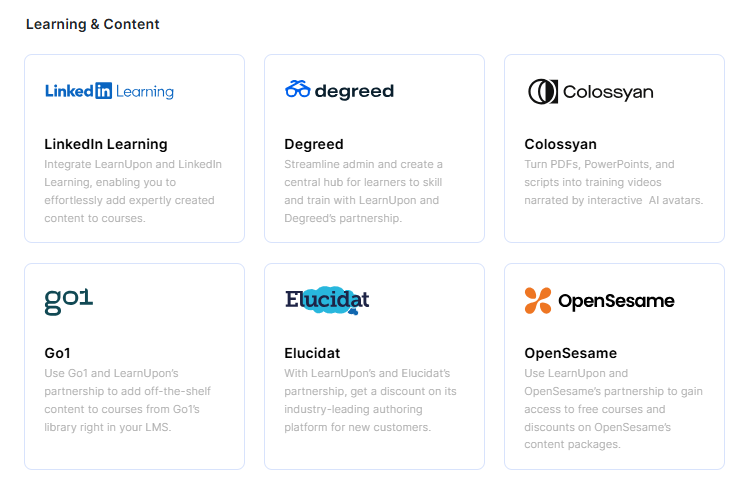
Beyond that, the platform also supports single sign-on (SSO) through OpenID Connect, Okta, OneLogin, and Azure, payment processing via Stripe and PayPal, communication tools like Slack and Intercom, and marketplace integration with Shopify. For custom needs, you get an API and webhooks to integrate products and most-used tools.
Last but not least, LearnUpon also integrates with Zapier to enable connections with apps without technical expertise.
FreshLearn
FreshLearn also packs an integration ecosystem to support creators and small-to-medium businesses. It integrates with Zapier and lets you connect with thousands of popular apps to automate work without code. This includes the ability to connect with HubSpot to send information between the platforms automatically and integrate with Salesforce through Zapier workflows.
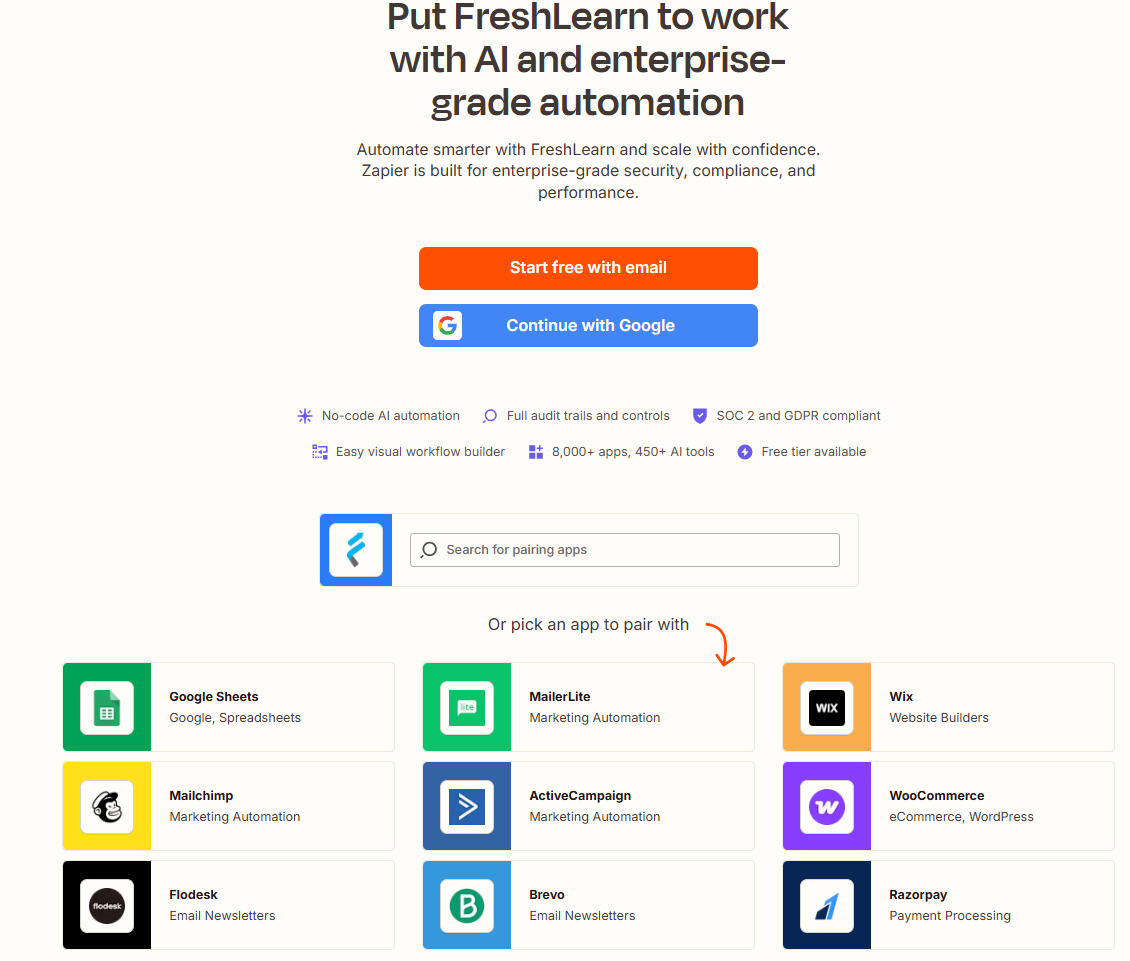
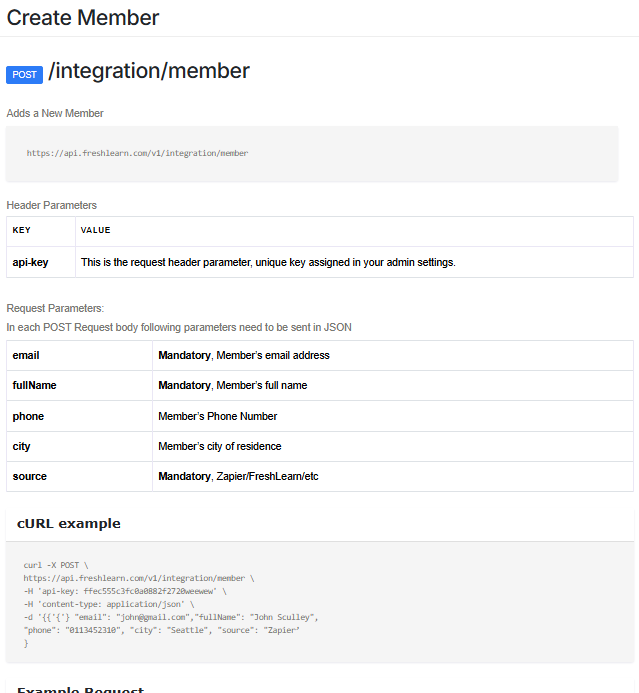
Beyond the Zapier integrations, you get API access with which developers can create workflows that monitor learner progress and send updates to platforms like Slack when learners achieve milestones.
The API uses standard HTTP status codes and supports member creation, updates, course enrollment, and retrieval of members and courses. In simple terms, it is really easy to create custom apps and connectors.
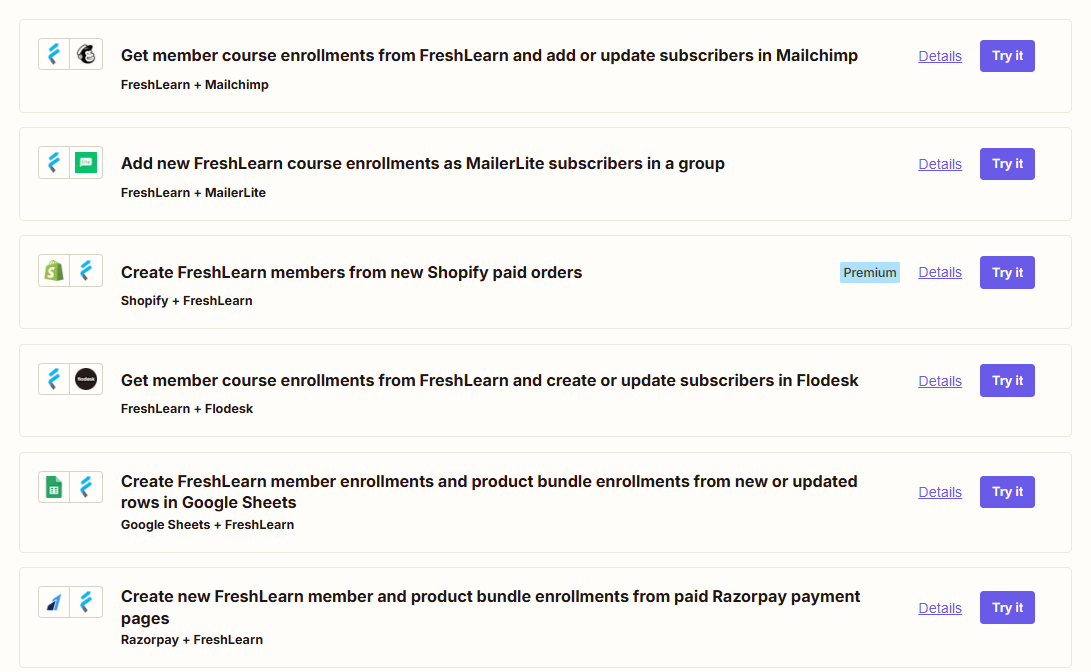
It also integrates with Slack for team communication and Google Drive for the use of Google Sheets, Docs, and other productivity tools. For payments, the platform supports both PayPal and Stripe payment gateways and supports direct payment processing without third-party interference.
Moreover, through Zapier and native API access, FreshLearn can connect with popular tools for CRM (Salesforce, HubSpot), marketing automation, email platforms, analytics, and productivity applications. The platform's API-first approach means that even if a pre-built integration doesn't exist, technical teams can quickly build custom connections.
The FreshLearn advantage
While LearnUpon provides deeper native integrations by default, FreshLearn gives you the flexibility that matters most to course creators and growing businesses. The combination of Zapier support and API access gives you the power to build exactly the workflow you need.
5. Pricing and business model
Pricing transparency and value for money are arguably the most important factors when choosing an LMS, particularly for organizations that need to plan budgets and scale over time.
LearnUpon
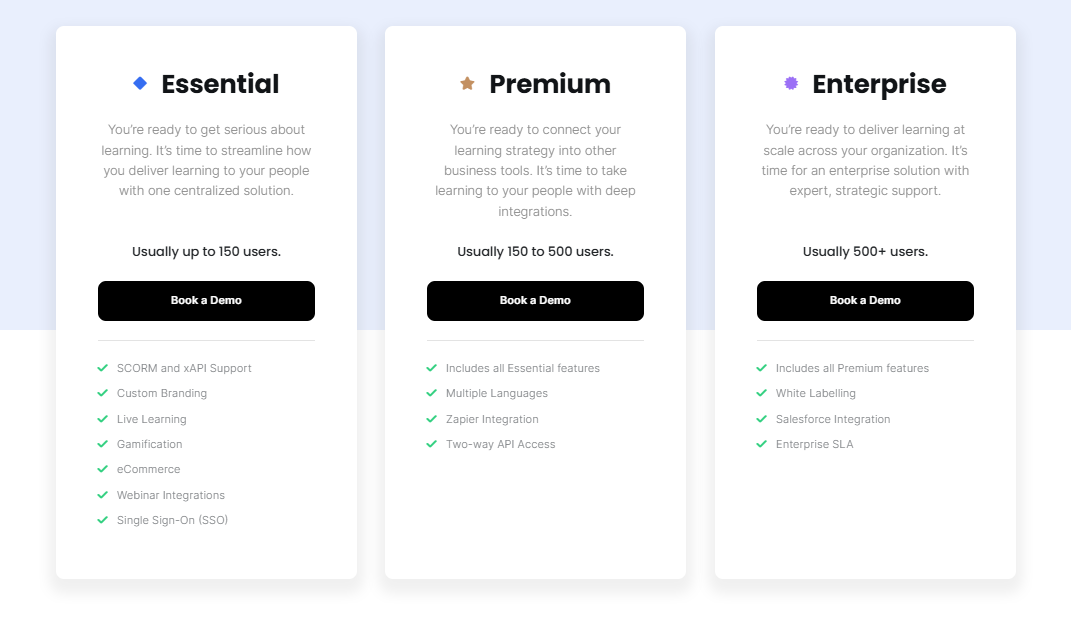
LearnUpon follows custom enterprise pricing with different plans catering to businesses of various sizes, typically structured around active user counts. The Essential Plan is the entry point with support for up to 150 learners, while the Premium Plan supports up to 500 learners.
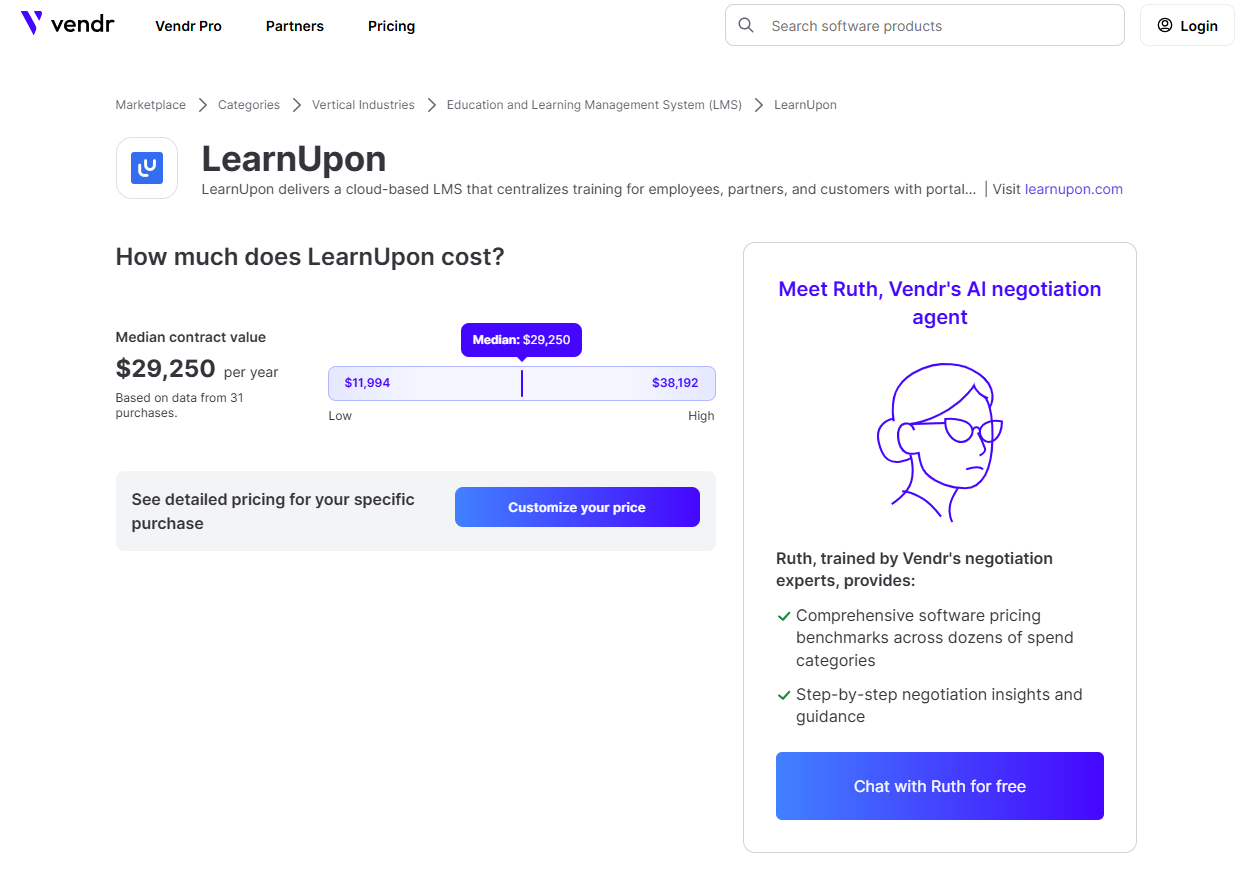
According to review aggregator sites, you can expect minimum annual contracts starting around $10,000-$15,000, with larger organizations potentially paying $20,000-$40,000 or more per year, depending on scale.
LearnUpon will not be a fit for companies looking for a solution for less than 50 users, which immediately excludes individual creators, solo educators, and small businesses from consideration.
While LearnUpon does not offer a free trial, they do provide demos to prospective customers. The platform operates on annual payment terms, and pricing negotiations are typical for enterprise agreements.
On the positive side, LearnUpon does not charge transaction fees on course sales, and there are no additional charges for basic platform features once you're on a plan.
FreshLearn
FreshLearn takes a dramatically different approach with creator-friendly, transparent pricing that starts at $0 with a free plan. The Free Plan includes core features like courses, coaching, digital downloads, and a web app with no monthly cost and just a 10% platform transaction fee on the first 25 enrollments.
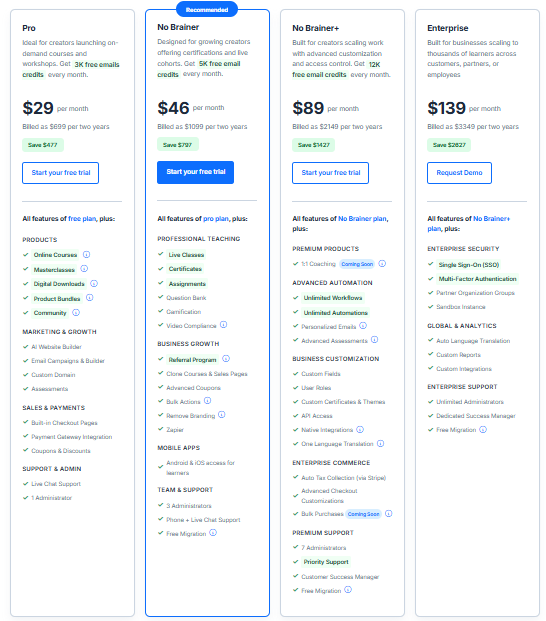
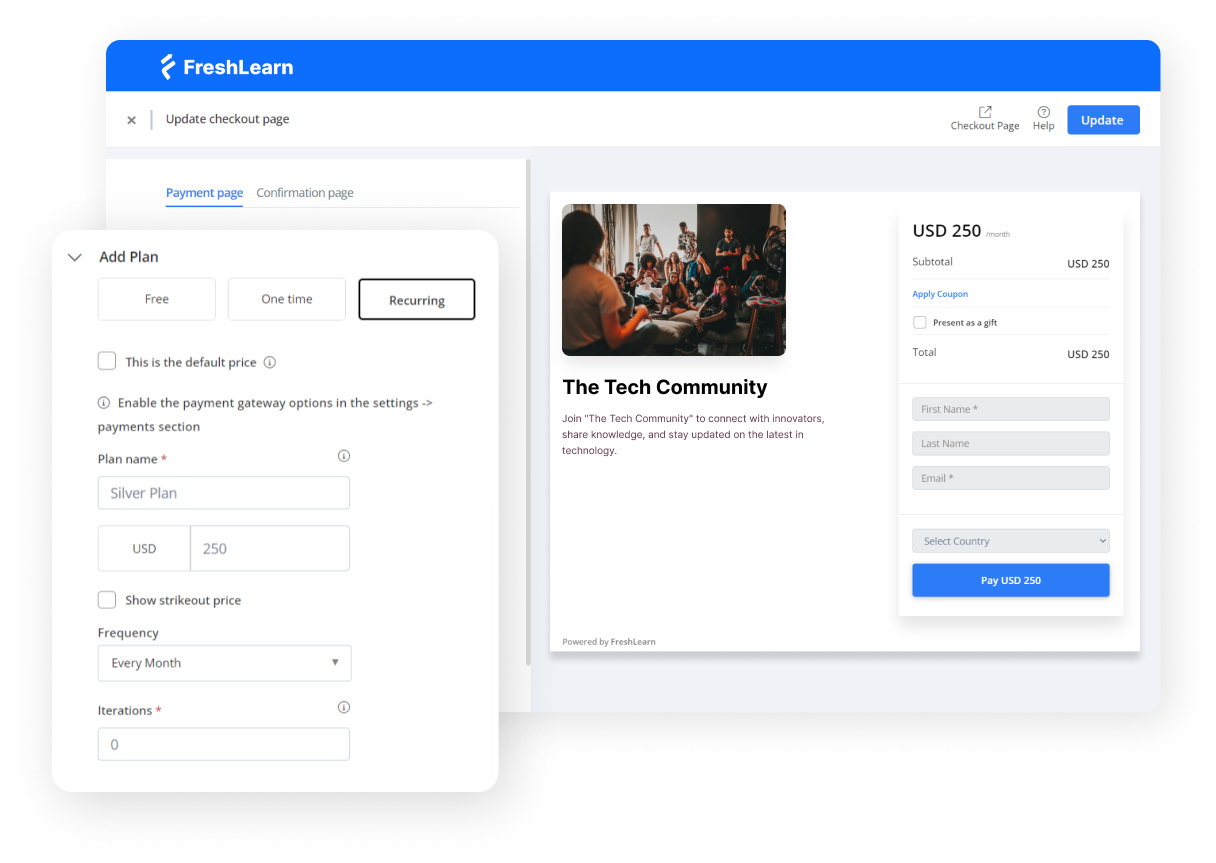
The paid plans are straightforward: Pro Plan at $49/month (or $41/month billed annually) with 0% platform fees, No Brainer Plan at $79/month (or $59/month billed annually), and No Brainer Plus at $149/month (or $119/month billed annually).
The most significant value proposition is that FreshLearn charges 0% transaction fees on payments made in your account, with no extra charges for products, members, or enrollments, and no hidden fees. All payments from members hit your bank account directly through connected payment gateways like Stripe, PayPal, or Razorpay.
Unlike LearnUpon's user-based pricing, starting from the Pro plan, you can have unlimited products and enrollments, which means the platform scales with your revenue, not your user count. For growing businesses, this can mean massive cost savings as you're not penalized for success by having to pay more per learner as your audience grows.
FreshLearn also offers a 14-day refund policy for yearly plans, and free migration for No Brainer and No Brainer Plus yearly plans, which include courses, pages, blogs, members, and enrollments, with the team having successfully migrated over 1,000 course creators' accounts.
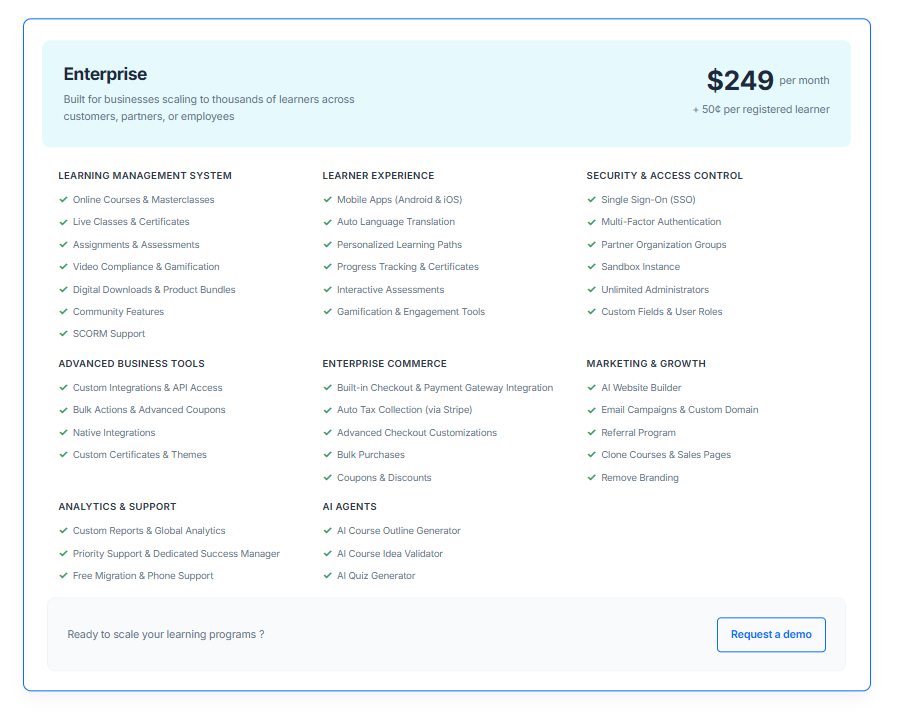
There’s also an Enterprise plan that starts at $249 per month (and $0.50 for every registered learner). This plan brings corporate-ready perks like auto tax collection, bulk purchases, priority support, and advanced checkout customizations.
The FreshLearn advantage
The pricing difference is stark and meaningful.
Where LearnUpon requires $10,000-$40,000+ annual commitments and prices per user, FreshLearn delivers professional LMS capabilities starting at $417/month annually with zero transaction fees and unlimited enrollments.
Even better, that FreshLearn plan includes features like AI course creation, community spaces, gamification, and white-label branding that would require enterprise-tier pricing on LearnUpon. You get transparency, predictability, and the freedom to grow your business without worrying about escalating per-user costs eating into your margins.
6. Ease of setup and scalability
Time to value and the ability to scale efficiently have a big impact on your efficiency and profit margin, especially for organizations that need to launch quickly or adapt to changing business needs.
LearnUpon
LearnUpon offers the ability to launch anywhere from one week to one year with their quick-to-set-up platform and expert support, leaving the go-live date up to the customer. The implementation process is supported by an Implementation Consultant who helps configure, integrate, and launch the platform, and organizations work with their Implementation Consultant or Customer Success Manager to identify needs and discuss setup options.
For organizations migrating from existing systems, LearnUpon provides a migration guide for moving enrollment histories and exam questions from one platform to another, with a feature that adds an additional tab to view training history older than two years.
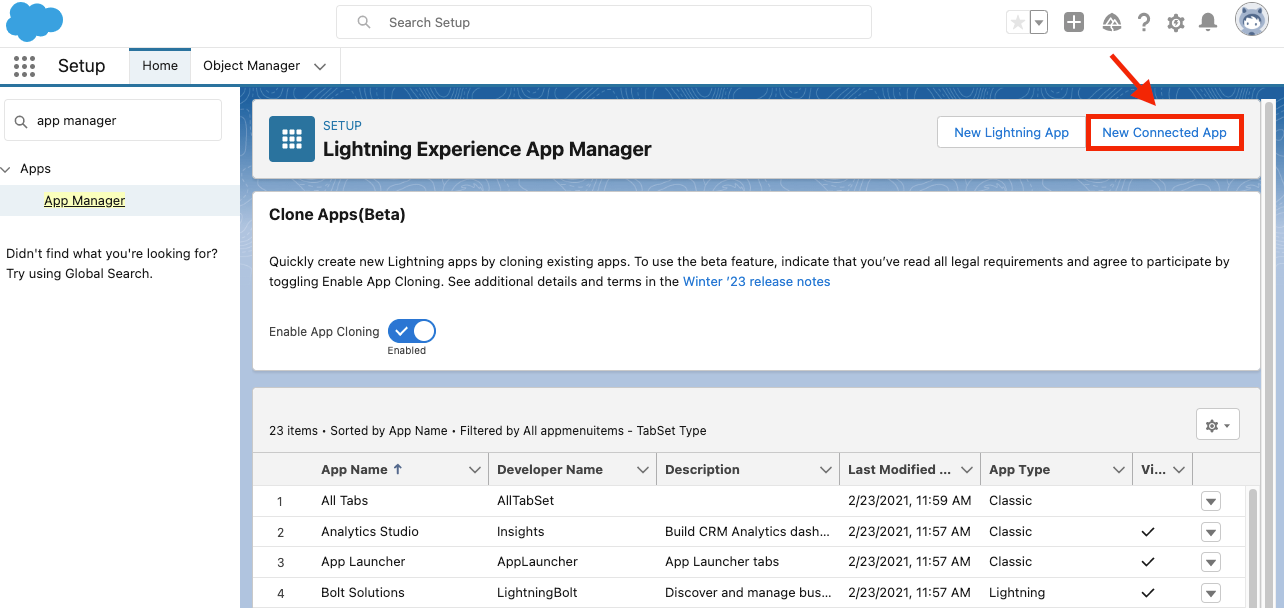
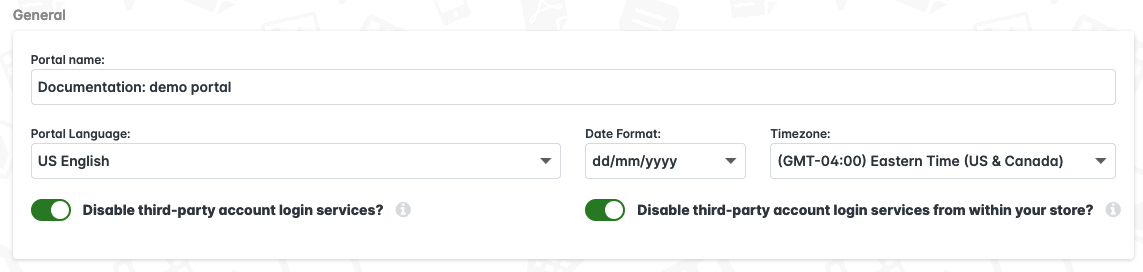
The platform requires various configuration decisions, including SAML single sign-on setup, portal access settings, custom user data fields, dynamic rules for learner assignment, and integration setup for webinar tools like Zoom, Microsoft Teams, and Adobe Connect.
The structured enterprise deployment approach means organizations benefit from guided implementation, but it also means the setup process involves multiple configuration steps, consultations, and often technical integrations that require IT involvement. This is felt more for advanced features like configuring SSO with Microsoft Entra ID or setting up integrations with enterprise systems. (Source)
For scalability, LearnUpon excels at extended enterprise training. The multi-tenant LMS enables organizations to develop individual branded learning experiences with Learning Portals, functioning like having multiple LMSs controlled in one place, with the ability to copy, edit, and share courses between portals.
FreshLearn
FreshLearn emphasizes rapid deployment, with the platform designed for creators to launch in days rather than weeks or months. Multiple customer testimonials confirm the speed: one user reported going from signup to ready-to-launch in just three weeks, while another noted their site was up and running two days sooner than promised.
The setup process is streamlined and intuitive. Users report having onboarding calls where they receive answers to all questions, learn about help videos, the direct chat box, and the schedule-a-call feature for additional questions. The platform is described as great for launching online courses with easy setup for Stripe/PayPal integration and custom domain connections.
For migration, FreshLearn's dedicated migration team has handled over 1,000 migrations, getting on calls to understand what needs to be moved: courses, members, transactions, website pages, quizzes, and more, with migrations typically taking 2-4 weeks. The team keeps customers updated and shows them how everything looks as they go.
Scalability is built into the platform from day one. Unlike enterprise LMS platforms that reserve certain features for higher tiers, FreshLearn provides unlimited products and enrollments starting from the Pro plan.
The platform scales naturally from solo creator to growing business to enterprise without requiring platform changes or complex reconfigurations. Organizations can launch in days rather than months, with transparent per-user pricing and easy-to-use admin UI.
The FreshLearn advantage
FreshLearn delivers on the promise of letting you go live in days, without sacrificing power or professionalism.
Where LearnUpon requires weeks of consultant-led setup, technical integrations, and configuration decisions, FreshLearn lets you launch a fully-branded learning academy in under a week, often in just a few days. The intuitive interface, guided onboarding, and free migration service mean you're not dependent on technical resources or lengthy implementation timelines.
7. Support and Implementation
Quality support can make or break the LMS experience, more so during implementation and when issues arise that affect learners. Let's see how these two perform in this area.
LearnUpon
LearnUpon provides Technical Support from real people ready to go, 24/7, 365 days a year, which is available across all plans, including Essential, Premium, and Enterprise tiers.
The support model includes Customer Success representatives working with customers to optimize learning and hit long-term goals, strategic advice and tangible action plans informed by best practices, and Implementation Consultants to help configure, integrate, and launch.
The global team includes Customer Success Managers who act as advocates, advisors, and strategic thinkers; seasoned Onboarding Specialists who provide platform training and plan every step of rollout; and globally located Technical Support Representatives available 24/7, 365 days a year. Customers also have access to an on-demand, up-to-date Knowledge Base and Customer University to master every aspect of training.
FreshLearn
FreshLearn focuses on human-first support with 24/7 live human customer support, explicitly stating "We hate bots". (Source)
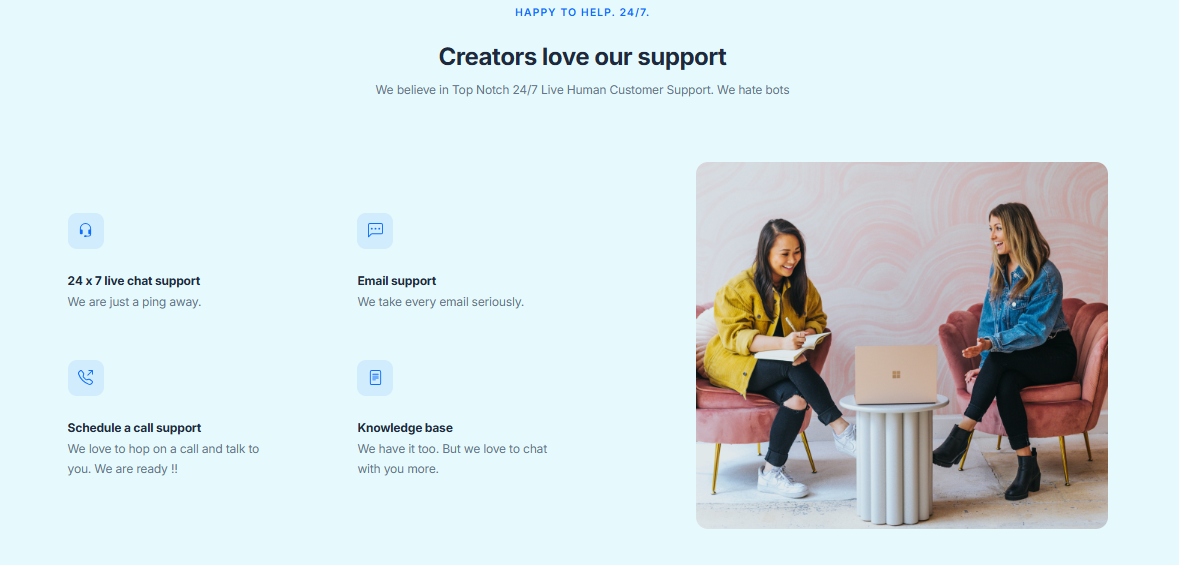
FreshLearn provides 24x7 access to specialists with no bots and no delays and offers instant help anytime through live chat, quick and thorough email responses, the ability to book calls for personalized assistance, and access to detailed guides, FAQs, and resources for quick self-service solutions.
The platform offers 24x7 live chat and a comprehensive knowledge base for uninterrupted assistance, and users can easily schedule calls with experts who can help with any questions.
For migration specifically, FreshLearn takes care of the entire process and brings over all modules of courses from other platforms as well as subscribers, with easy scheduling of support calls when stuck.
The FreshLearn advantage
While both platforms offer 24/7 support, FreshLearn's approach stands out for its accessibility and human-first philosophy. You don't need to be an enterprise customer to get white-glove treatment; every FreshLearn user can hop on a video call with a real support specialist within minutes.
Where LearnUpon assigns Customer Success Managers primarily to higher-tier plans, FreshLearn makes expert support accessible to everyone so that you never feel like you're on your own as you build and grow your learning business.
LearnUpon vs FreshLearn: Strengths and Limitations
Every platform has areas where it truly shines and others where trade-offs exist. Here's an honest look at what each brings to the table.
LearnUpon strengths
1. Mature enterprise LMS with a proven track record
LearnUpon is a highly functional extended enterprise solution that excels in portal management, content creation, learner engagement, AI-powered learning, and analytics. The platform has been serving enterprise clients for over a decade, and that experience shows.
One of LearnUpon's strongest features is its ability to serve multiple audiences from a single account, as it lets you create separate learning portals for employees, customers, and partners, each with its own branding, content, and access rules.
2. Strong compliance and reporting capabilities
For regulated industries, LearnUpon delivers. The platform makes compliance tracking easy to set for small to medium enterprises, but is robust enough to keep large organizations compliant at scale.
Security adherence to industry standards offers peace of mind if you handle sensitive data. A securely scaling platform is not an option for organizations operating in highly regulated environments.
3. Multi-audience portal architecture
LearnUpon combines enterprise-level power with an interface that is simple enough for both admins and learners, making it effective for onboarding new hires, training customers, or certifying partners at scale.
This multi-tenant capability is genuinely valuable for organizations managing complex training ecosystems.
4. Exceptional customer support
LearnUpon is widely recognized for good customer support. The platform provides fast response times for technical and general inquiries, with dedicated customer support teams available to all clients regardless of size.
LearnUpon Limitations
1. Higher pricing creates accessibility barriers
Let's be direct: LearnUpon is considered a higher-priced LMS, with minimum annual contracts typically starting around $10,000-$15,000, and many organizations pay a median of $29,250 or more per year, depending on scale.
The platform will not be a fit for companies looking for a solution for fewer than 50 users. This immediately excludes solo creators, educators, and small businesses.
2. Complexity requires longer implementation
While LearnUpon isn't the most complex enterprise LMS, it can still take time to fully learn, especially if you’re managing multiple audiences or complex learning paths.
There's no free trial available, and prices aren't listed on the website, which can be frustrating for smaller businesses and adds to the hassle of requesting custom quotes.
3. Reporting limitations require workarounds
Several users note that reporting and business intelligence capabilities are limited and cumbersome, with most reports requiring additional manipulation outside the system to be useful and informative. (Source)
Many users also dislike the long and complicated course setup process and the lack of advanced management and organization features.
4. Limited advanced features
LearnUpon lacks advanced mobile collaboration features and AI-driven capabilities beyond basic AI-based content recommendations, with no offline mode, two-way messaging, file sharing, or group chat features on mobile devices.
Additionally, the platform does not offer social learning features, which are very important in modern learning environments.
FreshLearn Strengths
1. Creator-friendly AND enterprise-ready
This is where FreshLearn truly differentiates itself. Unlike traditional learning management systems built for big corporations, FreshLearn focuses on individual creators and small businesses who want to make money sharing their knowledge, while still offering advanced tools like automation, certificates, and marketing features.
You're not forced to choose between ease of use and professional capabilities; you get both.
2. Fast setup with branded academies
Creators love FreshLearn for its ease of use, affordability, advanced features, and always-available support team, with the platform allowing users to launch online courses in less than an hour.
You can fully customize your course site to match your brand, upload your logo, use your own colors, and connect a custom domain. You can make your online school feel like your own platform rather than just another hosted course site. (Source)
3. Integrated marketing and monetization
FreshLearn combines multiple tools in one: a course builder, membership platform, community hub, and payment system, meaning creators don't have to depend on separate tools for email, checkout, or content delivery.
The platform includes conversion-optimized checkout pages, advanced analytics, and sales tools engineered to transform audiences into loyal, paying customers, with all marketing tools and data in one place to save time and drive revenue.
4. Strong customer and partner education features
FreshLearn includes a community space where learners can interact, ask questions, and share ideas. This gives students a sense of connection and helps build loyal audiences — something most course platforms charge extra for.
FreshLearn also supports multiple learning formats, including on-demand courses with content dripping, live sessions, masterclasses, and digital downloads, with automated certificate delivery and personalized email automation at the course level.
5. Exceptional value and transparency
One of FreshLearn's biggest strengths is its affordable pricing, with no transaction fees on paid plans and a free trial available to test everything before committing.
The platform offers deep analytics and reporting features that give you valuable insights into student engagement, course completion rates, and revenue generation.
FreshLearn Limitations
1. Fewer ultra-enterprise customization options
For organizations needing deep branding customization or highly specific workflows beyond the platform's standard capabilities, FreshLearn might feel somewhat restrictive compared to enterprise LMS options.
If your organization requires complex multi-tenant architectures with completely isolated data environments for dozens of different customer portals, or needs custom workflows for highly specialized compliance tracking in heavily regulated industries, LearnUpon's enterprise-focused approach would suit you better.
2. Some customization learning curve
Some users report that there can be limitations with customization, and occasionally it can be difficult to find exactly where to turn on or off certain features, requiring customer support guidance toward the right settings.
However, most users note that support quickly resolves these issues.
3. Email automation has limitations
FreshLearn's email system allows broadcast and date-based emails, but doesn't support fully automated sequences based on triggers like a dedicated email marketing platform.
For complex email funnels, you may need to integrate with Mailchimp or use Zapier to connect external email systems.
4. The Bottom Line
LearnUpon is excellent for large enterprises with complex, multi-audience training needs and budgets to match.
If you're managing compliance training for thousands of employees across multiple divisions, need separate portals for partners and customers, and have a big budget annually to invest in learning infrastructure, LearnUpon delivers exceptional value for that use case.
FreshLearn is the smarter choice for course creators, coaches, consultants, and growing businesses who want professional learning capabilities without enterprise complexity or pricing.
You get branded academies, community features, live sessions, AI-powered course creation, comprehensive analytics, and marketing tools; all for a fraction of LearnUpon's cost.
LearnUpon vs FreshLearn: Pricing and Total Cost of Ownership
Alright, let's get down to the brass tacks: the price.
You're pouring your heart and soul into creating courses, so the last thing you want is to be confused or surprised by what it costs to run your business. We're going to break down the pricing for both LearnUpon and FreshLearn.
FreshLearn pricing: What You See Is What You Get
One of the most refreshing things about FreshLearn is its straightforward pricing. The platform lays it all out there on their website, which is a huge win for clarity. You can plan your budget without having to talk to a salesperson first.
FreshLearn has a plan for every stage of your creator journey.
- The Free Plan: It's perfect for testing your course ideas and making your first sales. FreshLearn does take a 10% transaction fee on this plan, but it means you can start building your courses with zero monthly fees.
- Paid Plans: Once you move to a paid plan, that platform transaction fee drops to 0%. You'll still have the standard fees from payment processors like Stripe or PayPal, but that's the case with any platform. This is a massive plus, meaning more of your money stays in your pocket.
Let's look at the paid plans so you can see what you get for your money.
Note: Pricing is based on publicly available information and may change. Always check the official website for the most current details.
With FreshLearn, you can start for free and then move into a predictable, fixed-cost plan as your business grows, all while keeping 100% of your course revenue.
The LearnUpon approach
Now, let's switch gears to LearnUpon. When you visit their pricing page, you won't see any dollar amounts. Instead, you'll find three tiers — Essential, Premium, and Enterprise — and a "Book a Demo" button.
This is a classic enterprise software model. The pricing is customized based on your needs, primarily the number of "monthly active users" (MAUs) you have.
Here’s a general idea of who these plans are for:
- Essential: Designed for smaller teams, typically up to 150 users.
- Premium: Aimed at growing businesses, usually for 150 to 500 users.
- Enterprise: Built for large-scale deployments with 500+ users.
So, how much does it actually cost?
According to data from Vendr, which analyzes software purchasing deals, LearnUpon's pricing is not set in stone and requires negotiation, but the median contract price is around $29,250. Vendr's insights show that you can achieve significant discounts; in one case, a customer saved $40,000 on their renewal by negotiating.
While this is great for a large corporation with a procurement team, it can be a bit daunting if you're a solo creator or small business owner. You have to enter a sales process just to figure out if you can afford it.
This model is built for companies with bigger, more complex needs and the budget to match. It's a powerful platform, but its pricing process isn't designed for the individual creator who just wants to get started quickly and affordably.
Total Cost of Ownership (TCO)
The TCO is really just the true cost of using a platform over time, including all the little things.
With FreshLearn, the TCO is predictable. On the paid plans, your cost is your subscription fee plus the standard, unavoidable payment processing fees. There are no hidden platform fees or surprise costs waiting around the corner. This makes financial planning a breeze and ensures your success isn't penalized with extra charges.
With LearnUpon, the TCO is much less clear from the outset. Because the final price is negotiated, it can vary wildly. You'll need to consider:
- The initial negotiated price for the number of active users.
- Potential price increases upon renewal (which Vendr's data suggests are also negotiable).
- Whether the features you need, like white-labeling, will cost extra or need to be bundled in during negotiations.
The word on pricing
Let's be real: both platforms are powerful. But when it comes to pricing and accessibility for creators, there's a clear difference.
LearnUpon is an enterprise-grade solution for large companies with dedicated training departments and significant budgets. Its pricing reflects that, with a custom, negotiation-based process that is tailored for corporate buyers.
FreshLearn, on the other hand, feels built for the modern creator. The pricing is transparent, fair, and designed to help you grow. The 0% transaction fee on its paid plans shows a true partnership with its users; the platform makes money when you decide to upgrade, not by taking a piece of everything you earn.
If you're looking for a platform that's easy to understand, lets you start for free, and offers a predictable, affordable path to growth without taking a cut of your revenue, FreshLearn is the hands-down friendly choice.
It lets you focus on what you do best, i.e., creating, without the stress of complex pricing and lengthy sales negotiations.
Final Verdict: Which Platform Is Right for You?
Even after examining every aspect of these platforms, the choice comes down to understanding your specific needs, constraints, and aspirations.
LearnUpon is the right choice if you:
- Need multi-tenant architecture with completely separate portals for employees, customers, partners, and members with isolated data and distinct branding.
- Operate in highly regulated industries that need deep compliance tracking, detailed audit trails, and enterprise-grade security certifications.
- Have substantial L&D budgets of $20,000-$50,000+ annually and can justify the investment based on user volume and organizational complexity.
- Require deep HRIS integrations with enterprise systems like Workday, SAP SuccessFactors, or ADP for automated user provisioning.
- Manage training at enterprise scale with thousands of users across multiple divisions, geographies, and organizational structures.
FreshLearn is the right choice if you:
- Want to launch quickly and start delivering courses in days, not weeks or months.
- Need transparent, predictable pricing starting at $41/month with zero transaction fees and unlimited enrollments.
- Value integrated creator tools like AI-powered course creation, community spaces, gamification, and white-label branding.
- Need flexibility in learning formats with native support for on-demand courses, live cohorts, masterclasses, and digital downloads.
- Are building a community around your content, not just delivering training modules.
- Want to scale without penalty as your business grows, keeping costs predictable rather than escalating per-user.
- Are you a course creator, coach, consultant, or growing business focused on monetization, engagement, and building loyal audiences?
Let the Right Platform Help You Build Your Learning Business
If you're ready for a platform that combines professional capabilities with creator-friendly pricing, intuitive design, and genuine partnership-level support, FreshLearn is waiting for you.
Start with the free plan to explore the platform risk-free. See how quickly you can build beautiful courses with AI assistance, create engaging community spaces, and set up your branded academy.
Start your free FreshLearn account today
FAQs
1. Can I really launch a professional online course in just a few days with FreshLearn?
Yes, absolutely. The AI-powered course creator helps you build outlines and content quickly, the drag-and-drop builder is intuitive, and the platform handles all the technical stuff like video hosting and payment processing. If you hit any snags, the support team is there to help immediately.
2. Does FreshLearn actually charge 0% transaction fees, or are there hidden costs?
FreshLearn charges 0% transaction fees on payments made in your account on paid plans, with no extra charges for products, members, or enrollments, and no hidden fees.
The only fees you'll pay are the standard processing fees from your payment gateway (typically around 2.9% + $0.30 per transaction), which is industry standard. The Free Plan does have a 10% platform fee on the first 25 enrollments, but once you upgrade to any paid plan starting at $37/month, those platform fees disappear completely.
3. Is LearnUpon worth the $20,000+ annual investment compared to more affordable options?
It depends entirely on your needs. LearnUpon justifies its premium pricing for large enterprises that genuinely need multi-tenant portals with separate branding and data isolation for different audiences, deep HRIS integrations, and compliance-focused reporting for regulated industries. If you're managing training for thousands of users across multiple divisions with complex organizational structures, LearnUpon's architecture makes sense.
4. Can FreshLearn handle serious business needs, or is it just for hobbyist course creators?
FreshLearn is definitely built for serious businesses. Over 15,000 creators worldwide have earned $20M+ through the platform, which wouldn't be possible if it were just for hobbyists. The platform includes robust features like comprehensive API access, Salesforce and HubSpot integrations, detailed analytics tracking revenue and engagement, white-label mobile apps, automated certificate delivery, and enterprise-grade security.
5. What happens if I outgrow my current LMS platform? Is migration difficult?
Migration complexity varies significantly between platforms. FreshLearn offers migration for No Brainer and No Brainer Plus yearly plans, with a dedicated migration team that has successfully migrated over 1,000 course creators' accounts. For LearnUpon, they provide a migration guide for moving enrollment histories and exam questions from other platforms, but the process typically requires more technical involvement.
You might also like
- LearnUpon Review
- LearnUpon Pricing
- Thinkific Pricing
- Kajabi Pricing
- Podia Pricing
- Moodle Pricing
- Clickfunnels Pricing
- LearnWorlds Pricing
- LearnDash Pricing
Hosted by