LearnUpon LMS Review 2026: Complete Expert Analysis

When I first started spending time with LearnUpon, I came across a G2 review that perfectly captured my own initial impression:

That promise of simplicity combined with power is exactly what drew me in. But, after spending more time with the platform, creating courses, managing learners, and navigating the platform's capabilities, I've developed a more nuanced perspective.
LearnUpon is recognized as a top-tier LMS with high analyst ratings and exceptional user satisfaction, and has 4.6 stars on G2.
But what they don't tell you is that LearnUpon's strengths come with complexity and cost that many businesses don't actually need. In fact, if you’re not a billion-dollar corporation with many thousands of employees to train, you’re better off using something much simpler.
In this review, I'm going to give you the unvarnished truth about LearnUpon from a professional course creator's perspective. Let’s begin …
Disclaimer
This review reflects my personal experience and assessment of LearnUpon. Features, pricing structures, integration capabilities, and platform functionality are subject to change at any time without notice. I strongly encourage you to conduct your own thorough research, request current demos directly from LearnUpon, verify pricing with their sales team, and test the platform yourself before making any purchasing decisions.
What is LearnUpon?
LearnUpon is a learning management system that allows organizations to deliver engaging learning experiences that impact what matters, i.e., performance, retention, and growth.
Founded with the belief that learning should be simple, impactful, and empowering, the platform has grown to serve over 1,500 organizations worldwide, including names like Zendesk, Logitech, BambooHR, and Gusto.
LearnUpon is purpose-built for every audience to be trained under one roof, whether you need to onboard and develop employees, show customers the path to long-term success, get partners speaking your revenue-driving language, or capture members' attention through engaging training.
The platform is designed to help L&D teams deliver impactful learning, upskill teams, and drive measurable business results.
These are the biggest features that LearnUpon delivers:
- Easy course creation: Build engaging, diverse courses without technical expertise, with interactive content options including webinar and instructor-led training, SCORM and xAPI files, documents, and video.
- Smooth content integration: Support for SCORM 1.2 and 2004, and xAPI (Tin Can) standards, ensuring content from favorite authoring tools works seamlessly.
- Automated administration: Scalable administration with automated user creation and enrollment.
- Learner organization: Groups for organizing learners by departments, teams, work sites, or partners.
- Guided learning paths: Learning Journeys that help deliver timely, targeted learning with minimal effort.
- Blended learning management: Instructor-led training for scheduling and managing classroom-based events, combined with webinar integrations using GoToMeeting, Zoom, WebEx, Adobe Connect, and MS Teams.
- Assessment tools: Auto-corrected exams with multiple question types to test learners and assignments with manual correction and one-to-one feedback.
- Learner engagement: Gamification with leaderboards to encourage teams to hit goals and spotlight best-performing learners.
- Expert support: 24x7, 365 days a year, globally-located Technical Support from knowledgeable, dedicated reps.
Now that we are familiar with the platform, let’s review it from A to Z.
What’s Course Creation Like in LearnUpon?
After spending considerable time with LearnUpon's course creation tools, I noticed that LearnUpon's course authoring tool isn't the most advanced out there.
Instead, what you get is a modular course builder that's functional but relatively basic compared to dedicated authoring solutions. Let me explain what this really means for your day-to-day work.
LearnUpon's native builder
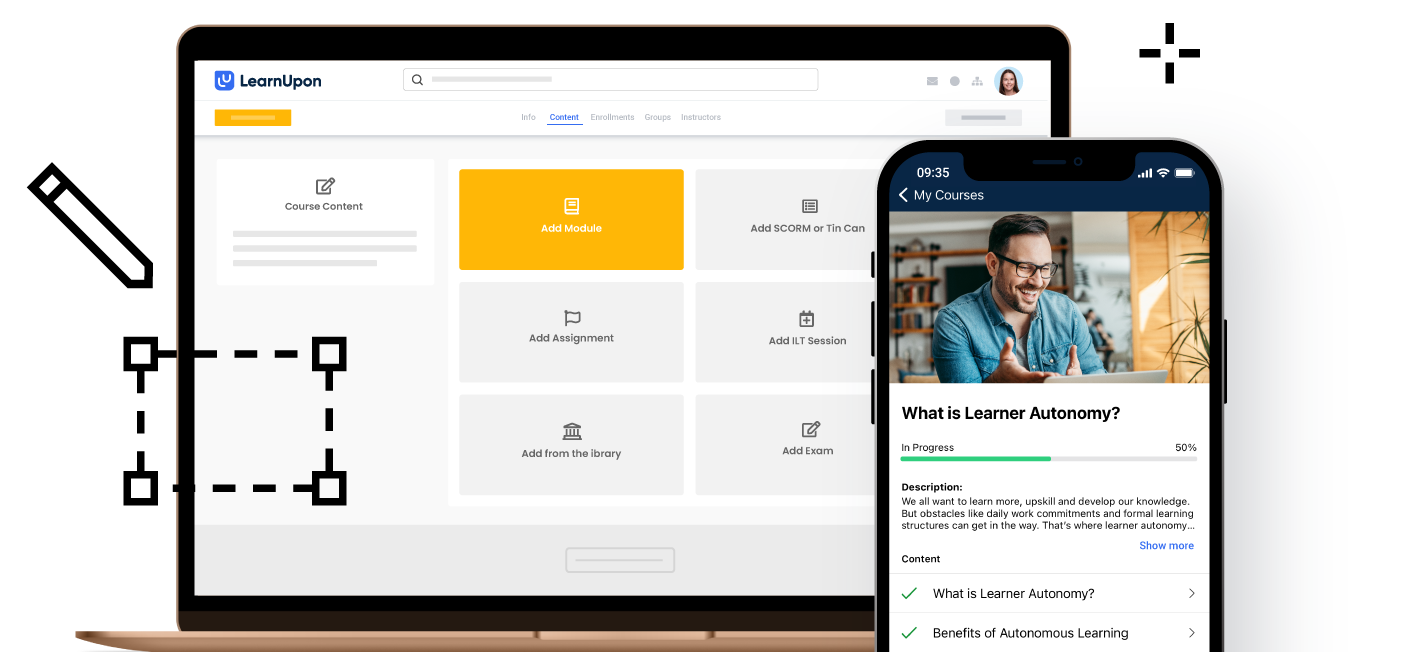
LearnUpon allows you to upload and arrange existing content, then drag and drop it straight into courses. The platform supports multiple module types that you can mix and match, which gives you flexibility in structuring your learning experiences.
You can add text and image modules using the editor, paste embed codes from YouTube, Vimeo, and Wistia, and even embed content from sources like Google Docs and Google Slides with just a link.
The interface itself is genuinely intuitive. You can separate content into topics called modules, where any number of modules can make up a course, and guide learners with multiple linked courses wrapped into a learning path. I found this modular approach straightforward for organizing content, especially when building multi-part training programs.
But here's where I hit some friction: if you're coming from a world of sophisticated authoring tools with interactive branching scenarios, advanced animations, or complex conditional logic, you might feel constrained.
The native builder is more of an assembly tool than a full creation platform. You're essentially uploading assets you've created elsewhere and arranging them in a logical sequence.
SCORM and xAPI support
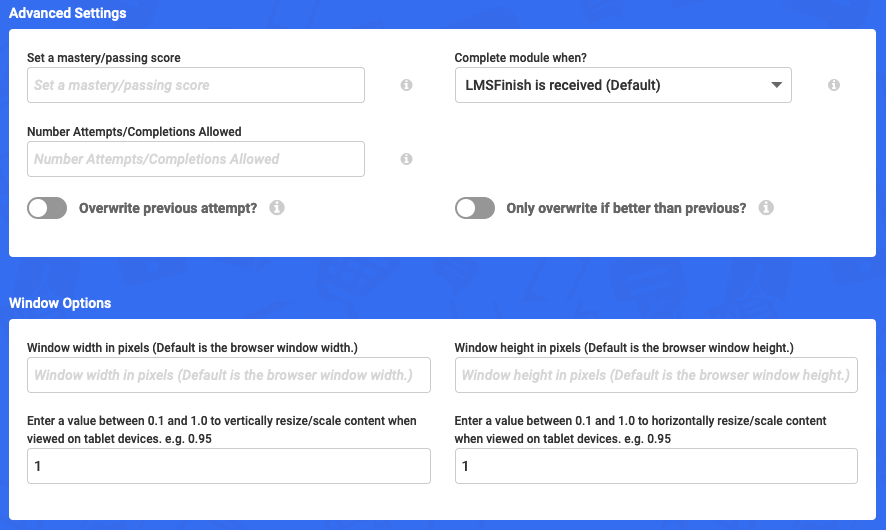
This is actually one area where LearnUpon impressed me. You can drag SCORM and xAPI files from your desktop to upload into LearnUpon, and the LMS validates SCORM content during upload, so you can correct errors before publishing.
Even better, if you need to change the conditions of a course, there's no need to reauthor in an external tool; you can override SCORM settings right in LearnUpon.
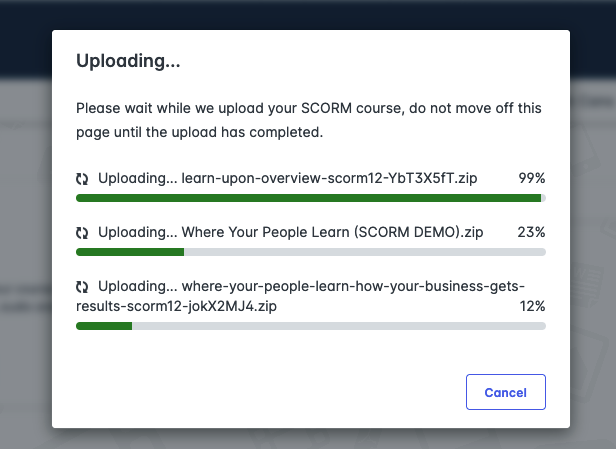
You can also change SCORM or xAPI files without altering courses or enrollments, which is a huge time-saver when you need to update content.
LearnUpon supports SCORM 1.2 and 2004 standards, plus xAPI (Tin Can), which means content from most major authoring tools will work seamlessly.
The Easygenerator integration
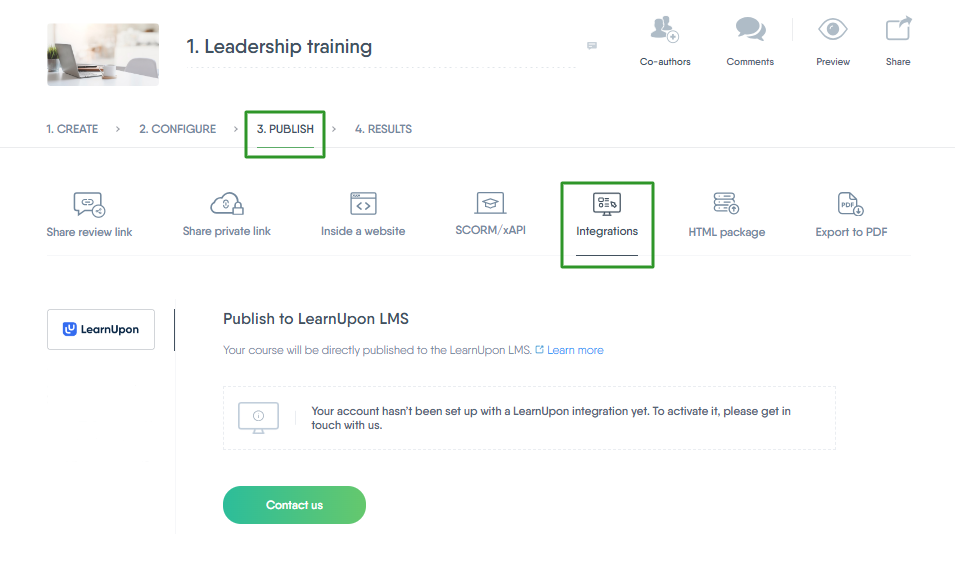
LearnUpon has partnered with Easygenerator for content authoring, and you can get both platforms under one contract. The integration allows you to transfer content created in Easygenerator straight to LearnUpon with just one click, and you can iterate, update, and publish updates straight to LearnUpon so your training materials are always up-to-date.
This partnership tells you something important about LearnUpon's strategy. They've acknowledged that their native authoring capabilities aren't comprehensive, and they've chosen to integrate with a specialized tool rather than build everything in-house.
After publishing content to LearnUpon, you edit and publish updates in Easygenerator, as you can't edit Easygenerator modules in LearnUpon.
If you don't already use Easygenerator or another authoring tool, this means additional licensing costs and another platform to learn. For organizations already invested in tools like Articulate Storyline, Adobe Captivate, or Rise 360, you'll continue using those and importing via SCORM or xAPI.
Assessment and testing capabilities
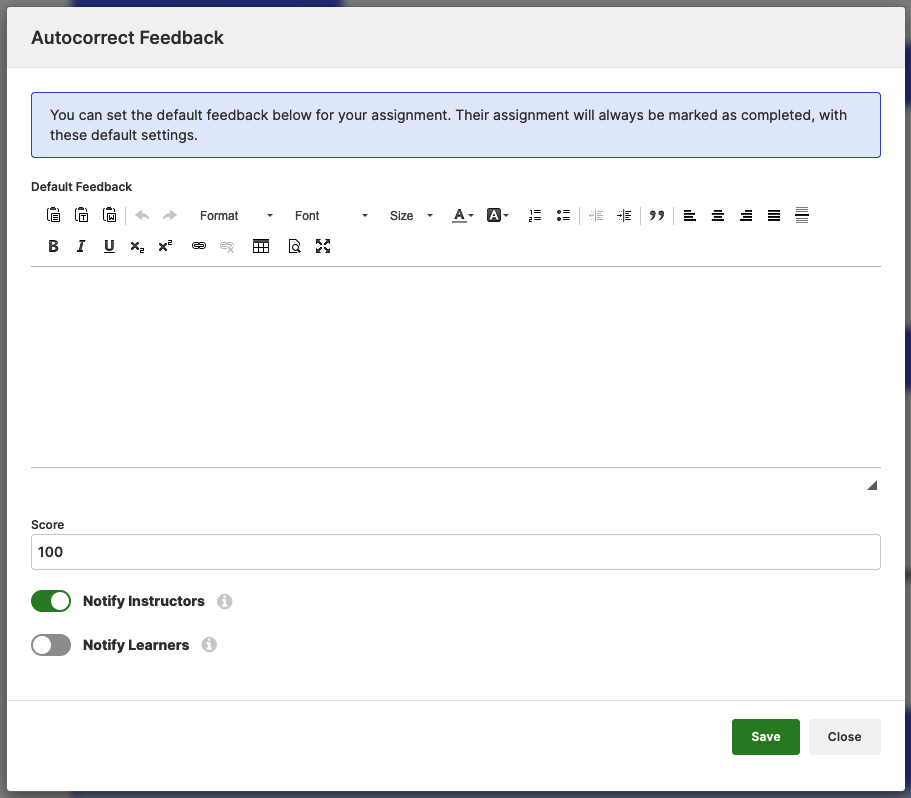
LearnUpon allows you to add auto-corrected exams to your courses with many question types to create impactful assessments.
I found the assessment builder reasonable for standard testing needs. You can create multiple-choice questions, true-false, fill-in-the-blank, and other common formats.
The platform distinguishes between exams (where scores affect course outcomes) and knowledge checks or quizzes (which use an exam format but don't affect course completion). (Source) You can also create surveys to gather feedback from learners during or at the end of courses.
Beyond automated assessments, you can enable instructors to set assignments, correct them manually, and give one-to-one feedback to learners for a more personal touch. There's also a checklist feature that lets you create lists of tasks or skills for learners to demonstrate, which is useful for competency-based training.
The assessment tools are solid for most business training scenarios. However, if you need highly sophisticated question types with complex scoring algorithms or adaptive testing, you might find yourself wanting more.
Live learning integration
LearnUpon doesn't have a built-in feature for live events and relies on integrations like Zoom for holding live sessions and webinars.
However, you can schedule, manage, and report on live, instructor-led training sessions directly from LearnUpon, including webinars through these integrations.
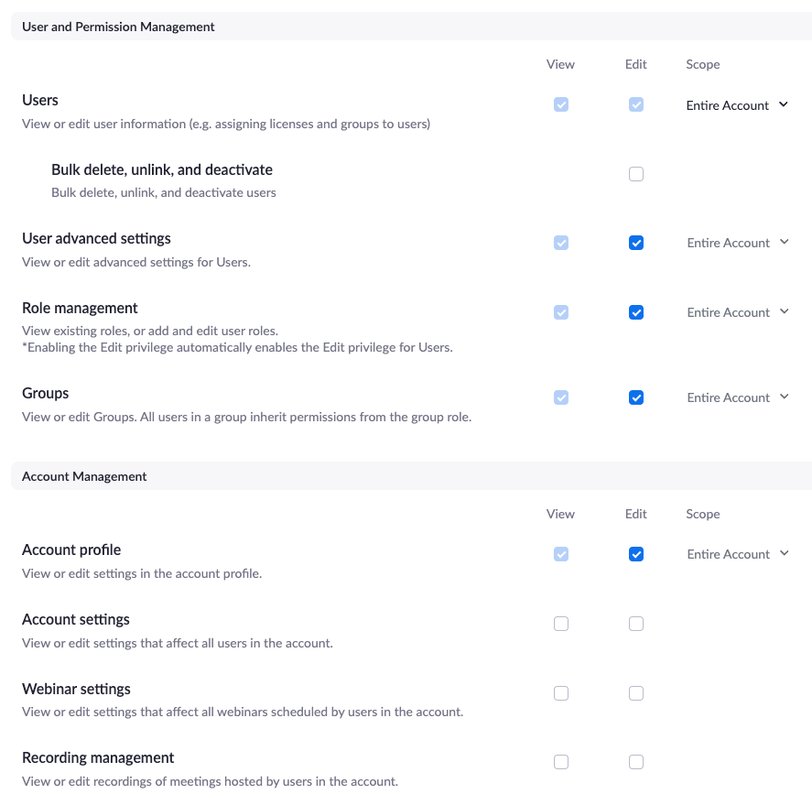
Once connected, you can incorporate live webinar integrations into courses and training, and set up automated reminders and attendance tracking.
The integration works smoothly enough, but it does mean you need separate licenses for your webinar platform and you're managing training across multiple systems.
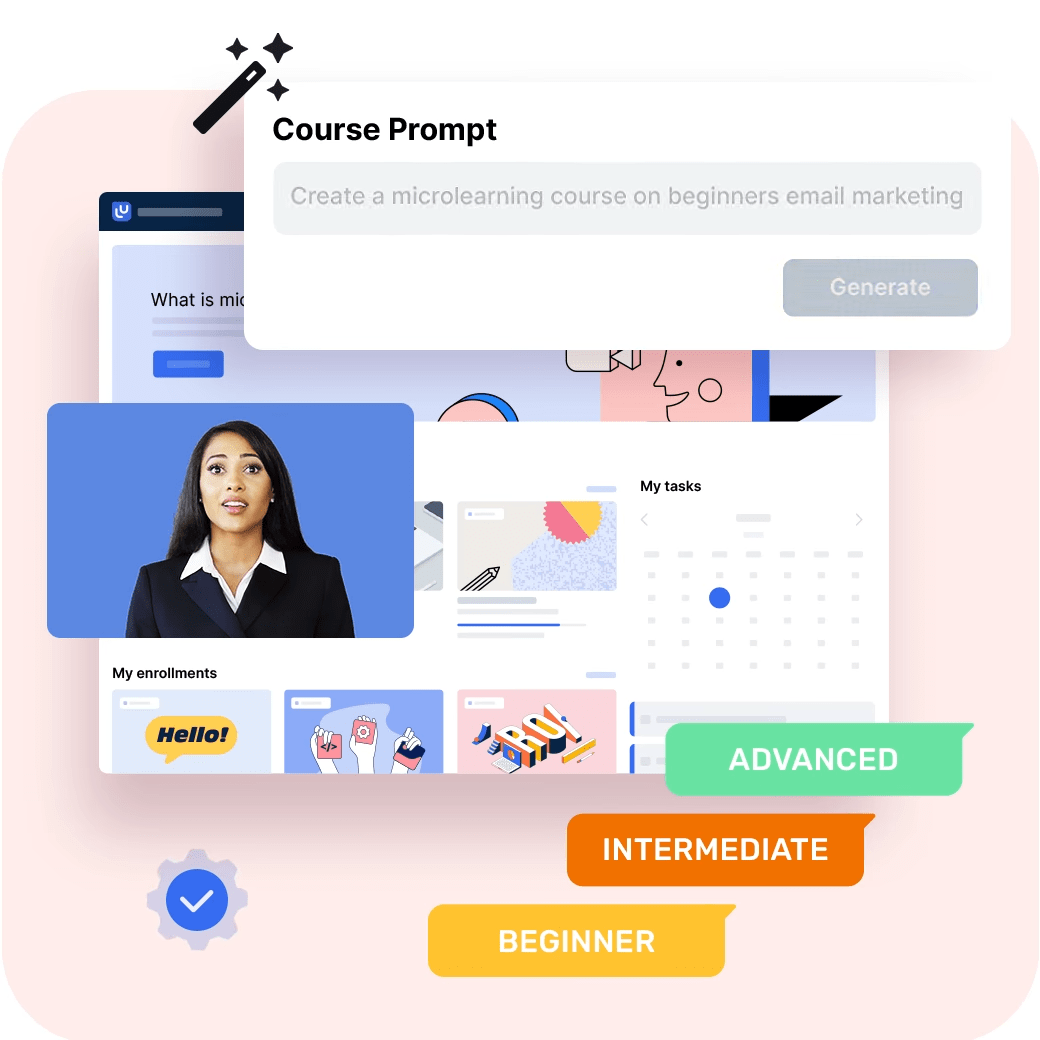
LearnUpon has recently introduced AI capabilities into the platform. According to what I found, the AI can help with building courses, creating exam questions, translating text, and writing summaries.
These features are relatively new additions designed to speed up content creation, though they supplement rather than replace your authoring workflow.
What's missing
I will be direct about gaps that matter for content creators. LearnUpon doesn't offer features for community building, which is increasingly important in modern e-learning.
And although you can build forums, you have to contact the support team or your Customer Success Manager to add forums to your portal. Unfortunately, sub-portals do not inherit forum settings from the top-level portal: you need to request the forum feature for each portal.
The platform also lacks advanced content versioning controls beyond the basic SCORM replacement functionality. If you're managing complex content with multiple authors and approval workflows, you'll need to handle that outside LearnUpon.
The bottom line for course creators
LearnUpon's course creation and management capabilities are pragmatic and business-focused rather than cutting-edge. The platform excels at organizing, delivering, and tracking learning content, but it assumes you're creating that content elsewhere.
If you already have a content creation workflow using professional authoring tools, LearnUpon integrates smoothly and won't get in your way.
However, if you were hoping for an all-in-one solution where you can author sophisticated interactive content directly in the LMS, you'll be disappointed. The native builder is fine for simple text-and-media courses, but anything more complex requires external tools.
The modular approach and strong SCORM and xAPI support mean you have flexibility in your authoring tool choices, which is actually valuable. But it also means additional complexity in your tech stack and potentially additional costs.
My rating: 3.5/5
LearnUpon for User and Group Management
After working with LearnUpon's user and group management system, I can tell you it's one of those rare areas where the platform genuinely delivers on its promise of making admin work less painful.
The system isn't flashy or revolutionary, but it's thoughtfully designed for people who need to manage training at scale without drowning in spreadsheets.
Getting users into the system
LearnUpon allows you to add thousands of users at once through bulk spreadsheet uploads; all that's needed is an email address.

In practice, this works smoothly. I've tested various upload scenarios, and the system handles large files without choking. The error handling is decent, too; if something's wrong with your CSV, LearnUpon tells you specifically what needs fixing rather than just rejecting the whole file.
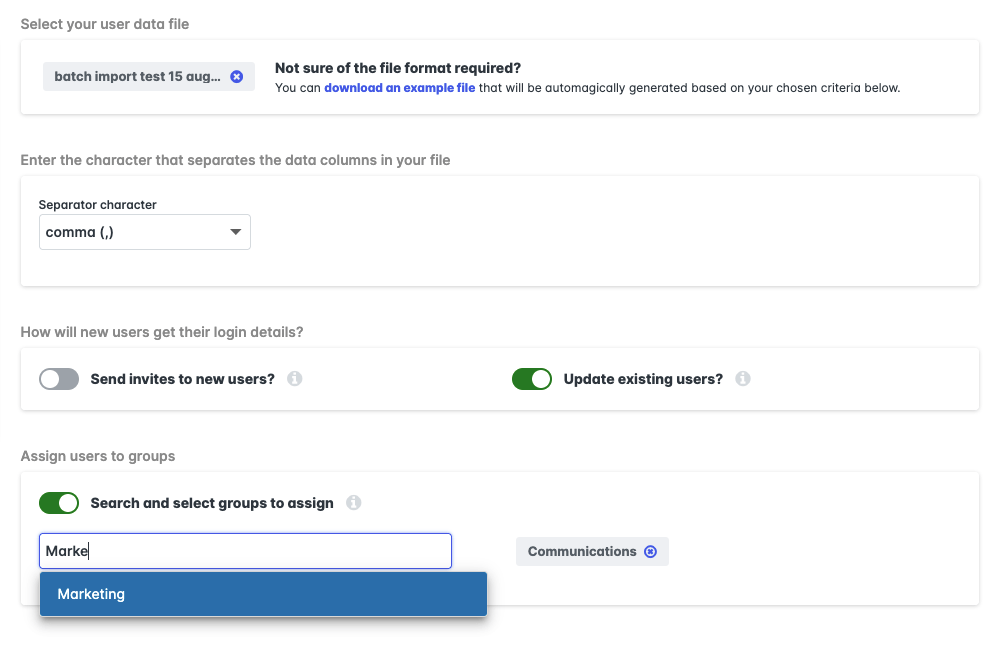
You can also create users one by one, which is useful for adding new users on the fly who may not be in your CRM or HRIS. This flexibility matters more than you'd think. When a new executive joins and needs immediate access to compliance training, you don't want to wait for the next HRIS sync.
Speaking of which, the HRIS integration story has improved significantly. LearnUpon now offers integrations with UKG Pro, ADP Workforce Now, SAP SuccessFactors, Deel, Dayforce, Gusto, Paycor, Paylocity, and Workday, joining HiBob, Personio, and BambooHR.
These integrations automate key tasks like user creation, data syncing, and overall user management between your HRIS and LearnUpon.
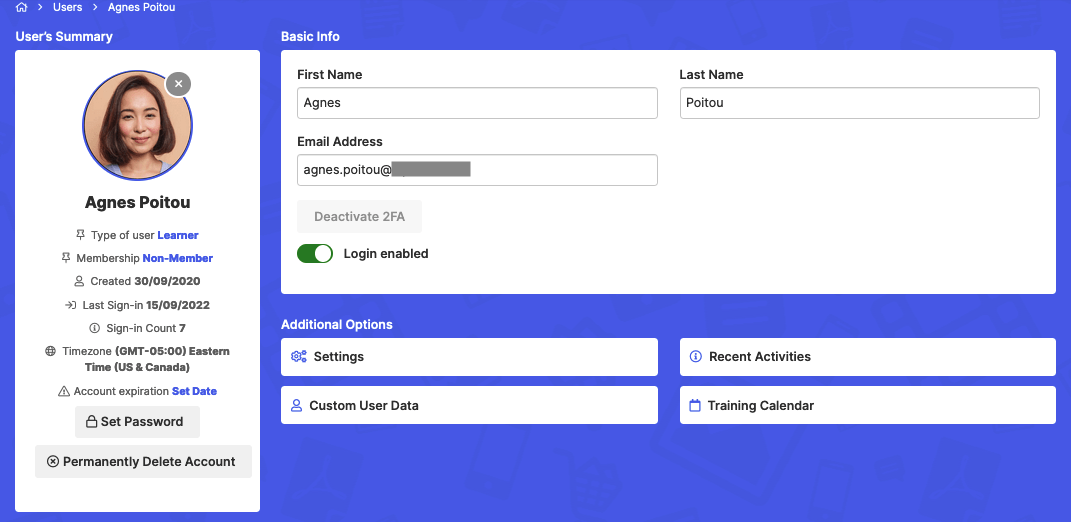
What impressed me is the control you get over how new users are added: you can make them active and send a welcome email, create them as active without an email, or set them as pending and send an invitation.
This level of granularity prevents the common problem of overwhelming new hires with system access notifications before they've even started their first day.
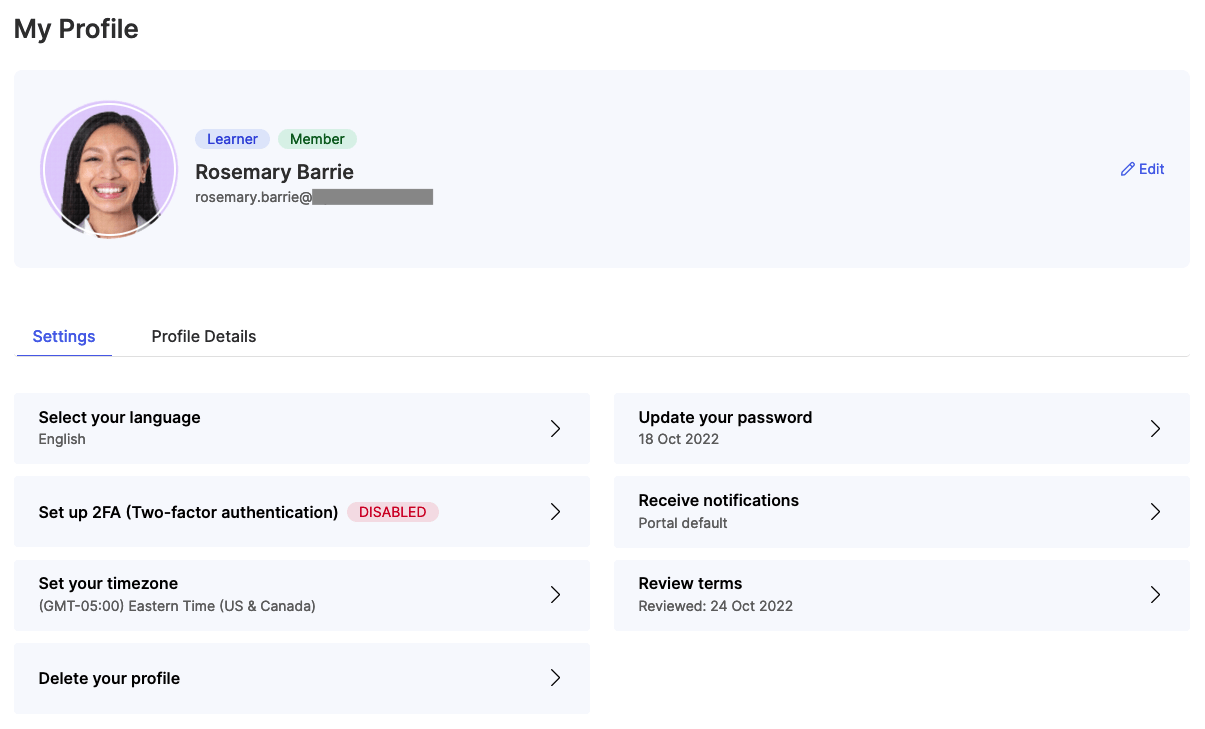
You can also make registration as public as you want, so users can conveniently self-sign up as it suits them. This self-registration option works well for customer education scenarios where you want to reduce friction in the enrollment process.
Group management
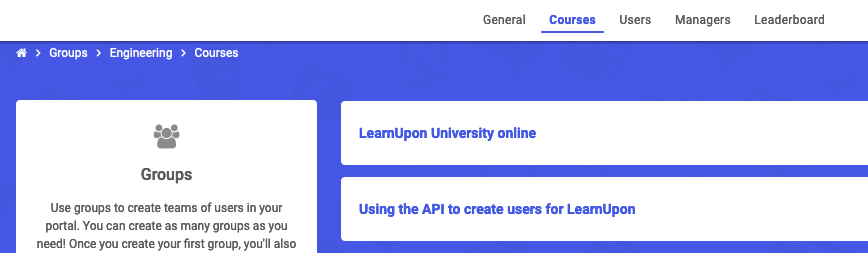
Groups are an effective way to organize learners to assign training for sets of learners and report on training for compliance requirements. Groups can represent departments, teams, work sites, or partners.
Groups are an effective way to organize learners to assign training for sets of learners and report on training for compliance requirements. Groups can represent departments, teams, work sites, or partners.
The architecture is sensible: groups act as containers for holding learners and their enrollments, and if you delete a group, you don't delete the accounts within it; you delete only the container that held the learners together.
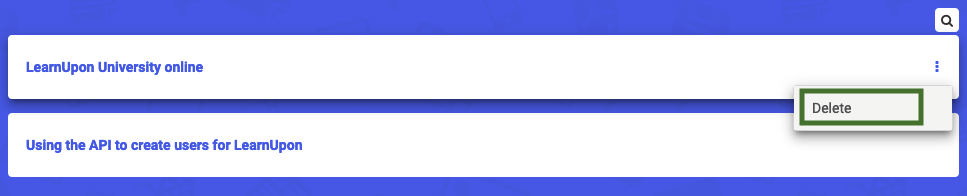
This design choice prevents the catastrophic data loss scenarios I've encountered with other LMS platforms, where deleting a group accidentally wipes out user histories.
When you enroll groups in courses or learning paths, LearnUpon confirms these enrollments when complete, and you can select to re-enroll completed users to add groups to courses they have already finished. For example, to make sure learners don't miss mandatory training or recertification.
One feature that caught my attention is when you temporarily disable a user's account (for example, for parental leave), they're not enrolled in group courses while disabled, but when the account is enabled again, LearnUpon enrolls the users in any courses assigned to the group that they missed. This automatic catch-up enrollment happens even if a course has expired, which means returning employees don't miss out.
You can now set unique due dates for specific learner groups, giving you more control over course timelines. This addresses a real pain point when different departments need different completion timelines for the same course.
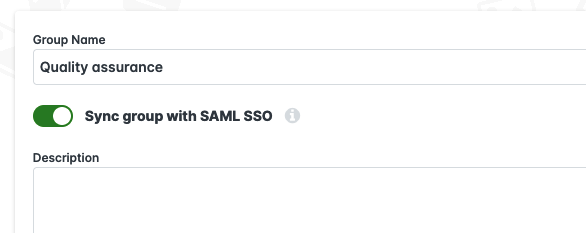
For organizations using SAML SSO, you can synchronize your portal and identity provider to move new learners into or out of groups automatically. This eliminates manual group membership management, though you need to set up SAML integration first before this option appears.
Role-based permissions and delegation
Administrators can delegate tasks to managers without giving over complete control; for example, managers can run reports on their own groups. This tiered permission structure works well in practice. You're not forced into an all-or-nothing admin access model.
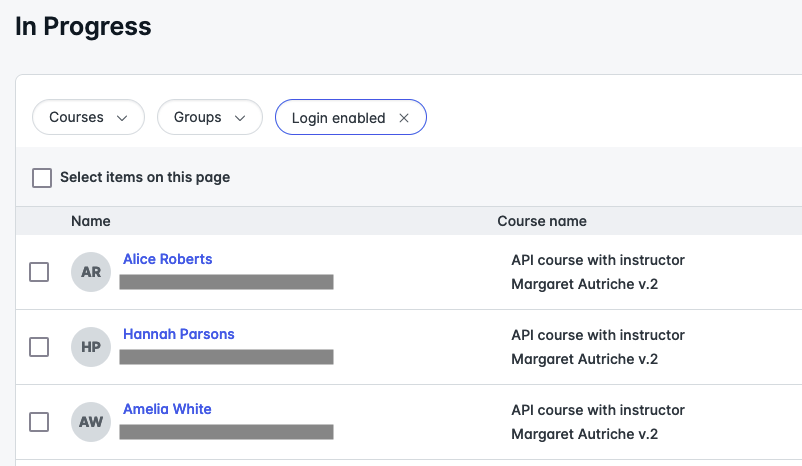
LearnUpon introduced a Manager Dashboard, a central control room where managers can track and manage their people's learning, and take action by sending nudges to individuals or en masse. This feature addresses what LearnUpon identifies as a top challenge, i.e., getting managers actively involved in learning programs.
The enrollment permissions are granular. Managers and managers with instructor permissions can enroll groups if the learning path options allow, and enrollment permissions for a learning path override the enrollment permissions of individual courses within the learning path. This hierarchical permission system prevents conflicting access controls.
Multi-portal architecture
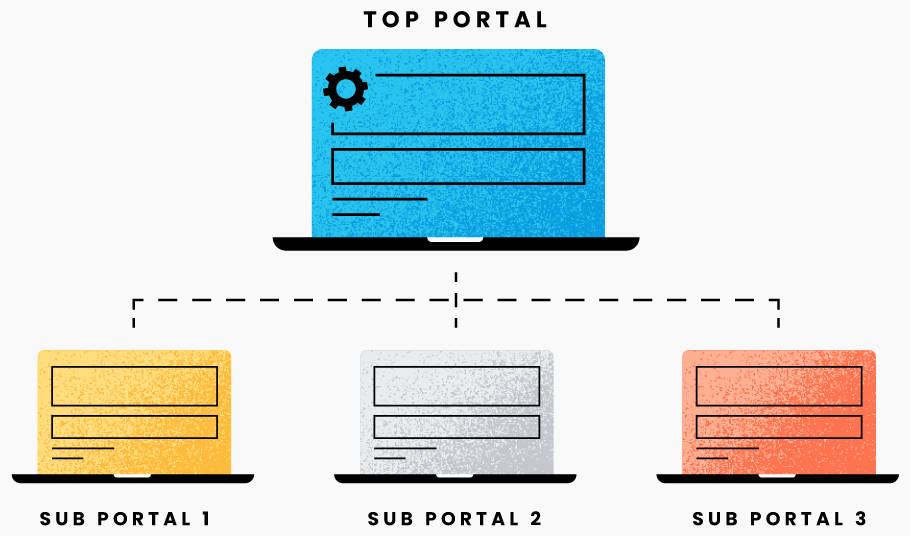
The multi-portal structure deserves specific attention because it's not something every LMS handles well. You can create several LMS sub-portals under a top portal with different courses for target learners, license courses across portals, and set enrollment limits for each portal.
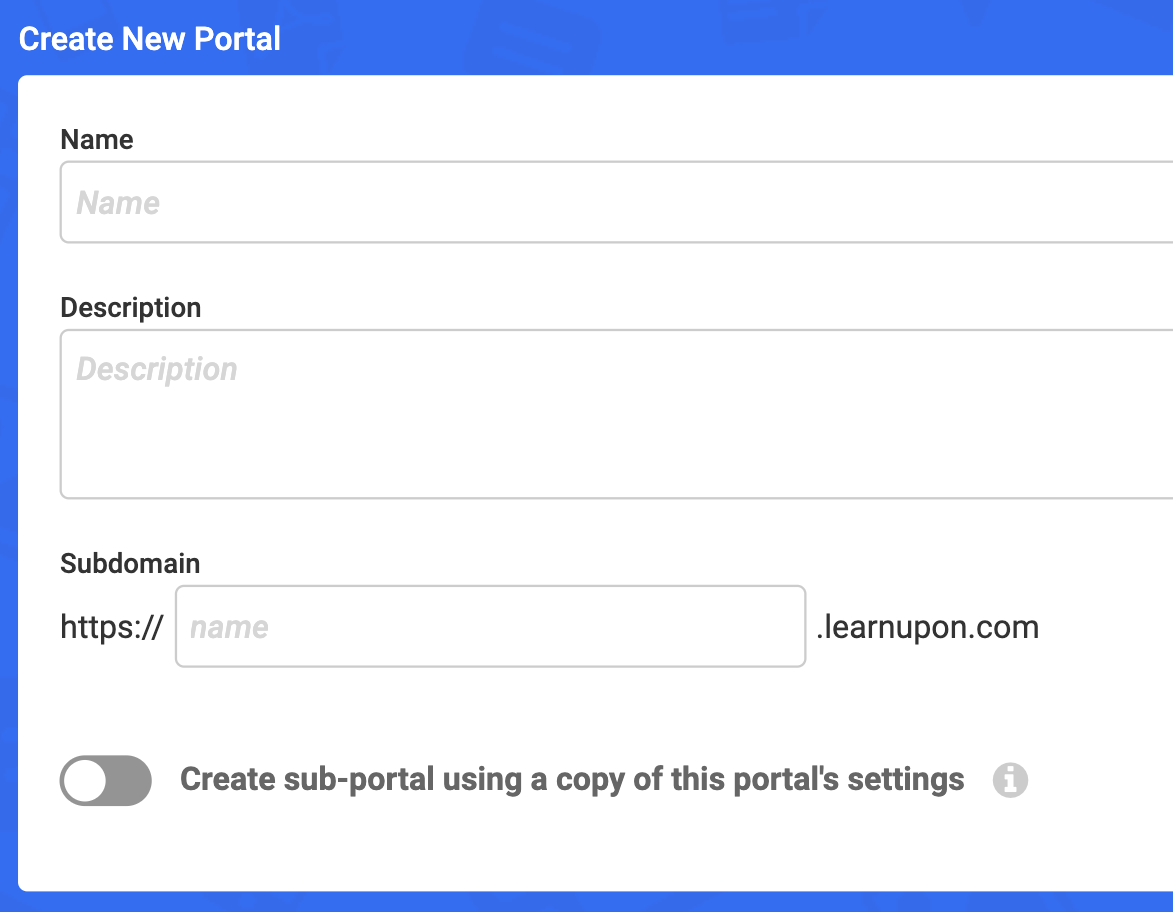
This architecture works well if you're managing training for employees, customers, and partners simultaneously, but want them to have completely different experiences.
However, there's a gotcha: sub-portals don't inherit forum settings from the top-level portal, so you need to request the forum feature for each portal separately. This lack of inheritance can create admin overhead if you're running multiple portals.
Bulk actions and efficiency features
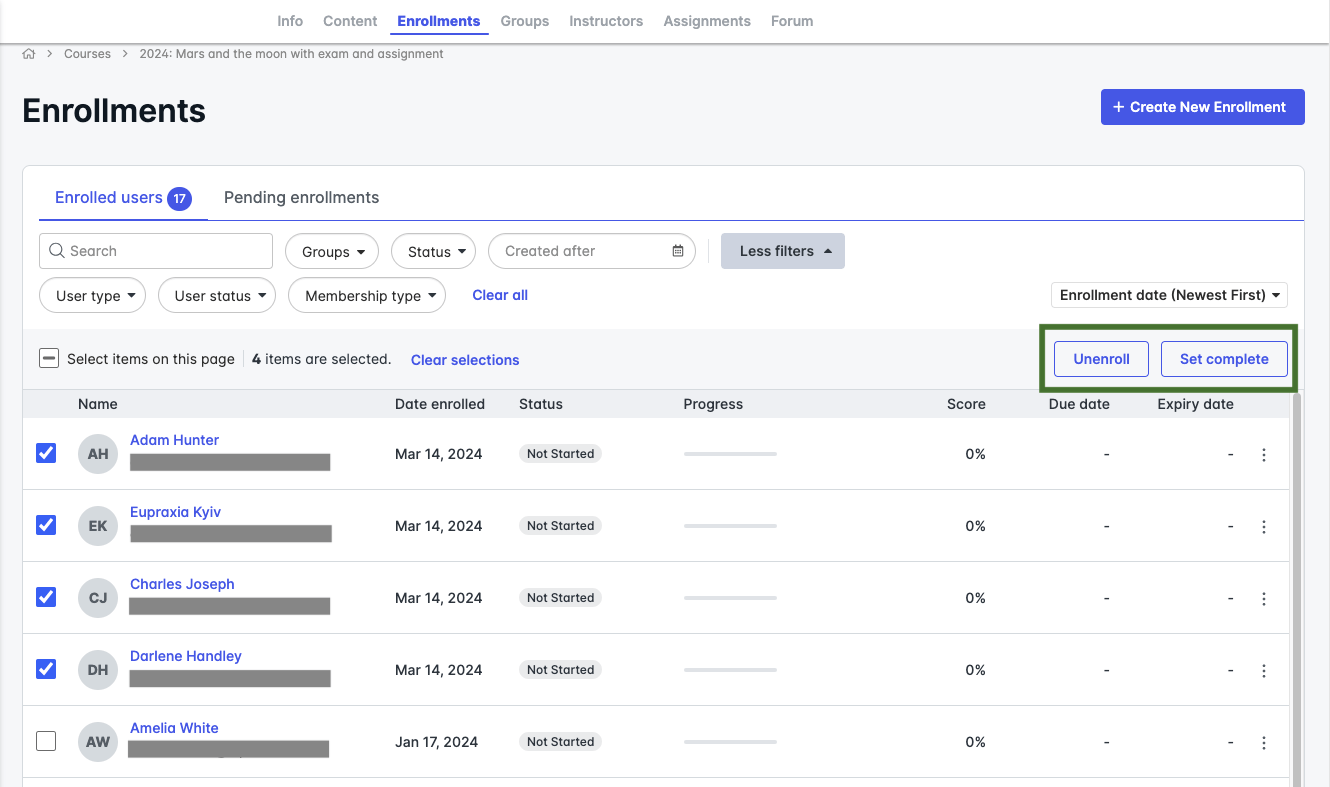
LearnUpon's newest bulk actions features make it easy to quickly set the same enrollment status for multiple learners all at once, including the ability to unenroll and mark enrollments as complete. These bulk operations are genuine time-savers when you're cleaning up enrollments or making corrections at scale.

The platform also handles custom user data fields effectively. You can create custom user data fields in the portal settings, and these fields become columns in your user sync file.
You can use custom fields to add depth and segmentation capabilities for reporting; for example, by region, department, or job role. You can even automate group membership and course enrollments using custom user data.
What could be better
The user management system isn't without limitations. While the HRIS integrations are excellent, the initial setup requires technical coordination between systems. If your HRIS isn't on their supported list, you'll need to use the API or manual uploads.
The custom user data fields are powerful but require careful planning upfront. Once you've built reports and automations around specific field names, changing them becomes messy. I learned this the hard way.
Group hierarchies don't nest deeply. You can't create sub-groups within groups, which means complex organizational structures require creative workarounds with naming conventions.
My rating: 4.5/5
Learner Engagement and Gamification in LearnUpon
LearnUpon's gamification capabilities are solid and functional, but they won't blow your mind if you've used sophisticated gamification platforms. That said, they work well for their intended purpose: adding an engagement layer to business training without overwhelming your learners or your admin team.
The gamification framework
LearnUpon lets you design your gamification levels and mark achievements with badges, with 5 levels to use, where learners enroll at level 1, providing 4 more to achieve. You assign point values to levels, badges, and activities, and LearnUpon provides default badges for levels and activities.
The structure is straightforward: users gather points for completing activities, motivating them to reach the next level and get one step closer to their training goal. Each learner reaches level 1 as soon as they earn their first point, and progression from there depends on how you've configured the point thresholds.
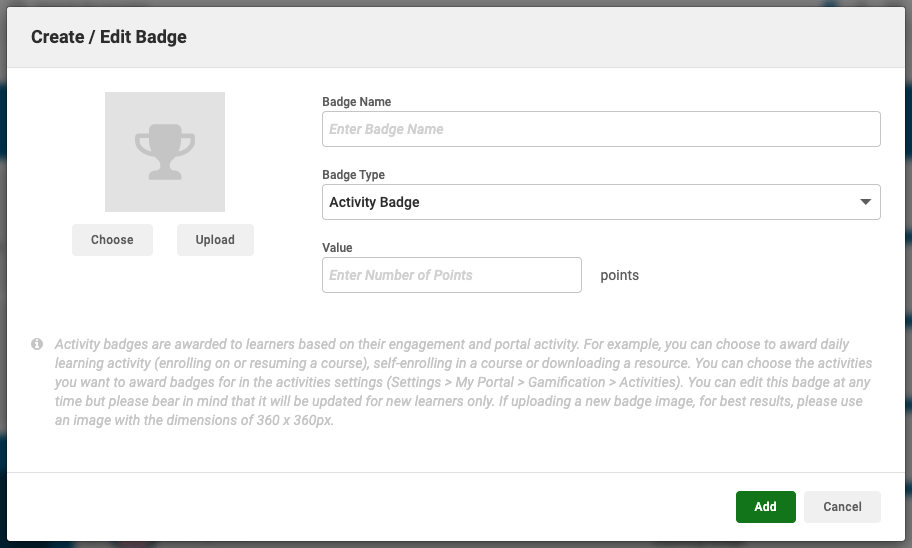
You set learning badges to award when a learner completes a course or learning path, with up to 5 different badges per course that you award based on criteria like score or course status. This flexibility lets you differentiate between passing, high performance, and exceptional completion.
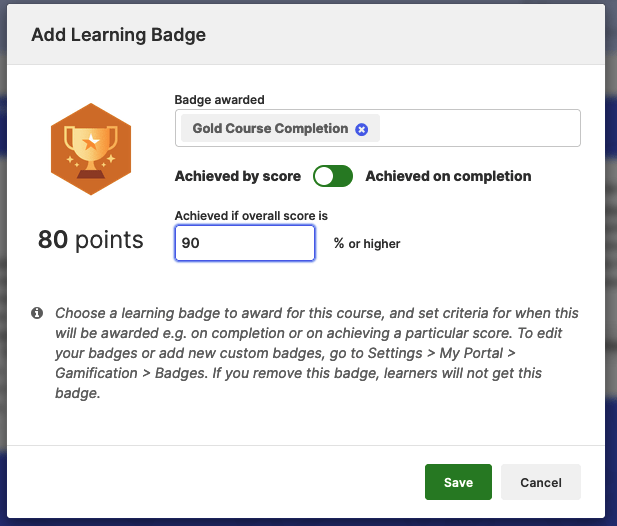
Activity badges are awarded when learners complete specific activities, which can include things like daily logins, forum participation, or profile completion.
LearnUpon warns that activity badges can add up quickly. For example, assigning points to daily activity can accumulate rapidly, which is good advice. I've seen implementations where daily login points outweighed course completion points, completely undermining the intended incentive structure.
Customization and branding
You can pick ready-made badges or create your own that are unique to your company. The badge customization interface is user-friendly. You upload your images, assign point values, and define the earning criteria.
I appreciate that LearnUpon provides default badges, so you can launch gamification quickly and refine your custom badges later.
You can assign different point values to activities and courses and customize those gamification elements to suit your learning goals.
Want to emphasize certain compliance courses? Give them higher point values. Need to drive forum engagement? Boost the points for quality posts.
Leaderboards
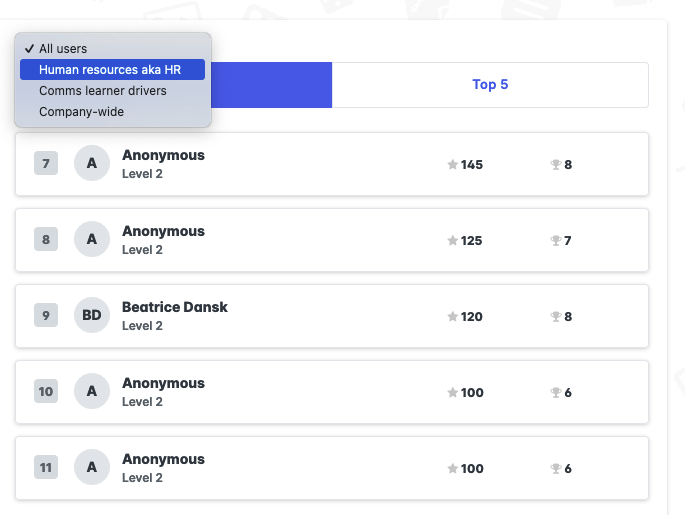
Leaderboards show the learner's place, as well as the number of points and badges everyone has earned. I really like that leaderboards can be anonymous, so learners see their own name, but other learners' names are hidden. This addresses a common concern about public competition creating anxiety rather than motivation.
You can allow learners to filter the leaderboard by their group(s), giving learners a dropdown to choose which group to display in their leaderboard. This group-based filtering is useful in organizations where competing against your own department feels more relevant than competing against the entire company.
You can also enable the leaderboard widget for admins and display badges and achievements directly on the learner's dashboard.
Social learning and forums
Beyond traditional gamification, LearnUpon offers discussion forums to facilitate peer learning. Forums are available to all customers on request, and through social learning, your learners can work together on courses, learning paths, and other topics to help enhance their learning experience.
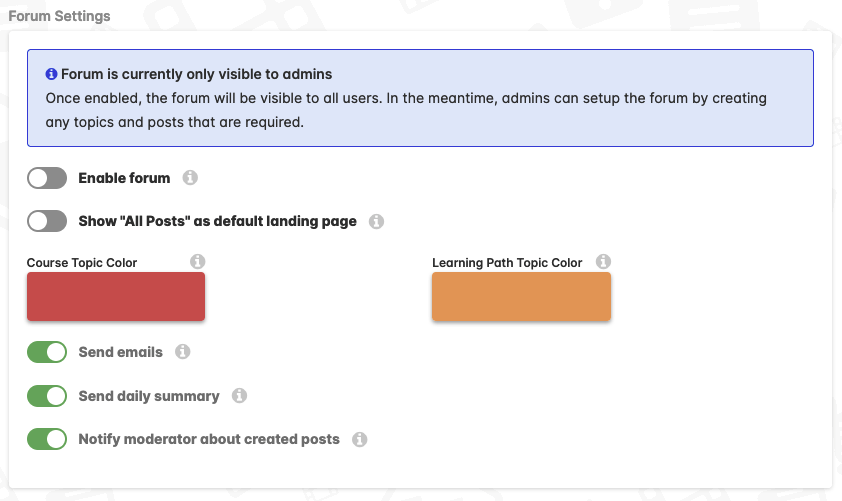
Within a forum, you set up topics that members of your portal can post to or comment on, and topics can stand alone (accessible across the forum) or focus on specific courses or learning paths (visible only to those enrolled).
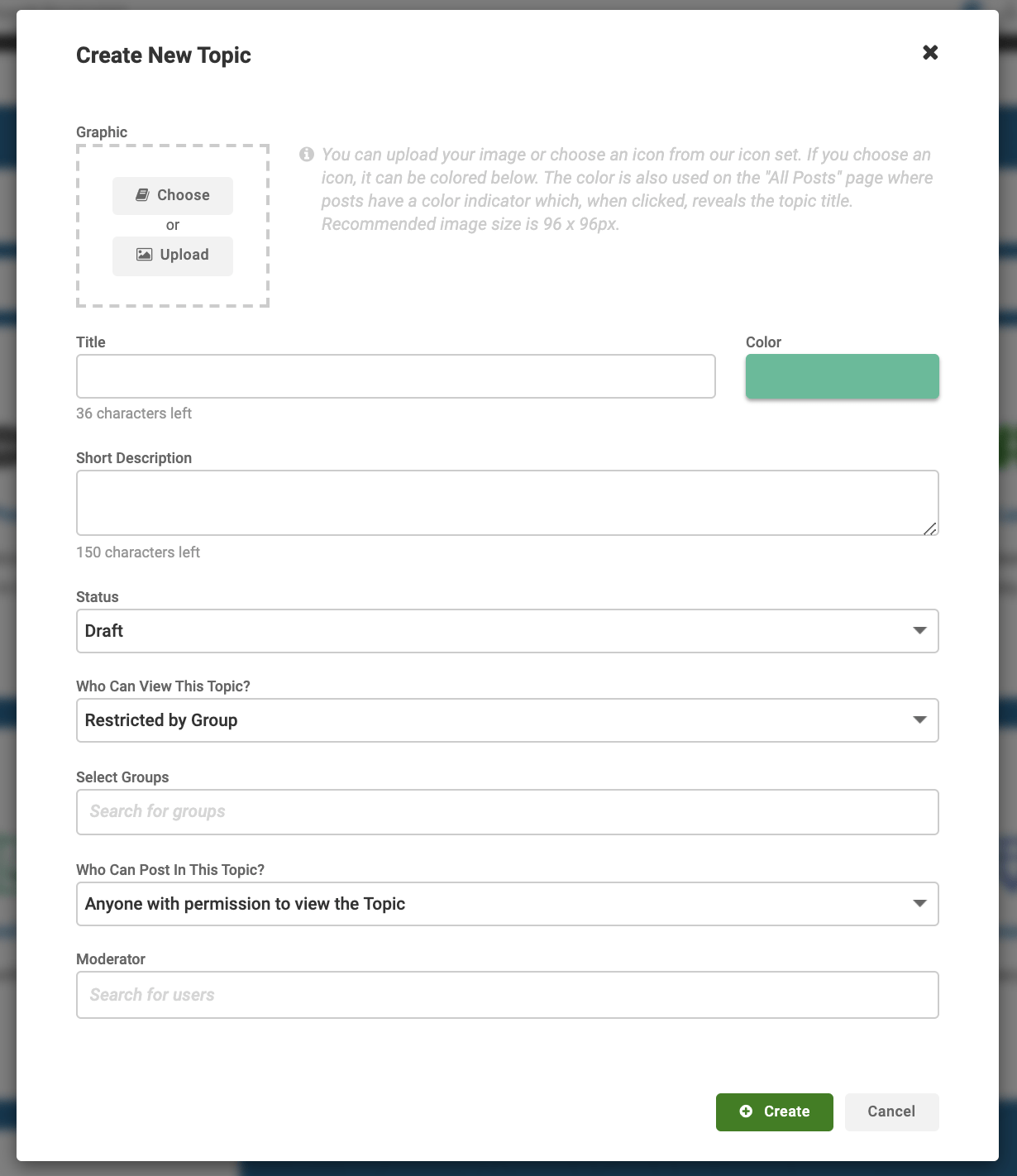
By default, learners can create posts, though you can limit learners to view-only access. Admins enable forums, set branding and moderators, and create topics, while moderators assigned to a topic can write posts and comments, moderate discussions, delete posts, and unpublish topics.
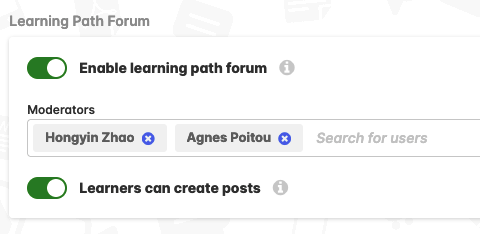
One administrative consideration: if a learner's account is disabled, the posts they contributed remain part of the portal, but if their account is deleted, their posts are also deleted. This means you need clear policies about account deletion if you want to preserve valuable forum contributions.
However, forums are available only on request; you need to contact the support team or your Customer Success Manager to add forums to your portal. (Source) Forums aren't immediately available when you start using LearnUpon.
Certificates and recognition
LearnUpon automatically provides learners with personalized completion certificates and sets automated alerts when it's time to recertify. If you set up completion email notifications and add a certificate to the course, LearnUpon attaches the certificate to the completion notification automatically.
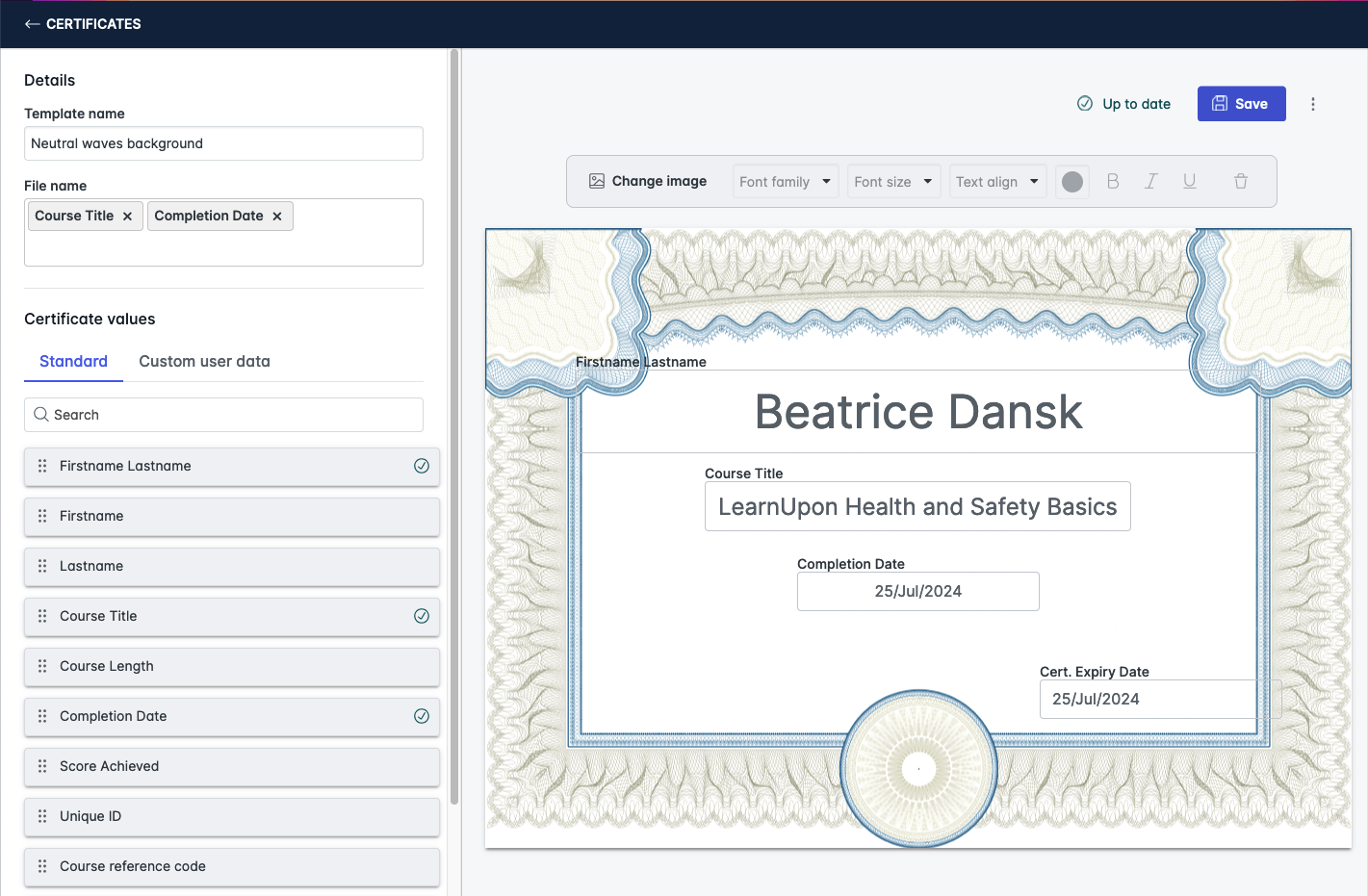
The certificate customization lets you add custom fields, text, and names so learners receive personalized recognition. If it's compliance training that needs recertification every 6 months, annually, or every few years, you can automate this process by setting it up so learners are re-enrolled in their courses when they need to recertify.
Communication and engagement tools
You can push important information to learners with multimedia banners on their dashboard and send learners emails about enrollments, due dates, reminders, and other announcements.
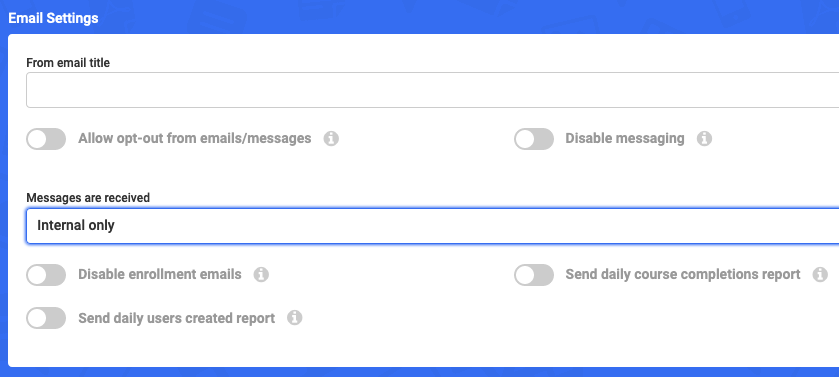
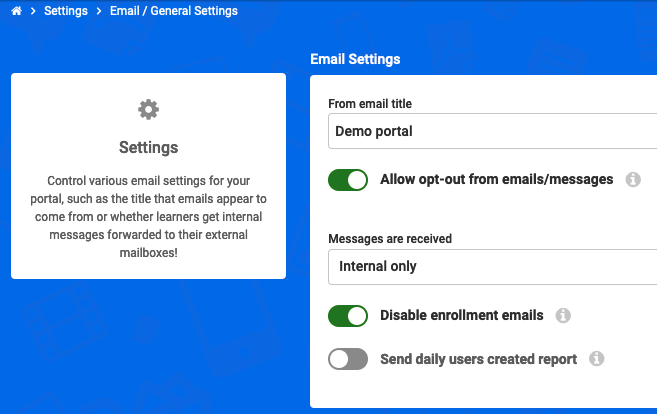
You can set up to 4 enrollment reminders at specified intervals after enrollment, and these notification emails can be automated and customized to reflect your organization's messaging as well as add a personalized touch with a learner's name.
LearnUpon supports over 20 out-of-the-box languages so you can deliver training that speaks to all your learners, and with the addition of Indonesian and Vietnamese, LearnUpon now offers 25+ platform languages.
Progress tracking and momentum
Courses have a progress bar, so your content already has this motivating jumpstart, and you can add it to your SCORM content yourself to use within LearnUpon. Progress visualization is underrated; seeing that bar fill up provides immediate feedback that you’re making headway.
Learning Paths create a collection of courses that learners take one at a time, and once a learner has finished a course, a trigger is set, and they are automatically enrolled in the next course.
What's missing
Okay, the elephant in the room is that LearnUpon's gamification is not as sophisticated as dedicated gamification platforms. There are no branching narratives, no complex achievement trees, no team-based challenges, and no virtual economies.
If you're hoping to replicate the engagement mechanics of modern gaming, you'll be disappointed. But that’s expected.
Focusing only on points, leaderboards, and badges isn't always enough to make learning truly engaging. LearnUpon's gamification is primarily extrinsic motivation; you're rewarding completion rather than building intrinsic interest in the content itself.
The forum is functional for basic Q&A and discussion, but if you're hoping to build a thriving learning community, you might want supplementary tools.
The other way of looking at gamification
Gamification is about augmenting the effect of an existing process by applying game mechanics that make it engaging. LearnUpon understands this and keeps gamification simple enough that you'll actually use it rather than abandoning it as too complex to maintain.
For most corporate training scenarios, LearnUpon's gamification toolkit is sufficient. You can drive completion rates, recognize achievement, and add some competitive energy to your programs. Just don't expect it to transform boring content into compelling experiences through points and badges alone.
My rating: 4.0/5
Reporting and Analytics in LearnUpon
The platform delivers on its promise of comprehensive data tracking, but there's a learning curve involved in extracting exactly what you need. Let me break down what actually works and where you might hit limitations.
LearnUpon’s dual reporting system
LearnUpon operates with two distinct reporting frameworks, and understanding the difference matters. Reports provide basic reports that organizations know and trust for reports with results up to 10,000 rows, and advanced reports (previously called Report Builder) with drag-and-drop layouts to set up and manage large report volumes.
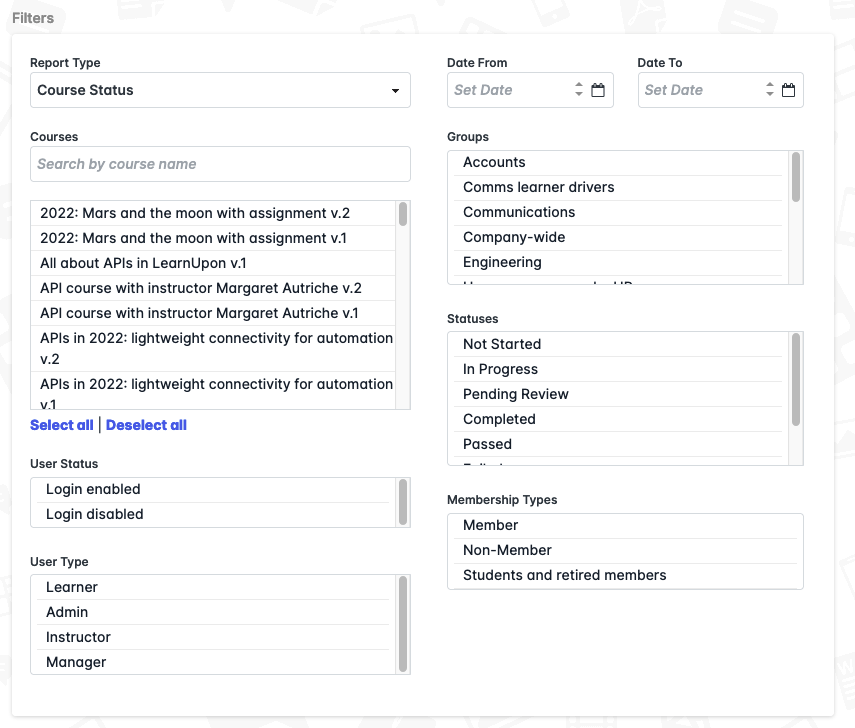
The basic reports are straightforward and quick to run. I use them for immediate snapshots, like checking course completion rates, viewing active enrollments, or pulling a quick list of who's overdue on training. They're perfect for day-to-day monitoring without requiring any setup.
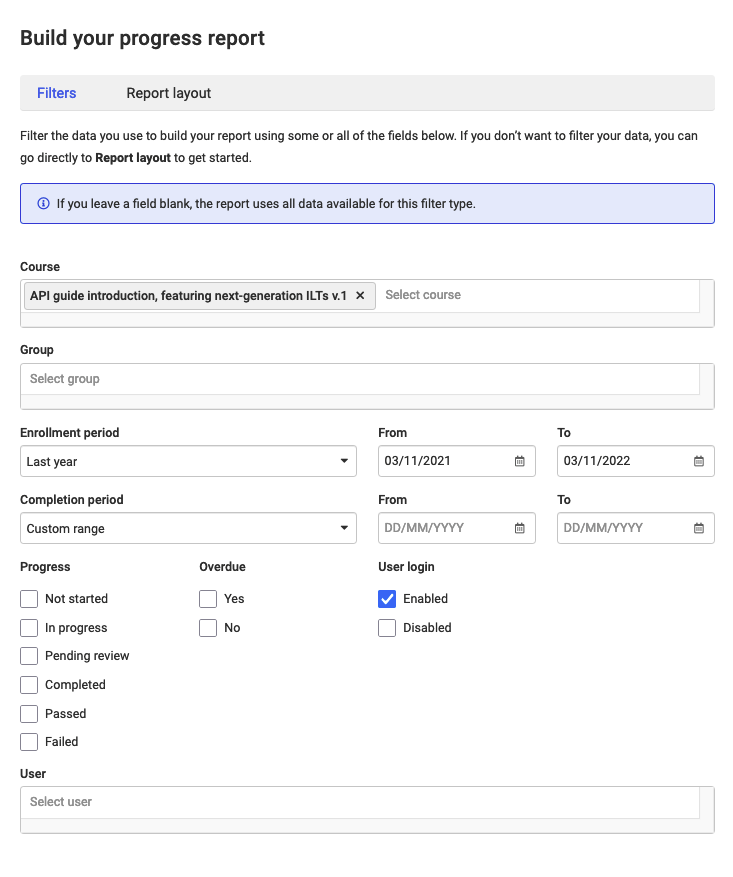
Advanced reports are where the power lives. LearnUpon provides your report with a set of column titles as a default starting point, alongside all available data, where you can drag and drop items to include or remove columns, and move them around freely to present them in an order that works for you. This customization is really useful; I'm not stuck with LearnUpon's assumptions about which data matters to my organization.
Filters in reports
You can select up to 100 courses for the report, or leave the field empty to report on all courses in your portal. The filtering system lets you narrow reports by date ranges, enrollment status, groups, and user activity. You can select one or more enrollment statuses that matter to you, including detailed statuses like not started, in progress, completed, passed, failed, expired, and overdue.
It initially confused me that the group filter checks which dates the learners were enrolled, not the date they completed the course. You need to use both group and date filters strategically to get accurate results.
If you use custom user data, you can filter your report using data values. However, there's a catch: when you add a custom user data field as a filter, you must enter values in this field; you can't leave it blank, like the default filters. This means you need to know what you're looking for before running the report, which can be limiting when you're exploring data.
Scheduled reports
LearnUpon sends automated reports to the person who created the report by default, and you can configure reports to send a copy to admins, managers, and instructors on the portal, or to external email addresses. You can schedule advanced reports to run daily, weekly, or monthly, and LearnUpon runs the report shortly after 1 am, based on the portal timezone of the report owner.
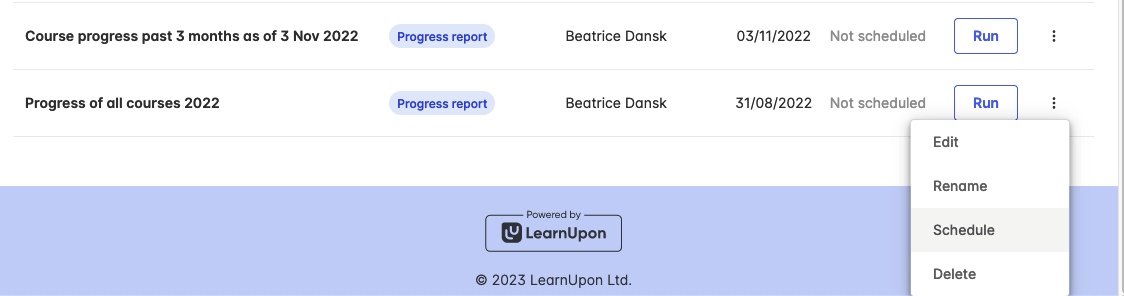
I like that for advanced reports, LearnUpon runs and sends your scheduled reports even if no data changes in your portal during the scheduled interval. This consistency is good for stakeholder reporting, where you need predictable delivery regardless of activity levels.
However, for basic reports, LearnUpon sends scheduled reports only if any data has changed between the report dates; if no changes happen at all, LearnUpon doesn't send a report. This discrepancy between basic and advanced report scheduling caught me off guard initially and created confusion with executives expecting weekly reports even during quiet periods.
Data export and external integration
You can apply filters to your reports, like date ranges, before you export them, so you get the most relevant information, and export via Excel, PDF, or automatically send them straight to your teams' inboxes.
The Excel exports work cleanly; there are no formatting issues, no corrupted data, just straightforward CSV files that open properly in spreadsheet applications.
You can use learning analytics tools to connect data to external systems for a comprehensive data story, leverage integrations, and use APIs and webhooks to merge data with BI and visualization platforms.
LearnUpon Integrations
When I first used LearnUpon, the integration story was good but not exceptional. Over the past year, they've significantly expanded their native integration offerings, and it's genuinely transformed how seamlessly the platform fits into enterprise tech stacks.
HRIS Integrations
This is where LearnUpon has made the most impressive progress.
LearnUpon now offers integrations with UKG Pro, ADP Workforce Now, SAP SuccessFactors, Deel, Dayforce, Gusto, Paycor, Paylocity, and Workday, joining HiBob, Personio, and BambooHR. That's a comprehensive list covering most major HRIS platforms.
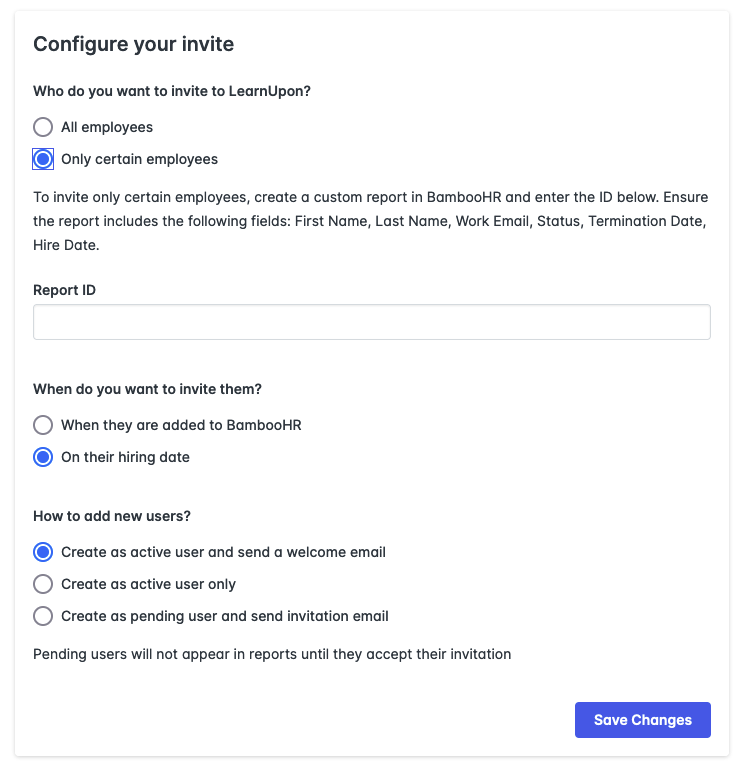
These easy-to-set-up integrations let you connect in seconds and automate key tasks like user creation, data syncing, and overall user management between your HRIS and LearnUpon. I've set up the BambooHR integration, and it genuinely took less than five minutes. The interface is intuitive, and LearnUpon walks you through each step.
CRM Integrations
You can deliver seamless learning experiences and automate learning management by integrating Salesforce and LearnUpon.
The Salesforce integration is great for customer education programs where you want training completion data feeding back into customer health scores.
You can automate learning management and easily measure the impact of customer training by connecting HubSpot and LearnUpon.
I've used this integration to trigger training enrollment based on deal stages; when a prospect becomes a customer, they're automatically enrolled in onboarding courses. Their completion rates then feed back into HubSpot as custom properties, informing customer success workflows.
In my opinion, other notable integrations include:
- SSO options that eliminate password headaches. OpenID Connect, Okta, OneLogin, and Azure all work seamlessly, and when someone leaves your organization, their LearnUpon access disappears automatically.
- Content library partnerships with LinkedIn Learning, Go1, and Degreed that let you supplement your courses with professionally produced content without forcing learners to juggle multiple logins.
- eCommerce connections through Stripe, PayPal, and even Shopify, so you can monetize your training and have enrollment, payment processing, and sales reporting all flow automatically.
- Communication tools like Slack, Intercom, and Zendesk Chat – the Slack integration is surprisingly powerful for sending training nudges, celebrating completions in team channels, and even triggering enrollments via commands.
- Zapier connectivity that opens up over 1,500 apps without coding, which I've used to build workflows like triggering assignments from Typeform surveys or creating Asana tasks when learners fail exams.
What's not integrated
Despite the extensive integration ecosystem, there are some big absences. LearnUpon doesn't natively integrate with:
- Most project management tools (Asana, Monday.com, Jira) beyond Zapier.
- Marketing automation platforms beyond HubSpot and Salesforce.
- Most analytics and BI tools (you need to use the API or export data).
- Popular community platforms (Discord, Circle, etc., for community features).
- Most video hosting platforms beyond the embed options (YouTube, Vimeo, Wistia).
The lack of native integration with modern community platforms is particularly noticeable given the increasing importance of social learning.
Integration setup: The reality check
While LearnUpon markets these integrations as "easy to set up," the reality depends on your technical comfort level.
SSO integrations require coordination with your IT security team and understanding of SAML protocols. HRIS integrations need careful field mapping to ensure data flows correctly. API and webhook integrations assume development resources or technical expertise.
However, the documentation is genuinely good. LearnUpon provides detailed setup guides for each integration, and the support team is responsive when you encounter issues.
For BambooHR, Salesforce, and HubSpot specifically, the setup wizards are intuitive and don't require technical expertise.
My rating: 4.5/5
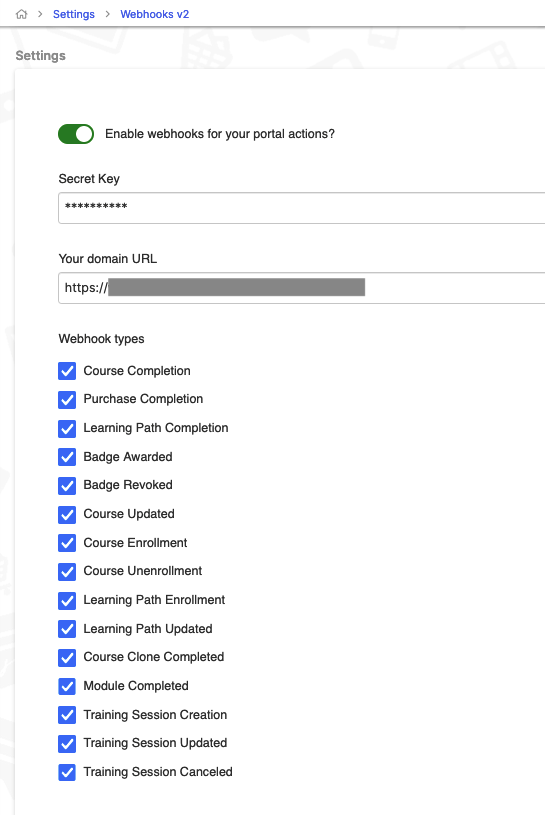
I've successfully exported LearnUpon data into Power BI for custom dashboards that combine learning metrics with other business KPIs.
Admin and manager dashboards
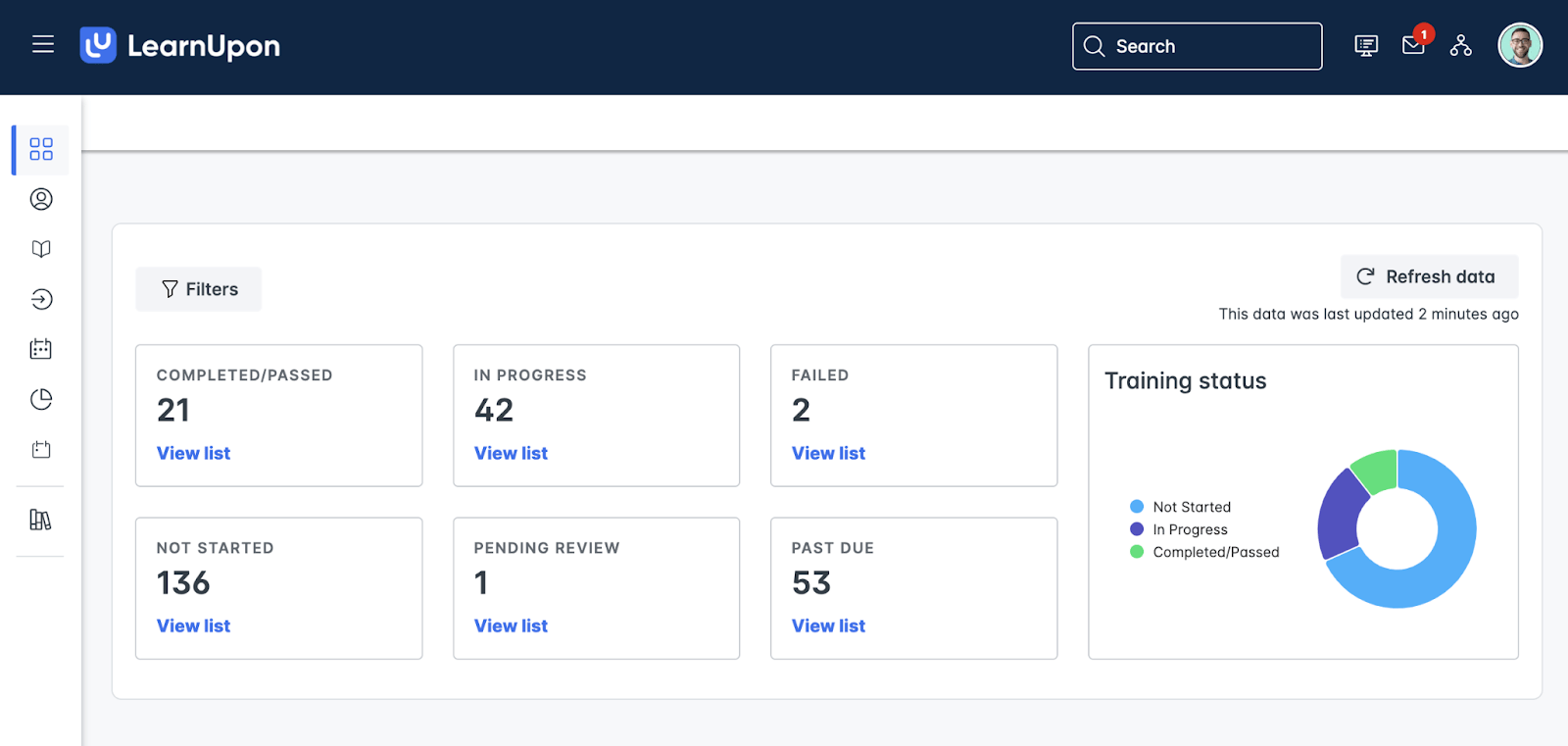
LearnUpon shows stats on your admin dashboard, like enrollments and user logins, so you can keep up to date without running a report. These dashboard widgets provide at-a-glance visibility into portal activity, though they're somewhat limited in customization.
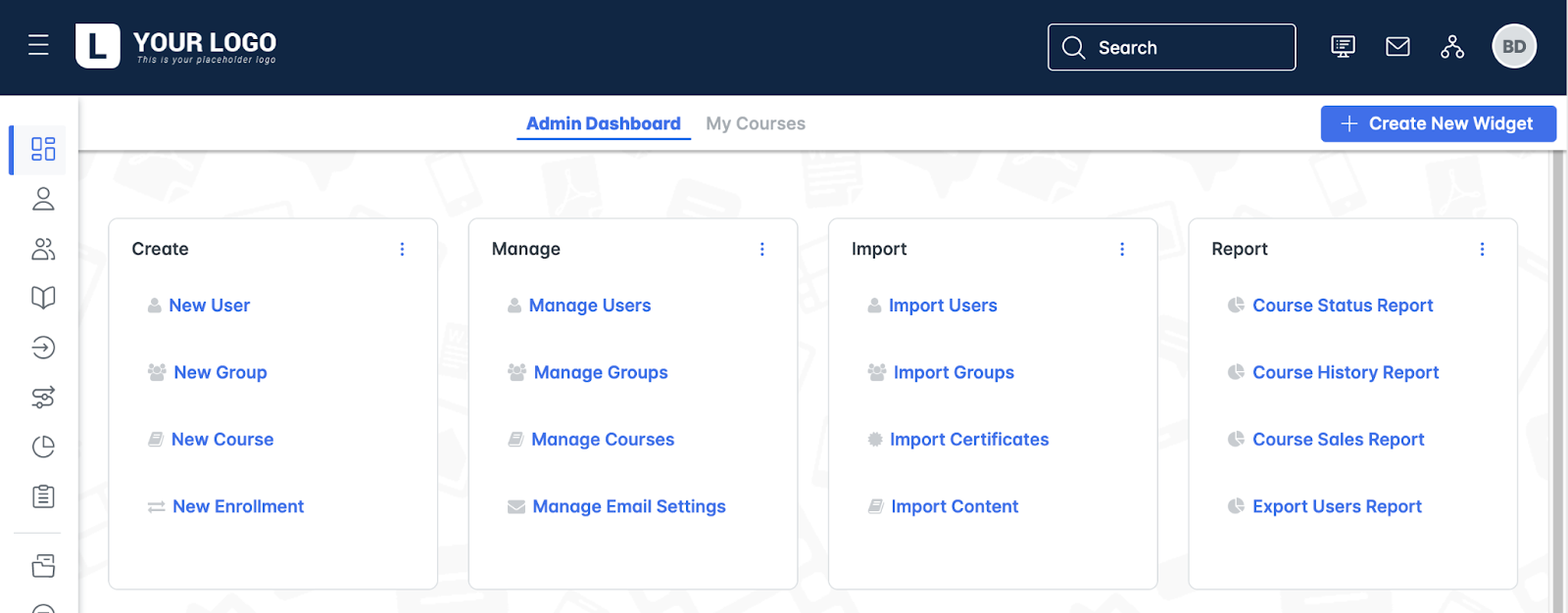
Managers can run progress reports to download immediately, but saving and scheduling progress reports is not available for managers, and learning path and Live Learning reports are not currently available to managers.
This permission limitation makes sense from a data security standpoint, but it does mean more admin work when managers need regular reports.
What's missing
I’ll be direct about limitations. LearnUpon's native analytics are comprehensive for compliance tracking and completion monitoring, but they're lacking for predictive analytics or advanced learning analytics. You won't find:
- Predictive dropout modeling.
- High-level learner journey mapping with behavioral patterns.
- Advanced cohort analysis with statistical significance testing.
- Built-in A/B testing for course effectiveness.
- Native data visualization beyond basic charts.
The advanced report builder is powerful, but you can select up to 100 courses for the report, which becomes a constraint for organizations with extensive course catalogs.
You can work around this by leaving the field empty to report on all courses, but then you lose the granular filtering.
So where does that leave us?
LearnUpon's reporting delivers what most organizations need: comprehensive tracking of who completed what, when, with what scores, and how long it took them. The filtering and scheduling capabilities work well once you understand the system's logic.
The ability to export clean data and integrate with external BI tools provides flexibility for organizations with advanced analytics needs.
However, if you're hoping for out-of-the-box predictive analytics, sophisticated learning analytics, or advanced data visualization, you'll need to supplement LearnUpon with external tools.
My rating: 4.0/5
LearnUpon Pricing: What to Expect
Bad news first! If you're looking for transparent, published pricing on their website, you won't find it.
LearnUpon uses custom quotes, which is standard practice for enterprise software, where costs depend on user volume, training complexity, and integrations. This opacity is both understandable from an enterprise sales perspective and frustrating for budgeting purposes.
After researching current pricing data from multiple third-party sources, negotiation platforms, and industry reports, I can provide you with realistic cost expectations.
The pricing model
The pricing model is annual and quote-based, with $15,000 being the starting price annually, according to Capterra. That minimum threshold is important to understand; LearnUpon will not be a fit for companies looking for a solution for fewer than 50 users.
If you're a small startup with 20 employees, you're not in their target market.
Let me stress that minimum annual contracts often start around $10,000 to $15,000, and many organizations pay over $20,000 per year, depending on scale.
For example, a team of 200 learners at $7/user/month would pay around $16,800 annually, while a larger organization with 1,000 learners might be looking at $70,000+ per year.
The good news is that LearnUpon does not charge transaction fees, which is a big difference from creator-focused platforms like Teachable (which charges 7.5% on its Basic plan) or Podia (which takes 5% on its base plan).
If you're selling courses through LearnUpon's eCommerce functionality, you only pay your licensing fee and payment processor fees (Stripe, PayPal, etc.).
Is LearnUpon Right for You?
After spending a lot of time with LearnUpon, I can honestly say it's a solid enterprise LMS that delivers on its core promises. But whether it's right for you depends heavily on your organization's size, budget, and how much complexity you actually need versus how much you're willing to pay for.
What LearnUpon does well
The platform genuinely excels in several areas.
- The multi-portal architecture is perfect if you're managing training for employees, customers, and partners simultaneously; you get distinct experiences while maintaining centralized administration.
- The HRIS integrations are comprehensive and eliminate manual user management headaches.
- The reporting system, once you master it, provides the compliance tracking and completion data that enterprises need.
- Support is responsive and available 24/7, which matters when training programs are mission-critical.
- The SCORM/xAPI handling is excellent, the gamification features work well for driving engagement in corporate environments, and the learning path functionality helps you build structured development programs.
For mid-to-large organizations with 200+ users and complex training requirements across multiple audiences, LearnUpon delivers real value.
The honest drawbacks
But let's talk about what frustrated me.
- The pricing opacity is genuinely problematic; you can't budget properly when you don't know what you're walking into until you're deep in sales conversations.
- The native course authoring is basic at best. LearnUpon has partnered with Easygenerator for content authoring, but that's another contract to negotiate and another platform to learn.
- There are no built-in community features beyond basic forums that you need to request separately. (Source)
- The five-level gamification limit feels arbitrary.
- The native builder won't let you create sophisticated interactive content.
And honestly, for smaller organizations or course creators who want to launch quickly without enterprise complexity, LearnUpon feels like overkill … like using industrial machinery when you need a precision tool.
But I’ve learned that most course creators and growing organizations don't need all that complexity. They need a platform that's powerful enough to deliver professional training experiences but intuitive enough to launch quickly without enterprise overhead. They want transparent pricing, built-in authoring capabilities, and genuine community features, not add-ons you negotiate separately.
This is exactly why I've been increasingly recommending FreshLearn to colleagues who ask me about LMS options.
FreshLearn: The Alternative That Makes More Sense
FreshLearn represents what I wish LearnUpon had been – a modern learning platform that combines enterprise-grade features with creator-friendly simplicity and honest, transparent pricing.
Before diving into the details, let me show you a direct comparison that highlights where FreshLearn and LearnUpon differ in meaningful ways:
The comparison table tells part of the story, but let me share what actually matters when you're building and delivering courses day-to-day.
Genuine course authoring built in
FreshLearn's native course builder is what I wish every LMS offered. You can create multimedia lessons with video, audio, text, and interactive elements without leaving the platform.
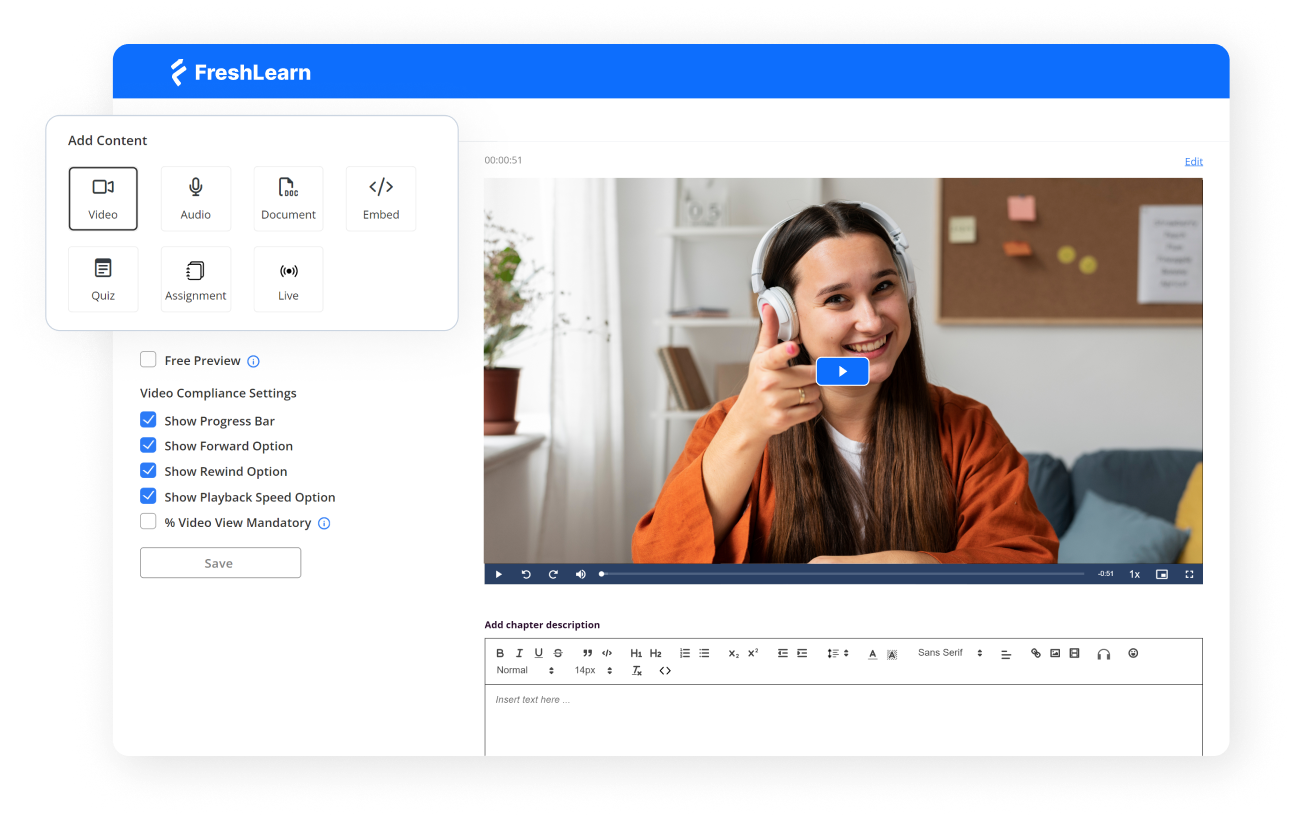
The content types you can create include video lessons with progress tracking, text-based lessons with rich formatting, audio lessons for podcast-style learning, downloadable resources and workbooks, embedded presentations and documents, and interactive quizzes with multiple question types.
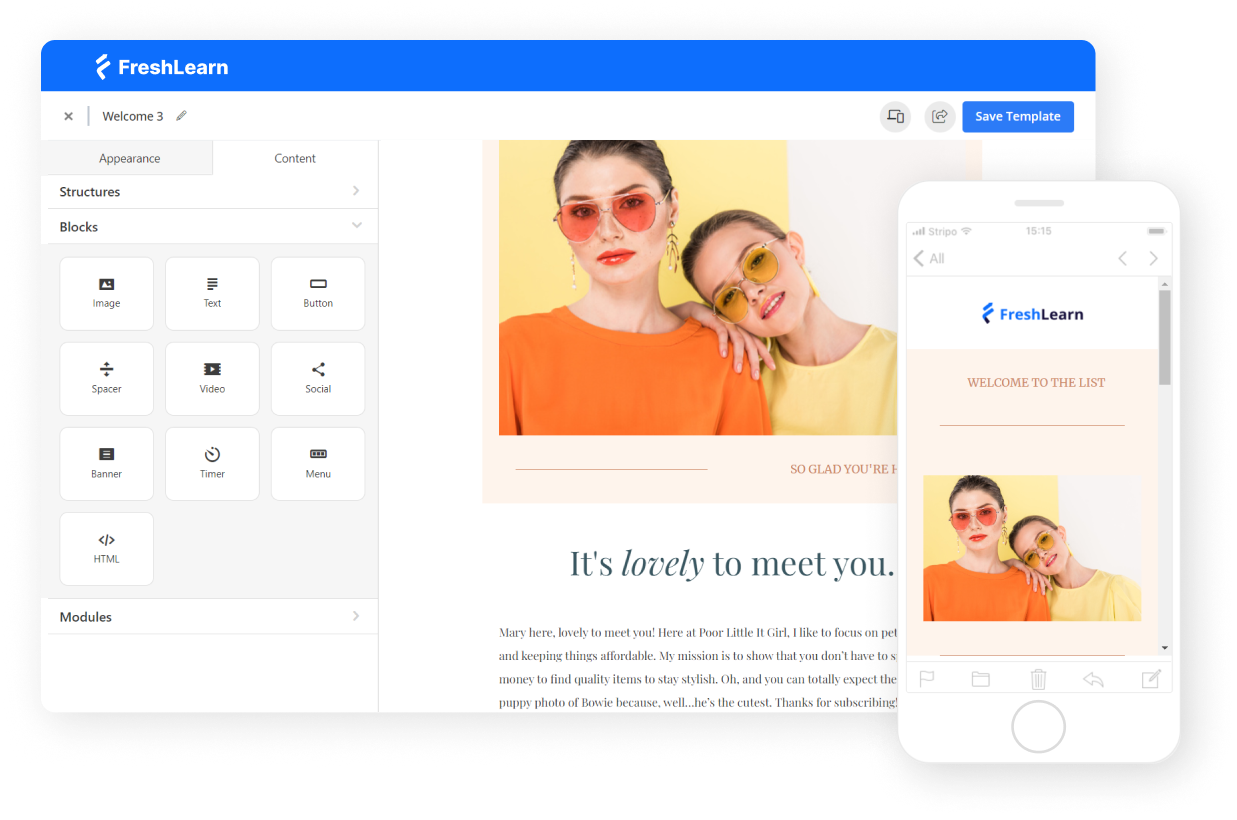
Everything you'd normally create in external authoring tools, you build right in FreshLearn.
Community and social learning done right
Where LearnUpon treats community as an optional add-on, FreshLearn builds it into the foundation.
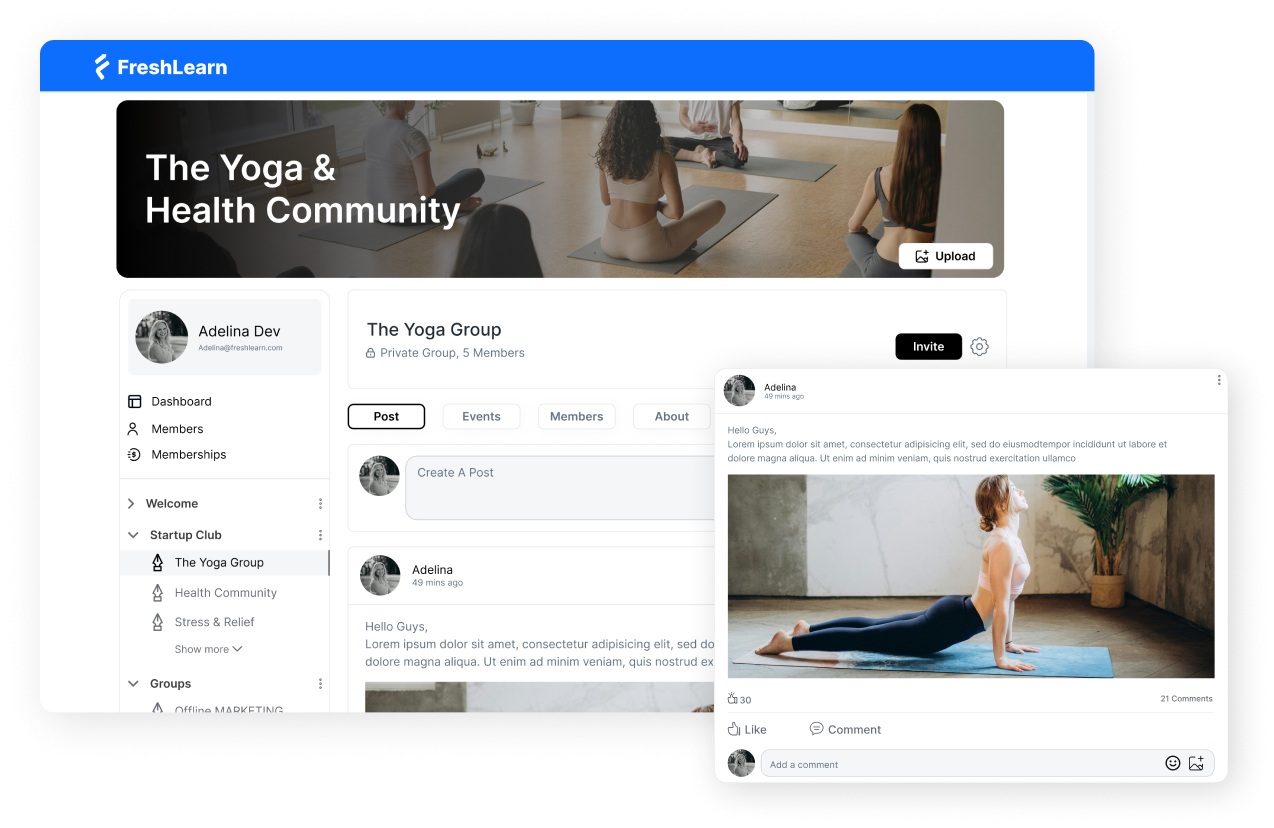
Each course can have its own discussion space where learners interact, ask questions, and learn from each other. You can create course-specific communities or platform-wide forums.
Learners can comment on lessons, engage in threaded discussions, share resources with cohort members, and receive notifications when they get responses.
Marketing and sales infrastructure included
This is where FreshLearn really differentiates itself.
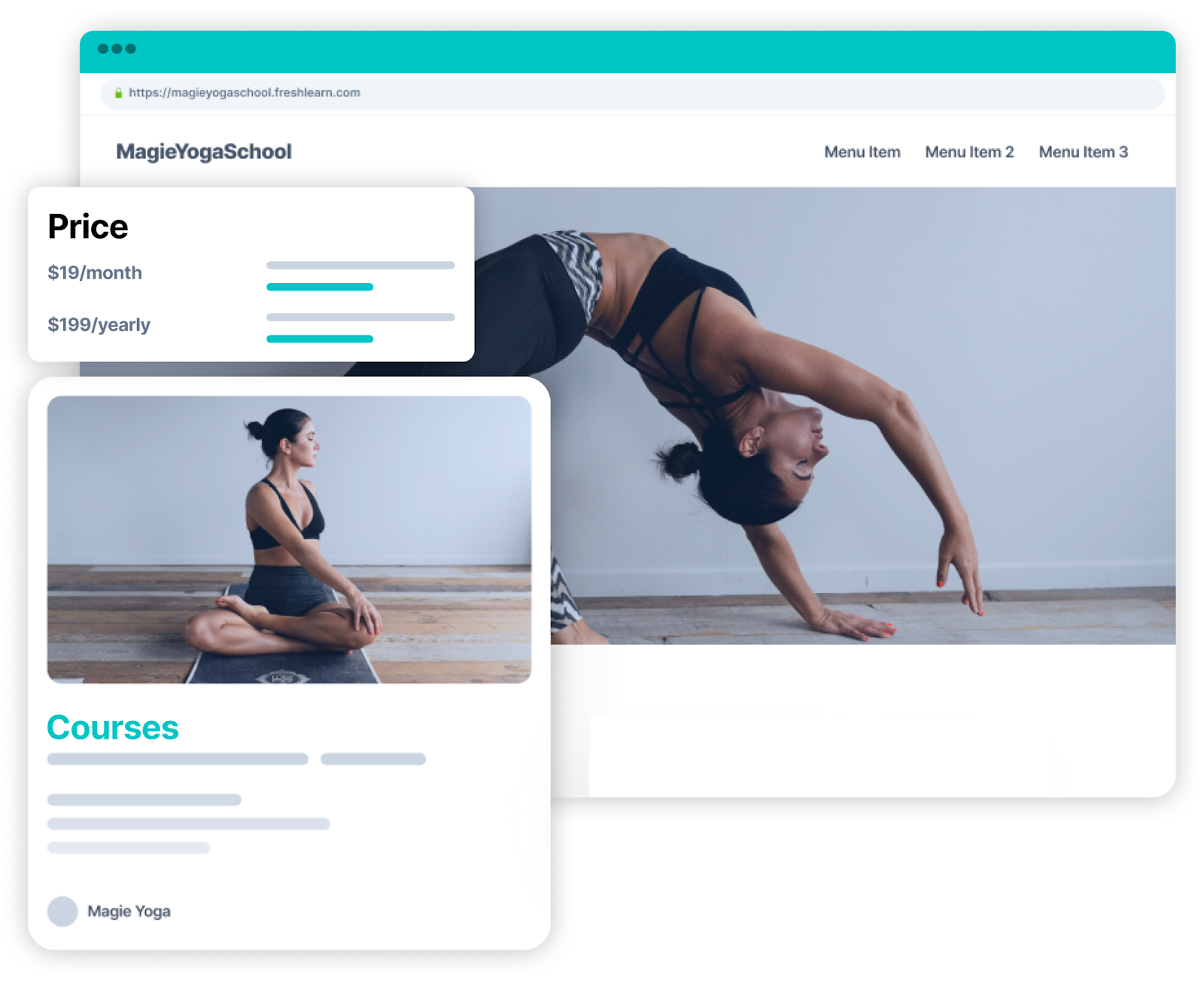
The platform includes built-in marketing tools that LearnUpon simply doesn't offer.
You get customizable landing pages for each course, email marketing automation for student nurturing, sales funnel builders for course promotion, coupon and discount code management, affiliate program capabilities, and abandoned cart recovery.
Transparent, creator-friendly pricing
FreshLearn offers clear pricing tiers that scale with your growth.
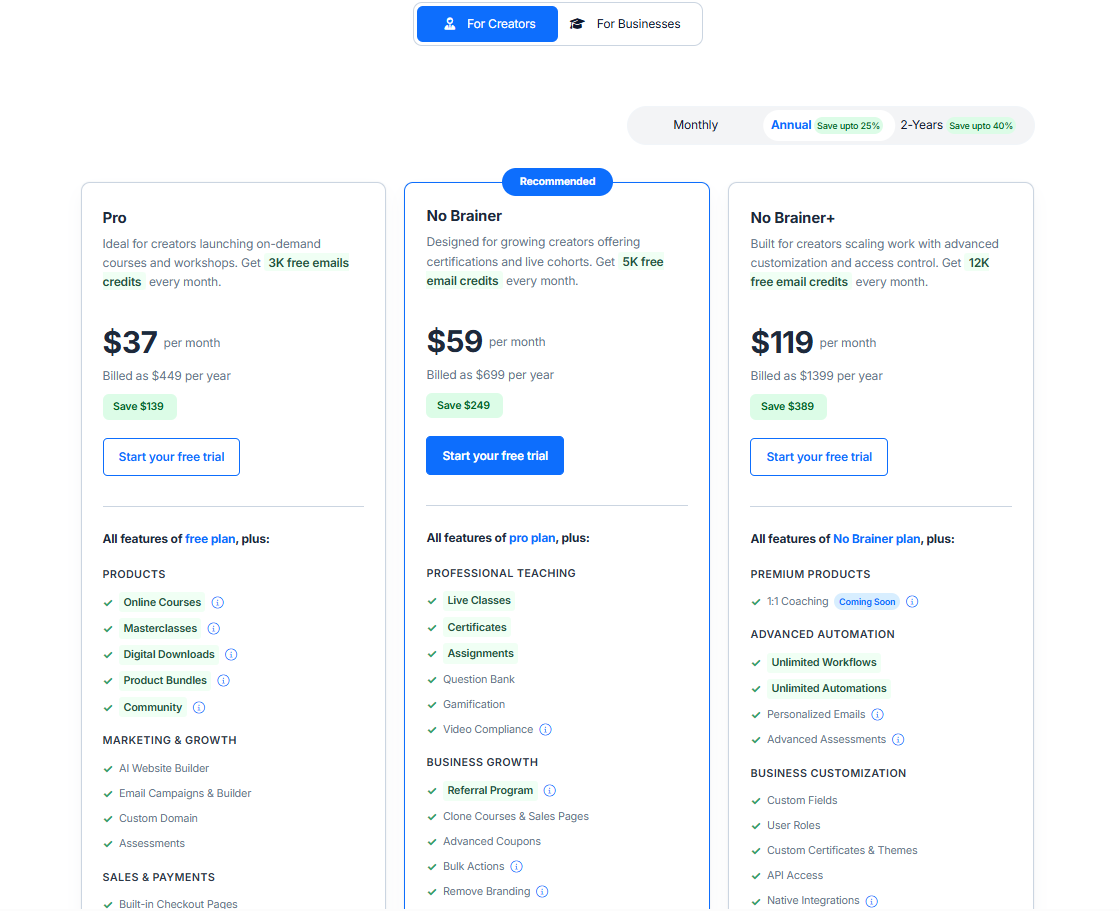
You're not locked into opaque and pricey annual contracts. Small teams can start affordably and scale up as their training programs grow. There are no surprise implementation fees, no negotiation gamesmanship, and no hidden costs for features that should be standard.
FreshLearn's key features
- Course creation and content management: Intuitive drag-and-drop builder with support for unlimited courses and lessons, multiple content formats, drip scheduling, course bundling, pre-selling capabilities, and SCORM support for importing existing content.
- AI-powered features: AI course outline generator, quiz creator, content suggestions, automated transcript generation, smart course recommendations, content summarization, and AI writing assistant for descriptions and sales copy.
- Student engagement and community: Built-in discussion forums, direct messaging, progress tracking, branded completion certificates, gamification, and native mobile apps for iOS and Android with offline viewing.
- Assessments and marketing: Multiple quiz types with automatic grading, timed assessments, quiz banks, and built-in marketing tools, including customizable landing pages, email automation, coupon management, affiliate programs, and abandoned cart recovery.
- Payment and monetization: Flexible pricing models (one-time, subscriptions, payment plans), major payment gateway support (Stripe, PayPal, Razorpay), global currency support, automated invoicing, refund management, and membership site capabilities.
- Analytics and administration: Comprehensive student database, bulk management tools, detailed analytics dashboards, exportable reports, real-time performance tracking, role-based permissions, and content migration tools.
- Branding and integrations: Full-fledged white-labeling, custom domains, customizable design, Zapier integration, REST API, webhooks, email marketing, and CRM integrations (Mailchimp, HubSpot, Salesforce), webinar connections (Zoom, Google Meet), and SSO capabilities.
Feel the FreshLearn Difference
Here's what using FreshLearn actually feels like compared to LearnUpon: You wake up with an idea for a course. By afternoon, you've outlined it with AI assistance, recorded a few lessons, set up a landing page, and configured payment processing.
By evening, you're running test enrollments. Within a day or two, you're marketing to real students.
With LearnUpon, that same process starts with sales calls, quote reviews, contract negotiations, integration setup, admin training, and configuration. Weeks pass before you create your first course.
For course creators, educators, customer education managers, and growing businesses that want to launch quickly, iterate frequently, and scale smoothly, FreshLearn eliminates the compromises without compromising on the capabilities.
Book a demo and see it for yourself.
You might also like
Hosted by