
LearnUpon Pros and Cons (2026): Evaluating the Platform for Enterprise Learning

Honestly, at this point, after writing 30+ product analysis and comparison pieces on LMS, I’ve lost count of how many platforms claim to “simplify training.”
With the goal of being simple, I often see providers hiding complexity instead of addressing it.
Now, let’s see if LearnUpon was any different. Upon reviewing G2, Capterra, and other competitor analysis, I noticed some clear trends.
If you doubt whether you can count on LearnUpon, the guessing ends here.
At FreshLearn, we help creators, coaches, and businesses turn knowledge into revenue through simple yet powerful learning tools. Over 15,000 creators have launched courses, communities, and digital products on the platform, proving you don’t need a tech team to build a professional learning business. With superb user reviews, we have already made a mark in today’s learning management space. This comparison draws on that experience to help you choose an LMS that fits your goals and growth stage.
What is LearnUpon? A quick overview for busy L&D professionals
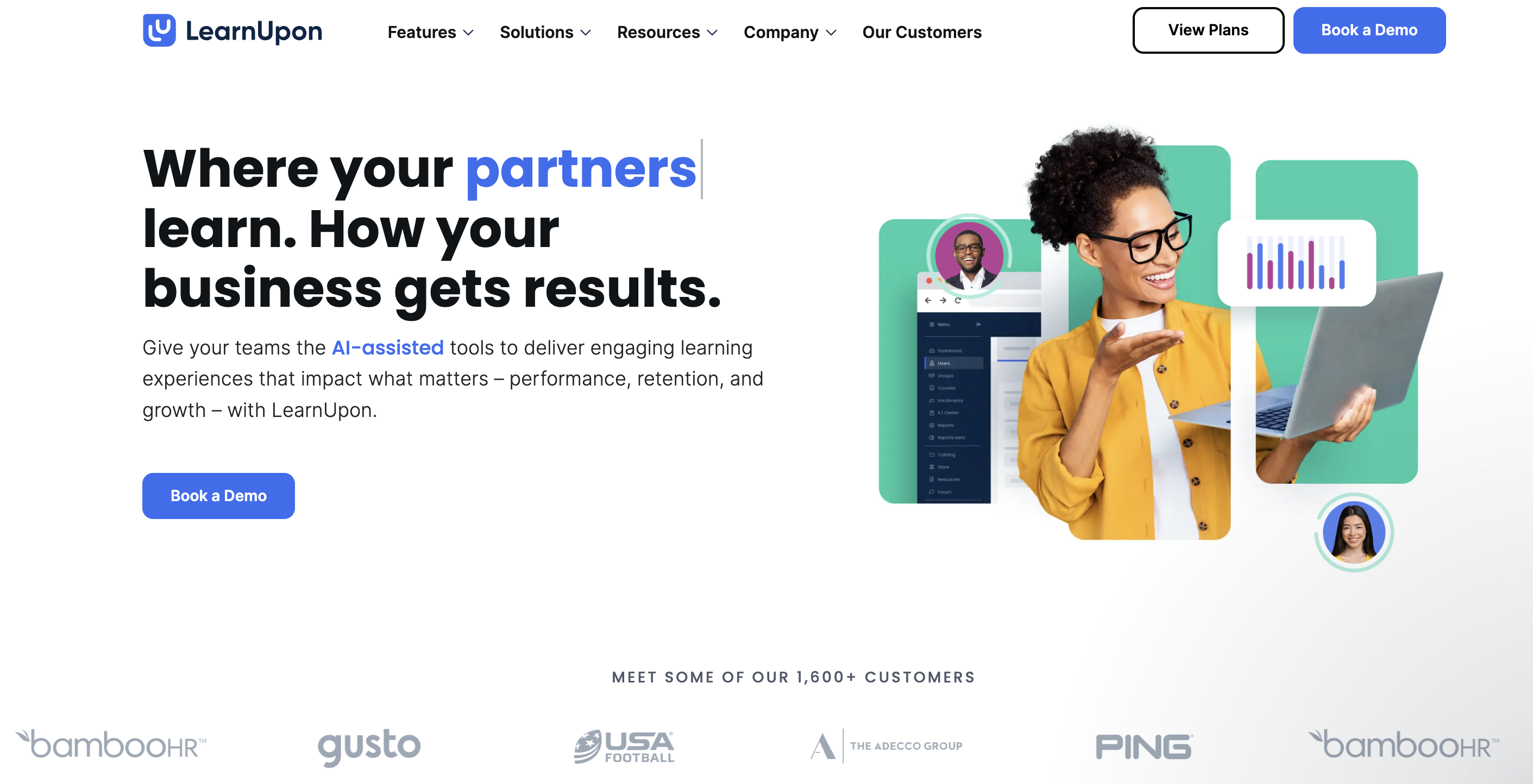
LearnUpon is a cloud-based learning management system built for mid-sized to large enterprises that want to train employees, customers, and partners from one centralized platform.
Instead of running training across multiple disconnected systems, LearnUpon brings everything: course creation, delivery, automation, and reporting, within one system.
Trusted by global brands like Zendesk, Booking.com, and USA Football, LearnUpon has made a name for itself in helping organizations simplify how they onboard, upskill, and certify people at scale. It supports multiple audiences and delivers a consistent experience for learners, managers, and admins.
Here’s a quick look at what LearnUpon offers:
- Create and deliver courses: Build learning paths, upload SCORM, xAPI, or video-based lessons, and launch programs for any audience.
- Automate enrollments and workflows: Assign courses automatically based on roles, skill level, or departments, reducing repetitive administrative work.
- Track progress and performance: Generate detailed reports to measure engagement, completion rates, and overall impact.
- Integrate with your existing stack: Easily connect with HRIS, CRM, and collaboration tools, such as Salesforce, BambooHR, and Zoom.
- Extended features: Multi-language support, security certifications (ISO 27001, SOC 2), mobile responsive, and e-commerce capabilities for selling courses externally.
- Multi-tenant portals with branding for distinct audiences: The platform lets you create separate, branded portals (for employees, customers, partners) within the same system, each with its own look and access rules.
The pros: What users love about LearnUpon
LearnUpon has a few strengths that users often mention, which tells you a lot about how the platform performs in real-world setups.
Pro #1: Exceptional Customer Support and Implementation
One of the most repeated points from users is support and onboarding.
On G2, a reviewer said:
On LearnUpon’s own “Customer Experience” page, they highlight a 92% Implementation CSAT and 95% Support CSAT.
Why does it matter?
Implementation failure is a major risk for LMS roll-outs. When an LMS vendor backs you up with high-touch consulting, goal-setting, and a dedicated team, you avoid the startup headaches, including long delays, frustrated stakeholders, and budget overruns.
For busy L&D teams, that kind of service means you don’t get stuck managing the tool; you get to deliver training.
One Capterra user summed it up:
In a crowded LMS market, this kind of partner-style support stands out and gives you confidence from day one.
Pro #2: User-friendly and intuitive interface
Another consistent recognition is the ease of use, both for learners and administrators.
On G2, a user said:
According to Saasworthy’s summary:
Why does this matter?
When your learners and admin team are not fighting the system, you get faster adoption and fewer support tickets. A clean UI means your L&D team can spend less time onboarding internal users and more time on content and engagement.
One user on Capterra said that:
For teams migrating from older, clunky systems, this simplicity pays off in speed of rollout and user satisfaction.
Pro #3: Powerful multi-audience training capabilities
Here’s where LearnUpon proves its strengths. Many LMS providers focus solely on employee training; LearnUpon brings employees, customers, and partners together on one platform. Its “Portals” feature highlights:
Portals enable you to configure your training differently for each of your target audiences, like having multiple LMSs controlled in one place.”
One user put it this way:
Why does this matter?
When you expand training to partners or customers, you don’t need separate platforms. You can brand each portal, control access, reuse content, and scale without having to spin up new systems. That means less duplication, tighter governance, and real efficiencies for L&D teams responsible for multiple audiences.
Pro #4: Strong automation and integration features
Finally, LearnUpon receives positive reviews for its easy integration with your broader tech stack. From HRIS to CRM to collaboration tools, users appreciate how the platform automates tasks and shares data.
For example, LearnUpon’s integrations page lists BambooHR, Salesforce, HubSpot, Microsoft Azure, and more.
In the platform’s news release, it said:
“With these new HRIS integrations… we’re simplifying user management and empowering employees to access the training they need, when they need it.”
One review from G2 mentioned:
Why does this matter?
Automating enrolments, synchronizing user data, and integrating with other systems reduces manual work for your team and minimizes gaps in training administration. For L&D professionals juggling multiple tools, this is a key time-saver and risk-reducer.
The Cons: Where LearnUpon falls short
When you dig into user feedback and third-party reviews of LearnUpon, the spotlight on strengths is bright, but so are a few recurring drawbacks.
Below are four key areas where you’ll want to ask questions and ensure a fit before committing.
Con #1: Opaque and premium pricing
One of the most frequent complaints is that LearnUpon doesn’t have public pricing plans. The platform forces you to contact sales for a quote and tie into an annual contract.
LMS platform reviewers call this lack of transparency “frustrating for smaller businesses.”
Consider this: third-party estimates place LearnUpon's typical pricing at $800–$ 1,000 per month or more for smaller teams. As user volumes and portal/brand complexity grow, annual fees regularly climb into the $10,000 to $50,000 range.
For many growing L&D teams, this is a major concern. When you can’t see pricing upfront, budgeting becomes difficult to plan. And if you’re a lean team with limited seats, paying for features you don’t yet use can feel heavy.
A Reddit user points out that:
Bottom line: if cost clarity and predictable budget are high priorities, you’ll want to inspect quotes, negotiate terms, and compare alternatives.
Con #2: No included course content
Unlike some LMS platforms that bundle course libraries or content marketplaces, LearnUpon requires you to build your own courses or buy third-party content.
In effect, if you don’t already have instructional designers or content creation capacity, you’ll pay more upfront, either hiring talent or licensing external material.
Bottom line: For small teams or organizations just starting out, this can shift what looked like a “platform cost” into a full content + platform cost. Make sure you factor in the total cost of ownership (TCO), not just the software license.
Con #3: Limited native course authoring and customization
Multiple reviewers on G2 and Capterra call out limitations in LearnUpon’s built-in authoring tools.
According to a Capterra user:
And a comparative review notes:
“LearnUpon doesn’t offer native H5P style interactivity… customization options are also limited.”
What this can lead to in practical terms: if your training strategy depends on simulations, branching scenarios, or advanced micro-learning formats, you’ll likely still rely on external tools (Articulate 360, Captivate, etc.) and then import SCORM files.
This creates more steps and complexity, and potentially higher costs. If you were hoping for an all-in-one content and platform tool, this may be a consideration.
Bottom line: LearnUpon works best as a delivery platform, not a content creation tool. If you want to build interactive courses from scratch, you’ll need to plan and invest in external authoring software.
Con #4: Best suited for mid-sized to large companies
Several analyst reports and reviews point out that while LearnUpon offers strong features, it is better suited for larger training operations.
A competitor research estimates starting annual fees at $15,000 and warns that the solution may over-serve smaller teams.
If you’re an SMB with under 100 learners, minimal portals, and basic requirements, you might find the platform more complex and more expensive than necessary.
Even LearnUpon acknowledges it is not suitable for smaller teams.
Bottom line: If you fall into the smaller organization category, it’s worth considering whether a leaner LMS with clear pricing and minimal features would better serve your needs as you grow.
LearnUpon pricing: What to expect
Let’s talk about how LearnUpon structures its pricing: It's quote-based, not off-the-shelf.
As stated earlier, you won’t find fixed plan pricing posted publicly, so your budget needs to allow for some conversation and negotiation.
According to a review site, LearnUpon typically runs around $6-$9 per employee per month (PEPM) for rising-scale deployments.
What that means: every extra learner, portal, or integration adds to your cost. A small-team scenario may still start in the lower PEPM range, while mid-sized and enterprise deployments increase fast.
Here’s a rough cost table based on those estimates to help you visualize what your budget might look like:
- Based on $7 PEPM as an approximate midpoint of the $6–9 range.
Is LearnUpon the Right Choice for You? (Who It's For vs. Who It's Not For)
As you now know the ins and outs of LearnUpon, let’s run a quick checklist to see whether the platform is the right choice for your training programs.
LearnUpon is a great fit for:
- Mid-sized to large enterprises (400+ employees) that need to manage multiple training programs for employees, customers, and partners. LearnUpon’s multi-portal setup and strong reporting make it easy to scale learning across departments and audiences.
- SaaS companies focused on customer and partner education. The platform supports branded portals and blended learning, helping teams have easy onboarding, certification, and enablement programs.
- Organizations in regulated industries, including finance, healthcare, or manufacturing, require detailed compliance tracking. LearnUpon’s reporting and automated recertification reminders help ensure audit readiness.
- Teams that prioritize excellent customer support over the lowest price. Since LearnUpon is known for its hands-on onboarding and responsive support team, it is a key advantage for enterprises that can’t afford downtime or technical challenges.
You should consider alternatives if:
- You’re a small business, solo creator, or operating on a tight budget. LearnUpon’s enterprise-grade pricing and feature set may exceed what you actually need for a smaller learning setup.
- You want to sell courses directly to the public. Unlike platforms that provide an internal content marketplace or a library of prebuilt learning materials, LearnUpon doesn’t include an in-built course marketplace.
- You need advanced, built-in course authoring tools. LearnUpon integrates with external tools like Articulate 360 and Captivate, but its internal authoring capabilities are limited.
- You prefer transparent, publicly listed pricing. As LearnUpon follows a quote-based model, it can make it harder for smaller teams to estimate costs upfront.
The best LearnUpon alternative for B2B training: FreshLearn
If you read through the “Who it’s not for” list and nodded along, this section is for you. Many teams feel boxed out by LearnUpon’s high minimums, opaque pricing, and external-tool dependencies.
That’s where FreshLearn can help you, not as a small-scale throw-in but as a genuine alternative built for clarity, flexibility, and growth.
- Transparent pricing: Unlike LearnUpon’s hidden cost structure, FreshLearn offers easily accessible pricing tiers and publicly lists them. Our messaging emphasizes “no hidden fees” and zero transaction charges.
- All-in-one platform: When you compare how many external tools you’d still need with LearnUpon (authoring software, add-ons, etc.), FreshLearn proves unique for including those features in one platform. You’ll find course creation, gamification, live cohorts, and assessments all built in.
- Built for growth: Whether you’re training 50, 500, or 5,000 learners, FreshLearn scales effortlessly with you. You don’t need to be a large enterprise to see real impact. Launch a full-fledged academy in as little as 30 days, with AI-powered course creation, hosting, and automation all in a single platform designed to improve engagement and completion rates.
For more details, explore FreshLearn for Corporate Training.
Other popular LearnUpon alternatives to consider
The LMS space keeps growing, and it’s easy to get lost in the options. If you’re still searching after looking at LearnUpon and FreshLearn, these three platforms are a good place to start.
TalentLMS
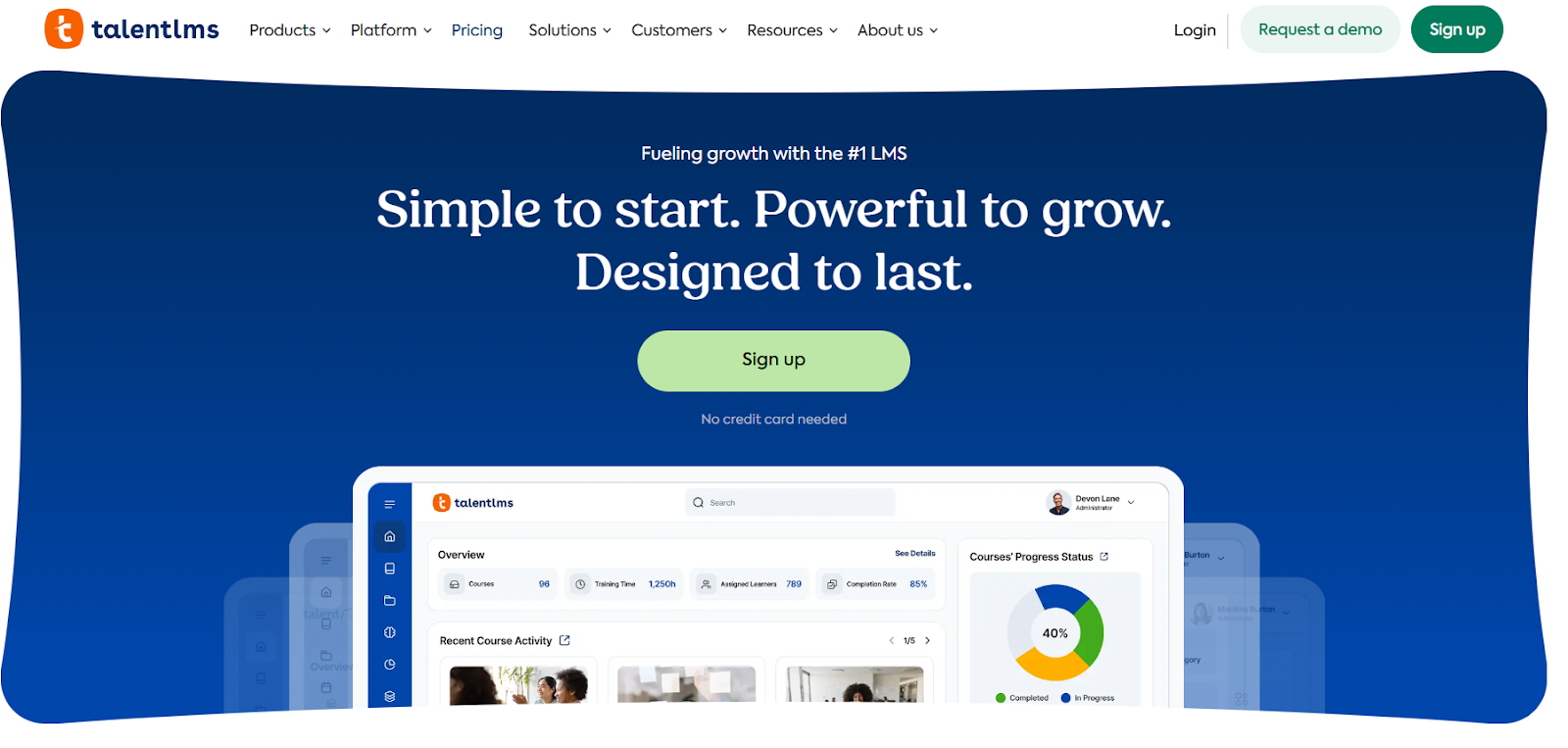
Best for: Small to mid-sized businesses looking for an easy-to-use, plug-and-play solution.
Key differentiator: TalentLMS earns recognition for its simplicity and strong gamification features, and it even comes with a library of ready-made courses — its “TalentLibrary” offers over 1,000 courses that you can deploy immediately (at an additional cost).
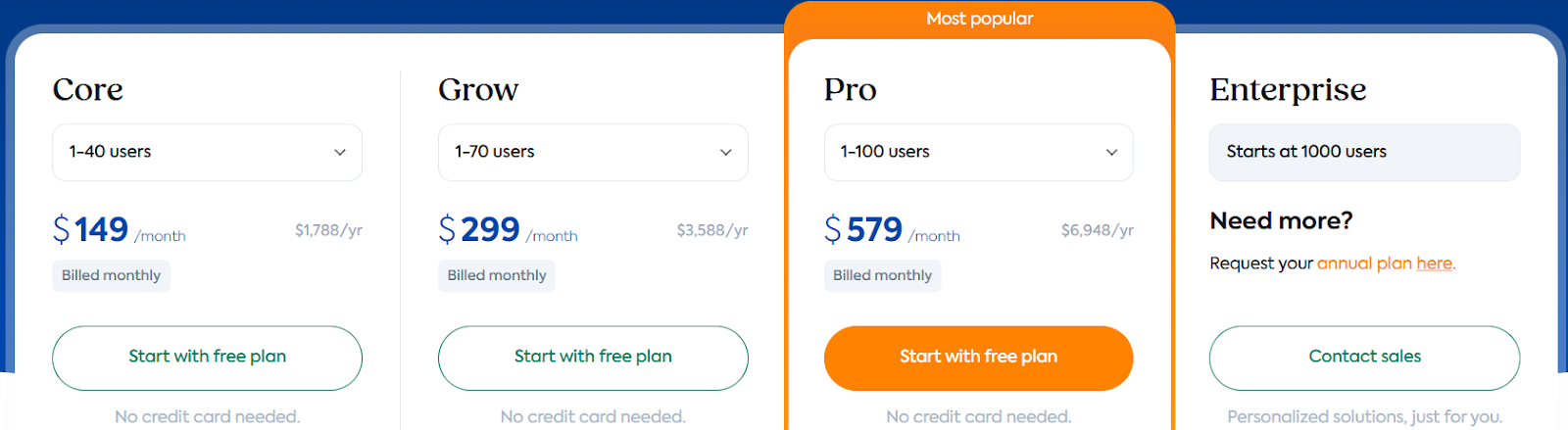
Pricing: Transparent, publicly listed plans.
- The pricing starts at $149/month or $119/month (when billed annually) for 1–40 users billed yearly.
- If you choose ‘Flexible user limit’, the pricing is $779/month or $599/month (when billed annually)+ $6 per additional user.
- Picking TalentLibrary increases the pricing of all tiers. For example, the starting price will increase to $187/month or $151/month (when billed annually).
Why it might work for you: If you’re a lean team or small business that wants to hit the ground running, with publish-ready content, simple onboarding, and clear pricing, TalentLMS checks a lot of boxes.
Docebo
Best for: Large enterprises that need a highly configurable, AI-powered learning platform.
Key differentiator: Docebo positions itself as a premium alternative. Reviews highlight its AI-based content recommendations, social learning features (learning communities), and strong configurability for enterprise use.
Pricing: It utilizes a quote-based pricing model, similar to LearnUpon, customized per organization, which provides personalized quoting but less transparent public pricing.
It has 2 pricing options,
- Elevate, which has features including white-labeled branding and AI course creation.
- Enterprise, for additional features, including a branded mobile app, upgraded API access, and priority support.
Why it might work for you: If you manage complex learning ecosystems: multiple audiences, advanced integrations, global roll-out, Docebo gives you enterprise-class tools to match.
360Learning
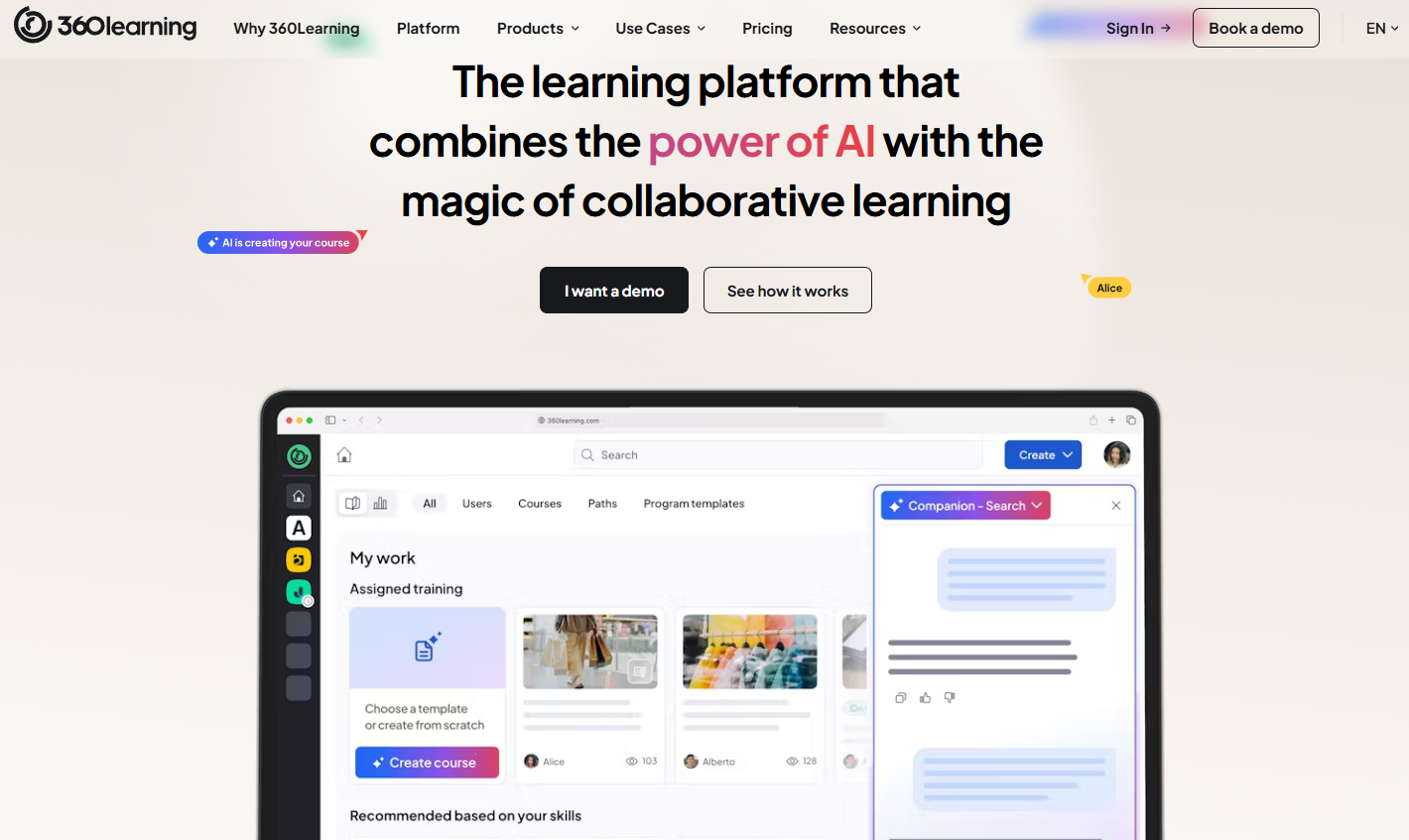
Best for: Companies aiming to build a system of collaborative learning.
Key differentiator: 360Learning allows internal subject-matter experts to create and publish training quickly, focusing on “bottom-up” or peer-to-peer learning rather than only top-down.
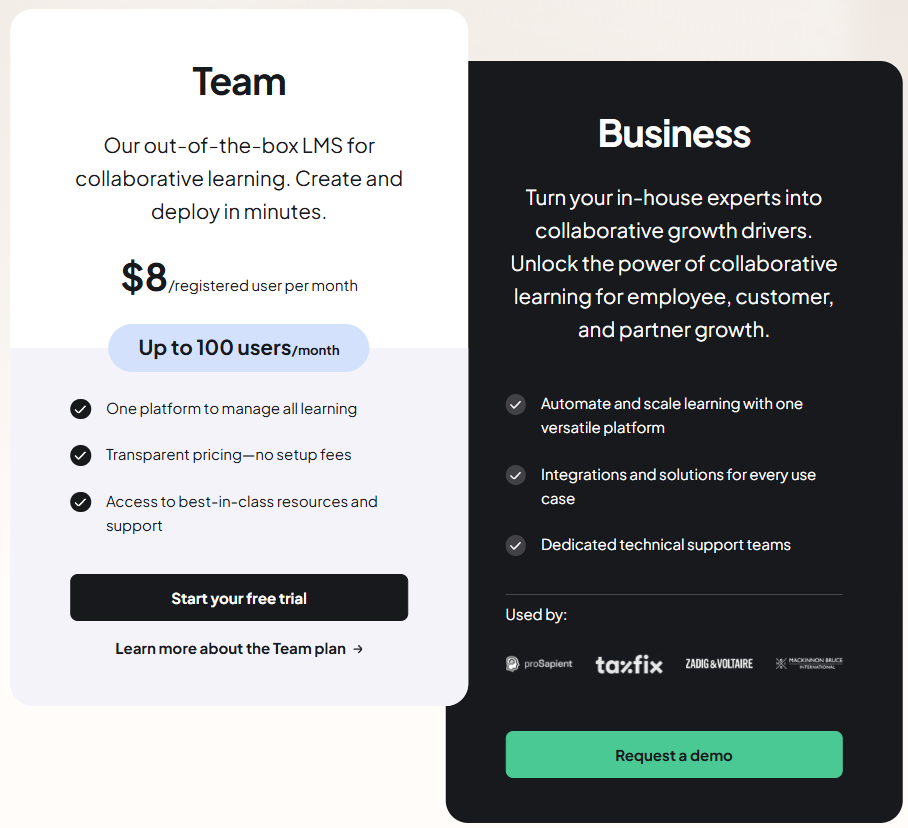
Pricing: 360Learning has 2 pricing plans:
- Team: $ 8 per month per user (for up to 100 users per month).
- Business: Custom pricing. Offers additional integrations and dedicated customer support.
Why it might work for you: If your strategy centres on leveraging internal talent to build content, creating community-based learning (forums, discussion-based modules), 360Learning offers a different flavour of LMS that focuses on collaboration over pure delivery.
Conclusion: The final verdict
LearnUpon earns its reputation as a strong, enterprise-grade LMS. It handles complex, large-scale training programs and multiple audiences: employees, customers, and partners, all in one place. Teams love its reliable performance, user-friendly interface, and responsive support.
But here’s the reality:
- Pricing lacks transparency. LearnUpon uses a quote-based PEPM model that can quickly escalate as your learner base grows.
- No built-in course authoring tools. You’ll need to rely on third-party software, such as Articulate 360, to create interactive courses.
- Designed for large enterprises. Smaller or fast-growing teams often find the pricing and features more than they need.
In short, LearnUpon excels at delivery, but it’s not the most flexible or cost-efficient option for every business. So, if your priority is transparency and control, it might be time to consider a more agile solution.
Choose FreshLearn, the practical alternative for growing teams, as we offer:
- Transparent pricing: no hidden costs or custom quotes.
- All-in-one capability: build, host, and deliver content without extra tools.
- Scalability for all sizes: ideal for startups, SMBs, and enterprises alike.
Why make things harder when growth can be simple? Get started with FreshLearn for free Today.
FAQ
1. How much does LearnUpon cost?
LearnUpon typically costs $6–$9 per employee per month (PEPM). Additional fees apply if you purchase third-party tools or enterprise-level features.
2. Is LearnUpon right for small businesses?
LearnUpon primarily supports mid-sized companies with over 400 employees. Smaller teams may find the platform more powerful and more expensive than they actually need.
3. Does LearnUpon offer a mobile app?
Yes. LearnUpon provides a mobile app for both iOS and Android devices, allowing learners to access their courses anytime. However, you cannot access course materials offline.
3. Does LearnUpon support SCORM?
Yes. LearnUpon is a cloud-based, SCORM-compliant LMS that supports HTML5 content. This compatibility ensures your SCORM courses run smoothly across both desktop and mobile devices.
4. Can I sell courses on LearnUpon?
Yes, you can sell any published course directly through your LearnUpon portal. The platform lets you create course categories, group them by topic or requirement, and make them discoverable through your course store.
5. Does LearnUpon include a free plan?
No. LearnUpon doesn’t offer a free plan, but you can try it out through a free demo to explore its features before subscribing.
You might also like
Hosted by
