The Top 7 LearnUpon Competitors for Tech Companies

LearnUpon is a powerful LMS with excellent support, integrations, and scalability. We won't pretend otherwise. But powerful doesn't automatically mean the best.
If you're running a tech company, you might be hitting some friction points.
Maybe it's the pricing that stings, with annual bills often exceeding $20,000+. Maybe it's the limits around advanced customization that feel restrictive when you need deep branding or specific workflows. Or perhaps the API rate limits don't work with your automation-heavy tech stack.
Well, there are plenty of better options to choose from.
Read on as we take you through a no-BS breakdown of the best LearnUpon Competitors for tech companies.
Let's find your fit.
Why Tech Companies Are Looking for LearnUpon Competitors
Look, LearnUpon is a solid LMS, and I'm not here to trash it.
I've spent enough time with learning platforms to know that it does a lot of things right. But no platform is perfect for everyone, and tech companies in particular are starting to hit some walls with LearnUpon that are hard to ignore.
Let me walk you through what I'm seeing.
The user experience is not always the best
LearnUpon's interface can feel clunky, especially for learners. Tech companies typically have users who expect sleek, modern experiences, like Notion, Slack, or Figma-level polish.

(Source)
LearnUpon's learner interface, by comparison, can feel a bit less intuitive than what your team might be used to. Navigation issues are a common concern among users.
When you're trying to drive engagement with training content, friction in the user experience is the last thing you need.
Customization is quite limited
Tech companies often want their LMS to reflect their brand and integrate seamlessly into their existing workflows.

(Source)
While LearnUpon offers some customization options, they're not as extensive as some teams need. Want to heavily customize the learner experience or build unique training flows?
You might find yourself working within tighter constraints than you'd like.

(Source)
The white-labeling is decent, but if you're looking for deep customization or want your LMS to feel like a natural extension of your product, you may find yourself wanting more flexibility.
Integration issues are persistent
Your tech stack is probably complex; you've got your HRIS, your CRM, your communication tools, your product analytics, and about fifteen other systems that all need to talk to each other.

(Source)
While LearnUpon does offer integrations, getting everything to work smoothly together isn't always straightforward.
Other reviewers have also noted challenges with API limitations and integration setup. Any integration issue might be a deal-breaker, especially for tech companies that live and breathe automation and seamless data flow.
Reporting could be more robust
Most tech companies need detailed, customizable reporting to understand what's working and what's not. LearnUpon provides reporting, sure, but it's not always as granular or flexible as technical teams want.

(Source)
If you're used to building custom dashboards in your product analytics tools or want to slice and dice your learning data in specific ways, you might find LearnUpon's reporting capabilities somewhat limiting.
The bottom line
None of these issues make LearnUpon a bad platform; it's still helping thousands of companies train effectively. But if you're dealing with rapid scaling, you have a distributed team with high UX expectations, or you need deep integrations with your existing tech stack, these limitations might start to feel pretty significant.
The good news? There are plenty of compelling alternatives out there designed with exactly these pain points in mind.
The 7 Best LearnUpon Competitors for Tech Companies
1. FreshLearn
Via FreshLearn
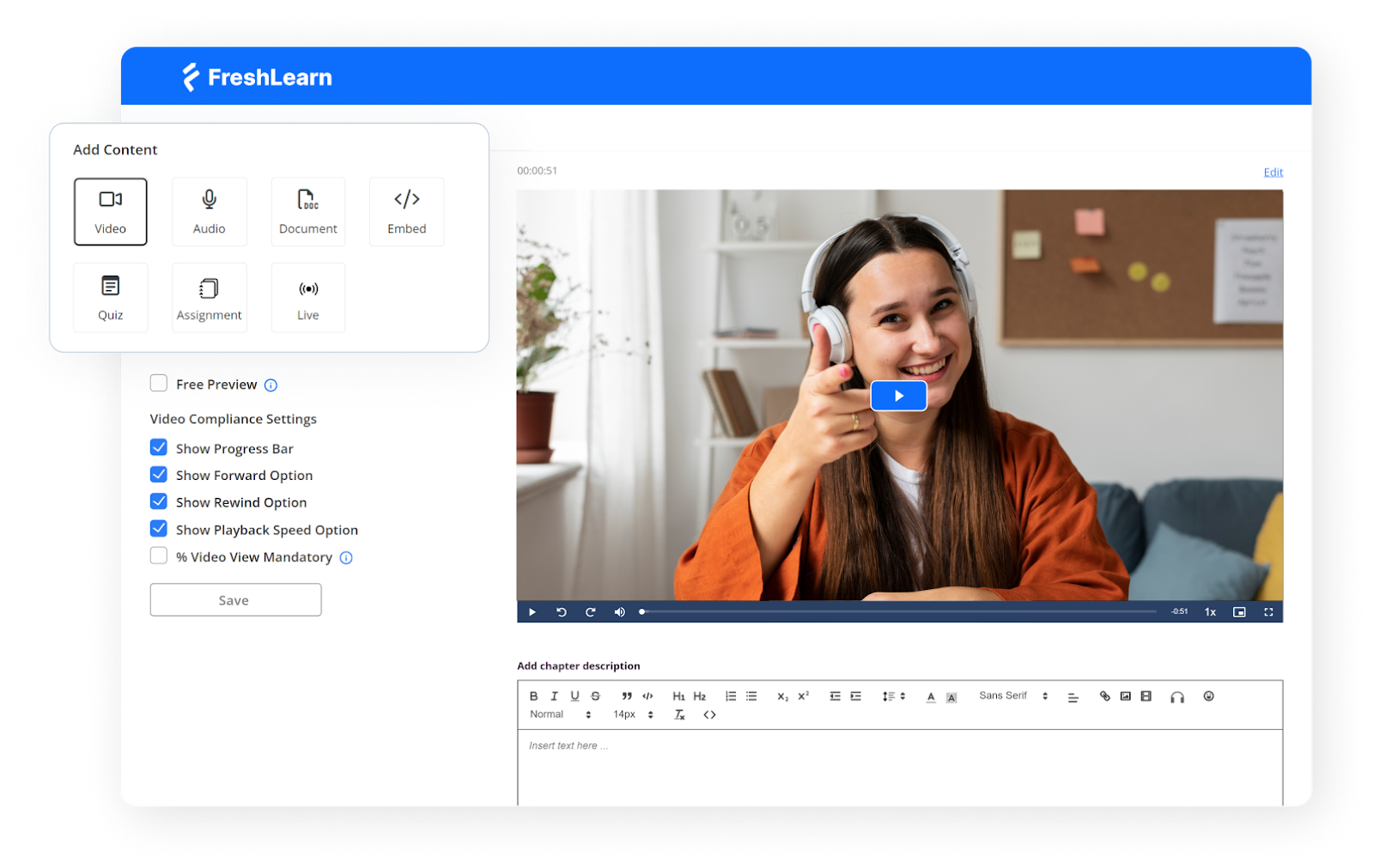
FreshLearn is an all-in-one learning platform that actually understands what modern businesses need, and it delivers without the enterprise-level price tag or complexity. Now, it’s SCORM compatible as well.
Freshlearn helps creators and businesses create, manage, and deliver engaging customer training programs through an intuitive platform. The platform helps over 15,000 creators and businesses deliver training, and there's a reason it's gained that traction: it works, and it works well.
Freshlearn has been designed for people who want to focus on teaching and training, not on becoming LMS administrators. The platform requires zero coding knowledge to build and launch your online learning academy.
This matters a lot for tech companies, where your developers should be building products, not learning about learning platforms. You can have courses up and running in under an hour.
The platform also brings something relatively new to the LMS space: built-in AI tools, including an AI Course Idea Validator that analyzes demand for course topics, an AI Course Landing Page Builder that generates pages in under 60 seconds, and AI-powered quiz generation. These are genuinely useful tools that speed up course creation and help you validate training ideas before investing significant time.
Key Features
- AI-Powered course creation: Generate organized course outlines based on your ideas in minutes, create interactive quizzes from course content automatically, and build sales pages with AI assistance.
- Unlimited video hosting with zero buffering: Video hosting is included in all plans with no limits, featuring worldwide CDN delivery for faster access across different devices and network speeds.
- Complete white-labeling and customization: Full control over branding, including custom domains, SMTP email configuration, white-labeled quizzes, and customizable platform appearance.
- Robust integration ecosystem: Compatible with essential tools, including HubSpot, Zapier, Google Analytics, Stripe, PayPal, Zoom, and Google Meet, with API support for custom integrations.
- Built-in community features: Forums, discussion boards, gamification with points and badges, and moderation tools facilitate interaction and collaboration among learners.
Pros
- Significantly more affordable than all other LMS platforms while offering a comprehensive feature set.
- Easy to navigate and use for both administrators and learners, with a minimal learning curve.
- 24x7 live chat support with real humans (not bots), responsive and fast issue resolution, and patient assistance for non-technical users.
- No transaction fees on paid plans; you keep 100% of your revenue without platform cuts eating into your margins.
Cons
- You cannot create fully automated email sequences based on triggers.
- The templates library is not as comprehensive as some of the more popular platforms.
Pricing
- Free Plan: No monthly cost, no transaction fee
- Pro Plan: $49/month (or $37/month billed annually)
- No Brainer Plan: $79/month (or $59/month billed annually)
- No Brainer+ Plan: $149/month (or $119/month billed annually)
- Enterprise Plan: $249/month (or $169/month billed annually)
2. TalentLMS
Via TalentLMS
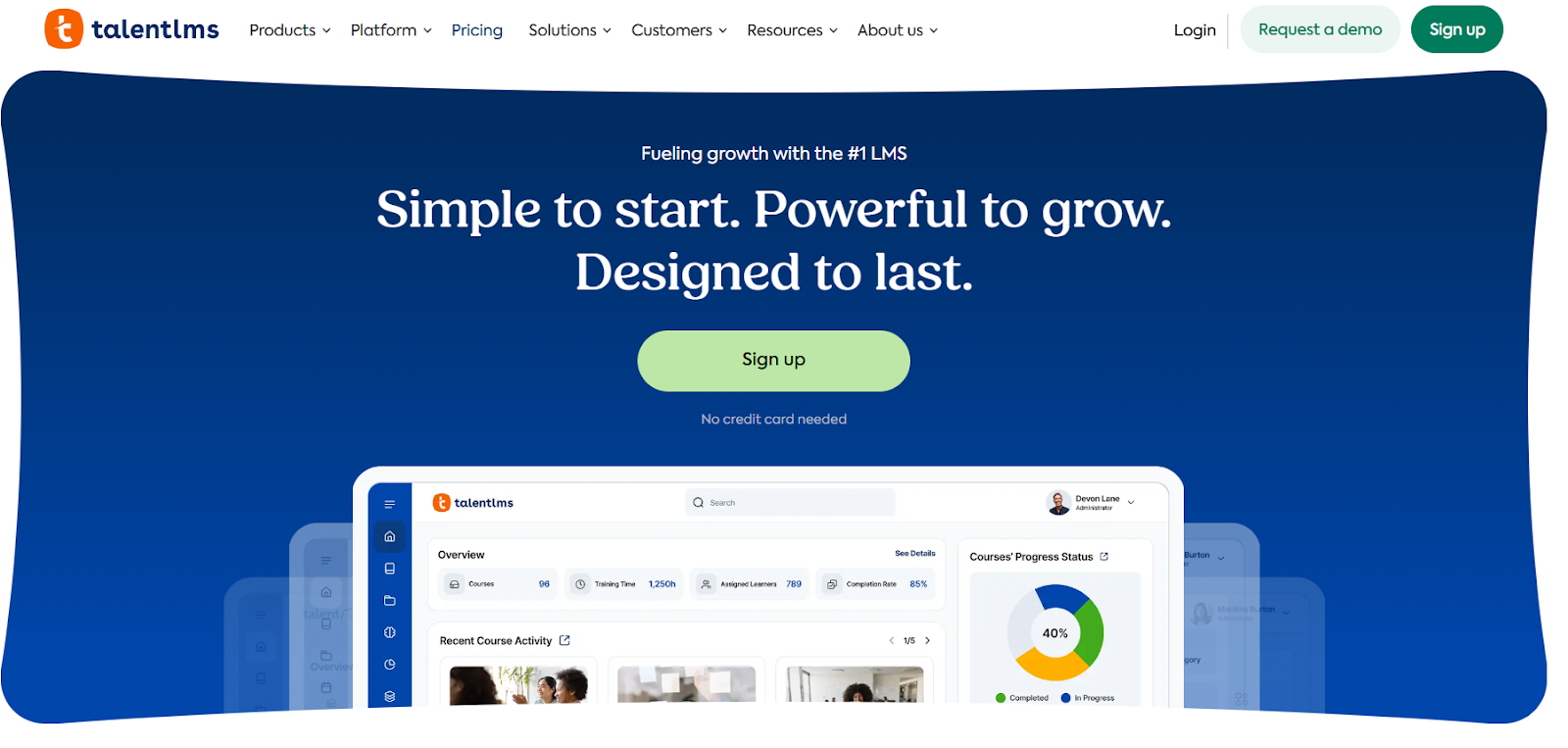
TalentLMS is a cloud-based eLearning tool designed to simplify how you create, deliver, and manage online training. The platform is flexible and adaptable, capable of meeting the requirements of diverse business types from small businesses to large enterprises.
TalentLMS focuses on getting out of your way. The platform's design is intuitive right out of the box, and like FreshLearn, it lets you create courses in minutes, even without technical expertise. The platform also includes TalentCraft, an AI course creator available since late 2023, which uses artificial intelligence to help you easily create courses.
Beyond just content creation, TalentLMS has introduced a major skills-based learning feature that helps you map talent, spot skills gaps, and assign training efficiently. This is awesome for tech companies focused on keeping teams current with rapidly evolving technologies.
Key features
- Skills-based training management: The new skills feature allows you to map talent, identify skills gaps, and assign targeted training in just a few clicks.
- Comprehensive integration support: The platform integrates with tools including Zoom, ADP Workforce Now, Trello, Salesforce, and Okta, plus it offers API access for custom connections to your existing tech stack.
- Gamification and engagement tools: Features include gamification capabilities that can add excitement and anticipation to your training.
- Mobile-responsive learning: The platform is completely mobile-responsive and allows your learners to access courses anytime, anywhere.
Pros
- Users consistently praise the strong customization options for both learners and administrators.
- A straightforward setup allows you to have courses running quickly without extensive training or IT involvement.
- Efficiently handles SCORM, xAPI, and cmi5 files, making it compatible with third-party content.
Cons
- Customization options for branding portals and homepages have some restrictions that may frustrate teams wanting deep design control.
- The native course builder is somewhat limited, though it integrates well with external authoring tools.
Pricing
- Free Plan available
- Core Plan: Starts at $149/month with essential training delivery tools.
- Grow Plan: Starts at $299/month with additional branches, reporting, and priority support.
- Pro Plan: $579/month featuring advanced onboarding and phone support.
- Enterprise Plan: Custom pricing.
3. Docebo
Via Docebo
Docebo positions itself as an enterprise-grade, AI-forward learning platform built to scale formal learning, skills programs, and blended experiences across organizations. With Docebo, you get a single learning platform that supports content authoring, marketplaces, e-commerce, integrations, and analytics, all wrapped with governance and compliance controls required by larger teams.
Docebo is a modular platform. The Learning Platform (core LMS) is complemented by add-ons such as Content Creation, AI Virtual Coaching, Communities, Learning Intelligence, Headless Learning, and more.
That modular approach lets buyers personalize packages; you can start with learning delivery and add advanced features like immersive learning, marketplaces, or e-commerce as needs grow.
Integrations and automations are front and center in Docebo. You get access to APIs and prebuilt connectors designed for HRIS, SSO, e-commerce, and analytics pipelines.
For regulated or security-sensitive environments, Docebo also covers third-party certifications and controls. Those two pillars, extensible integration and compliance, are central to how Docebo differentiates itself for enterprise buyers.
Key features
- AI and automation: Built-in generative and automation features for course recommendations, content tagging, and workflows.
- Content creation and marketplace: Native authoring plus marketplace integrations for third-party content.
- Wide integration library: Documented REST APIs and dozens of prebuilt integrations for HRIS, SSO, and e-commerce.
- Trust center and compliance: Certifications and compliance controls for regulated deployments.
Pros
- The platform is highly modular, and it is easy to add professional services, AI coaching, or a content marketplace.
- Frequent updates and a public roadmap provide visibility into product direction.
- Unlike most LMS platforms, Docebo comes with a strong enterprise security and compliance posture.
Cons
- Feature depth across so many modules can increase implementation complexity and time-to-value.
- Enterprise pricing model and custom quotes can be expensive for smaller teams.
Pricing
- Two main tiers (Elevate and Enterprise), with annual active-user pricing and optional add-ons.
4. LearnDash
Via LearnDash
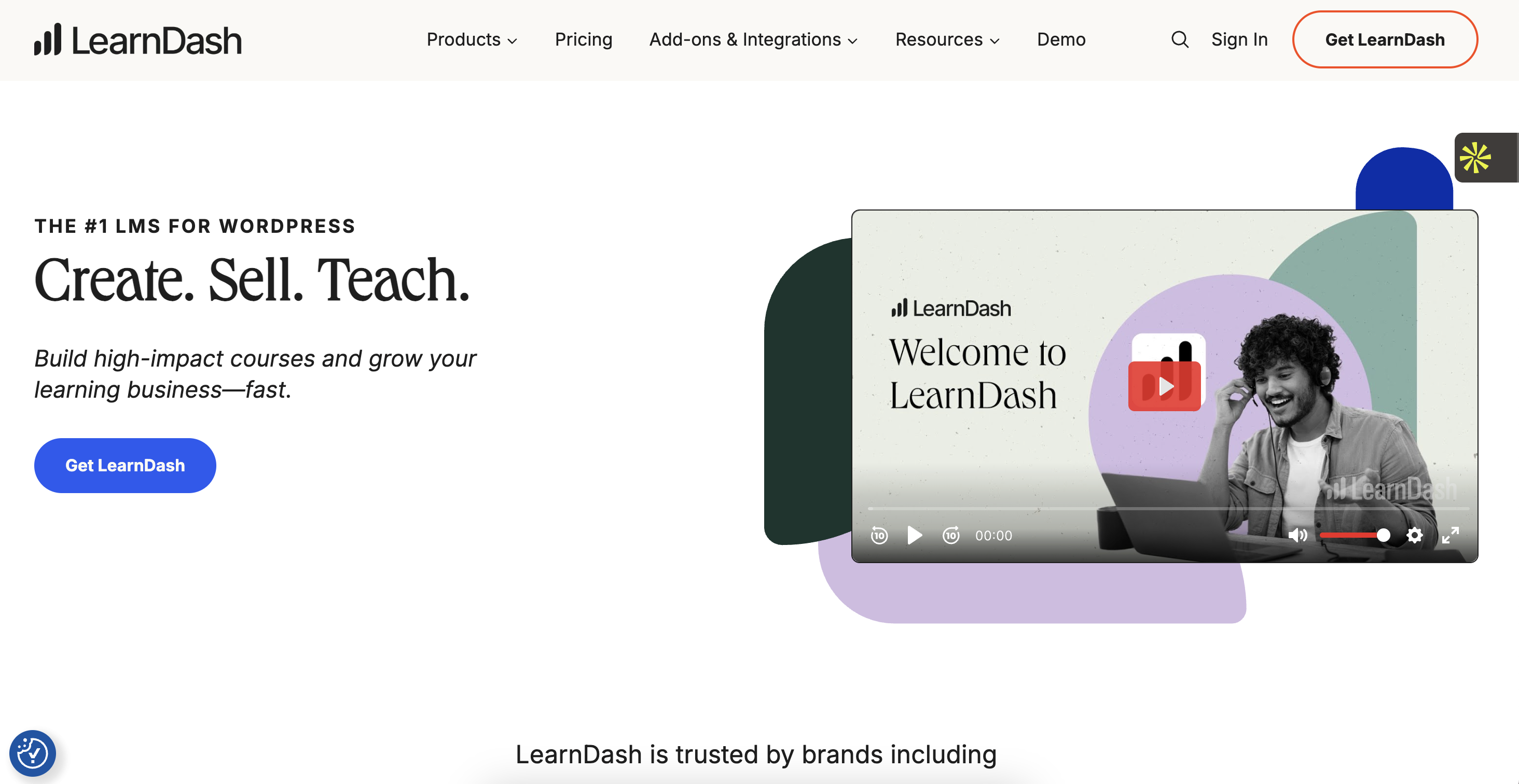
LearnDash is a WordPress-native LMS plugin targeted primarily at course creators, educators, and small-to-mid businesses who want full control of their learning site via WordPress. The product emphasizes simplicity of setup, a drag-and-drop builder, powerful quizzing and assignment workflows, monetization options, and a strong ecosystem of integrations and add-ons.
Where LearnDash stands out is the combination of advanced course features with WordPress flexibility. The platform provides a drag-and-drop course builder, advanced quizzing (timed quizzes, question bank, question types), drip scheduling, certificates and badges, and focused learning modes for distraction-free study.
It also adds creator-facing tools like an AI course outline builder, an onboarding wizard, and integrations for e-commerce and membership plugins. These features make it easy to go from zero to a polished course site without enterprise procurement cycles.
LearnDash comes in two main ways: the self-hosted plugin to install on a WordPress site, and LearnDash Cloud, a hosted product. Because it’s WordPress-native, customers manage hosting, backups, and some security choices themselves unless they pick the Cloud option.
Key features
- Drag and drop course builder: Build lessons, topics, and sections quickly inside WordPress.
- Advanced quizzes and assignments: Get access to multiple question types, timers, and assignment workflows.
- E-commerce and subscriptions: Built-in support for selling courses, plus integrations (WooCommerce, Stripe).
- AI course outline and onboarding wizard: Automated course skeletons and setup help for faster course creation.
Pros
- Clear, published pricing and licensing with unlimited users or courses per plan.
- It comes with a deep course and quiz feature set that scales from solo creators to training teams.
- Strong documentation and community support, plus many WordPress integrations, work in its favor.
Cons
- Requires WordPress knowledge and separate hosting (unless using LearnDash Cloud).
- An ecosystem approach means some essential features have to be purchased from third-party plugins.
Pricing
- 1 site: $199/year
- 10 sites: $399/year
- Unlimited sites: $799/year
5. 360Learning
Via 360Learning
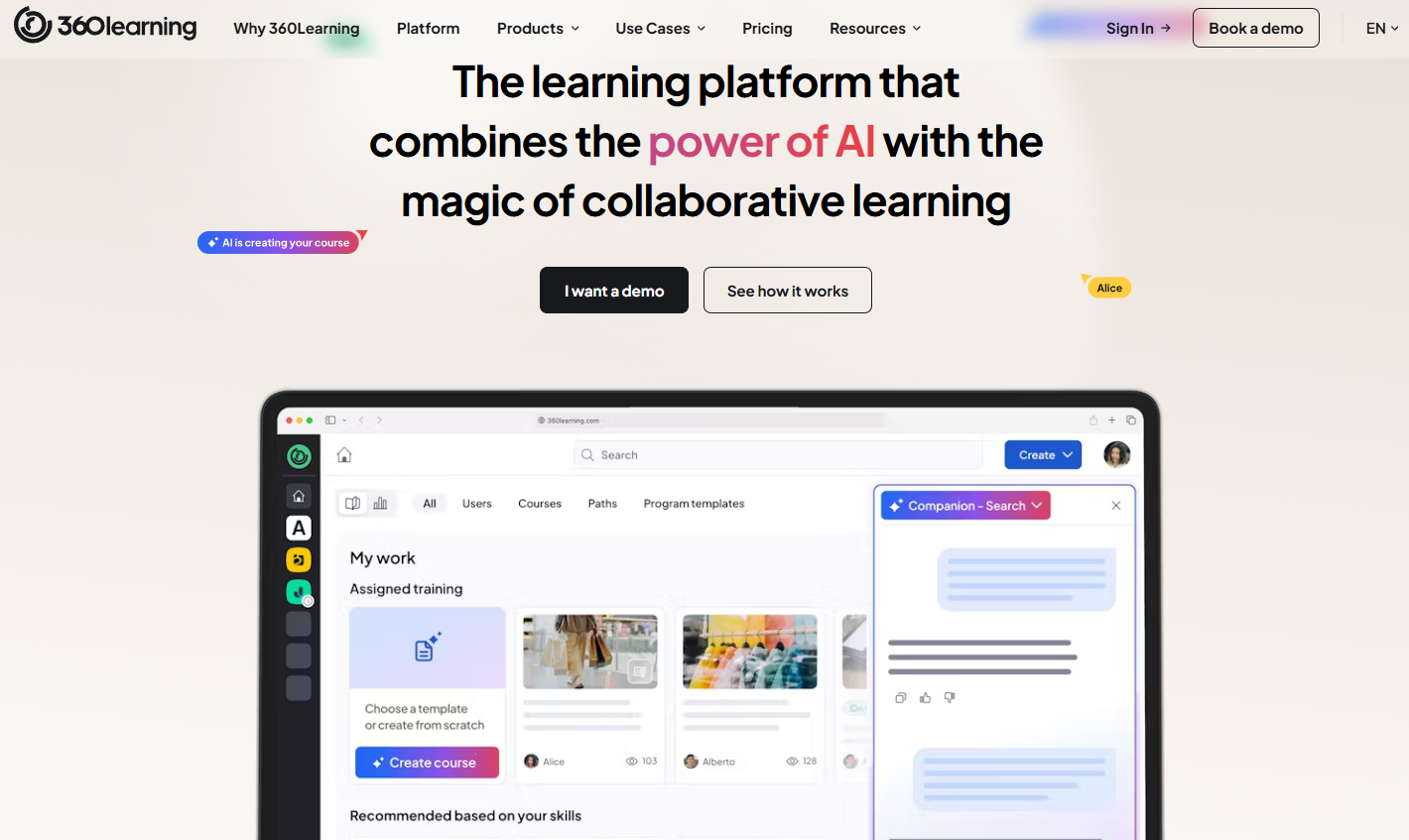
For tech companies seeking to keep their training content as current as their latest software releases, 360Learning offers a nice solution. It operates on a principle of collaborative learning and lets in-house subject matter experts create, share, and update learning content.
Unlike traditional, top-down learning management systems, 360Learning works with the agile and decentralized nature of many tech organizations. By enabling the people who know the most also to be the teachers, 360Learning helps ensure that training is relevant, timely, and practical.
The platform is designed to be intuitive; even without a background in instructional design, you can quickly develop learning materials. This ease of use is necessary in a fast-paced tech environment where time is precious.
360Learning also prioritizes social learning and adds features that encourage peer-to-peer interaction and knowledge sharing. Learners can ask questions, provide feedback, and collaborate within the platform for a dynamic and engaging learning experience.
Key features
- Collaborative course creation: Quick course creation with integrations and templates with collaborative features like comments and reactions built directly into the learning experience.
- Skills-based learning management: Features for social learning through discussions, ratings, and comments, combined with bite-sized microlearning content.
- Comprehensive Integration Ecosystem: Connects with HRISs such as SAP and Workday, productivity tools like Slack and Microsoft Teams, and content libraries like LinkedIn Learning or Udemy.
- Multi-audience training support: Address onboarding, employee development, customer training, and sales enablement, all on one platform.
Pros
- The customer success department and CS team are top-notch, always available to help with responsive service.
- Collaborative features, including comments and reactions, come in handy.
- Works smoothly on both computers and smartphones, making learning convenient anytime, anywhere.
Cons
- Limited customization of branding and look and feel, with customization options that restrict the ability to tailor the platform effectively.
- Some advanced reporting and automated dashboards for personalized statistics are missing.
- Some features are missing in the authoring tool and depend on third-party providers for advanced interactivity.
Pricing
- Team Plan: $8/month per user for up to 100 learners
- Business Plan: Custom pricing for organizations
6. SANA Learn
Via SANA
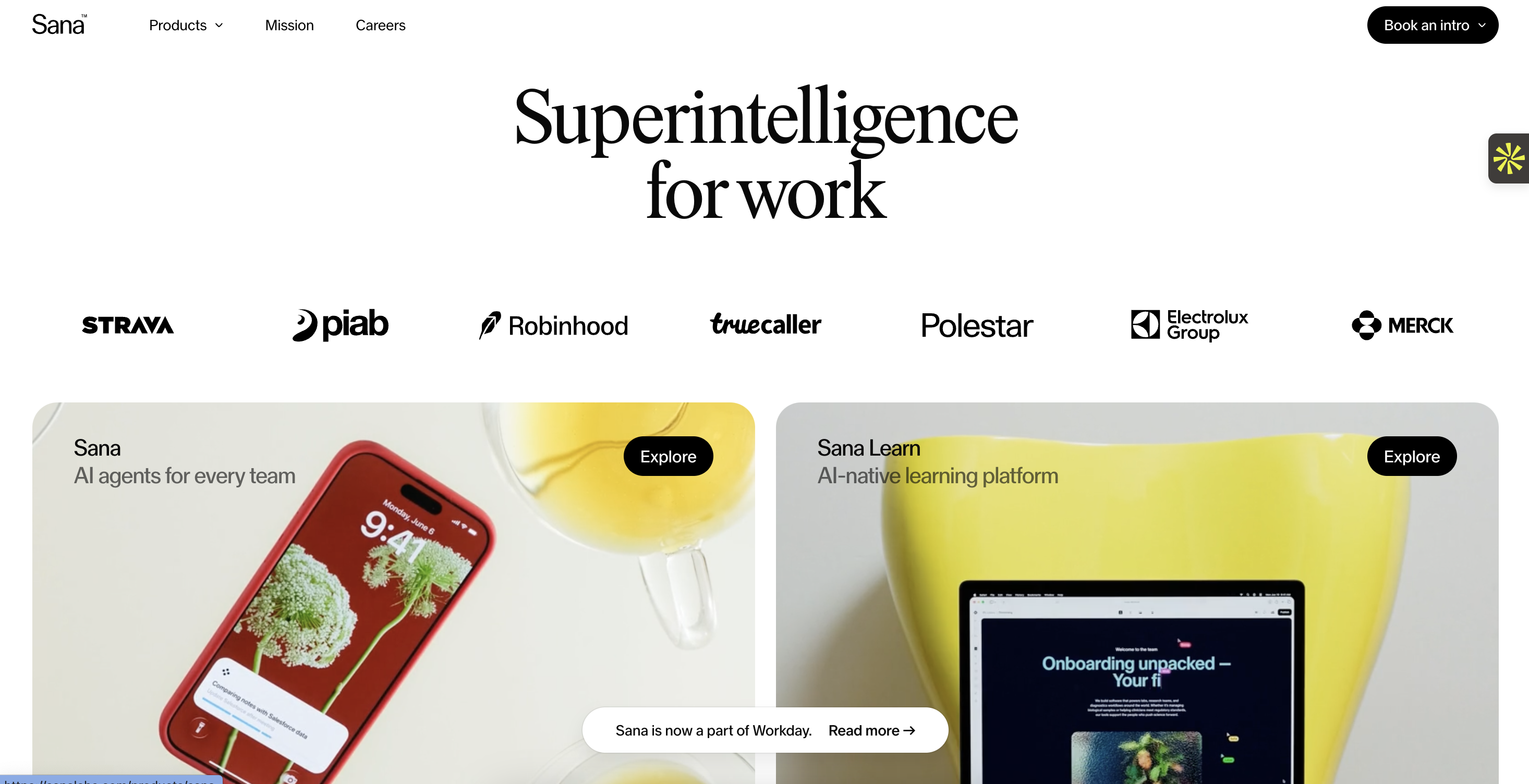
Sana Learn brings the best of an LMS, LXP, authoring tool, and virtual classroom into one AI-native learning platform. SANA was built from the ground up with artificial intelligence at its core. The platform is designed to move beyond creating one-size-fits-all content to a truly dynamic, personalized learning experience at scale.
What makes SANA particularly interesting for tech companies is its sophisticated approach to knowledge management. The platform combines learning capabilities with an AI-powered work assistant that's trained on all of a company's knowledge and integrated with all its apps.
SANA’s intelligence extends to content creation and delivery. Sana's AI acts as a co-pilot for your L&D team. It can take a document or a video and automatically generate an entire course from it, complete with summaries, key takeaways, and quiz questions.
For the learner, the experience is made hyper-personal. The platform tracks every interaction to understand how each person learns best. It then dynamically adjusts their learning path, suggesting the next piece of content, be it a microlearning video, a document to read, or a live session to attend, that will be most effective for them.
Note: Workday announced its acquisition of Sana in September 2025, which will transform how the platform is positioned and integrated going forward.
Key features
- True AI-native architecture: SANA’s AI Tutor understands both global knowledge and your company's specific content, and creates personalized learning experiences.
- Revolutionary content creation: AI-powered course converter transforms PDFs into interactive courses, interactive content creation with an AI assistant, and auto text-to-voice features.
- Universal knowledge search: AI search enables just-in-time learning and accessibility to knowledge across all company systems.
- Comprehensive platform integration: Plug-and-play integrations with CRM and HRIS systems, including automation capabilities.
Pros
- The Sana team is described as fantastic to work with and is known to constantly provide support and inspiration.
- The platform is designed to encourage collaboration, with authoring support that's unparalleled.
- The platform continuously adds innovative features geared to deliver better learning experiences.
Cons
- Users miss having more power over custom system notifications via email and Slack compared to other learning platforms.
- SANA is quite pricey compared to its immediate competitors.
Pricing
- Core Plan: $13 per license (minimum 300 licenses)
- Enterprise Plan: Custom pricing for businesses
7. CYPHER Learning
Via CYPHER Learning
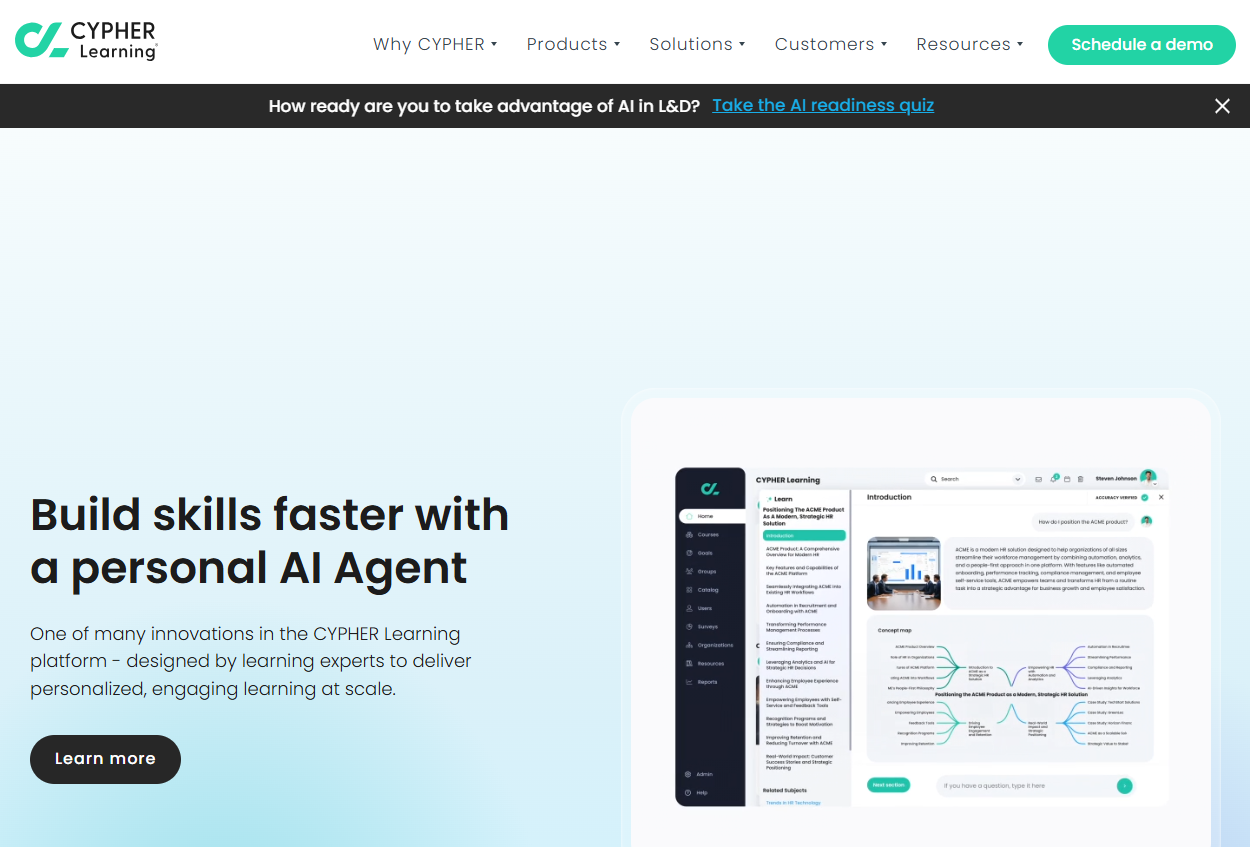
CYPHER Learning offers an all-in-one AI-powered learning platform that combines LMS, LXP, and AI-enabled course creation. CYPHER Learning deserves your attention if you're looking for a platform that's been recognized with industry awards and delivers comprehensive functionality without overwhelming complexity.
CYPHER Learning’s sophisticated automation engine is arguably its best feature. Recognized as having one of the best automation engines in the industry, the platform is the only one built around automation from the ground up, with 25+ automated actions.
This automation translates to significant time savings and reduced administrative burden for tech companies handling multiple training initiatives.
Moreover, CYPHER AI 360 automates course creation and cuts production time to minutes by generating content, mapping skills with precision, and integrating gamification and assessments. The platform earned Gold in the 2025 Brandon Hall Group Excellence Awards for Best Use of AI for Learning, which validates its AI-first approach isn't just marketing hype.
Key features
- Comprehensive AI-powered automation: CYPHER Agent accelerates creation of skills-based, gamified courses with assessments in minutes.
- Competency-based learning: Automatic competency creation, mapping to content and assessments, and mastery reporting.
- World-class gamification: Leveled-up gamification with periodic leveling, leaderboards, badges, points, and site-wide features.
- Universal Translation: Available in 50+ languages and one of the few platforms with a Universal Translator.
Pros
- Allows for branding customization and enables you to personalize the platform's look and feel to match your specific branding requirements.
- Recognized as Best Overall LMS, Best Employee Training Software, Top Enterprise LMS by Forbes Advisor, and Gold Stevie Awards winner for Best Technology Product.
- Implementations in 100+ countries serving millions of users, with employees in over 23 countries.
Cons
- The reporting features lack depth, and it is difficult to extract specific insights about learner progress and performance.
- Some users would prefer a dedicated mobile app for easier access on phones.
Pricing
- Custom pricing
Comparison Table: Best LearnUpon Competitors for Tech Companies
Still can’t make a decision? Here’s a handy table to help you out:
Making the Right Choice For Your Tech Company
Look, choosing an LMS isn't about finding the perfect platform (because that doesn't exist). You have to find the one that fits your specific needs without forcing you to make painful compromises.
Each platform we've covered has strengths. Docebo brings enterprise-grade security and modular scalability. 360Learning excels at collaborative, peer-driven learning. SANA delivers cutting-edge AI personalization and so on.
For small-to-mid-sized tech companies and SMBs, FreshLearn offers the best balance of affordability and features.
The combination of affordability and feature depth you get with FreshLearn is hard to beat.
You're getting SCORM compliance, unlimited video hosting with global CDN delivery, AI-powered course creation tools, white-labeling for your site and mobile app, community hosting, and zero transaction fees, all starting at just $49/month. And unlike many competitors, there are no transaction fees on paid plans, which means you keep 100% of your revenue.
If you're a tech company looking to get training up and running quickly, without enterprise procurement cycles or a six-figure budget, FreshLearn deserves consideration.
Start your free trial and build your first course today.
FAQs
1. Can I migrate from LearnUpon to another LMS without losing my course data?
Most modern LMS platforms support data migration, though the process varies. FreshLearn offers free migration for their No Brainer and Plus Yearly plans, including courses, pages, members, and enrollment data.
Plan ahead and export your content in standard formats (SCORM packages, CSV files for user data) and work with your new platform's support team.
2. How do I calculate the true cost of switching to a new LMS?
Look beyond the monthly subscription fee. Factor in migration costs (some platforms charge for this service), training time for administrators, potential downtime during the switch, and any add-ons you'll need.
Don't forget about integrations; if your new LMS doesn't natively connect with your HRIS or CRM, you might need to pay for middleware like Zapier.
Also consider transaction fees; some platforms take a percentage of course sales, which adds up quickly.
3. What's the difference between an LMS and an LXP, and which does my tech company need?
An LMS (Learning Management System) is structured and admin-driven; you assign specific courses to specific people, track completion, and ensure compliance.
An LXP (Learning Experience Platform) is more like Netflix for learning; it uses AI to recommend content based on user behavior, encourages self-directed learning, and emphasizes discovery over enforcement.
4. How can I measure training ROI to justify the investment in a new LMS?
Start by establishing baseline metrics before switching: course completion rates, time-to-competency for new hires, support ticket volume related to product knowledge, and employee performance scores.
After implementing your new LMS, track these same metrics plus platform-specific data like engagement rates, assessment scores, and learning path completion times. Connect training data to business outcomes. For example, do sales reps who complete product training close deals faster? Do engineers who finish security training write more secure code?
5. What security and compliance features should I prioritize when choosing an LMS?
For tech companies, especially those in regulated industries or handling sensitive data, focus on these essentials: SOC 2 Type II compliance, GDPR and data privacy controls, SSO integration (SAML or OAuth), role-based access controls, and audit trails for tracking who accessed what content.
If you're training customers or partners, look for features like content encryption, domain restrictions for video playback, and the ability to white-label without exposing your infrastructure.
You might also like
Hosted by